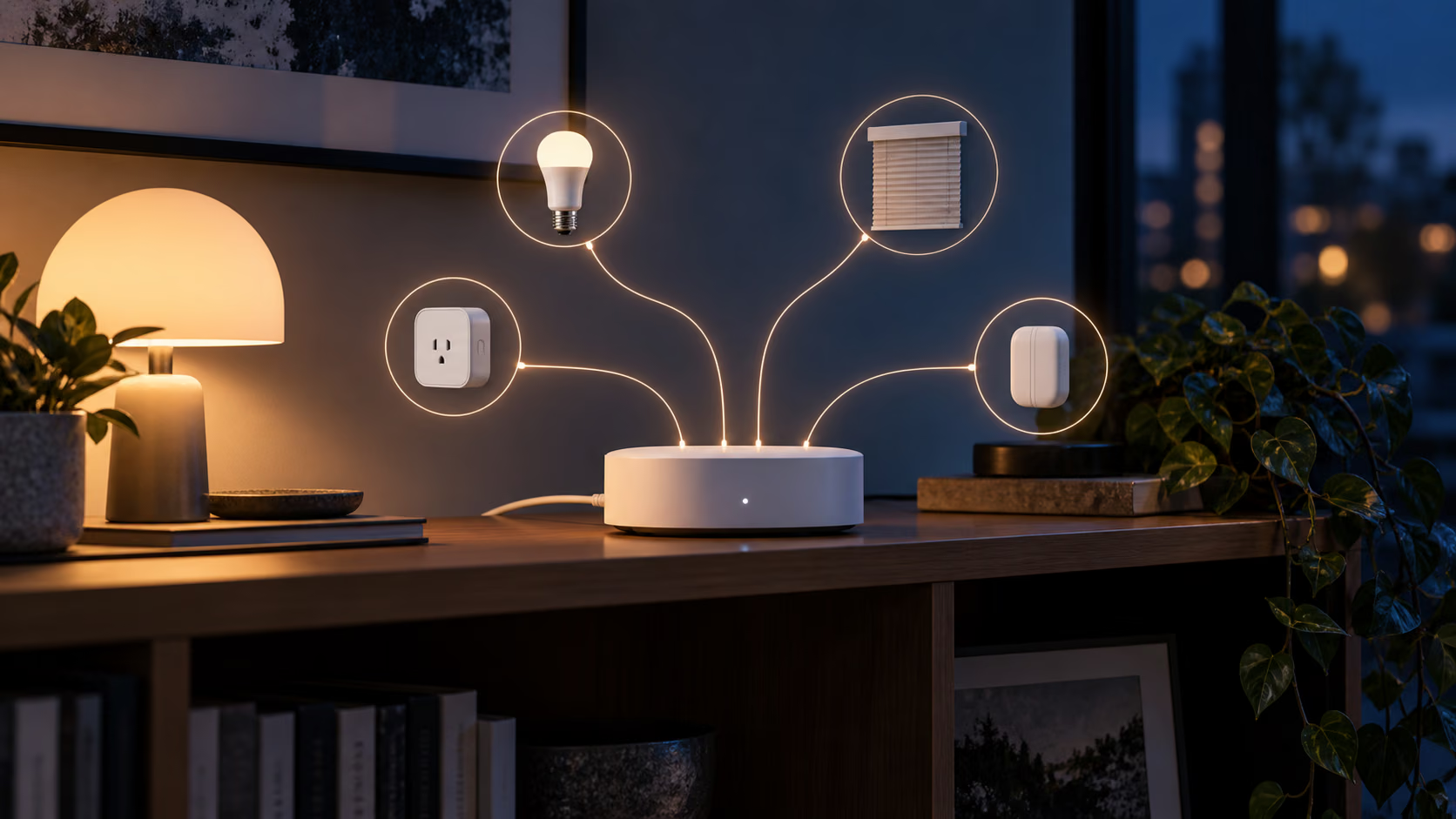
The difficult part of buying a Matter hub is not pairing it. It is working out what the word hub means on that particular box.
One product may be a Matter controller, able to commission and operate Matter accessories. Another may be a Thread border router, carrying IPv6 traffic between a Thread mesh and the home network. A third may be a bridge, translating Zigbee accessories into Matter devices that another ecosystem can see. These jobs are related, but they are not interchangeable.
The Zemismart M1 is most interesting as a bridge. It brings supported Tuya Zigbee devices into Tuya or Smart Life, then lets selected device types appear in Apple Home, Google Home and other Matter ecosystems through a Matter QR code. The current product page also refers to Thread device support. That makes the M1 look like one small answer to three smart home problems.
It is not that simple. The M1 can still be useful, but only if you buy it for the devices it actually supports rather than for a broad interpretation of the Matter logo.
Start with the three roles
A Matter controller is the part that adds Matter devices to a fabric and sends commands. Apple Home, Google Home, SmartThings and Home Assistant can each provide a controller through suitable hardware and software.
A Thread border router connects a low power Thread mesh to the normal IP network. It does not translate device capabilities. A Matter over Thread accessory still speaks Matter end to end, and a controller reaches it through the border router.
A Matter bridge does translate. A Zigbee sensor talks Zigbee to the bridge. The bridge represents that sensor as a Matter endpoint to another platform. Remove the bridge and the exported device disappears because the bridge is the translator and the radio coordinator.
Zemismart describes the M1 product as a Matter compatible hub for Tuya Zigbee standard devices and Thread devices. It says Zigbee devices can be shared to Apple Home and Google Home by scanning a QR code. Those statements establish useful capabilities, but they do not mean every Tuya Zigbee product becomes a complete native Matter device.
This distinction is the central buying question. If the goal is to expose a set of compatible Tuya Zigbee lights, plugs and sensors to another ecosystem, M1 has a clear job. If the goal is a universal Matter controller, a guaranteed Thread border router for arbitrary devices, or a replacement for every existing hub, the description needs more scrutiny than the product name suggests.
Related reading

Zigbee compatibility is a list, not a protocol promise
Zigbee interoperability has always been more complicated than sharing a radio standard. Device profiles, manufacturer specific clusters and coordinator software decide what appears and which controls work.
The M1 listing says it supports Tuya Zigbee standard devices. Treat that wording literally. A Zigbee logo on an accessory is not enough. A Philips Hue bulb, Aqara sensor or random generic module may use standard clusters, private behaviour or a commissioning flow the Tuya platform does not understand.
Before ordering, search the M1 compatibility information for the exact manufacturer and model number printed on the device. Do not rely on a shop category such as Zigbee curtain motor. Two products with nearly identical shells can contain different firmware.
The second check happens after pairing. A bridged device may expose only its common Matter features. A light might offer power, brightness and colour while losing a vendor effect. A thermostat could show temperature and setpoint but omit calibration or scheduling. A multi button remote may not map cleanly at all.
That is not necessarily a defect. Matter intentionally defines common device types. The bridge cannot export a capability for which the receiving ecosystem has no matching model. It becomes a problem when the missing feature is the reason the accessory was purchased.
I would begin with one representative device from each category. Pair a light, sensor, plug or motor, share the hub to the destination ecosystem and write down what survives. Only then is it sensible to migrate a room.
The Tuya app remains part of the system
Initial setup uses Tuya or Smart Life. That means the account, app and vendor service are part of commissioning even when day to day control later happens through Apple Home or Google Home.
This matters because local control and local administration are different claims. Matter commands from the destination ecosystem may travel locally while adding a Zigbee device, changing a vendor setting or updating hub firmware still requires the Tuya path.
The right offline test has several stages:
- Pair the M1 and its Zigbee accessories normally.
- Add the bridge to the chosen Matter ecosystem with its QR code.
- Confirm every exported device and rename it there.
- Disconnect the internet at the router without turning off Wi-Fi or the local network.
- Try direct controls, scenes and automations from the destination ecosystem.
- Restore the internet and check whether state changes reconcile correctly.
This test does not prove that every feature is local. It tells you which ordinary controls remain available during an outage. Repeat it after major firmware updates because behaviour can change.
Also separate a Tuya cloud failure from a home network failure. If Wi-Fi, the Matter controller or the bridge loses power, local Matter cannot help. Resilience comes from understanding each dependency, not from one protocol label.
Commissioning should be documented before it is forgotten
Small hubs tend to be configured once and ignored until a router, phone or household changes. Recovery is therefore more important than the first successful pairing.
Give the M1 a stable location with reliable 2.4 GHz Wi-Fi and some distance from a crowded USB 3 storage setup. Wi-Fi and Zigbee both use the 2.4 GHz band, so placement can affect both sides. Hiding the hub behind a metal cabinet or beside a wireless access point is convenient for cables and poor for radio coverage.
During setup, record which app account owns the hub, which home it belongs to and which ecosystem received the Matter bridge. Keep the device QR code in a private household record. Do not publish it or paste it into general notes. It is commissioning material, not decoration.
Name devices at the source before sharing them. A clear source name makes recovery easier when the receiving platform creates generic endpoints. Avoid embedding room names twice if the destination system already provides rooms.
Then test a controlled reset before the installation becomes critical. Read the manual first, verify the reset control and know whether resetting the hub removes its Zigbee network, Matter fabric membership or both. A reset should be a recovery tool of last resort, not the first response to one accessory going offline.
Related reading

Thread support needs a precise question
The product page mentions Thread devices, but a buyer should ask what role the M1 performs for the exact firmware version being sold. Does it commission Matter over Thread accessories as a controller? Does it provide border routing to another Matter controller? Does it expose Thread accessories through its bridge? These are different paths.
The easiest way to avoid confusion is to draw the intended route before purchase. For a bridged Zigbee plug, the path is plug to M1 over Zigbee, then M1 to Apple Home or Google Home through Matter over the LAN. For a native Matter over Thread sensor, the path should be sensor to a Thread mesh, through a border router, then to its Matter controller.
If the household already has an Apple TV, HomePod, Nest hub, SmartThings hub or Home Assistant Thread radio, adding another potential border router does not automatically improve coverage. Thread border routers on the same credentials can participate in one mesh, but ecosystem credential sharing and firmware behaviour decide whether that happens cleanly.
The M1 should therefore be purchased for a confirmed function, not as insurance against an undefined Thread problem. If the only requirement is a border router for native Matter over Thread devices, use hardware that the chosen ecosystem explicitly documents for that role.
Multi ecosystem control is useful, but state ownership gets messy
Matter supports multiple fabrics. In practical terms, the same Matter device or bridge can be commissioned into more than one ecosystem. This is one of the protocol’s best ideas because a household is rarely loyal to one phone brand forever.
Bridges add another layer. Device names, rooms, scenes and automations are not automatically shared across fabrics. Apple Home may call an endpoint Desk Lamp while Google Home retains Light 3. Turning it on should synchronize device state, but the automation definitions belong to their respective platforms.
Choose one administrative source. Pair Zigbee accessories and change vendor specific settings in Tuya. Use one main Matter ecosystem for room assignment and household automations. Add a second fabric only when there is a concrete reason, such as mixed phones or voice assistants.
After multi admin setup, test commands from both sides in quick succession. Check dimming, colour, position and sensor state rather than only power. If one platform cannot represent a feature, design the household around the common subset or keep the specialist automation at the source.
Avoid duplicate schedules. A light that Tuya turns on at sunset and Apple Home turns off through another condition can look unreliable even though both systems are doing exactly what they were told.
Privacy is broader than packet location
Matter’s local IP model can reduce cloud dependence for routine commands. It does not make the entire product private by definition.
The Tuya app account, device registration, diagnostics, firmware checks and remote administration may still contact external services. The correct way to evaluate this is at the router: observe the destinations during commissioning, idle operation, a local command and an app session. Blocking traffic without understanding it can prevent updates or recovery, so make changes incrementally.
Place smart home hubs and inexpensive IoT devices on a network segment appropriate to the household’s threat model. They usually need to reach controllers and DNS, and sometimes the internet, but they do not need unrestricted access to every laptop and server.
Network isolation must still allow the multicast discovery Matter uses. An aggressively separated VLAN can make a sound product appear broken. If the network blocks mDNS or IPv6 between the controller and IoT segment, solve that routing and discovery design before blaming the hub.
Privacy also includes lifecycle. Check whether the account can remove the hub, whether a factory reset clears ownership and whether a second hand buyer can commission it. A device that remains tied to an old account is difficult to repair, sell or hand down.
M1 or M1 Pro
Zemismart also sells the M1 Pro. Its current listing adds infrared control and states support for up to 128 Zigbee subdevices. The normal M1 is the simpler and cheaper model, with a current promotional price around $47.50 on Zemismart’s store. The M1 Pro page currently shows a promotional price around $75.99. Prices, bundles and regional tax can change, so use the store only as a live reference.
The Pro version makes sense when its IR function will replace another bridge or when a larger documented Zigbee capacity is required. Infrared is line of sight and usually cannot report the true state of an appliance, so it should not be counted as equivalent to native smart control.
Related reading
For a modest collection of compatible Zigbee devices, the basic M1 has the cleaner proposition. Spending more does not improve interoperability for an unsupported accessory.
Compare it with keeping devices in Tuya, using a mature Zigbee coordinator in Home Assistant, or buying the first party hub for a device family. Home Assistant provides more local flexibility but asks for more administration. A first party bridge often preserves more features but may expose fewer brands. The M1 sits between them: approachable, inexpensive and broad within the Tuya world, but not universal.
What I would verify during the return window
The first evening should answer the questions that matter later:
- Does the exact Zigbee accessory pair without a workaround?
- Which controls and sensor values appear in Tuya?
- Which of those appear through the Matter bridge?
- Do local commands work with the internet disconnected?
- How quickly does state update after manual control?
- Can the hub recover after power and router restarts without repair?
- Does the intended automation still work when the phone is away?
Run the power recovery test more than once. Switch off the hub and router, start the router first, then the hub. Repeat with the order reversed. A smart home component should tolerate ordinary outages without requiring a reset or a new QR scan.
Keep the packaging until these checks are complete. Compatibility is specific enough that no review can replace testing the actual accessory list and ecosystem combination.
Verdict
The Zemismart M1 is a practical Matter bridge for someone who already owns supported Tuya Zigbee devices and wants their common functions in Apple Home, Google Home or another compatible ecosystem. That is a useful, concrete purpose for an inexpensive box.
It is a poor purchase if the requirement is described only as needing Matter or Thread. Those words cover several network roles, and the M1 product language does not remove the need to confirm the exact path. It also does not turn every Zigbee accessory into a fully featured Matter device.
I would buy it after checking one exact device model and deciding which platform owns the automations. I would then test offline control, restart recovery and feature mapping during the return period. If those pass, the M1 can reduce daily dependence on the Tuya interface while preserving a simple Zigbee installation. If the aim is universal local control with full device features, a documented coordinator and a more deliberate home automation platform remain the stronger foundation.
One email a month: new articles, reviews and the upcoming live webinar + free recording. No spam, unsubscribe anytime.