Presence detection is the automation most smart homes get wrong. A passive infrared sensor sees movement, so it turns the lights off on someone reading on the sofa or typing at a desk. Millimetre wave radar fixes that by sensing far smaller movements, but most mmWave sensors need a USB power lead, and the lead decides where the sensor can go.
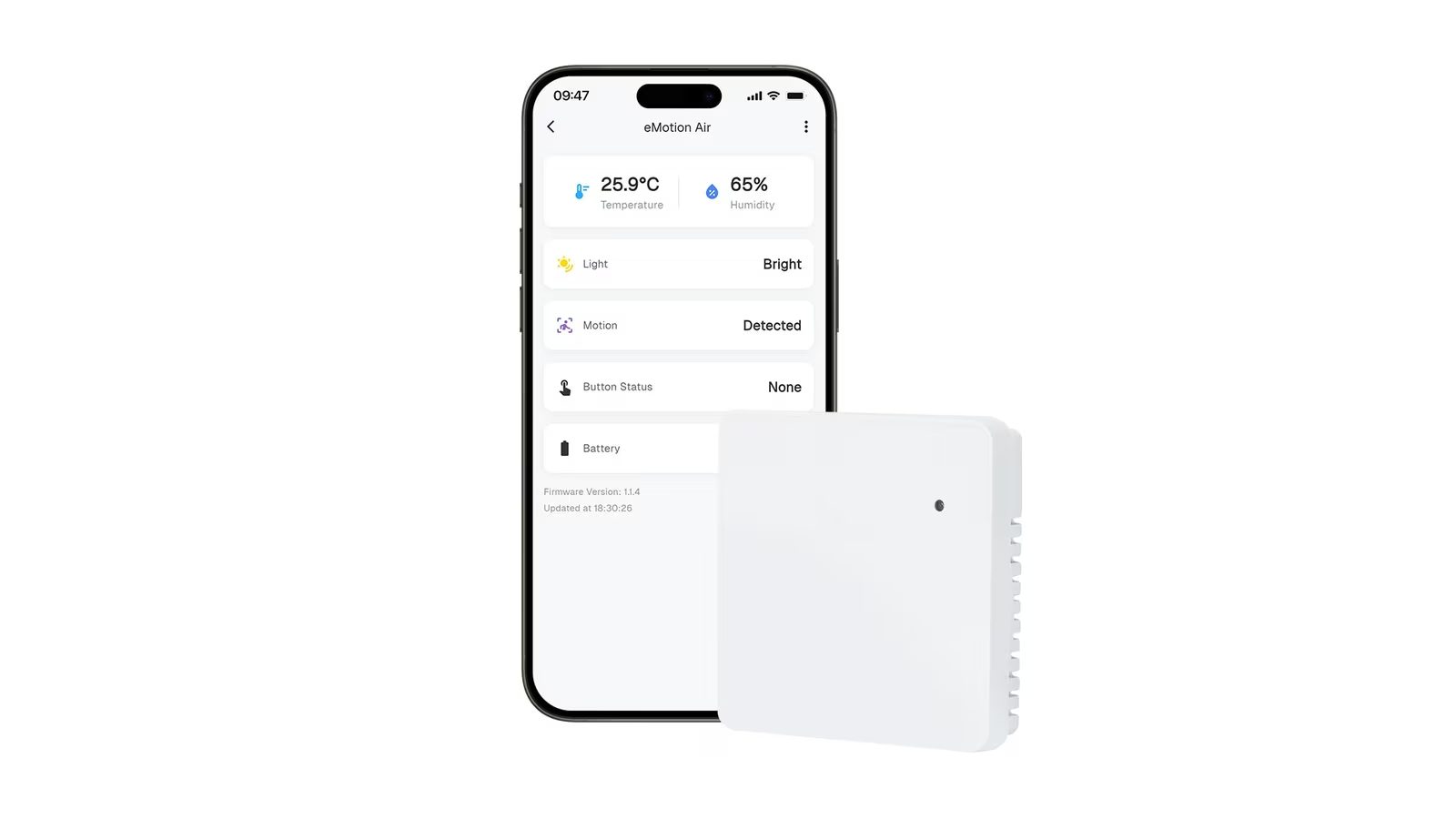
The LinknLink eMotion Air removes the lead. It combines a 24 GHz mmWave presence sensor with light, temperature and humidity sensing and a programmable button, runs on three AAA batteries, and talks to Home Assistant over Bluetooth or Zigbee without a cloud account in the path. LinknLink’s store lists it at $16.99 against a regular price of $18.99, with a three-pack at $46.99 and a ten-pack at $149.99.
At that price it is an easy sensor to put in every room. The interesting part is how LinknLink gets a radar sensor to a battery rating of up to a year and a half, and the published behaviour explains most of it.
A small square with four jobs
LinknLink’s product guide gives the eMotion Air’s size as 69.2 x 69.2 x 17 mm. Inside are a 24 GHz radar for presence, an illuminance sensor, a temperature and humidity sensor, and a button that the store page lists for single, double and long presses. LinknLink describes it as a 4-in-1 sensor plus a smart button.
The combination is the practical point. A presence sensor, a lux sensor and a climate sensor usually arrive as three devices, three sets of batteries and three pairing sessions. Here one device on the wall reports whether someone is in the room, how bright it is and what the air is doing, while the button gives a manual override for the moments when automation should defer to a person.
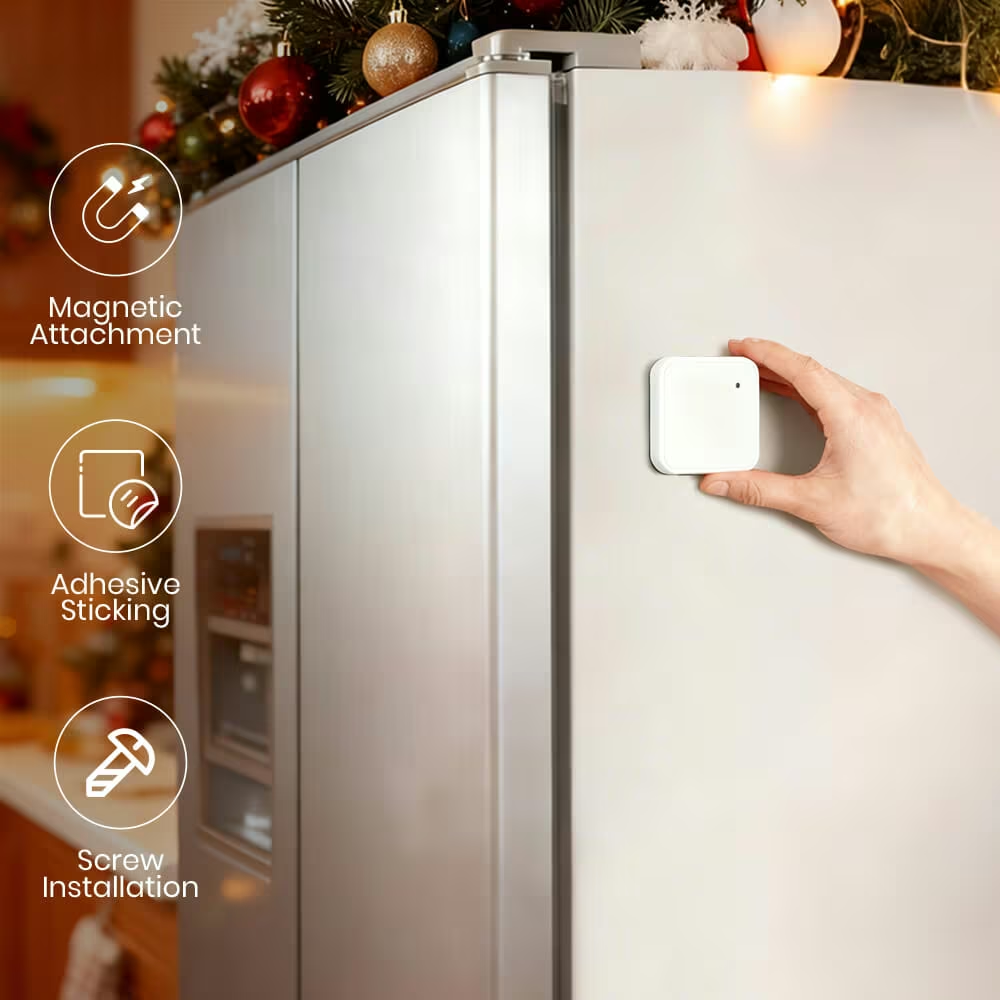
Mounting is flexible. LinknLink lists magnetic, adhesive and screw mounting, a 90 degree corner bracket and tabletop placement. The box contains the sensor, a wall-mounting bracket, a luminous sticker and nano tape. Batteries are not included, so three AAA cells belong on the same order.
Related reading
Presence rather than motion
Radar can register the small movements a still person makes. LinknLink says its 24 GHz sensor is tuned to detect micro-movements, down to the rhythm of breathing, and that is the whole reason to choose mmWave over PIR. The store page puts it in plain terms: presence sensing keeps lights or scenes active while someone is reading, working or resting.
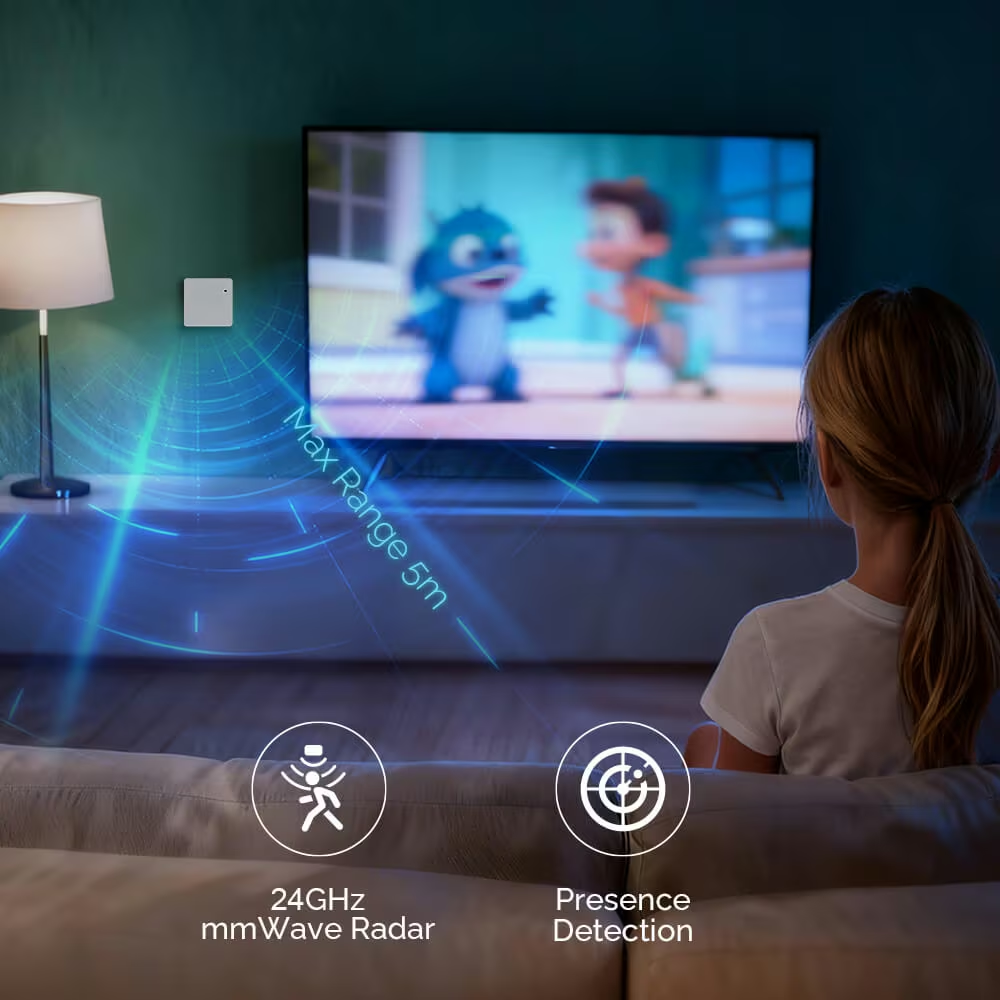
The guide is specific about timing. Radar sensing is continuous. After activity is detected, the sensor may take approximately 1.5 to 5 seconds to reject interference and confirm that a person is present. When the room empties, it waits for a no-presence period that defaults to about three minutes and can be changed in the LinknLink app.
Those numbers shape automations. The confirmation window means the eMotion Air is better at holding a room occupied than at switching a light on the instant someone steps through a door, and a doorway trigger may still be a job for a fast motion sensor. The three minute default is a sensible balance for most rooms, long enough that nobody is left in the dark and short enough that an empty room does not stay lit for long. Shorten it for a hallway and lengthen it for a study.
Radar has a known weakness, and LinknLink names it. The guide warns that the sensor may pick up repetitive movement from rotating fans, moving air conditioner louvres, curtains and similar sources, and advises pointing it away from fans, curtains and direct heat sources.
Range, angle and placement
The published coverage is a maximum forward detection distance of approximately 5 metres, with a detection angle of approximately 90 degrees horizontally and 100 degrees vertically. That describes a cone aimed into the room from wherever the sensor is fixed.
Five metres suits bedrooms, studies, bathrooms and most living rooms, counting from the wall the sensor sits on. A large open plan space needs two sensors, one per zone, and at this price that is a reasonable answer. The 90 degree horizontal angle makes corner placement attractive, because a sensor in a corner aimed along the room’s diagonal covers the space in front of it with little waste, and LinknLink lists a 90 degree corner bracket among its mounting options.
Point the sensor at the places people actually sit or lie, keep the moving objects the guide names out of its view, and use the magnetic mount to adjust the angle once the first automations show where coverage falls short.
Three AAA cells and the reporting trade-off
LinknLink rates battery life at up to 1.5 years, “depending on settings and usage”, and its guide adds that the stated maximum is not guaranteed for every room. That candour is welcome, and the rest of the guide explains where the energy goes.
Related reading

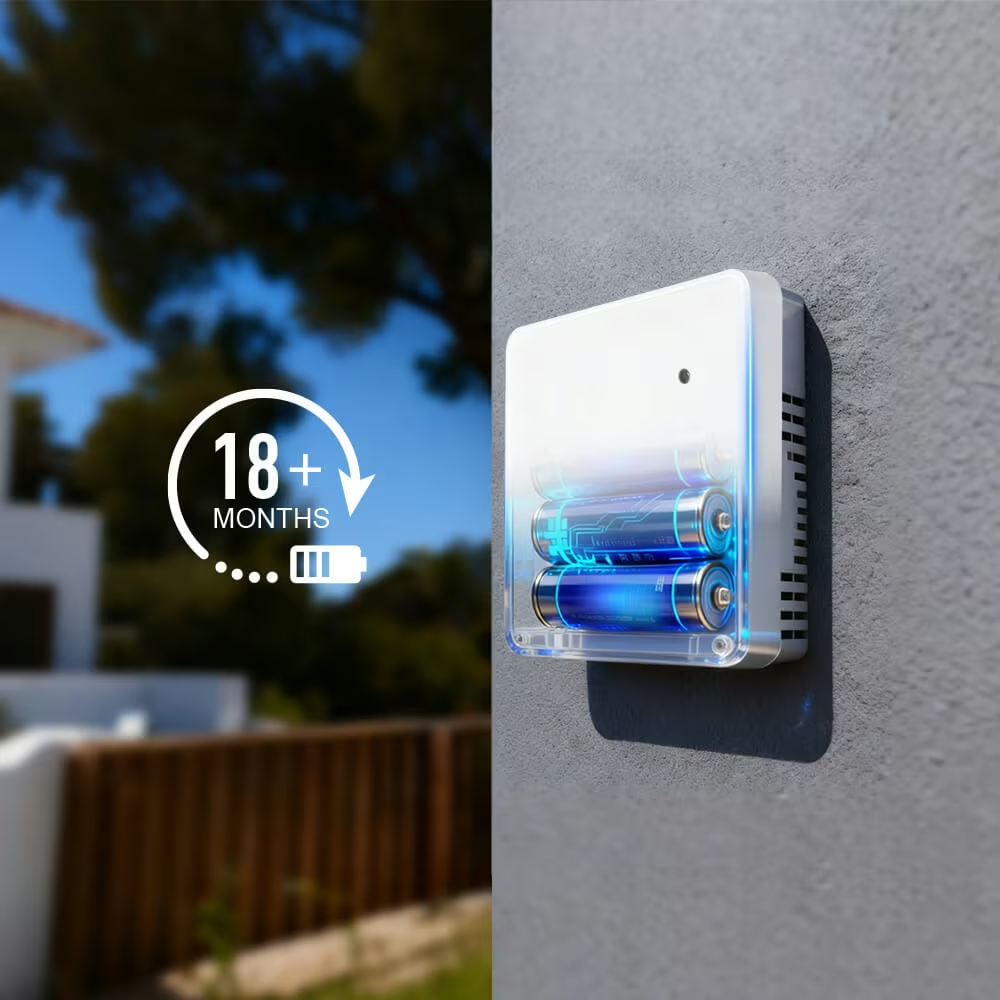
The sensors collect on fixed schedules by default. Illuminance is sampled about every 30 seconds, and a change of about 10% triggers a report. Temperature and humidity are sampled about every 60 seconds, with reports triggered by a change of more than about 1 °C or 10% humidity. Battery voltage is checked every five minutes. On top of that, Bluetooth mode sends a periodic broadcast about every 20 seconds, while Zigbee sends periodic reports about once an hour.
LinknLink lists what shortens battery life: very short collection intervals for light or climate, frequently changing reporting settings, and an unstable Bluetooth or Zigbee path that causes repeated reconnects. It also advises leaving Direct Mode after configuration, so that a high-activity configuration connection is not left running.
The practical reading is simple. Keep the defaults unless an automation needs faster climate data, place the sensor where its radio link is solid, and expect a busy kitchen to use more energy than a guest bedroom. AAA cells are cheap and easy to keep in a drawer, which beats both a proprietary coin cell and a USB lead trailing across a wall.
Bluetooth or Zigbee, one at a time
The eMotion Air has two radio modes, and LinknLink is explicit that they are separate and cannot run at the same time. Holding the button for 10 seconds enters Bluetooth mode. Holding it for 15 seconds enters Zigbee pairing mode. The LED confirms which one is active.
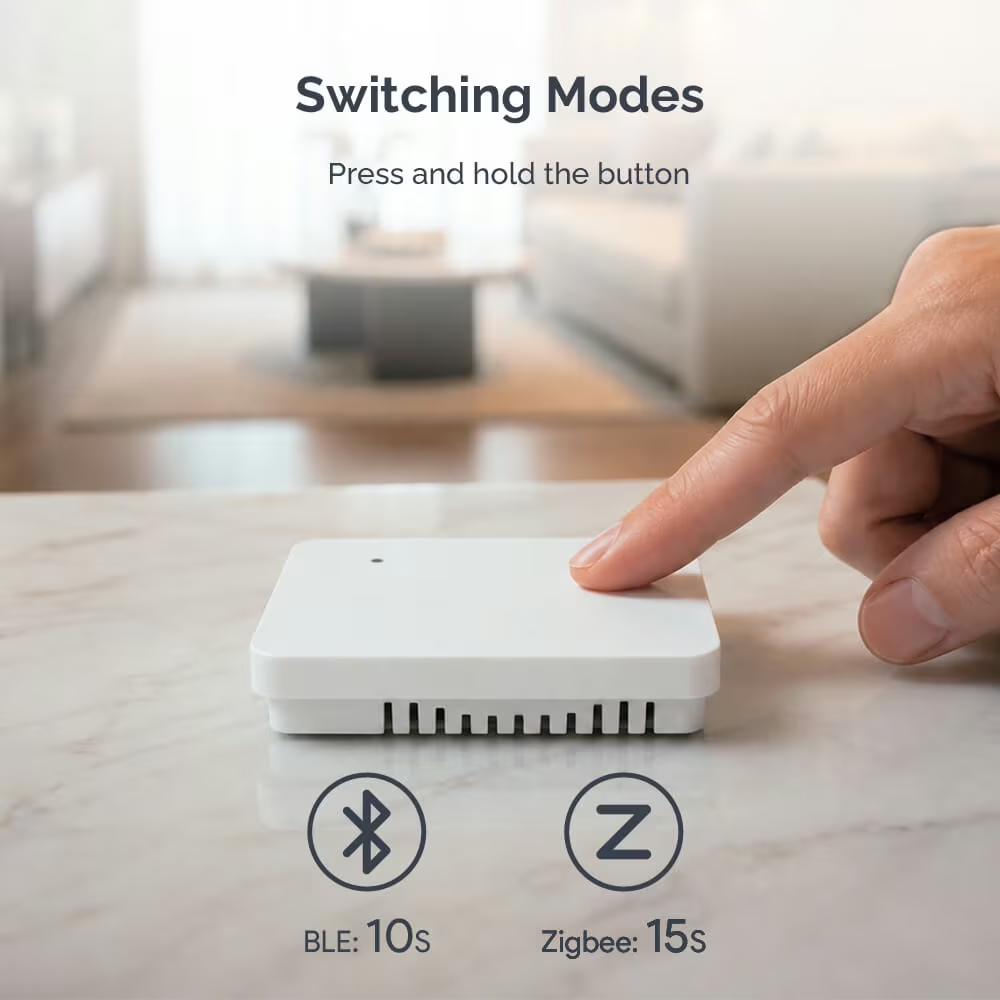
Choose by infrastructure. Bluetooth needs a Home Assistant server with a working Bluetooth radio, or a supported Bluetooth proxy within range of the sensor. Zigbee needs a Zigbee 3.0 coordinator connected to Home Assistant and a Zigbee integration such as ZHA or Zigbee2MQTT. A house that already runs a Zigbee network will probably prefer that path, because the coordinator is already there and an hourly periodic report is a lighter duty cycle than a broadcast every 20 seconds. A house without a coordinator can start on Bluetooth, with a proxy near the rooms that are far from the server.
Home Assistant first, voice assistants through a hub
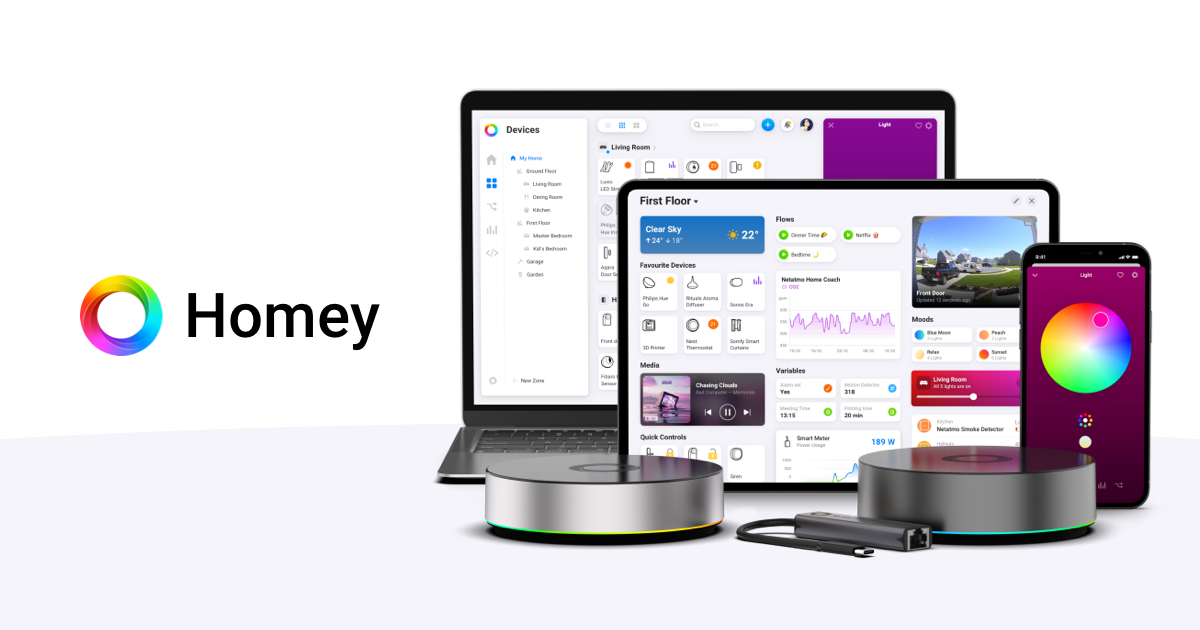
The Home Assistant path is local. Over Bluetooth, the sensor appears among discovered integrations under Devices and services and is added from there. LinknLink states that its app is not required as a permanent bridge for normal direct Home Assistant operation, so presence and climate data stay on the local network. Over Zigbee, the sensor joins the coordinator like any other Zigbee device. The store page promises Home Assistant access to presence, climate, light and button entities, which is everything the hardware measures.
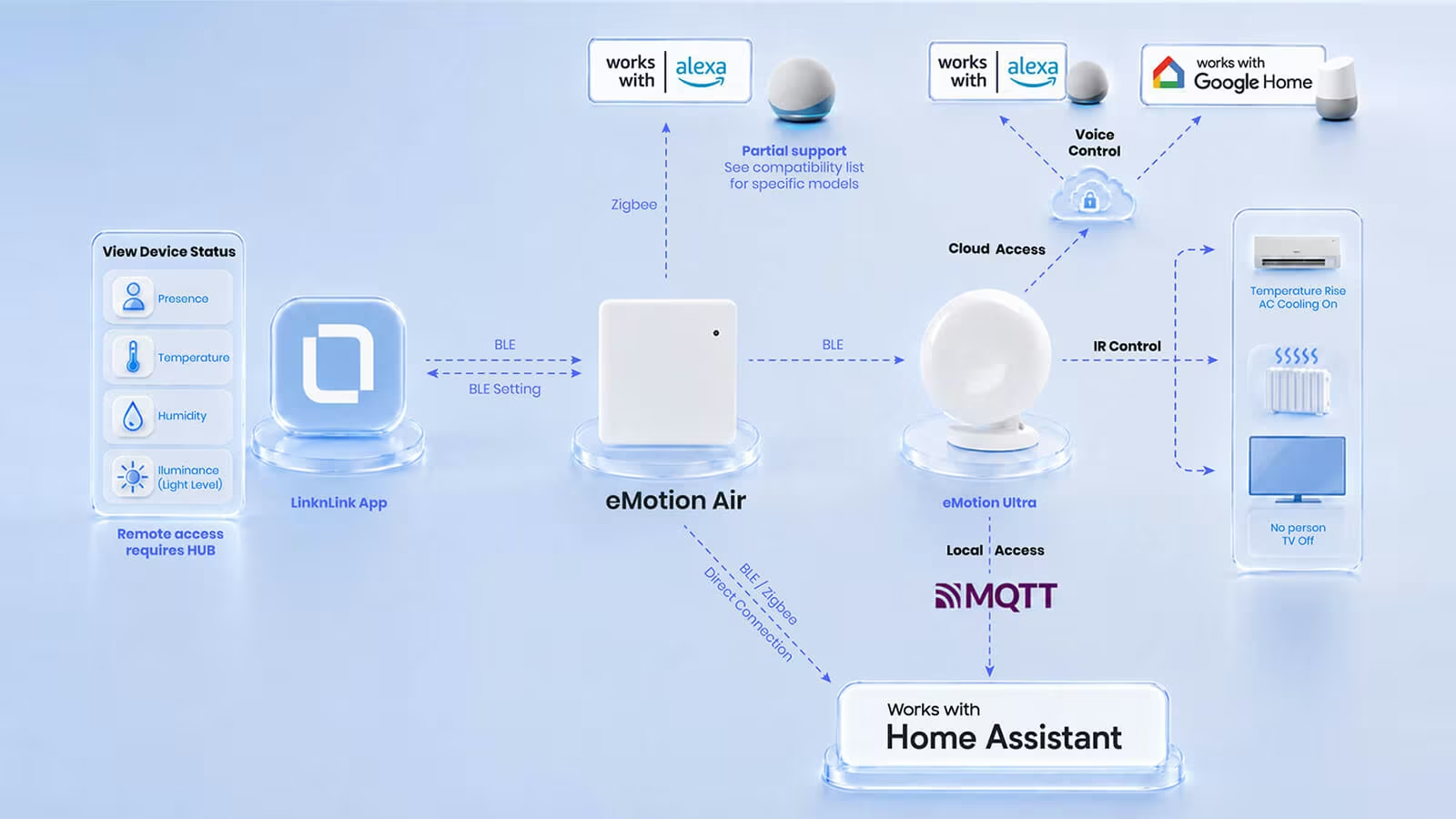
Alexa and Google Home are supported, with conditions. LinknLink’s guide routes both through its eMotion Ultra, which acts as a Bluetooth hub: the eMotion Air reports to the Ultra over Bluetooth, and the Ultra passes it on. A direct Alexa connection is possible over Zigbee with an Echo or Amazon hub that has built-in Zigbee support, and LinknLink points out that not every Echo includes one. The Air has no cloud remote access on its own. Remote access through the LinknLink app requires a hub such as the Ultra, and when the Air connects to the app directly over Bluetooth, the app does not keep long-term history.
Matter does not appear among the platforms LinknLink lists for the eMotion Air. Buyers building around Apple Home or a Matter controller should plan on Home Assistant sitting in the middle rather than expect the sensor to join those ecosystems directly.
Related reading
Price and who should buy something else
LinknLink’s own presence sensor range shows where the Air fits. The eMotion Pro, listed from $17.99, is powered over USB-C, uses Wi-Fi and adds infrared control for appliances. The eMotion Ultra, listed from $49.99, is also USB-C powered, combines Wi-Fi with Bluetooth, and is the hub behind the Air’s voice assistant and remote access paths. The Air is the one that goes where there is no socket.
It is the wrong choice for a room deeper than its 5 metre forward range unless a second unit is acceptable, for a space with a ceiling fan or moving louvres that cannot be kept out of view, and for a home that runs on Alexa or Google Home alone without a Zigbee Echo or an eMotion Ultra. Anyone who wants long-term history in the LinknLink app without a hub, or native Matter pairing, should look elsewhere. For a Home Assistant user with Bluetooth or Zigbee already in place and ordinary rooms to cover, most of those limits never come up.
Verdict
The LinknLink eMotion Air is the presence sensor I would put in every room of a Home Assistant house. It keeps a still person registered where passive infrared turns the lights off. At $16.99 a unit, covering a whole floor is an easy decision. It did everything I asked of it, and it has earned its place on my walls.
Why I recommend it
- It registers a still person. The 24 GHz radar is tuned for micro-movements down to the rhythm of breathing, so a room stays occupied while someone reads or works.
- No power cable. Three AAA cells (not included) are rated for up to 1.5 years, depending on settings and usage, and magnetic, adhesive, screw or corner mounting puts it where the room needs it.
- Four sensors and a button. Presence, illuminance, temperature and humidity come from one 69.2 x 69.2 x 17 mm square, with a button for single, double and long presses.
- Local Home Assistant control. Over Bluetooth or Zigbee it reaches Home Assistant directly, and LinknLink’s app is not needed as a permanent bridge.
Why it may not be for you
- About 5 metres of reach. Forward detection covers approximately 5 metres, 90 degrees horizontally and 100 degrees vertically. A deeper room needs a second sensor.
- A few seconds to confirm. Confirmation takes approximately 1.5 to 5 seconds, so an instant doorway trigger may still be a job for a fast motion sensor.
- Fans and curtains. LinknLink warns that rotating fans, moving air conditioner louvres and curtains can be picked up.
- One radio mode at a time. Bluetooth and Zigbee cannot run together, and each needs its own infrastructure: a Bluetooth radio or proxy in range, or a Zigbee 3.0 coordinator.
- A hub for everything else. Alexa and Google Home go through the eMotion Ultra or a Zigbee-capable Echo. Remote access needs a hub, the app keeps no long-term history over a direct Bluetooth link, and Matter is not listed.
Buy it if you run Home Assistant with Bluetooth or Zigbee already in place and have ordinary rooms to cover, because most of these limits never come up there. A home on Alexa or Google Home alone should budget for the eMotion Ultra, listed from $49.99, and anyone who wants native Matter pairing should look elsewhere. Where a socket is within reach, LinknLink’s USB-C powered eMotion Pro, from $17.99, uses Wi-Fi and adds infrared appliance control.
Product images: LinknLink.
One email a month: new articles, reviews and the upcoming live webinar + free recording. No spam, unsubscribe anytime.