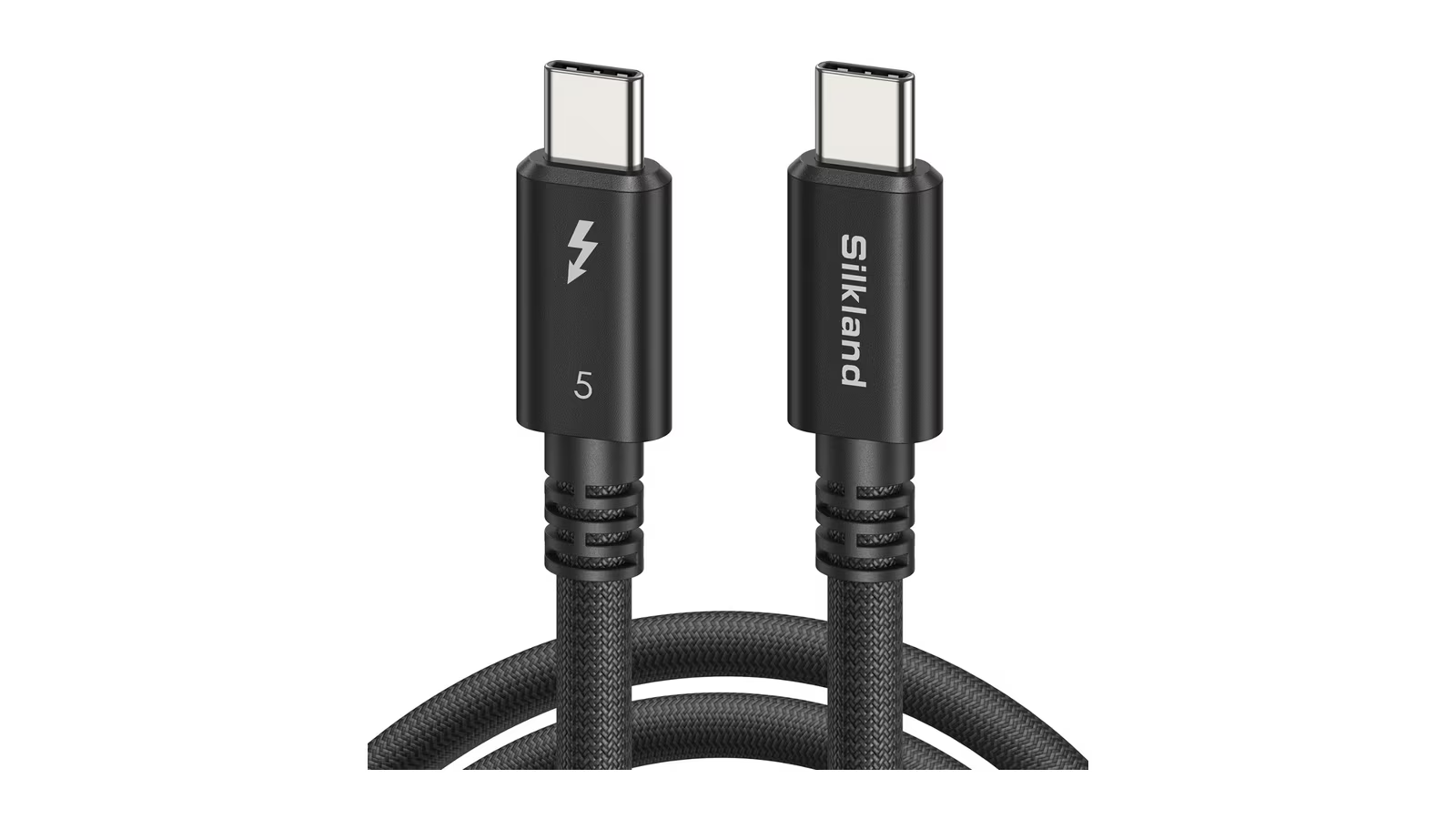
A Thunderbolt 5 cable is usually the cheapest part of a Thunderbolt 5 desk and the last one chosen. It is also the part that decides whether the dock, the display and the SSD behind it get the link they were designed for. A dock rated for 120 Gbps behind a cable that negotiates less is a slower dock.
Silkland’s 1.5 m passive Thunderbolt 5 cable, model S3807, is interesting because of one number. When Intel introduced Thunderbolt 5 in 2023, it described the standard as running over passive cables up to 1 metre. Silkland announced this cable in August 2026 as the first 1.5 m passive Thunderbolt 5 cable available to consumers. Half a metre sounds trivial. On a real desk it is often the difference between a cable that reaches comfortably and one that pulls on the laptop’s port.
It is an excellent cable, and one I am happy to recommend. The rest of this review explains what the word passive means at Thunderbolt 5 speeds, why length is the hard part, and when a cheaper or a longer cable is the better buy.
What Silkland is selling
Silkland’s product page lists the cable as an Intel certified passive Thunderbolt 5 cable, 1.5 m or 5 ft long, at $59.99 in Silkland’s own store. The company’s launch announcement gives the model number S3807 and says the cable is sold exclusively at silklandtech.com.
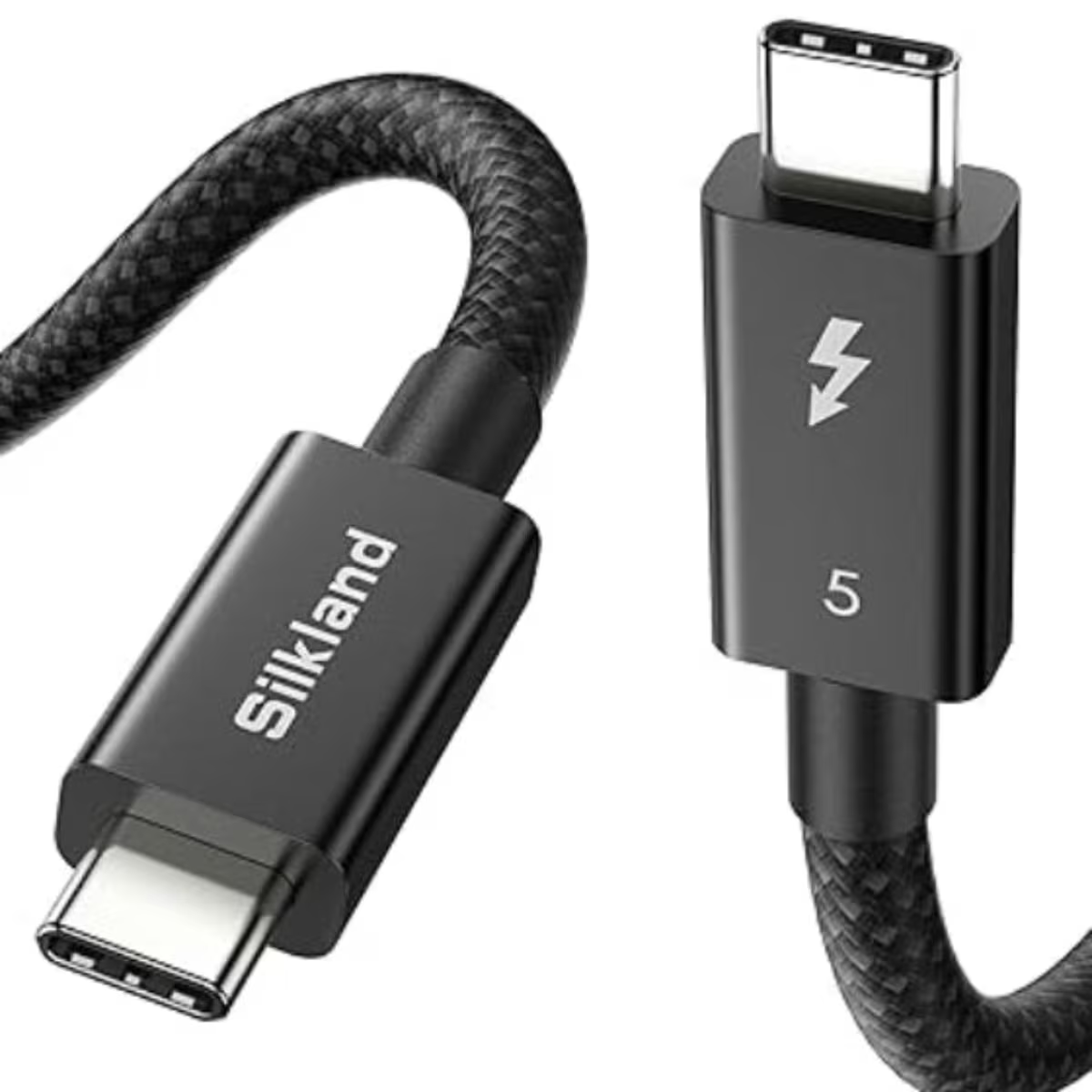
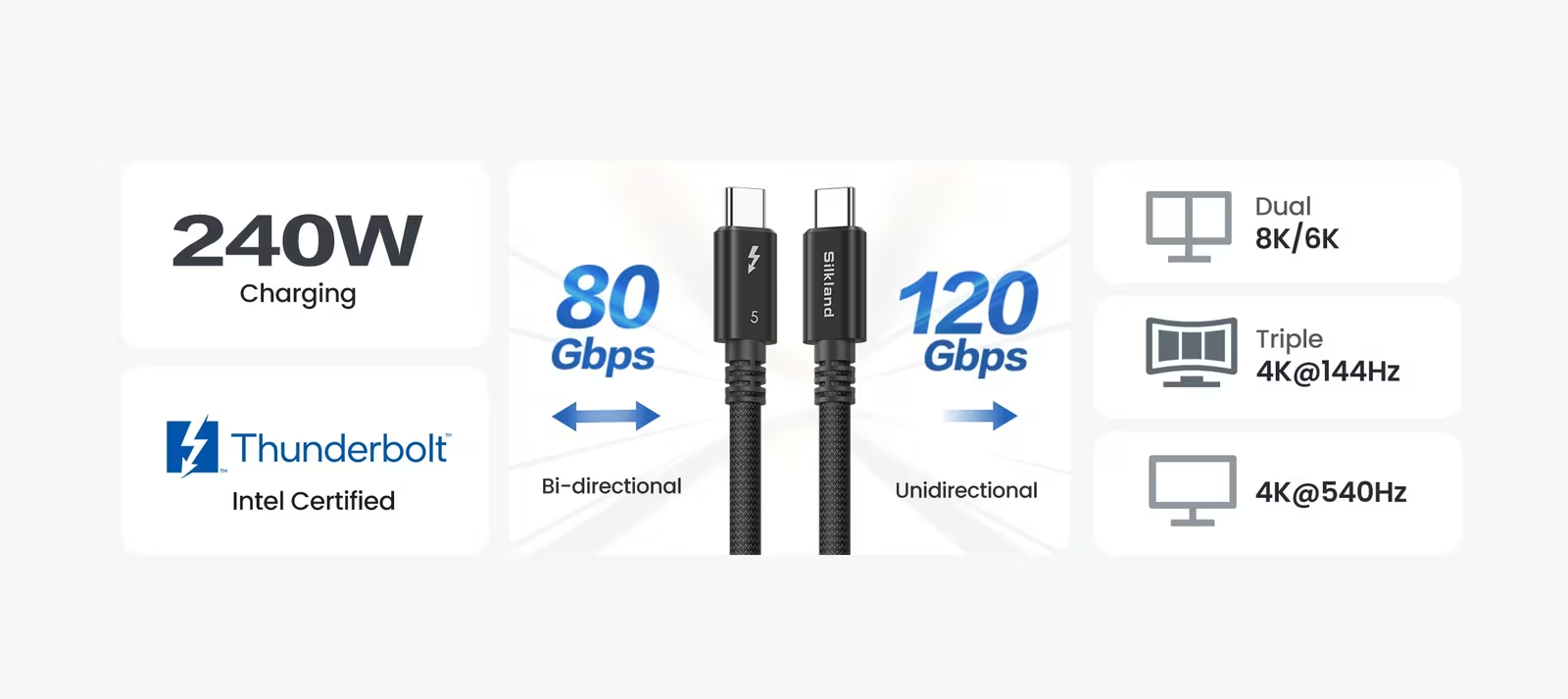
The rated figures are the full Thunderbolt 5 set: 80 Gbps of bidirectional bandwidth, Bandwidth Boost to 120 Gbps for display heavy work, and up to 240 W of charging through USB Power Delivery 3.1 Extended Power Range. Silkland describes the construction as silver-plated coaxial conductors with 100 percent shielding coverage, under a 64-strand nylon braid.
Related reading
The same model appears in the product directory of Intel’s Thunderbolt Technology Community site, listed as the Silkland Premium Thunderbolt 5 Passive Cable 1.5M. That listing adds the compatibility detail the store page leaves out: backward compatibility with Thunderbolt 3 and 4, USB4 version 2, USB 3.2 and DisplayPort 2.1, four-lane DisplayPort Alternate Mode, daisy chaining, and support for three 4K monitors at 144 Hz. The power rating there is given as 48 V at 5 A.
What passive means at Thunderbolt 5 speeds
A passive cable has no signal conditioning electronics in the data path. The signal leaves the host’s Thunderbolt controller, travels through copper and arrives at the dock or drive carrying whatever loss and noise the cable added on the way. An active cable adds circuits along the path that recover and re-drive the signal. Plugable’s explainer on active and passive Thunderbolt cables calls those circuits retimers and describes them as relay stations that boost the signal.
Loss grows with length, and it matters more as the data rate rises. Plugable puts it directly: the faster the data rate, the faster signal integrity degrades. Its Thunderbolt 3 example shows the consequence. A passive cable carried 40 Gbps at 0.8 m but only 20 Gbps at 2 m, while active Thunderbolt 4 cables hold 40 Gbps out to 2 m.
Thunderbolt 5 doubled the bandwidth without asking for different cable physics. Intel’s Thunderbolt 5 technology brief says the new PAM-3 signalling supports 80 and 120 Gbps over the same kind of passive cables, connectors and circuit boards that previously carried 40 Gbps. Intel’s announcement put that passive cable length at up to 1 metre. PAM-3 uses three signal levels instead of two, so the steps between levels are closer together and there is less room for noise before a receiver misreads a symbol.
Going past 1 m without electronics therefore means reducing loss and interference in the cable itself. Silkland’s product page credits the silver-plated coaxial conductors and full shielding with minimising attenuation and resisting electromagnetic interference, and says that extending Thunderbolt 5 to 1.5 m in a passive design requires exceptional control of signal loss and interference. At launch, Silkland’s chief executive described the difficulty the same way: reaching the bandwidth figure was one part of it, and keeping the signal intact across a 1.5 m passive run was the harder part.
Why the extra half metre matters
Desk geometry is the practical reason. A laptop on a stand at one side of a monitor, a dock mounted under the desk, a Mac Studio on a shelf, or a standing desk that moves up and down all put distance between two ports that look close together in a product photo. One metre is often enough when the dock sits beside the laptop. It runs short once the cable has to drop behind the desk and come back up, or needs slack so it does not pull on the port.
iVANKY’s Thunderbolt 5 cable guide draws the line in a similar place. It says a 1 m cable is often all a desk needs, and that a wall-mounted display, a standing desk or a Mac across the room calls for an active cable of 2 m or longer. A 1.5 m passive cable fills the gap in the middle of that range. It covers the desks that are slightly too wide for 1 m without moving to active cable prices.
Slack is also a reliability measure. A cable that is taut at the connector puts a constant side load on the port, and a Thunderbolt cable carrying up to 140 W towards the laptop from a dock, plus several display streams, is the last one that should be under tension. An extra half metre lets the cable loop down, rest on the desk surface and meet the port straight on. That protects both ends, and the laptop end is the one nobody wants to have repaired.
80 Gbps, Bandwidth Boost and what the cable carries
The 80 Gbps figure is symmetric, 80 Gbps in each direction. Intel’s technology brief explains that Bandwidth Boost rebalances the link when a large amount of display traffic is needed, dedicating 120 Gbps to transmit and 40 Gbps to receive. The mode exists for monitors. An SSD copy runs on the symmetric link, and Intel gives Thunderbolt 5’s PCIe bandwidth as 64 Gbps, twice that of Thunderbolt 4.
Related reading
The cable is rated for both modes, which is the reason to buy a Thunderbolt 5 cable rather than a general USB-C one. Whether the link actually uses Bandwidth Boost is decided by the host and the display configuration. On my own machine the host side is covered: Apple’s specifications for the 14 inch MacBook Pro with M4 Max list three Thunderbolt 5 ports at up to 120 Gb/s.
The directory listing’s figure of three 4K monitors at 144 Hz is a reasonable guide to what that bandwidth means in practice. The number of displays a Mac can drive is still set by its chip and by Apple’s per-port rules. A cable can fail to deliver the bandwidth a configuration needs, but it cannot add capability the host does not have.
240 W and the power side
The 240 W rating uses USB Power Delivery 3.1 Extended Power Range at 48 V and 5 A, according to the Thunderbolt directory listing. Intel’s technology brief sets the Thunderbolt 5 requirement for computers at up to 140 W charging, with up to 240 W available.
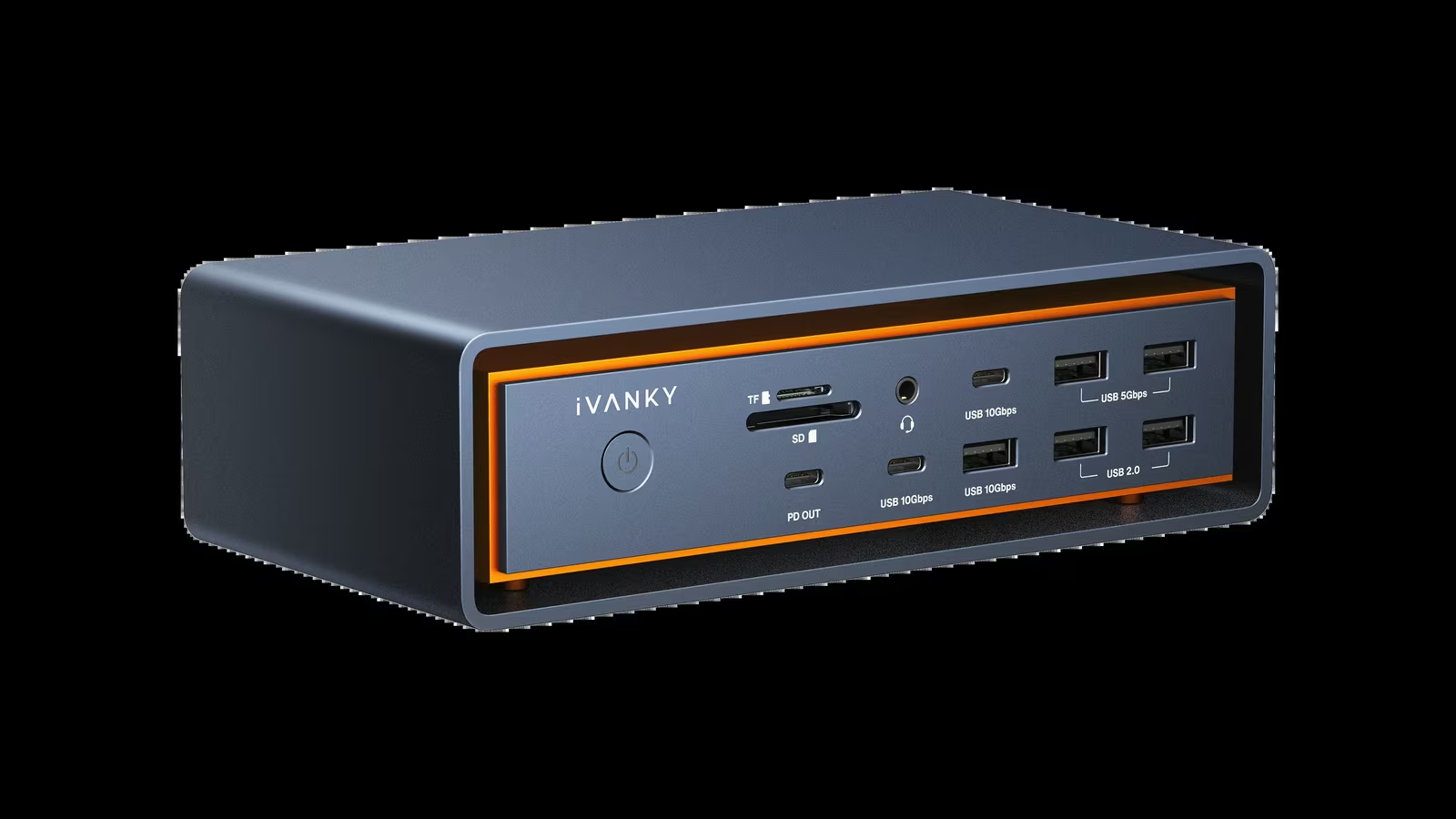
A Mac laptop draws far less than the cable’s ceiling. Apple ships the 14 inch MacBook Pro with M4 Max with a 96 W adapter, and iVANKY’s FusionDock Ultra and Max 2 both deliver up to 140 W to the host. A 240 W rating means the cable is not the limiting part in either case, with headroom left over for whatever charger or dock comes next.
This is also where the cable saves an argument with a drawer of unlabelled USB-C leads. A cable that charges well can still negotiate a slow data rate, and a fast data cable can still limit charging. A certified Thunderbolt 5 cable rated for 240 W removes both doubts from a diagnosis, which is worth something on its own when a dock misbehaves.
Certification and compatibility
Intel’s technology brief describes certification as mandatory for all Thunderbolt 5 computers, accessories and cables, with cable testing and quality audits for manufacturers. That is the buyer’s protection against a cable that looks right and negotiates a lower rate. Silkland sells the S3807 as Intel certified, and the Thunderbolt Technology Community directory lists it by model number. Checking that directory before buying any Thunderbolt 5 cable is a good habit, and one that takes about a minute.

Backward compatibility means the same cable works with Thunderbolt 3 and 4 hosts, USB4 devices and ordinary USB-C accessories. It runs at the rate of the slowest part of the chain. A Thunderbolt 4 dock connected with a Thunderbolt 5 cable is still a Thunderbolt 4 link, and a USB 3.2 drive is still a USB 3.2 drive.
A fair caveat comes from the dock side. iVANKY’s troubleshooting guide for the FusionDock Ultra suggests trying a Thunderbolt 5 cable shorter than 1 m when chasing occasional display flicker, alongside other steps. All else being equal, a longer passive cable has less signal margin than a shorter one. If a vendor’s support steps ask for a shorter cable during diagnosis, follow them before blaming either the dock or the cable. Silkland’s store offers a 30 day return, which covers that kind of test.
Price and when to buy something else
At $59.99, the 1.5 m S3807 costs less than Apple’s 1 m Thunderbolt 5 (USB-C) Pro Cable, which Apple lists at $69 and describes as passive. It costs more than twice as much as Silkland’s own 1 m Intel certified Thunderbolt 5 cable, listed at $26.99 in the same store.
That comparison is the buying advice. If 1 m reaches comfortably, buy a 1 m cable and keep the difference. If the run needs more than 1.5 m, an active Thunderbolt 5 cable is the right tool. The S3807 is for the common case in between: a desk where 1 m is tight and 2 m of active cable is more than the job needs.
Related reading
It is also a sensible spare for anyone who moves between desks. A single certified cable that covers laptop to dock, laptop to Thunderbolt display and Mac to fast SSD removes a class of problems from travel and from hot-desking, and the extra reach makes it more likely to fit whatever desk it lands on.
Verdict
The Silkland S3807 is an excellent Thunderbolt 5 cable that solves one specific problem very well, and one I am happy to recommend. It adds half a metre beyond the 1 m passive length Intel described for Thunderbolt 5, without retimers and without giving up any of the ratings. It has earned its place on my desk.
It is not the cable for every desk. Where 1 m reaches, it costs more than it needs to, and past 1.5 m it is the wrong kind of cable.
Why I recommend it
- 1.5 m with no electronics. Silkland launched it as the first 1.5 m passive Thunderbolt 5 cable available to consumers. The extra reach lets the cable loop down and meet the laptop’s port straight on instead of pulling on it.
- The full rating set. 80 Gbps, Bandwidth Boost to 120 Gbps and 240 W through USB Power Delivery 3.1 Extended Power Range, so it is not the limiting part behind a dock that delivers 140 W.
- Certification you can check. It is sold as Intel certified and listed by model number in Intel’s Thunderbolt Technology Community directory, which is the buyer’s protection against a cable that negotiates a lower rate.
- Cheaper than Apple’s shorter cable. $59.99, against $69 for Apple’s 1 m Thunderbolt 5 (USB-C) Pro Cable.
- A good spare for moving between desks. Backward compatibility with Thunderbolt 3 and 4, USB4 version 2, USB 3.2 and DisplayPort 2.1 lets one cable cover the dock, the display and the SSD.
Why it may not be for you
- A 1 m cable costs far less. The S3807 is more than twice the price of Silkland’s own Intel certified 1 m cable at $26.99.
- 1.5 m is the limit. A wall-mounted display or a Mac across the room still needs an active cable of 2 m or longer.
- Less signal margin. A longer passive cable has less margin than a shorter one, and iVANKY’s FusionDock Ultra guide suggests a cable shorter than 1 m when chasing display flicker. Silkland’s 30 day return covers that test.
- One place to buy it. It is sold exclusively at silklandtech.com.
For a laptop on a stand, a dock under the desk or any run where 1 m pulls tight, this is the cable I would buy. If 1 m reaches comfortably, buy a 1 m cable and keep the difference. If the run needs more than 1.5 m, buy an active Thunderbolt 5 cable.
Product images: Silkland.
One email a month: new articles, reviews and the upcoming live webinar + free recording. No spam, unsubscribe anytime.