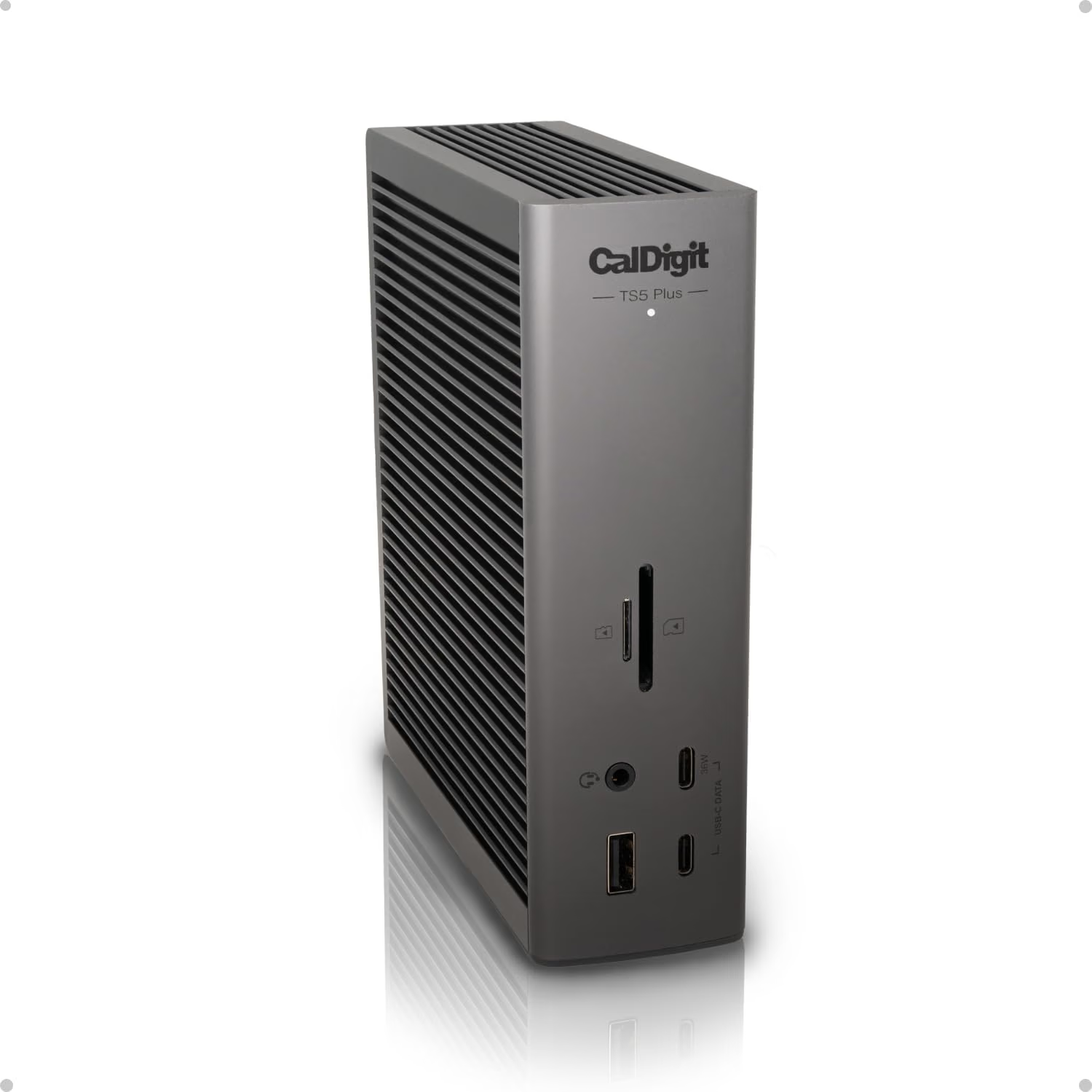
The CalDigit TS5 Plus vs Anker Prime decision starts with the displays. If you want two independent external desktops through one connection to a compatible Mac, the Anker Prime A83B6’s two HDMI sockets are a trap: Anker documents mirrored external screens on macOS. The TS5 Plus is the more relevant candidate for a native Thunderbolt setup, subject to the exact Mac’s display support.
Quick verdict
Shortlist the TS5 Plus for a compatible Mac desk that needs native independent displays, Thunderbolt accessories or a useful 10GbE path.
- Best for
- Shortlist the TS5 Plus for a compatible Mac desk that needs native independent displays, Thunderbolt accessories or a useful 10GbE path.
- Main benefit
- The TS5 Plus includes downstream Thunderbolt connectivity.
- Biggest drawback
- The TS5 Plus uses a different connection architecture, but it cannot override the Mac's native display limit.
CalDigit TS5 Plus, ASIN B0F2GQZXVL
Amazon US · US
Check price and availability: CalDigit TS5 Plus, ASIN B0F2GQZXVL at Amazon USAffiliate link. As an Amazon Associate I earn from qualifying purchases.
Reviewed version: CalDigit TS5 Plus, compared with Anker Prime A83B6 (14-in-1, Dual Display, 160W)
Compatibility: The TS5 Plus uses a different connection architecture, but it cannot override the Mac's native display limit.
Review context: I have not benchmarked these docks or tested sleep, wake or display stability with them.
For one external monitor, ordinary USB accessories and charging, the Anker may already cover the requirement. Paying for Thunderbolt 5 or faster Ethernet makes sense when the rest of the desk can use it.
This is a research comparison of manufacturer documentation checked on 8 November 2026. I have not benchmarked these docks or tested sleep, wake or display stability with them.
Affiliate link: Check the CalDigit TS5 Plus listing. As an Amazon Associate I earn from qualifying purchases.
Related reading
Affiliate link: Check the Anker Prime A83B6 listing.
Compare the actual models
Anker uses the Prime name for several different docks. This article covers the A83B6, 14-in-1, Dual Display, 160W model linked above. It is not Anker’s Thunderbolt 5 model or its DisplayLink model.
| Requirement | CalDigit TS5 Plus | Anker Prime A83B6 |
|---|---|---|
| Host connection | Thunderbolt 5; supported earlier Thunderbolt/USB4 hosts | USB-C, up to 10Gbps |
| Advertised maximum laptop charging | 140W | 100W |
| Wired networking | 10 Gigabit Ethernet | Gigabit Ethernet |
| Display connections | DisplayPort 2.1 and downstream Thunderbolt | Two HDMI 2.0 ports |
| Two independent Mac external screens | Check the Mac and CalDigit’s display chart | External screens mirror each other |
Specifications: CalDigit TS5 Plus and Anker’s A83B6 page. The Anker’s 160W headline describes a shared charging budget, not 160W delivered to the laptop. Actual charging depends on the connected devices and power allocation.
Two HDMI sockets do not settle the Mac question
Anker’s model-specific support answer confirms that a Mac connected to this dock mirrors the external monitors. Its product documentation identifies the macOS Multi-Stream Transport limitation. Changing an HDMI cable does not turn that arrangement into two independent desktops.
The TS5 Plus uses a different connection architecture, but it cannot override the Mac’s native display limit. Apple explains that external-display support depends on the Mac model. Check the exact chip, monitor resolutions, refresh rates and connection paths against CalDigit’s current chart. Count displays you will actually use, including any connected directly to the computer.
For an editor on one screen and documentation on another, mirrored output is a failed requirement. For a presentation repeated on two screens, it may be exactly what is wanted. Write down that distinction before comparing port counts.
Related reading
Fast storage and networking need a complete path
The TS5 Plus includes downstream Thunderbolt connectivity. CalDigit lists support for suitable Thunderbolt and USB4 hosts and excludes ordinary 5Gbps or 10Gbps USB-C host connections. A USB-C-shaped socket alone does not establish compatibility. Verify the host port before ordering.
Its 10GbE connection is useful only inside a network that can benefit from it. If the NAS, switch or workload is the bottleneck, a faster number on the dock does not remove it. Likewise, identify whether your external drive is USB or Thunderbolt before paying for bandwidth you cannot use.
For the Anker, distinguish charging-only ports from data ports. A charging socket is not an extra storage connection, and a USB-C data socket does not automatically carry a display. Map the camera, microphone, keyboard and drives to actual ports rather than trusting the total.
A return-period test worth doing
Connect the monitors at their intended resolution and refresh rate. Confirm that each shows a different desktop. Then check a normal sequence: sleep, wake, reconnect the laptop, transfer a large nonessential file, and join a call with the usual camera and audio devices attached.
These are proposed acceptance checks. Manufacturer compatibility tables do not prove that every cable, firmware version and peripheral combination will behave identically. Keep the included host cable in the first test, and change one variable at a time if something fails.
My buying verdict
Shortlist the TS5 Plus for a compatible Mac desk that needs native independent displays, Thunderbolt accessories or a useful 10GbE path. Shortlist the A83B6 for a simpler desk where its USB-C capabilities and macOS display behaviour meet the requirement. If a monitor’s built-in hub already does the job, replacing it may add little.
Related reading
For another workday buying decision, see Sony WH-1000XM6 versus XM5. The useful upgrade is the one that removes an identified inconvenience.
Check current CalDigit TS5 Plus purchase terms. Affiliate link; verify model, host support, condition and return terms.
Check the exact Anker A83B6 offer. Affiliate link.
What worked
- The TS5 Plus includes downstream Thunderbolt connectivity.
What bothered me
- The TS5 Plus uses a different connection architecture, but it cannot override the Mac's native display limit.
- A USB-C-shaped socket alone does not establish compatibility.
Who should not buy it
- If a monitor's built-in hub already does the job, replacing it may add little.
- CalDigit lists support for suitable Thunderbolt and USB4 hosts and excludes ordinary 5Gbps or 10Gbps USB-C host connections.
Alternatives I would consider
- Anker Prime A83B6. Shortlist the A83B6 for a simpler desk where its USB-C capabilities and macOS display behaviour meet the requirement.
- A monitor's existing built-in hub. If a monitor's built-in hub already does the job, replacing it may add little.
Evidence and sources
This is a research comparison of manufacturer documentation checked on 8 November 2026. I have not benchmarked these docks or tested sleep, wake or display stability with them.
- CalDigit TS5 Plus
- Anker's A83B6 page
- model-specific support answer
- product documentation
- external-display support depends on the Mac model
Features, compatibility and rated figures from the maker are manufacturer information. My opinions are identified in the review.
Conclusion
Paying for Thunderbolt 5 or faster Ethernet makes sense when the rest of the desk can use it.
CalDigit TS5 Plus, ASIN B0F2GQZXVL
Amazon US · US
Check price and availability: CalDigit TS5 Plus, ASIN B0F2GQZXVL at Amazon USAffiliate link. As an Amazon Associate I earn from qualifying purchases.
One email a week with practical Mac workflows, useful comparisons and honest tech recommendations.