I like OmniGraffle because a good diagram can make a difficult conversation much easier. A few clear shapes and connections can expose a missing decision that several paragraphs left hidden. I enjoyed the Mac app, especially its focus on diagrams as documents that deserve care rather than disposable pictures.
Quick verdict
I recommend OmniGraffle 7 Pro for diagrams that will be maintained and revised.
- Best for
- Mac users making structured visual explanations for other people.
- Main benefit
- I like its focus on readable, editable diagrams rather than disposable pictures.
- Biggest drawback
- A dedicated diagram app takes more effort than a rough sketch for one quick conversation.
OmniGraffle 7 Pro
The Omni Group · Choose the local store or delivery region
Check price and availability: OmniGraffle 7 Pro at The Omni GroupProduct link.
Reviewed version: OmniGraffle 7 Pro
Compatibility: OmniGraffle 7 Pro for a supported Mac. Check the current Mac licence, operating-system requirements and file exchange with any separate mobile edition.
Review context: The review focuses on Mac users making structured visual explanations for other people.
The Omni Group provided the Pro licence free of charge for this review. The product screenshots below come from the Omni Group.
This article is about OmniGraffle 7 Pro for Mac. The current product page still lists the Mac 7 line and the separate iPhone and iPad 3 line. Version numbers matter when deciding what a licence covers. A purchase should be based on the available product and its terms, rather than assumptions about a later release.
A diagram should answer a question
The first decision is not which shape to use. It is what the reader needs to understand. A system overview, a request flow, and a deployment view can all describe the same software while answering different questions.
I like a tool that gives me room to make that choice with care. Trying to fit every fact into one canvas usually produces a diagram that needs its author standing beside it. A useful document should explain its own scope well enough for another person to read it later.
That means choosing the level of detail. A box may represent a service, a process, a module, or an organisation. Those meanings should not drift without explanation. A clean visual style can help, but the clarity comes from a consistent model.
Related reading
OmniGraffle’s appeal is that it treats this as careful visual work. Its feature overview includes canvases, layers, reusable resources, and exact placement. I like those ideas when they support a readable explanation rather than encourage decoration for its own sake.
Reuse should create a visual language
A set of repeated shapes can make several diagrams feel related. That consistency helps a reader carry meaning from one page to the next. A service should not change its visual role simply because a new canvas starts.
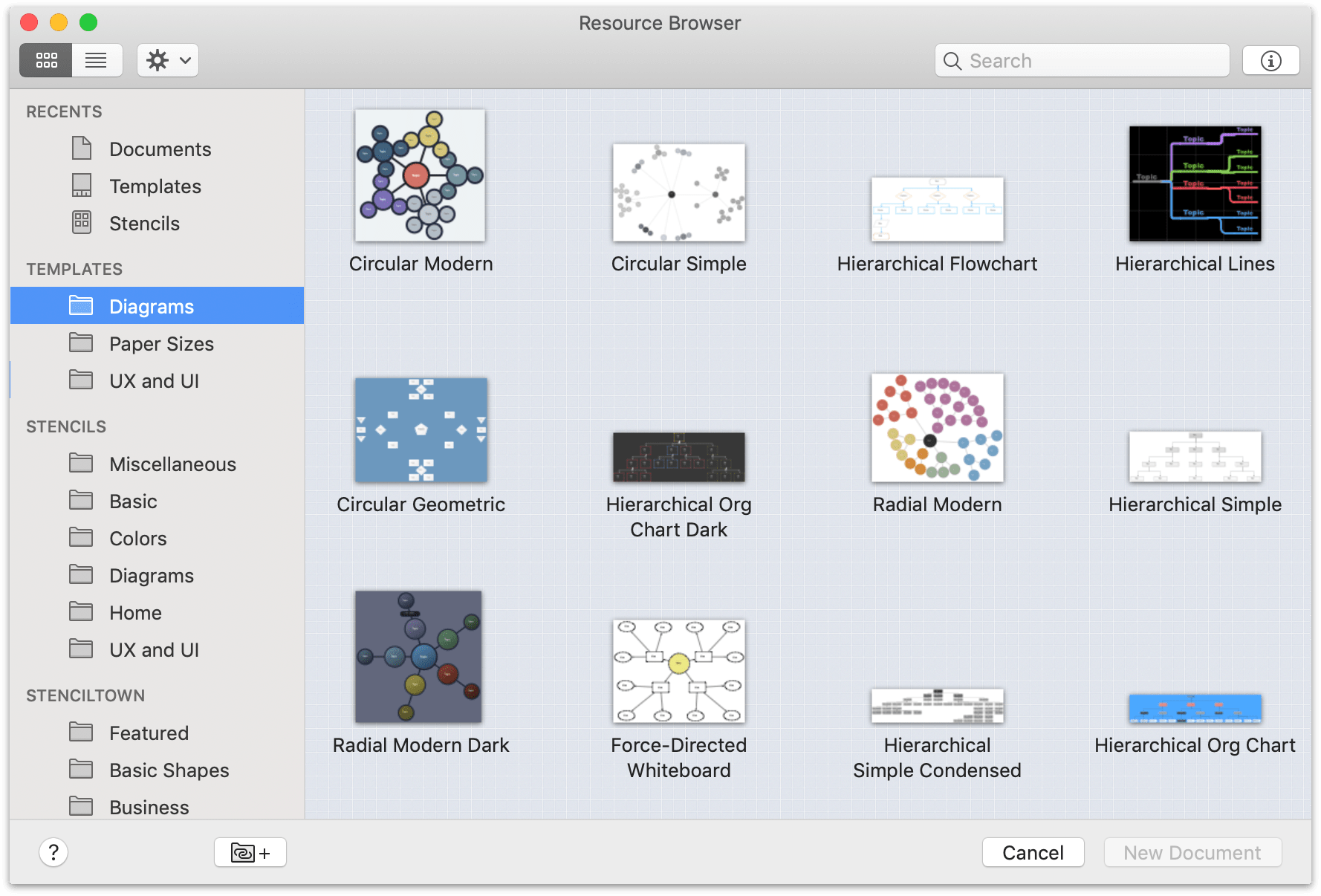
The Resource Browser and reusable stencils fit that need. The convenience is not just saving time when drawing the next box. It is keeping the same visual vocabulary available when another document needs to explain the same kind of thing.
I would still keep the vocabulary modest. A large collection of subtly different shapes can require a legend longer than the diagram. Useful reuse comes from a few meanings that are easy to recognise and apply consistently.
This is one of the reasons I enjoyed OmniGraffle. It suits work where a diagram may be revised, extended, and shared again. The document can develop a clear style without every update becoming a fresh design exercise.
Layers should reduce visual noise
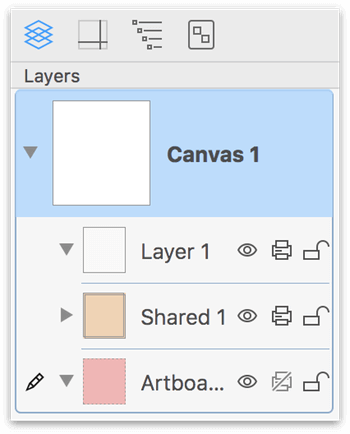
A diagram often has supporting material that should not compete with its main message. A background frame, labels, annotations, and the actual system can have different roles. Layers offer a way to keep those roles organised.
I like that separation because it makes editing more careful. The person moving a service box should not accidentally disturb the whole page frame. A reviewer should be able to focus on the relationships that matter, rather than every piece of decoration at once.
The structure should remain understandable to the next editor. Names such as “background” and “annotations” explain more than a stack of default layer numbers. A document that looks clean but is difficult to maintain has solved only half the problem.
The same rule applies to groups. Objects that belong together should be convenient to move together, while individual parts remain accessible when a change requires them. This is ordinary document hygiene, and I appreciate tools that give it a clear place.
Precision is useful when it serves reading
Alignment, spacing, and consistent dimensions can make a diagram much easier to follow. They give the reader a predictable rhythm and reduce the effort of deciding whether a visual difference has meaning.
I like exact tools for this reason. A shape that is slightly larger by accident can imply importance that was never intended. A connector that appears to touch the wrong object can change the apparent flow. Careful placement is part of communication, not just polishing.
There is also a point where polishing stops helping. Spending too long adjusting a box while the system model is still changing can waste attention. I prefer to settle the main structure and labels before making every gap perfect. A useful tool should support both rough thinking and a cleaner final document.
Related reading
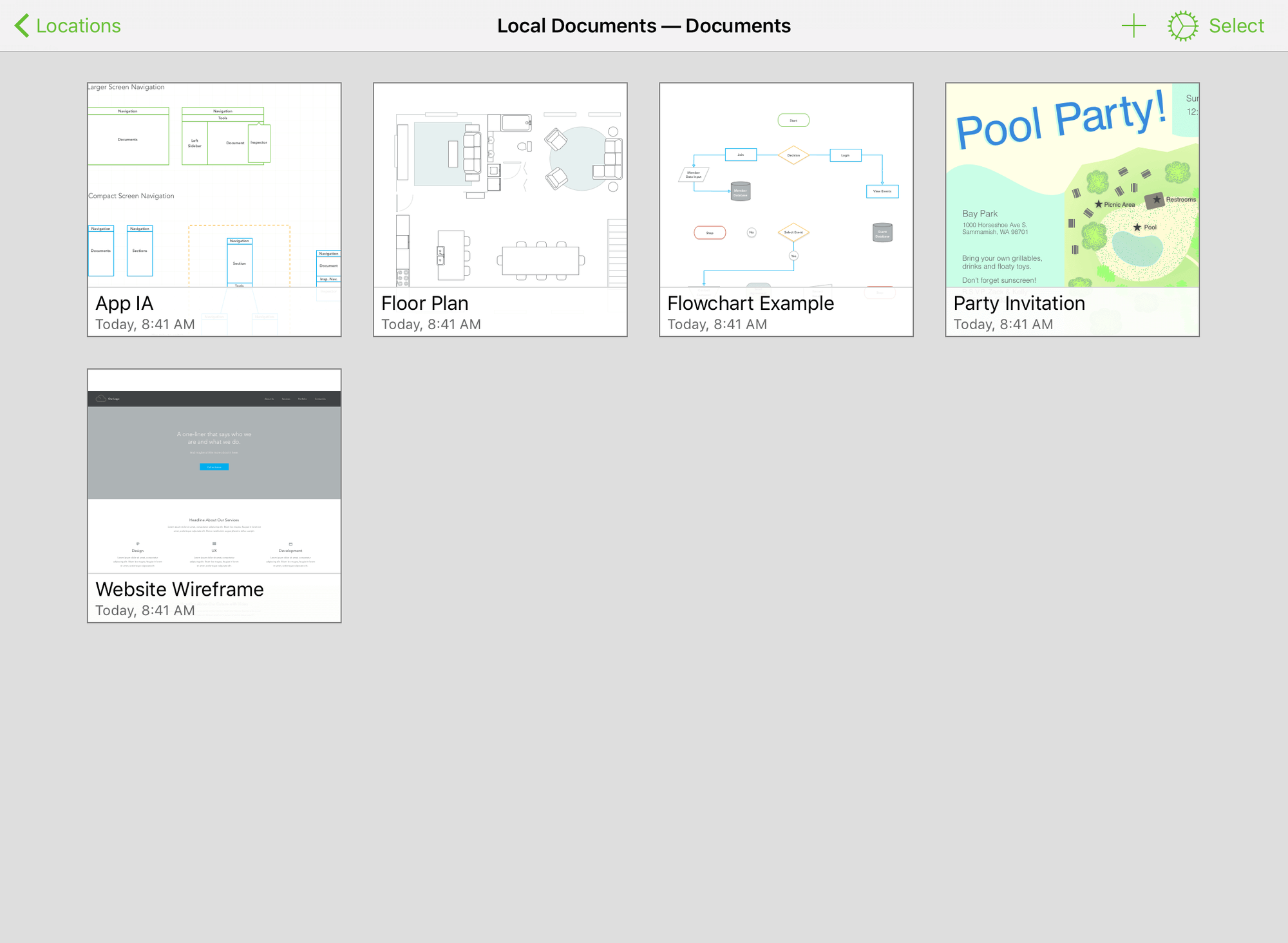
The Mac is a comfortable setting for that detailed work. A larger screen, keyboard, and pointing device suit exact editing. The important comparison is with the work involved: a quick whiteboard sketch and an architecture document that stays useful have different needs.
Connections need honest meanings
An arrow is easy to draw and easy to misunderstand. It can mean data flow, control flow, dependency, ownership, or sequence. Mixing those meanings in one view makes a diagram harder to trust.
I want a diagram to make that choice clear. A short label can be more useful than another colour. A separate view can be more useful than forcing a second kind of relationship into the same picture. The drawing tool gives the options; the author needs to choose the model.
That is where OmniGraffle’s value becomes personal for me. I enjoy having a careful workspace for turning an explanation into something visible. The act of arranging a system can reveal that the explanation itself was incomplete. A diagram can be a thinking tool before it becomes a presentation asset.
I also like keeping an ordinary source of truth in mind. If the diagram describes software, the project and deployed system still matter. A beautifully maintained picture can become wrong if nobody owns its updates. The document needs a purpose and an update path, just like prose documentation.
Export is part of the job
A diagram often leaves the application where it was created. It may appear in a report, presentation, article, or review discussion. The useful output needs to remain readable at the size where it will be seen.
OmniGraffle’s product materials include export controls, and Pro is the edition supplied here. I care about export because a good canvas can become a poor illustration when labels are too small or the page boundary includes a large empty area. The final destination needs attention before the document is considered finished.
For an article, I would start with the available width and the reader’s screen. For a presentation, I would simplify for the viewing distance. For a document people need to zoom, the chosen format should suit that purpose. These are different outcomes from the same source diagram.
I also want the editable file preserved when future changes are likely. An exported picture is useful for reading, but it is a weak starting point for maintenance. Keeping the source and the published version related helps prevent the next update from becoming a reconstruction exercise.
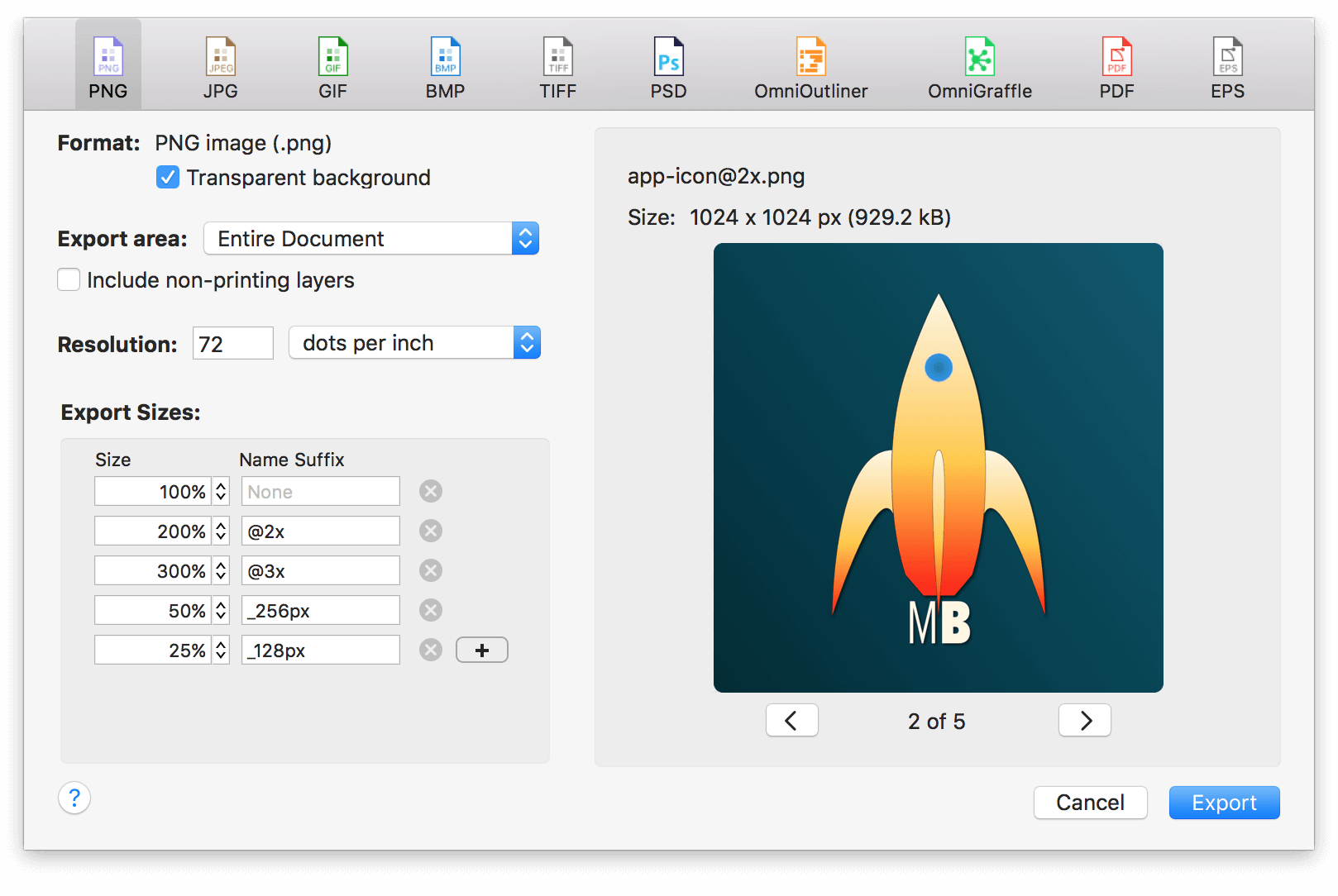
Pro should solve a real document need
I would choose the edition around the kind of diagram being maintained. More controls are useful when the document needs them. They are less useful when the task is a one page sketch that a simpler tool already handles comfortably.
There is a learning cost too. A exact graphics application asks the user to understand selection, object structure, inspectors, and document organisation. That investment makes sense when the work returns regularly. It can be excessive for a picture that will never need another edit.
The current pricing page is the place to compare edition and platform coverage. I would check those terms directly because the Mac product and the iPhone and iPad product have distinct version lines. A familiar name does not by itself describe the full purchase.
Related reading

A document should survive its author
I like a diagram that another person can reopen and maintain without asking me how every object was arranged. Clear names, consistent meanings, and a short explanation of scope make that possible. The application provides the structure, while the author needs to use it with care.
This is a practical part of my positive view. I enjoyed OmniGraffle because it suits work that may need another revision. A diagram is more useful when it can become shared knowledge, rather than remain a personal drawing that only looks finished. Keeping the editable document tidy is part of making the explanation durable.
My verdict
I enjoyed OmniGraffle 7 Pro and like its careful approach to visual explanation. It is most convincing when diagrams need to remain readable, editable, and consistent beyond the first meeting. The useful qualities are practical: a clear canvas structure, reusable visual ideas, and enough control to make relationships easy to read.
For a quick conversation, a rough sketch may be the better tool. For a diagram I plan to keep updating, I appreciate having a dedicated environment that can grow with the explanation. The value is not making a diagram look expensive. It is making the diagram easier for another person to understand and easier for its owner to keep accurate.
That is why my verdict is positive. OmniGraffle fits the kind of work where an explanation needs a durable visual form. I like the product because the output can become a useful shared document, with enough structure behind it to make the next revision feel like maintenance rather than starting again.
Where to buy
See OmniGraffle 7 Pro at the official product page. This is the product page for the model covered in this review. Check the model number, colour, included parts and delivery options before ordering. Prices and stock can change, so I use this page for the current offer. Matching the product to the review matters more to me than finding a similar name.
What worked
- I like its focus on readable, editable diagrams rather than disposable pictures.
- Consistent canvases and repeated visual ideas can make related diagrams easier to follow.
What bothered me
- A dedicated diagram app takes more effort than a rough sketch for one quick conversation.
- The exact Mac edition and purchase terms need checking separately from the mobile version.
Who should not buy it
- Someone who only needs a quick sketch and will not maintain the diagram.
Alternatives I would consider
- OmniGraffle 3 Pro. I would choose the iPad version when touch editing away from the desk matters more than a Mac-based workflow. Read my OmniGraffle 3 Pro review.
- WireframeSketcher. I would consider this for interface wireframes; OmniGraffle is the more natural choice here for a broader diagram document. Read my WireframeSketcher review.
Evidence and sources
The article separates my judgement from specifications and claims credited to their sources. Product images are identified by the credits in the article.
Features, compatibility and rated figures from the maker are manufacturer information. My opinions are identified in the review.
Conclusion
Worth it when reusable shapes, document structure and later revisions are part of the work.
OmniGraffle 7 Pro
The Omni Group · Choose the local store or delivery region
Check price and availability: OmniGraffle 7 Pro at The Omni GroupProduct link.
One email a week with practical Mac workflows, useful comparisons and honest tech recommendations.