I like OmniFocus 4 Pro because it takes a large collection of commitments seriously without requiring every new thought to become a planning session. I enjoyed the product. The attractive balance is simple capture at one end and enough structure to decide what deserves attention at the other.
Quick verdict
I recommend OmniFocus 4 Pro for a growing task list that needs more than a flat checklist.
- Best for
- Apple users managing projects across a Mac, iPhone and iPad.
- Main benefit
- I like keeping quick capture separate from the slower work of planning.
- Biggest drawback
- Projects, tags and perspectives need a clear routine; extra structure can become extra work.
OmniFocus 4 Pro
The Omni Group · Choose the local store or delivery region
Check price and availability: OmniFocus 4 Pro at The Omni GroupProduct link.
Reviewed version: OmniFocus 4 Pro
Compatibility: OmniFocus 4 Pro on supported Apple devices, with the intended sync and licence arrangement. Check platform coverage rather than assume every purchase covers every device. Planned dates require OmniFocus 4.7 or later and its updated database format; check the versions on all syncing devices before migrating.
Review context: The review focuses on apple users managing projects across a Mac, iPhone and iPad.
The Omni Group provided the Pro licence free of charge for this review. Product screenshots in this article come from the Omni Group.
The OmniFocus product page describes one purchase or subscription covering its supported Apple devices. That matters to me because a task system should survive a change of screen. A thought captured on a phone should still make sense when it becomes part of a project on a Mac or iPad.
Capture should leave the decision for later
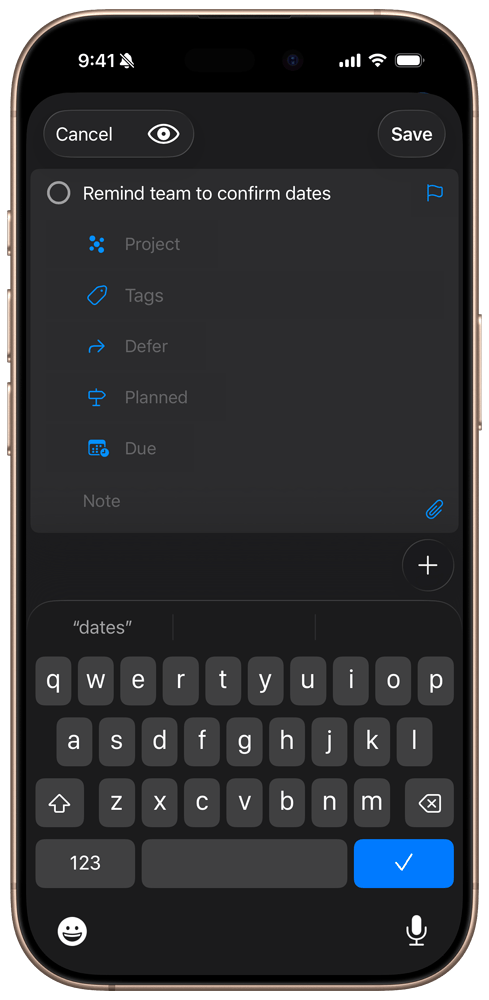
I do not want to decide the full structure of a task while trying to remember it. A useful inbox gives the thought a safe place first. The project, context, and timing can be clarified when there is enough attention available to make those choices properly.
That is one of the reasons I like OmniFocus. The product’s feature guide includes quick entry and an inbox alongside projects, tags, and review. These ideas fit different moments. Capturing a task and deciding how it belongs in the week are related activities, but they do not need to happen at once.
A good task name helps the handover between those moments. “Website” is a subject, while “Send the final image choice to the designer” is an action. The application can store either. The useful system comes from writing the item so that a future version of me understands what it asks.
Related reading

I enjoy tools that leave room for this distinction. There should be an easy path for an incomplete thought, followed by a careful opportunity to clarify it. Requiring a project, date, and several tags before the idea can be saved would turn the capture process into another distraction.
Structure should answer a question
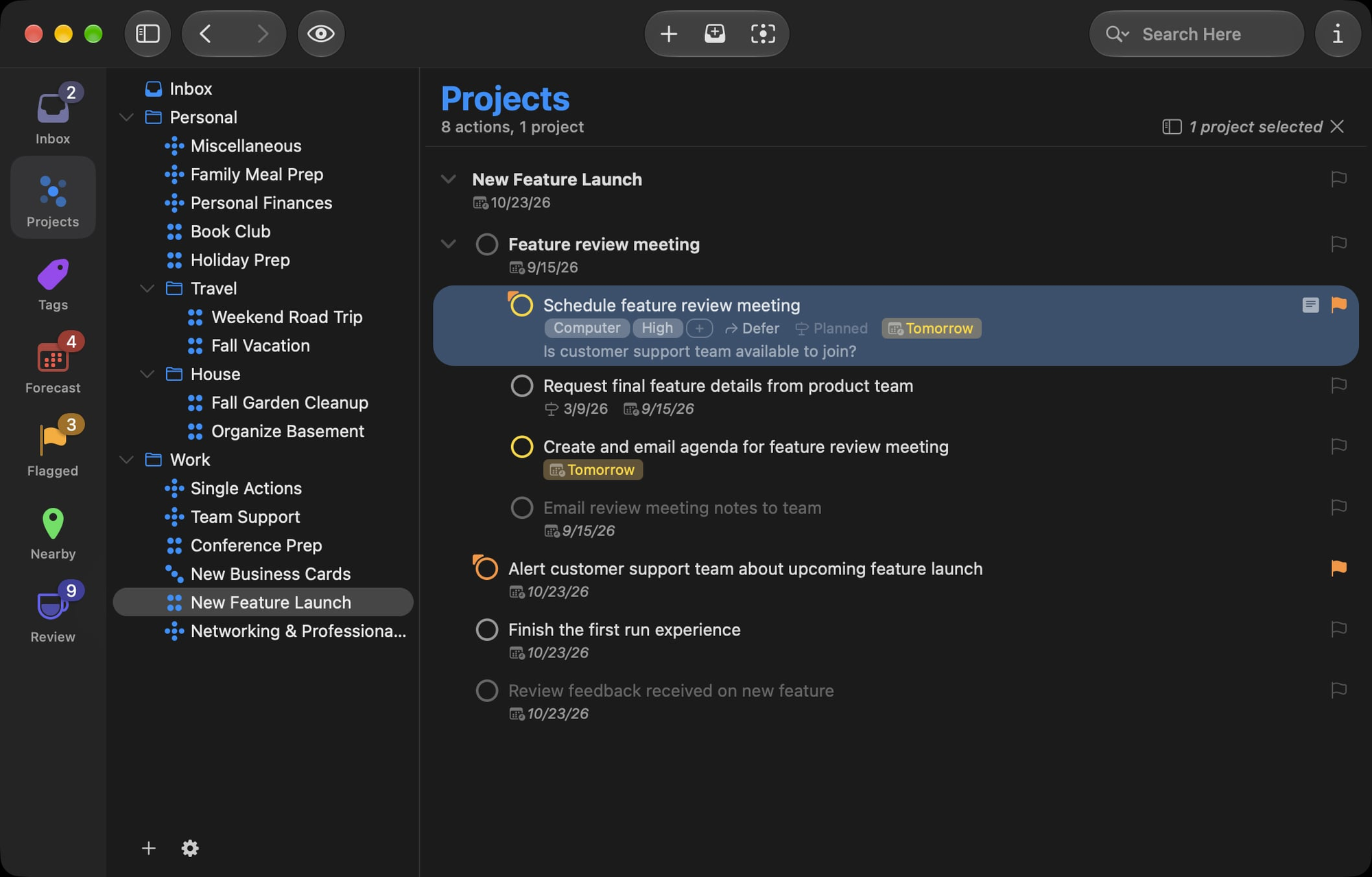
Projects and tags are useful when they change what I can see or decide. A project gives several actions a shared outcome. A tag can describe a useful context across projects. Those are different ways of looking at the same work.
The temptation is to build a long list of categories before it has a practical purpose. I prefer the opposite direction. If I repeatedly need to see work that requires a particular person or place, that is a reason for a tag. If a collection of actions has a clear end, that is a reason for a project.
This keeps the system readable. A large task list is already asking for attention; its structure should reduce the effort of choosing. A collection of categories that exists only because the app allows it creates another thing to maintain.
OmniFocus appeals to me because it offers room for larger work without requiring every task to use every option. I can value that depth and still prefer a modest starting point. The right amount of structure is the amount that helps the next decision.
Dates need honest meanings
A task system becomes stressful when every item claims to be urgent. A due date should describe a real deadline, rather than a wish to feel organised. If everything is due today, the view stops helping distinguish what actually needs to happen.
The date fields in the OmniFocus manual give each date a different job. Defer says when an item becomes available for work. Planned says when I intend to work on it. Due says when it must be finished. I like being able to make a plan without turning that plan into a deadline.
Here is how I would use the three fields for a client review. If the finished review is needed on Friday, Friday is Due. If I want to write it on Wednesday, Wednesday is Planned. If I cannot start until the brief arrives on Tuesday, Tuesday can be Defer. There is no reason to fill every date field for every task; each one should answer a real question.
If the writing moves to Thursday, I would change Planned and keep the Friday deadline. Using Wednesday as a fake Due date would make the task look late while the real deadline was still ahead. Keeping those meanings separate makes the urgent list easier to trust.
In Forecast View Options, turn on Items on planned date to see that work in Forecast. An unfinished item with an earlier Planned date remains in Past. That is a prompt to review the plan, rather than a reason to invent a missed deadline.
Planned dates arrived in OmniFocus 4.7 and require its newer database format. If older copies still share the database, check sync compatibility before migrating. I would add this habit when planning becomes useful, rather than build a complicated date system on the first day.
I also want the system to support changing reality. A project can pause. A dependency can arrive late. A task can become unnecessary. Updating the list should be a normal part of using it, rather than a sign that the original plan failed. A plan is useful because it can be revised when the facts change.
Related reading

Pro should earn its place through a useful view
Custom perspectives and automation belong to the Pro side of the current feature matrix. I find the custom view idea appealing when a default list cannot answer a repeated question clearly.
For example, a working view might need to show available actions from selected projects with a particular context. The value is a clear starting point for work, rather than a technically impressive set of filters. If a perspective needs a long explanation every time it opens, its rules may be doing too much.
I would build one useful view before creating a collection of them. A task system should reduce repeated decisions, not create a menu of subtly different lists that all need to be checked. The best view is the one whose purpose remains obvious when the day is busy.
Automation deserves the same restraint. Repeating a well understood process can be useful. Automating an unclear process simply makes its confusion repeat faster. I like Pro as room to adapt the system after a real need appears, rather than as a reason to design an elaborate setup on the first day.
Mac, iPhone, and iPad have different jobs
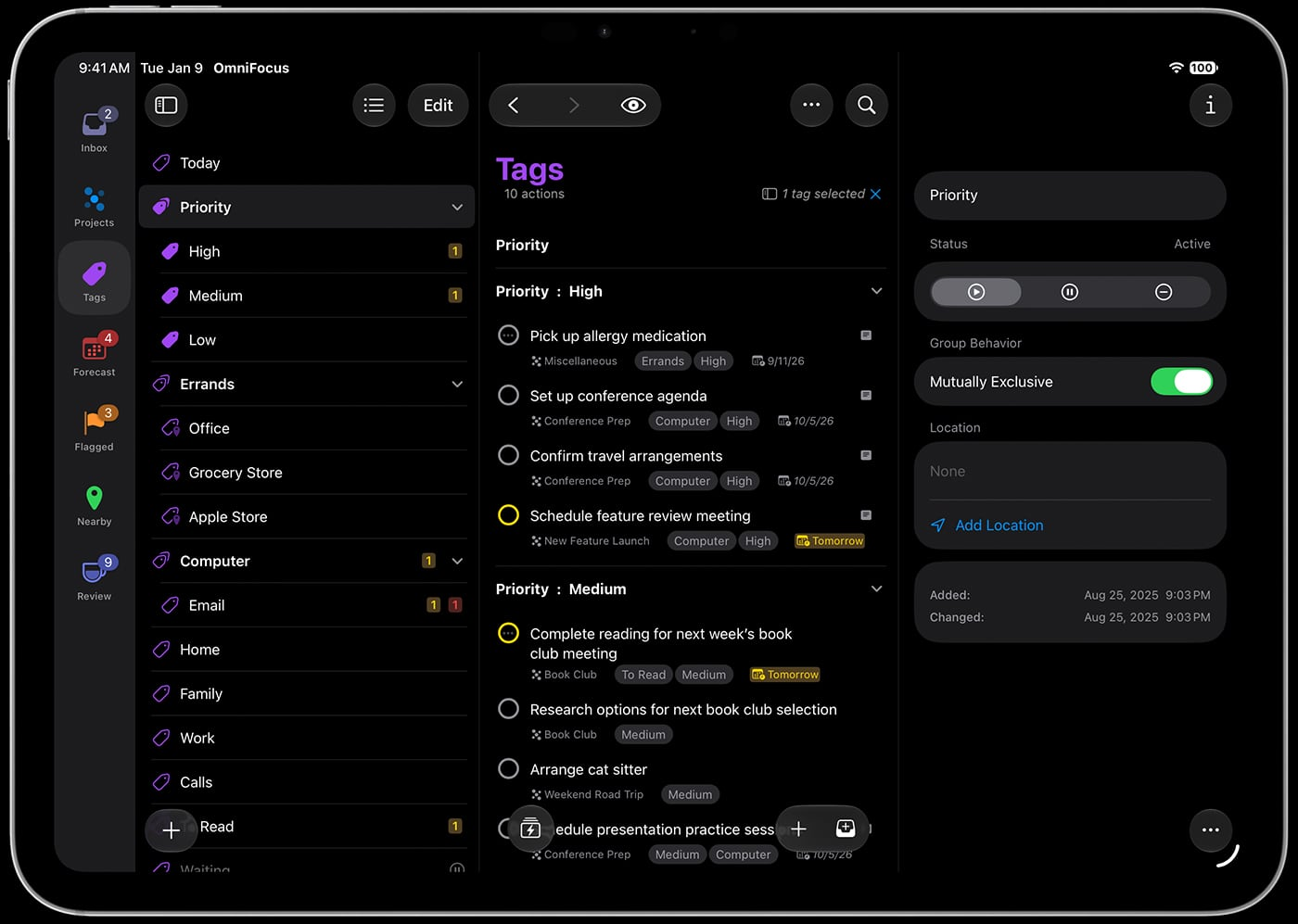
I want a task system to respect the device in front of me. A Mac has room for careful planning and text entry. A phone is often the nearest place to save a thought. An iPad offers a larger view without being the same physical setup as a desk.
OmniFocus’s shared Apple coverage is attractive because the task remains the same while those moments differ. The useful question is whether each screen presents the right amount of context. More information is not automatically better on a small display; a narrow view can be exactly what makes capture comfortable.
Sync is part of that promise. Omni describes encrypted syncing and options in its feature guide. My priority is the same task data on each device and a clear understanding of the account in use. A shared system is only useful when the same commitment remains recognisable across the devices used to manage it.
I would also keep review as a careful activity. A phone is a useful entrance to the system, but a collection of captured thoughts needs occasional attention. The app can make that process available; the owner still needs to decide what matters and what no longer belongs.
The iPhone Duo idea was better than my hardware verdict
My opinion of the iPhone Duo itself is negative. I tried it and passed it on. I do not consider it ready for the daily role I wanted it to fill. That hardware verdict does not stop me liking the direction of OmniFocus on different screen sizes.
Omni’s Duo announcement describes a compact outer display, a larger inner layout, and Split View. The intended workflow makes sense: capture a thought quickly outside, then use more space for planning inside. It is an appealing application idea even though I would not recommend buying that phone for it.
The larger screen also raises a useful design question. Which controls should move, and which should remain familiar? Merely stretching a phone list does little for planning. A larger view should make relationships and detail easier to work with. Omni’s announcement explains its approach; my broader preference is for extra space that serves the task rather than simply showing more interface.
A useful review is an act of choosing
I like the idea of returning to a project and asking whether its actions still describe reality. A task can be perfectly organised and no longer necessary. Another can remain vague because the next decision has never been made. Neither problem is solved by moving the item to a different list.
That is why a review habit matters to me. The useful outcome is a system I can believe, with commitments that still deserve attention. Removing an obsolete task can be as valuable as completing one. Clarifying an action can make the next working session easier before any visible progress happens on the project itself.
I enjoyed OmniFocus because its deeper structure has room for that kind of maintenance. I want the list to remain a tool for choosing, rather than an archive of everything I once intended to do. The software can support that habit, and I like that its value can grow with a more careful understanding of my own commitments.
Related reading

Why I enjoyed the product
I like OmniFocus because it gives the work a place without pretending the software can choose every priority. The system can remember, organise, and present commitments. I still need to decide which ones deserve time.
That division appeals to me. I want a task manager that can handle serious projects while letting a small reminder remain small. I do not want every action to become a project management exercise, and I do not want a large commitment reduced to an endless flat checklist.
There is a learning cost. The useful setup comes from understanding the distinctions and choosing a manageable structure. That investment makes more sense for someone with many ongoing commitments than for a person who needs only a short shared shopping list.
My verdict is positive. I enjoyed OmniFocus 4 Pro and like the room it gives to capture, clarify, and choose work across Apple devices. Check the current OmniFocus purchase options against the platforms and Pro features you need. The strongest reason to choose it is a task system that remains useful when the list becomes larger than one screen.
Where to buy
See OmniFocus 4 Pro at the official product page. This is the product page for the model covered in this review. Check the model number, colour, included parts and delivery options before ordering. Prices and stock can change, so I use this page for the current offer. Matching the product to the review matters more to me than finding a similar name.
What worked
- I like keeping quick capture separate from the slower work of planning.
- The inbox, projects and review tools give different stages of a commitment their own place.
What bothered me
- Projects, tags and perspectives need a clear routine; extra structure can become extra work.
- The right licence and platform coverage matter when comparing a subscription with a purchase.
Who should not buy it
- Someone who wants only a short shopping list and has no reason to maintain projects.
Alternatives I would consider
- Apple Reminders. I would start here for a short shared list or simple reminders; OmniFocus makes more sense when the planning structure is the reason to switch.
Evidence and sources
The article separates my judgement from specifications and claims credited to their sources. Product images are identified by the credits in the article.
- OmniFocus product page
- feature guide
- platform specifications
- OmniFocus date fields and Planned dates
- Forecast View Options
- OmniFocus 4.7 introduction and database format
- OmniFocus sync compatibility
Features, compatibility and rated figures from the maker are manufacturer information. My opinions are identified in the review.
Conclusion
Worth paying for when Pro perspectives and regular project reviews have a real job in your week.
OmniFocus 4 Pro
The Omni Group · Choose the local store or delivery region
Check price and availability: OmniFocus 4 Pro at The Omni GroupProduct link.
One email a week with practical Mac workflows, useful comparisons and honest tech recommendations.