I like DataGrip because database work deserves more than a terminal history full of half remembered queries. A useful query has context: the connection, schema, transaction state, and result all matter. I enjoyed the product’s focus on keeping those pieces together. It feels like a dedicated desk for a kind of work that is often scattered across several tools.
Quick verdict
I recommend DataGrip when database work deserves a dedicated workspace.
- Best for
- Developers who regularly work across database connections and schemas.
- Main benefit
- I like keeping the connection, query, schema and result in the same investigation.
- Biggest drawback
- A separate app is harder to justify for a few occasional queries.
DataGrip
JetBrains · Choose the local store or delivery region
Check price and availability: DataGrip at JetBrainsProduct link.
Reviewed version: DataGrip
Compatibility: Choose the exact personal, business or bundle licence for the intended work. Check the current host, project-toolchain and account requirements.
Review context: The review focuses on developers who regularly work across database connections and schemas.
We paid for our JetBrains software. The images below are official JetBrains product screenshots.
The DataGrip product page describes support for relational and NoSQL databases and currently offers free noncommercial use. That breadth is useful, but the buying decision should start with the engines actually used. A list of supported databases is less important than a clear workflow for the two or three that define the job.
The connection is part of the query
SQL text can be correct and still run against the wrong place. A development database and a production database may have similar names and familiar tables. A schema choice can change which object an unqualified name refers to. These are ordinary reasons to make context highly visible.
I value a database tool that helps the user remain aware of that context. The useful question is not just whether the query parses. It is which data source will receive it and what assumptions the session carries. A dedicated environment should make those answers easier to see.
That is especially important when moving between projects. An old console can remain open long after the original task ended. Clear names and a careful connection layout reduce the mental effort of returning to it. The interface should support that clarity, while the user still needs to read the destination before executing a important change.
Related reading

For a single small database and rare queries, a command line client can be perfectly suitable. DataGrip becomes more attractive when connections, schemas, and query history form a regular part of the day. The product’s value grows with the amount of context that otherwise has to be remembered.
Query consoles create a useful working space
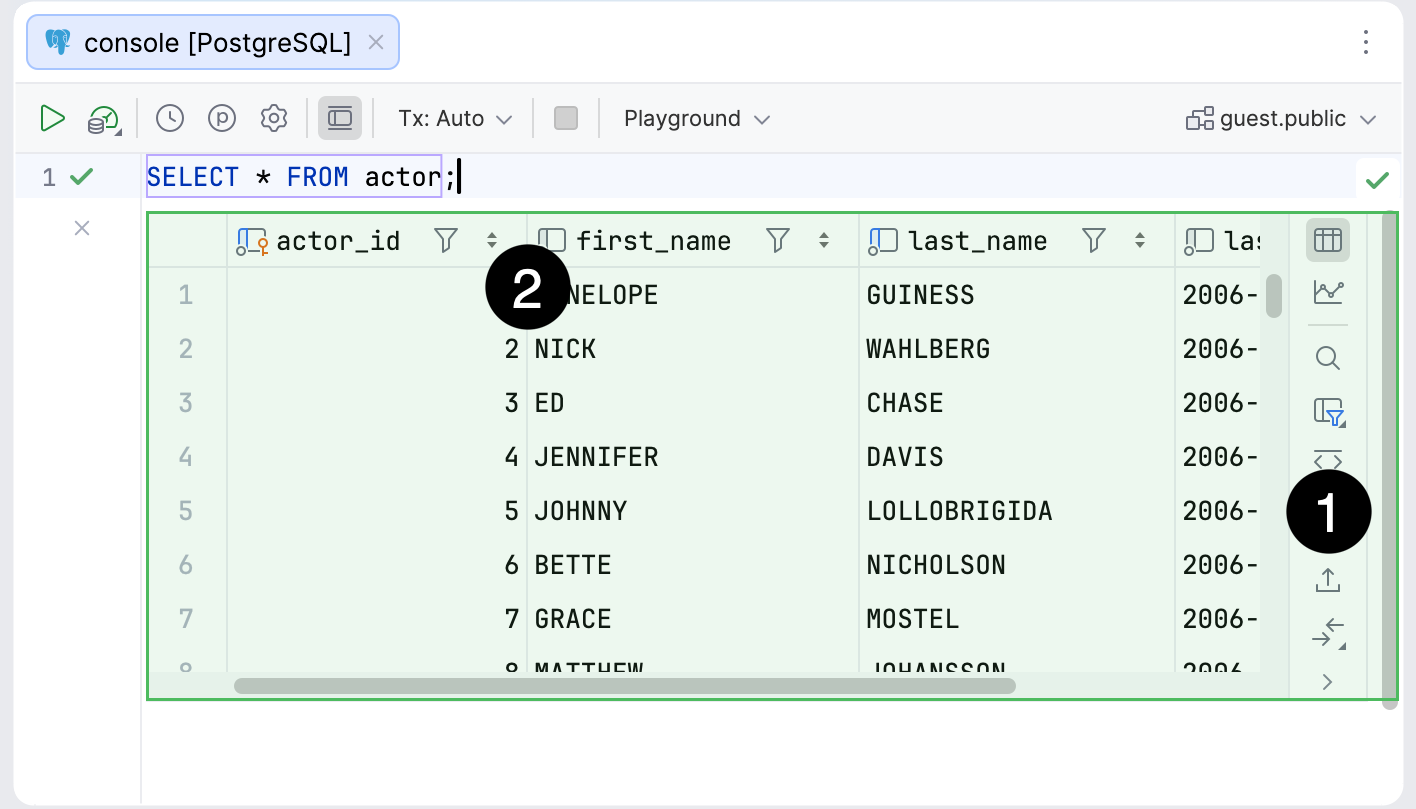
The official query consoles guide describes consoles associated with data sources and their connection sessions. I like that relationship because a query is easier to understand when its destination is part of the working surface.
A console is also a place to develop an idea. The first query may identify a subset of data. A second can explain a surprising result. A third might become the version worth saving in a project. Keeping this investigation clear is more useful than having a flat list of commands with no explanation of their purpose.
Important queries should still become shared files when they represent project knowledge. A local console is convenient for exploration, but a migration, report definition, or operational procedure belongs somewhere the team can review. DataGrip should support that transition rather than become the only archive of how a business rule was discovered.
This matters for review too. A colleague needs the intent and assumptions of a query, not merely its final text. Naming the input period, expected grain, and meaning of a row can prevent misunderstandings that even valid SQL will happily produce.
Results are where the assumptions become visible
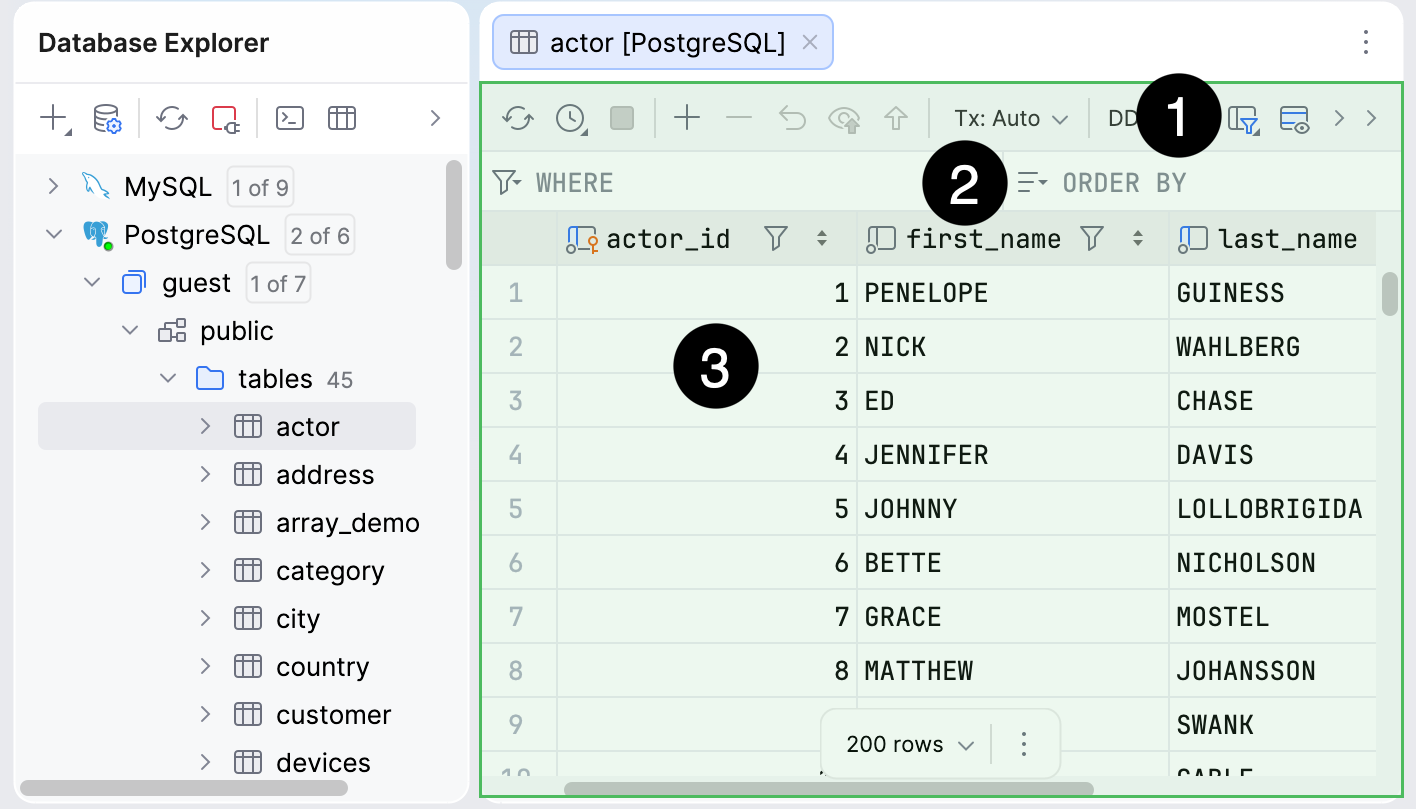
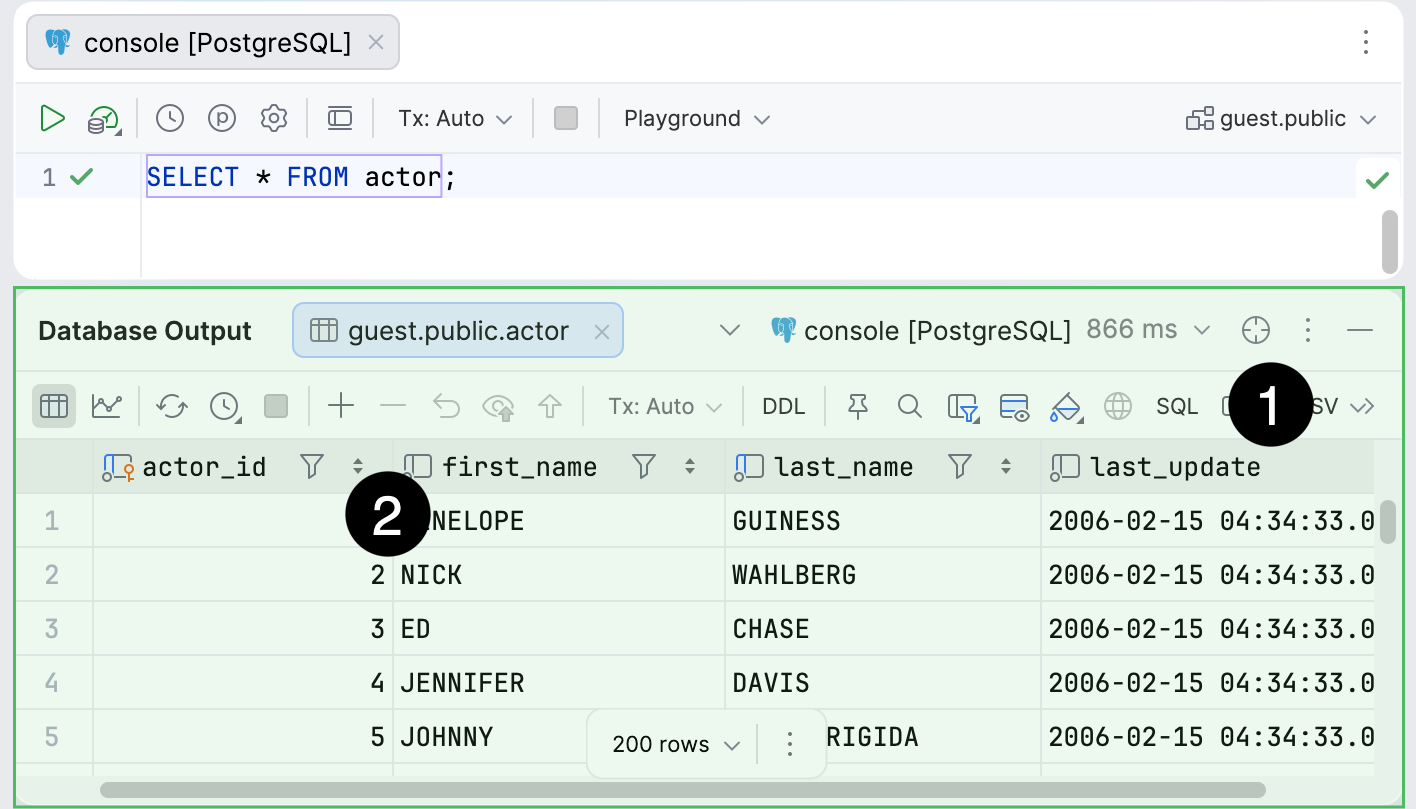
DataGrip’s data editor documentation covers database rows, query results, and tabular file data. The practical appeal is a consistent place to inspect what a statement returned and explore its structure.
I like result inspection because it often exposes the real question. A duplicate row may reveal a join assumption. A missing value may point to a filter applied too early. A total can look plausible while counting the wrong unit. The result view helps organise that investigation, but the meaning still comes from the data model.
A row count alone is rarely enough. If the question concerns customers, the query should distinguish a customer from an order or an event. A visual table can make the difference easier to notice, especially when several related fields are visible together.
The same care applies to editing data. A convenient table interface can make a change feel as casual as editing a spreadsheet. The database still has its own constraints, concurrent users, and transaction rules. A good workflow keeps the scope of an edit clear and makes its intended outcome clear before applying it.
Schema context is more useful than guessing
When a query spans several tables, understanding the schema is part of writing the query. Similar column names do not always mean the same thing. A foreign key can describe a relationship, while the business meaning may require a wider explanation.
DataGrip’s current feature set emphasises schema aware assistance. That direction appeals to me because useful completion should be tied to the selected database and dialect. A plausible column name is less helpful than a correct one in the current context.
Related reading
I would still read the model carefully. The database may contain old tables, compatibility fields, or values whose names no longer describe their actual use. Tooling can reveal structure, while documentation and application behaviour explain intent. Both are needed for reliable work.
This is also a reason to keep schema changes reviewable. A local adjustment in a visual tool is not the same as a migration that the whole team can run. The useful final result is a repeatable change with an understood effect, rather than a database that happens to look right on one machine.
Several engines, several meanings
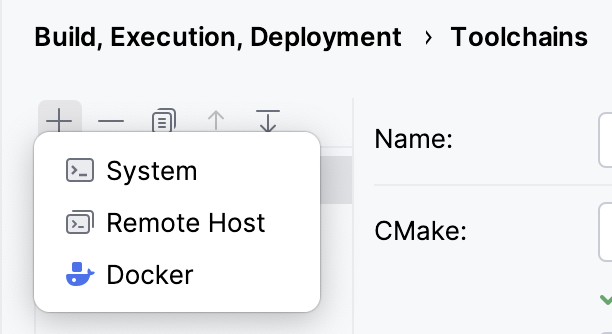
A shared interface is convenient when the job involves more than one database engine. It reduces the need to learn a new layout for every connection. That consistency is one of the reasons I like DataGrip’s dedicated approach.
The engines themselves still differ. Functions, transaction behaviour, types, and query plans can vary. A familiar editor should not make the user assume that a statement has identical meaning everywhere. The selected dialect and actual server remain important.
I would use the shared interface to reduce routine friction while keeping engine specific knowledge close. A query that is useful for PostgreSQL may need different treatment in another system. The tool can help organise the work without making portability an automatic property of the SQL.
This distinction matters when comparing prices too. A person who uses database tools only occasionally inside an existing IDE may not need a separate application. Someone whose day moves across several databases may value a dedicated workspace enough to justify it. Both are reasonable cases.
AI needs an exact data question
Generated SQL can look convincing because the syntax is compact and the result often contains believable numbers. That makes context even more important. The agent needs the correct schema and an exact explanation of what the rows should mean.
For example, asking for “active customers” leaves several decisions open. The time period, event, exclusion rules, and definition of a customer all affect the answer. A model can choose one interpretation and produce valid SQL without answering the intended business question.
I like AI assistance when it helps draft or explain a query that remains open to inspection. The developer should still check the joins, filters, grouping, and destination. A database tool is most useful when it helps connect those decisions to the actual schema and results.
Permissions also belong to the connection design. A read only investigation and a data change have different requirements. The product interface can help present choices, while the underlying database account should reflect the work it needs to do. Clear access makes ordinary mistakes easier to contain.
The part I personally value most
I like having enough context around a query to explain it later. A result can be useful in the moment and confusing a week afterwards if the connection, assumptions, and purpose have disappeared. A dedicated database environment encourages me to treat that context as part of the work rather than a detail carried in memory.
Related reading

I also enjoy being able to inspect data without immediately turning the investigation into an application change. Sometimes the useful first step is understanding the rows: what one record means, where duplication comes from, and which missing values are expected. Those questions deserve a clear workspace of their own.
That is why my view of DataGrip is positive. It fits a preference for careful exploration, where the query and the result remain close enough to challenge each other. I still want important conclusions to become shared project knowledge. The pleasant part of the tool is helping reach those conclusions with less time spent working out again the surrounding database context and more attention available for the meaning of the answer.
My verdict
I enjoyed DataGrip, and I like it most as a place to keep database context visible. The connection, query, schema, and result belong to one investigation. Bringing them together can make regular SQL work easier to understand and easier to revisit.
The dedicated application is most convincing for people who spend a meaningful part of the week working across databases. If a few occasional queries inside another IDE already cover the job, there may be little reason to add a separate product. The licence should follow the actual workflow, including current noncommercial eligibility where relevant.
Check the current DataGrip plans against the engines and tasks you use. My positive view comes from a simple priority: I want less effort spent working out again context and more attention available for the meaning of the data. DataGrip is a convincing product when it supports that priority.
Where to buy
See DataGrip at the official product page. This is the product page for the model covered in this review. Check the model number, colour, included parts and delivery options before ordering. Prices and stock can change, so I use this page for the current offer. Matching the product to the review matters more to me than finding a similar name.
What worked
- I like keeping the connection, query, schema and result in the same investigation.
- The visible database context matters more to me than simply making a query parse.
What bothered me
- A separate app is harder to justify for a few occasional queries.
- Important queries still need shared files and review; a local console should not become the only archive.
Who should not buy it
- Someone expecting an AI-written query to define the business meaning of the result.
Alternatives I would consider
- Database tools in your existing IDE. I would use those for occasional project queries; DataGrip is more appealing when database work itself fills a meaningful part of the week.
Evidence and sources
The article separates my judgement from specifications and claims credited to their sources. Product images are identified by the credits in the article.
Features, compatibility and rated figures from the maker are manufacturer information. My opinions are identified in the review.
Conclusion
Worth it for regular database work; occasional SQL may fit the tools already in your IDE.
DataGrip
JetBrains · Choose the local store or delivery region
Check price and availability: DataGrip at JetBrainsProduct link.
One email a week with practical Mac workflows, useful comparisons and honest tech recommendations.