I enjoyed JetBrains Air because I like seeing agent work beside the code it changes. An agent can finish a task while leaving its owner with a second job: finding the files, understanding the changes, and working out which checks actually ran. Air’s appeal for me is placing that work beside the tools that can explain it.
Quick verdict
I recommend exploring JetBrains Air when agent changes need to stay close to the code and review tools.
- Best for
- Developers organising agent tasks and inspecting the resulting changes.
- Main benefit
- I like seeing the task, changed files and checks as one reviewable piece of work.
- Biggest drawback
- The IDE, provider, usage and cloud charges can be separate parts of the bill.
JetBrains Air
JetBrains · Choose the local store or delivery region
Check price and availability: JetBrains Air at JetBrainsProduct link.
Reviewed version: JetBrains Air
Compatibility: Choose the exact personal, business or bundle licence for the intended work. Check the current host, project-toolchain and account requirements.
Review context: The review focuses on developers organising agent tasks and inspecting the resulting changes.
We paid for our JetBrains software. The screenshots in this article come from JetBrains and show its product interface.
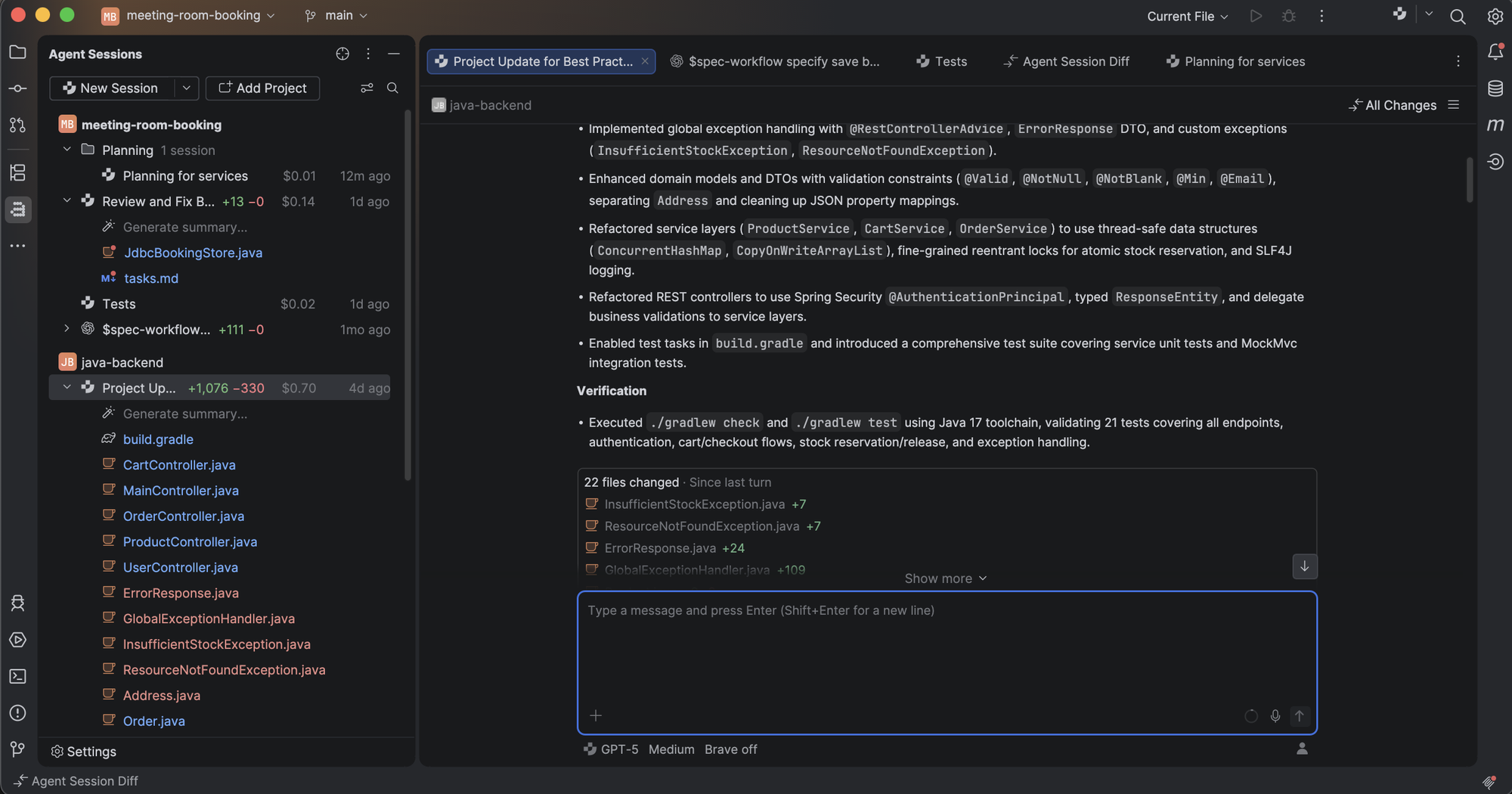
Air needs a careful introduction because the name covers more than one surface. There is Air inside JetBrains IDEs, a separate Air app, and Air Teams for shared cloud work. They belong to the same direction, but their setup, access, and execution location differ. The Air product page is the place to choose the right starting point.
The part that makes sense
My strongest reason to consider Air is the review loop. A request starts a task. The agent changes code. A developer then needs to read the difference, follow references, run the relevant application, and decide whether the result belongs in the project. Separating these steps across several windows adds work that has little to do with software design.
An IDE already has a place for these decisions. The code editor can show the surrounding method. A debugger can reveal actual state. A test runner can connect a failure to a file. Air tries to keep the conversation close to that existing knowledge. For someone who already prefers a JetBrains IDE, that is a more useful proposal than moving the whole project to a different editor just to reach an agent.
Related reading
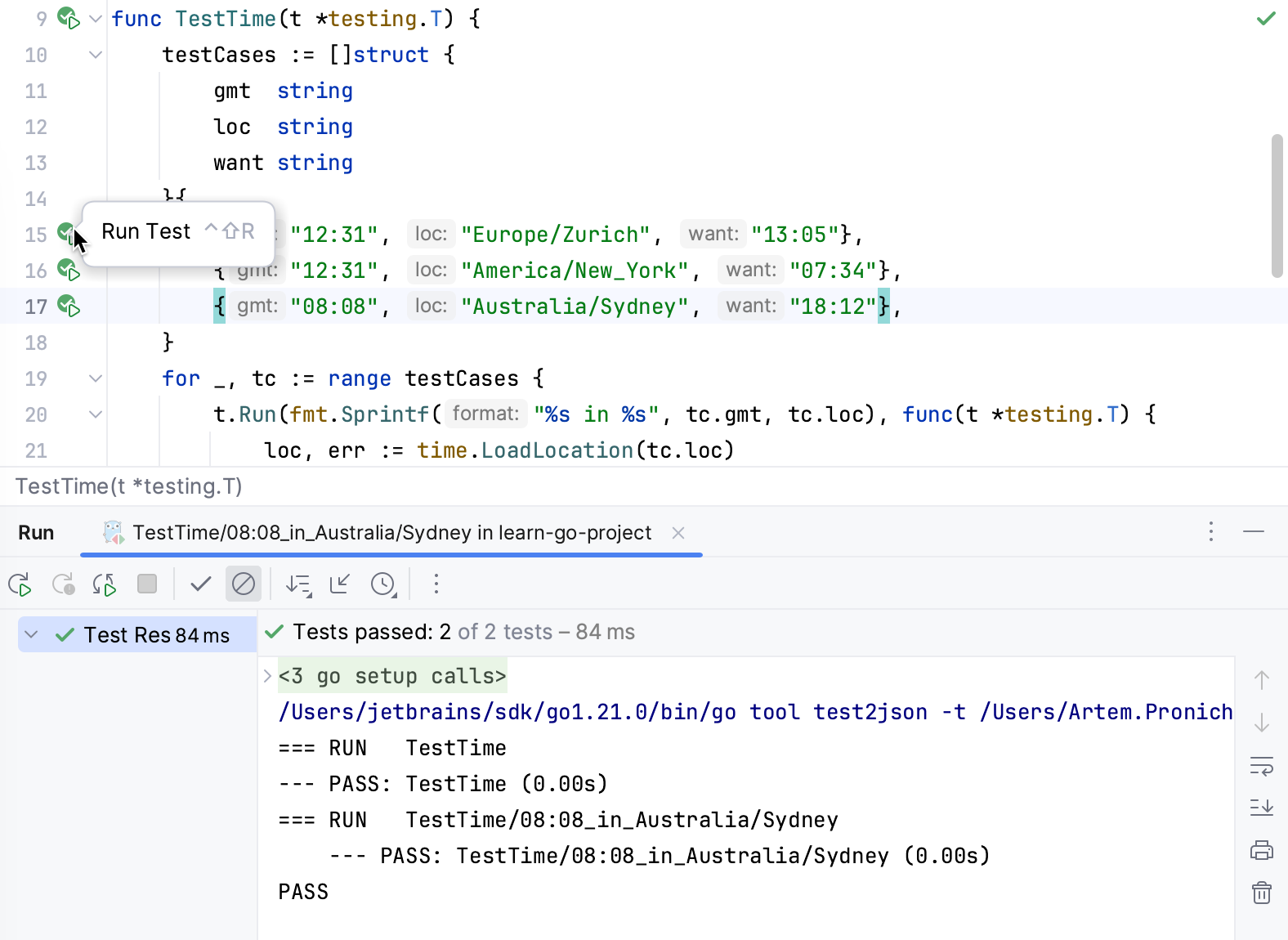
This does not mean every task should become a conversation. Renaming a local variable remains a good job for a direct refactoring command. Fixing one obvious line may take less time by hand. Air looks most useful where a task contains several linked steps and its result still needs close human attention.
Choose the surface before the subscription
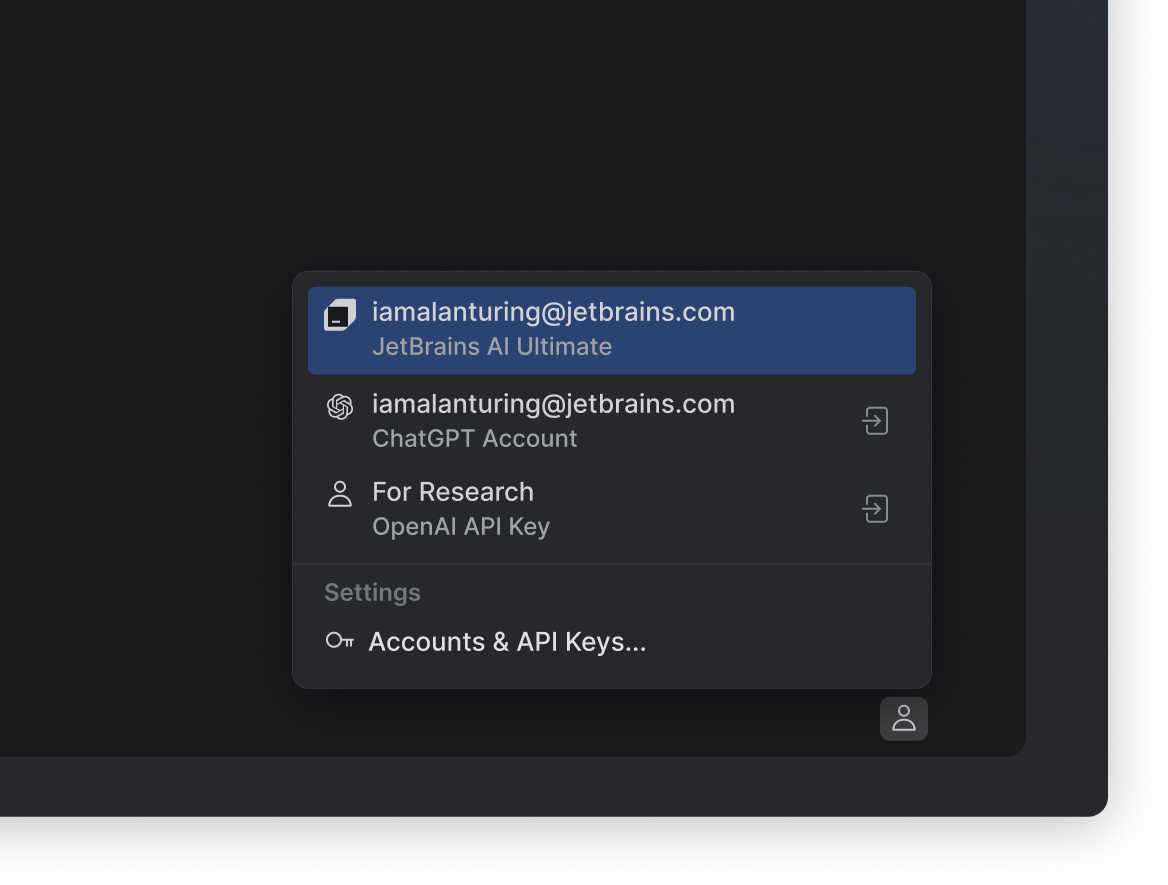
The Air in IDEs page describes local sessions that can use supported provider accounts without a JetBrains AI subscription. That does not remove the provider’s own charges or limits. Cloud runs have their own access requirements. A reader should therefore start with where the code will run, then look at the matching plan.
For a personal project, a local session keeps the development environment familiar. The tools, dependencies, and local application may already be available. For a team, shared cloud environments offer a different benefit: the environment can become a team resource instead of knowledge stored on one developer’s laptop.
These options solve different problems. Local work helps when the task needs the exact machine setup already in front of you. Cloud work helps when a task should continue independently of that machine. Neither choice removes the need to define how the application is built and what a correct outcome looks like.
I would avoid judging Air by the number of surfaces it offers. The better question is whether the chosen surface removes a real interruption. A browser session that cannot reach the required build tools adds little. A local session that keeps blocking the only working copy also has an obvious cost.
More agents can mean more review
Parallel work sounds attractive because it makes idle waiting visible. One agent can investigate a failure while another prepares documentation. But two active sessions can also produce two competing assumptions about the same code. More activity is only useful when the tasks can be separated clearly.
A good division is clear: one task changes a parser, another updates an independent installation guide. A weak division is asking two agents to improve the same feature without agreeing on ownership. The result may need more human repair than a single focused task would have needed.
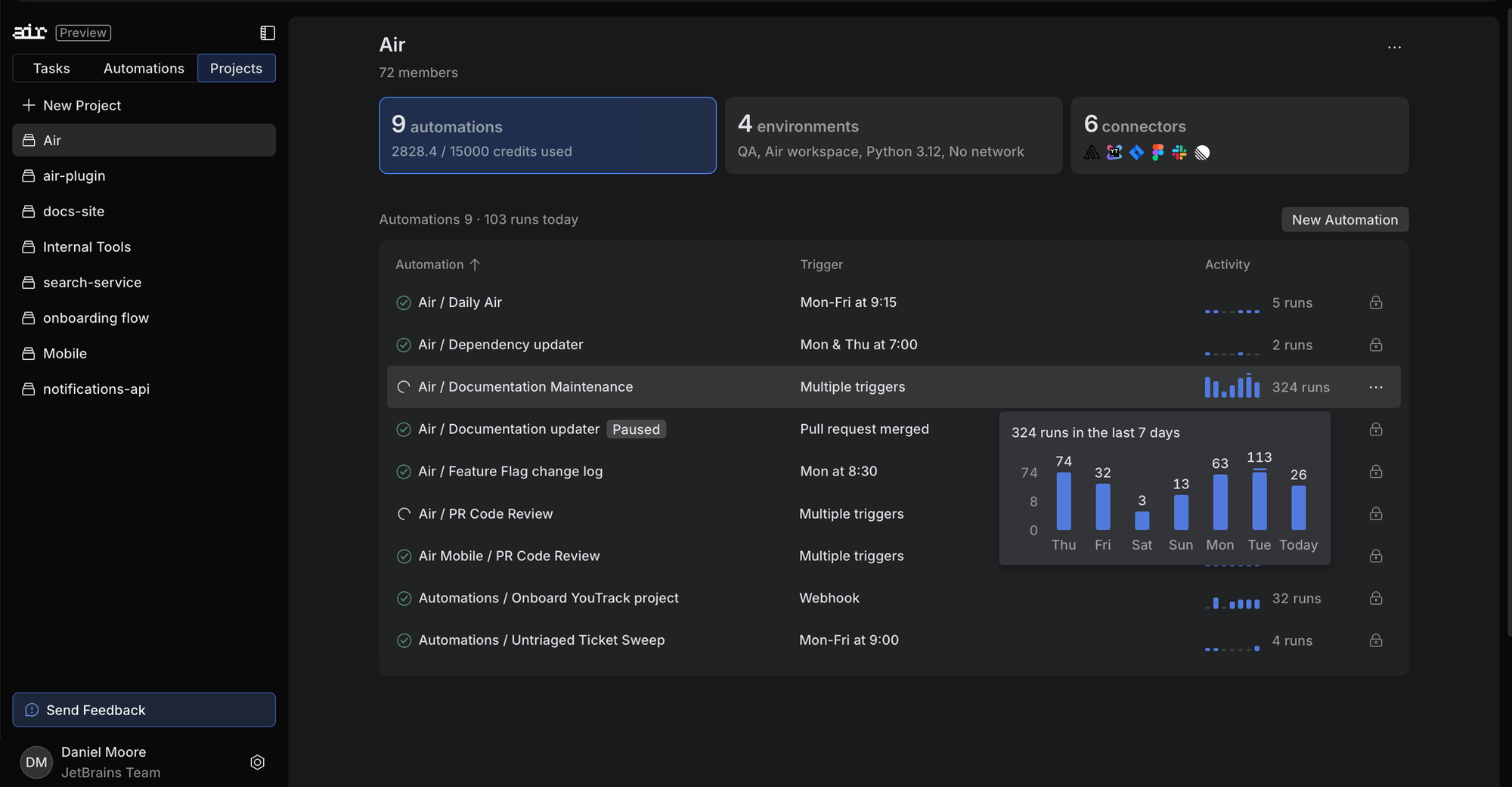
Air’s session view can help with this coordination, but the work still needs boundaries. I care more about seeing that a session is waiting for input than seeing a large number of running sessions. Waiting may indicate an important decision about behaviour, access, or a failed check. Hiding that behind a busy dashboard would defeat the purpose.
Separate Git worktrees are useful for keeping working directories apart. They should be understood as a way to organise code changes, with separate security controls deciding what a process can access. JetBrains makes this distinction in its IDE page, and it is an important one for real projects.
Shared cloud work is the larger change
The Air Teams documentation explains a shared setup with cloud environments, task branches, projects, and automations. The practical attraction is repeatability. A useful setup script and a clear set of project rules should help the next person, rather than disappear when the original developer closes a laptop.
That matters most in a team where environment differences already cause trouble. An agent cannot solve a build reliably if one task sees a different compiler, another misses an environment variable, and a third cannot reach a dependency. Writing down that environment is useful engineering work even before an agent uses it.
Related reading
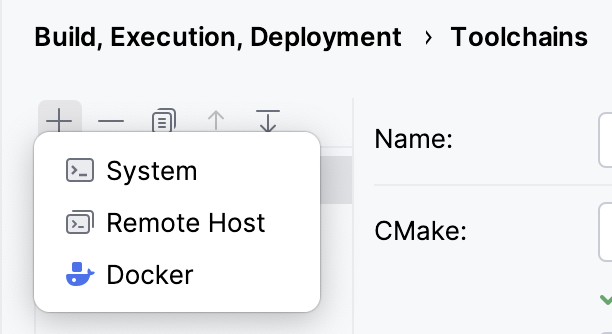
The cloud approach has a cost in setup and maintenance. Someone needs to keep dependencies current, decide which services are reachable, and understand what information may leave the environment. The convenience is real only when that responsibility has an owner. A shared system with unclear ownership can become another source of surprises.
For a small project with a reliable local setup, Air Teams may be more system than the job requires. For a larger group, the ability to reuse an environment and review the resulting branch can be the main reason to adopt Air at all. These are different buying cases and deserve different expectations.
The diff is the centre of the product
A polished answer in chat is pleasant to read. A small, understandable code difference is easier to trust. I would judge Air by how well it helps a developer move from the first to the second.
Consider an agent changing error handling in a service. The important questions are clear. Did it change a public response? Did it preserve cancellation? Which callers now need attention? Does the new test check behaviour, or simply repeat the implementation? These questions require access to the project, not confidence in the wording of a completion message.
Keeping a line comment beside the relevant change is useful because it reduces ambiguity. The next instruction can point to one branch of one condition. That is better task communication than asking the agent to make the whole patch “more robust” and hoping it guesses the intended problem.
There is a human cost here too. An agent can produce changes faster than a person can review them. Air should help control that flow. It should not encourage a developer to approve a growing queue just because every session reports success. Smaller tasks and clear stopping points remain good habits.
What the price should buy
With agents, the software bill can have several layers: the IDE, an agent or provider plan, API usage, and cloud resources. The headline price of one layer says little about the whole month. I would check the current terms for the exact surface and account rather than assume an existing subscription covers every path.
The value calculation should include the time spent reading output and repairing broad changes. A cheap agent run that creates a confusing patch is expensive in a different way. A more careful run that leaves a focused change and clear evidence can be worth more, even if the initial response takes longer.
This is why I dislike buying an agent platform on the promise of replacing judgment. Its realistic value is reducing the effort required to apply judgment well. Air’s connection to existing IDE tools gives that argument some substance. The subscription decision should depend on how often those tools help close a task.
What I want to keep under my control
I like delegation most when it leaves me with a better decision, rather than a larger pile of output. In Air, the interesting moment is the handover back from the agent: the task has reached a stopping point, the changed files are visible, and I can decide what belongs in the project. That is the kind of control I want an agent platform to make comfortable.
I also prefer tools that respect an existing development setup. A team may already have good run settings, meaningful tests, and a clear review style. Bringing agents into that environment is attractive because the useful work has already been done. Replacing it all would need a stronger reason than a new interface.
Related reading
That makes my positive view quite practical. I enjoyed Air’s direction because it recognises that writing code and accepting code are connected parts of the same job. I want the convenience of delegation without losing the context needed to maintain the result next month. A clear task, a clear difference, and a clear decision point are the parts I value most.
Who should consider Air
Air is an appealing direction for a developer who already pays for JetBrains tools and wants agents inside that working environment. It also deserves attention from teams whose agent work is scattered across personal setups, especially where repeatable environments and clear review branches would solve an existing problem.
It is harder to justify as a new layer for someone who is satisfied with one terminal agent, one project, and a simple review process. Moving a working system into a larger platform has a cost. There needs to be a clear improvement in context, coordination, or review to make that worthwhile.
My verdict is that Air’s strongest idea is keeping the work connected: the agent can participate in the development environment without becoming the authority over it. That is a useful direction. The buying decision should follow a clear task and a clear review loop, with the current Air options checked for the exact IDE, execution location, and provider account you intend to use.
Where to buy
See JetBrains Air at the official product page. This is the product page for the model covered in this review. Check the model number, colour, included parts and delivery options before ordering. Prices and stock can change, so I use this page for the current offer. Matching the product to the review matters more to me than finding a similar name.
What worked
- I like seeing the task, changed files and checks as one reviewable piece of work.
- The choice between IDE sessions, a separate app and team cloud work gives different jobs a clear starting point.
What bothered me
- The IDE, provider, usage and cloud charges can be separate parts of the bill.
- Local execution does not by itself explain where a selected model processes a request.
Who should not buy it
- Someone expecting an agent completion message to replace a code review.
Alternatives I would consider
- Junie. I would compare Junie when the main need is an agent carrying out a defined coding task; Air is attractive when organising and reviewing agent work is the larger question. Read my Junie review.
Evidence and sources
The article separates my judgement from specifications and claims credited to their sources. Product images are identified by the credits in the article.
Features, compatibility and rated figures from the maker are manufacturer information. My opinions are identified in the review.
Conclusion
Worth it when it makes agent work easier to review; a one-line edit may still be quicker by hand.
JetBrains Air
JetBrains · Choose the local store or delivery region
Check price and availability: JetBrains Air at JetBrainsProduct link.
One email a week with practical Mac workflows, useful comparisons and honest tech recommendations.