I like IntelliJ IDEA because the difficult part of Java work is often changing an application that already exists. I enjoyed the product’s focus on understanding that code before editing it. Its value for me is clearest when the next change has consequences beyond the current file.
Quick verdict
I recommend IntelliJ IDEA for careful changes in a Java or Kotlin codebase.
- Best for
- Developers navigating and maintaining an application with many connected parts.
- Main benefit
- I like the connection between understanding a symbol and changing its callers carefully.
- Biggest drawback
- The paid edition needs to earn its place through the actual framework and tool requirements.
IntelliJ IDEA
JetBrains · Choose the local store or delivery region
Check price and availability: IntelliJ IDEA at JetBrainsProduct link.
Reviewed version: IntelliJ IDEA
Compatibility: Choose the exact personal, business or bundle licence for the intended work. Check the current host, project-toolchain and account requirements.
Review context: The review focuses on developers navigating and maintaining an application with many connected parts.
We paid for our JetBrains software. The product images here are official JetBrains screenshots.
The current IntelliJ IDEA page presents a free starting point with an Ultimate trial, alongside its Java and Kotlin focus. Advanced framework and tool needs should guide the edition decision. A long list of available features is useful only when some of them solve the work in front of you.
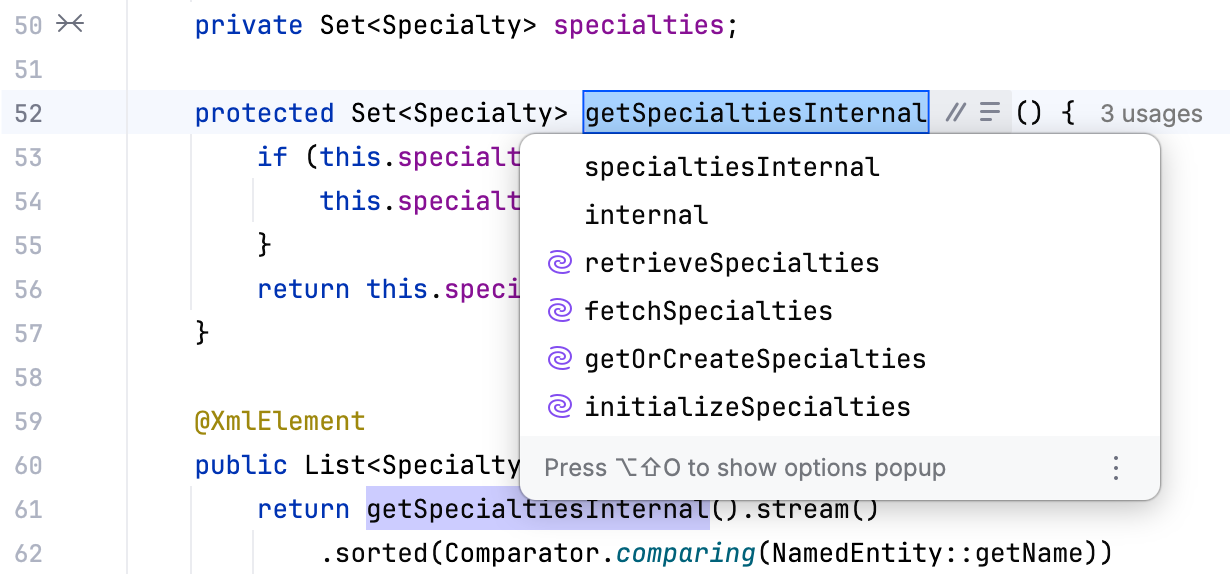
Start with the code you need to understand
In a mature Java application, the difficult part is often finding the right place to change. A public method can have several implementations. A type may be wrapped by a framework. A field can be populated indirectly. Reading one file does not reveal the whole story.
This is the kind of problem where an IDE can justify its complexity. Navigation should help a developer follow relationships, rather than simply search for the same text. A search result containing every mention of a name is useful. A view that separates the actual symbol and its callers answers a more exact question.
My buying question is therefore about understanding, not typing. Does the environment help explain a new area of the application? Can it reveal the contract behind an interface and the code that depends on it? These tasks recur throughout maintenance, while writing a new class from an empty file is a much smaller part of the job.
Related reading
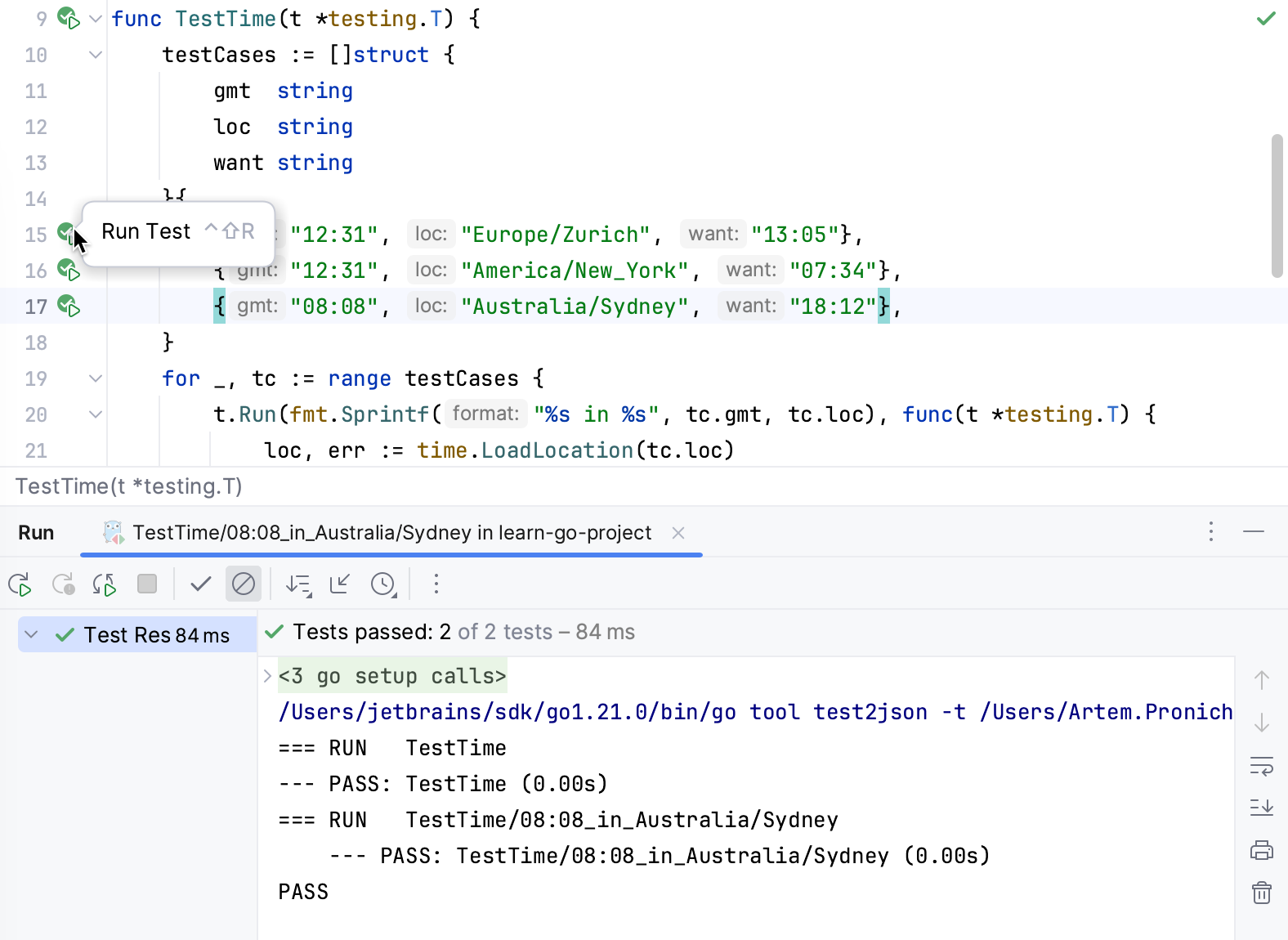
IDEA’s design suits that style of work. The cost is a larger interface and a project model that needs to be correct. If dependencies are missing or a module is imported incorrectly, the editor’s understanding may be incomplete. Correct project setup is part of getting value from the product.
Refactoring is the strongest reason to care
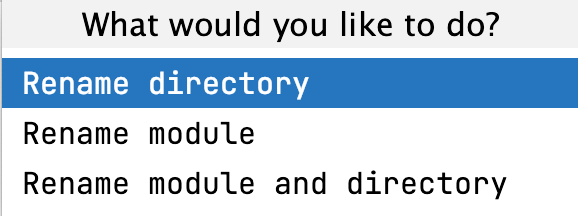
The word rename sounds simple until the same name appears in several unrelated places. A proper refactoring changes the intended symbol and its references. That is a different operation from replacing matching text across a folder.
JetBrains’ rename documentation describes symbol changes, reference updates, and a preview for wider changes. The preview is important. It turns a potentially broad operation into a decision the developer can inspect before applying.
Consider changing a method name in an interface. The important question is not whether the new word looks right in the editor. It is whether the implementations and callers still express the same contract. A tool that helps show that scope means I have less to remember while making the change.
There are still references outside the compiler’s view. A public API may be used by another project. A setup value can carry an agreed external meaning. A string might be consumed by a remote service. The developer must bring that knowledge to the operation. Refactoring is a strong tool, rather than permission to stop thinking about compatibility.
This is also why I prefer a small rename to a patch that mixes naming, formatting, and behaviour. Each change has a different review question. Keeping them separate makes IDEA’s preview more useful and the eventual code review easier to follow.
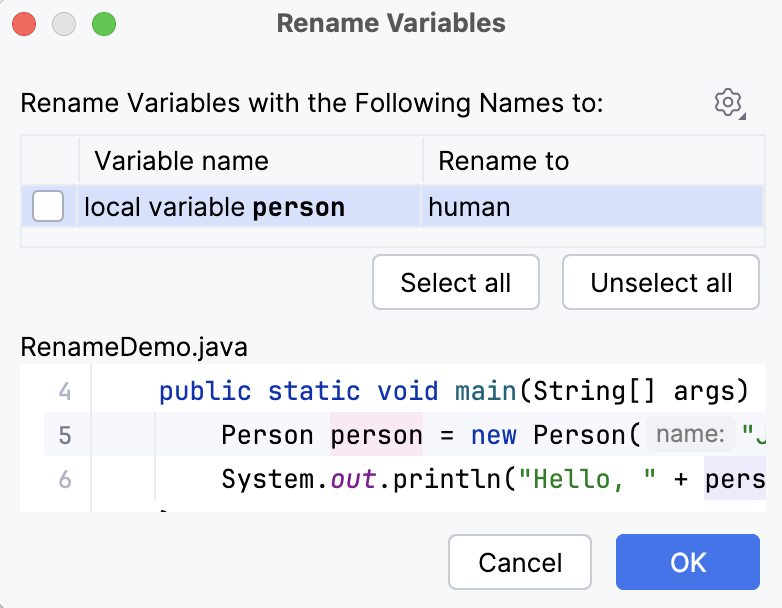
The debugger is more useful than another guess
When a program behaves unexpectedly, logs and reasoning can narrow the search. A debugger provides a different kind of evidence: the state at a particular moment. IDEA’s debugging guide covers the link between run settings, breakpoints, and examining a suspended program.
That connection matters in code with several possible paths. An assumption about which branch ran can send an investigation in the wrong direction. Pausing at the relevant condition makes the next question clearer. The developer can inspect the values that actually reached it.
A debugger can also disturb timing and change the way a problem appears. Some production failures need traces, sampling, or evidence from the real environment. I would not buy an IDE expecting one tool to explain every class of bug. Its strength is making an important class of checks easier to conduct.
For day to day application work, the short path from a failing case to the relevant code is the attraction. A test identifies the behaviour. The debugger shows the state. The editor provides the relationships. Keeping those views together is the argument for an integrated environment.
Framework tools should earn their space
IDEA can cover more than plain Java and Kotlin. The current product page highlights enterprise frameworks, database tools, and application work. These are relevant to the Ultimate decision because the surrounding system can be harder to understand than the language syntax itself.
Related reading
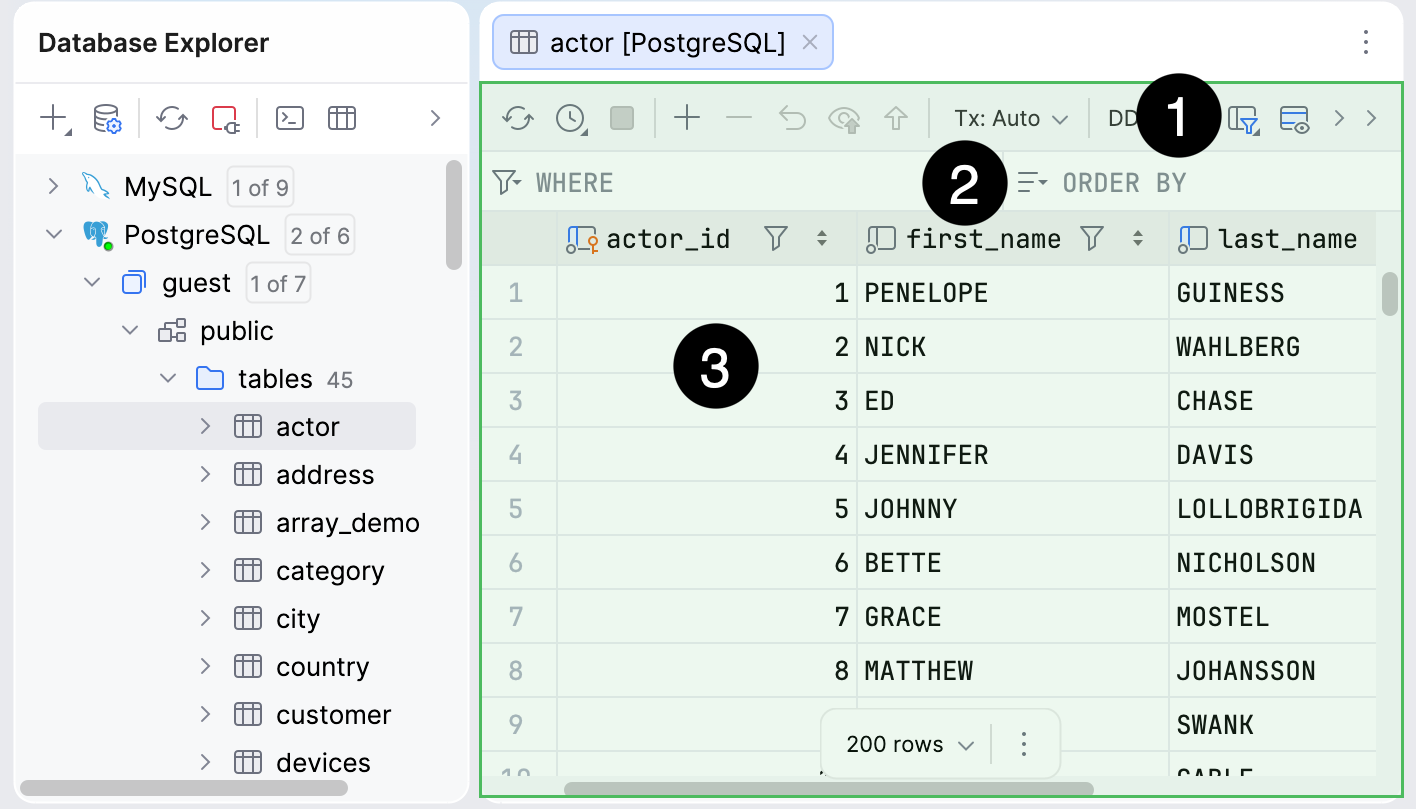
A framework often connects files through shared rules or setup. A service definition, a route, and a data object may belong to the same feature while living far apart. Good assistance reduces the time needed to follow those connections. That matters more than adding another wizard that creates code a developer still has to read.
The other side is overlap. A person already using a separate database client may not need another place to browse data. A small command line application may not use enterprise support at all. Paying for features that remain closed does not make the project better equipped in practice.
I would judge one real project before choosing the paid tier. Name the framework features that would change a weekly task, then compare that with the current IDEA pricing and editions. The answer may differ between two developers who both write Java every day.
AI changes the workflow, not the standard
The current IDEA page gives agents a prominent role. That does not make the underlying IDE tools less relevant. Generated code can require more careful navigation and review because its author may have changed a wider area than a human would have changed manually.
The useful arrangement is an agent that helps prepare a bounded change and an environment that helps inspect it. A completion message cannot establish that a dependency is safe, a method keeps its contract, or an exception reaches the correct handler. Those are questions for the project and its behaviour.
I would keep the same expectations for human and generated patches: clear intent, limited scope, and evidence linked to the actual change. A tool should make those expectations easier to meet. It should not replace them with a large volume of plausible code.
This also helps explain why IDEA remains interesting in an agent workflow. A good refactoring or debugger is useful whoever first typed the code. The human still needs a trustworthy way to understand what will be shipped.
The cost includes attention
An IDE asks for more than the subscription price. It asks the user to learn its project model, shortcuts, settings, and views. For a developer who changes projects often, that learning can pay back across many projects. For an occasional Java edit, it may be more effort than the task deserves.
The interface also needs restraint. Opening every tool window can make the actual code feel like a small panel inside a management system. The best setup is the one that leaves the necessary information visible and the rest reachable when required. More features do not need to mean more permanent screen furniture.
Resource use belongs in the buying decision, especially on a machine running containers, browsers, and local services. I would leave room for the whole development system rather than judge the IDE alone. A comfortable editor beside an overloaded application stack is still an uncomfortable working day.
There is a long term question too. Team settings and run settings should explain useful project knowledge without trapping the project in one editor. Builds and tests should remain understandable outside the IDE. That makes the environment a convenience people can choose, rather than a hidden requirement nobody documented.
A useful onboarding question is whether a new colleague can identify the correct application entry point and test command from the project. If the answer exists only in a local run setup, the setup is carrying knowledge that the team should share. IDEA can make that knowledge convenient to use once its purpose is clear.
Related reading
Why I still enjoy a complete Java environment
I like tools that make careful work feel ordinary. Renaming a public concept, following an unfamiliar implementation, and examining a failed case should be normal parts of maintenance. They should not feel like special checks that require assembling a different set of applications every time.
That is the personal appeal of IDEA for me. I enjoyed it because the product is built around the reality that code spends much more time being read and changed than being created from nothing. A good environment gives that reading the same attention as completion and generation.
I also value a clear link between small and large tasks. One moment the job can be a local correction; the next it can involve a framework boundary and several modules. I want the tools to remain understandable as the question grows. IDEA’s range makes sense to me in that context, provided the workspace stays focused on the current problem. Its value is the confidence that the next useful view is available when the code asks for it, without needing every view permanently open.
My verdict
IntelliJ IDEA is easy to justify when Java or Kotlin maintenance is a large part of the job. Its strongest argument is the connection between understanding code and changing it carefully. Navigation, refactoring, tests, and debugging belong to the same decision rather than four unrelated applications.
It is less urgent for a small project with simple tooling and little framework work. The free starting point is valuable there, and the paid edition should earn its place through specific tasks. I would choose IDEA for the code changes it helps explain, then choose Ultimate only when the project makes the additional tools worthwhile.
Where to buy
See IntelliJ IDEA at the official product page. This is the product page for the model covered in this review. Check the model number, colour, included parts and delivery options before ordering. Prices and stock can change, so I use this page for the current offer. Matching the product to the review matters more to me than finding a similar name.
What worked
- I like the connection between understanding a symbol and changing its callers carefully.
- Navigation, refactoring, tests and debugging support one change rather than four separate tasks.
What bothered me
- The paid edition needs to earn its place through the actual framework and tool requirements.
- Correct project and runtime setup still matter; the IDE cannot recover undocumented design decisions.
Who should not buy it
- Someone choosing Ultimate only because a professional-looking feature list seems reassuring.
Alternatives I would consider
- The free IntelliJ IDEA starting point. I would start there for basic work and choose paid capabilities only when the project needs them.
- PyCharm. I would choose PyCharm when Python, rather than Java or Kotlin, is the centre of the project. Read my PyCharm review.
Evidence and sources
The article separates my judgement from specifications and claims credited to their sources. Product images are identified by the credits in the article.
Features, compatibility and rated figures from the maker are manufacturer information. My opinions are identified in the review.
Conclusion
Worth it for regular Java or Kotlin maintenance; a small project may be covered by the free starting point.
IntelliJ IDEA
JetBrains · Choose the local store or delivery region
Check price and availability: IntelliJ IDEA at JetBrainsProduct link.
One email a week with practical Mac workflows, useful comparisons and honest tech recommendations.