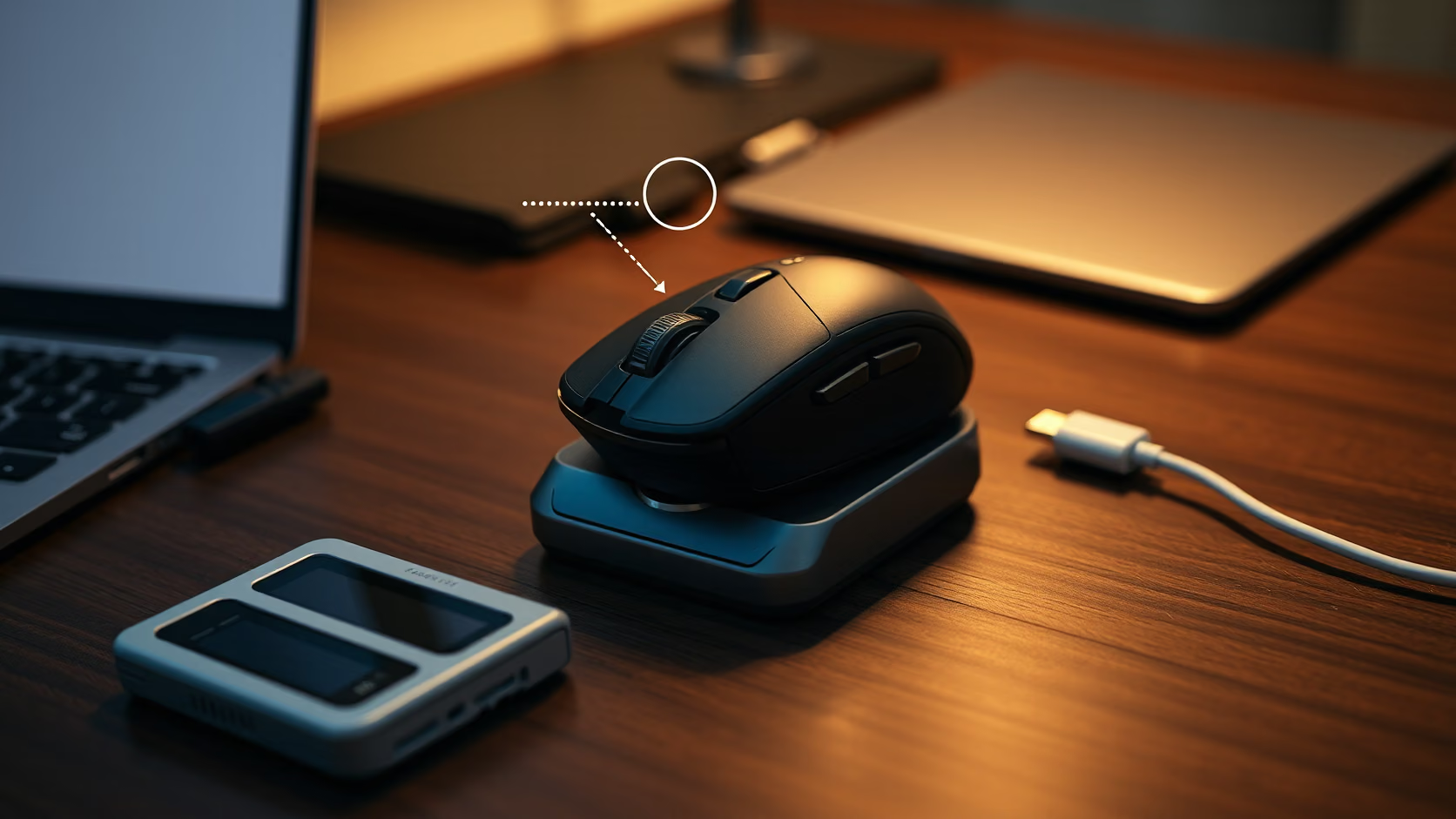
The Genius Scorpion M8300 weighs 57.6 g without its receiver and sells in the Czech Republic for 499 CZK. Those two numbers are the whole argument. Lightweight wireless mice used to be a premium category, and the M8300 asks whether the category still needs a premium price.
It does not compete on sensor specification. There is no published polling rate, no named sensor, no configuration software, and the DPI range tops out at 4800. What it offers is a shape, a weight, two wireless modes and a battery that charges over USB-C, at a price where the alternative is usually a heavier office mouse.
That makes it worth reviewing carefully rather than dismissing. A cheap mouse that is light and quiet can be a better daily tool than an expensive one with features that are never used. It can also be a false economy if the sensor skips, the battery fades or the Bluetooth link drops during a call.
Weight is the specification that matters
Genius lists the M8300 at approximately 59.2 g with the receiver stored inside and 57.6 g without it. The body measures 61.3 x 120.4 x 38.6 mm, which is a medium right handed shape rather than a compact travel mouse.
The weight is achieved with what Genius calls N2 injection moulding, where plastic is injected in the presence of nitrogen to create a lighter structure without cutting holes in the shell. The practical result is a solid looking mouse that does not have the honeycomb pattern of many lightweight designs. That matters for cleaning and for anyone who dislikes seeing the circuit board through the case.
Weight is not automatically better. A very light mouse on a fast surface can overshoot for someone used to a 100 g office mouse. It takes a few days to recalibrate. After that, the reduced effort for repeated small movements is noticeable, and it is the main reason a lighter mouse reduces wrist fatigue over a working day.
Related reading
If you want to verify the figure, put the mouse on a kitchen scale with and without the receiver. The receiver adds about 1.6 g according to the manufacturer. My interest was whether the shell flexes under grip pressure, because thin walls are the usual cost of low weight. Check the sides near the thumb buttons and the area under the palm.
Five DPI steps and no software
The sensor is described only as an optical engine. There are five DPI steps: 400, 800, 1600, 3200 and 4800. The default is 1600. A button behind the scroll wheel cycles through them.
That is a modest range by gaming standards, and it is fine. On a 4K display at 1600 DPI, the pointer crosses the screen with a comfortable hand movement. The 400 and 800 steps suit precise work such as photo retouching or fine drawing. The 4800 step is mostly for large multi monitor spans.
There is no configuration software listed. That means no remapping, no custom DPI values, no polling rate selection and no lift off distance setting. It also means nothing to install, nothing that runs in the background and nothing that stops working when the operating system updates. For a mouse at this price, I prefer the absence.
The polling rate is not published. Most budget wireless mice run at 125 Hz or 250 Hz in Bluetooth mode and up to 1000 Hz over a 2.4 GHz receiver, but the M8300 does not say. Anyone who cares about the number should test it with a polling rate tool on the receiver mode before assuming a gaming figure. The label GX Gaming does not guarantee it.
Bluetooth 5.0 and 2.4 GHz are different tools
The M8300 supports Bluetooth 5.0 and a 2.4 GHz USB receiver. The modes are not simultaneous. A switch selects one or the other, and the receiver stores inside the mouse.
The receiver is the mode for a desk. It gives the most consistent connection and the lowest latency of the two, and it does not compete with other Bluetooth devices for the host radio. Keep the receiver away from USB 3 enclosures and hubs, which are a known source of 2.4 GHz interference. A short extension cable solves most dropouts.
Bluetooth is the mode for a laptop bag. It leaves the USB port free and pairs with iPad, Android and Chromebooks. Genius lists Windows, macOS, ChromeOS, iOS, iPadOS and Android as supported systems. Bluetooth latency is higher and can vary with other traffic on the host, so it is the wrong mode for anything time sensitive.
Two modes mean a fast pairing check is worthwhile before relying on the mouse for a presentation. Confirm which mode is selected, confirm the pairing is stored, and keep the receiver in the mouse so it is never in the wrong laptop.
The Copilot shortcut is a Windows feature
A button combination launches Microsoft Copilot. Genius describes this as a feature for Windows 11 and newer. On macOS the combination does nothing useful unless a utility maps it.
This is worth noting for the growing number of mice that advertise an AI key. The key sends a specific input that Windows interprets. It is not a separate button on the M8300, which is sensible, because a dedicated key that opens a chat window is rarely what a hand expects.
On a Mac, the mouse is a six button mouse. Left, right, scroll click, forward, back and DPI switch. The forward and back buttons work in Safari, Finder and most applications without any driver. If you want to map them to Mission Control or a screenshot shortcut, a third party tool such as BetterTouchTool handles the M8300 as a generic HID device.
Related reading
Battery and charging
The battery is a 500 mAh lithium polymer cell, charged through a USB-C port on the front with the included USB-A to USB-C cable. Genius does not publish a battery life figure, only that the mouse has a power saving mode during inactivity.
A 500 mAh cell in a mouse without lighting typically gives weeks of use rather than days. The variables are the wireless mode, the sleep timeout and how many hours a day the mouse moves. I would expect Bluetooth to be slightly kinder to the battery than the receiver, but the difference is small compared with a lit mouse.
The cable can be used while charging, so an empty battery does not stop work. There is no wireless charging and no dock, which is appropriate at this price. Record the date of the first full charge and the date the low battery indicator first appears. That gives a real figure to compare against any claim.
One practical detail: the mouse ships with a cable, a receiver and a quick guide, and nothing else. There is no spare set of PTFE feet, which is common on more expensive mice.
Feet, switches and sound
The feet are PTFE, which is the right material for a light mouse. Low friction feet matter more on a 58 g mouse because there is less mass to overcome static friction. Check that the feet are flush after the first week, because thin feet on a budget mouse sometimes lift at the edges.
Genius does not name the switch type in the main buttons. There is no claim of optical switches or a rated click life. The buttons on my unit have a clear, slightly loud click. The scroll wheel has defined steps and a normal middle click. This is not a silent office mouse, and anyone in a shared room should know that before buying.
The absence of RGB lighting is a positive. There is nothing to configure, nothing to drain the battery and no light leaking through the shell. It also explains how a 500 mAh cell can be adequate.
macOS specifics
The M8300 works on macOS in both modes without software. Scroll direction follows the system setting. The DPI button works because it is handled inside the mouse.
Two things to check. First, macOS pointer acceleration interacts with DPI, so a change from 1600 to 3200 feels larger than double. Set the tracking speed once, then leave the DPI alone. Second, the Bluetooth connection wakes the Mac from sleep when the mouse moves, which is normal and can be disabled in the Bluetooth settings if the mouse lives in a bag next to a sleeping laptop.
There is no Genius driver for macOS, and I would not install one if it existed. The value of the mouse is that it is a plain HID device.
Price and the alternatives
The M8300 went on sale in the Czech Republic and Slovakia on 7 May 2026 at 499 CZK, about 20 EUR including VAT. Retailers such as XM.cz list it at that price. It is available only in black.
At that price the comparison is with office mice that weigh 90 to 110 g and with lightweight gaming mice that cost three to five times as much. Against a Logitech M185 or similar, the M8300 is lighter, rechargeable and has two wireless modes. Against a Logitech G Pro X Superlight or a Razer Viper V3, it has no published polling rate, no software, a smaller DPI range and no spare feet, but it costs a fraction of the price.
Related reading
For someone who wants a light mouse for a Mac and a laptop bag, and who does not play competitive games, the M8300 covers the requirement. For someone who wants a verified 1000 Hz wireless mouse with a named sensor, it is the wrong purchase, and the honest thing is that Genius does not claim otherwise.
What I would verify in the first two weeks
Weigh it with and without the receiver. Test the polling rate in receiver mode with a browser based tool. Use it for a full day of writing on Bluetooth and note any pointer stutter. Check the feet and the shell for flex. Record the first low battery warning.
If the sensor tracks cleanly on a cloth pad and a plain desk, the buttons do not double click, and the battery lasts more than three weeks of office use, the mouse has done what it promised. If Bluetooth drops when a Thunderbolt dock is active, switch to the receiver and keep it there.
Verdict
The Genius Scorpion M8300 is a light, quiet to operate, rechargeable wireless mouse for 499 CZK. It works on macOS, Windows, iPadOS and Android without any software, and it stores its receiver inside the case. The five DPI steps and six buttons cover normal desktop work and casual games.
It is not a specification leader. There is no sensor name, no polling rate, no configuration utility and no spare feet. The Copilot combination is a Windows feature. The switch type and click life are not published.
I would buy the M8300 as a second mouse for a laptop bag or as the daily mouse for someone who values weight over features. I would not buy it as a competitive gaming mouse, because the numbers that matter for that use are not published, and at this price it is fair that they are not. The mouse is honest about what it is, and at 20 EUR that is enough.
One email a month: new articles, reviews and the upcoming live webinar + free recording. No spam, unsubscribe anytime.