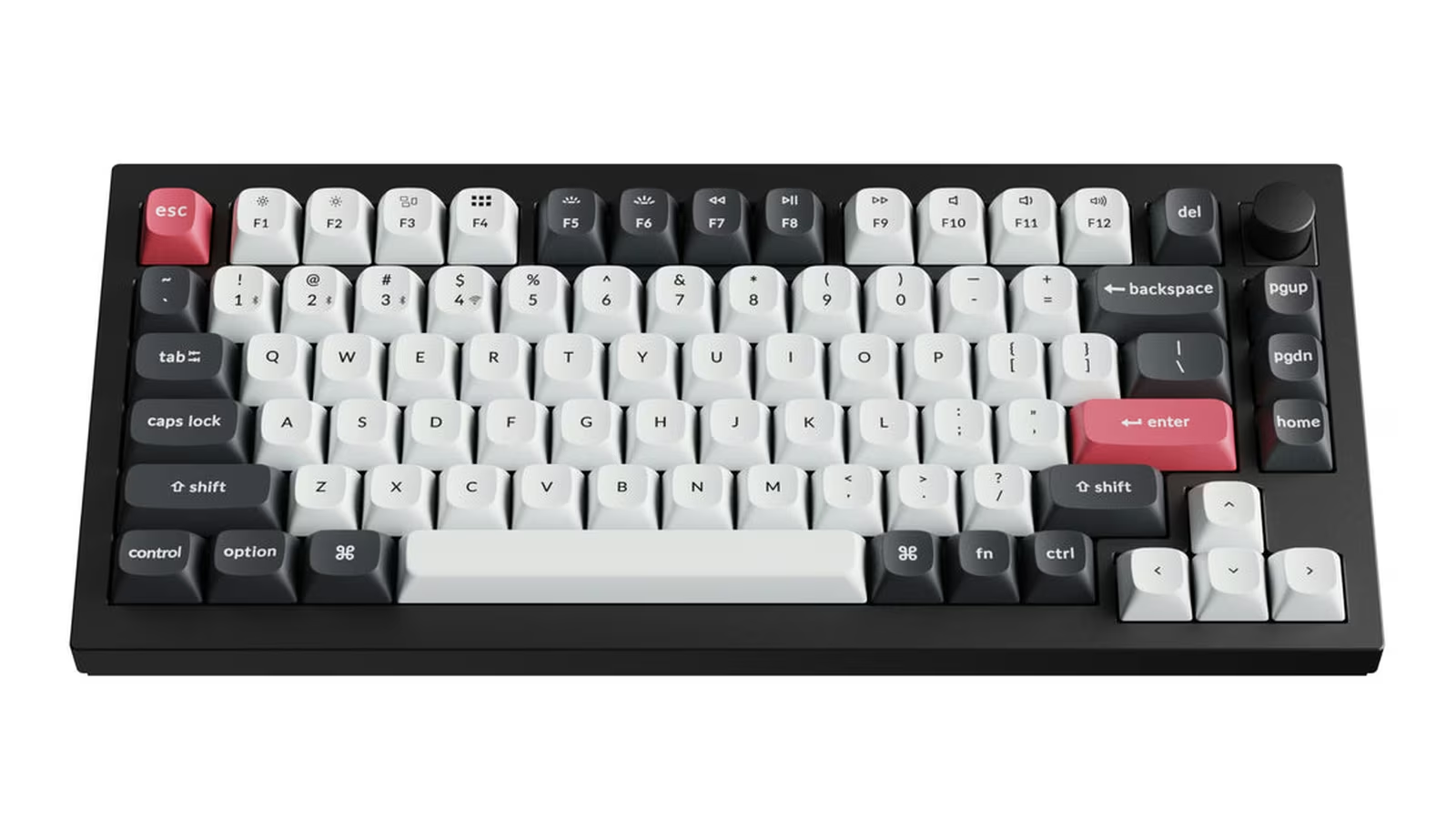
The Keychron Q1 HE can make a key react after 0.2 mm of travel or wait until 3.8 mm. That sounds like a latency feature, but its larger effect is behavioural. It changes how deliberately a key must be pressed, when it resets and whether one physical movement can perform several actions.
That makes the Q1 HE more interesting than a keyboard sold only on polling rate. Hall effect sensing replaces a fixed metal contact with a continuous measurement of magnetic position. Actuation becomes configuration. Rapid trigger can reset a key as soon as it moves upward. A deeper press can trigger another command.
These options are genuinely useful for games and unusually flexible for experimentation. They can also make normal typing worse when every key is tuned for the quickest possible response. The Q1 HE works best when treated as a precise input instrument, not a shortcut to skill.
The normal Q1 HE and the 8K edition are different boards
Keychron now sells both the original wireless Q1 HE and a wired Q1 HE 8K. Product names in shops can blur them, so the connection modes are the easiest check.
The wireless Q1 HE reviewed here supports USB-C, 2.4 GHz wireless and Bluetooth 5.2. Keychron specifies a 1,000 Hz polling rate over USB and 2.4 GHz, and 90 Hz over Bluetooth. It has a 4,000 mAh battery and quotes up to 100 hours with the backlight off.
The newer Q1 HE 8K is wired and can report at 8,000 Hz. It uses different Keychron magnetic switches and lists finer sensor sensitivity. An 8K reference in a review or store page should not be transferred to the wireless model merely because both say Q1 HE.
For most buyers, the distinction is more practical than numerical. The original board can switch among a fast receiver, wired operation and three Bluetooth devices. The 8K model trades that flexibility for the smallest possible reporting interval. Choose the connection model before comparing colours or keycaps.
Polling rate is only one term in input latency
At 1,000 Hz, a keyboard has a reporting opportunity every millisecond. Bluetooth at 90 Hz has one roughly every 11.1 milliseconds. These intervals are not complete input latency. Sensor sampling, firmware processing, radio scheduling, USB handling, the game engine, frame timing and the display all add time.
This is why button to photon results cannot be assigned to the keyboard alone. A 240 Hz display presents a new frame every 4.17 ms, while a 60 Hz display takes 16.67 ms. A game may sample input once per frame or at another point in its loop. The same keyboard can therefore produce different end to end results on two systems.
The Q1 HE’s 1,000 Hz wired and 2.4 GHz modes are already quick enough that actuation choice and software behaviour can matter more than another fraction of a millisecond. Bluetooth remains useful for writing and device switching, but it is the wrong mode for a controlled competitive latency comparison.
Related reading
If latency is critical, use USB first. Disable frame limiters and overlays only when you understand the test, record the computer, display refresh, game and firmware, then compare repeated trials. A high speed camera and an electrically triggered LED can show the whole chain. A casual stopwatch cannot.
Adjustable actuation changes accidental input
The original Q1 HE offers per key actuation from 0.2 to 3.8 mm with 0.1 mm setting sensitivity. That range is more useful than applying one global value.
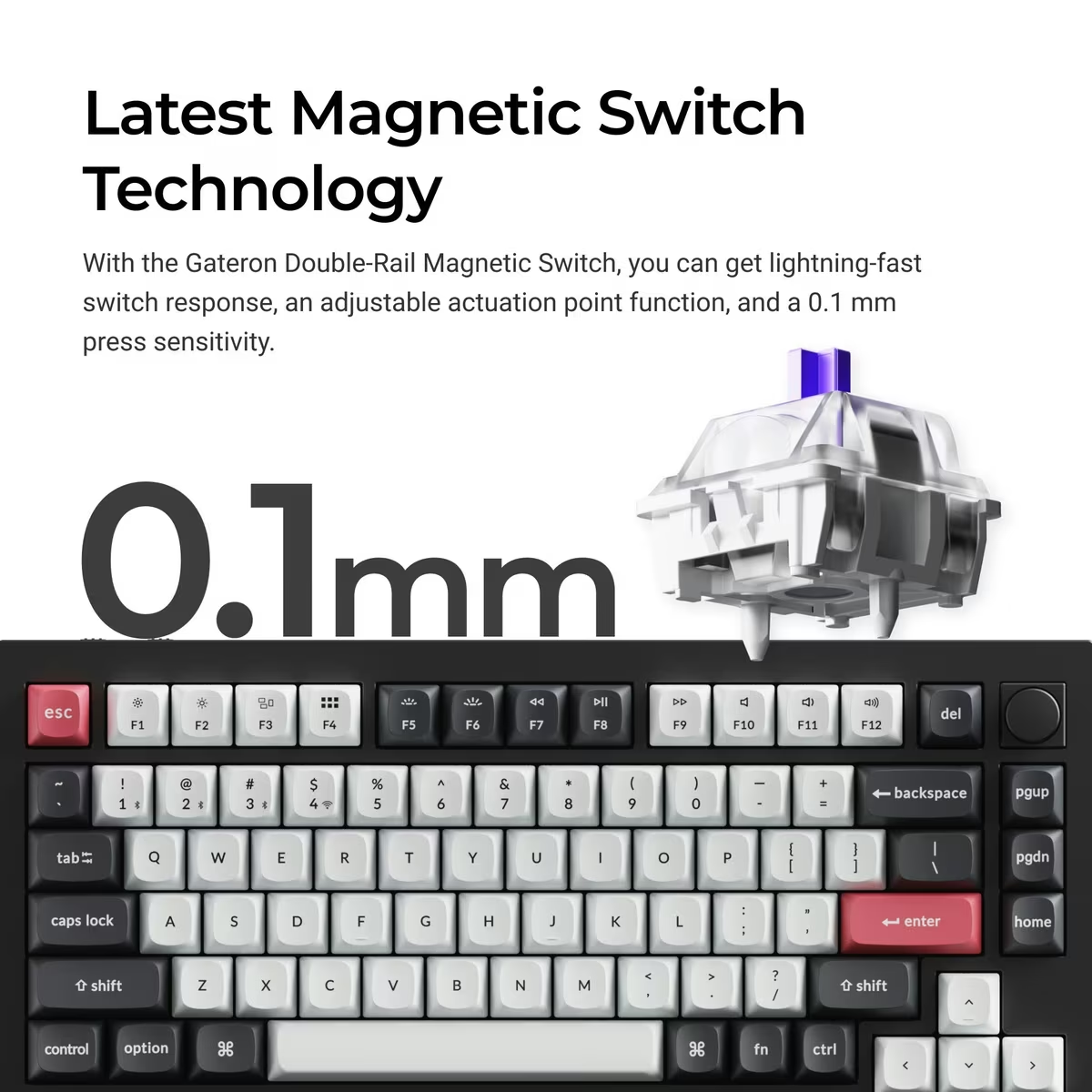
A shallow setting can help movement keys react early. Put the same 0.2 mm threshold on every letter and resting fingers may produce unwanted characters. Space, Shift and Backspace also carry different finger force and keycap geometry from ordinary letters.
Start with a conservative profile close to familiar mechanical behaviour. Type normal text, use keyboard shortcuts and play one game. Then reduce actuation only on the keys where early response has a purpose. Keep a second typing profile so a game adjustment does not follow you into an email.
Calibration matters because Hall sensors infer travel from magnetic field. Keychron’s Launcher provides the configuration, and firmware updates have addressed behaviour across the Q HE range. After moving switches, updating firmware or seeing unexpected input, follow the official calibration or reset procedure rather than compensating with random thresholds.
Do not confuse the 0.1 mm setting step with certified physical accuracy at every key. Switch tolerances, magnet position, key wobble and calibration can affect real travel. The software value is a control resolution. Absolute verification requires a repeatable displacement rig.
Rapid trigger belongs on selected keys
A conventional switch activates at one point and resets at another fixed point. Rapid trigger uses movement relative to the key’s current position. As the key rises, it can reset without travelling back to a fixed height, then activate again on the next downward movement.
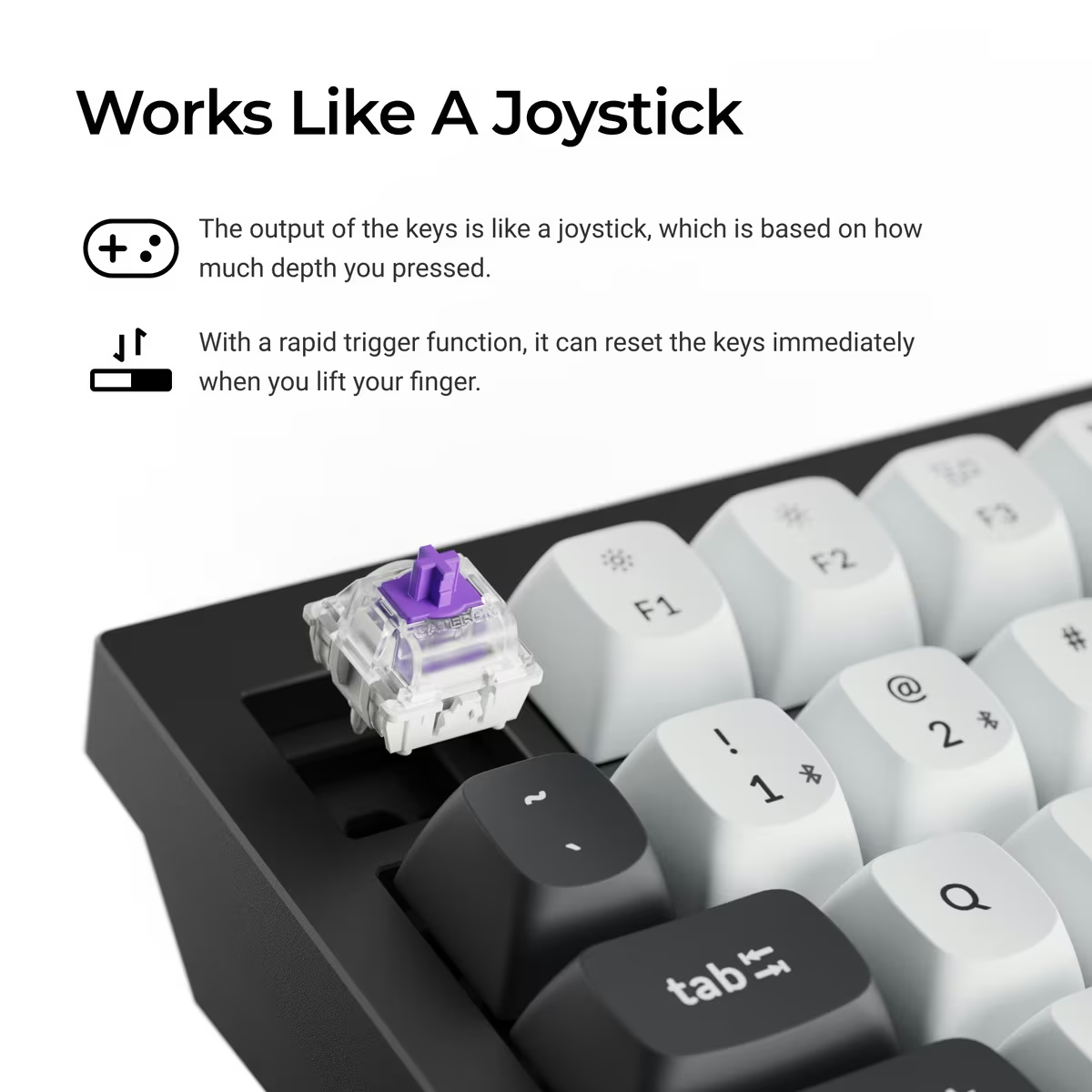
In games that reward fast direction changes or repeated inputs, this can be meaningful. The player’s finger no longer has to release the key through a long reset distance. The benefit depends on the game and on stable control, not only on the smallest available value.
Too sensitive a rapid trigger setting can create oscillation around the finger’s resting position. A key may release or retrigger when the user intended to hold it. Start with larger press and release distances, then reduce them while watching an input visualizer.
Apply rapid trigger to movement and action keys, not automatically to the whole board. Text entry benefits from predictability. Modifiers benefit from remaining held while another key is pressed. A configuration that is impressive in a key tester may be exhausting in a working day.
The same caution applies to Last Keystroke Prioritization and similar advanced modes where available. Some competitive games or tournaments may restrict input assistance features. Check current game and event rules instead of assuming that firmware support makes a feature acceptable everywhere.
Four actions on one key need discipline
Dynamic Keystrokes can associate up to four actions with stages of a press and release. The obvious demonstration maps walking to a shallow press and running to a deep one. It is clever and can reduce finger movement.
It also makes the control harder to reason about. The distance between actions must be large enough to hit reliably under stress. A command on release can fire later than expected if the key remains held. Different games handle overlapping keyboard and controller style inputs differently.
Use multi action keys where the relationship is natural and failure is harmless. A shallow preview and deeper commit can work in a creative tool. A light press for one movement speed and full press for another can work in a game. Avoid placing destructive shortcuts or system commands on a travel threshold.
Document the profile. Key legends no longer reveal everything a key does, and six months later a hidden release action is easy to forget.
Launcher is powerful, with a browser shaped dependency
Keychron Launcher is a web configurator for mapping keys, macros, lighting and Hall effect behaviour. Keychron says it should be opened in a current Chrome, Opera or Edge browser with the keyboard connected by cable.
Related reading

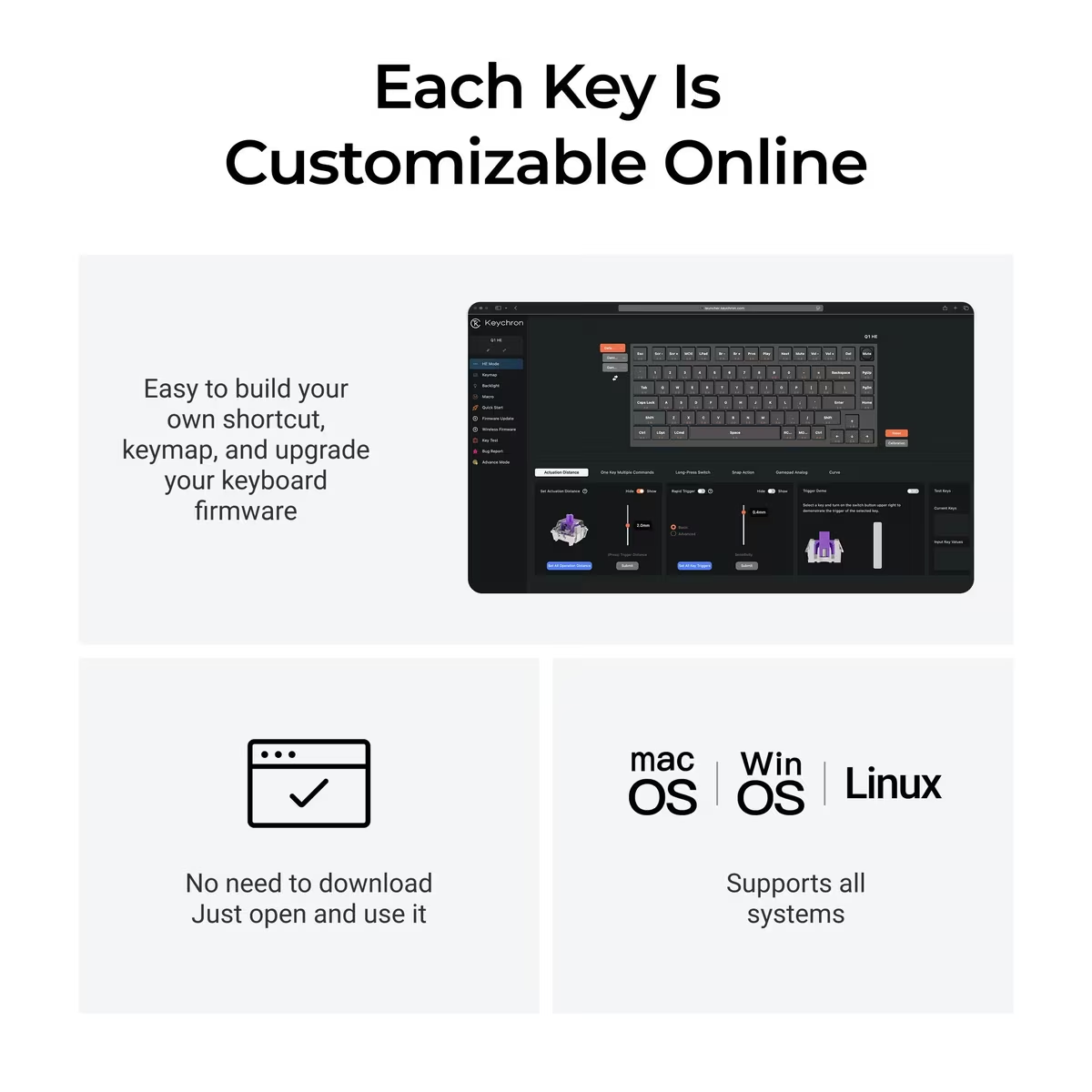
The advantage is installation simplicity. The disadvantage is that configuration depends on WebHID browser support and the continued availability of the site. A keyboard should retain its working profile in onboard memory after the browser closes, and ordinary use should not require an account or a running service.
Before building an elaborate layout, save screenshots or export data where the tool allows it. Record actuation, rapid trigger and special action settings. Test whether profiles survive power loss, operating system changes and switching connection modes.
Firmware updates deserve care. Keychron publishes separate files for ANSI, ISO and JIS layouts and for Q HE versus Q HE 8K models. Flash only the exact board and layout. Keep the computer on reliable power, use a known data cable and do not disconnect during the process.
An open source QMK foundation is welcome, but Hall effect configuration is not identical to a conventional QMK board. Check the current source and Keychron documentation before assuming every community workflow applies.
The chassis is classic Q series
The Q1 HE is a 75 percent aluminium keyboard with a knob, function row and navigation cluster. The fully assembled version weighs about 1,735 g. It is designed to stay on a desk.
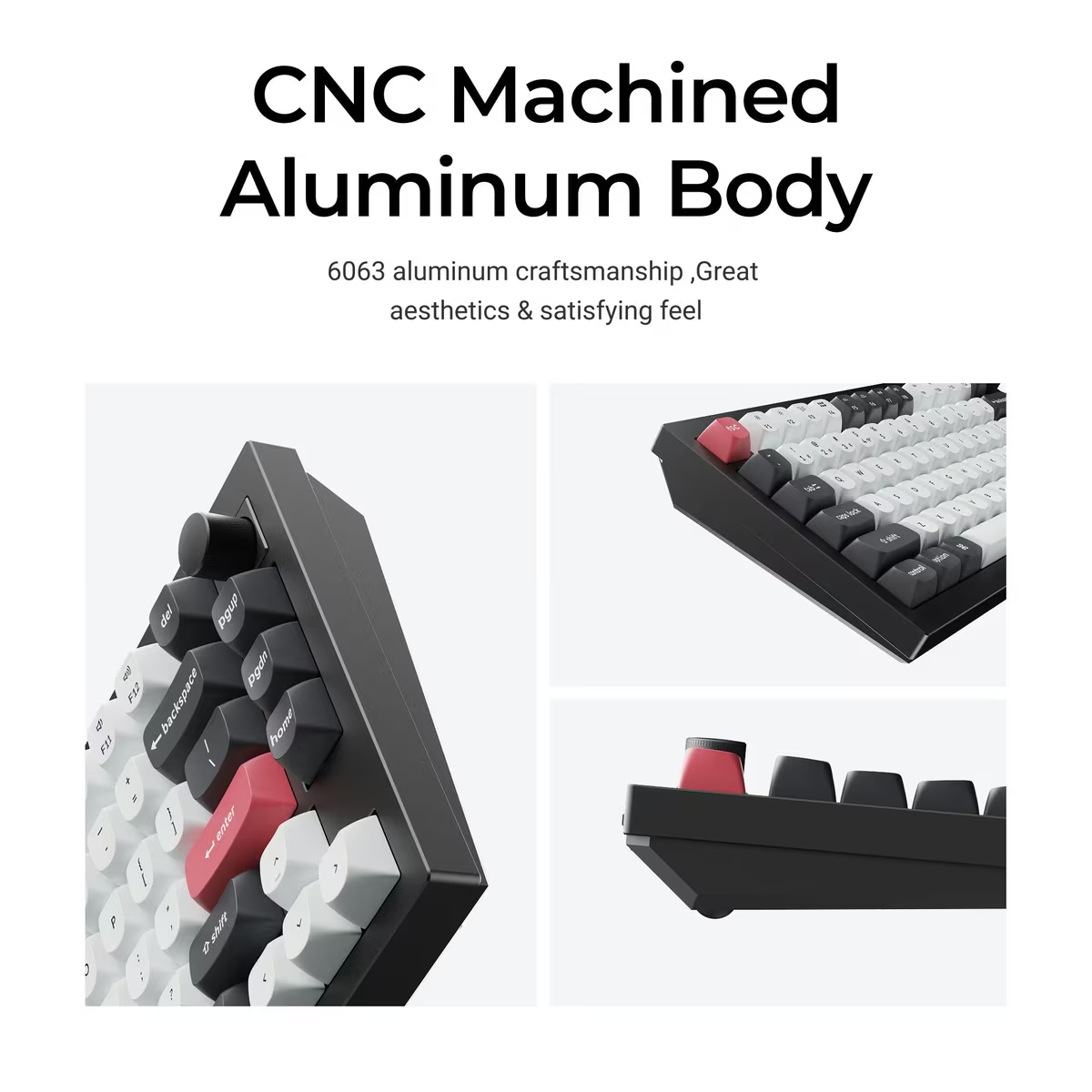
The substantial case, aluminium plate, double gasket structure and screw in stabilizers put it closer to a custom keyboard than a lightweight gaming board. Double shot PBT keycaps and included Mac and Windows caps support both platforms. A hardware system switch lets two layouts live on the board.
Weight brings stability, but the front height deserves attention. Keychron lists 22.6 mm without keycaps and a 5.2 degree typing angle. A wrist rest may improve comfort for someone who keeps palms down, although posture and desk height matter more than an accessory slogan.
Sound is shaped by more than the switch. Case resonance, plate, foam, stabilizer tuning and keycap profile all contribute. Magnetic switches lack the exact contact mechanism of an ordinary mechanical switch, but that does not make them silent. Listen for stabilizer tick and spacebar resonance as carefully as the main alphanumeric keys.
The knob is valuable for volume and scrubbing because it provides tactile position changes without a mode layer. Verify its press action and direction in both Mac and Windows profiles.
Hot swap is not universal
The original Q1 HE is hot swappable only with compatible Gateron double rail magnetic switches. Keychron explicitly says it does not support Gateron Magnetic Jade, KS-20 or unrelated magnetic switches.
This limitation follows from Hall geometry. Magnet orientation, strength, travel and sensor calibration are part of the switch system. A mechanical MX socket only needs two electrical contacts to close, while a Hall board reads an analogue field.
Buy replacement switches named for this model. After swapping, inspect that each switch is fully seated and recalibrate. Test the entire travel in Launcher before returning the keycap.
The board can still be maintained. Keycaps, stabilizers and compatible switches are accessible, and the case can be opened by an experienced owner. Warranty implications and fragile connectors should be checked before disassembly.
Wireless choice affects both speed and battery
The 2.4 GHz receiver is the performance wireless mode, matching the listed 1,000 Hz polling rate. Keep the receiver near the keyboard and away from USB 3 drives or dense radio equipment if dropouts appear. A short extension cable can be more effective than changing firmware settings.
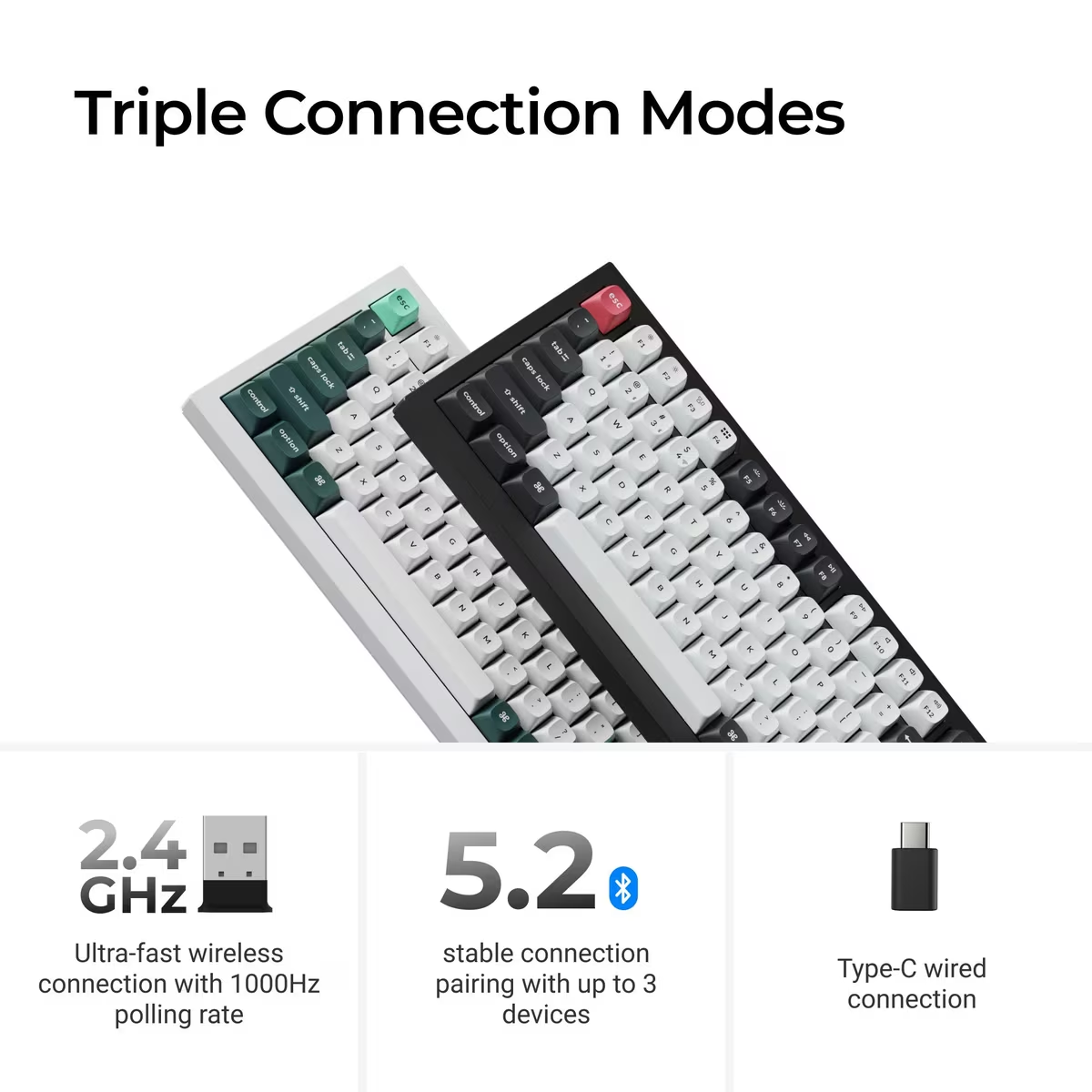
Bluetooth is for convenience. It can remember three devices and uses less desk hardware, but the 90 Hz polling figure makes its role clear. It is entirely adequate for writing, tablets and switching between computers. It is not the mode to choose for the Q1 HE’s competitive features.
The quoted 100 hour battery life is measured with lighting off. RGB brightness, radio mode, sleep timers and usage pattern change the result. Log charge dates with the chosen profile rather than expecting the maximum figure. Check the battery after a week of standby as well as active use.
Related reading
For a permanent gaming desk, wired mode removes battery uncertainty and keeps Launcher access simple. Wireless remains valuable when the same board serves work and play or when the cable route would be intrusive.
Price and the alternatives
Layout availability deserves a final check. ANSI and ISO versions place keys differently, and keycap legends do not change the physical plate. Buy the layout used every day, then verify that the matching firmware and Launcher definition are available before customizing it.
Keychron currently lists the assembled original Q1 HE around $199.99 in some configurations, with price and availability varying by layout and region. This is premium keyboard money, but the aluminium construction and wireless modes are part of the cost, not only the Hall sensors.
A conventional Q1 or Q1 Max is the better choice for someone who values broad mechanical switch compatibility and never plans to tune actuation. A lighter Hall effect gaming keyboard may deliver the same core rapid trigger feature for less. The Q1 HE makes sense when both the custom keyboard build and magnetic control are wanted.
The wired Q1 HE 8K is the alternative for a buyer who prioritizes reporting rate over wireless flexibility. The original Q1 HE is more balanced for a Mac desk that also runs games.
Verdict
The Keychron Q1 HE succeeds because Hall effect sensing is used for more than a headline. Per key actuation, rapid trigger and staged actions give it a range a fixed contact switch cannot match, and the Q series chassis, 2.4 GHz connection and Mac layout make it useful outside one gaming session.
Its flexibility needs restraint. It will not make a slow display or game engine fast, but it can make the moment a key activates fit the person using it.
Why I recommend it
- Actuation set per key. Anywhere from 0.2 to 3.8 mm in 0.1 mm steps, so movement keys can react early while letters stay conservative.
- Rapid trigger and staged actions. A key can reset as soon as it moves upward, and Dynamic Keystrokes can put up to four actions on the stages of one press and release.
- Three ways to connect. USB-C and the 2.4 GHz receiver report at 1,000 Hz, and Bluetooth 5.2 remembers three devices. Keychron quotes up to 100 hours from the 4,000 mAh battery with the backlight off.
- A custom keyboard chassis. A 75 percent aluminium case with a knob, a double gasket structure, screw in stabilizers, double shot PBT keycaps with Mac and Windows caps, and a hardware system switch.
Why it may not be for you
- Easy to tune badly. A 0.2 mm threshold on every letter lets resting fingers type unwanted characters, and too sensitive a rapid trigger can release or retrigger a key you meant to hold.
- Bluetooth is the slow mode. At 90 Hz it reports roughly every 11.1 milliseconds, the wrong mode for the board’s competitive features.
- Limited hot swap. Only compatible Gateron double rail magnetic switches fit. Keychron excludes Gateron Magnetic Jade, KS-20 and unrelated magnetic switches.
- Configuration runs through a browser. Launcher needs a current Chrome, Opera or Edge with the keyboard connected by cable, relies on WebHID and depends on the site staying available.
- Premium keyboard money. Keychron lists it around $199.99 in some configurations, and a lighter Hall effect gaming keyboard may deliver the same core rapid trigger feature for less.
I would buy the Q1 HE for a mixed work and gaming desk where 2.4 GHz wireless matters and I genuinely intend to tune a small set of keys. A fixed competitive setup is better served by the wired Q1 HE 8K, which reports at 8,000 Hz. A conventional Q1 or Q1 Max suits anyone who values broad mechanical switch compatibility and never plans to tune actuation.
Product images: Keychron.
One email a month: new articles, reviews and the upcoming live webinar + free recording. No spam, unsubscribe anytime.