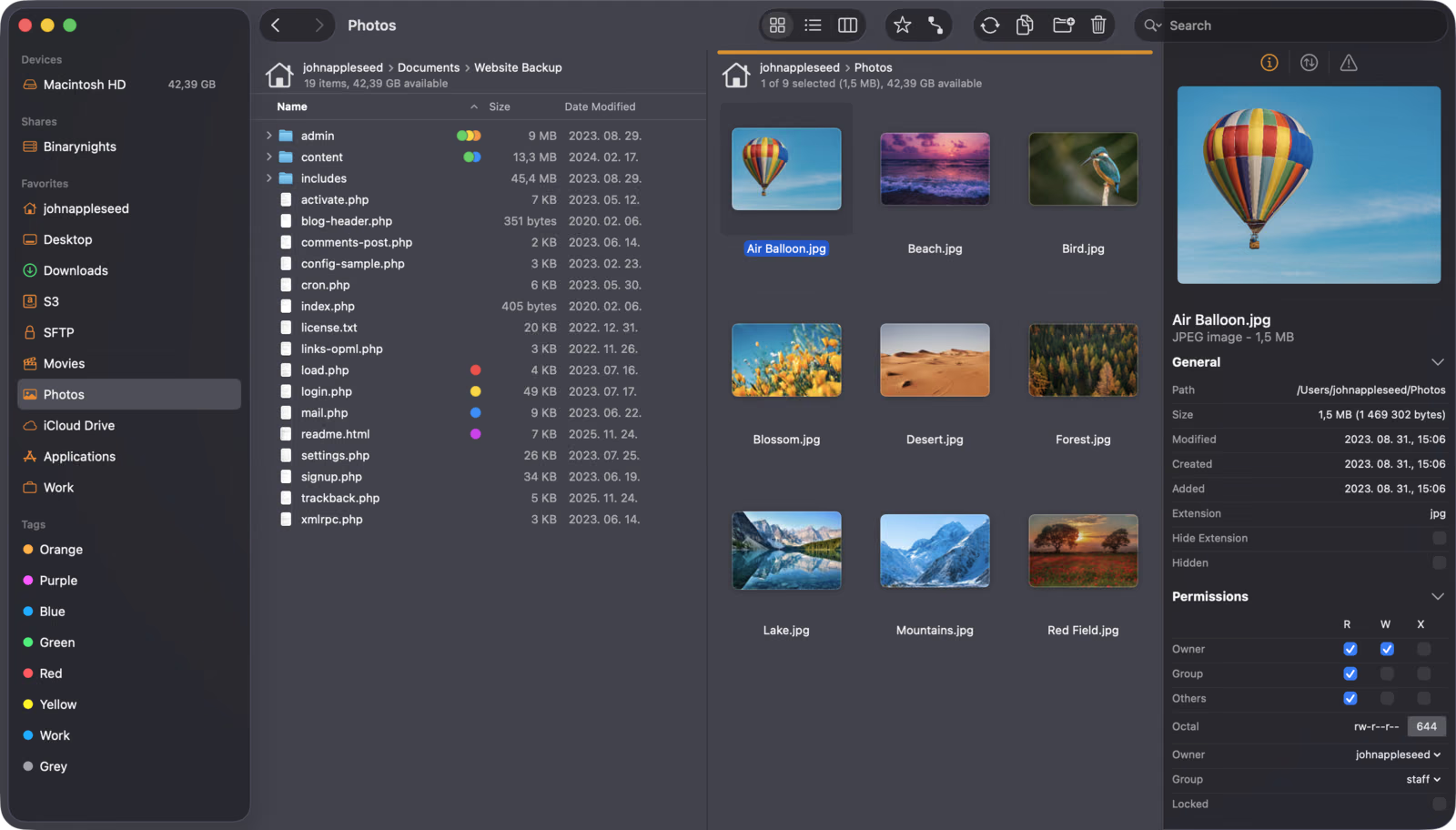
Finder is good at showing you the files on your own Mac. Once your work spreads across a NAS, a few Linux servers and a dozen Git repositories, it starts to feel small. ForkLift 4 from BinaryNights is one of the best known answers: a dual-pane file manager and file transfer client in one window, with SFTP, SMB, WebDAV, Amazon S3 and the big cloud drives, plus folder sync, archive browsing and Git status.
Quick verdict
ForkLift 4 is a strong Finder companion for anyone who works with servers, a NAS and Git repositories every day.
- Best for
- Developers and homelab users who move files between local folders, a NAS, SFTP servers and cloud storage.
- Main benefit
- Two panes with SFTP, SMB, WebDAV, S3 and cloud drives in one window, plus folder sync with a preview before anything changes.
- Biggest drawback
- It needs Full Disk Access, and reviewers found column view cramped in narrow panes.
ForkLift 4 licence
binarynights.com · Worldwide
Check price and availability: ForkLift 4 licence at binarynights.comProduct link.
Time with the product: A first look after the licence arrived on 11 November 2026.
Reviewed version: Single-user, Family or Small Business licence with one or two years of updates
Compatibility: Macs running macOS 14.6 or later, per BinaryNights.
Review context: The review focuses on ForkLift as the main file manager on a MacBook Pro for NAS and SFTP servers, Git repositories, folder sync and archives, compared with Finder.
My question is practical. Can ForkLift become the main file manager on my 14-inch MacBook Pro M4 Max, the window I open first for local folders, the homelab NAS, the Raspberry Pi 5 and Orange Pi boxes I reach over SSH, and my repositories? I like tools that remove steps without hiding what they do. This is a first look based on BinaryNights’ documentation, its support team’s answers and two independent reviews, and I say below what I have not yet tested.
Disclosure: BinaryNights sent this ForkLift 4 licence free of charge for review and I keep it. No money changed hands, and BinaryNights had no approval over the text.
Screenshots: BinaryNights.
Related reading
Why two panes still make sense
The idea comes from Norton Commander: source on the left, destination on the right, and copying is one keystroke instead of a dance between two Finder windows. Stephan Wiesend’s Macwelt review praises the keyboard control, with F5 to copy, F6 to move and Enter to rename. Krishna Sadasivam at OWC’s Rocket Yard calls the two-pane system “much, much better for my productivity”.
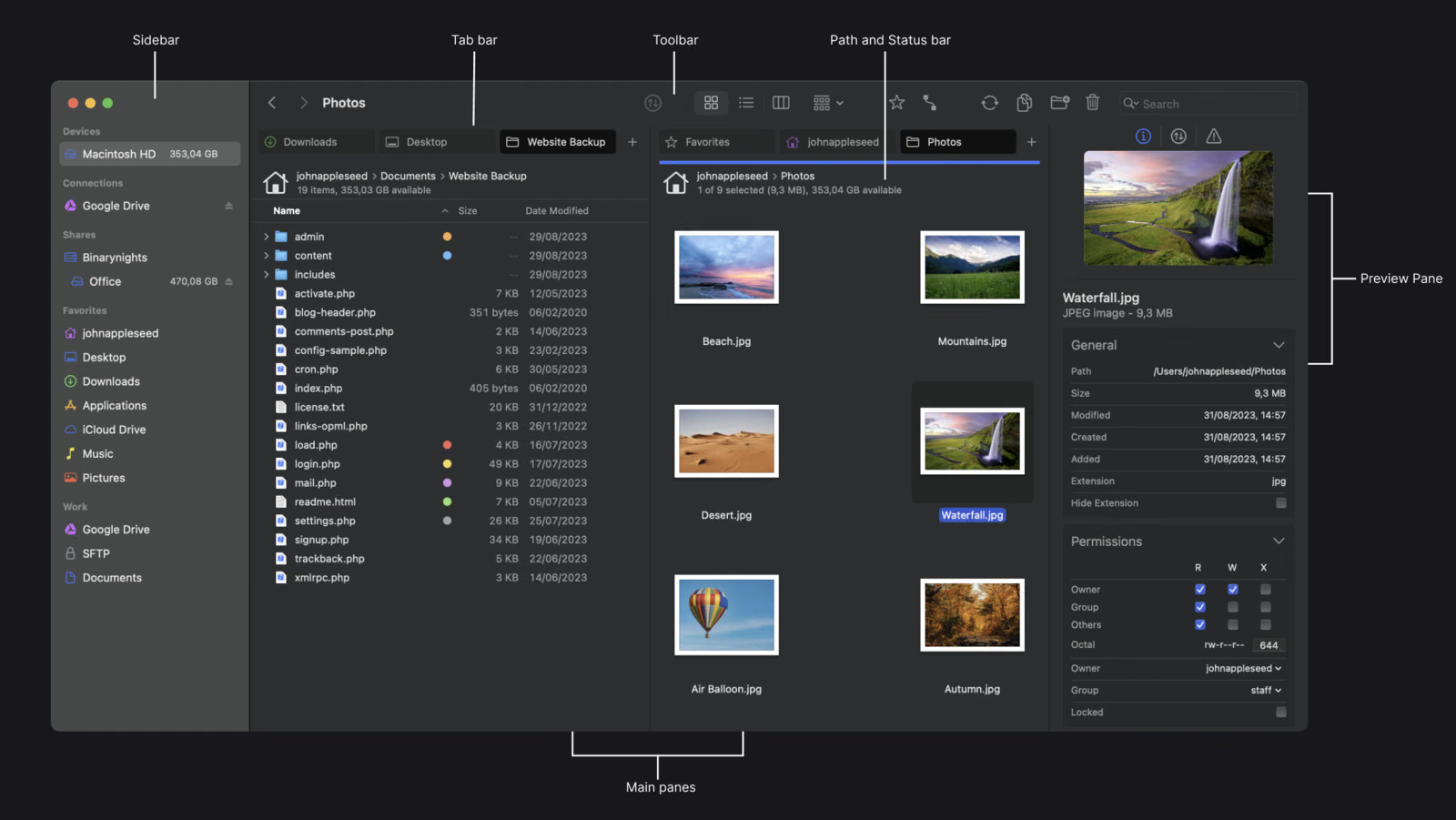
Each pane has its own tabs, which helps on a 14-inch screen, and a set of tabs and locations can be saved as a workspace. I expect to lean on that most: one workspace for the blog, another for homelab maintenance. The preview pane with file details and Unix permissions is what I will hide first on the laptop.
NAS and servers in the same window as your files
This is why most people buy ForkLift. The manual lists SFTP, FTP and FTP with TLS, WebDAV over HTTP and HTTPS, Amazon S3, Backblaze B2, Google Drive, OneDrive, Dropbox, Rackspace Cloud Files, SMB, AFP, NFS and VNC, all from one Connect panel. You can connect to several servers at once and drag files between them, and favourites sync between Macs through iCloud, so my MacBook Pro and Mac mini would share one server list.
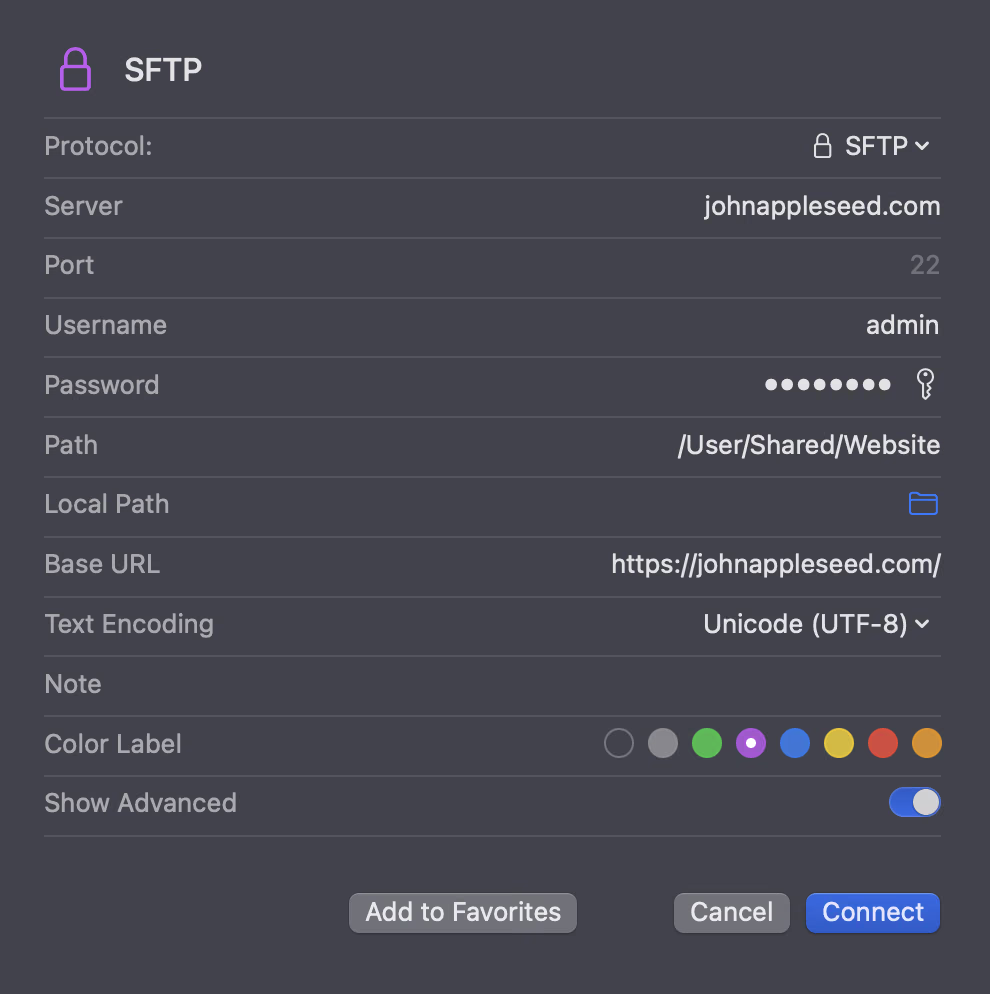
For SFTP you enter a server and user name, then a password or a private key, with passphrase-protected keys supported, plus a custom port and a colour label. Colour-coding a production server red is a cheap way to avoid deleting the wrong folder.
Here ForkLift clearly beats Finder, which mounts SMB and WebDAV but does not speak SFTP or S3 at all. ForkLift also opens a remote file in your own editor and uploads it again when you save, and it can search on remote servers. One caution from the OWC review: ForkLift could not mount one local network storage device there, so my NAS over SMB is the first thing I will check.
Git status where the files are
For a developer this is the quietly useful part. BinaryNights’ product page says ForkLift “knows git”: it shows the status of individual files and lets you add, commit, push and pull. BinaryNights support explained the details to me. With SCM status enabled, ForkLift puts a badge next to each file with its Git status, only for local folders inside a Git repository. You enable it in the View Options panel (Cmd-J), and the setting can apply to This Folder, This Folder and Subfolders, or All Folders.
Related reading

I would turn it on for my ~/work folder and its subfolders and leave everything else clean. ForkLift will not replace the terminal for branching and rebasing, and BinaryNights does not claim that. I want to see which files are modified or untracked before I copy a folder somewhere, and that is what the badges promise.
Folder sync you can review before it runs
Sync works between any two places ForkLift can open: a local folder and an SFTP server, an external SSD and the NAS, or two cloud drives. The manual describes one-way or two-way sync, subfolders and hidden items, updates by date or size, deleting orphaned items, time offset correction and an exclude filter. Before anything runs, ForkLift marks each file as added, updated or deleted, and the set-up can be saved as a Synclet in the sidebar.
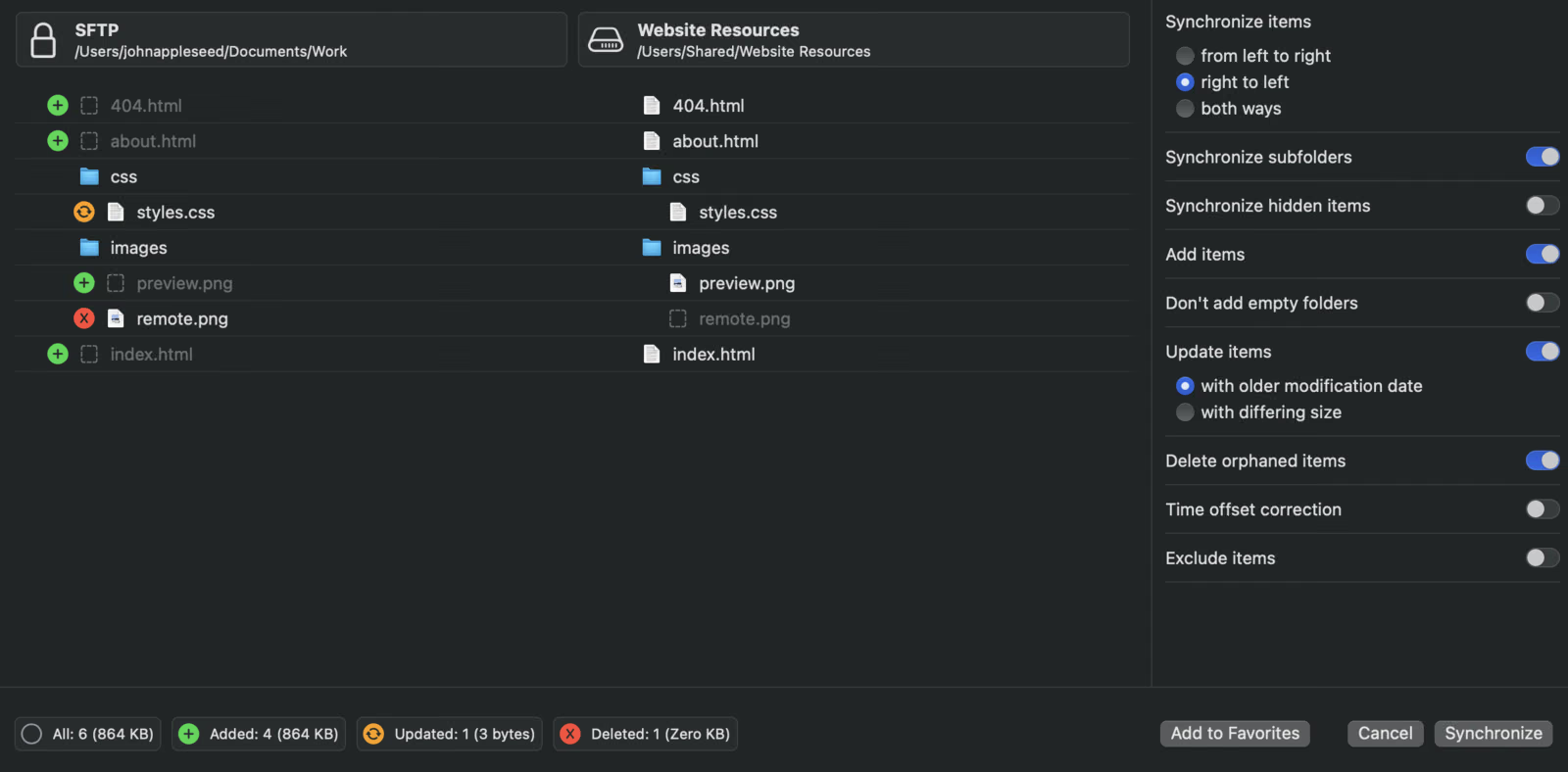
Both independent reviews rate this well. Sadasivam writes that ForkLift does “a good job of synchronizing files and folders between two different storage locations”, and Wiesend reports that sync with Google Drive and OneDrive worked without problems. My plan is a one-way Synclet that pushes the blog’s images to the NAS, with the deletion preview as the safety net.
Archives as folders and other conveniences
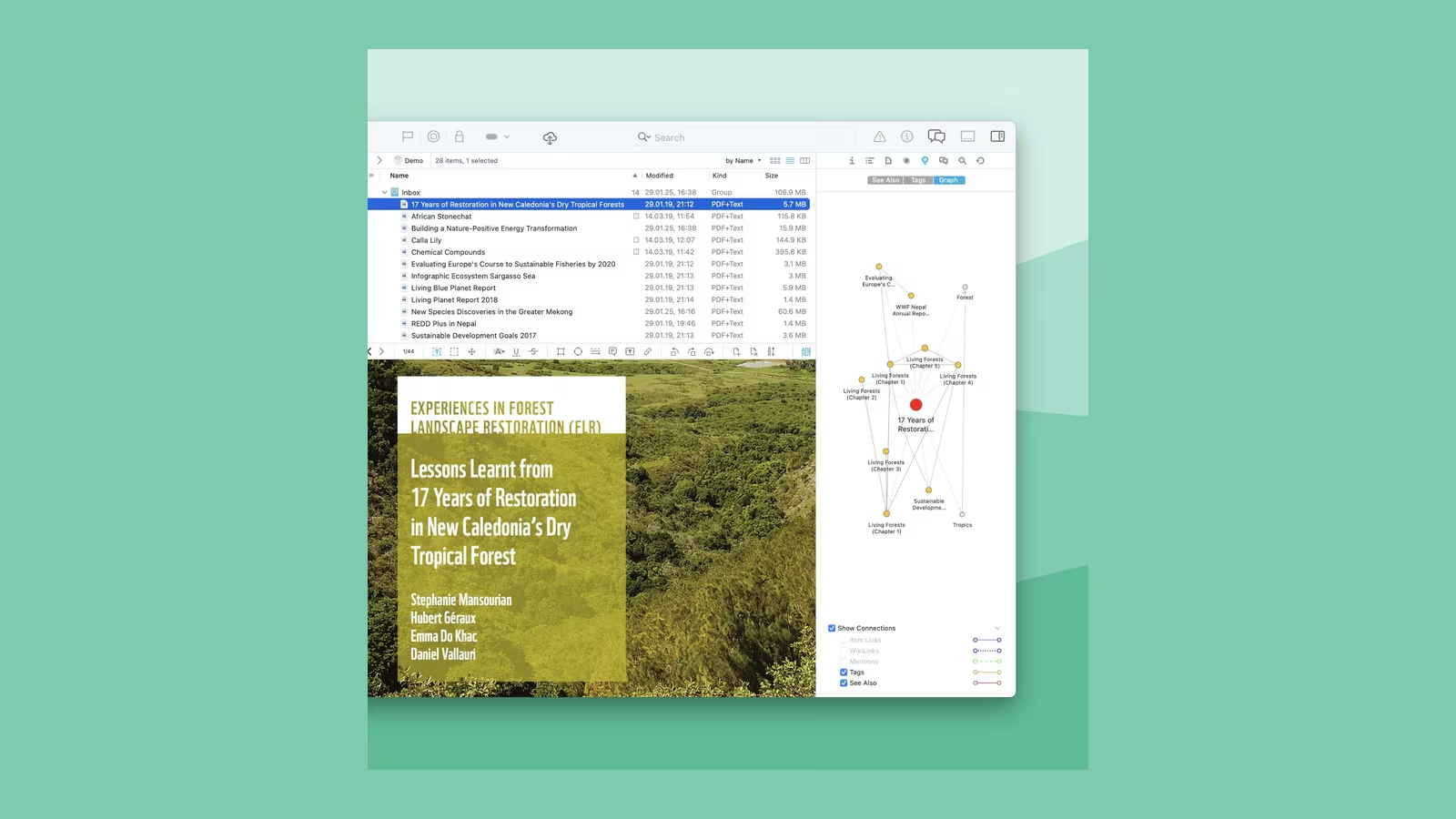
The product page says ForkLift browses local and remote archives as if they were ordinary folders, with Quick Look, search and filtering inside. That suits release archives and log bundles: look inside, pull out one file, move on. BinaryNights does not list the supported formats, so I will test ZIP and tar.gz before saying more.
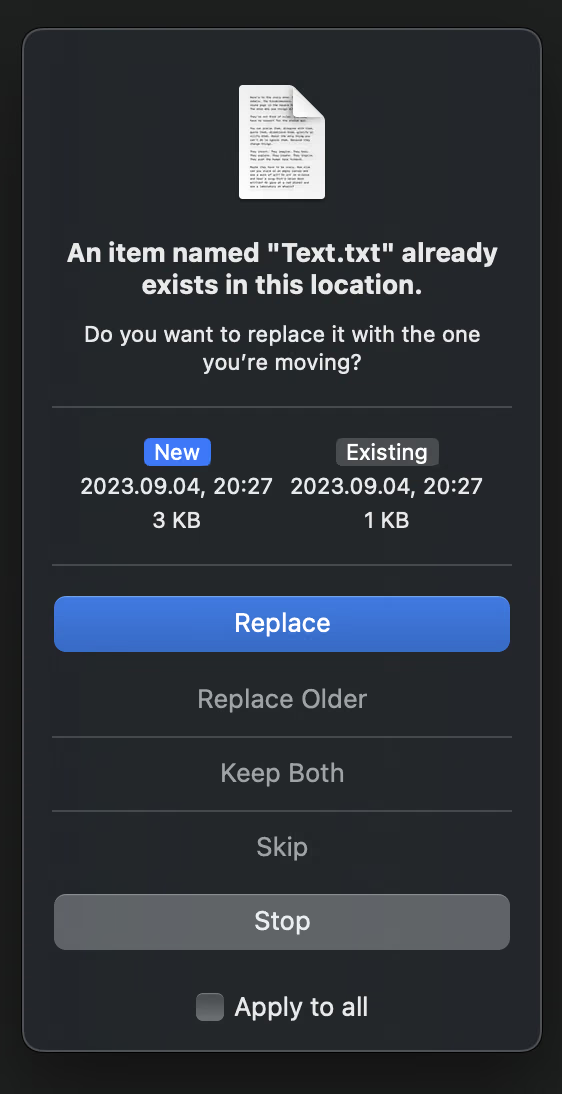
The rest answers Finder complaints one by one: multi-rename with presets, an operation log, a transfer queue with bandwidth limits and conflict rules, an app deleter, a hidden-files toggle, and “Open in Terminal” for Terminal, iTerm, Warp, Ghostty and others. ForkLift can even replace Finder as the default file viewer.
Where Finder still wins
The manual says ForkLift needs Full Disk Access to reach attached drives and your Desktop, Downloads and Documents folders. That is a broad permission for a third-party app, so decide whether you are comfortable with it. Finder also owns the Desktop, open and save dialogs and AirDrop, so it will not leave your day.
Related reading
Sadasivam found column view almost unusable in narrow panes and wanted global settings for font and icon size. Wiesend says ForkLift suits experienced users more than beginners, and that a dedicated FTP client such as Cyberduck goes further in pure transfer work.
Price and where to buy
ForkLift is sold through BinaryNights’ store, with these current prices in dollars. A single-user licence for one Mac costs $19.95 with one year of updates or $34.95 with two. A Family licence covers all Macs in one household for $29.95 or $49.95, and a Small Business licence covers up to five Macs for $69.95 or $119.95. The licence does not expire: after the update period you keep the last covered version. Moving to a new Mac needs no deactivation, and there is a free trial download.
What this review is based on
The NFR licence, not time-limited, arrived on 11 November 2026, so this is a first look. Features, protocols, sync options and prices come from BinaryNights’ product page, manual, store and support page, and the Git badge details from BinaryNights support. Independent impressions come from OWC’s Rocket Yard and Macwelt, both about earlier 4.x versions. I have not yet tested transfer speed, SMB to my NAS, SFTP keys to the Raspberry Pi, Git badges in my repositories or long-term Synclets.
Verdict
On paper, ForkLift 4 covers almost everything I miss in Finder: two panes, real SFTP and S3, sync with a preview, archives as folders and Git status where it helps. The licence is cheap and does not stop working, and the Family option suits a home with several Macs. Finder stays for the system parts. For a developer with a NAS and a few servers, ForkLift looks like the right main window, and the coming weeks will show whether it earns that place.
What worked
- The documented protocol list covers SFTP with key authentication, SMB, WebDAV, S3, Backblaze B2 and the big cloud drives from one Connect panel.
- Folder sync previews every added, updated and deleted file and can be saved as a reusable Synclet.
What bothered me
- ForkLift needs Full Disk Access to reach attached drives and the Desktop, Downloads and Documents folders.
- Git status badges work only in local repositories, and column view was reported as cramped in narrow panes.
Who should not buy it
- People who only manage files on their own Mac and never connect to servers or a NAS.
Alternatives I would consider
- Cyberduck. Macwelt considers a dedicated transfer client like Cyberduck stronger for pure FTP and server transfer work.
Evidence and sources
The article separates my judgement from specifications and claims credited to their sources. All images are screenshots from BinaryNights' website and manual.
- BinaryNights ForkLift 4
- ForkLift 4 manual
- BinaryNights store
- BinaryNights support
- OWC Rocket Yard review
- Macwelt review
Features, compatibility and rated figures from the maker are manufacturer information. My opinions are identified in the review.
Conclusion
A lifetime licence from $19.95 that keeps working after the update period ends is good value.
ForkLift 4 licence
binarynights.com · Worldwide
Check price and availability: ForkLift 4 licence at binarynights.comProduct link.
One email a week with practical Mac workflows, useful comparisons and honest tech recommendations.