Best docks and hubs
This board ranks the docks and hubs we have written about in two groups: Thunderbolt docks for a permanent desk, and USB-C docks and USB hubs for lighter or portable use. What a dock can do depends on the computer it is plugged into, and display counts in particular are limited by the Mac's chip, so check your own machine against the note beside each entry.
Updated · 5 ranked
Thunderbolt docks
-
Place 1

Best overall
CalDigit TS4
Eighteen ports with 2.5 gigabit Ethernet and UHS-II card readers on a single Thunderbolt 4 cable, which works at full capability with more Macs than the Thunderbolt 5 docks below.
- Host connection
- Thunderbolt 4
- Ports
- 18
- Charging to laptop
- 98 W
- Displays
- Single 8K or dual 6K
-
Place 2
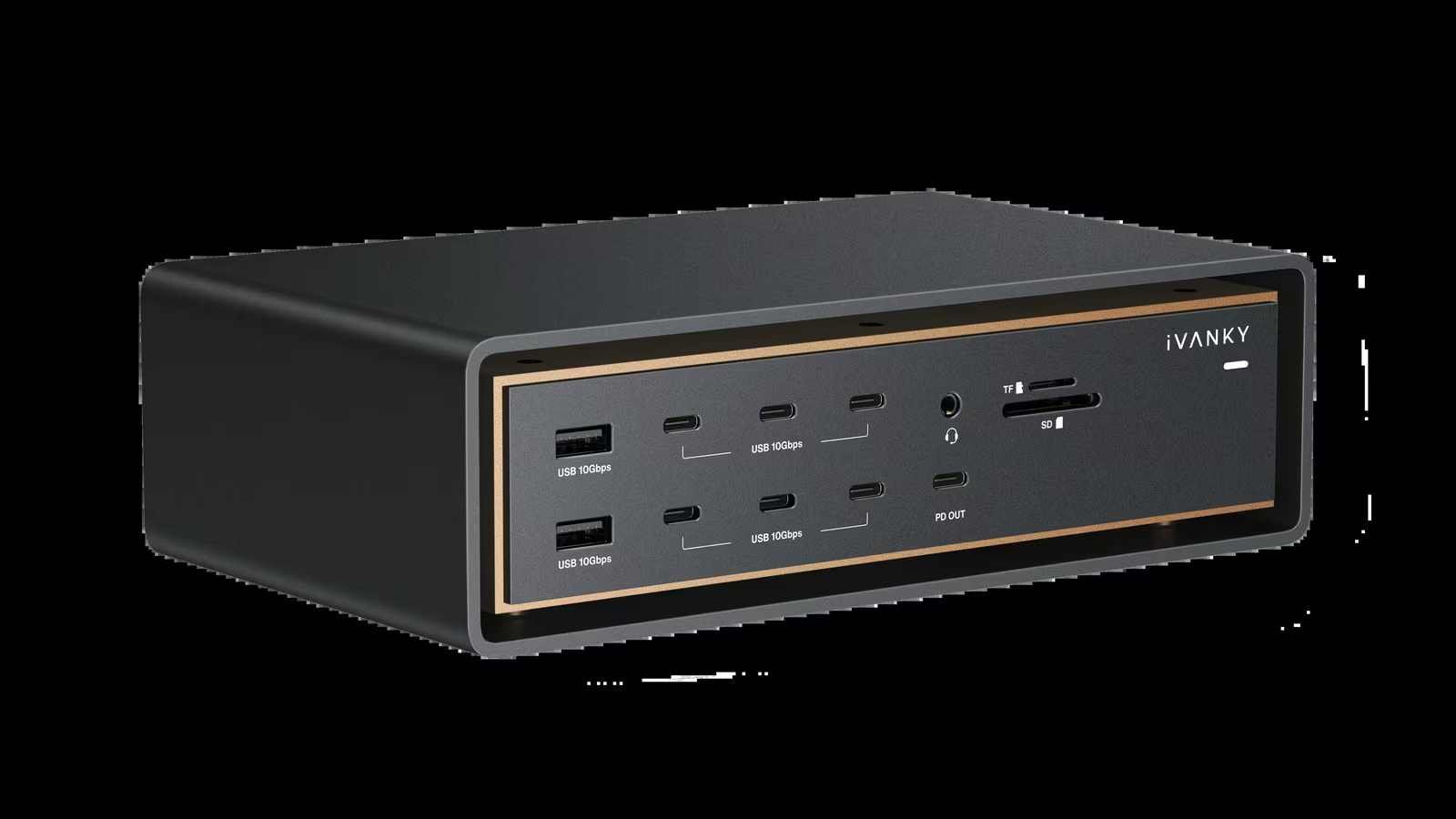
Most displays and ports
iVANKY FusionDock Ultra
Two host links let it drive four displays on an M4 Max and add 10 gigabit Ethernet, but it occupies two of the Mac's ports and only pays off on a Max-class chip.
- Host connection
- 2 x Thunderbolt 5 (dual cable)
- Ports
- 26
- Charging to laptop
- 140 W
- Displays
- Up to 4 on M4 Max
-
Place 3
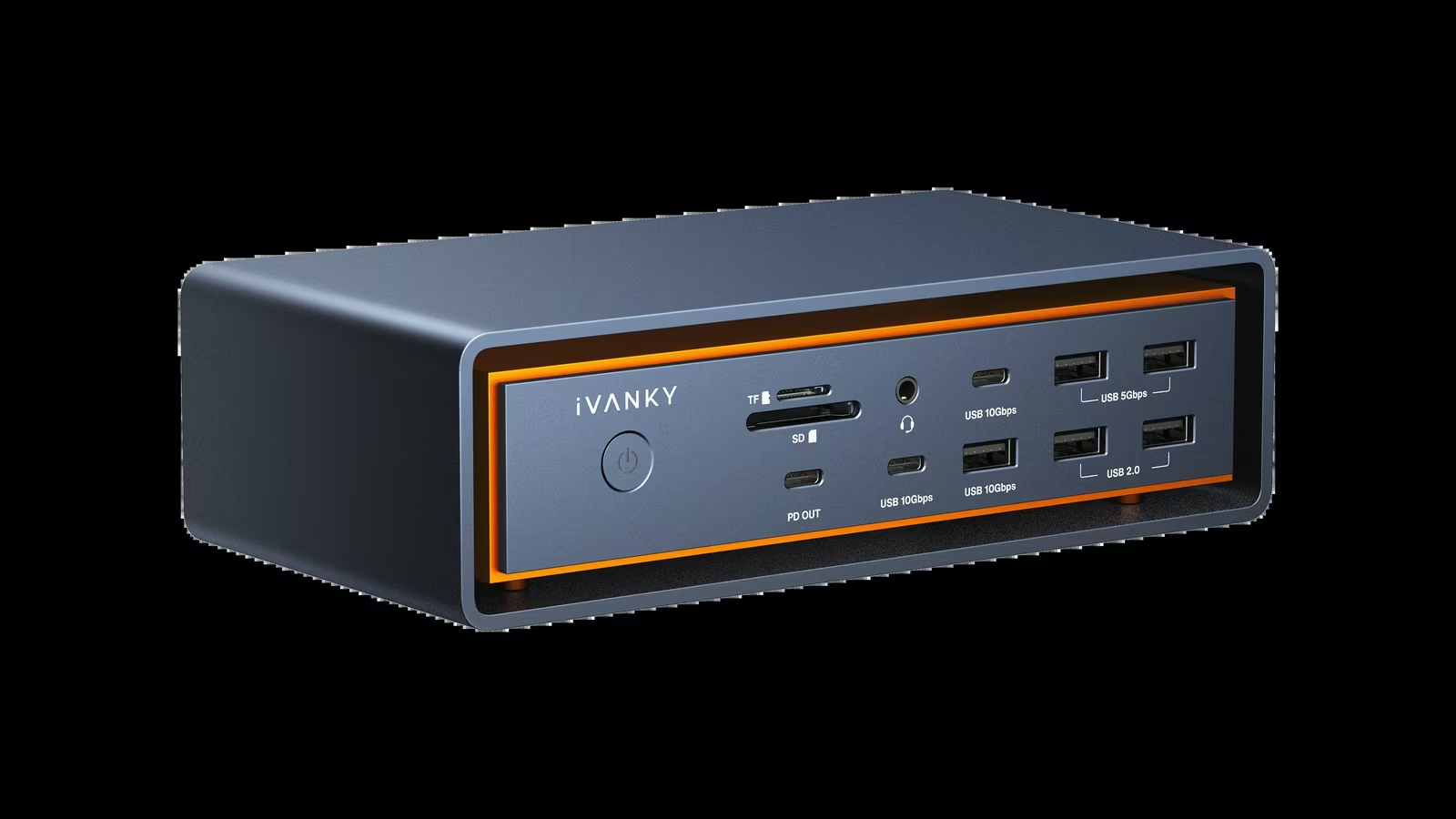
iVANKY FusionDock Max 2
The step-down from the Ultra pairs a Thunderbolt 5 controller with a DisplayPort path for three displays on an M4 Max, with 2.5 gigabit Ethernet in place of 10 gigabit.
- Host connection
- 2 x USB-C (TB5 + DisplayPort)
- Ports
- 23
- Charging to laptop
- 140 W
- Displays
- 3 on M4 Max, 4 on M5 Max
USB-C docks and USB hubs
These share one USB link, so displays and fast storage compete for less bandwidth than on a Thunderbolt dock.
-
Place 1

Best travel hub
Anker 7-in-1 USB-C Hub
A handy travel hub for a MacBook Air, held back as a desk dock by one HDMI output limited to 4K at 30 Hz and 15 W kept back from the charger.
- Host connection
- USB-C
- Ports
- 7
- Charging to laptop
- Up to 85 W pass-through
- Displays
- 1 x HDMI, 4K at 30 Hz
-
Place 2

Anker 4-Port USB 3.0 Hub
Four USB-A data ports sharing one 5 Gbps link, enough for a keyboard, receiver and flash drives; it does not charge devices or carry video.
- Host connection
- USB-A, up to 5 Gbps
- Ports
- 4
- Charging to laptop
- None
- Displays
- None
How this board is ranked
The order is an editorial judgement based on this site's research-based reviews, which draw on manufacturer specifications, owner feedback and independent testing published by others. We weighed four things: how many computers the dock works with at full capability, the number and mix of ports, the power it can pass to the laptop, and the displays it can drive. Port counts, charging wattage and display limits are the manufacturers' rated figures.
Store links are affiliate links. As an Amazon Associate I earn from qualifying purchases. It costs you nothing extra. Rankings are not for sale; see the affiliate disclosure.