The most useful moment of my week with the Philips Avent SCD863/26 happened in the garden. Our baby could rest a little further away from us, in a quieter spot, while we kept an eye on the screen. The camera was running from a power bank. There was no wall socket involved, and no phone app to persuade into working.
That small experiment explains a lot about this baby monitor. It is easy to get going, it does its main job well, and it can be more useful than its fairly traditional design first suggests.
It also left me wishing for something the SCD863/26 does not offer: a way to view the camera on my phone, or use it directly on my local network. After roughly a week, I like the product. If I were spending my own money, I would still look at a more expensive Connected model before buying it.
Disclosure: Philips provided this baby monitor free of charge through its product testing programme.
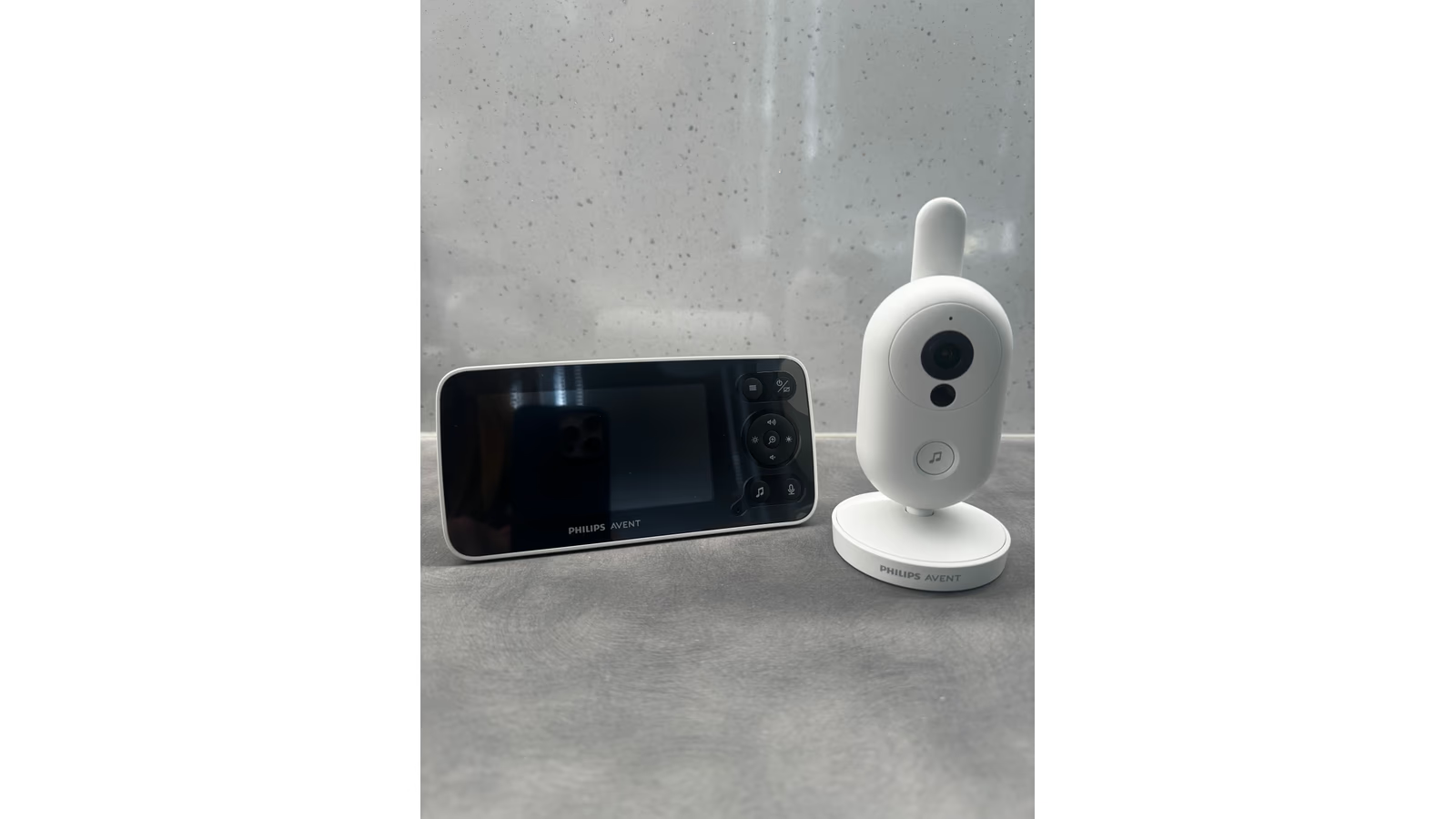
Photo: Jakub Jirák. The camera and parent display from this review.
It worked after unpacking
After unpacking the box, it simply worked. That is a very welcome first impression from something you want to use around a sleeping baby.
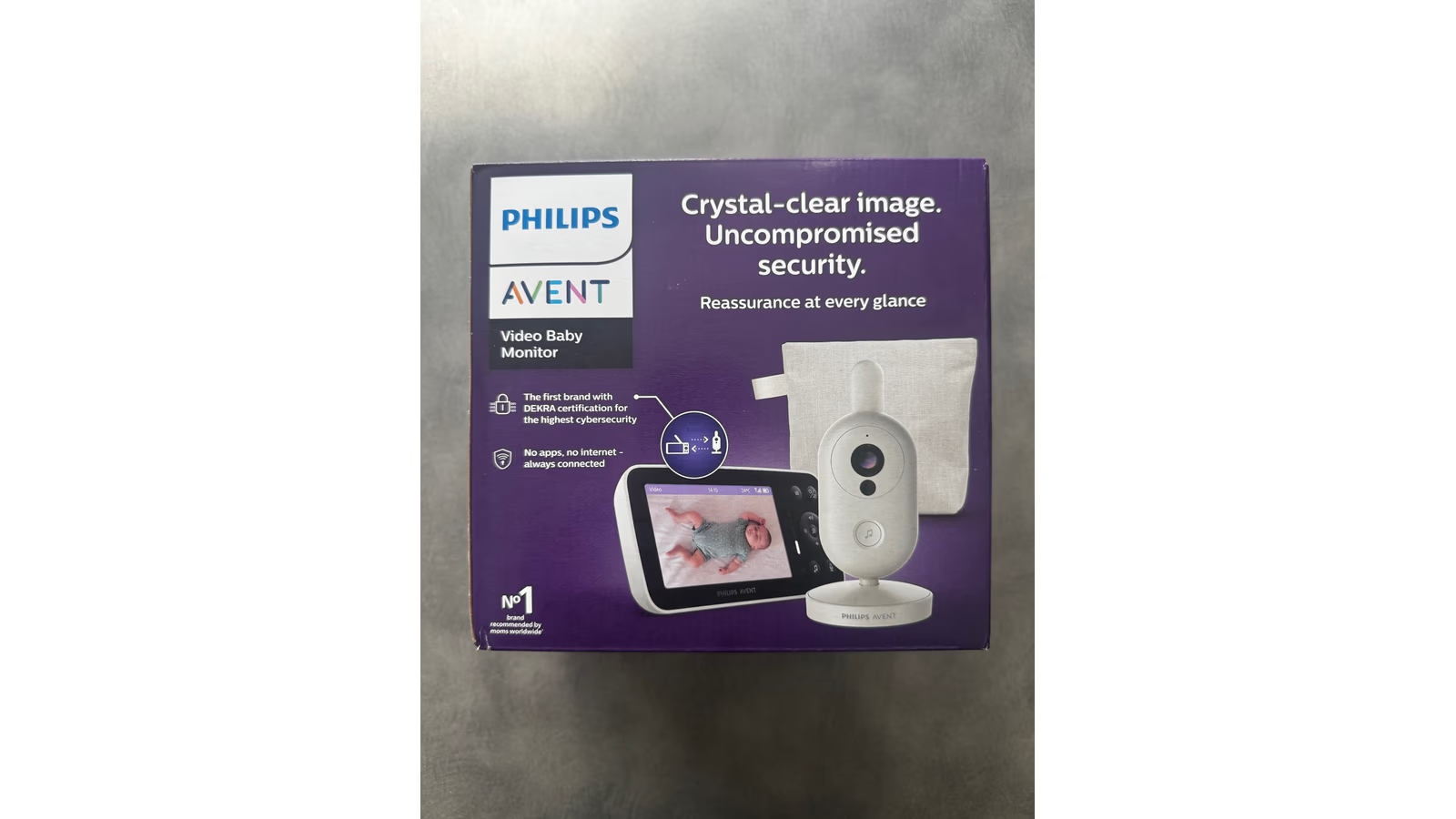
Photo: Jakub Jirák. The retail packaging; the picture printed on the box is Philips marketing material.
There was no home network to join and no app needed for the basic camera view. The camera talks directly to the separate parent unit. You put the camera where it can see what matters, turn on the display and get on with using it. Philips describes this as a direct connection without internet, which matches the straightforward experience we had. Philips product details.
I spend enough time setting up technology that I can appreciate a device which asks very little of me. With a baby monitor, that matters more than it would with a gadget bought for the pleasure of exploring its settings. The useful part starts when you can stop thinking about the setup.
Related reading
The separate screen also gives this model a clear purpose. You do not need to turn your phone into the baby monitor, and the connection does not depend on your internet service. For a household that wants precisely that arrangement, the simplicity is a good reason to choose it.
A clear picture of what you are buying
The SCD863/26 has a 4.5-inch parent display. Philips lists a Full HD 1080p camera, but the display itself is 854 by 480 pixels. Those are different specifications: a Full HD camera does not mean you are looking at a Full HD screen. It is a useful distinction when comparing product pages. Philips specifications.
For me, the job is to see what our baby is doing without having to make sense of a poor connection or unclear image. I am not buying this kind of camera for beautiful footage. I want a useful view when I glance at the monitor.
The camera angle needs some thought, though. A view that looks fine while setting up the camera in daylight is only half the check. Once the room is dark, the surroundings can change the picture quite a lot. That turned out to be one of the more useful lessons from this week.
Night vision needs a little help from the room
Night vision depends on where you put the camera and what sits near it. Shiny objects can spoil the result. If something reflects the camera’s infrared light back towards the lens, you can end up with a bright patch that makes the rest of the image harder to read.
Think of shining a torch towards a mirror in a dark room. The reflected light can become the brightest thing you see, even though it is not the thing you wanted to look at. Infrared light is invisible to our eyes, but the camera can see it. Camera maker Axis describes the same general problem with nearby reflective surfaces in its guidance on infrared reflections. That explains the effect; it is not a separate test of this Philips model. Axis explanation.
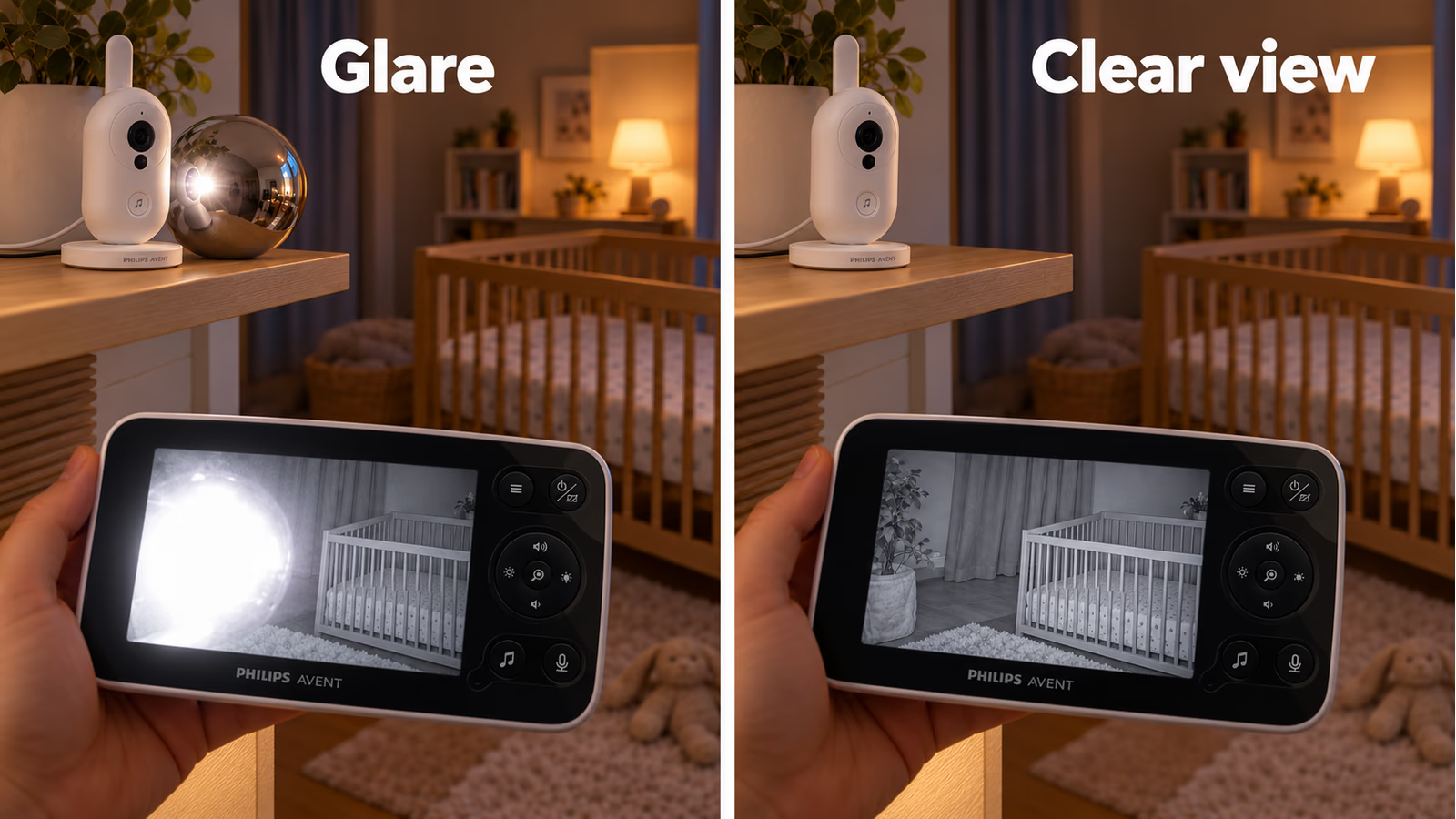
AI-generated explanation based on my photographs of the Philips Avent SCD863/26. The screen images are illustrations, not captures from my test.
My advice is to check the actual night view before deciding the camera is in the right place. Look for reflections, change the angle if needed and check again. A small change in placement may help more than spending time in the menus.
During our use, the lesson was to give the camera a sensible view of the baby and pay attention to shiny things around it. Night vision should be judged in the room where you will use it, with the lights as they will be during sleep.
Clear sound, and enough range for our use
The sound was clear, and the connection worked well over the distances we used. That includes our time in the garden. I did not come away feeling that the basic link between camera and display was getting in the way.
I did not measure the maximum distance with a tape measure or walk a route until the connection failed. The range that mattered was the distance between the places where we actually used it.
Philips’s Czech shop lists up to 300 metres outdoors and 50 metres indoors. Those are advertised limits, not distances I verified. Walls, building materials and the position of both units will affect what you get at home. The shared manual also gives a different outdoor figure, so I would put more weight on trying the link in your own space than on choosing between the two headline numbers. Product specification, shared user manual.
In our case, the useful result was simple: we could hear clearly and keep track of what was happening. I would rather report that honestly than turn a manufacturer’s range claim into a distance supposedly tested in our garden.
The lullaby did not win our baby over
The built-in lullaby did not help our baby settle. The feature was there, we tried it, and it did not become part of what made the monitor useful to us.
That says something about our baby, rather than proving anything about every baby. A familiar melody may work for another family. I just would not make a purchase decision around the hope that a camera’s music button will solve bedtime.
The temperature reading was more interesting to me. Having it on the display gives you another piece of information without needing to go and look at a separate thermometer. During this particular week, however, it did not prove essential or make a major difference to how we used the monitor.
I would keep the feature if given the choice. I also would not pay a large premium for it based on this test alone. The sensor reports the temperature around the camera, and I did not compare its accuracy against a reference thermometer. It is a room reading, not a measurement of the baby’s temperature.
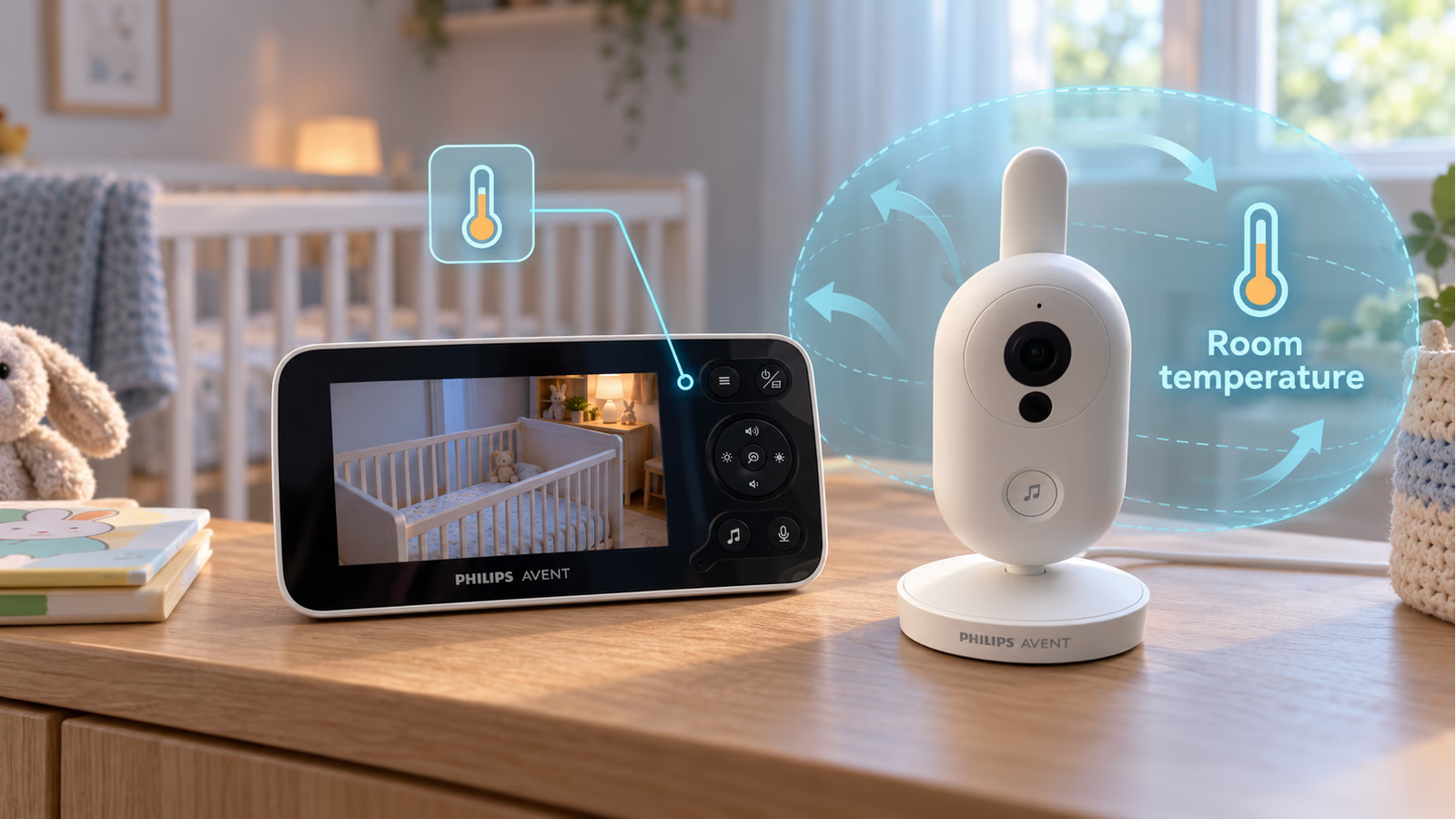
AI-generated AR-style explanation based on my SCD863/26 photographs. The sensor reads the air near the camera, not the baby’s body temperature. No accuracy measurement is shown.
Related reading
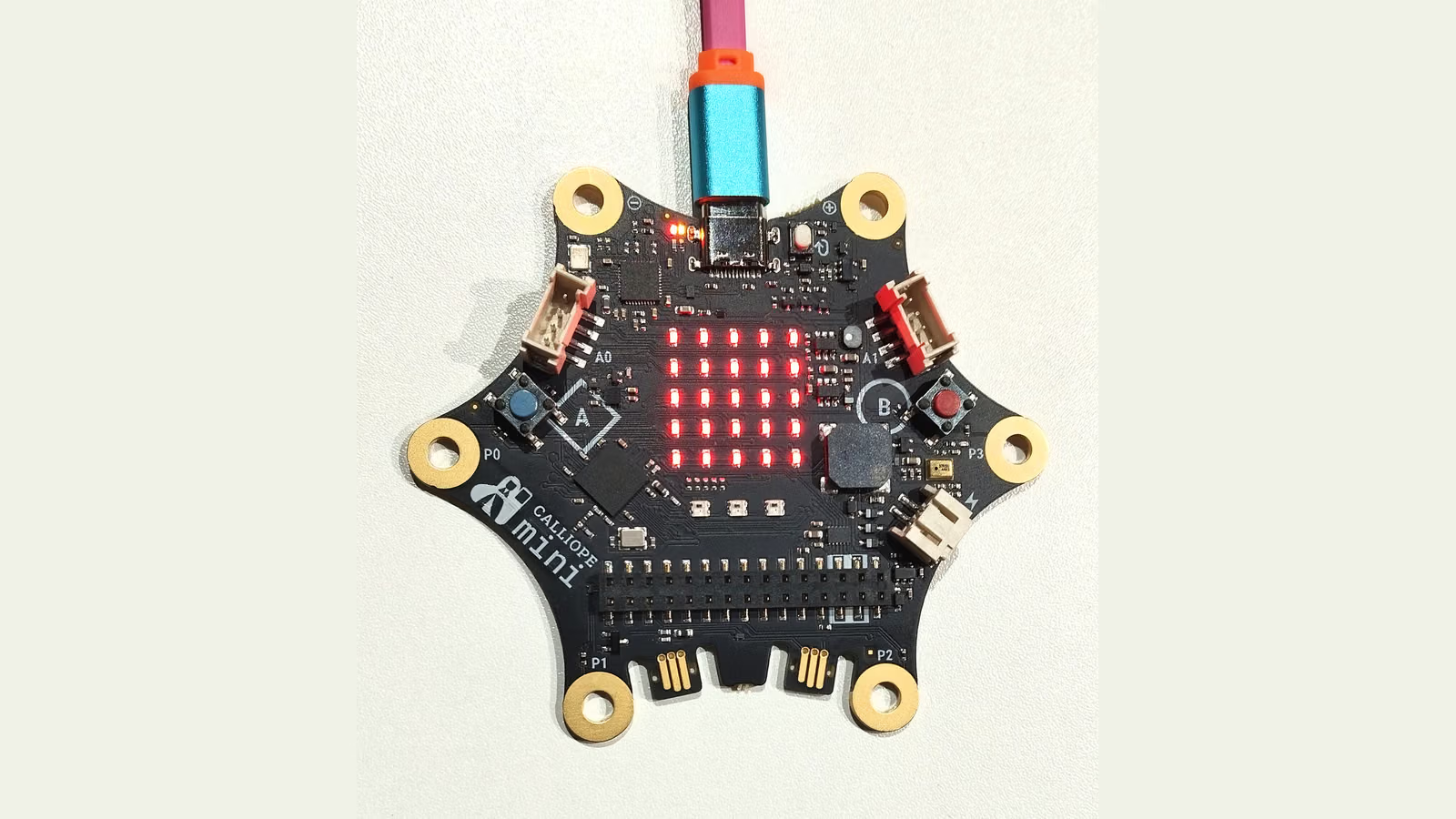
Neither extra changed my opinion very much. I kept reaching for the monitor because I could see and hear our baby clearly.
A power bank made the camera much more portable
Both the camera and the parent unit use USB-C for power. The parent unit has a rechargeable battery; the camera needs an external supply. In our test, that supply could also be a power bank.
We charged the display, connected the camera to the power bank and tried the setup in the garden. It worked without problems. Our baby could be parked in a quieter spot a little further away, while the screen let us see the current situation.
It is an easy thing to overlook when comparing baby monitors. The camera does not need its own built-in battery to be movable. With a working power bank, you can move the power source along with it.
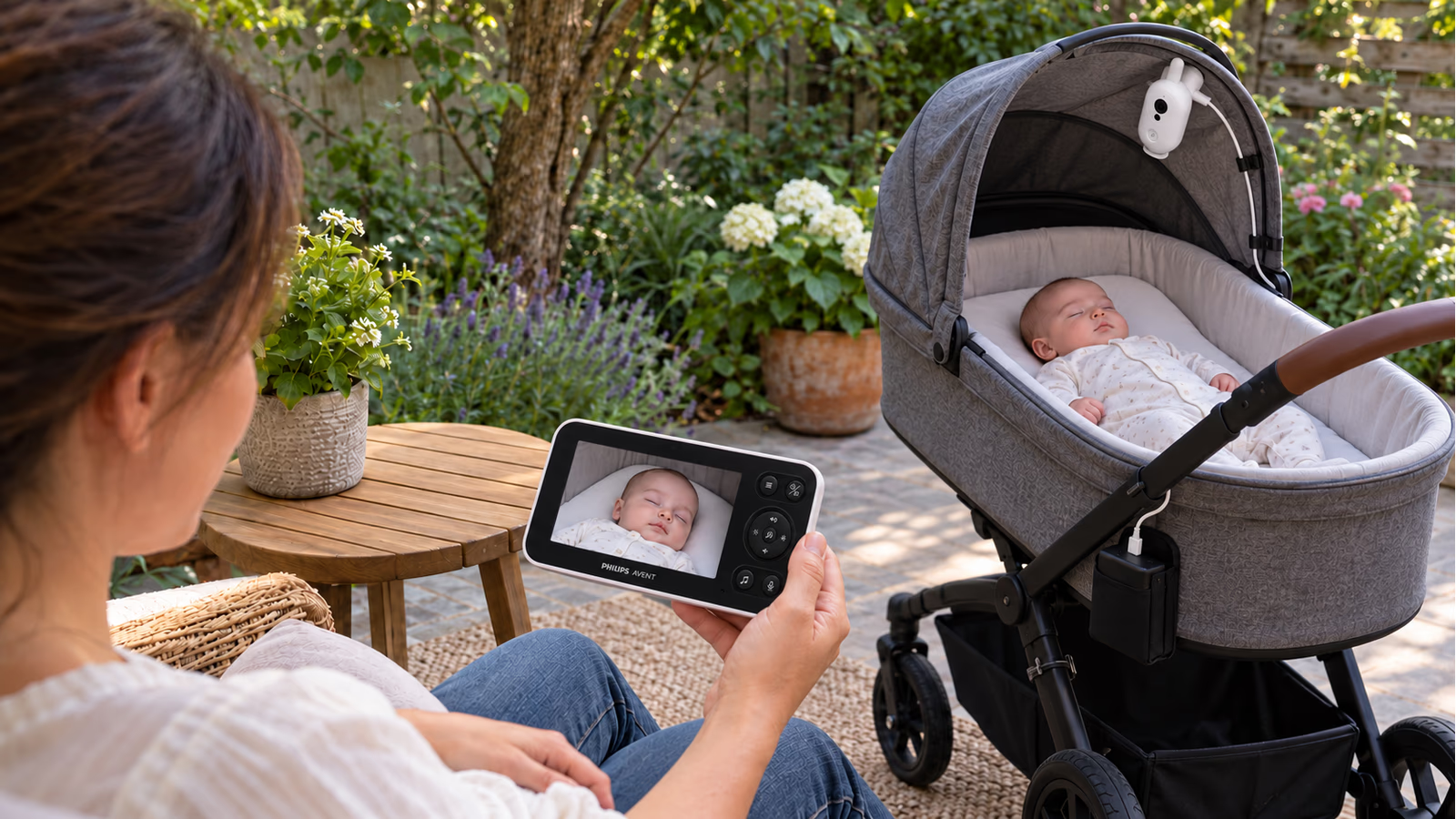
AI-generated scene based on my photographs of the Philips Avent SCD863/26, with a fictional baby. The camera is inside the pram, with its power bank secured outside. This is not a photograph of our garden test.
There is a limit to what this experiment proves. I did not measure how long a particular power bank would keep the camera running. Philips specifies its own supply for the baby unit, so this is a setup that worked in our test, rather than a claim of official power-bank support. It also does not make the camera weatherproof. The manual says to keep it away from water and to keep the camera and cable at least one metre from the baby. Philips manual.
For us, the garden use was the most pleasant surprise of the week. A fairly simple accessory made the monitor useful away from its usual socket.
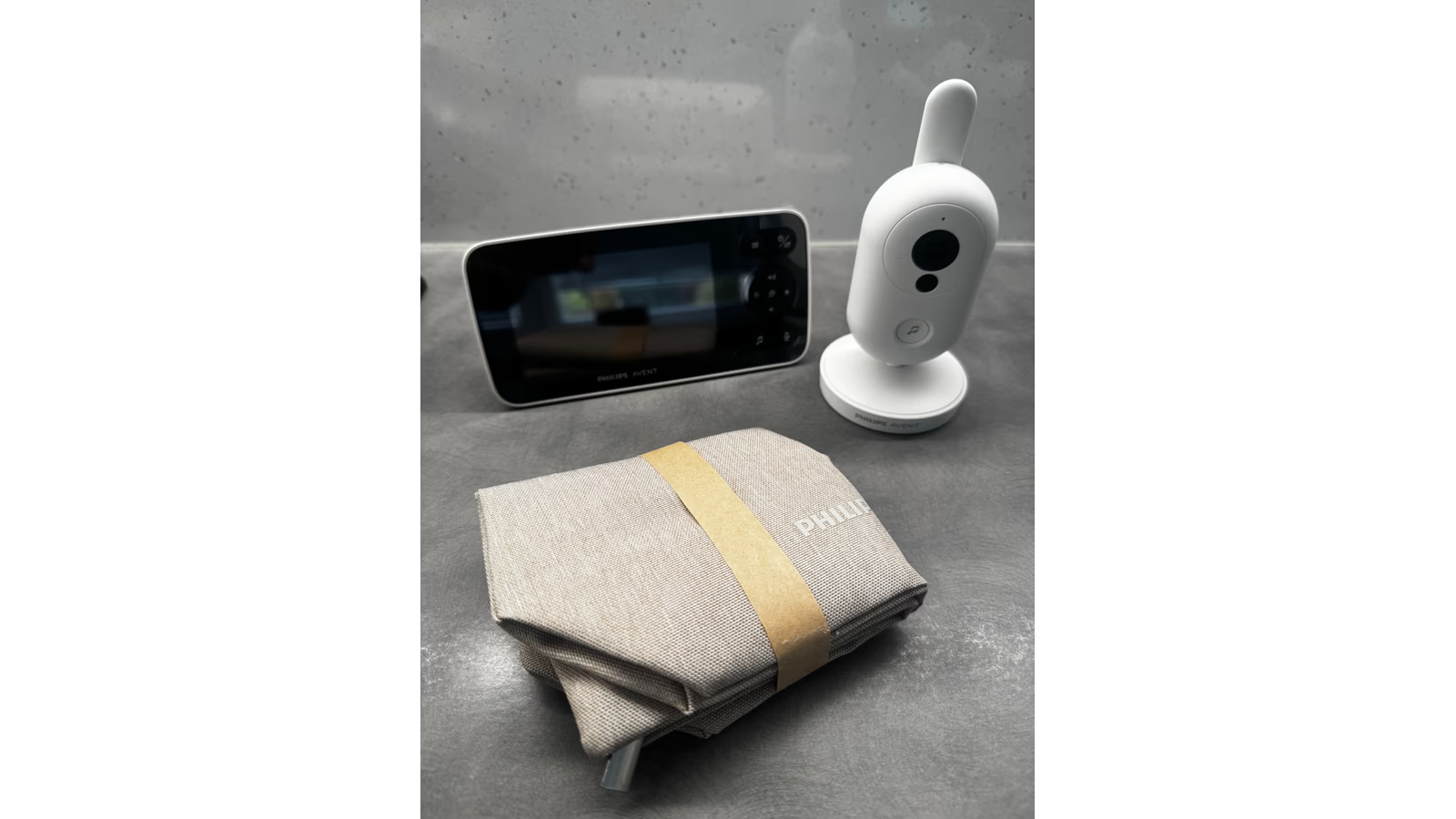
Photo: Jakub Jirák. My review set with its carrying pouch.
USB-C gives you power, not a camera feed
I also wanted to know whether those USB-C ports offered another way into the system. In the USB checks recorded on 16 October, neither the camera nor the parent unit appeared as a normal USB data device on the Mac. We did not get a webcam interface or a video feed from either one.
In the connections we tested, the ports behaved as power connections. That is useful to know if, like me, you look at USB-C and immediately wonder whether you could attach the camera to a computer.
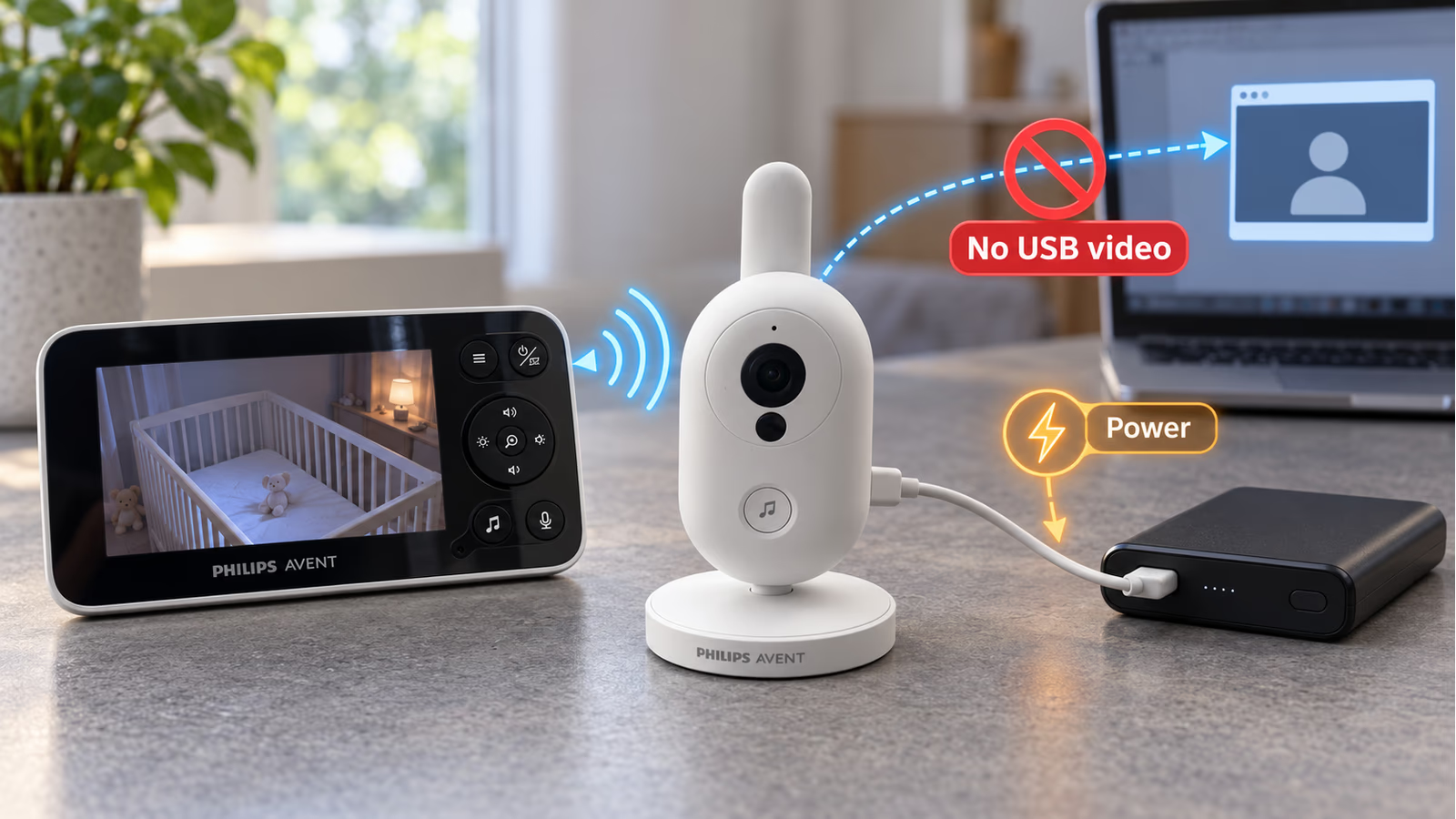
AI-generated AR-style explanation based on my SCD863/26 photographs. USB-C supplied power in our checks but did not expose a webcam feed. This is not a security guarantee.
I see some value in keeping the device simple here. There is no everyday USB data interface exposed in our checks, and the basic monitor connection needs no online account. Those choices leave fewer interfaces to manage.
But I would not describe the camera as impossible to hack without opening it. A power-only connection does not prove that a wireless device has no vulnerabilities. We did not audit its radio protocol or firmware, and our USB checks cannot rule out an undocumented service mode. Philips advertises DEKRA cybersecurity certification; I treat that as a manufacturer-backed security credential, not a guarantee that an attack can never happen. Philips security claim.
The practical conclusion is narrower: USB-C worked for power, but it did not give us the computer connection I had hoped to find.
The missing connection matters to me
My biggest reservation is that the SCD863/26 keeps the camera view within its own system. It has no Baby Monitor+ phone connection, and it offers no supported way to use the feed directly on my local network.
I would like that choice. Sometimes I want the dedicated screen. At other times, I would prefer to open the camera on a device I already have with me. A local feed would also give me more control over where and how I view it.
The separate display is useful, but it is another device to carry and keep charged. If it is elsewhere, my phone cannot simply take over. That limitation matters more to me than the lullaby or the temperature reading.
Related reading
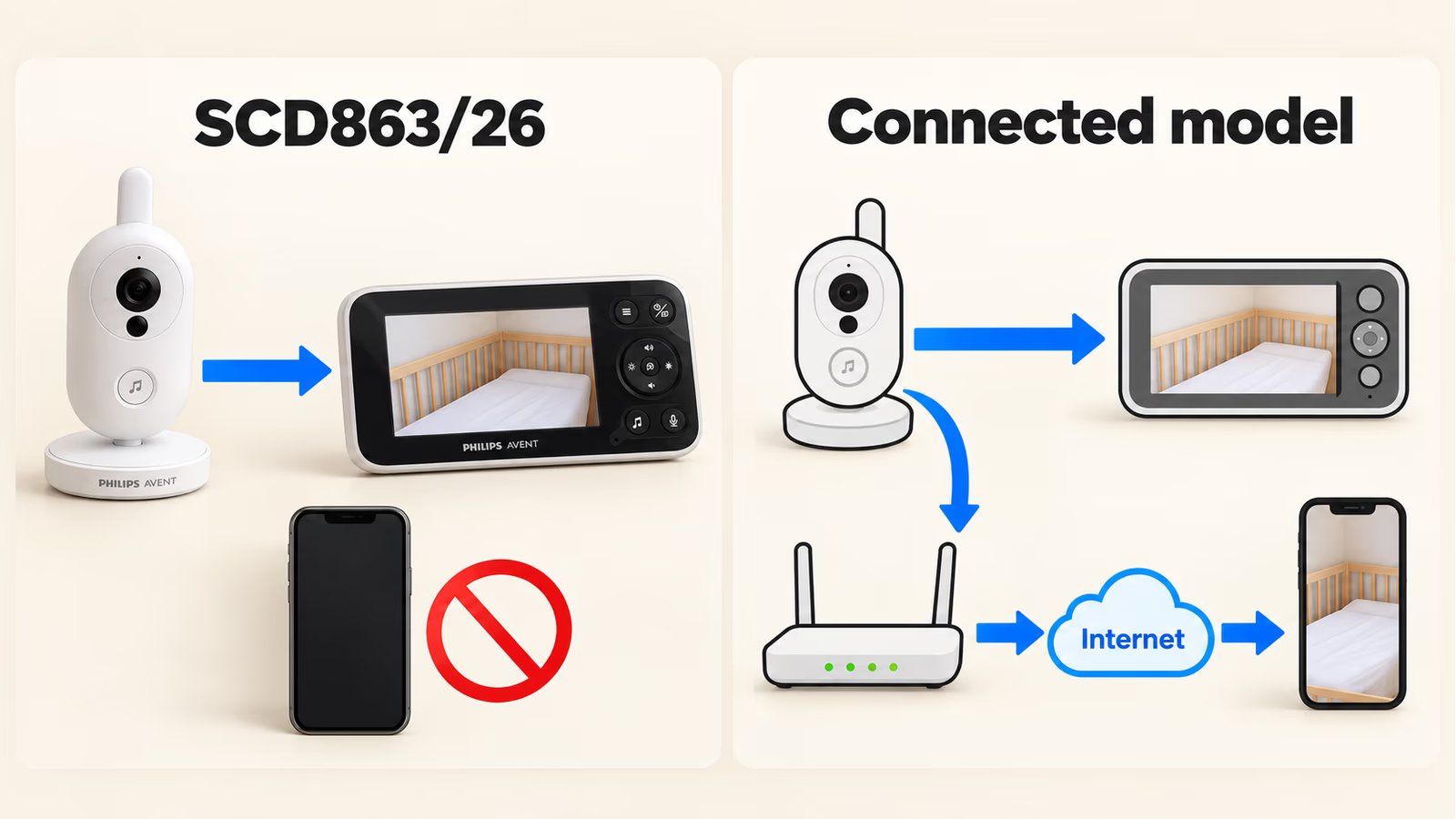
AI-generated connection guide. The SCD863/26 on the left is based on my product photographs. The icons on the right explain a connected model; they do not add phone support to the SCD863/26. The phone route means app access, not an open local video stream.
Philips’s Connected range addresses the phone part of this problem. For example, the SCD953/26 combines a dedicated parent unit with the Baby Monitor+ app. Philips describes phone viewing over Wi-Fi or mobile internet. That gives you another way to view the baby while retaining the separate screen. Philips Connected details.
App access and an open local feed are still different things. The Connected product page does not establish support for RTSP, HomeKit or another freely accessible local stream. I would check the exact integration I wanted before buying. I have not tested the Connected model, so my interest in it is about the documented extra option, not a comparison of its real-world reliability.
A good product, with a choice to make before buying
At the time of research on 19 October 2026, the prices in Philips’s Czech shop worked out to about €164 for the SCD863/26 and €271 for the Connected SCD953/26. The roughly €107 difference is large enough to deserve some thought. These are rounded conversions of the Czech prices using the Czech National Bank’s exchange rate on that date, rather than euro prices offered by the shop. Prices and exchange rates can change. SCD863/26 price, SCD953/26 price.
For its price, I think the SCD863/26 is a good product. It worked after unpacking, the sound was clear and the range was sufficient for our use. Being able to run the camera from a power bank made it more flexible than I expected.
If you want a monitor with its own screen and no need for internet, I can see the appeal. You may regard the absence of an app as one less thing to deal with. The SCD863/26 makes sense for that preference.
My preference is different. If I were buying one myself, I would look at the more expensive Connected options because phone access would give me useful freedom. I would still want clear answers about local access before expecting anything beyond the official app.
After a week, the best thing I can say about this monitor is that it was easy to use for the job we gave it. The garden experiment made me appreciate it more. My remaining hesitation is whether I would want to live with its connection limits for much longer than a week.
Test scope: roughly one week of family use at home and in the garden, based on my observations. This was not a maximum-range, battery-runtime, sensor-calibration or wireless-security test. The USB section refers to checks recorded on 16 October 2026. Specifications and the Connected comparison come from the linked documentation. All five explanatory illustrations are AI-generated. The SCD863/26 hardware is based on my photographs; the settings and screen contents are illustrative.
One email a month: new articles, reviews and the upcoming live webinar + free recording. No spam, unsubscribe anytime.