One project I would build with the Calliope mini is a tiny car park. A cardboard road, a toy car and a barrier made from an old box. Press a button, and the barrier rises. Add a delay, and it comes down again. The child gets to decide how the entrance should work.
That is the appeal of the Calliope mini 3 and the Servoboard Box. A few lines of logic can produce something you can hold, change and show to another person. The screen helps you make it, but the finished idea reaches beyond the screen.
For a family with a curious child, I think this is money well spent. It also deserves a place in technical schools, where the same approachable starting point can lead into programming, electronics and simple automation.
The important part is having room to explore. A board that can become a game today and a moving cardboard machine next weekend offers more possibilities than its small size suggests.
Disclosure: Calliope gGmbH supplied the Calliope mini 3 free of charge for our earlier review, which describes the original arrangement, including a 60-day promotional placement. This article looks at the platform from a family and learning perspective.
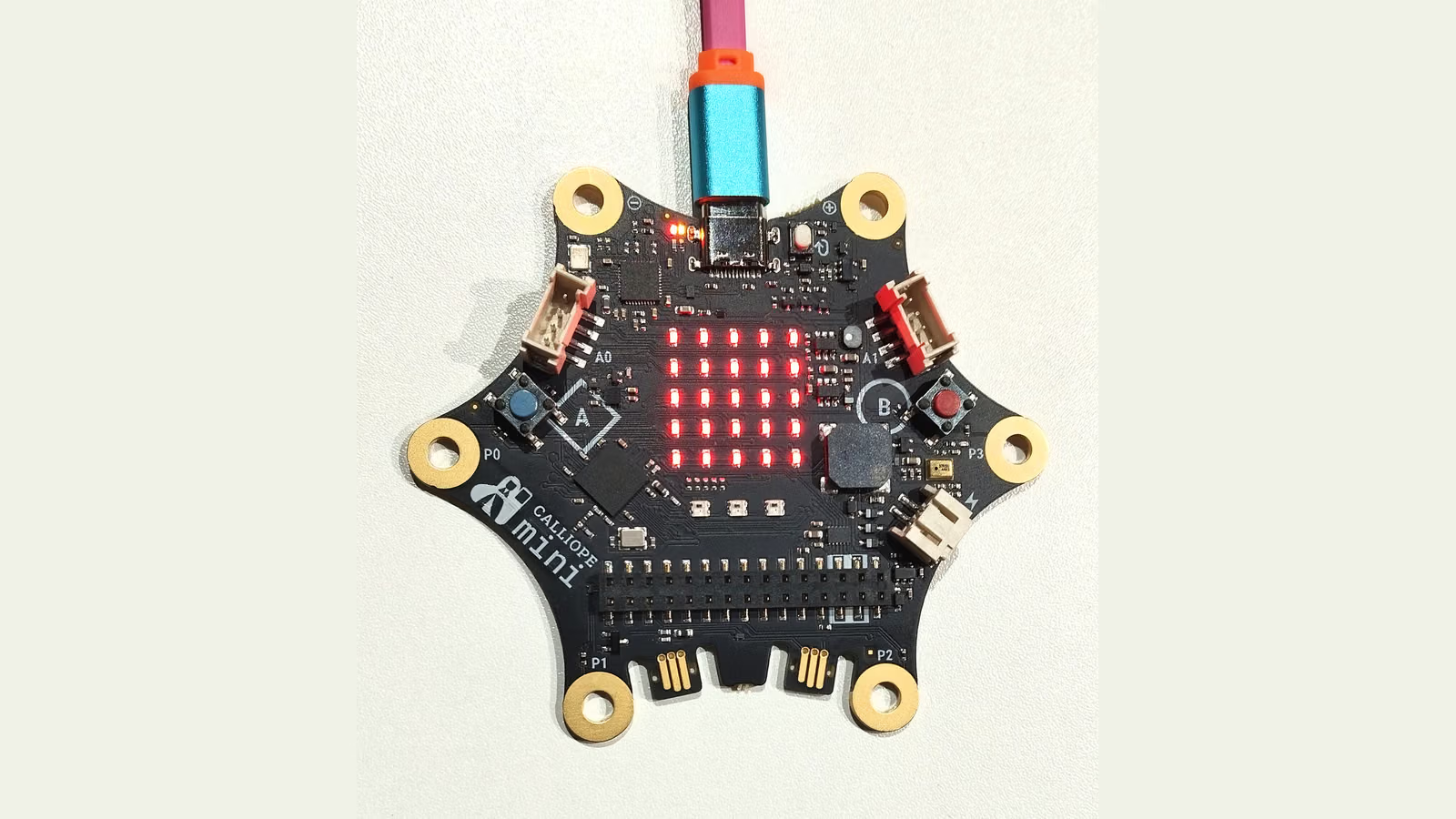
Real product photograph by MAbW, CC BY-SA 4.0. Original photograph links are listed at the end; this version is reframed and converted to AVIF.
Enough on the board to begin straight away
The Calliope mini 3 brings several useful components together. There is a five-by-five red LED display, two main buttons, a speaker and three RGB LEDs. It also has motion, light and temperature sensing, a microphone and connections for further experiments. Official overview.
That built-in equipment makes a difference for a beginner. A first project can be as small as making button A show a face and button B play a sound. There is no need to start by assembling a separate display or wiring a speaker.
Keeping the first task that small makes sense to me. Get one thing working, let the child change it and see what happens. A different face, a longer sound or an extra button action is enough to turn somebody else’s example into their own decision.
The board is portable too. The mini 3 uses USB-C when connected to a computer, and the standard package includes a holder and two AAA batteries. That lets a finished program leave the computer and become part of a game or a model. Standard package.
Related reading
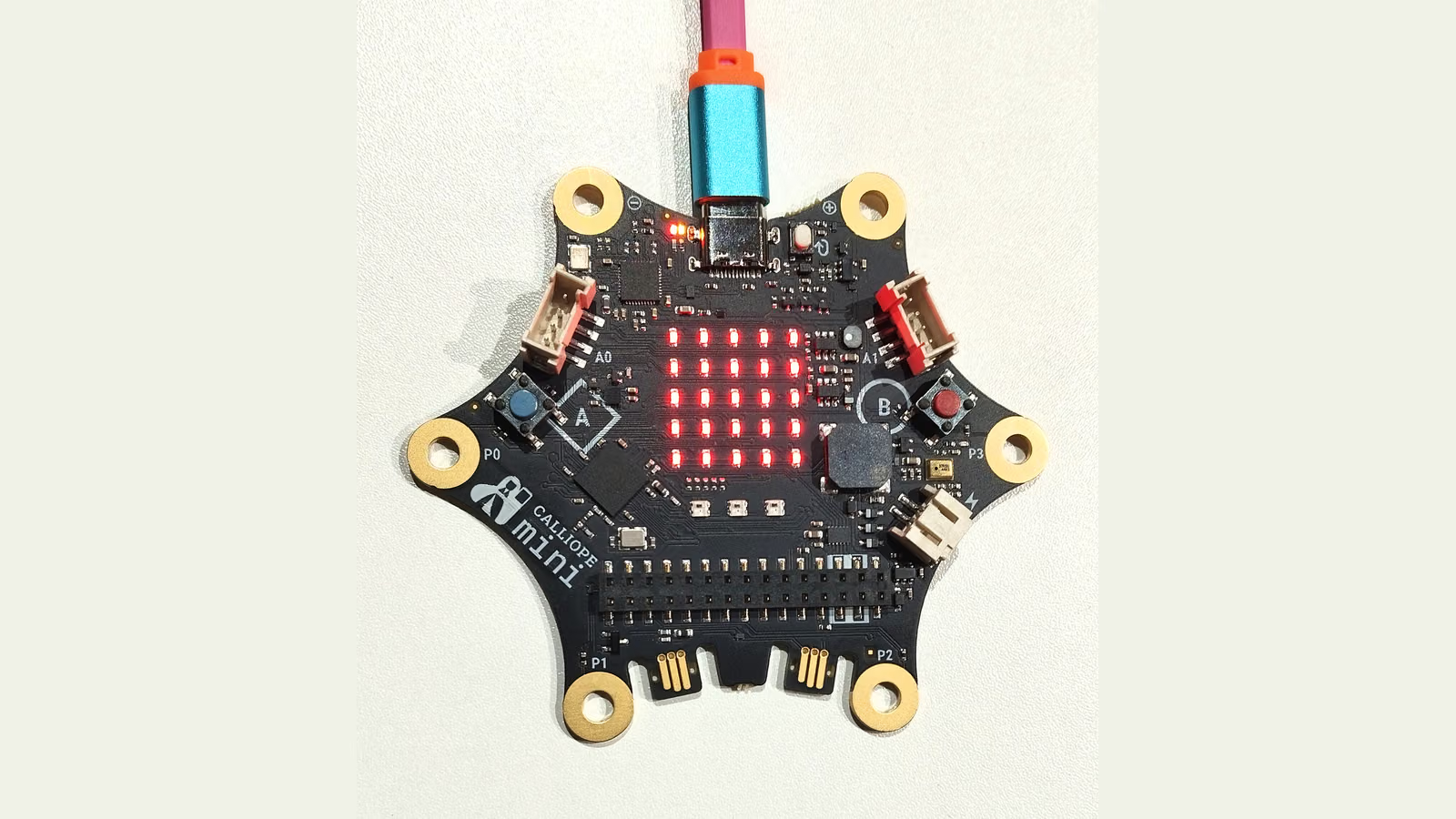
You do not need to explore every component immediately. Having them available means the next idea may already have what it needs.
Blocks give children something they can reason about
For the first steps, I would choose MakeCode and its visual blocks. A button event can contain an instruction to display a picture. A loop can repeat a sound. An if-block can decide what happens when a reading crosses a threshold.
The structure is visible. A child can point to the event that starts an action and follow the instructions inside it. Once they understand the relationship, they can begin changing the behaviour with a purpose.
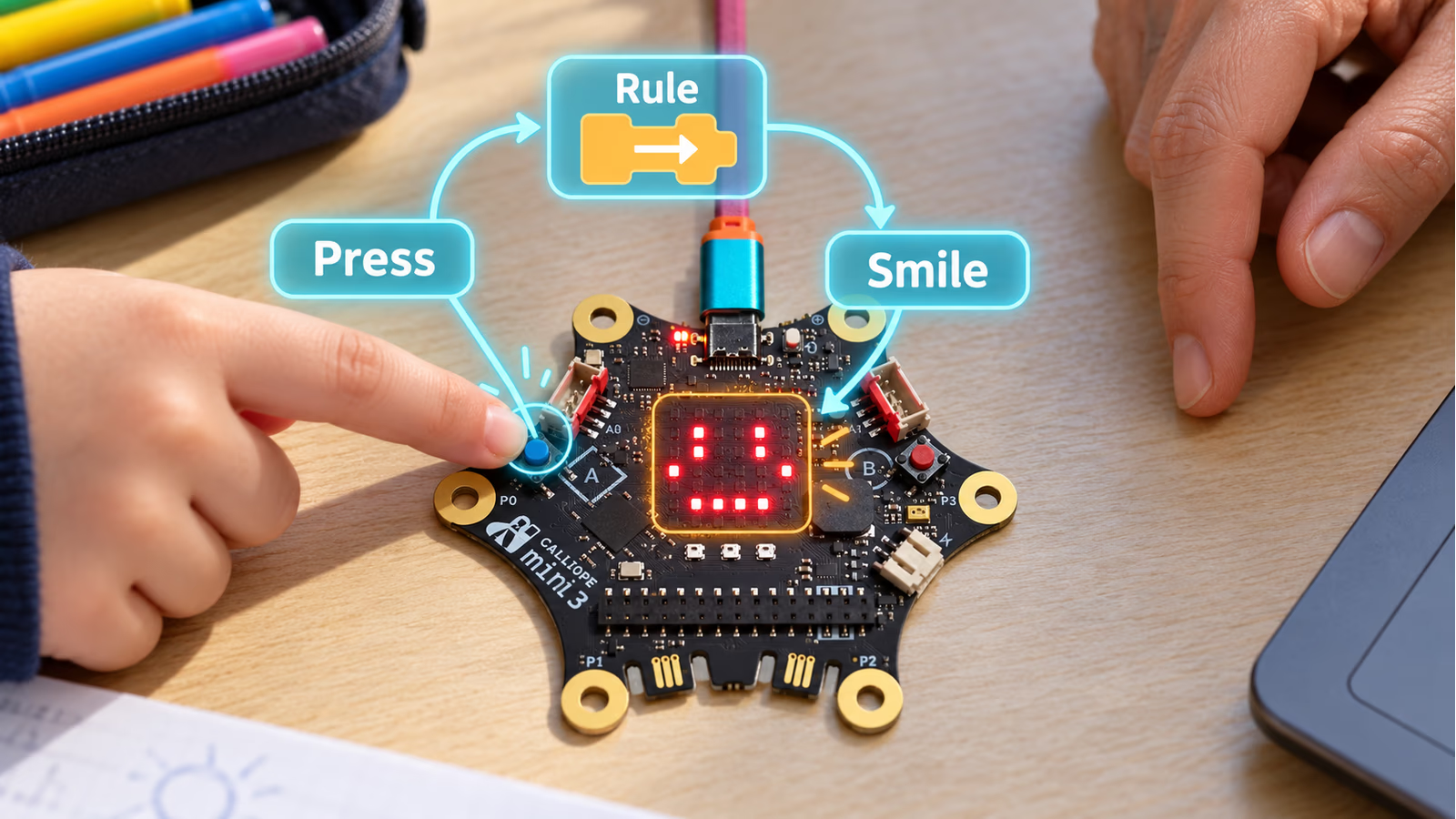
AI-generated AR-style project idea. The board appearance uses MAbW’s reference photograph (CC BY-SA 4.0); the scene and overlays are illustrative.
Calliope also offers routes into JavaScript and Python, including a separate MicroPython editor. There is room to move towards text when it helps the next project. The editors and their capabilities should be checked for the chosen activity rather than treated as identical environments. Programming options.
There is no reason to hurry that move. A good block program still involves real choices about inputs, conditions and timing. Finishing a small game that makes sense is a useful achievement in its own right.
For a parent, the approachable editor is an invitation to join in. You can ask what a block does, try a different number and compare the result together.
Small projects can grow without starting again
A reaction game is a good example. Begin with an image that appears after a wait, then ask the player to press a button. Later, add a random delay so the player cannot predict the signal. Add a score, or a penalty for pressing too early.
Each change gives the child a reason to learn another idea. Random numbers make the game less predictable. A variable keeps a result. A condition checks whether the player followed the rule.
A light-controlled character offers another starting point. Cover the board, and it shows a sleepy face. Uncover it, and the character wakes up. The child can then choose how dark is dark enough and discover why one threshold may behave differently by a window and under a desk.
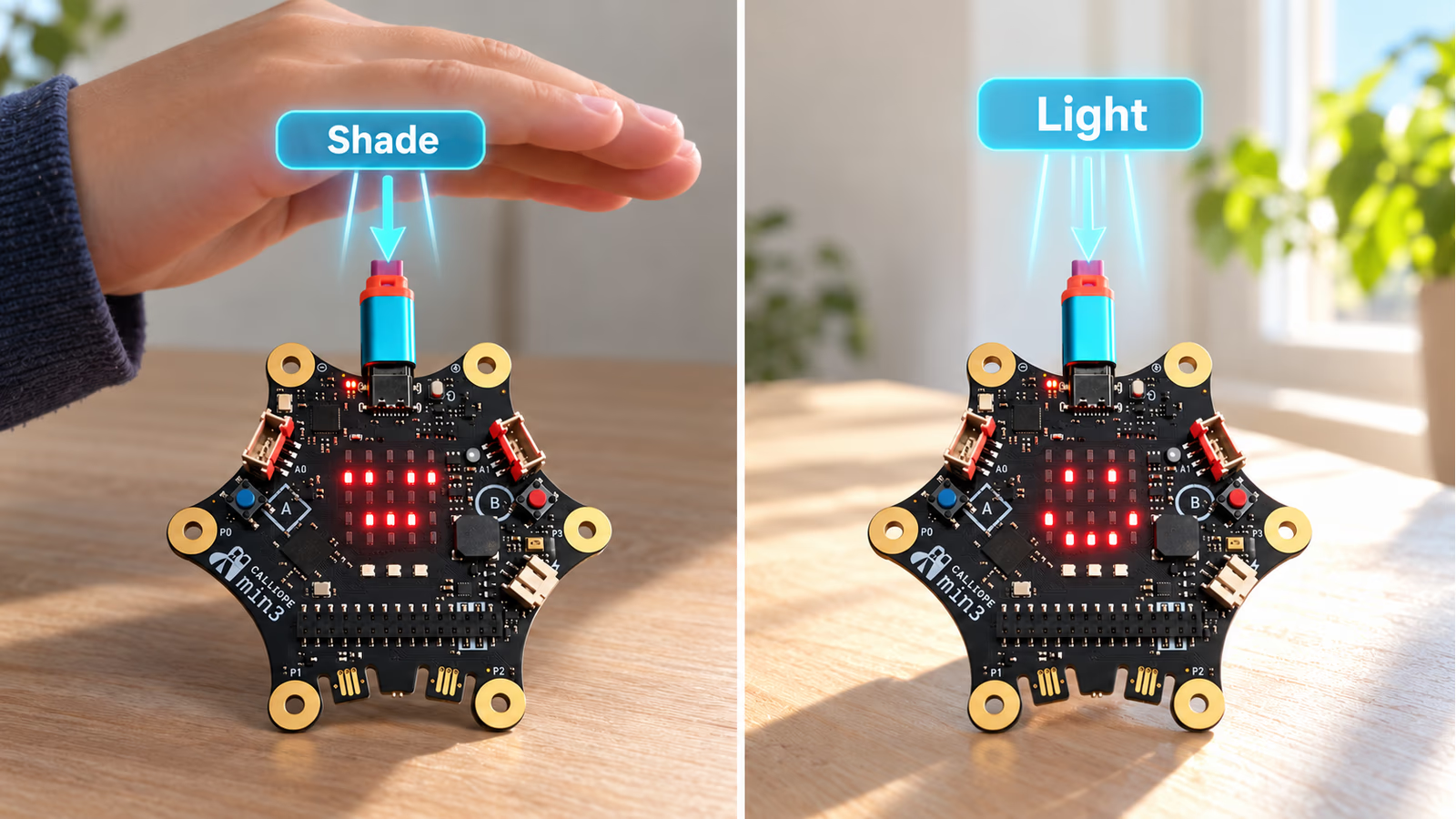
AI-generated AR-style light-sensor project idea. Reference photograph: MAbW, CC BY-SA 4.0. The two scenes are examples, not measured classroom results.
These are activities I would try, rather than results from a child-development study. Their value is in the questions they create. What should count as a win? Why did the face change twice? How could the program respond more clearly?
The hardware gives those questions a visible outcome. That makes the learning easy to share: someone else can play the game or test the character and suggest the next improvement.
The Servoboard Box brings movement into the idea
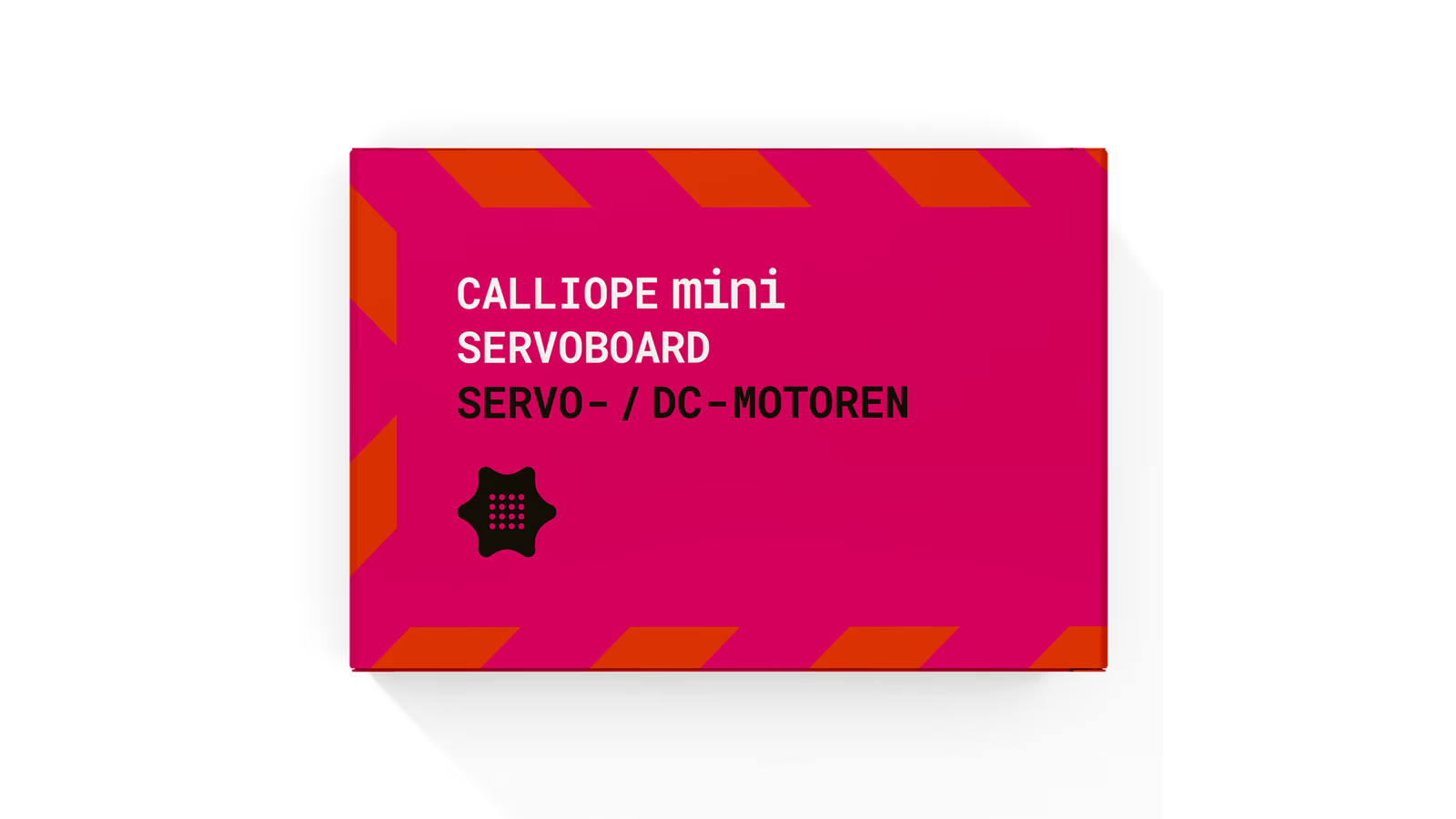
Official product image: Calliope. This is the separate Servoboard kit; the Calliope mini board is bought separately.
The Servoboard is an expansion for the mini 3’s pin header. The box includes two positional 180-degree servos, two continuous-rotation 360-degree servos, fan parts and a four-AAA battery holder, along with the expansion board. The Calliope mini itself is purchased separately. Box contents.
That addition makes the cardboard car park possible. One positional servo can lift a lightweight barrier. A different model could turn a pointer, open a small paper door or move the mouth of a cardboard character.
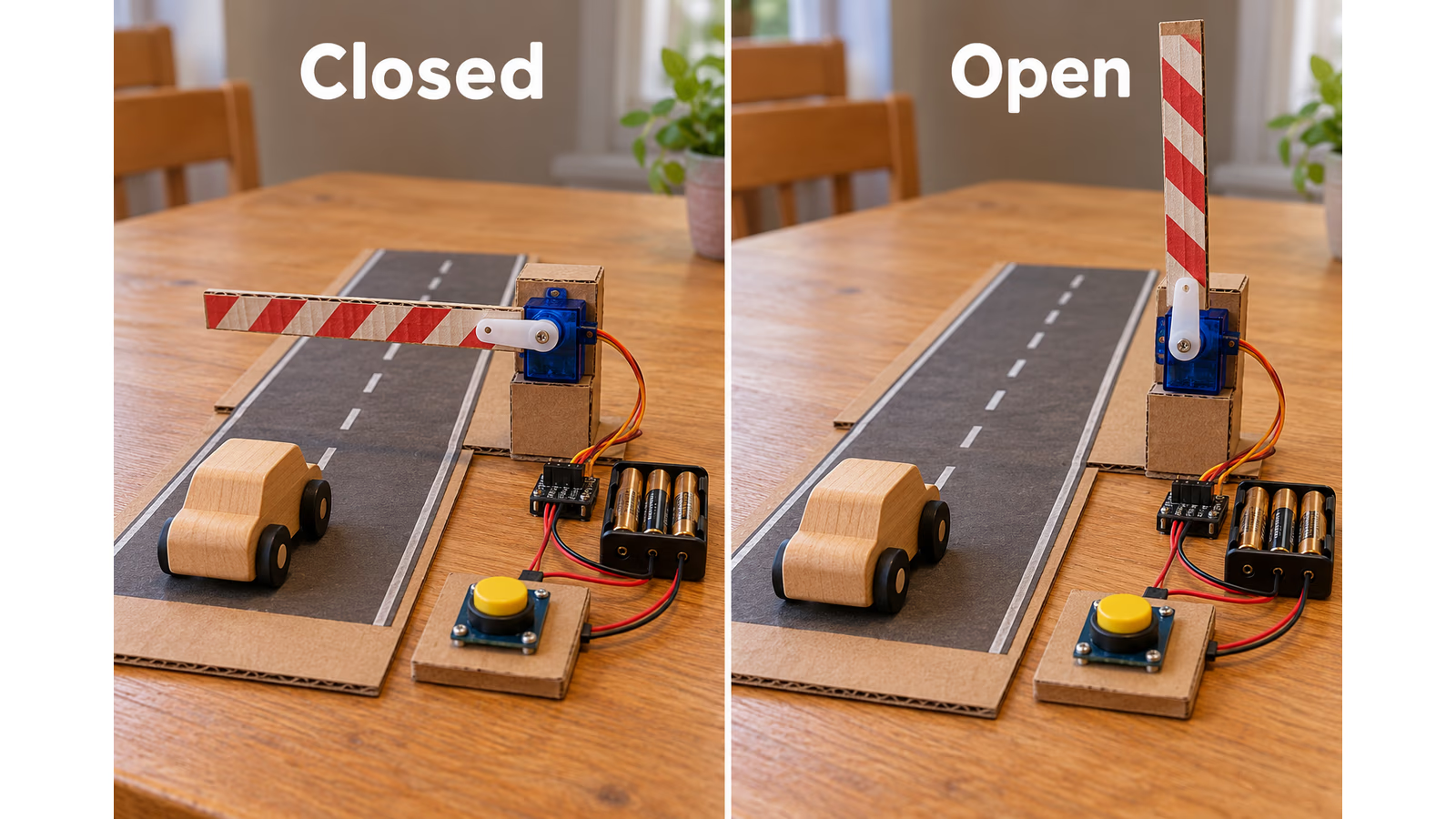
AI-generated illustration of a possible project, using generic electronics. It is not a photograph of a tested Calliope build or a wiring guide.
Related reading
I especially like how movement brings making and programming together. The code may be correct while the cardboard arm bends or catches on its support. The next improvement might involve a better hinge or a lighter part, rather than another instruction.
The Servoboard provides connections for up to four servos and two DC motors. Calliope specifies a maximum of four actuators operating simultaneously, so six available connections should not be read as six independent movements at once. Its guide also explains the battery connection, servo orientation and MakeCode servo extension. Servoboard guide.
For the first moving project, I would use one servo and a very light model. There is plenty to learn before adding more moving parts.
Two kinds of servo, two useful lessons
The distinction between the supplied servo types is worth explaining early. A positional servo moves towards a chosen position within its range. That makes it suitable for the cardboard barrier or a pointer on a dial.
A continuous-rotation servo works differently. The command controls its direction and speed, rather than telling it to hold a particular angle. It can keep turning, which suggests wheels or rotating decorations. Calliope explains this difference in its motor documentation. Motor guide.
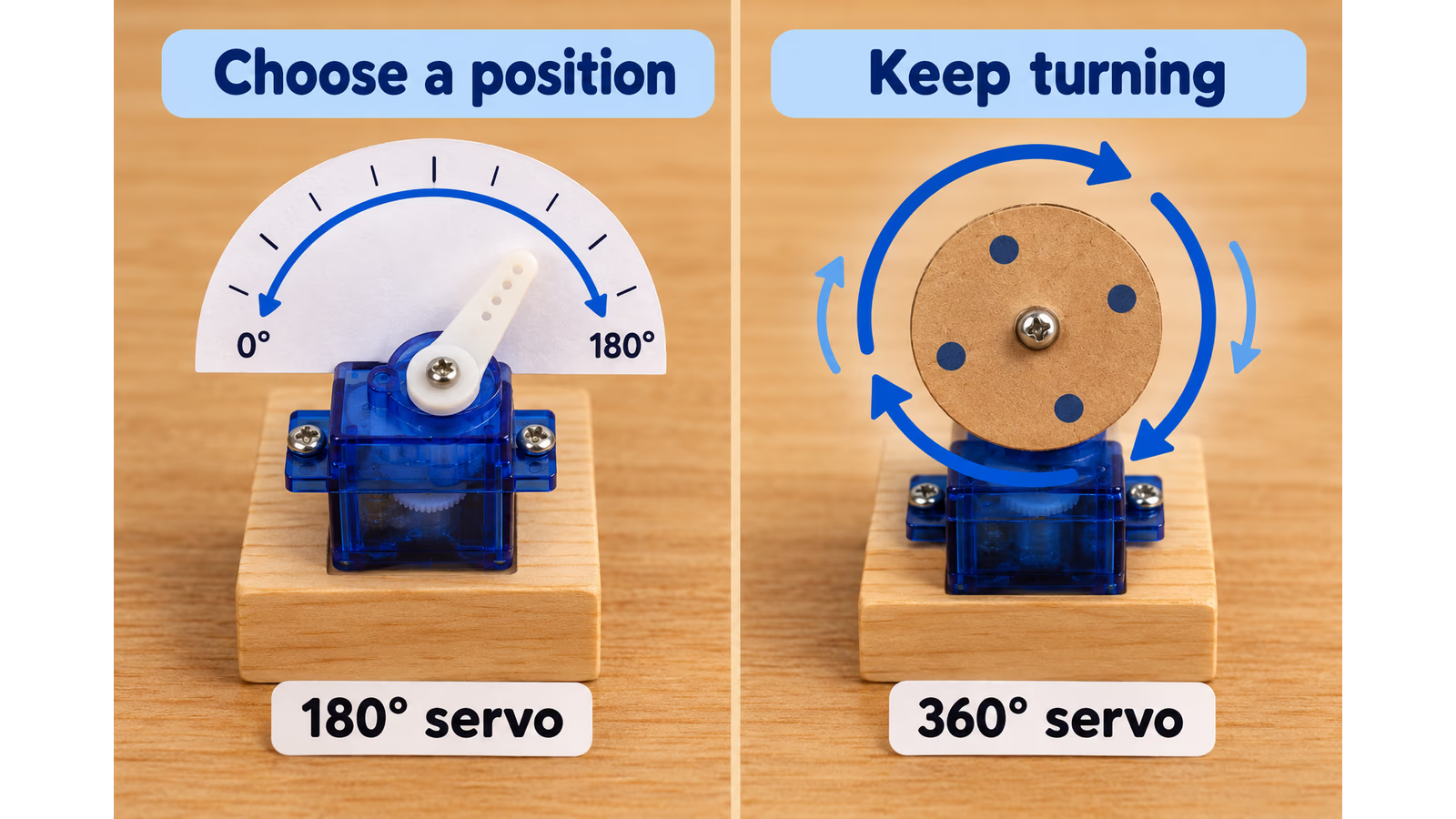
AI-generated explanation with generic servos. The drawings explain the two behaviours rather than identify a specific supplied motor.
That is a useful discovery to make with an adult nearby. Two parts can look similar and still need different instructions. Read the label, understand the job and choose the appropriate part.
Follow the Servoboard’s connection and power guidance, and keep fingers clear of moving parts. The fun is in seeing a model respond, not in forcing a small motor to lift something too heavy.
Why I think it is worth buying for a child
The strongest reason to buy this combination is the amount of freedom it gives a small idea. The board can provide the light or sound. The Servoboard can provide movement. Cardboard, paper and a child’s imagination can provide the rest.
I would see the purchase as an invitation to spend time making things together. The adult does not have to arrive with every answer. Sometimes the most useful contribution is to ask what was supposed to happen, then help compare that with what actually happened.
A mistake can stay small enough to investigate. If a gate closes too soon, change the delay. If the pointer moves the wrong way, check the intended positions. Try one change, run the project again and explain the difference.
There is also room for interests beyond computers. A child who enjoys drawing can design the character around the board. Someone who likes stories can build a moving scene. A child interested in games can invent rules and ask the family to try them.
No electronics kit can promise an improvement in every child’s abilities. What this one offers is a practical setting for practising planning, testing and explaining an idea. I find that a convincing reason to make space for it at home.
A useful place in a technical school
Although Calliope has roots in primary and lower-secondary teaching, the projects can become more demanding. Its official collection includes introductory activities, workbooks and material for different subjects and levels. A teacher has somewhere to start when planning a lesson. School resources.
In a technical school, I would use the mini for an early automation project. Build a model gate, describe its intended states and decide which input changes each state. Then ask what should happen if the button is held down or pressed again halfway through a movement.
Students can draw the state diagram, write the program and compare the model with their description. The next version could use a sensor or exchange a message with a second board. Each addition should solve a problem the students can explain.
The work can also be shared between students. One can design the mechanism while another develops the control logic, then both have to agree on how the finished system behaves.
I would be pleased to find equipment like this in every technical school with an introductory electronics or computing course. It gives beginners a manageable system they can understand as a whole. Later courses can go deeper into the electronics and software that the friendly first project brings together.
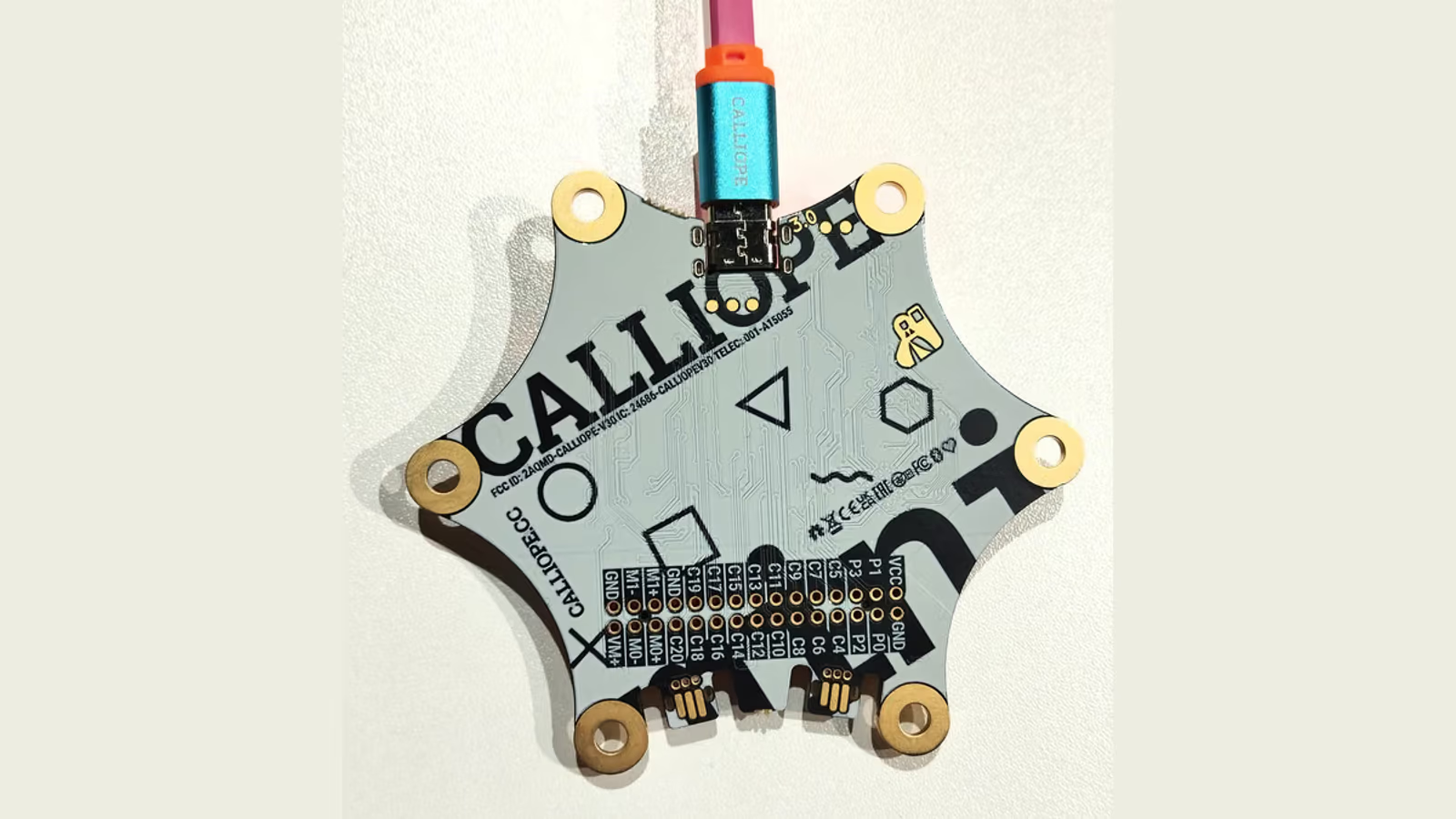
Real product photograph by MAbW, CC BY-SA 4.0, reframed and converted to AVIF. Source photographs are credited below.
Related reading
What the starting price actually includes
At the time of research on 19 October 2026, Calliope’s official shop listed the mini 3 at €39.90 and the Servoboard Box at €29.50. Together, that is €69.40 before shipping. The displayed prices include German VAT. The listings describe German delivery, so buyers elsewhere should check the available supplier, delivery area and final total. Calliope mini 3, Servoboard Box.
For that starting amount, I think the combination offers good value for a family that will return to it. The same equipment can serve another game or model, and the motors give a child a new way to develop an earlier idea.
There is no need to buy both at once. The mini alone is a sensible beginning for light, sound, buttons and sensor projects. Add the Servoboard when the child wants something to move. That also avoids presenting too many unfamiliar pieces on the first afternoon.
Budget for the four AAA cells needed by the Servoboard’s battery holder and ordinary craft supplies. The mini’s standard two-cell battery pack and the Servoboard’s four-cell holder belong to different setups; follow the guide for the one you are using.
Give it a project, and a little time
My recommendation comes with a practical suggestion: choose the first activity before the equipment arrives. Something small enough to finish, with an obvious way for the child to change it.
Keep the first session relaxed. Let the child choose the picture, name the game or decorate the model. When something works, leave time to play with it. There is no requirement to turn every successful experiment immediately into a harder lesson.
For me, Calliope mini 3 is a very appealing educational purchase, and the Servoboard Box is a worthwhile next step. Together they can support the move from following an example to deciding what a small machine should do.
The cardboard gate is only one possibility. The more interesting moment is when a child looks at the working model and says what they would like to build next.
Scope: this is a research-based family and education assessment, with proposed projects rather than reported teaching trials. It adds a different perspective to our earlier technical review. No new personal test period or measured learning outcome is claimed.
Photo credits: Calliope mini 3 front and back photographs by MAbW, original photograph 1 and original photograph 2, licensed CC BY-SA 4.0. These reframed AVIF versions retain the same licence. The two project explanations were generated with AI and show generic components.


One email a month: new articles, reviews and the upcoming live webinar + free recording. No spam, unsubscribe anytime.