The useful idea behind a trackball is easy to explain: the device stays still while the pointer moves. That makes the Logitech M570 interesting for a crowded desk, a narrow shelf or a working position with little room to move a mouse. I like products that change a physical constraint rather than add another shortcut to an already crowded feature list.
Quick verdict
I would shortlist it for the focused role described here.
Best for: A right-handed crowded desk where mouse movement space is the real problem.
Main benefit: The stationary body saves the desk space a conventional mouse needs for travel.
Biggest drawback: Thumb control, ball cleaning and an older Unifying software arrangement require a deliberate fit check.
Logitech M570 right-handed trackball, Dark Gray, 910-001799
Amazon US · US
Check price and availability: Logitech M570 right-handed trackball, Dark Gray, 910-001799 at Amazon USAffiliate link. As an Amazon Associate I earn from qualifying purchases.
Reviewed version: Logitech M570 right-handed trackball, Dark Gray, 910-001799
Compatibility: A suitable USB connection and matching Logitech Unifying receiver. Check current operating-system and button-configuration support rather than rely only on the old guide.
Review context: I assess thumb control, a stationary working position, accessible ball cleaning and the receiver and software ownership routine.
I would consider the M570 for someone willing to learn thumb control and check an older product’s software situation. I would not buy it on the assumption that a trackball automatically feels right for every hand. The body, ball position and button reach are a specific arrangement. The benefit only arrives when that arrangement suits the person using it.
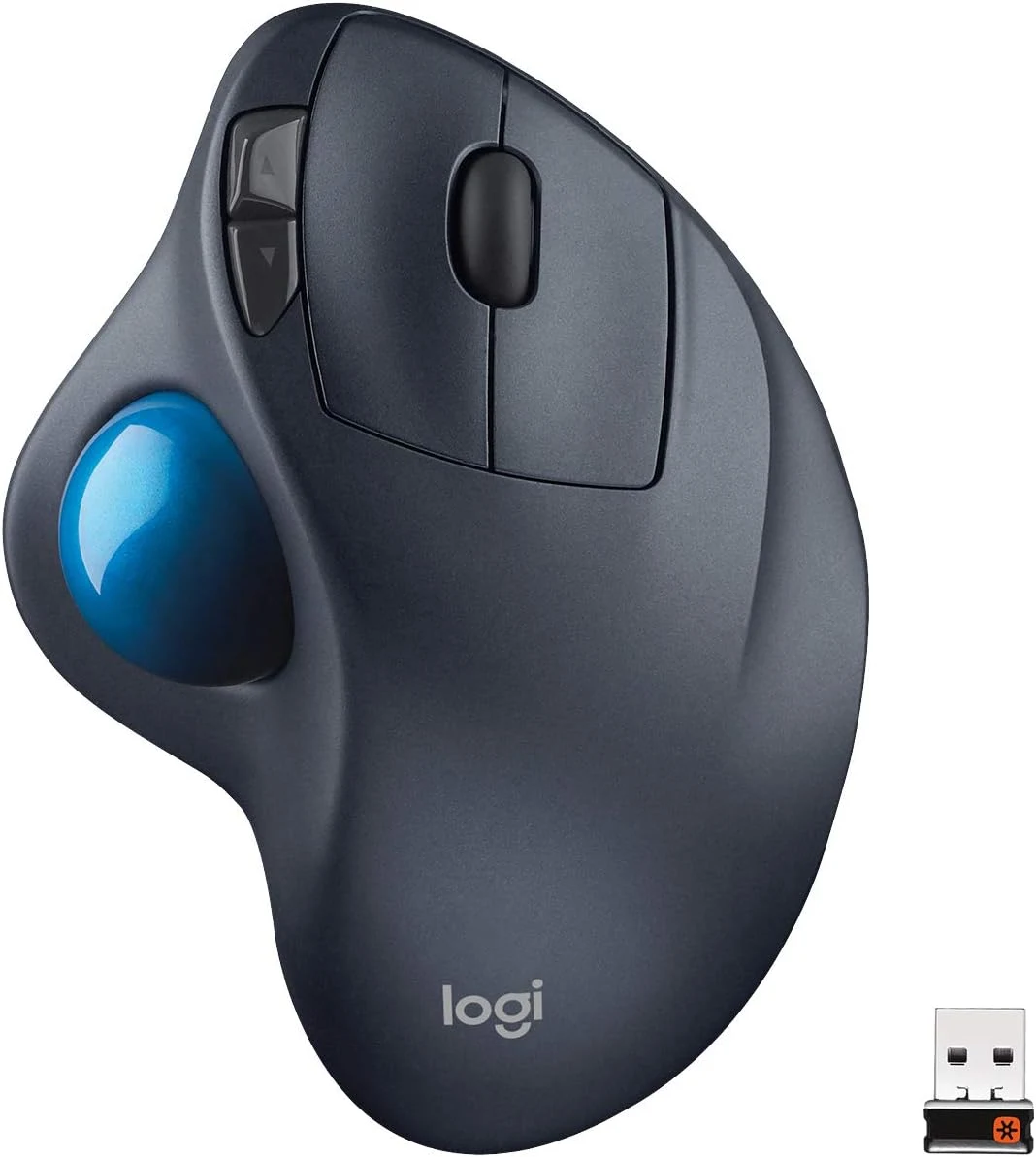
The stationary body is the main attraction
Product images: the verified retailer gallery and any original manufacturer illustration credited in the sources. These are not personal test photographs.
Related reading

Logitech’s getting-started guide shows the thumb-operated ball, conventional buttons, scroll wheel and Unifying receiver. The important change is that the body does not need a clear patch of desk for repeated travel. That can make a small working area more usable without changing the keyboard or screen.
I would still place the device deliberately. A stationary body can sit in a bad position just as easily as a mouse can. I would want the controls within comfortable reach, with space to rest and move the hand naturally. Keeping the M570 still should not become an excuse to put it too far away.
Thumb control needs a fair trial
I would begin with ordinary work rather than a game or a precision demonstration. Selecting a word, placing a cursor in code, moving between browser tabs and handling a long page are useful tests because they recur during the day. The goal is to discover whether the different control method becomes natural for those tasks.
The pointer settings matter. I would start with a controllable speed, then adjust one setting at a time. A large desktop can make excessive sensitivity tempting, but overshooting small targets is its own cost. I would prefer a setting that allows deliberate selection without turning every movement into a correction.
I would also keep the familiar mouse available while deciding. Switching between two tools can reveal whether the trackball solves the original problem or merely feels different. There is no reason to defend a new input method if the hand, software or main applications continue to prefer the old one.
The ball is a service point
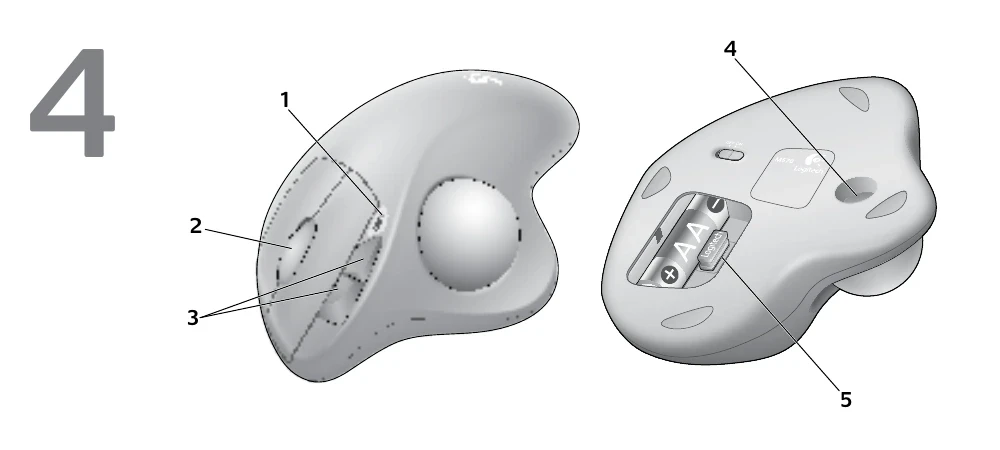
The official guide shows how to remove the ball to reach its supports. I like that the main contact area is accessible. Dirt that builds up around a moving part should have a clear cleaning route rather than turn immediately into a replacement purchase. I would follow Logitech’s instructions and avoid treating every cleaning product as suitable for the surface.
A change in pointer feel would make me inspect the ball and supports before rewriting all the settings. Physical resistance and software sensitivity are different causes. Changing both at once makes it harder to understand what improved the result. A simple cleaning routine can keep ownership understandable without pretending that a mechanism never wears.
Related reading

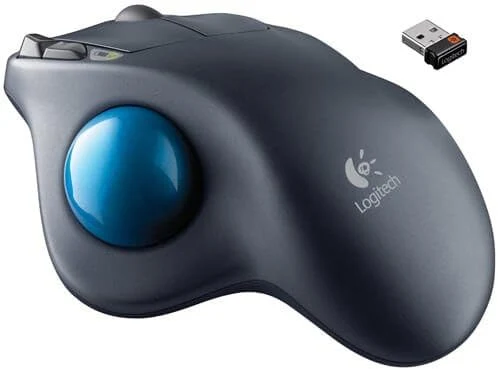
The receiver is not Bluetooth
The M570 uses Logitech’s Unifying arrangement. I would confirm that the correct receiver is present, particularly with a used unit. A random Logitech receiver is not automatically a replacement, and a modern Bolt product should not be confused with an older Unifying one because both carry the same brand.
Logitech’s connection troubleshooting discusses power, receiver position, interference and the connection path. That is useful background when planning a desk full of docks and wireless equipment. I would follow the supported arrangement rather than assume every hub or KVM behaves identically.
The guide also belongs to an older software era. On a current Mac or Windows computer, I would check what Logitech presently supports before relying on button remapping. Basic pointer movement and the full original customisation experience are different requirements. A download link in an old PDF is not proof that the software runs on the current operating system.
Battery convenience should remain ordinary
The replaceable battery is an understandable ownership choice. I would keep a suitable spare, use the power switch when appropriate and follow the instructions for storage. A long battery-life claim is useful planning information, but it is not my measured result and should not become an exact replacement schedule.
I would also separate an old battery problem from a worn or dirty mechanism. A clear seller and return route matter with a long-established product, because the age and condition of the actual unit can vary. The model’s reputation does not describe every used specimen or every package sold under a familiar name.
Who I would recommend it to
I would shortlist the M570 for a right-handed working position where mouse travel is the real obstacle and the thumb-operated layout feels comfortable. Its stationary role is the reason to choose it. I would skip it when the main need is a light portable mouse, effortless modern software integration or a grip that does not fit this body.
Related reading
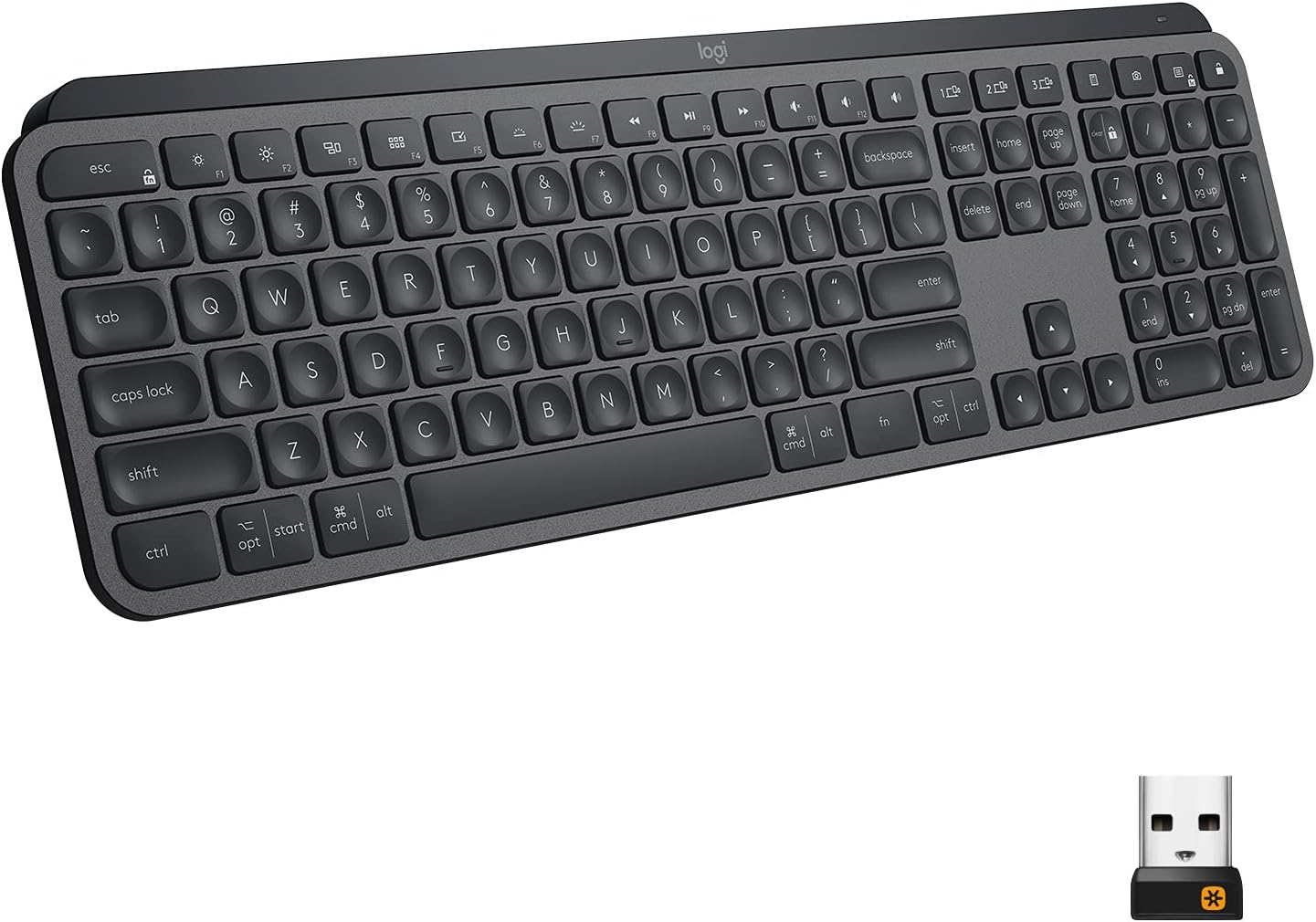
For a conventional productivity arrangement, I would compare the MX Master 3. For a different upright grip, I would compare the MX Vertical. Neither is a trackball replacement in function; each is a better choice when the original desk problem turns out to be different.
My view is positive, with the age of the product kept visible. I like the M570’s clear physical purpose and accessible ball cleaning. I would buy only after confirming hand fit, the receiver and the current host requirements. That is enough to make it a sensible specialist input device without claiming that everyone should learn to use one.
What worked
The stationary body saves the desk space a conventional mouse needs for travel.
What bothered me
Thumb control, ball cleaning and an older Unifying software arrangement require a deliberate fit check.
Who should not buy it
Thumb control, ball cleaning and an older Unifying software arrangement require a deliberate fit check.
Alternatives I would consider
Logitech MX Master 3. I would choose a conventional productivity mouse when its movement and controls already fit the desk. Read my Logitech MX Master 3 review.
Logitech MX Vertical. I would compare a different upright grip when the problem is hand fit rather than mouse travel. Read my Logitech MX Vertical review.
Evidence and sources
Specifications are attributed to the linked documentation. Images: Amazon product gallery and manufacturer manual diagrams. These are not personal test photographs or measurements.
Logitech M570 getting-started guide (image source: manufacturer manual diagrams)
Features, compatibility and rated figures from the maker are manufacturer information. My opinions are identified in the review.
Conclusion
Worth considering for the stationary role, after confirming condition, receiver and current host support.
Logitech M570 right-handed trackball, Dark Gray, 910-001799
Amazon US · US
Check price and availability: Logitech M570 right-handed trackball, Dark Gray, 910-001799 at Amazon USAffiliate link. As an Amazon Associate I earn from qualifying purchases.
One email a week with practical Mac workflows, useful comparisons and honest tech recommendations.