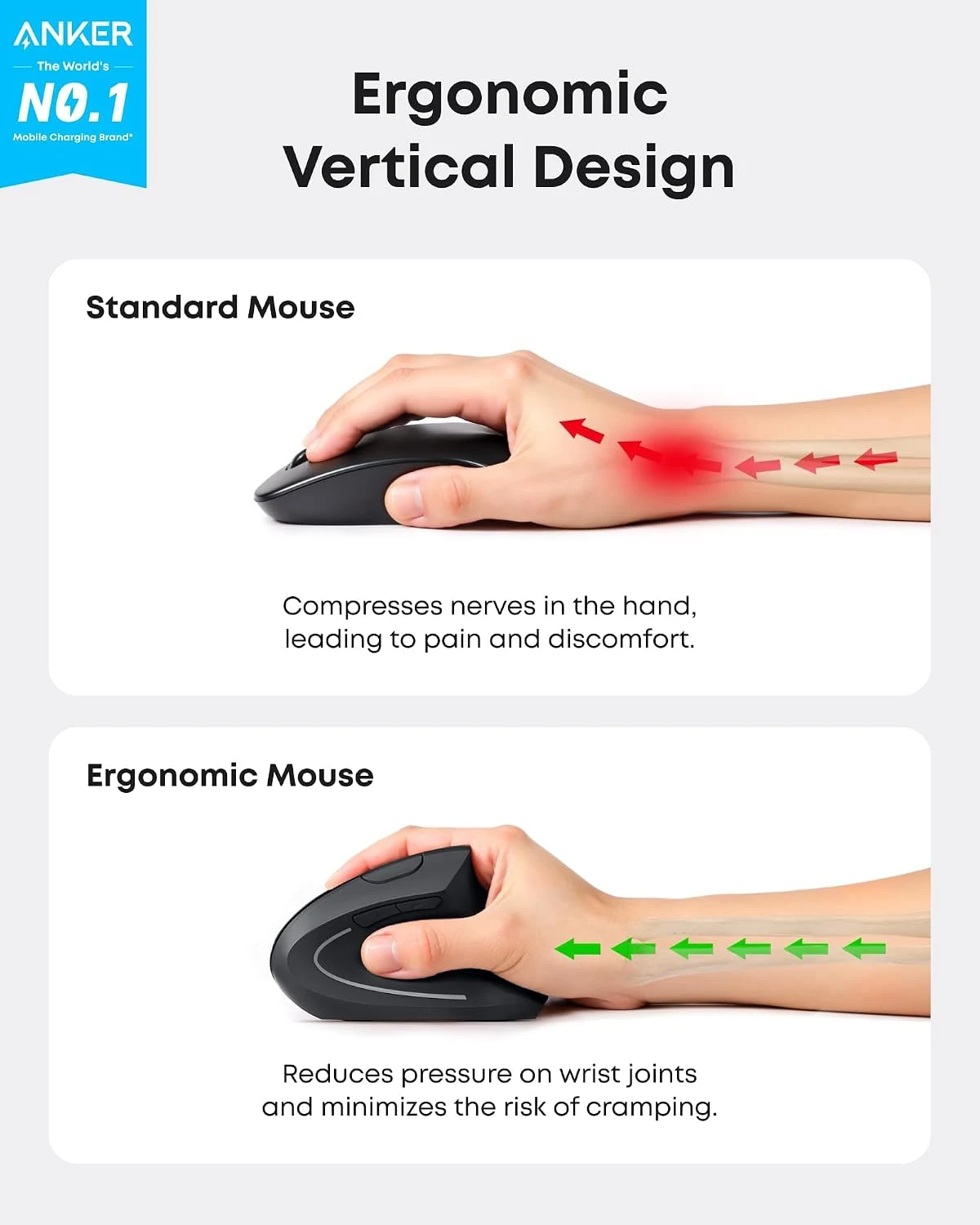
A different mouse shape is interesting when the ordinary one never quite feels right. Anker’s Vertical Ergonomic Mouse offers a clear alternative: a taller body with a more upright grip, rather than another variation on the familiar flat shape. I like having that choice at a modest level of complexity. I would still choose it by the way the hand fits, not by the word ergonomic on the box.
Review context: I assess grip, ordinary pointer tasks, sensitivity settings, receiver use and replaceable-battery ownership.
Quick verdict
I would shortlist it for the focused role described here.
Best for: Ordinary desk work while deliberately trying a different grip.
Main benefit: The upright shape offers a clear alternative to a conventional mouse grip.
Biggest drawback: Hand fit, the USB receiver and platform-specific button behaviour need checking rather than trusting the ergonomic label.
Worth the price?: Worth considering as a straightforward vertical option if the hand and workflow fit; a return route matters more than the label.
Reviewed version: Anker 2.4GHz right-handed vertical mouse, black, USB receiver model
Compatibility: The A7852-style receiver-based model, a suitable USB connection and supported host software. Check navigation-button behaviour on the intended Mac or PC.
Anker 2.4GHz right-handed vertical mouse, black, USB receiver model
Amazon US · US
Check price and availability: Anker 2.4GHz right-handed vertical mouse, black, USB receiver model at Amazon USAffiliate link. As an Amazon Associate I earn from qualifying purchases.
This is a mouse I would consider for ordinary pointer work and a deliberate trial of a vertical grip. I would not buy it as a guaranteed answer to discomfort or as a specialist precision tool. A working desk includes the chair, keyboard position, screen and habits as well as the mouse. The product needs to fit that whole arrangement to earn a place.
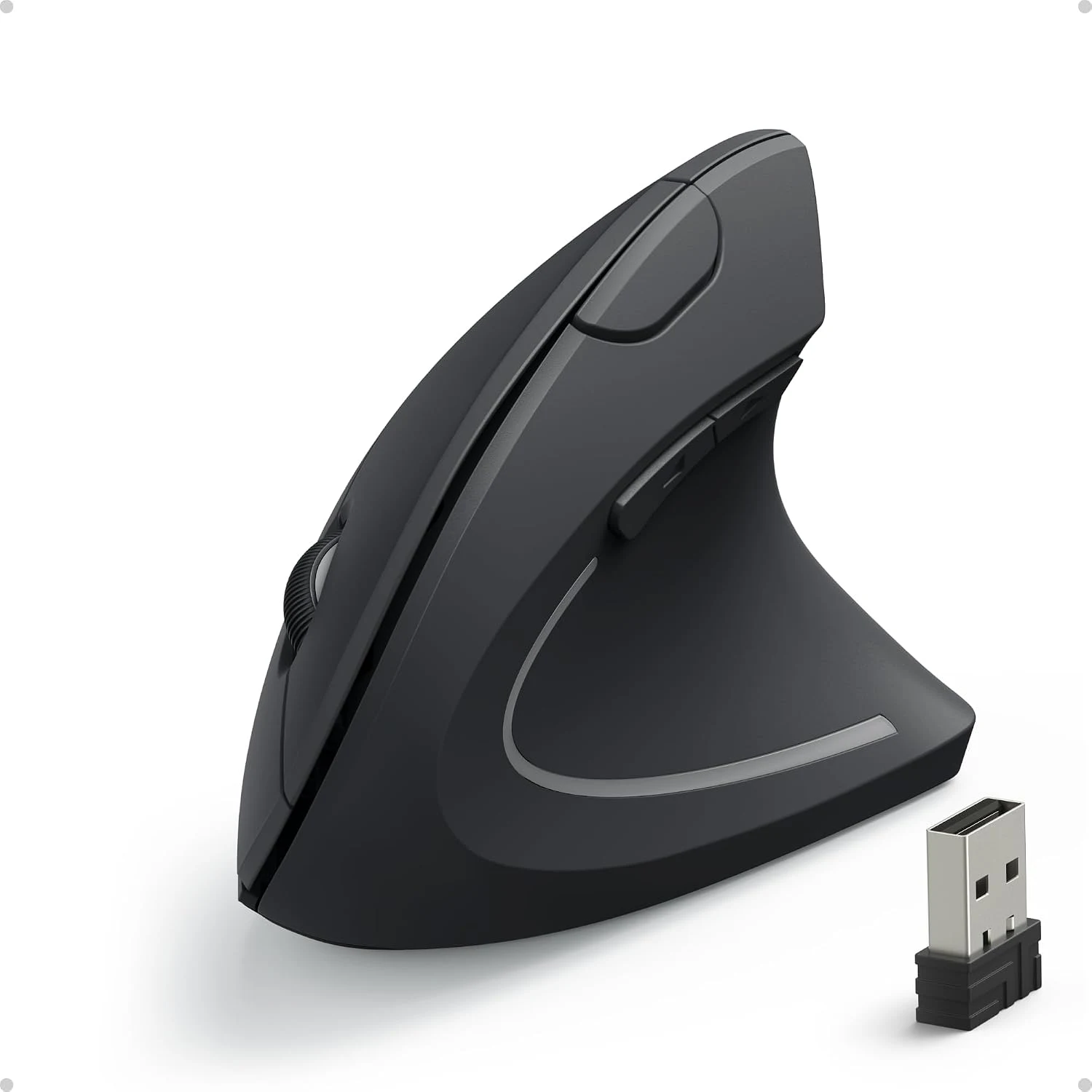
Identify the receiver-based model
Product images: the verified retailer gallery and any original manufacturer illustration credited in the sources. These are not personal test photographs.
Related reading

Anker’s A7852 product information describes a 2.4GHz wireless vertical mouse using a USB receiver. It lists three sensitivity settings and a battery compartment for two AAA cells. That is a different ownership routine from Bluetooth pairing or connecting a cable to recharge an internal battery.
I would check the exact selected listing before ordering, because Anker has also sold wired vertical designs. The shape alone is not enough to identify the connection. A computer with only USB-C ports may need a suitable adapter or hub for the receiver, and I would include that occupied port in the decision.
A vertical grip changes familiar movements
The appeal of the design is easy to understand: the hand approaches the buttons from a different angle. I would judge whether the fingers reach the controls without stretching and whether lifting and repositioning the body feels natural. A photograph cannot settle either question, because hand size and the way someone holds a mouse vary.
I would give the new shape a fair, deliberate trial during ordinary work rather than judge it from one dramatic movement. Selecting text, moving small windows and reaching the edge of a display are useful tasks because they happen repeatedly. I would keep the previous mouse available while deciding whether the change actually suits the desk.
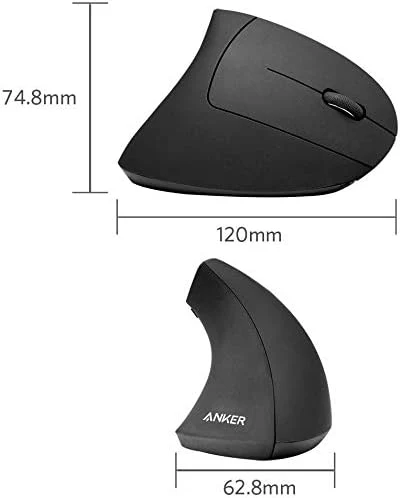
A tall body also changes what happens when the mouse meets a mug, keyboard or laptop stand. I would leave enough clear space for it instead of treating the old mouse’s footprint as a complete measure of fit. The physical arrangement should make the new grip easier to use, rather than force the hand around surrounding objects.
Sensitivity is a setting, not a quality score
Anker lists 800, 1200 and 1600 DPI options. Those are selectable sensitivity levels, not a ranking of how good the mouse must be. I would start with a setting that makes ordinary pointing controllable, then adjust the operating system’s pointer behaviour with the actual display arrangement in place.
A large desktop and a small laptop screen ask for different distances of movement. The useful result is being able to reach a target without repeated correction. I would not choose the highest setting simply because it is the largest number, especially while learning an unfamiliar grip.
Related reading
For code editing, the pointer is often doing small, specific jobs between long periods of typing. Selecting a line, using a sidebar or changing a window can reveal more than moving a cursor around an empty desktop. I would judge the mouse against those jobs before considering any promise about general productivity.
Extra buttons need a real host check
The product includes next and previous controls. I like the possibility of keeping a repeated navigation action near the hand, but I would confirm their behaviour on the exact operating system and applications involved. A button existing physically does not establish that every platform gives it the same action or configuration.
That matters particularly for a Mac purchase. I would check Anker’s manual and support material rather than assume this receiver-based mouse provides the same software options as a dedicated productivity model. Basic pointer support and deeper button customisation are different requirements.
If a working day depends on carefully chosen shortcuts, I would name those shortcuts before buying. It is easier to compare two mice against a few known actions than to buy one and spend an afternoon trying to recreate a workflow its software never promised. A simple mouse can be a good product without becoming every other mouse.
Batteries and sleep belong in the routine
Replaceable AAA cells keep the power arrangement understandable. I would keep a suitable spare pair nearby and follow the product’s instructions about battery type and storage. The benefit is avoiding a permanently attached charging cable; the trade-off is remembering that a battery replacement will eventually be needed.
Anker describes an automatic power-saving mode and a click to wake the mouse. I would learn that behaviour before mistaking a sleeping pointer for a lost receiver. A brief pause after leaving the desk is a different experience from a fault during continuous work, and the distinction makes troubleshooting less frustrating.
Related reading

What I would compare before buying
For a more integrated vertical productivity mouse, I would compare the Logitech MX Vertical, including its connection options and software. For a smaller hand, I would look at the Logitech Lift rather than assume every upright design has the same size. The grip should decide the comparison first.
My verdict is positive for a defined buyer. I like the Anker as a straightforward way to consider a different mouse posture without an elaborate feature system. I would buy it from a seller with a clear return route, confirm the receiver and button support, and let ordinary work decide the fit. If the hand or workflow does not suit the shape, a familiar conventional mouse remains a sensible choice.
What worked
The upright shape offers a clear alternative to a conventional mouse grip.
What bothered me
Hand fit, the USB receiver and platform-specific button behaviour need checking rather than trusting the ergonomic label.
Who should not buy it
Hand fit, the USB receiver and platform-specific button behaviour need checking rather than trusting the ergonomic label.
Alternatives I would consider
Logitech MX Vertical. I would compare it when connection options and productivity software are important. Read my Logitech MX Vertical review.
Logitech Lift. I would compare the smaller shape for a hand that does not fit a larger vertical mouse. Read my Logitech Lift review.
Evidence and sources
Specifications are attributed to the linked documentation. Images: Amazon product gallery. These are not personal test photographs or measurements.
Features, compatibility and rated figures from the maker are manufacturer information. My opinions are identified in the review.
My final verdict
I would shortlist it for the focused role described here. Worth considering as a straightforward vertical option if the hand and workflow fit; a return route matters more than the label.
Anker 2.4GHz right-handed vertical mouse, black, USB receiver model
Amazon US · US
Check price and availability: Anker 2.4GHz right-handed vertical mouse, black, USB receiver model at Amazon USAffiliate link. As an Amazon Associate I earn from qualifying purchases.
One email a month: new articles, reviews and the upcoming live webinar + free recording. No spam, unsubscribe anytime.