I like PyCharm because a Python project is rarely just the file open in the editor. The selected interpreter, installed packages, data, environment variables, and working directory all affect what happens when the code runs. Keeping that context visible is a good reason to use a dedicated Python environment. It is a product I enjoyed, especially for the way it treats project setup as part of development.
Quick verdict
I recommend PyCharm for Python work where the environment and the code need to stay connected.
- Best for
- Developers managing Python interpreters, dependencies and repeated project tasks.
- Main benefit
- I like treating the interpreter, run configuration and relevant code as one project.
- Biggest drawback
- A wrong interpreter or environment can still produce an incomplete picture.
PyCharm
JetBrains · Choose the local store or delivery region
Check price and availability: PyCharm at JetBrainsProduct link.
Reviewed version: PyCharm
Compatibility: Choose the exact personal, business or bundle licence for the intended work. Check the current host, project-toolchain and account requirements.
Review context: The review focuses on developers managing Python interpreters, dependencies and repeated project tasks.
We paid for our JetBrains software. The screenshots in this article come from JetBrains documentation.
The current PyCharm page offers a free starting point with a Pro trial. That makes it important to choose around the actual workflow. Basic Python work and a project involving web frameworks, remote execution, or additional professional tools can have different requirements.
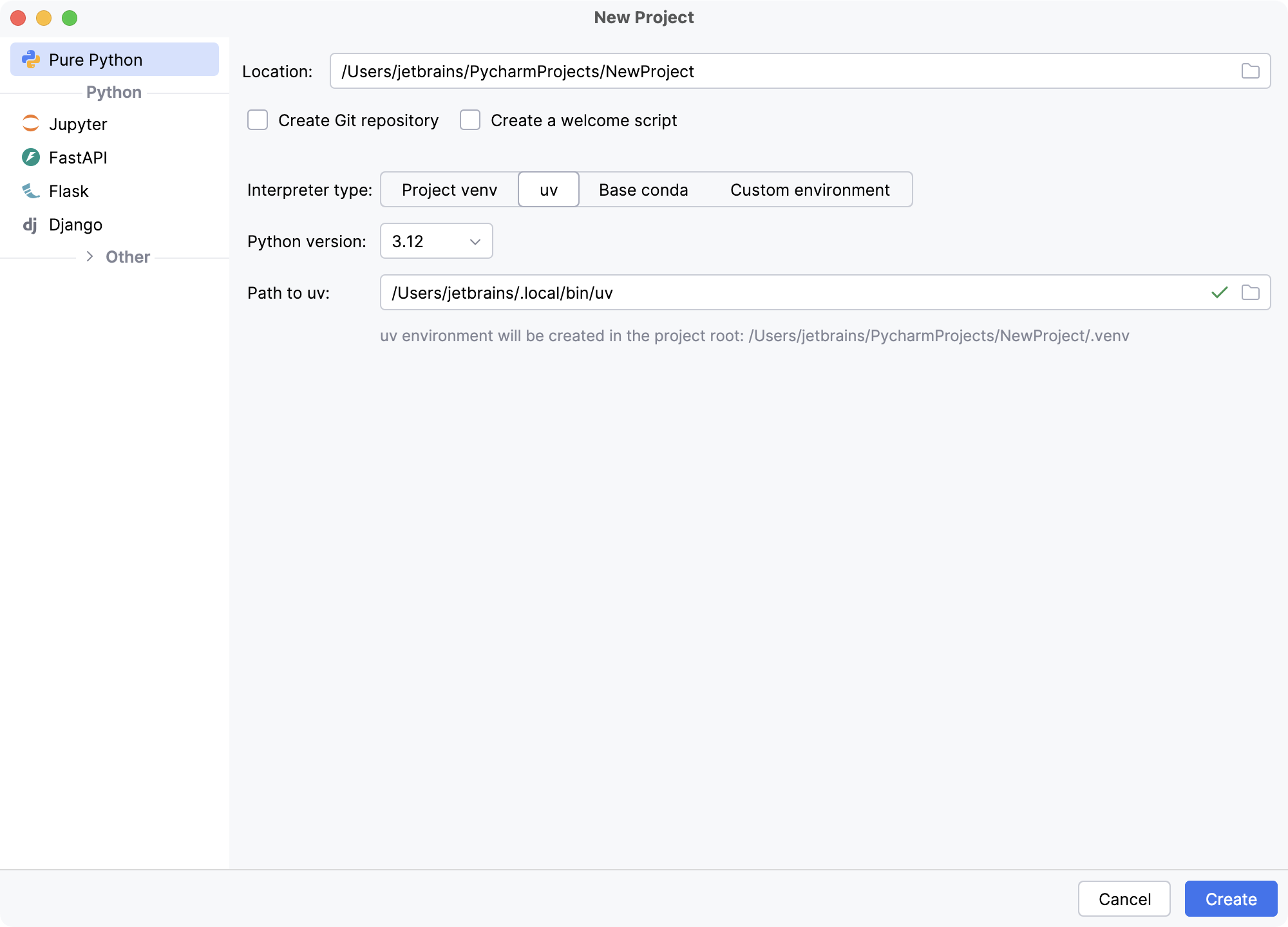
Make the interpreter a visible choice
The easiest Python error to misunderstand is often an environment error. A package may be installed, but for another interpreter. A tool may launch from a different working directory. A script may receive an environment variable in the terminal that never reaches a saved run setup.
PyCharm’s interpreter documentation describes local environments and, with Pro, remote execution options. It also covers several environment tools, including uv. The important idea is clear association: this project runs with this Python environment.
I like that approach because it gives the developer a clear place to look when behaviour differs. It is more useful than repeatedly reinstalling packages until the error goes away. A clear interpreter path and a known set of dependencies turn a vague problem into something that can be checked.
Related reading
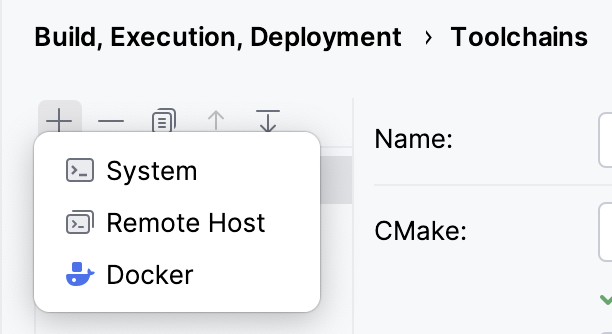
The project should still explain its own setup. A lockfile, installation instructions, and a meaningful command belong in shared project knowledge. PyCharm can make those facts convenient to use without becoming their only record. That matters when another colleague prefers a different editor or the code moves to CI.
A small project should stay small
A full IDE can make it tempting to create more structure than a script needs. I would resist that. A small tool can remain one clear entry point with a few dependencies. The environment should help run and understand it, rather than turn it into a miniature enterprise application.
The official first project guide shows project creation, an environment choice, code analysis, and running code. These are good basics. The useful part is the connection between them, not the number of dialogues involved.
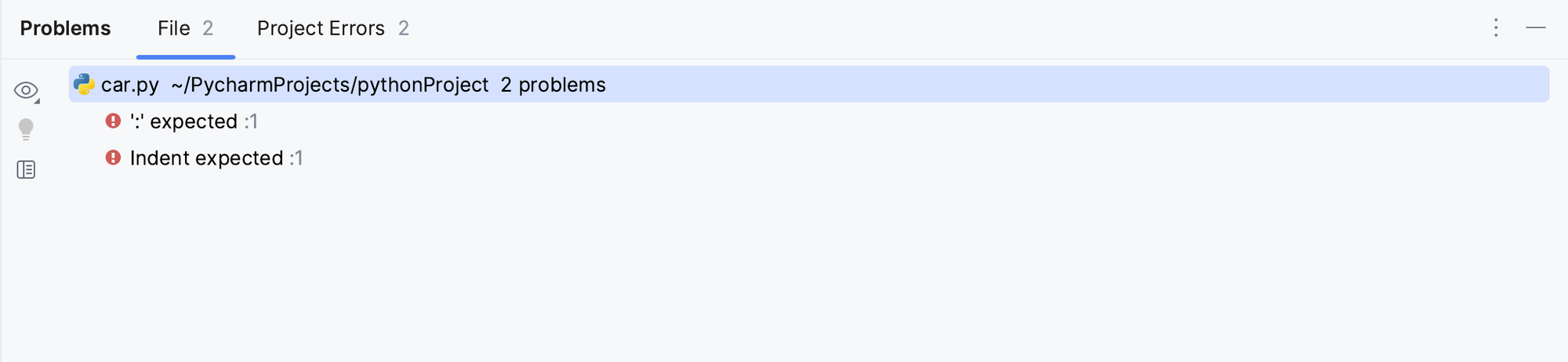
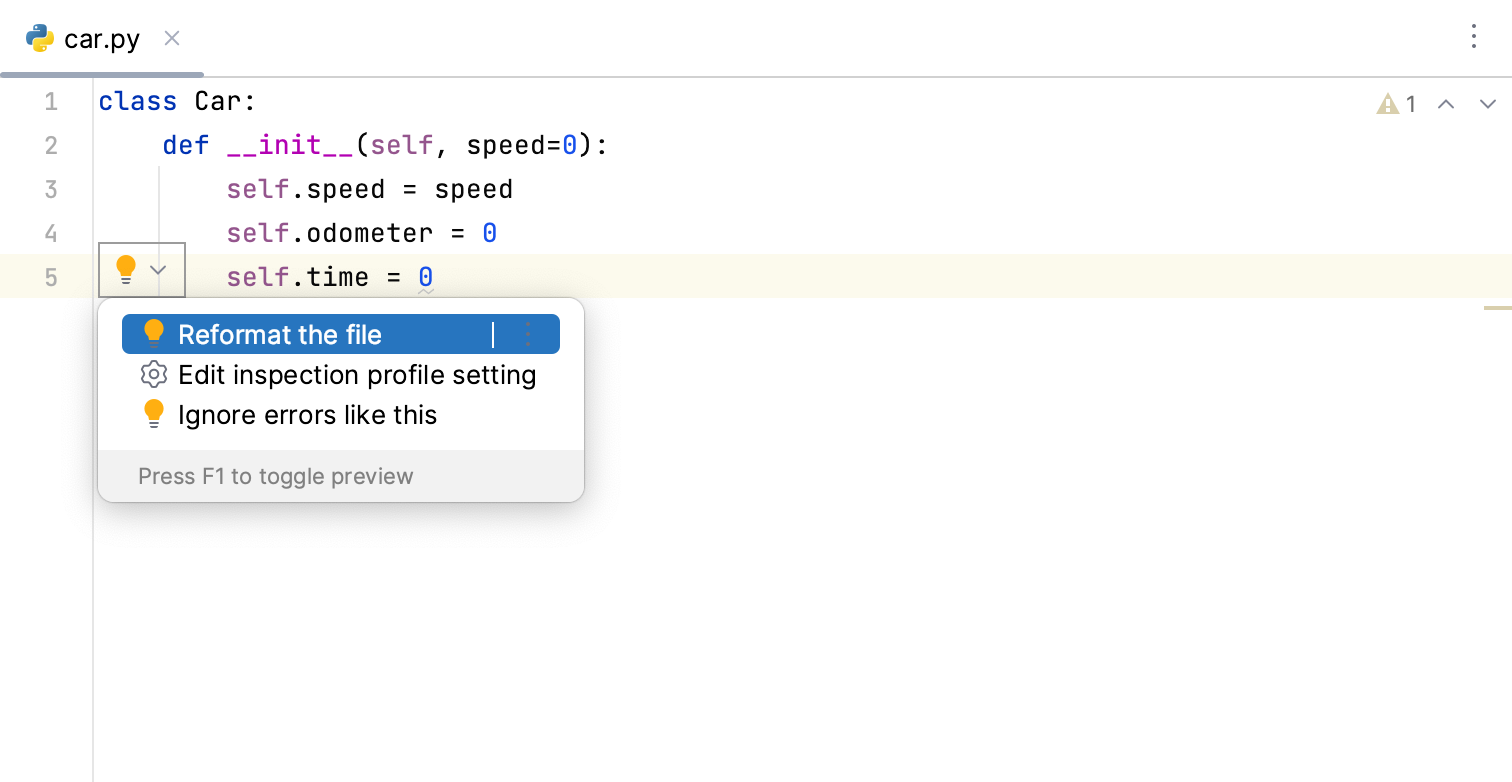
For a beginner, visible feedback can help connect a syntax problem to the line that caused it. For an experienced developer, the same system can reduce interruption while moving across a larger project. Those are different benefits from the same basic idea: keep feedback near the work.
I also like tools that do not make every warning equally urgent. A missing import, a questionable type assumption, and a style preference are different kinds of information. The environment should help separate them, while shared project rules decide which style choices matter.
The useful intelligence is about relationships
Python’s flexibility makes project understanding important. A function may be passed around, a class can be extended indirectly, and data can arrive with a shape that only the surrounding code makes clear. Type information helps, but it does not remove the need to read the application.
For me, PyCharm is interesting when navigation and analysis make that reading easier. I want to reach the definition, see the likely callers, and understand the contract before editing. Saving a few keystrokes is pleasant; reducing uncertainty about an existing system is more valuable.
This is especially relevant in projects that mix small scripts with reusable modules. A helper written for one job may quietly become a dependency of several others. Before changing its behaviour, it helps to see that wider scope. The IDE can support the investigation, while tests and actual inputs establish what must remain true.
I would still keep public boundaries in mind. A package can be used outside the current project. A file format can be consumed by another service. The editor sees a project, while the real contract may extend beyond it. Good tooling makes more relationships visible without claiming to know every external agreement.
Debug the state that actually exists
Python code can be easy to read and still behave unexpectedly. A value may change type along a path. A mutable object may be shared more widely than intended. An input may contain an empty case that the main example never shows.
A debugger is useful because it turns these questions into visible state. The developer can pause at the relevant place and inspect the values that reached it. That is a stronger basis for the next edit than repeatedly adjusting code around an assumption.
Related reading
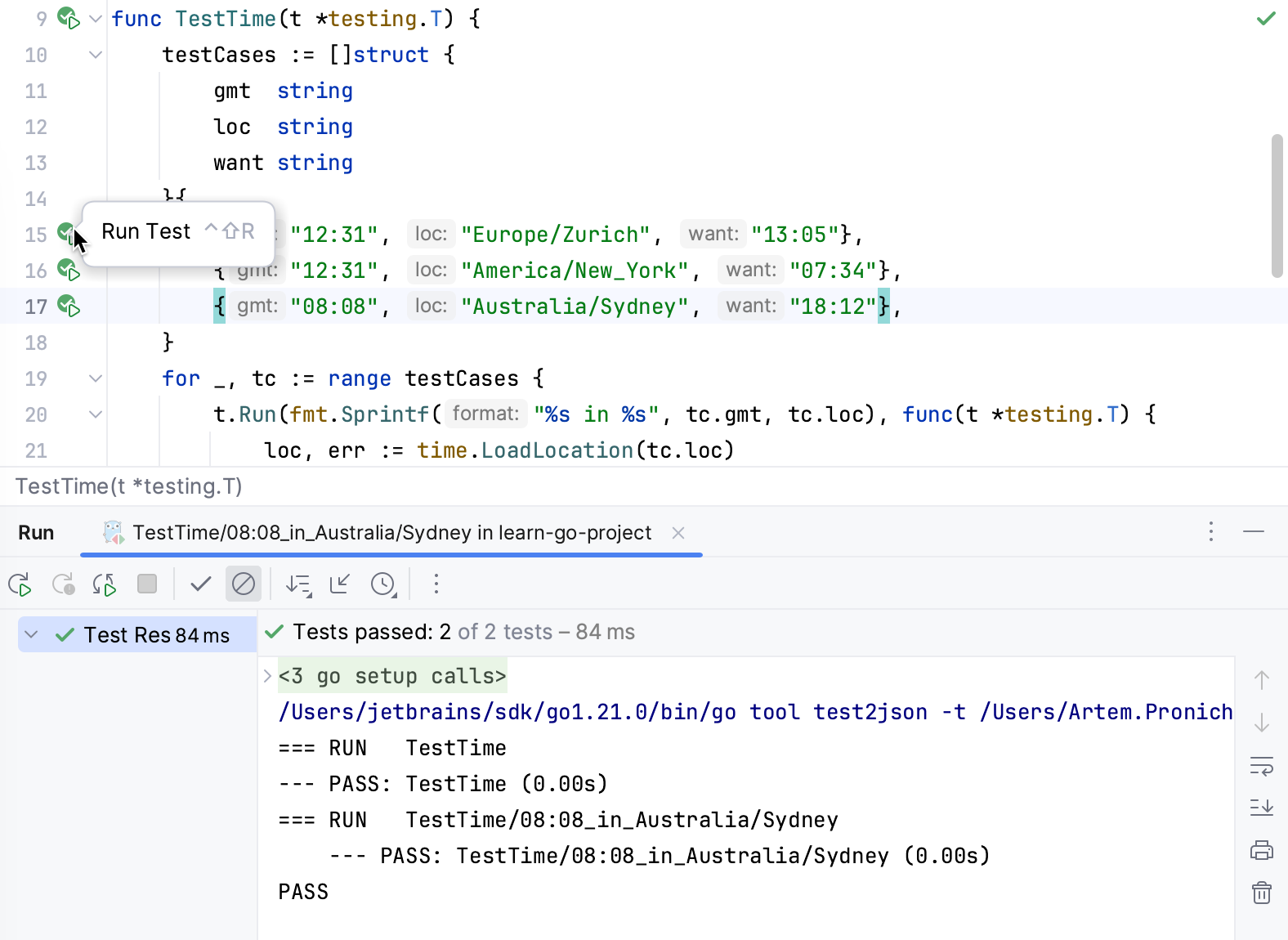
I like the integrated approach when the test, source, and runtime view are close together. The test describes the behaviour. The debugger shows the state behind a failure. The editor provides the surrounding relationships. Each view answers a different question, and the useful environment helps move between them.
The debugger is only one form of evidence. A slow data job may need profiling. A concurrency issue can need traces or a carefully designed reproduction. A remote service failure may depend on information outside the process. PyCharm is a place to work through a problem, rather than a reason to expect every problem to fit one tool.
Web and data work need different buying questions
The current PyCharm product page covers web, data, and machine learning work. That breadth is useful, but it should not make the edition decision vague. A person maintaining a web service needs different surrounding tools from someone exploring a data set or writing automation.
For web work, the important connections may include the framework, request handling, templates, and services. For data work, repeatable environments and clear input assumptions may dominate. For a small utility, a dependable run setup and code navigation can be enough.
I would name the repeated task before paying for the larger tier. “I need a convenient way to work with this remote interpreter” is a clear reason. “Pro has more features” is not. A bundle is useful when it replaces real friction, rather than creating another menu of possibilities to explore.
There is also a hardware question. The IDE, browser, data process, containers, and local models all share the same machine. The comfortable setup is the whole system working together. A review of the editor alone cannot decide how much memory a particular data project will need.
AI should respect the Python environment
An agent can write a plausible Python change while misunderstanding how the project runs. It may assume a package is available, choose a different interpreter, or create a test that exercises a simpler environment than the real application. These are practical reasons to keep the runtime context clear.
PyCharm’s current direction includes agents alongside its existing tools. I like that when the result is easier to inspect. A planned change should be connected to the project’s imports, environment, tests, and behaviour. A confident answer in chat is a useful explanation, not a replacement for those checks.
For a simple edit, I still prefer the most direct tool. A rename or extraction may be clearer as an ordinary refactoring. An agent becomes more useful when the job needs investigation and several connected actions. The environment should allow both paths without making one feel compulsory.
The payment choices should be clear too. IDE access and model usage can be separate. Paying for a Python environment does not necessarily include every provider or unlimited agent work. Current plans deserve a direct check against the account and workflow being considered.
The small choices I care about
I like knowing which environment is responsible for a result. In Python, a perfectly reasonable piece of code can fail because a dependency or interpreter differs. Making that context clear reduces the temptation to change application code around an environment problem. That is a practical reason for my positive view of PyCharm.
Related reading
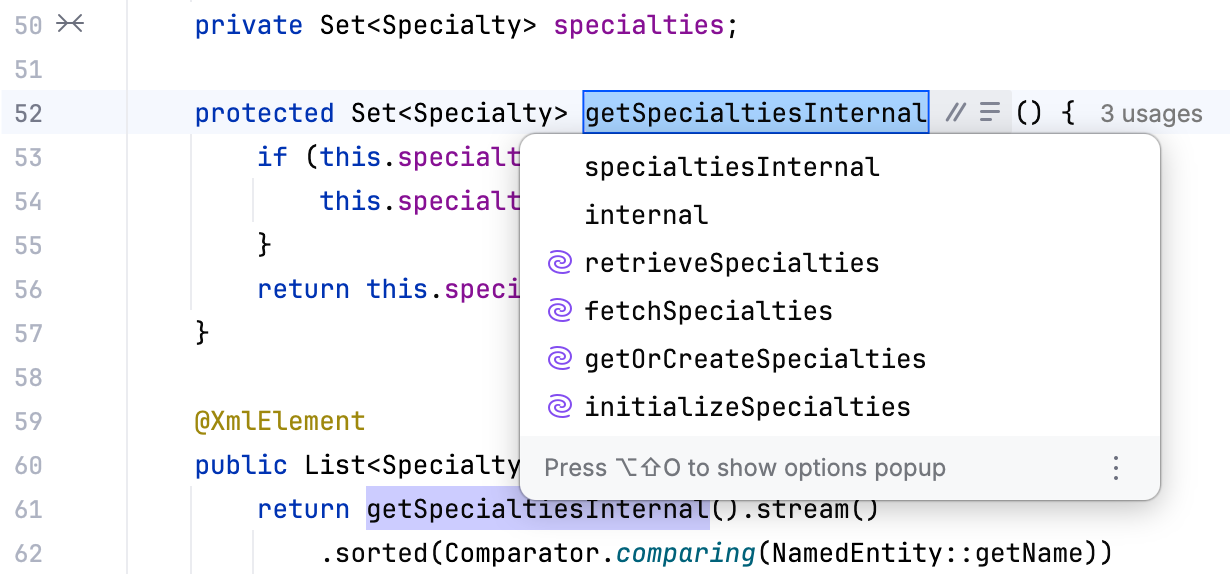
I also enjoy having a clear place to move from reading to investigation. A function can look obvious until an input reaches it in an unexpected shape. The useful next step is to examine the state or write a focused case, not to make the explanation sound more confident. A complete environment supports that change of question.
These priorities are ordinary, and that is the point. I do not need every project to use every professional feature. I want the product to make the common work feel more careful: choose the right interpreter, understand the relevant code, and check the behaviour that matters. PyCharm’s approach is enjoyable to me because those pieces belong to the same project rather than several disconnected setup tasks.
My verdict
I enjoyed PyCharm, and I like its focus on making the Python project understandable as a complete environment. Its strongest case is regular work where imports, interpreters, navigation, and checking the running app all matter. That is more large than a preference for one editor theme or completion popup.
For occasional short scripts, a lighter setup can be entirely good. PyCharm asks for some learning and setup, and those costs should earn their place. The free starting point gives readers a useful way to make that decision around their own work.
My recommendation is to choose the environment first and the edition second. Identify the interpreter, dependencies, and repeated task that the IDE should make easier. Then compare the current PyCharm plans. I find the product’s direction convincing because it brings the context around Python code into the same place as the code itself.
Where to buy
See PyCharm at the official product page. This is the product page for the model covered in this review. Check the model number, colour, included parts and delivery options before ordering. Prices and stock can change, so I use this page for the current offer. Matching the product to the review matters more to me than finding a similar name.
What worked
- I like treating the interpreter, run configuration and relevant code as one project.
- Navigation, tests and debugging support the same investigation rather than separate setup chores.
What bothered me
- A wrong interpreter or environment can still produce an incomplete picture.
- A paid edition is not automatically needed for every Python script.
Who should not buy it
- Someone expecting the IDE to remove the need to understand packages and the execution environment.
Alternatives I would consider
- Your existing Python editor and terminal. I would keep a simple arrangement for a small script that already runs clearly. PyCharm is more attractive when environment setup and project navigation recur every week.
Evidence and sources
The article separates my judgement from specifications and claims credited to their sources. Product images are identified by the credits in the article.
Features, compatibility and rated figures from the maker are manufacturer information. My opinions are identified in the review.
Conclusion
Worth it when the workflow needs its tools; choose the free starting point or Pro around the actual project.
PyCharm
JetBrains · Choose the local store or delivery region
Check price and availability: PyCharm at JetBrainsProduct link.
One email a week with practical Mac workflows, useful comparisons and honest tech recommendations.