The original DJI Neo interests me as a camera with a very specific job. I can see the appeal of making a short personal video from a viewpoint that would otherwise need another person holding a camera. The small form and palm-based operation make that purpose easy to picture, which is more useful to me than a long list of unrelated drone features.
Quick verdict
I would consider the original Neo for short, deliberate personal clips when the controller-free approach is the feature I actually want.
Best for: A creator who wants a small aerial camera for simple planned viewpoints and understands the limits of each control method.
Main benefit: Palm-based operation makes the idea of a compact personal filming tool easy to understand.
Biggest drawback: It has no obstacle avoidance, and features depend on how it is controlled; optional equipment changes the total cost.
DJI Neo controller-free package, original 135g model
Amazon US · US
Check price and availability: DJI Neo controller-free package, original 135g model at Amazon USAffiliate link. As an Amazon Associate I earn from qualifying purchases.
Reviewed version: DJI Neo controller-free package, original 135g model
Compatibility: DJI Fly on a supported phone for the applicable phone functions; optional remote-control and goggles arrangements require specifically compatible equipment. This is the original Neo, not Neo 2.
Review context: I assess the documented control modes, camera arrangement and complete package for short, planned personal videos.
This is the controller-free package for the original Neo. I would keep both parts of that description in mind when comparing offers. A later Neo model has a different feature set, and a bundle with extra controls has a different total price. The useful question is whether this exact package can do the job I have in mind.
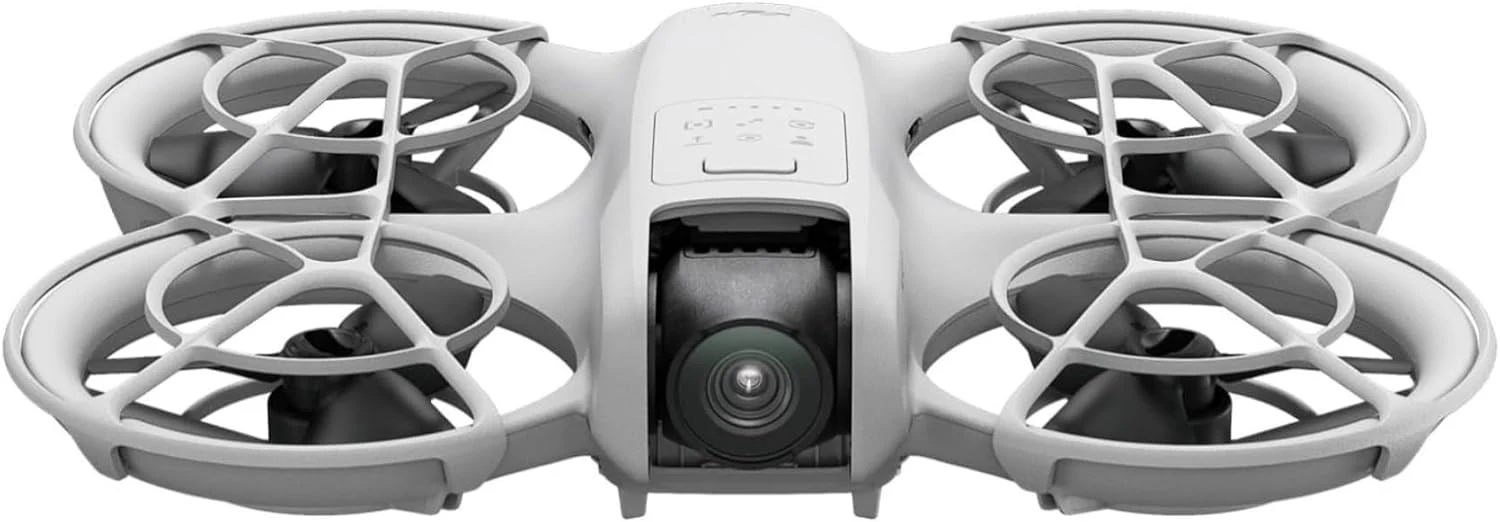
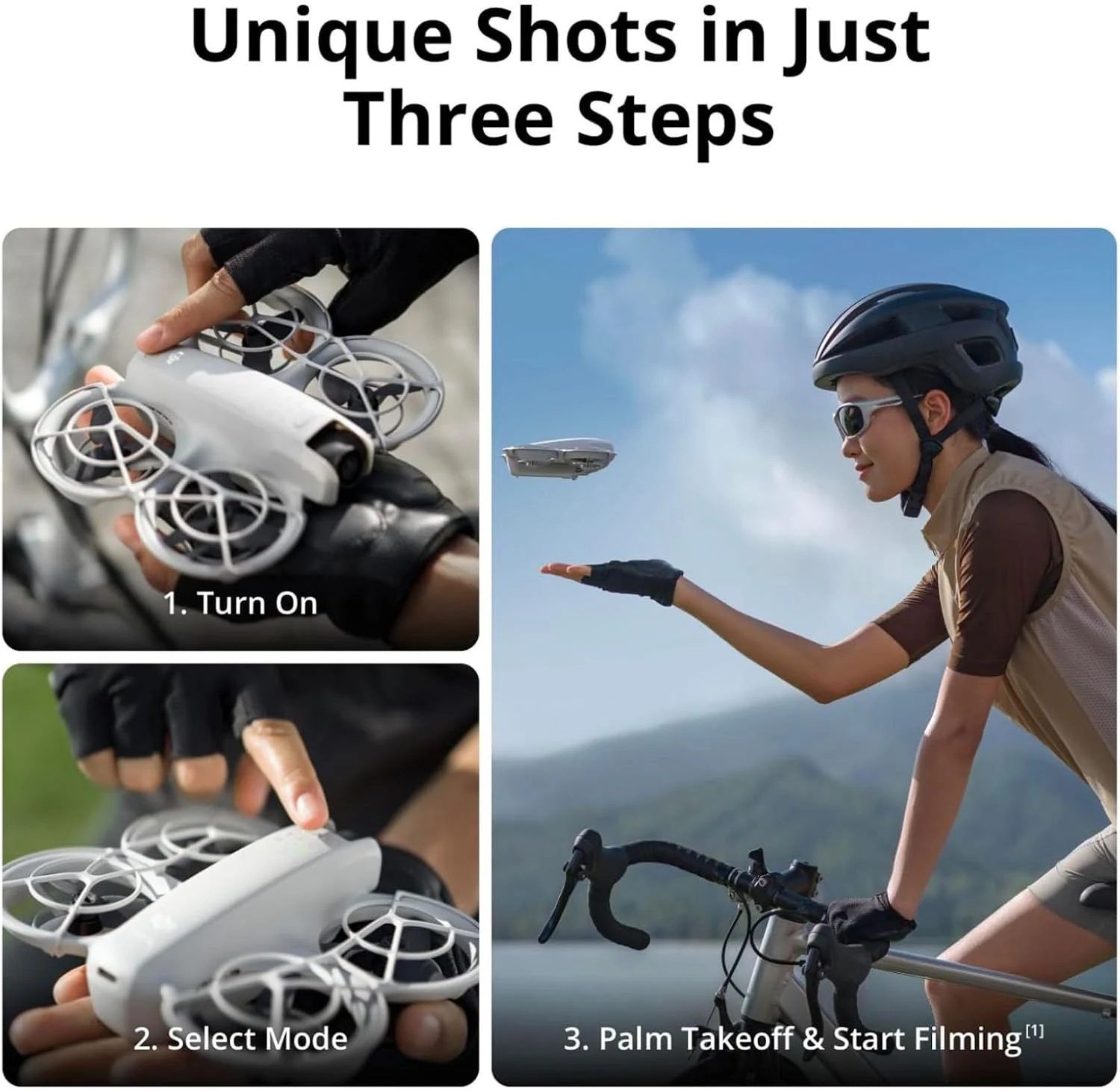
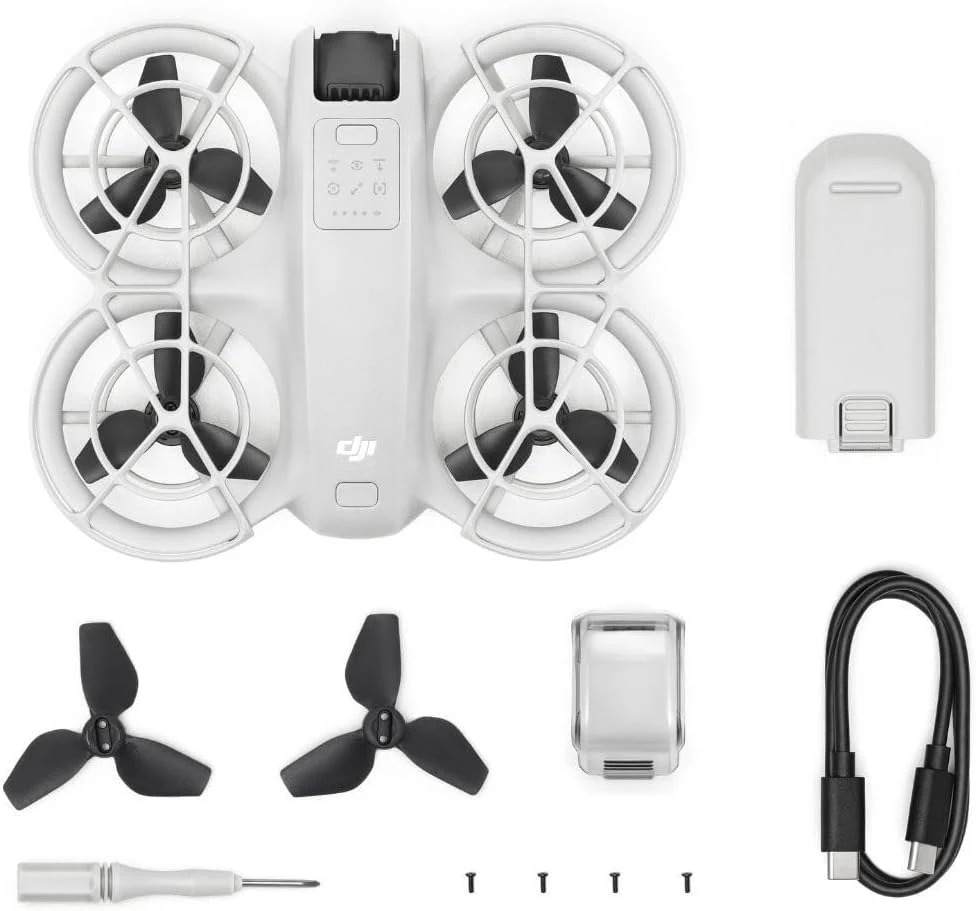
These are product images from the selected retailer gallery. The operating illustrations explain the design; they are not photographs or flight results from a personal trial.
Related reading

A useful reason to keep the setup small
DJI’s Neo FAQ describes palm takeoff and several ways to control the aircraft. The attraction for me is choosing an understandable short shot without beginning with a large equipment bag. I would start by deciding what the finished clip should show, then check which mode provides that result.
I would also choose the location before choosing a clever camera movement. An open, appropriate space can give a planned shot room to make sense. A product demonstration is only an example of a possible setup, so I would not assume that a crowded or difficult space becomes suitable simply because the aircraft is small and easy to carry.
Control modes deserve separate attention
The same Neo can be used through different control arrangements. I would read the instructions for the arrangement I intend to use, rather than combine every feature mentioned across the product family into one imaginary default mode. That includes understanding how to begin, stop and recover from an ordinary interrupted shot.
Controller-free does not mean that every compatible controller or accessory comes in the box. I would compare the cost of the actual equipment needed for my chosen approach. Starting with the simplest package can be sensible when it already meets the purpose, while adding several items later can change both the budget and the reason for choosing a compact setup.
The guards are visible; obstacle avoidance is absent
The enclosed propeller layout is a clear part of this design. I like the emphasis on a protected physical arrangement, while keeping its purpose distinct from sensing the surroundings. DJI explicitly says the original Neo does not support obstacle avoidance. I would not buy it on the assumption that a guard or subject-following feature removes that limitation.
Palm operation also has a procedure, not just an appealing promotional picture. I would read and follow DJI’s instructions before attempting it. A sensible buying decision includes whether I am comfortable learning those steps, rather than treating a short demonstration as proof that all situations will be equally straightforward.
Related reading

The camera is part of a short-video workflow
DJI’s specification page lists 4K recording and internal storage for the original model. Those features fit the idea of a compact filming tool, but they do not establish the appearance of every finished clip. I would judge the intended view, movement and final screen together rather than make the resolution label the whole decision.
I would plan file transfer and charging alongside the shot. Short recordings still need to reach the editor, and important originals deserve a separate copy before storage is cleared. The appeal of a small aircraft can fade if the rest of the routine is unclear, so I would keep that process as simple and repeatable as possible.
The complete offer matters more than a family headline
I would check the selected listing for the exact battery, charging arrangement and supplied parts. A photograph of a larger bundle elsewhere does not describe the controller-free offer here. The same care applies to compatibility: familiar DJI branding alone does not prove that a controller already in a drawer will work with this original model.
I would also check the requirements for the intended place and type of operation through the relevant current official source. Low weight and a small body do not answer every permission question. For my buying decision, knowing where the camera could actually serve its purpose is more valuable than planning an impressive shot I cannot sensibly make.
Which direction would I choose?
The DJI Neo 2 is the comparison I would make when the newer model’s documented changes solve a specific need. I would compare complete packages, rather than assume the cheapest advertised version includes the accessories needed to use every feature.
Related reading

The DJI Mini 4K is a different direction for a conventional controller-based filming routine. I would favour that approach when deliberate aerial compositions are the main aim, while keeping the original Neo on the shortlist when simple personal clips are the clearer purpose.
My verdict is positive within that focused role. I like a product whose central idea is easy to explain, and the original Neo has one. I would choose it after checking the exact operating mode and package, while passing when the planned work calls for capabilities this model does not document.
What worked
Palm-based operation makes the idea of a compact personal filming tool easy to understand.
What bothered me
It has no obstacle avoidance, and features depend on how it is controlled; optional equipment changes the total cost.
Who should not buy it
I would pass when obstacle avoidance, a conventional long-session camera-drone workflow or assumed Neo 2 features are requirements.
Alternatives I would consider
DJI Neo 2. I would compare the newer model when its documented sensing and control changes matter enough to justify the complete package. Read my DJI Neo 2 review.
DJI Mini 4K. I would choose this direction for a more conventional controller-based aerial filming setup. Read my DJI Mini 4K review.
Evidence and sources
Product details are attributed to the linked documentation. The photographs and credited technical illustrations show the selected product; they are not personal test photographs.
Features, compatibility and rated figures from the maker are manufacturer information. My opinions are identified in the review.
Conclusion
A convincing focused purchase when the original controller-free package meets the intended job.
DJI Neo controller-free package, original 135g model
Amazon US · US
Check price and availability: DJI Neo controller-free package, original 135g model at Amazon USAffiliate link. As an Amazon Associate I earn from qualifying purchases.
One email a week with practical Mac workflows, useful comparisons and honest tech recommendations.