The number on this box is a promise with conditions. Corsair sells this kit as 3200 MHz memory, but out of the box the sticks start at 2133 MHz. Getting to 3200 depends on a saved profile, your motherboard and your processor. Nearly all the trouble owners report lives in that gap.
The forum threads cited here come from people who ran into problems. Happy owners rarely post in forums, so those threads make the kit look worse than it probably is.

Product image from the Amazon listing.
I will take the part number as CMK16GX4M2B3200C16, which is the black 16 GB kit with two 8 GB sticks. If you are buying a different speed or a white version, parts of this will not apply.
This is also a good moment to settle the Mac question. This is desktop memory for a PC. If you run a Mac with Apple silicon, the memory is built in and cannot be changed, so this kit is of no use to you there. It suits the Windows or Linux tower that sits next to your Mac and does the heavy work.
Related reading
What the label really says
Corsair’s product page has the details, and they repay a slow read. The tested speed is 3200 MT/s at CL16 and 1.35 volts, through an XMP 2.0 profile. The default values stored on the stick are 2133 MHz and 1.2 volts. A note on the page says reaching the rated speed may need BIOS adjustments, and that the maximum depends on your motherboard and processor.
In plain words, you have to turn on XMP in your BIOS. If you skip that step, your machine runs the memory at the slower default and never tells you. Owners have to do this on nearly any fast DDR4 kit, but it still surprises first-time builders. One Australian eBay buyer put it well in 2017: “Make sure you use the correct profile in your UEFI to load 3200mhz profile”.
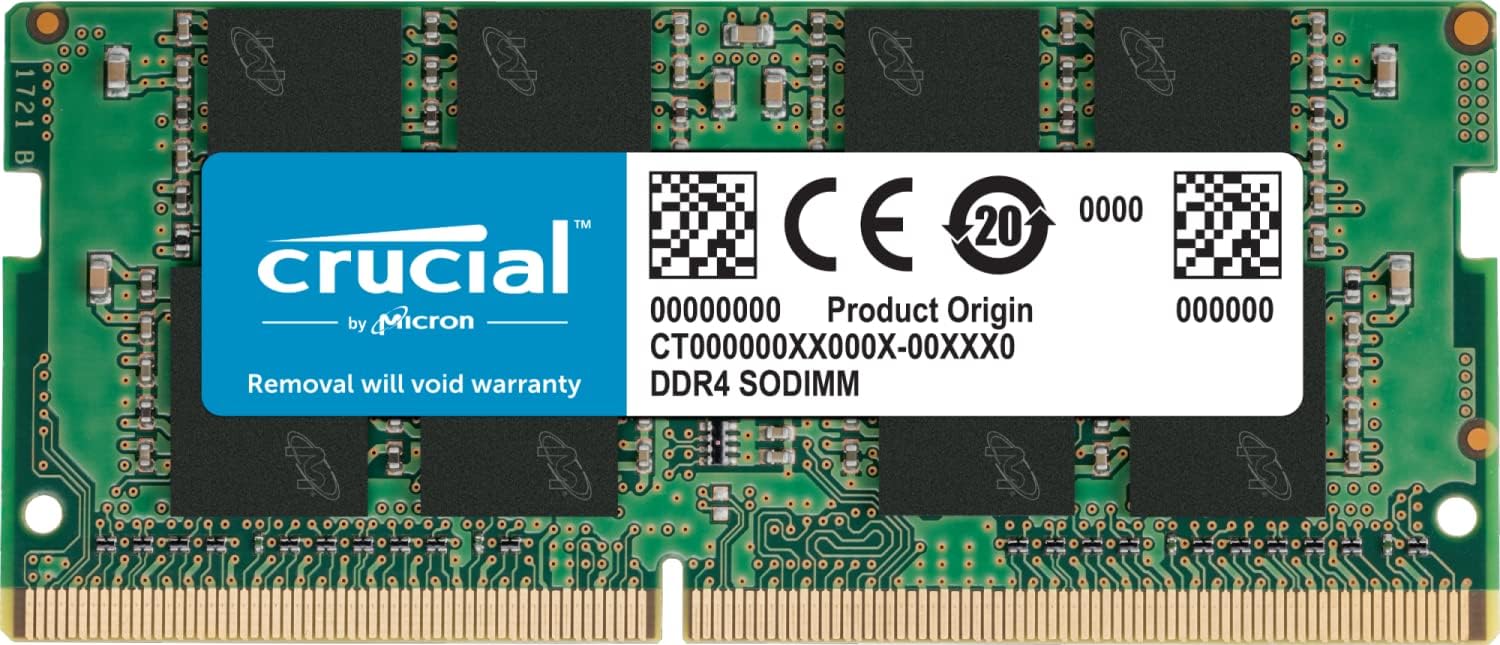
The kit is 288-pin DDR4 UDIMM, which is the long stick used in desktops. Most laptops and many mini PCs take the shorter SO-DIMM type, so this kit will not fit them. Check your machine’s manual before you order anything for a small home-lab box. Corsair lists support for Intel 200 through 600 series chipsets and X299, plus AMD 300, 400 and 500 series and X570.
The low-profile design is the reason many people pick LPX, because it leaves room under a large air cooler. Corsair’s page does not give a height, so measure your cooler if clearance is tight. The warranty is limited lifetime, which is a real comfort on a part that can sit in a machine for a decade.
Owners who just plug it in
Most feedback on this exact part number is quiet and content. On eBay Australia’s page for this kit, a 2020 buyer writes: “Can’t fault this RAM, nice and fast and can take some hefty loads and not skip a beat.” Another says it “works as it’s supposed to”, and a third writes: “Works as described, awesome ram, awesome price.” I found no report of a dead stick on that page.
That sample is small. The page lists only 13 written reviews, and two low ratings give no reason. Still, it matches what you would expect from a kit this common. For most people, memory either works in the first hour or it does not.

Product image from the Amazon listing.
Early Ryzen gave this kit its reputation
The same page holds the older, grumpier story. An August 2017 buyer wrote: “Does not run at stated speed on Ryzen. Runs only at 2400mhz”. Another owner with a Ryzen 1700 said 3200 was “not officially supported by my motherboard” at the time and hoped a BIOS update would change that. A third ran it on a Ryzen 5 1600 and an A320 board, and that is the buyer who pointed to the UEFI profile.
So in 2017 the results already depended on the board and its firmware. Forum posts from later years suggest that the matter never fully went away.
Related reading
A Tom’s Hardware thread from January 2021 is the clearest case. An owner with a Ryzen 5 5600X and an MSI B550 board reported that the system ran “rock solid at the stock speeds of 2133”. With XMP on, it hung after a couple of hours. The mouse moved, but nothing else responded. MemTest found no errors. A moderator said to “use the manual setting in BIOS” instead of XMP, setting speed, timings and voltage by hand. The thread does not say whether that worked.
Some posters on the TechPowerUp forum tell a similar story, including a crash to desktop on a Ryzen 7 5800X. One claims Corsair said the kit was incompatible with Ryzen, and that is second-hand. Others report these kits running fine at XMP on Ryzen, one of them on an old B350 board. So do not take “incompatible” as a rule.
A 2023 thread on a sibling 32 GB kit shows how hard this can be to pin down. With XMP on a B550 board, games stopped running. New sticks did not help, and the thread ended with no answer beyond a question about the BIOS version.
The lesson I take from these is practical. Update your BIOS before you blame the memory. Then check Corsair’s compatibility tool and your board maker’s memory list. Do both before you buy, if you can.
Same label, different chips
One more story deserves your attention, even though it concerns a 32 GB LPX kit. In a Dell community thread from 2020, an Alienware owner found only one XMP profile in the BIOS. Corsair support sent a replacement stick, which turned out to be a revised version with Samsung chips where the old one used Micron. That stick ran stable.
That detail matters. Two kits with the same name may carry different chips inside, which could explain why two owners can tell opposite stories about the same product. It also means you should not assume you can add a second kit later and have all four sticks behave. If you may need 32 GB, I would buy it as one kit. That last point is my own advice and comes from general caution.
Corsair sending a replacement is worth noticing too. Their lifetime warranty appears to be a real support path, at least in that case.

Product image from the Amazon listing.
Testing it on a work machine
For a gaming PC, an occasional crash is annoying. For a development box or a home lab, a memory fault can silently damage files or cost you a long job. The owner in the 2021 thread shows why a quick test is not enough: MemTest passed, yet the machine still hung after hours of normal use.
Related reading

So here is how I would treat this kit in a working PC. Turn on XMP. Run a memory test overnight. Then do a real day of your own heavy work, such as compiles, containers and virtual machines. If it hangs, try the rated speed with manual settings, or drop a step to something slower. The speed difference is hard to notice in most office and coding tasks, while a stable machine is easy to notice. If you still can’t get stability, 2133 MHz is the fallback, and the 2021 owner called that speed solid.
Keep in mind that 16 GB is modest for that sort of work. Several containers, a browser and an IDE can fill it. Think about whether 32 GB suits you better before you buy.
Safe Memory, If You Do the BIOS Homework
I think this kit is a sound, boring choice for an older DDR4 desktop that needs more memory, and boring is what you want from RAM. Quiet owners, a lifetime warranty and a low profile all count in its favor.
Buy it if your board is on the compatibility list, your BIOS is up to date and you will take ten minutes to turn on XMP and test it. Skip it for any Mac, for laptops and mini PCs that take SO-DIMM, and for DDR5 boards, which it will not fit. Be more careful with AM4 Ryzen boards, where the reports above are most common.
For an existing DDR4 desktop, the Corsair Vengeance LPX DDR4 16GB (2x8GB) kit is a safe upgrade, as long as you confirm the exact speed on the listing and keep your return window open during testing. This is an affiliate link. As an Amazon Associate I earn from qualifying purchases.
One email a month: new articles, reviews and the upcoming live webinar + free recording. No spam, unsubscribe anytime.