A smart home gift works when it removes one small, repeated annoyance: the lamp switch behind the sofa, the garden lights someone forgets, the fan whose remote is always lost. It fails when it adds an app, an account and a puzzle to Christmas afternoon. The best gift in this category is a small one with a single clear job, bought for the system the recipient already uses.
All ten picks have a review on this blog. The order follows the size of the commitment: single plugs for one lamp, then multi-packs, an outdoor plug, two wall controls that need an installer, a light strip, and finally two SwitchBot gadgets that automate appliances the recipient already owns. Every review behind this list is a research-based assessment from specifications, manuals and published reports, not a personal installation test. One warning covers most of the list. The plugs and wall switches are US models for 120 V, and the reviews say plainly that they are wrong for a 230 V home, travel adapter or not.
Disclosure: The Amazon links in this guide are affiliate links. As an Amazon Associate I earn from qualifying purchases.
1. Amazon Smart Plug: one lamp in an Alexa home

The simplest gift on the list is one plug for one lamp. The Amazon Smart Plug works with the Alexa app and compatible Alexa devices without a separate hub, so for a household that already talks to Alexa, setup is a small job. The review’s advice is to start with an ordinary lamp that has a physical switch and add one routine.
The limits are firm. Amazon’s safety information rules out medical equipment and warns against leaving appliances such as heaters running unattended. A plug can only supply power, so an appliance that waits for a button press after power returns will not come back on. Outside an Alexa home it makes little sense. See the full review and the plug on Amazon.
Related reading

2. Kasa EP10: the same job with Google too

The Kasa EP10 does the same single job for a home that might use Google Assistant instead. The listing describes app schedules, Alexa and Google Assistant support and 2.4 GHz Wi-Fi. On paper it suits a desk lamp that should follow an evening routine.
Read the model number. The same page lists other variants, including energy-monitoring ones, and the EP10 should not be treated as an energy monitor. Nor should Apple Home support be assumed just because other Kasa models have it. No separate hub does not mean no account or internet service, which matters to a recipient who insists on local-only control. The EP10 review lists the checks, and the plug is on Amazon.
3. Kasa HS103P4: four plugs need four jobs

A step up in quantity, the HS103P4 is a four-pack of Kasa plugs. TP-Link describes a Wi-Fi plug for a secured 2.4 GHz network without a separate hub, with app control, schedules and Alexa and Google Assistant integrations. For a recipient who already knows which four lamps or decorative lights to automate, the pack makes sense.
That is the catch as well. A multipack is good value only with a real use for every unit, and the review suggests setting up one plug near a dependable connection before spreading the other three around the house. No HomeKit, Matter or energy monitoring should be assumed. Read my HS103P4 review or go to the four-pack on Amazon.
4. Meross Smart Plug Mini: the Apple Home pair
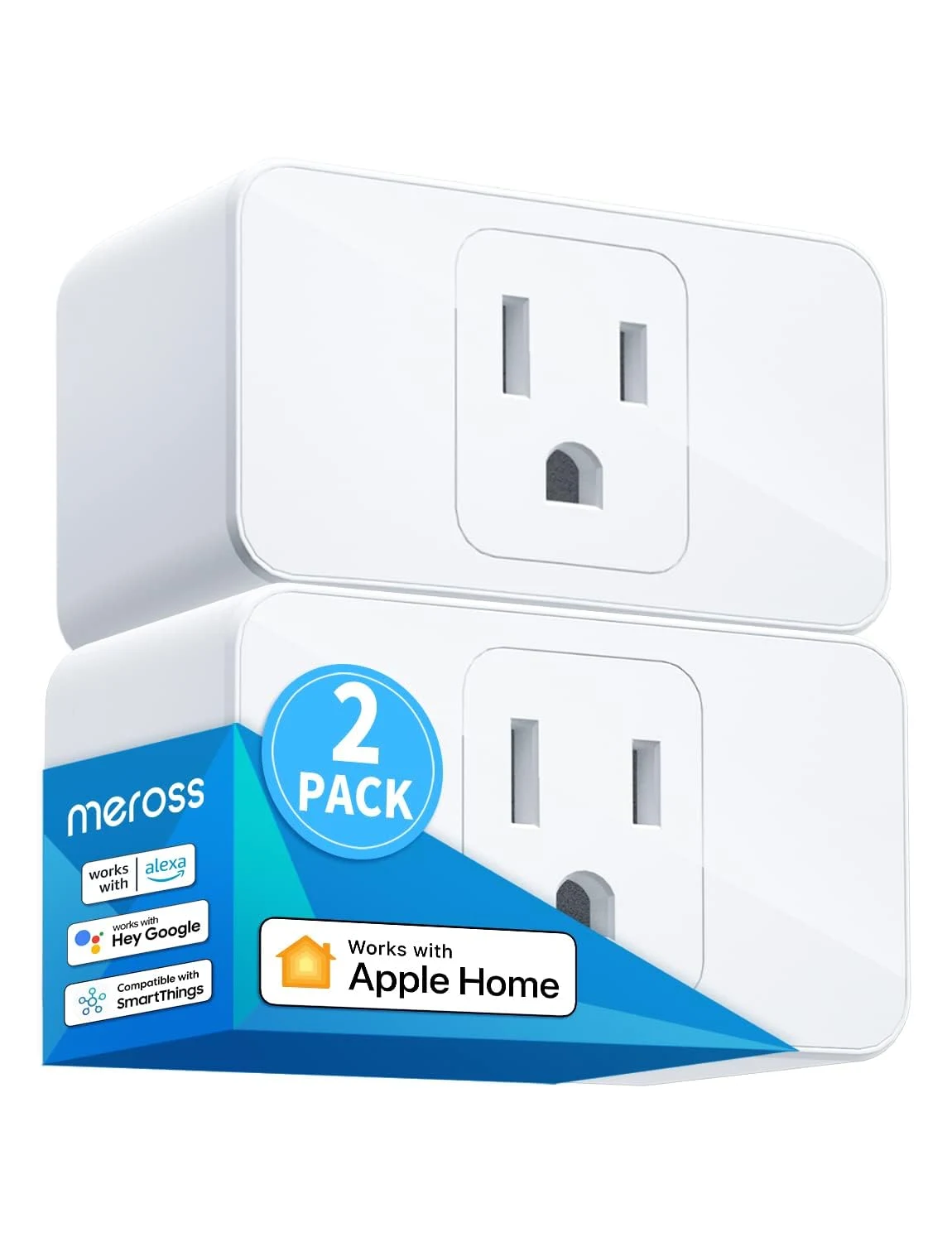
For the iPhone household, the list changes platform. The Meross Smart Plug Mini reviewed here is the MSS110HK, the HomeKit model, in a two-pack. It joins 2.4 GHz Wi-Fi without a separate Meross bridge and has a physical button, so a guest can still switch the lamp off without a phone.
Apple Home has its own conditions. Control away from home and wider automations call for a home hub, and Apple’s current guidance points to a HomePod or Apple TV, not an iPad. Meross states that this model has no energy monitoring. As with every plug, check that the lamp resumes when power returns. More in the Meross review, with the two-pack on Amazon.
5. Kasa KP400 Outdoor Smart Plug: two sockets for the garden
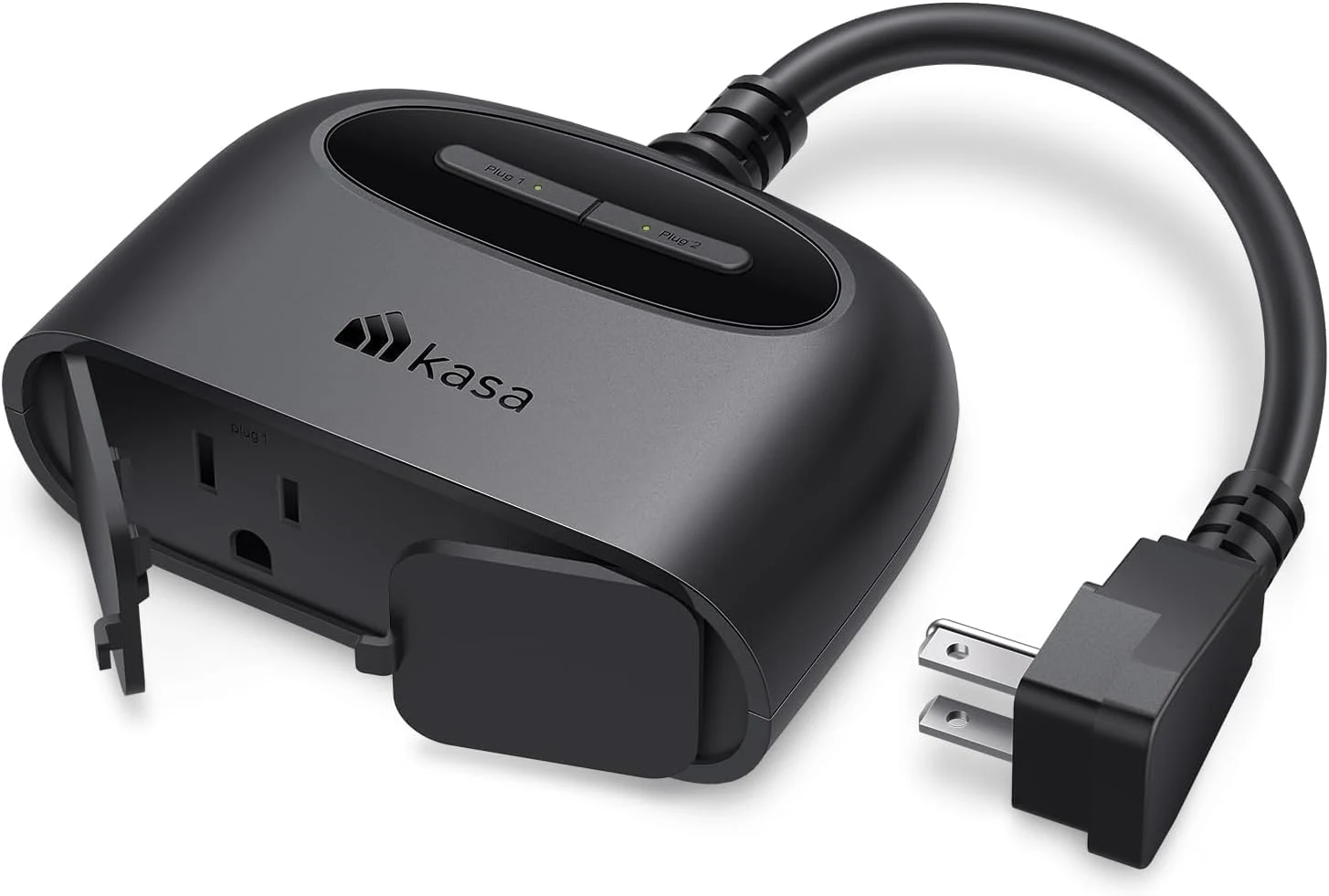
The next plug goes outside. The Kasa KP400 has two outlets with independent control, so garden lights and a second load can keep separate names and schedules in the Kasa app. TP-Link lists IP64 protection. It is a fair pick for someone who strings up lights every December.
IP64 means dust and splashes, not a spot where rain collects, and the rating does not cover the extension leads attached to it. The 2.4 GHz Wi-Fi has to reach the actual outdoor socket. The KP400 does not inherit Matter or Apple Home support from newer Kasa plugs. The KP400 review explains the placement checks, and the plug is on Amazon.
Related reading
6. Kasa HS200: a smart switch in the wall

With the HS200 the list moves from the socket into the wall, and the gift changes character. This single-pole on/off switch keeps the ordinary wall position in charge of the light while adding app control, schedules and Alexa or Google Assistant.
It is not a plug-in present. The listing requires a neutral wire, 120 V and 2.4 GHz Wi-Fi, and the review is clear that a qualified person should confirm the circuit and the wall box. It does not dim, and it is not for multi-way arrangements. Give it only to someone in a suitable US home who has asked for one, and count installation into the cost. Start with the HS200 review before opening the listing on Amazon.
7. Kasa HS220: the dimmer that depends on the bulb

The HS220 is the HS200’s sibling for a room that needs dimming. It puts physical brightness controls on the wall and adds a gentle-off function to the same app, schedule and voice assistant support.
Here the bulb is half the decision. TP-Link’s data sheet specifies leading-edge dimming and recommends checking the bulb’s supported dimming type, so LED on the box is not enough. The dimmer also needs a neutral wire, a single-pole 120 V circuit and a qualified installer, and the review promises no flicker-free result for an unverified combination. If the existing bulbs do not fit, replacements belong in the budget. Details are in my HS220 review, and the dimmer is on Amazon.
8. Govee Smart RGB LED Strip: colour behind a desk

After two jobs for an electrician, the Govee strip is a relief: tape, a plug-in adapter and an app. The review, built on owner reports, treats it as accent lighting for a desk or TV in a home that uses Alexa or Google Assistant. Owners describe setup as easy and the adhesive as strong, and the attached controller plus Bluetooth keep the light usable if Wi-Fi fails.
Do not give it to an Apple Home purist. HomeKit is missing, and the workarounds need a computer running all day. One owner found the whites poor, with cool white looking blue, and the strip too weak to be a main light. It needs 2.4 GHz Wi-Fi and a Govee account. Here is the Govee review and the strip on Amazon.
9. SwitchBot Bot: a robot finger for one button
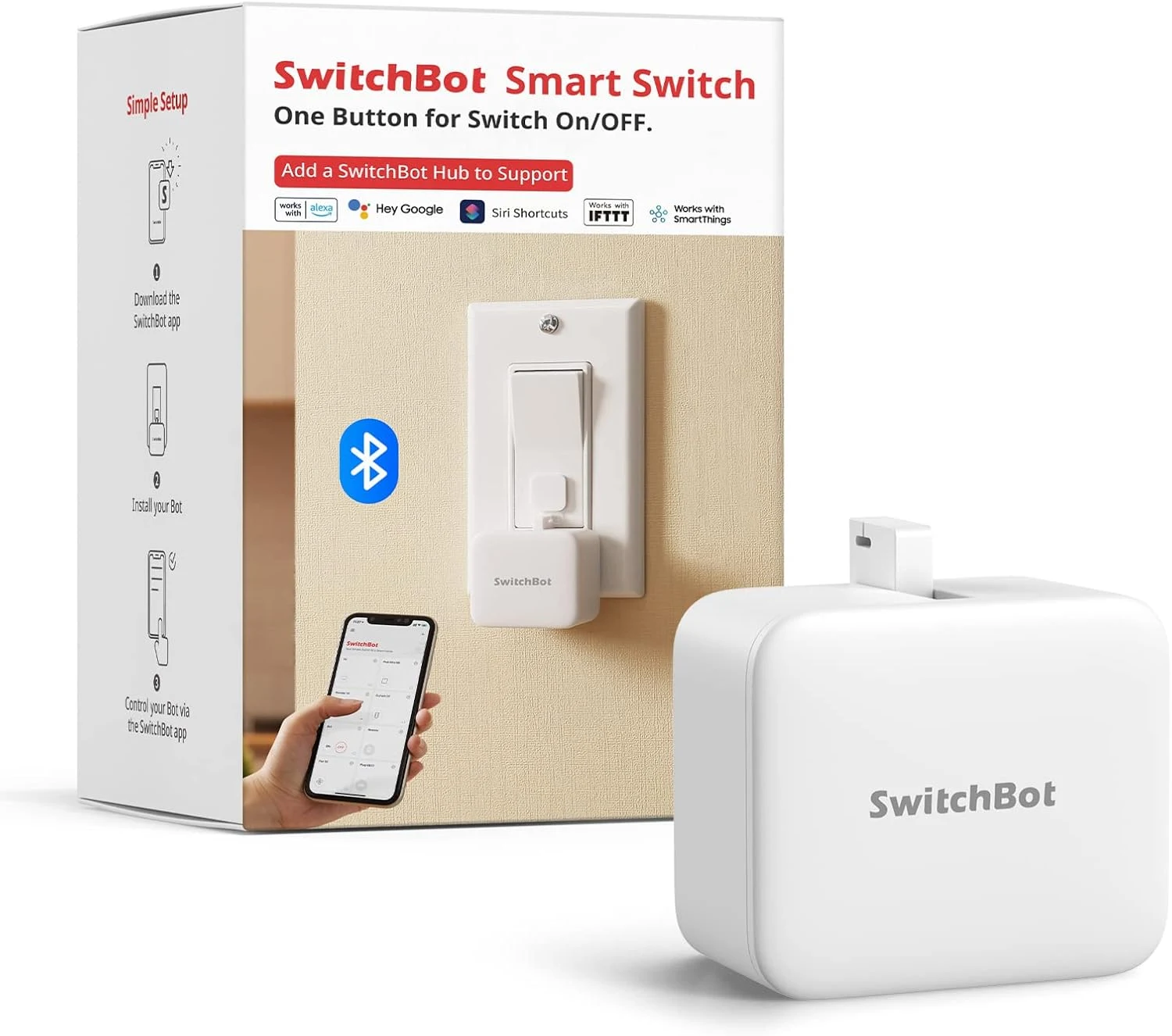
The last two picks automate things the recipient already owns. The SwitchBot Bot is a small mechanical pusher that mounts beside a button or rocker switch and presses it, with no wiring and no new appliance. It works over Bluetooth and runs on a replaceable CR2 battery. For a tinkerer with one awkward button, it is the most charming idea here.
It is also the most physical. The switch shape, the mounting surface and the force needed all have to suit, so compare SwitchBot’s compatibility guidance with the actual control. A press is not a sensor either. On a toggle button, the Bot cannot know which state the appliance ended up in. Control away from home needs a compatible SwitchBot hub, which belongs in the cost. See the SwitchBot Bot review, then the Bot on Amazon.
Related reading

10. SwitchBot Hub Mini: a second life for old remotes
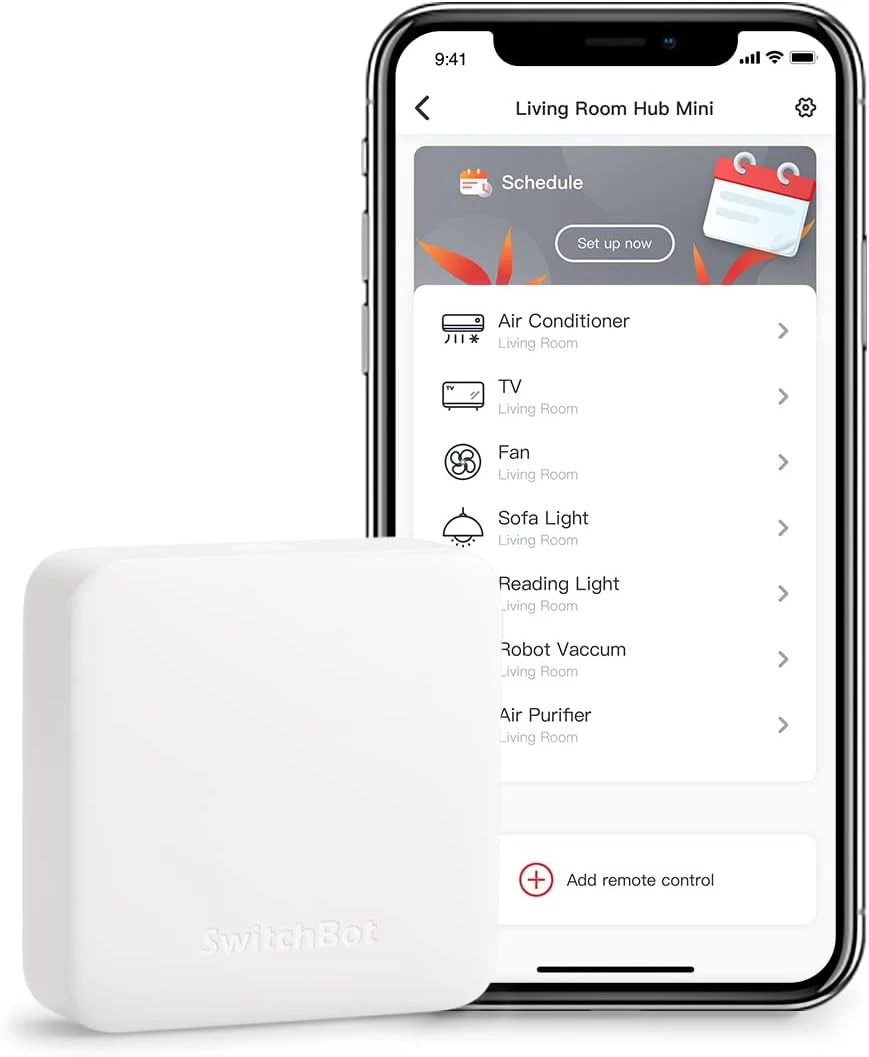
The Hub Mini is the Bot’s natural companion and the most ambitious gift on the list. It learns the infrared commands of a television, fan or air conditioner and makes them available in the SwitchBot app, so a useful appliance does not need replacing. It is powered over USB and needs a clear path to the appliance, not a closed cabinet.
Buy the right generation. This is the original Hub Mini, which SwitchBot lists without Matter, and it lacks the offline infrared functions documented for some newer hubs. If Apple Home or Matter is the goal, a Matter-enabled SwitchBot hub is the honest choice. Like the Bot, it sends commands without knowing the result. The Hub Mini review has the detail, and the hub is on Amazon.
How to choose
Begin with the voice assistant already in the house. For an Alexa household that has never automated anything, the Amazon Smart Plug and one lamp. For a home on Google Assistant, the Kasa EP10. For an iPhone family with a HomePod or Apple TV, the Meross Smart Plug Mini. For the neighbour whose garden lights need a schedule, the Kasa KP400. For a teenager’s desk, the Govee strip, as long as nobody expects it in the Home app. For the relative who likes to tinker and has an old fan or air conditioner with a remote, the SwitchBot Hub Mini, perhaps with a Bot. I would keep the HS200 and HS220 wall controls for someone who has asked for them and has an installer in mind.
One practical Christmas note. Check the delivery date and the return window before ordering, and check the exact model on the listing, because similar names hide different features. Check the electrical region as well. Seven of these ten are US products for 120 V, and for a home on 230 V the right move is a locally rated equivalent, not an adapter.
More gift guides from this series: for someone who would prefer quiet to automation, there is 10 wireless headphones for every kind of listener, and for the family console, 10 Nintendo Switch games the whole family can share.
One email a week with practical Mac workflows, useful comparisons and honest tech recommendations.