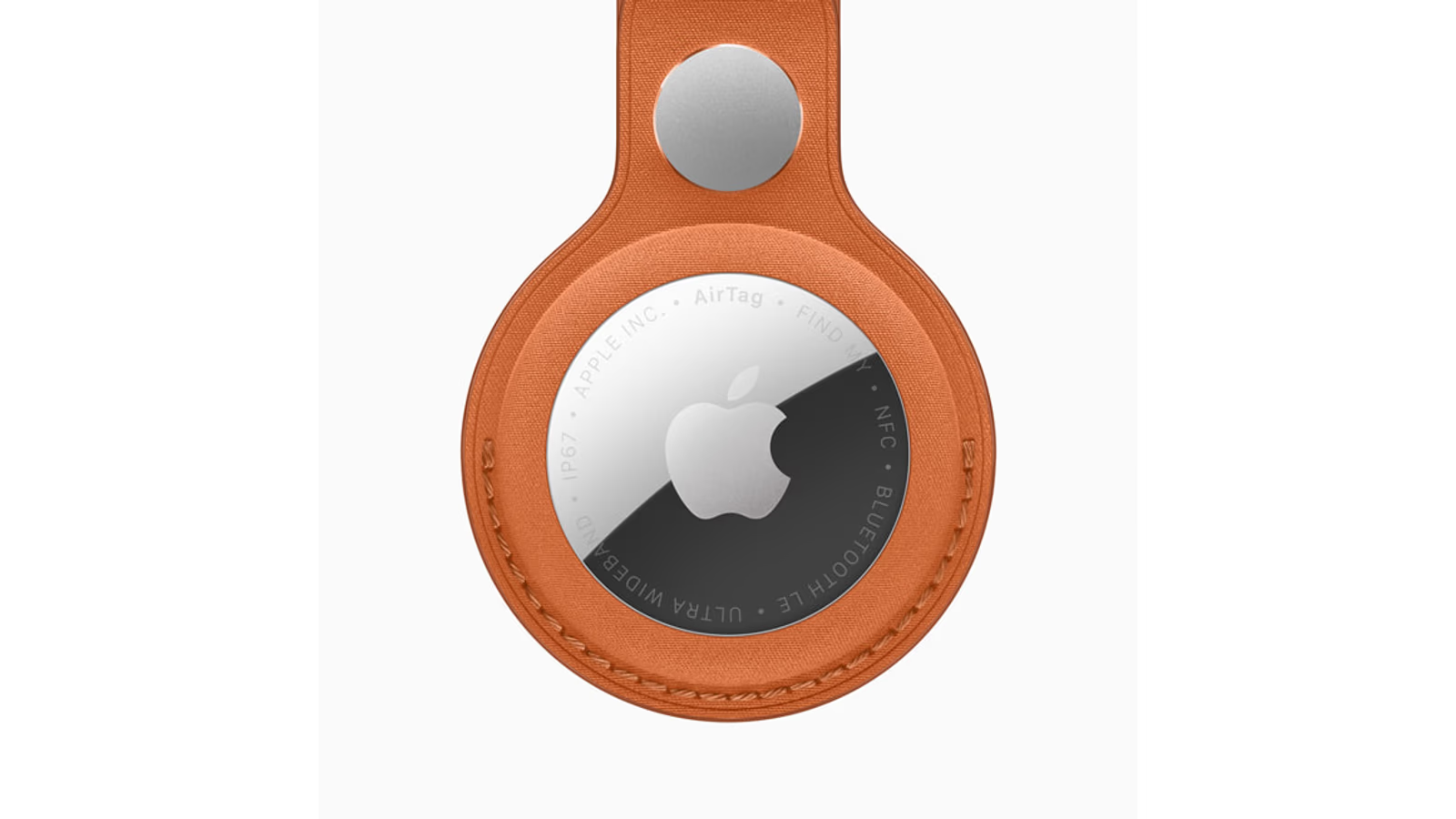
Research-based review. Evidence checked on 20 October 2026; no author hands-on measurements are claimed. This current product predates the earlier autumn launch window.
Hero image: Apple Newsroom.
A missing bag creates two questions. Where was it last seen, and how can you find it when you get close? AirTag is useful because those questions can be approached differently. Understanding that difference is more important than imagining a tiny tracker provides a continuous live view of every journey.
My research suggests the second-generation AirTag is an appealing tool for personal belongings in a supported Apple setup. Its value comes from a clear job: finding keys, locating a bag or helping recover an item that has been left behind. The setup should match that job before several tags are bought at once.
This is a product assessment checked on 20 October 2026. I have not measured finding range or recovered luggage with this model. It extends the Apple Workbench series with a current January product, using Apple’s documented behaviour as the basis for the practical analysis.
Nearby finding and network finding are different things
Apple’s AirTag explanation describes a Bluetooth signal that nearby Find My devices can detect and relay. The owner can then see the reported location through Find My. The tag is not a self-contained cellular GPS transmitter continuously sending its own live position.
That distinction changes expectations. An item near participating devices has a route for a report to reach the network. An isolated item may not. A location shown on the map should be read with its update context, rather than assumed to be a fresh second-by-second view.
Related reading

Once nearby, supported Precision Finding and the speaker can help with the final search. That is a different part of the job from receiving a report about an item elsewhere. A good buying decision understands both stages instead of combining them into one unlimited tracking promise.
What changes in the second generation
Apple’s launch announcement describes a louder speaker and expanded finding range. Its up-to claims come with conditions and compatible-device requirements. They are manufacturer figures, not range tests I have performed.
For a buyer, the useful question is whether the improvement helps the places where items go missing. A larger nearby search range may be interesting in a home or another familiar space. It does not independently establish how quickly a remote network location will update.
An existing owner should identify the actual frustration before replacing every tag. If the current system already finds the usual keys reliably enough, a new generation may be a convenience rather than a necessity. If the nearby search is the recurring difficulty, the change deserves a closer comparison.
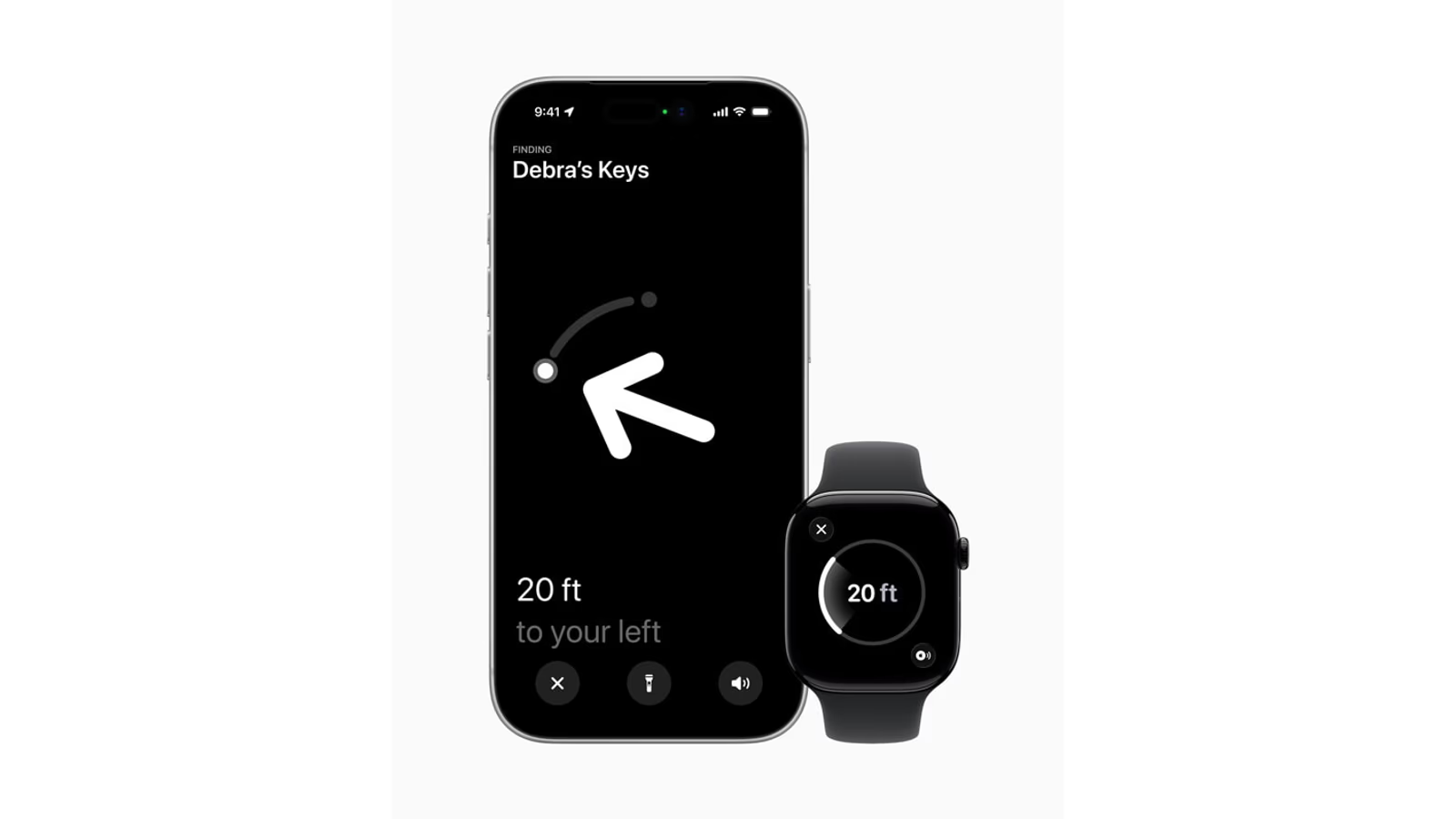
Official Apple product image. Image source.
Compatibility should be checked before the accessory
Check the exact phone, watch and operating-system requirements for the feature that matters. Basic item finding and Precision Finding should not be assumed to have identical requirements. The current Apple documentation is the right place to verify the combination owned today.
This is particularly important when buying a tag as a gift. Knowing that someone owns an iPhone is not enough to establish every nearby-finding feature. A quick compatibility check can prevent an attractive small purchase from creating a confusing setup session.
Also decide who will own the item in Find My. A family bag and a personal set of keys have different sharing needs. Set that relationship deliberately, so the people who need the information understand where to find it.
Attach the tag to the item, not the idea of the item
A finder is useful only if it remains with the belonging. Choose an attachment or pocket that suits the object and ordinary handling. A loose tag can become a second thing to lose, while an unsuitable holder can make the whole arrangement inconvenient.
For keys, consider how the holder fits the existing ring. For a bag, decide whether an internal location or an appropriate attachment makes more sense. For another item, think about movement, access and how the tag will be kept with it over time.
Do not buy the accessory only because it looks good in a product photograph. The physical arrangement should survive the day the item actually has. That is a more useful test than the appearance of a tag placed neatly beside an empty bag.
Related reading

Test a small search before a real loss
Set up one tag, give it a clear name and try finding the item in a familiar place. Learn how the app presents location, nearby finding and sound on the supported device. This is a proposed introduction to the product, not a test completed for this article.
Then practise reading an update without assuming it is current. The location and its context are both part of the information. A calm trial makes the interface more understandable before a missing item turns the same screen into a stressful experience.
For a shared belonging, ask another authorised person to find it using the agreed arrangement. A feature is more useful when the household knows how to use it, rather than leaving every item dependent on one person’s memory of the setup.
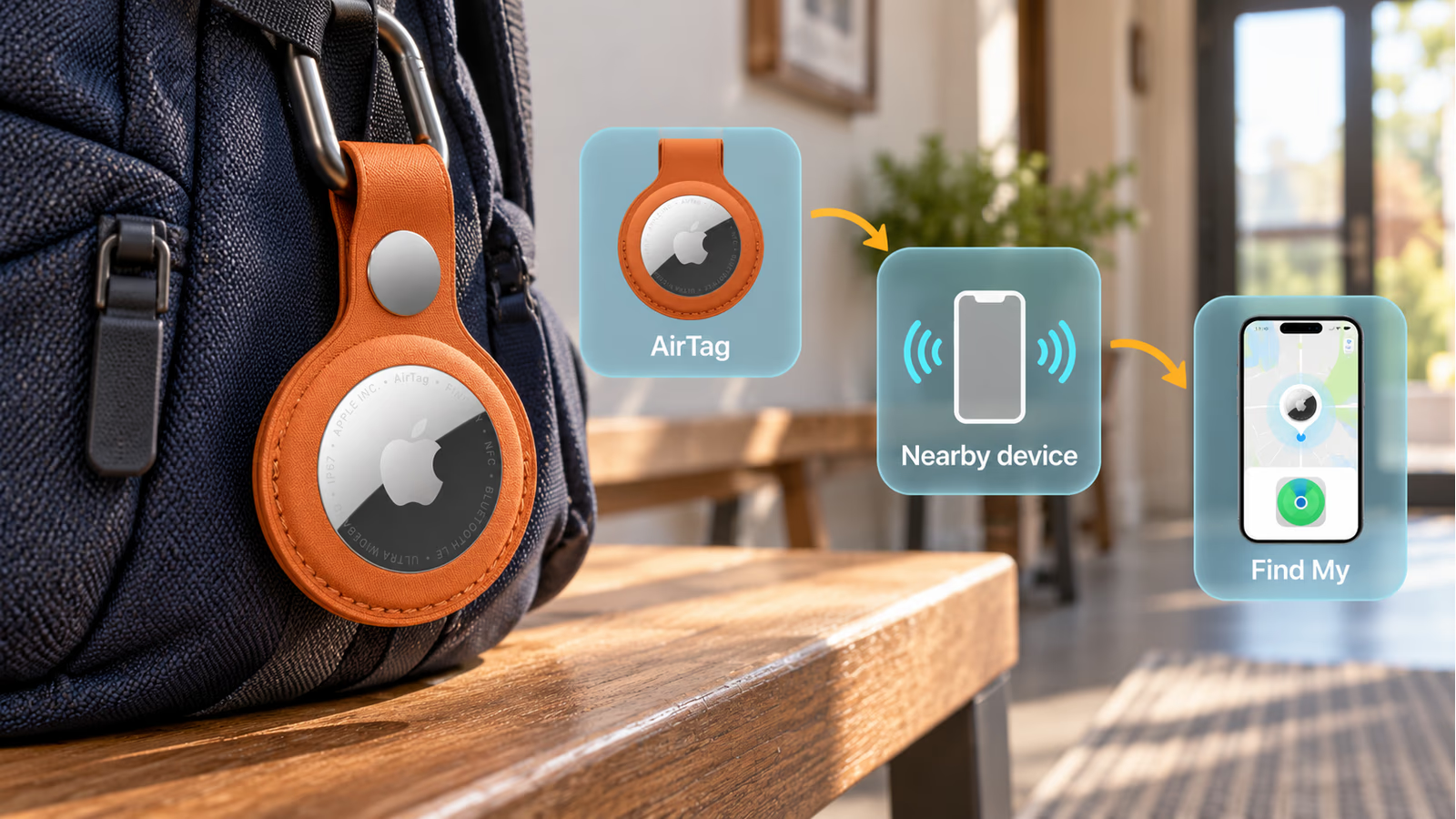
AI-generated conceptual explanation; overlays are not actual product features or test results. Image source.
A travel use case needs realistic expectations
A tag in luggage can provide another piece of information when a bag is elsewhere. It does not replace the carrier’s own handling process or guarantee immediate recovery. The useful role is supplementary information that can support the next practical step.
Before travelling, check the tag and familiarise yourself with the current supported item-location sharing route if that is something you expect to use. Keep the luggage identification and other ordinary travel information as well. A finder works best inside a sensible recovery process.
This review does not claim that a particular airline or airport has tested your exact arrangement. Check the current support for the service involved. A general product capability should not become a promise about every organisation that might help recover an item.
Shared items deserve clear sharing
Apple supports sharing an AirTag with other people through its documented process. That can be useful for a belonging used by a household, such as shared keys or a bag. It makes the relationship between the object and the people who need to find it more explicit.
Choose sharing for a clear purpose. The product is designed for belongings, and a useful setup keeps that role understandable. Know who has access and review it when the item changes hands or no longer needs the same shared arrangement.
The same practical clarity applies when selling or passing on a tag. Follow the current removal and setup instructions so the next owner receives a usable accessory. A small device can still have an account relationship that deserves attention during handover.
Battery care belongs to the item routine
AirTag uses a replaceable CR2032 battery according to Apple’s product documentation. That makes maintenance part of ownership rather than requiring the whole finder to be replaced when the battery is depleted. Follow the current compatibility and replacement instructions for the chosen cell.
Include a check before an important trip or another time when the item matters especially. A finder that has been forgotten for a long period should not be assumed ready simply because it is still attached to the bag.
Related reading
Also inspect the holder and attachment. The electronic function and the physical connection serve the same job. A healthy battery cannot help if the tag has become separated from the belonging it was meant to identify.
One tag or four is a workflow decision
Apple’s German launch figures list €35 for one and €119 for four, including VAT. These are launch references, not a current Amazon offer. Add any required holder when comparing the complete arrangement.
A pack makes sense when there are several named items and a plan for each one. Otherwise, starting with one can establish whether the workflow helps before multiplying it. An unused tag is not valuable merely because the per-item arithmetic looked attractive.
The affiliate link below points to a verified second-generation four-pack listing. It is labelled with the exact pack and generation. Check the merchant’s current configuration and delivery terms rather than assuming every listing with the AirTag name describes the same purchase.
My research recommendation
AirTag 2 is worth comparing for personal belongings when the supported Apple setup and finding workflow are clear. Its nearby-finding improvements are interesting, while network reports still depend on the environment and should be read with context.
Start with an item that repeatedly creates a small real problem. Attach the tag well, try a search and make maintenance part of the routine. The product earns its place when it helps find that item, rather than when an unlimited tracking story is imagined around it.
Affiliate offer · Amazon.com
As an Amazon Associate I earn from qualifying purchases. How affiliate links work.
View AirTag second-generation four-pack on Amazon.com
The linked listing was checked for the named model and configuration. No Amazon price or stock is quoted here.
More from this collection
One email a week with practical Mac workflows, useful comparisons and honest tech recommendations.