Eight Ethernet ports sound like eight new places for equipment. On a normal home network, one port usually connects the switch back to the router, leaving seven for the devices around it. That small piece of planning captures the appeal of the TP-Link TL-SG108. It is a straightforward way to give a group of wired devices a place to connect without redesigning the whole home network.
This is a research-based review of the unmanaged eight-port TL-SG108, listed as ASIN B00A121WN6. I have not tested its throughput, temperature or long-term reliability. The assessment concerns the documented design and practical use. It does not apply automatically to PoE, managed or faster switches with similar names. Check the delivered model and hardware version against the current manufacturer’s documentation.

Product image: TP-Link’s official TL-SG108 page, shown in the manufacturer’s product gallery.
The specification has a clear purpose
TP-Link lists eight 10/100/1000 Mb/s RJ45 ports, automatic link negotiation, a metal housing and fanless operation. The product is described as plug-and-play without configuration, and the page includes desktop or wall mounting. Those are useful characteristics for a simple desk or home lab. They do not turn it into a router, a Wi-Fi access point or a managed switch with administrative controls. Source: TP-Link TL-SG108.
Related reading
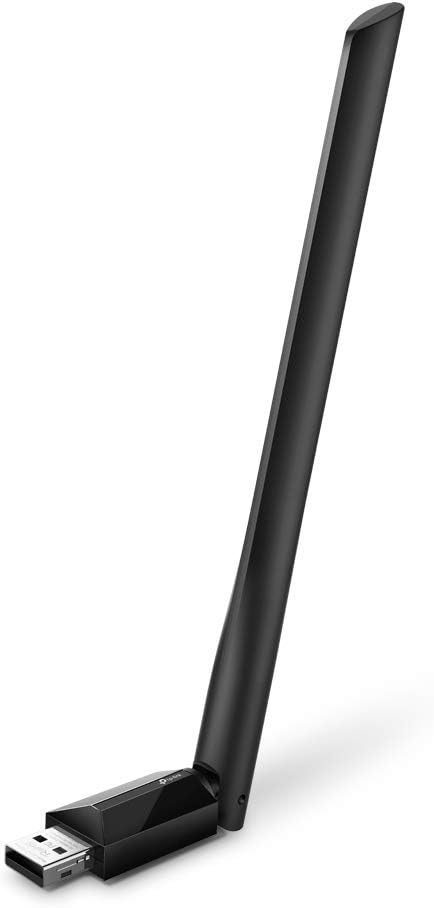
For me, the appeal is the lack of decisions once the right connections are planned. A television, console, printer and small server can share one physical area without each needing a separate cable all the way to the router. That is an understandable job for an unmanaged switch. It is less compelling if your actual project requires separating networks or powering equipment through Ethernet.
The word gigabit also sets a limit. Choose it for equipment and workloads that make sense at that link class. If you have already invested in faster networking for large local transfers, compare a switch with matching port speeds. Buying this one because it is familiar and then expecting faster links to pass through unchanged would be a mismatch in the original plan.
Draw the connections before placing the order
Make a quick diagram of the devices and where the router sits. Include the cable that will connect the switch to the rest of the network. Then count the remaining ports. This avoids discovering that eight devices plus the router connection require nine sockets. Leave room for a likely addition if it is already part of the plan, but do not buy a much larger unit just to fill imaginary future spaces.
Think about which devices share large amounts of data. A computer and NAS beside the same switch can have a different traffic pattern from several devices all reaching a server elsewhere through the uplink. The exact performance depends on the whole path. I would not reduce that to a single promise about the switch, but a simple drawing helps identify where several tasks may share one connection.
Include the physical route of each cable. A switch on the desk may need shorter leads and be easier to inspect than one hidden behind furniture. A shelf near the router may be better if it serves equipment in several rooms. Network convenience comes partly from location. There is no benefit in a clean device layout if the cables then create a mess around the chair or across a doorway.
Keep the router in its role
For an ordinary home network, connect the switch to a suitable LAN port on the router and keep the router’s existing responsibilities in place. Follow the equipment instructions and your provider’s requirements. Do not assume a switch can be placed anywhere in front of the router simply because the connectors fit. Physical compatibility is only one part of how a network is arranged.
When adding the switch, keep the change small. Connect one known working device first, check that it behaves normally, then add the others. If something goes wrong, you will know which addition to investigate. Moving every cable at once creates a confusing troubleshooting problem. A basic switch is supposed to make expansion easier, so the installation process should remain just as understandable.
Keep a note of the previous layout until the new arrangement is proven. A photograph of the old router connections can be helpful, provided it does not expose passwords or other sensitive labels. This is particularly useful when a family member depends on the internet while you are making changes. A reversible installation is less stressful than trying to remember which of several identical leads went where.
Cable quality is easier to check than to argue about
Use suitable Ethernet cables in good condition and keep the lengths practical for the route. If a connection behaves unexpectedly, test with a known working cable before making larger changes. A cable is a replaceable part of the path and an easy variable to isolate. Do not infer a switch fault from one device that also misbehaves on the same lead elsewhere.
Related reading

Label both ends of longer runs. Plain labels such as office wall, NAS and television are more useful than a clever color system nobody remembers. If several leads disappear into furniture, the labels save time whenever something changes. Leave enough access to disconnect a plug by its connector rather than pulling on the cable. A simple unmanaged network still benefits from ordinary physical care.
Avoid making an accidental loop while adding cables. If the switch and router are already connected, an extra parallel cable is not automatically a useful upgrade. Follow the documentation for supported arrangements instead of experimenting with duplicate paths. Some hardware versions advertise loop-related functions, but I would not rely on an unverified feature to excuse a layout I do not understand. One deliberate uplink is the sensible starting point.
A quiet home lab is about the whole shelf
The specified fanless design is relevant when the switch shares a room with people working or sleeping. It removes a fan from the list of noise sources, but it does not make every connected power adapter or neighboring device silent. I have not listened to this sample. If quiet matters, evaluate the complete shelf during the conditions in which you will use it.
Give the switch appropriate space and follow its installation guidance. Do not wedge it under a stack of warm power supplies because the metal housing looks sturdy. Keep the power adapter identifiable and use the correct supplied or manufacturer-approved adapter. Product revisions can have different requirements, so do not copy an adapter specification from an older unit merely because its model name looks the same.
For a home lab, document the switch as part of the setup. Record its model, hardware version and location. An unmanaged switch may not require a configuration backup, but the network still has a physical design worth preserving. If you later add a managed switch or a second room, that short record helps explain what the original installation did and which connection should remain stable.
Understand the limits before the lab grows
If you need to separate guest devices, servers or experiments into different networks, define that requirement before buying. A plain unmanaged switch should not be selected on the assumption that it provides an administrative interface for the job. Learn what your router and any managed equipment can do, then choose compatible hardware. It is cheaper to plan the separation than to replace an unsuitable switch after wiring everything.
The same applies to PoE. A device with an Ethernet socket is not necessarily powered through that socket, and this review concerns the ordinary TL-SG108. Check the exact equipment and power requirements for a camera or access point. If PoE is required, choose a suitable PoE switch or supported power arrangement. Do not confuse a similar model number with proof that the feature exists.
If the network is becoming more important to your work, think about the consequences of a power interruption. The switch, router and other relevant equipment all need power for the path to remain useful. Keeping a computer running alone does not guarantee network access. I would plan that as a separate resilience question rather than expect an inexpensive switch to address it automatically.
Verify normal traffic after installation
Check each connected device with its real task. Print a page, open a shared folder, play a normal stream and confirm that a work computer can reach what it needs. A link light tells you something, but the application check tells you whether the arrangement serves its purpose. Keep valuable files backed up while doing any transfer tests, and use copies rather than your only working data.
Related reading

If you want to measure throughput, describe the devices, cables and connection path. Compare like with like and repeat the test. A result limited by a disk or a slower client does not establish the switch’s maximum performance. I have no benchmark to insert here, and an honest small-network review should leave that distinction clear. The useful first result is a stable arrangement that supports ordinary work.
My assessment
I would shortlist the TL-SG108 for a simple cluster of gigabit devices where seven available device ports after the uplink are enough. The documented metal, fanless and unmanaged design fits that role. I would compare the exact regional package, seller and current cost with alternatives rather than assume the best value from popularity alone. A basic switch should be bought for a basic, clearly mapped job.
I would pass when the project needs faster port speeds, PoE or managed controls. Those are not small details to solve after the purchase. My verdict is that the TL-SG108 is a sensible design for straightforward wired expansion, provided you keep its role narrow. Plan the uplink, label the cables and test the devices, and the result should remain understandable as the desk grows.
The workbook’s exact product is linked through my TP-Link TL-SG108 Amazon link. This is an affiliate link. As an Amazon Associate I earn from qualifying purchases. This review does not claim a measured throughput or long-term reliability result.
One email a month: new articles, reviews and the upcoming live webinar + free recording. No spam, unsubscribe anytime.