The Reolink E1 Pro appeals to me as a small indoor camera with a recording plan that can extend beyond a phone notification. I like the option of deciding where footage should live and how it will be viewed. That choice is more useful to me than treating the largest resolution number as the whole purchase.
Quick verdict
I would shortlist it after matching the exact hardware version to the required recording route.
Best for: An indoor room with a clear recording purpose and a maintained app, client or compatible recorder workflow.
Main benefit: A movable indoor view and documented local recording options allow a deliberate storage and viewing plan.
Biggest drawback: E1 Pro hardware versions differ, and the camera itself does not provide direct browser access by its network address.
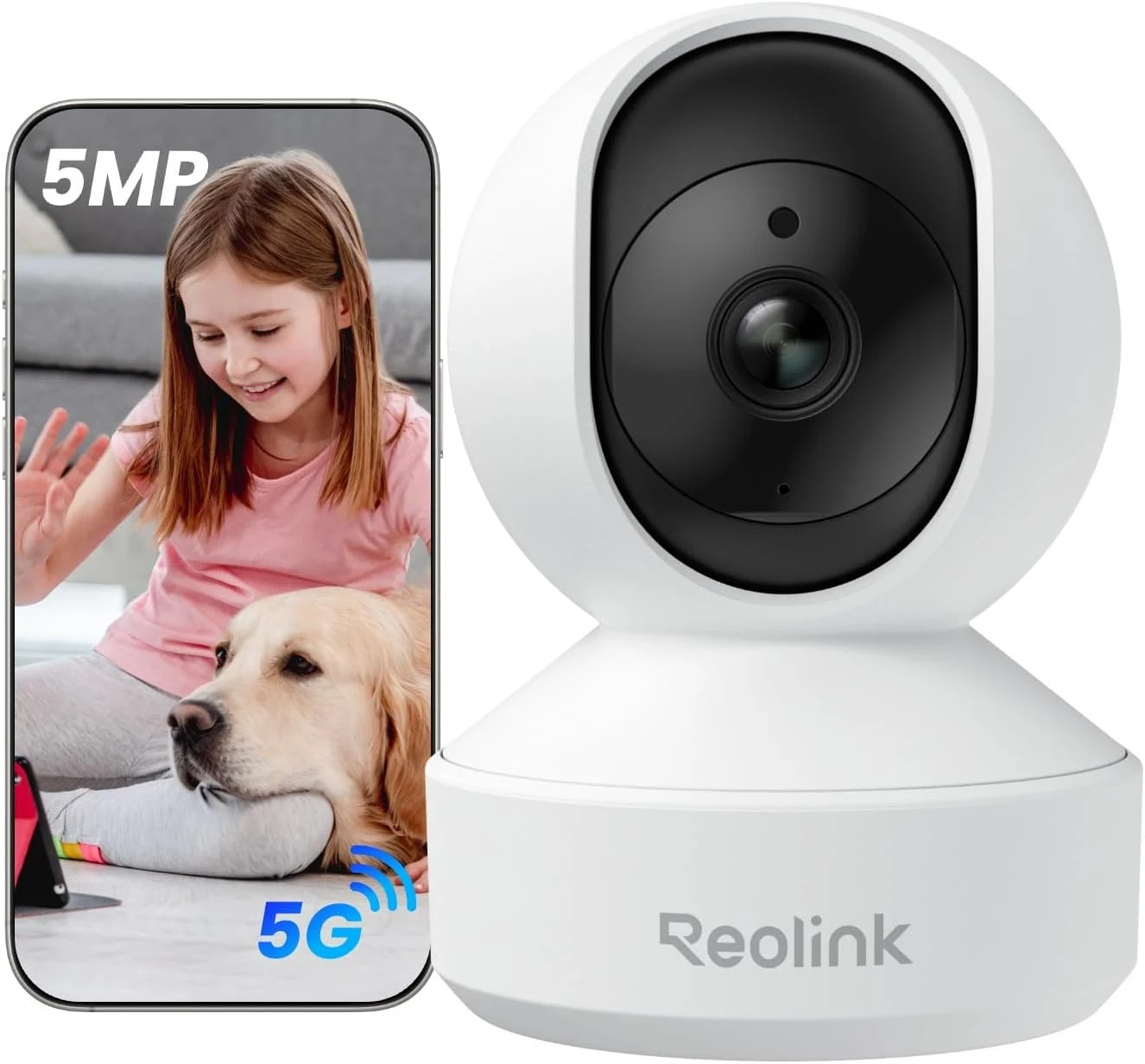
Reolink E1 Pro, selected white 5MP 3K indoor camera
Amazon US · US
Check price and availability: Reolink E1 Pro, selected white 5MP 3K indoor camera at Amazon USAffiliate link. As an Amazon Associate I earn from qualifying purchases.
Reviewed version: Reolink E1 Pro, selected white 5MP 3K indoor camera
Compatibility: Confirm delivered E1 Pro hardware and firmware against Reolink documentation. RTSP, ONVIF, FTP, detection features, Wi-Fi generation and storage must follow that version and the receiving system.
Review context: I assess room placement, saved playback, storage capacity planning, household access and version-specific integration rather than a measured detection result.
There is an important complication: E1 Pro is a name used across hardware versions. The selected offer now identifies a white 5MP, 3K model. I would not transfer an older 4MP model’s features or owner history to that exact purchase simply because the name on the front remains familiar.
Match the hardware, not just the name
Product images: the verified retailer gallery and any original manufacturer illustration credited in the sources. These are not personal test photographs.
Related reading

The selected product information describes pan and tilt, dual-band Wi-Fi and local storage options. I would use those as the starting capabilities, then confirm the hardware version in the delivered device. The documentation should follow that version throughout setup and future troubleshooting.
Reolink’s E1 Pro support guide explicitly distinguishes hardware versions. Some functions, including Wi-Fi 6, FTP and crying detection, vary. I appreciate that the guide makes the differences visible; I would not promise the entire combined feature list to every E1 Pro owner.
Recording duration depends on the selected mode, storage and scene. I would plan capacity for the household requirement and inspect saved footage after setup.
Place it for the room you need to see
Pan and tilt can make a camera more flexible, but they do not create a view through furniture or walls. I would start with the important area and arrange a stable position with a practical power route. The lens should have a useful view before automatic movement becomes part of the plan.
I would check both daytime and evening conditions in that position. A nearby bright window and a darker part of the room can create a different challenge from a neatly lit product example. A readable view of the required area matters more than an attractive whole-room thumbnail.
For a family room, I would also agree when recording is appropriate and who can view it. A camera changes the shared space. Clear access and a sensible recording purpose are part of a good installation, rather than settings to consider only after the first alert appears.
Local storage needs a playback check
The attraction of a microSD route is that the camera can have a defined place to save its recordings. I would choose a suitable supported card, initialise it as directed and confirm that new clips can actually be replayed. A storage icon alone does not establish a useful recording history.
I would decide between continuous recording and events according to the purpose. Each arrangement changes how I search later and how much material is kept. I would also learn what happens when the storage fills, instead of assuming the oldest footage remains available indefinitely.
Related reading

A card inside the camera is only one storage location. If footage matters after the camera is damaged or taken away, I would investigate a compatible recorder or hub arrangement. That is a system decision with its own cost and management, not a free consequence of adding a memory card.
A network protocol is not universal integration
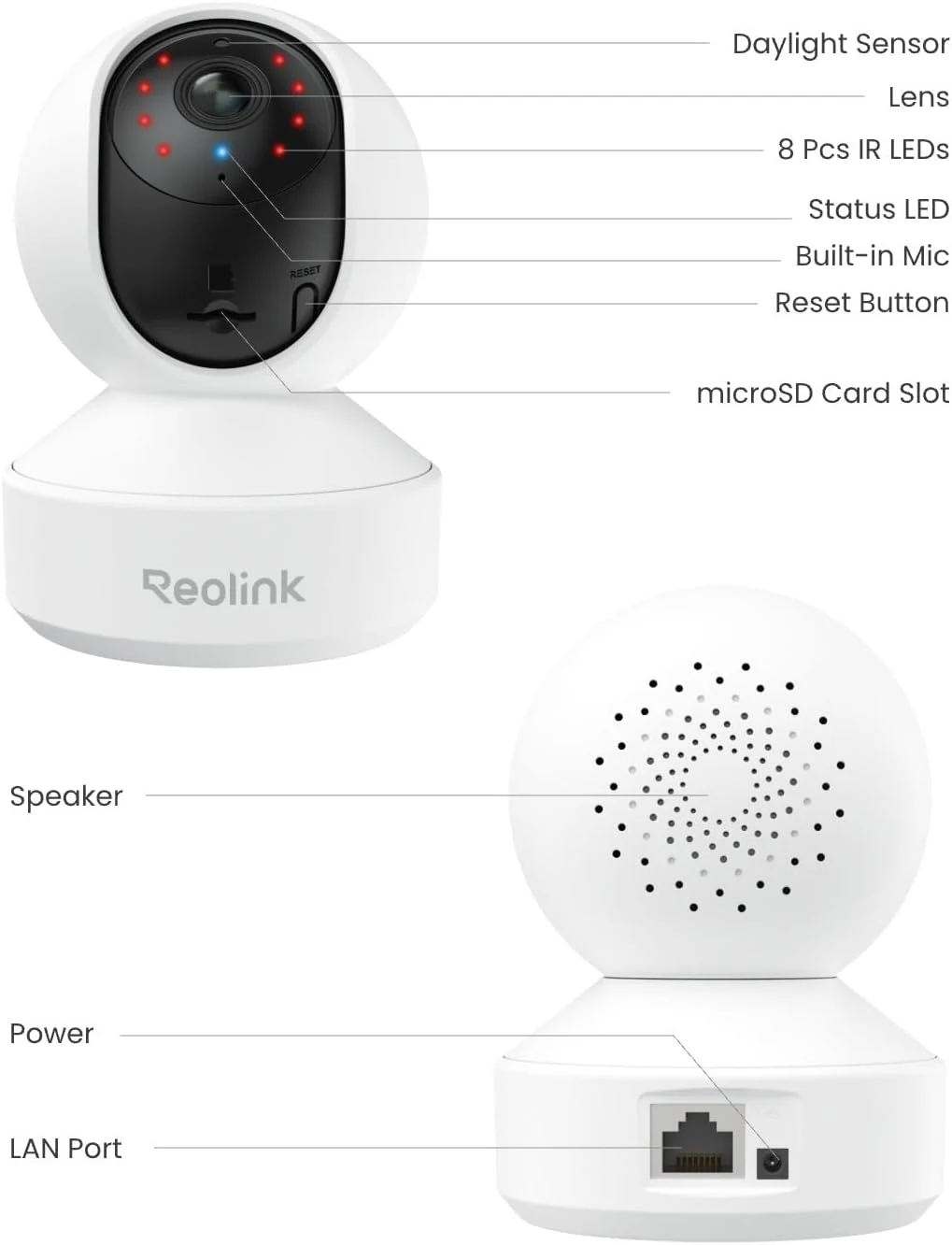
The support guide documents RTSP and ONVIF for the hardware versions it covers, with different FTP support. I would match the exact camera, firmware and receiving software before promising a working NAS setup. A shared protocol name is a useful starting point, not a complete compatibility test.
The same guide states that the camera does not offer direct browser access by entering its address. The Reolink app or desktop client provides a different viewing route, while a supported recorder or hub can change the browser arrangement. I would choose the workflow before installing the camera somewhere inconvenient.
I would keep the device updated, use an appropriate password and avoid making unnecessary remote-access changes. The aim is a camera I can maintain confidently. More connection methods are not automatically an advantage if nobody remembers which one the household actually relies on.
Alerts should support a useful action
I would define what deserves an alert before enabling every notification. A room with people, pets and frequent movement can create a very different task from an empty office. The useful result is a notification that helps me decide what to do, not simply a large daily count.
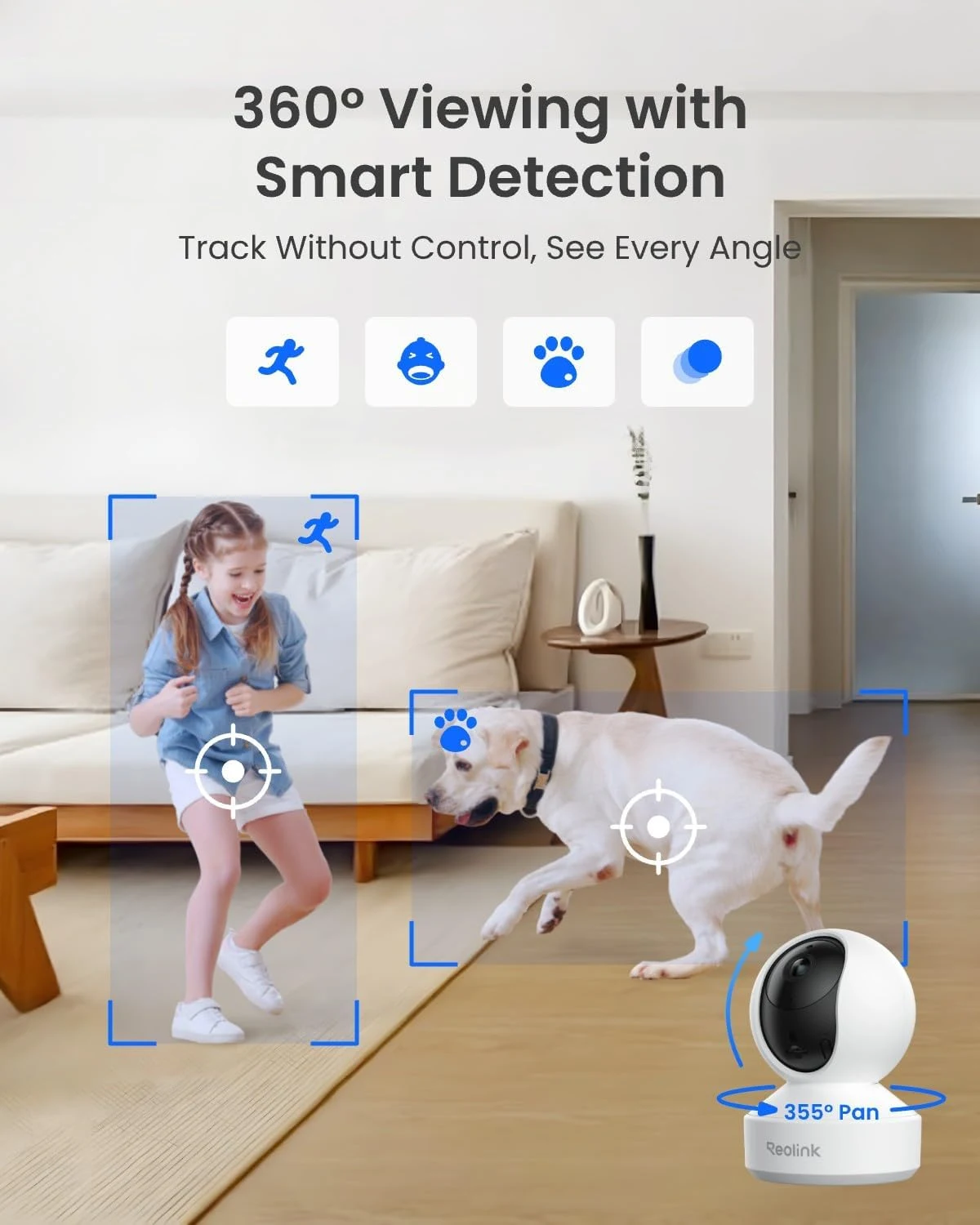
Automatic tracking can be helpful for following activity, but I would still check where the camera rests and what the saved view contains. Movement is not proof that the important moment stayed visible. I am not claiming a measured detection rate or a completed family-monitoring test here.
For a nursery, I would treat the E1 Pro as an optional viewing tool rather than a substitute for attentive care. A dedicated monitor can offer a different everyday routine, including its own display and controls. I would choose according to that complete routine, not assume one app camera serves every family role.
Related reading
The alternatives I would compare
A fixed indoor camera can be simpler if one carefully chosen angle covers the required area. A wired camera and supported recorder may suit a permanent installation with planned cabling. I would choose the E1 Pro when its movable indoor view and documented recording routes solve the actual task.
For a separate family-monitor workflow, I would also read the Philips Avent review. The important comparison is how the household views and responds, rather than which category has the longest feature list.
My buying decision
I would shortlist the selected E1 Pro for a deliberate indoor camera plan with clear storage and access. The flexibility is appealing, provided the actual hardware version supports the required route. My strongest advice is to buy the version and recording system together in your mind, then confirm the complete setup before relying on it.
What worked
A movable indoor view and documented local recording options allow a deliberate storage and viewing plan.
What bothered me
E1 Pro hardware versions differ, and the camera itself does not provide direct browser access by its network address.
Who should not buy it
E1 Pro hardware versions differ, and the camera itself does not provide direct browser access by its network address.
Alternatives I would consider
A fixed-view indoor camera. I would choose the simpler arrangement when one well-placed angle covers the required area.
Philips Avent family monitor. I would compare a dedicated monitor routine when a separate display and family controls matter more than a general camera system. Read my Philips Avent family monitor review.
Evidence and sources
Specifications are attributed to the linked documentation. Images: Amazon product gallery and manufacturer illustrations. These are not personal test photographs or measurements.
Reolink E1 Pro hardware-specific FAQ
Reolink port configuration distinctions
Exact product and gallery (image source: Amazon product gallery and manufacturer illustrations)
Features, compatibility and rated figures from the maker are manufacturer information. My opinions are identified in the review.
Conclusion
Worth considering when its exact hardware supports the chosen system; resolution alone is not a complete buying reason.
Reolink E1 Pro, selected white 5MP 3K indoor camera
Amazon US · US
Check price and availability: Reolink E1 Pro, selected white 5MP 3K indoor camera at Amazon USAffiliate link. As an Amazon Associate I earn from qualifying purchases.
One email a week with practical Mac workflows, useful comparisons and honest tech recommendations.