Most cheap gaming mice sell you a sensor number. The Razer DeathAdder Essential sells you a shape, and that shape is the reason it keeps turning up on desks that have nothing to do with games. It is a large, right-handed, wired mouse with five buttons and very little else. For a lot of people that is the whole shopping list.
The reports I found cluster around two problems: a scroll wheel that starts to misbehave, and software that does not exist on a Mac. If you work on a Mac, the second one matters more than anything else here.
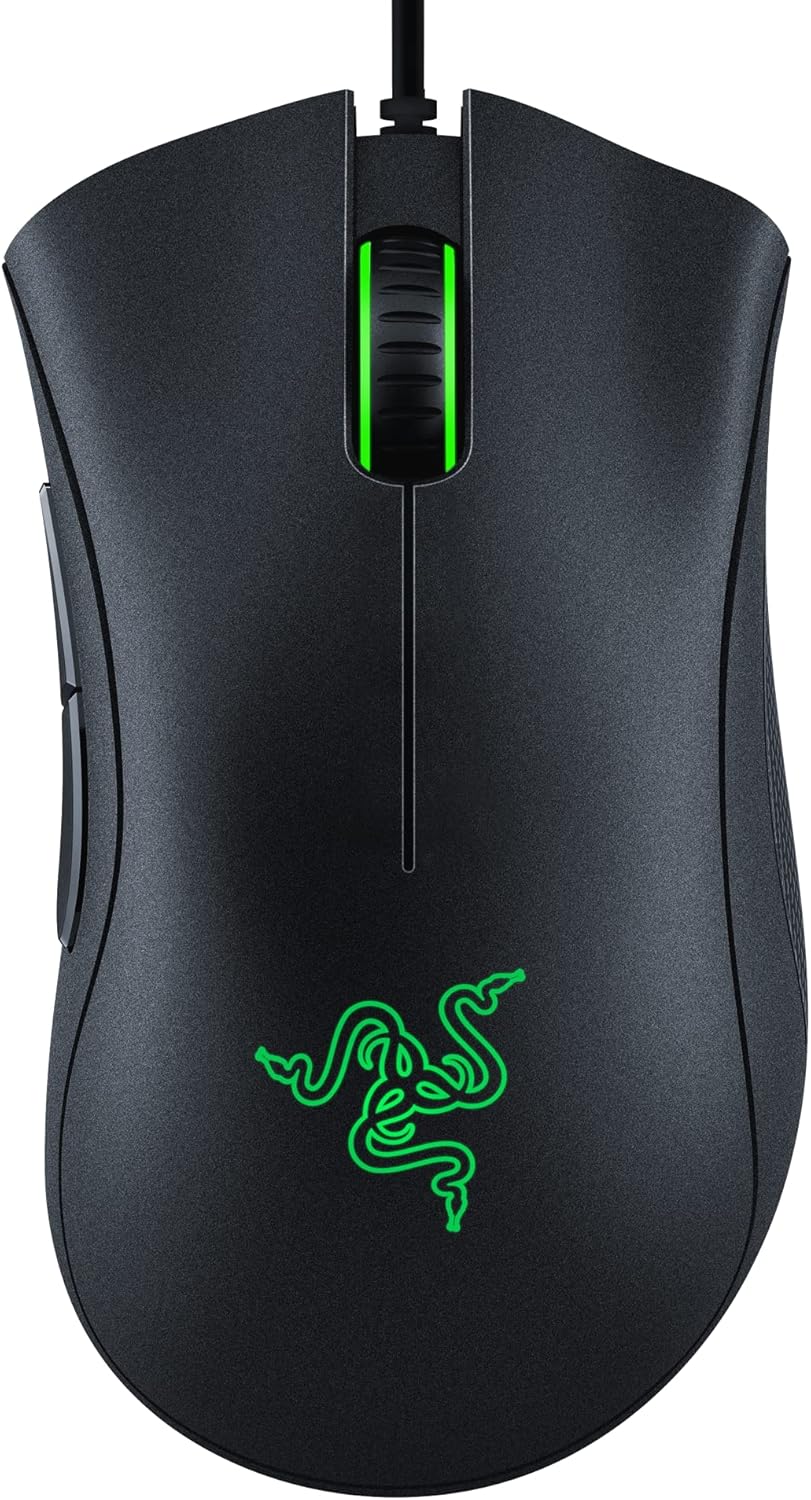
Product image from the Amazon listing.
What You Actually Get
The hardware is plain, and reviewers agree on that. Custom PC lists a 6,400 DPI sensor with 220 inches per second of tracking and calls it far more basic than the sensors in Razer’s better mice, although it says the sensor still held up in testing. The same review weighs the mouse at 96g, which it describes as 20 to 30g heavier than many light modern mice. The main switches are rated for 10 million clicks, a figure Custom PC calls low by modern standards.
Related reading

For office work, none of that should worry you. Nobody needs 220 inches per second to move a cursor across a spreadsheet, and 96g is a normal weight for a mouse that sits under a resting hand all day. Those numbers matter to people playing fast shooters, and even there Custom PC ended up calling it capable and good value.
The comfort story is the strong part. KitGuru called the design “undoubtedly comfortable” back in 2019 and gave it a good score, though it thought the price was high for a budget product at the time. If you have large hands and rest your palm on the mouse, this body has a long record of suiting people like you. If you are left-handed, skip it, because the shape is made for the right hand and retailer listings say so.
The Cable Is the Daily Annoyance
Custom PC’s complaint about the cable is the one I would take most seriously for desk use. It describes an older, stiff style of cable with a fair amount of pushback. Retailers list it at about 2.1 metres, so length will not be a problem, but a stiff cable tugs at the mouse when you make small movements.
This should be easy to live with if you only click around documents. In games with quick flicks it will be more irritating, and a cheap cable holder would probably help. There is no wireless version of this model, so a wired connection is part of the deal.

Product image from the Amazon listing.
The Scroll Wheel Problem
This is the complaint that shows up again and again on Razer’s forum. Owners describe a wheel that jumps: you scroll down and the page twitches up a line or two.
The longest thread I found started in March 2023 with a MacBook Air owner whose wheel kept jumping. A Windows owner reported the same problem within days, so this has nothing to do with the operating system. Over the next two years the thread filled up with people trying the same odd fix, which was to blow air into the gap on the left of the wheel, where the scroll encoder sits. Many said this worked, at least for a while. Others were less lucky: one owner said the fix lasted only hours and things then got worse, and another got two days out of it and opened a support ticket. A forum regular explained that a permanent repair means replacing the encoder, which takes soldering.
Other threads tell a similar story with less hope. In one from 2023, an owner’s replacement mouse apparently had the same fault as the first. In a December 2021 post, the owner reinstalled the software and drivers, updated Windows and changed USB ports with no result. A May 2021 post reports scrolling that sent the browser back a page, and Synapse did not help. Neither of those two got a reply.
Related reading

Please keep this in proportion. Forum threads collect unhappy people, and none of these posts tells me what share of mice fail. Most buyers never post anything. Even so, the pattern is specific and it repeats, and the failure is in the part you touch all day at work. Scroll encoders are a common wear item on cheap mice, so I would treat this as a likely problem after a year or two of heavy use, rather than a rare accident.
If it happens to you, try compressed air before anything else. Forum advice is clear that opening the mouse may void the warranty, so talk to Razer first if you are still covered. Retailers list a two-year warranty.
On a Mac, Plan for No Software
Here is where I would stop some buyers. This mouse needs Razer Synapse 3 for its settings, and Synapse 3 has not been available for macOS. A Razer forum regular said so plainly in 2023, and the older Synapse 2 for Mac does not list this mouse.
The mouse still works when you plug it in, since it behaves as a standard USB mouse. The catch is what you cannot change. A 2019 thread has a Mac owner saying it worked “only for 800 DPI” as plug and play. The reply there offered two ways out: run Windows through Boot Camp, or return the mouse and buy something else. Boot Camp is not an option on Apple Silicon Macs, so that advice has aged badly.
Why does this bite harder here than on other mice? KitGuru listed the lack of a DPI switch as a downside. With no button to change sensitivity and no software to do it, a Mac owner gets whatever the mouse starts with. macOS has its own tracking speed slider, which may be enough for many people. The side buttons are a separate worry. I found no good report of how they behave on a Mac without Synapse, so do not buy this expecting to assign shortcuts to them.
The forum regular also pointed Mac owners to a third-party app called Razer macOS on GitHub. I could not confirm how much of this mouse it controls, so treat it as something to try after you have the mouse, and do not count on it when you decide to buy.
Windows owners have a better time. KitGuru found Synapse repetitive in places but listed it as a strength overall, with more options than much of the competition offered. You can rebind buttons and set DPI there, and the lighting is a single colour, so you can ignore that part. Console use is out of scope here, as I found no useful reports on it.

Product image from the Amazon listing.
Related reading

One Name, Several Listings
Be a little careful when you read other reviews. Owners on the forum sometimes call their mouse the Essential V2, and European retailers sell a “2021” white edition, with part numbers that vary by shop. Listings also disagree on the lighting colour, with some saying green and others white. Razer also sells a DeathAdder V2 and a V2 Pro, which are better and more expensive mice. Those reviews do not apply to this one. Check the part number on the box if a detail matters to you.
Good Shape, Risky Wheel, No Mac Software
My view is simple. For someone on Windows with a big right hand, who wants a comfortable wired mouse at a low price and plays games now and then, this is still a sensible buy. Nothing about the sensor will hold you back, and the shape has fans for good reasons. Go in expecting that the wheel may need attention one day, and keep your receipt.
Skip it if you work mainly on a Mac. Paying for a gaming brand and then losing DPI control and button mapping makes no sense when plain mice with Mac support exist. Skip it too if you want a light mouse for competitive shooters, since the weight and the stiff cable both work against you there.
If the Windows case fits you, the Razer DeathAdder Essential is a fair low-cost choice for work and casual games. This is an affiliate link. As an Amazon Associate I earn from qualifying purchases.
One email a month: new articles, reviews and the upcoming live webinar + free recording. No spam, unsubscribe anytime.