One programmer in a long thread of retail reviews says this is their favorite mouse and that they have bought four of them, each time to replace one that failed. I keep coming back to that comment, because it holds the whole Logitech G203 story in two facts. People like it enough to buy it again. And they do buy it again.
Very few of the reports come from Mac users, so I will point out the gaps as I reach them.

Product image from the Amazon listing.
Which G203 You Are Getting
The listing here is the G203 LIGHTSYNC, a wired mouse. Logitech’s product page describes a classic six-button design, sensitivity from 200 to 8,000 DPI and RGB lighting. Two near neighbors cause confusion. An earlier G203 Prodigy shares the number, and old advice online may refer to it. The G305 LIGHTSYNC is a wireless mouse in a different price class, and nothing in this review applies to it.
Related reading
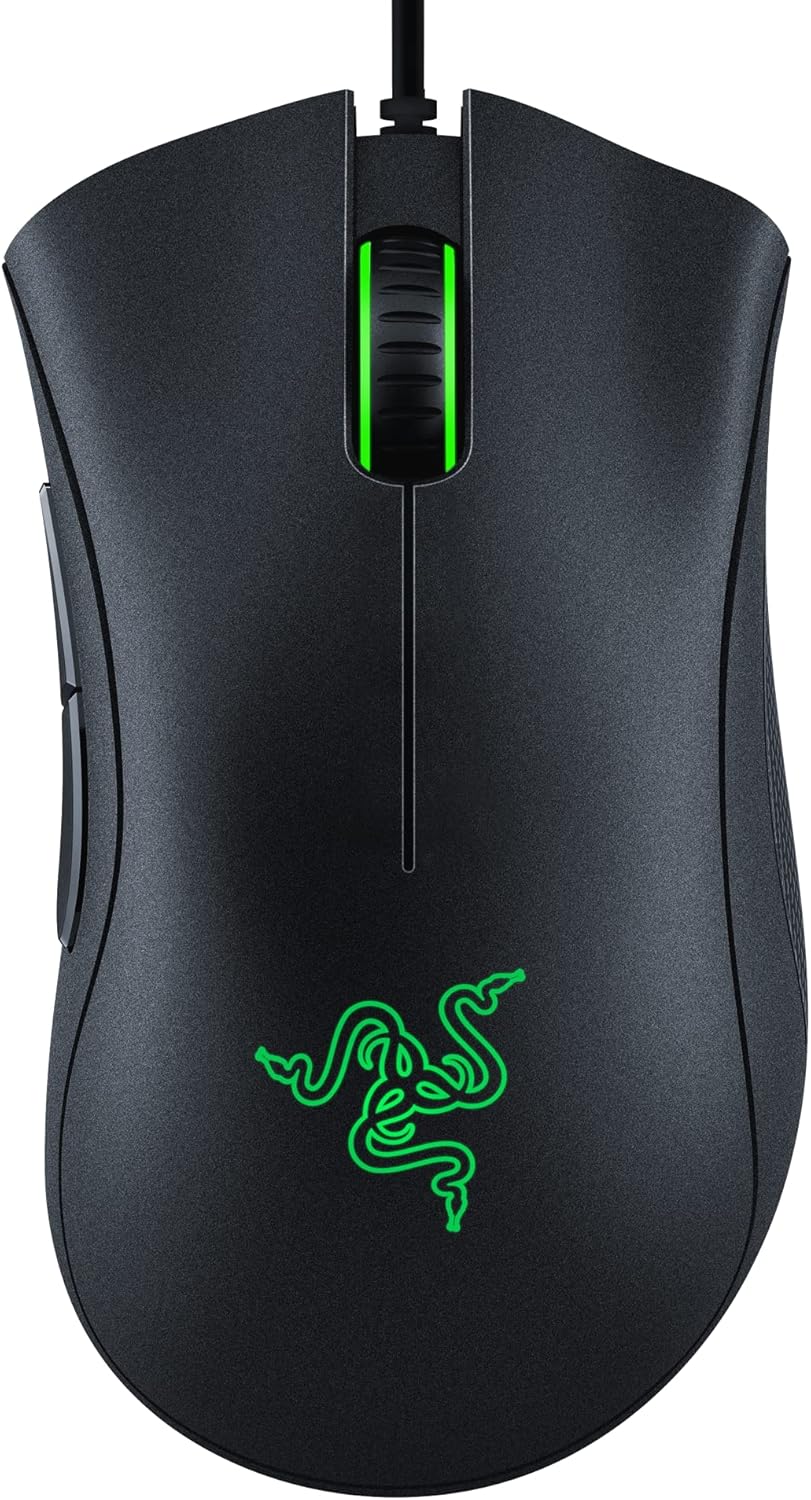
The owner reviews I lean on most come from a listing for the white G203 LIGHTSYNC, sold as a second generation. The body and sensor are described the same way across the colors, but I can’t promise every comment came from the exact black unit in this listing.
Who It Fits
Hand size is the first filter. On PcComponentes, several owners say it suits small hands, and one calls it the perfect mouse for small or medium hands. Others report the reverse side of that: it feels small, and people with large hands can find it tight. One owner finds the side buttons on the left hard to reach.
This is a compact, low, plain shape. If you palm a big mouse all day and your hand aches on small ones, this one is a poor bet, however low the price. If you have smaller hands, or you use your fingertips more than your palm, owners say it feels right.
Value is the other reason it sells. Owners on that page repeat the same idea in different words: it does the job for little money. One calls it the best value available. Another says that at 17 euros it is very, very good. A third likes it but says the full price is a bit much, and usually waits for a sale. That last habit seems wise to me. This is a mouse to buy at a low price.

Product image from the Amazon listing.
Work Use Beats Gaming Claims
Our interest is the mouse on a working desk, and that is where I think it shines. Logitech sells it as a gaming mouse, but what office users get is a light wired mouse with no battery, no pairing and no dropouts. One owner on that page reports no signal lag, and a wire takes battery worries out of the picture.
Serious competitive players may want more. One critical review said the sensor may fall short for that crowd. For spreadsheets, code and casual games, I found nothing to suggest that 8,000 DPI is a limit you will ever reach. You will probably run far below it.
Two daily annoyances come up. One owner on PcComponentes says the DPI button sits too close to the main buttons, so you sometimes hit it by accident. Your cursor speed then jumps with no warning. If you work in design tools or a spreadsheet with small targets, that gets old fast. You can reassign buttons in the software, which is the fix I would try first.
Related reading

The other is the cable. Owners note that it is not braided and that it can tangle, and one suggests a shorter cable for laptop users. A tangly cable on a small laptop setup is a small daily nuisance. Clip it down or give it a clear path behind your laptop.
Clicks and Wheels Are the Weak Parts
This is where the four-mouse programmer comes back. Durability is the most consistent complaint, and it centers on two parts.
The first is the main switch. Equipboard summarizes a Reddit thread in which recent units are said to suffer from double-click problems, especially after six months to a year of moderate use. In a double-click fault, one press registers as two. It sounds minor until a single click opens a file twice or drops an item you were dragging. An owner on PcComponentes who bought the mouse twice complains that the left click does not last, and calls it planned obsolescence. That is an angry reading, but the pattern of repeat buyers is real.
The second is the scroll wheel. Equipboard’s summary mentions wheels failing after about a year and a half of casual use, and an owner on PcComponentes warns that the wheel can break easily. Excel users and anyone who scrolls long documents should weigh this. Some owners on that Reddit thread go as far as swapping in longer-lasting switches, which tells you how much they like the shape. It also tells you this is a repair for people with a soldering iron, and I would never expect an ordinary buyer to do it.
I can’t give you a failure rate. Nobody publishes one, and happy owners rarely post. With a mouse this cheap, I would plan for it the way that programmer did. If it lasts two years, you did fine. Keep the receipt and check what your local warranty offers, because a click fault within the first year is the sort of thing a warranty exists for.

Product image from the Amazon listing.
G HUB on a Work Machine
You don’t need the software for basic use. Plug the mouse in and it works as a mouse. Advanced features do need Logitech G HUB, and Logitech says that includes up to five DPI presets. Owners who use the software tend to like it for setting DPI and button functions.
Think before you install it on a company laptop. G HUB is a large gaming app for what is, at work, a simple mouse. Many employers lock down what you can install.
Mac owners get an official route. Logitech’s G HUB page offers a macOS download. I found no owner reports describing how the G203 behaves in G HUB on a current Mac, either good or bad. Plain plug-in use should be fine, but newer Macs mostly have USB-C ports, so you will need an adapter or a hub for this USB-A plug.
Related reading

Consoles are another blank spot. I found no owner reports on how it works with a console, and I found no mention of consoles from Logitech. Please don’t buy it for that purpose based on this review.
Cheap, Likable and Replaceable
My opinion is simple. For a person with small or medium hands who wants a dependable wired mouse for a second desk, a home office or some casual gaming, the G203 is hard to argue with, provided you pay the low price and not the high one.
Skip it if you have large hands, if you need a mouse to last for many years, or if you hate replacing things on principle. Skip it too if you want a wireless desk, since that is a different product. And if you work where you can’t install software, assume you will use it as a plain mouse, which is fine, but leaves the DPI button as your only control.
For a cheap desk or light gaming mouse, the Logitech G203 Gaming Mouse earns its place, as long as you accept that the left click may be the first thing to go. This is an affiliate link. As an Amazon Associate I earn from qualifying purchases.
One email a month: new articles, reviews and the upcoming live webinar + free recording. No spam, unsubscribe anytime.