Every homelab has a machine that needs a keyboard about twice a year. A NAS that will not boot after a firmware update. A Raspberry Pi with a broken SSH key. A mini PC that wants F2 pressed during the three seconds the BIOS is listening. The keyboard for that job lives in a drawer, and the drawer is never in the same room as the machine.
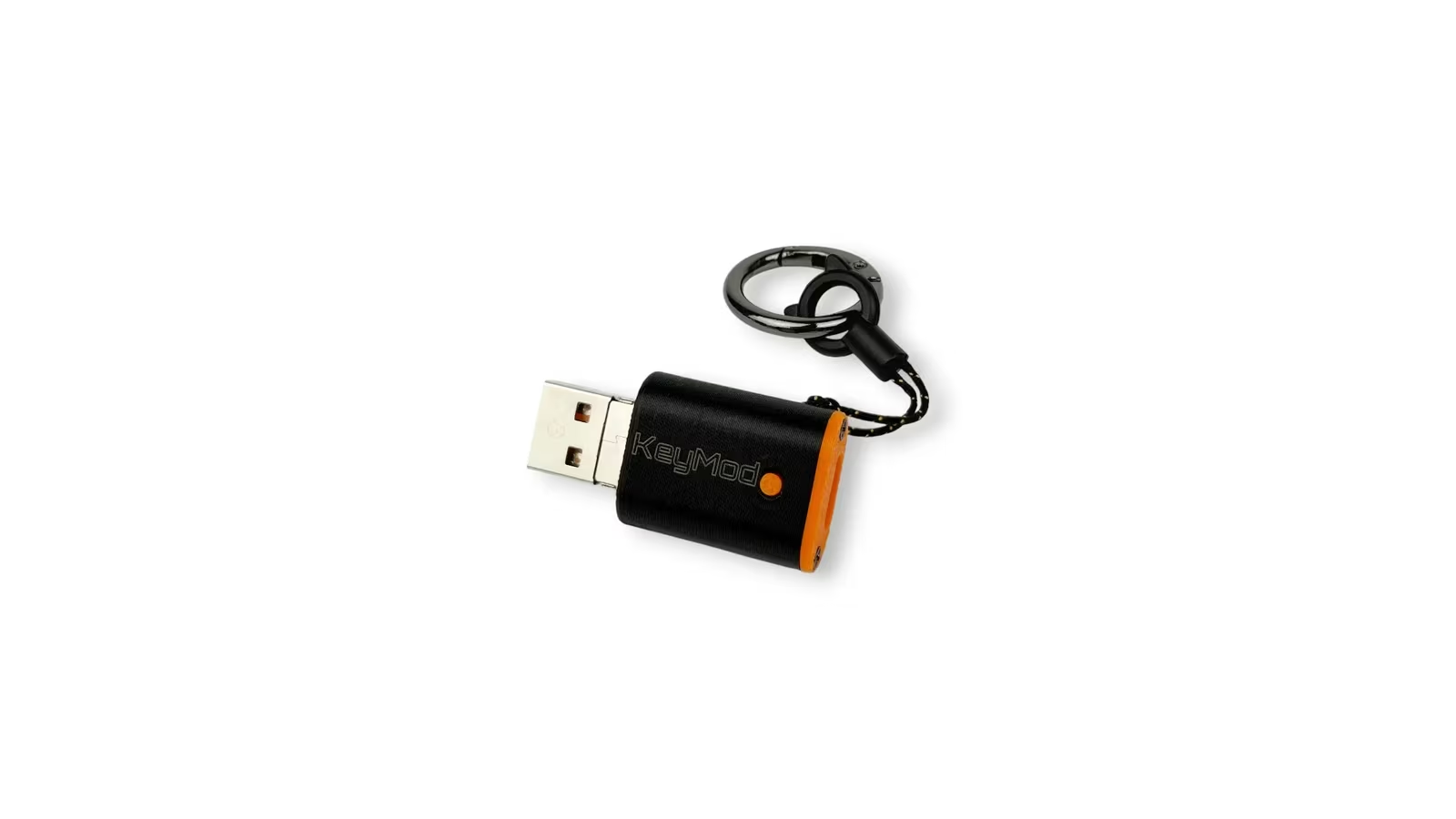
The Openterface KeyMod is a USB stick that pretends to be that keyboard. It plugs into the target, reports itself as a standard USB keyboard and mouse, and takes its input from a phone over Bluetooth Low Energy. The target never sees a phone. It sees a HID device, which is why it works in a BIOS screen, a recovery console and a locked kiosk without a driver.
Openterface sent both versions, a Mini and a Plus, ahead of the campaign’s own schedule: the KeyMod campaign on Crowd Supply runs until 1 October 2026, and backers’ hardware is expected to ship on 14 February 2027. KeyMod shares its HID core with the Openterface Mini-KVM, which has been shipping for two years. What follows is what the device is, what it promises and where its limits sit.
What KeyMod is, in one sentence
KeyMod is a hardware keyboard and mouse emulator. The target computer sees a USB HID device. The phone runs the KeyCmd app and sends keystrokes and pointer movement to the dongle. Nothing is installed on the target, and the target’s operating system does not matter.
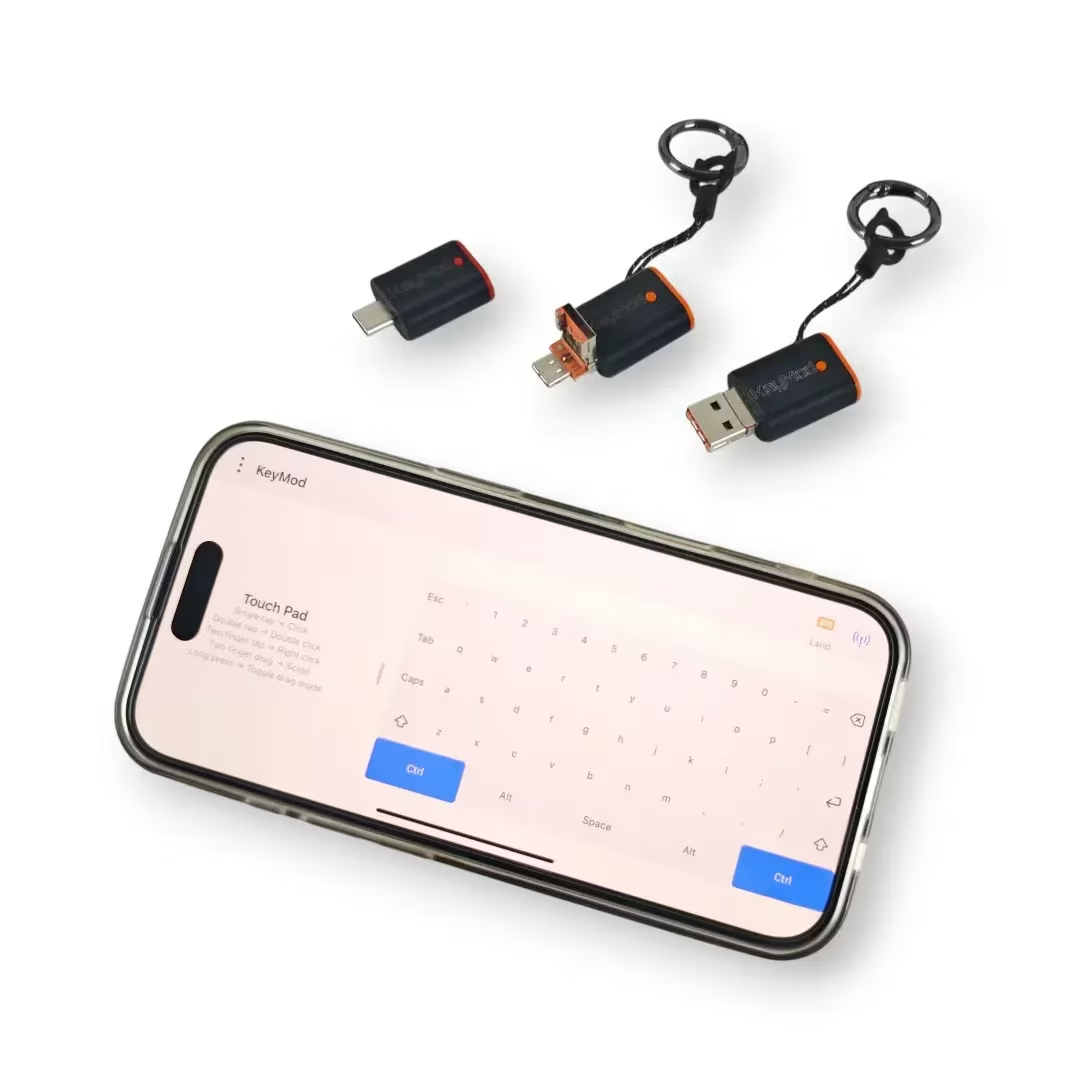
The important consequence is that KeyMod works before any operating system loads. BIOS setup, boot menus, disk encryption prompts, a Linux console with no network, a Windows installer, a macOS recovery screen. Anything that accepts a USB keyboard accepts KeyMod.
The equally important limitation is that KeyMod carries no video. You still need to see the target’s screen. For a server with a monitor in the rack, a TV, a kiosk or a machine you are standing next to, that is fine. For a headless box in a cupboard, it is not, and Openterface says so plainly: use the Mini-KVM or the KVM-GO when the screen has to come back to a laptop.
Related reading

Mini and Plus are two different tools
The campaign sells two variants at the same price, and the differences are more than the connector.
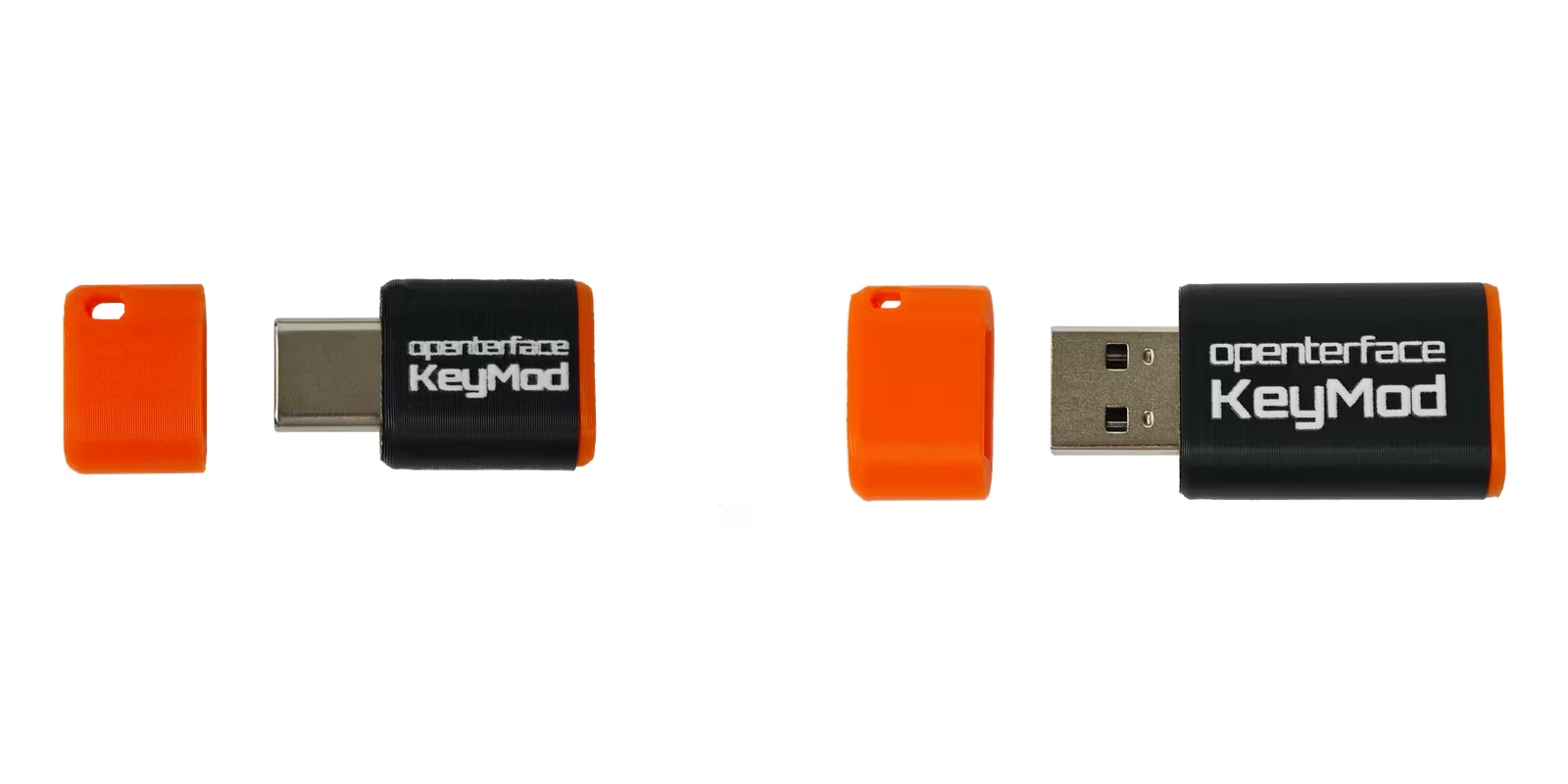
The Mini has a USB-C male plug, connects to the phone over BLE 5.3 only, measures 25 x 15 x 5 mm and weighs about 2.4 g. It is designed to live on a keyring. The BLE link runs at roughly 2 Mbps, which is far more than a keyboard needs and enough for pointer movement.
The Plus has a USB-A male plug and a USB-C female socket. The phone can connect over BLE 5.3 or over a USB cable into that socket, and the wired path runs at up to 10 Mbps. It measures 44 x 20 x 10 mm and weighs about 8.9 g. Openterface positions it for servers, legacy PCs and longer sessions where a wired phone link is more predictable than radio.
The choice follows the targets. Modern laptops, mini PCs and Macs have USB-C; older servers, industrial PCs and most kiosks have USB-A. A USB-C to USB-A adapter solves either direction in a pinch, but a 2.4 g dongle on a keyring is only useful if it plugs straight in. That points to an obvious split: a Mini on the keyring or in the laptop bag, a Plus left with the rack.
An earlier prototype with a combined USB-A and USB-C plug has been dropped. Openterface cites screen safety and manufacturing cost. That is the right call, because a dual plug that can be inserted the wrong way into a phone port is a warranty problem waiting to happen.
The HID core is the reason to trust it
KeyMod uses a CH32V208 microcontroller and speaks the CH9329 compatible protocol that the Mini-KVM already uses. In practice this means the keyboard and mouse emulation has been shipping for two years in a product that people use on servers every day.
That matters because HID emulation has edge cases. Key rollover, modifier handling, media keys, absolute versus relative mouse positioning, and how the device behaves when the target wakes from sleep all need to be right. The Mini-KVM got these right after some firmware iterations. KeyMod inherits that work rather than starting over.
Range is quoted at about 5 m typical and about 10 m in open space for BLE. That is a phone standing near a rack, not a phone in another room. The Plus with a wired phone link removes the question entirely.
One behaviour to understand before buying: KeyMod does not pair with the target as a Bluetooth keyboard. The Bluetooth link is phone to dongle only. The target always sees USB. This is deliberate. It is what makes BIOS access possible, and it is what keeps the target’s Bluetooth stack out of the picture.
The app carries most of the features
The dongle is simple on purpose. The KeyCmd app is where the functionality lives, and the feature list is longer than a keyboard emulator strictly needs.
Related reading

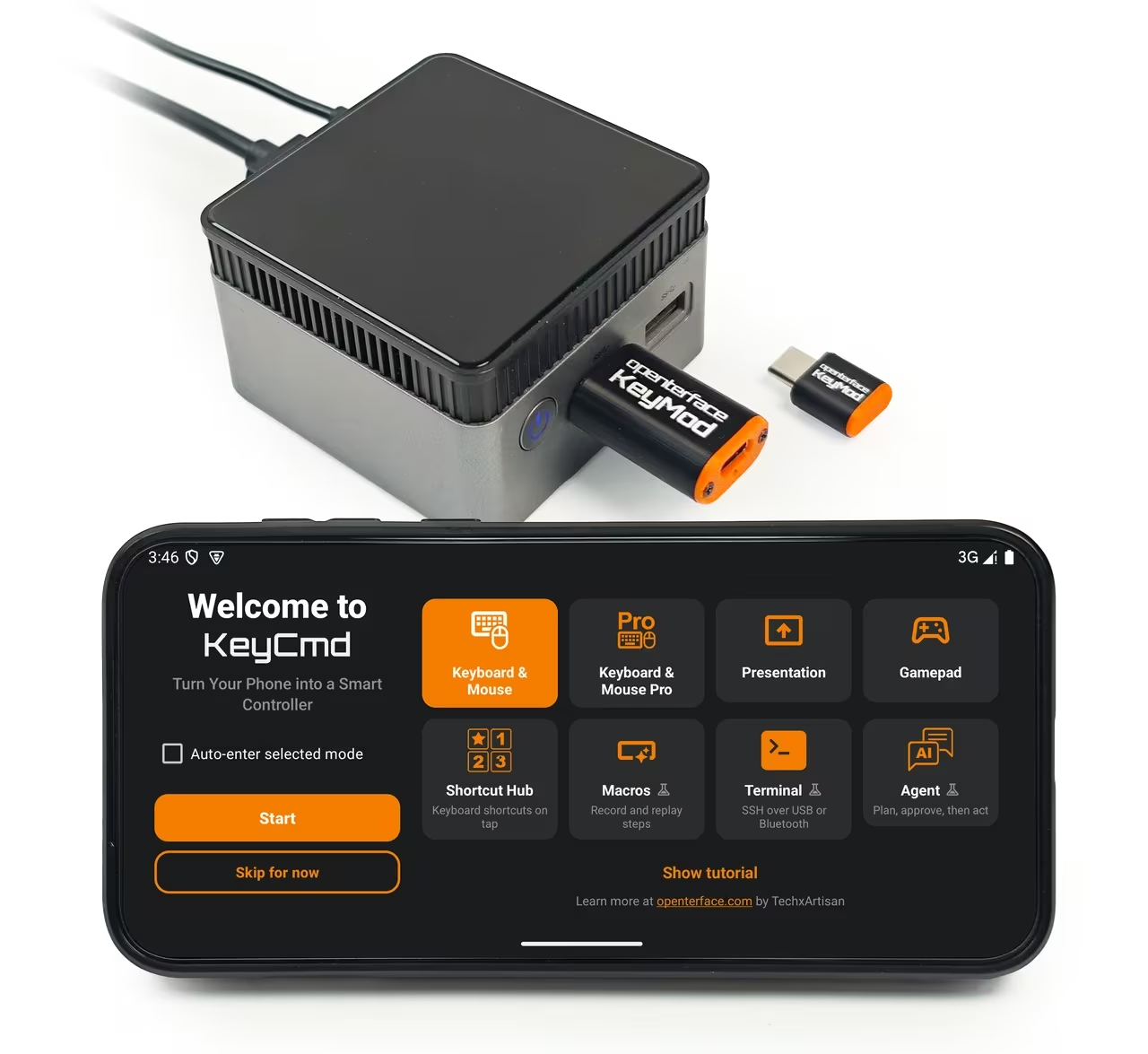
The core is a full keyboard with a numpad and a key preview, plus a trackpad area for the mouse. A pro mode splits the keyboard and adds custom shortcuts. Profiles store shortcut sets per application, which is aimed at creative tools where a dozen shortcuts do most of the work. Programmable key sequences with delays cover the classic use case: press F2 repeatedly during boot, or type a long recovery command without mistakes.
There is a presentation remote mode with a slide timer, a virtual gamepad with customisable layouts, speech to keyboard that uses an AI service to turn dictation into typed text, an SSH terminal that runs over the Bluetooth link, and AI driven command execution. The app is open source.
The gamepad deserves a caveat. KeyMod does not emulate a native gamepad HID. Gamepad mode maps controls to keyboard and mouse actions. That works for games with keyboard bindings and does nothing for games that require a controller. Treat it as a convenience, not a controller replacement.
The app targets Android, iOS and iPadOS at launch. Windows and macOS clients are described as planned. For the intended use, a phone is the right client. Anyone who wants to control a machine from a laptop already has better options in the Openterface line.
The AI features deserve the most caution. Speech to keyboard that sends audio to an external service is a data flow question, not a hardware question. On a BIOS screen or a server console, type instead, and switch those features off if the app allows it.
What it is for, and what it is not
The good cases are clear. A rack server with a monitor but no keyboard. A NAS that needs a BIOS change. A mini PC being installed from a USB stick. A digital signage player or kiosk that boots into a locked application and needs one keystroke to escape. A TV or media box with a terrible remote. A test bench where a laptop is the target and the phone is already in hand.
The bad cases are equally clear. Any machine without a visible screen, because KeyMod has no video. Anything that needs a real gamepad. Remote access over the internet, because the link is local Bluetooth. Long typing sessions, because a phone keyboard is a phone keyboard, and the SSH terminal in the app is a fallback rather than a workflow.
There is also a security angle that cuts both ways. A device that emulates a keyboard on any computer without a driver is exactly what a malicious USB stick is. KeyMod is not that, but it will trigger the same policies. Corporate laptops with USB device control will block it. That is correct behaviour on their part, and it is worth knowing before expecting it to work on a managed machine.
Open hardware, on a schedule
Openterface says the hardware schematics and PCB design files will be published as the project evolves, with OSHWA certification planned. The Mini-KVM and KVM-GO were certified, so the intent is credible. The firmware and the app are already public.
I care about this for a practical reason. A HID emulator that stops receiving app updates becomes a paperweight. Open firmware and an open app mean the community can keep it alive, and the CH9329 compatible protocol means alternative clients are plausible. That is the difference between a gadget and a tool.
The campaign status at the time of writing: 344 backers, 34,950 USD raised against a 15,000 USD goal, 233 percent funded. Price is 42 USD per unit for either variant, plus 8 USD shipping to the US or 18 USD worldwide. That is more than a cheap wireless keyboard and less than a single Mini-KVM, which is roughly the right position.
The shipping date is February 2027. Crowd Supply campaigns from this maker have delivered before, but a five month gap between backing and hardware is a fact, not a detail. Nobody should back it for a problem they need solved this month.
What to check in the first week
BIOS access on every machine you plan to use it with, because firmware setups differ in how early they accept USB input. Whether the Mini reconnects to the phone after the phone sleeps, and how long that takes. Key rollover and modifier combinations such as Ctrl+Alt+Del and Cmd+Option+Esc. Whether a stored key sequence fires reliably during a boot window. Range through one wall.
Related reading

For the Plus, the wired phone link on each phone or tablet you use, and whether the dongle survives a target reboot without re-enumeration problems. And whether the app runs the way you want with the AI and speech features switched off.
If BIOS access works where you need it and the phone reconnects quickly, KeyMod has done its job. Everything else on the feature list is a bonus.
Verdict
The Openterface KeyMod is a narrow tool with a wide set of victims: every machine that occasionally needs a keyboard and never has one nearby. A 2.4 g USB-C dongle that turns your phone into a BIOS capable keyboard is a good idea, and the Mini-KVM’s proven HID core makes it a credible one.
Openterface sent both versions for this review. The verdict rests on what the device is built to do and on the HID core it shares with the Mini-KVM, which has been shipping for two years.
Why I recommend it
- It works before any operating system. The target sees a standard USB keyboard and mouse, so BIOS setup, boot menus, disk encryption prompts and installers accept it without a driver.
- A proven HID core. It speaks the CH9329 compatible protocol the Mini-KVM has shipped for two years, so rollover and modifier handling inherit that firmware work.
- Two sizes for two kinds of machine. The Mini is a USB-C dongle made for a keyring. The Plus adds USB-A and a wired phone link at up to 10 Mbps for servers.
- Key sequences for boot windows. The KeyCmd app stores sequences with delays, so it can press F2 repeatedly during boot or type a long recovery command without mistakes.
- Open, at a reasonable price. Firmware and app are public, with schematics to follow and OSHWA certification planned. At 42 USD per unit, it costs more than a cheap wireless keyboard and less than a Mini-KVM.
Why it may not be for you
- No video. You still need to see the target’s screen.
- Phone only, and local. The app targets Android, iOS and iPadOS at launch, with desktop clients only planned. BLE range is about 5 m typical, with no internet reach.
- Managed laptops will block it. A driverless keyboard emulator trips the same USB device control policies as a malicious stick.
- Extras with caveats. Gamepad mode maps to keyboard and mouse rather than a native gamepad, and speech to keyboard sends audio to an external AI service.
- Backers wait until 2027. Crowd Supply hardware is expected to ship in February 2027, and the published specifications are still marked subject to change.
Back it if a rack, NAS or kiosk needs a keystroke now and then and its screen is already in view: the Mini for USB-C machines, the Plus for USB-A servers. If you need to see a remote screen, buy a Mini-KVM, or the KVM-GO when the screen has to come back to a laptop.
Product images: Openterface.
One email a month: new articles, reviews and the upcoming live webinar + free recording. No spam, unsubscribe anytime.