Some products survive because nobody needs them to be exciting. The Logitech H390 is a plain wired headset that has been sitting on office desks for many years, and the reports I read mostly describe a tool people stop thinking about. A microphone that works and a cable you plug in beat a long feature list when you have six calls a day.
Where the evidence runs out, I will tell you.

Product image from the Amazon listing.
My opinion, up front: it is a sensible cheap headset for Windows PCs and for Macs with USB-A ports, for calls of an hour or two. People with larger ears, people who wear a headset all day and people with USB-C-only Macs should look harder before buying.
What you actually get
Logitech’s product page describes a simple thing. There are 30 mm drivers, a noise-canceling microphone on a rigid boom on the left side, and a 1.9 meter cable with volume and mute controls on it. No driver install is needed to start. The boom can be moved and tucked out of the way when you are not talking.
Related reading

That cable is long by headset standards, about 6.2 feet. It reaches from a desktop on the floor up to your ears with room to spare. It can also get under chair wheels, so a little care helps.
Note the connector. The version reviewed here has a USB-A plug, which is the older, wider one. Logitech’s page lists both USB-A and USB-C platforms for the H390 family, so check the plug on the listing and not only the name.
The microphone is why people buy it
This is where the owner praise is strongest. On eBay’s page for the H390, with hundreds of reviews, the microphone is the part people keep returning to. One owner from 2017 writes that it “works exceptionally well, picking up only your voice.” A 2020 buyer says people could hear them “without any issues”, and another says it “works well and is adjustable.”
Another reviewer uses it for heavy dictation, and that is a demanding test. After a year of that work, this owner said the headset was still going strong and wrote: “They hold up extremely well.” Speech software punishes a bad microphone quickly, so I take that report more seriously than a general thumbs-up. At a different retailer, one podcast guest said listeners found the sound good, which points the same way.
Do not read “noise-canceling” as magic. Owners say it filters out much of the room, and I found no evidence that it handles a loud open office or a barking dog. I found no measured test of the microphone at all, so all of this is owner opinion.

Product image from the Amazon listing.
Small ear cups, sore ears
Comfort is the weak spot, and the complaints are specific. They focus on the ear cups, which sit on your ears and do not surround them.
A 2020 owner on eBay wrote that “they’re actually really small and that makes them pretty uncomfortable for long time use.” Another reports soreness after four to five hours of daily use, even with the padding. A third, who uses it for Teams calls, says “the ear cups are a bit on the small side” and found them uncomfortable after about an hour. That hour-long report is the one that would stop me if I had a meeting-heavy job.
Others are happy, and one 2017 owner calls them “comfortable, lightweight, and great sounding.” It seems to come down to head and ear size, plus how long you wear them. Several of the unhappy reports I read date from 2020, when many people were suddenly on calls all day. My guess is that a headset that felt fine for a weekly call became a problem at six hours.
Related reading
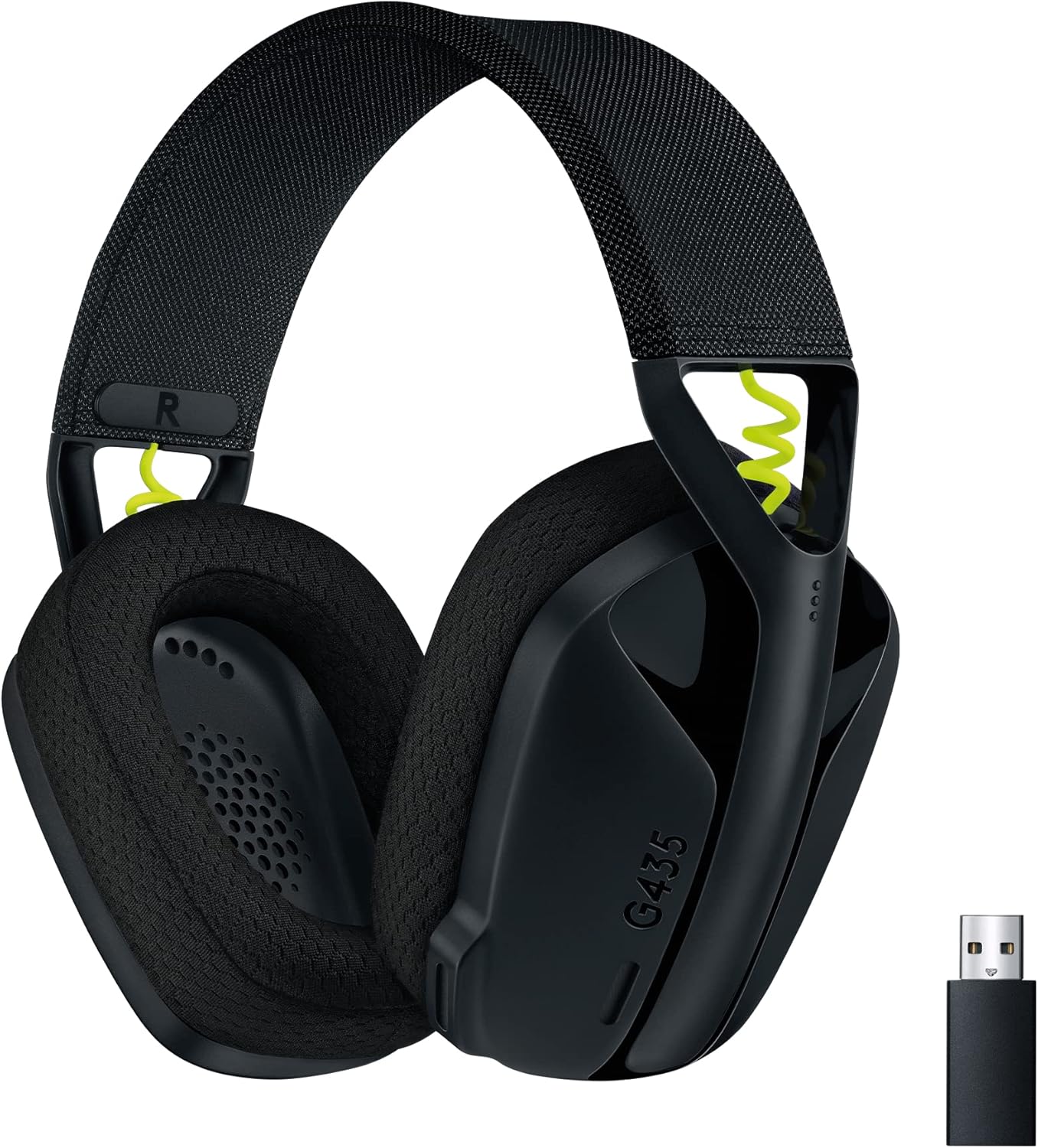
So my rule is simple. For an hour or two here and there, most owners seem fine. For all-day wear, I would look at something with larger pads.
The pads themselves also age. One owner reports that the vinyl on the ear cushions flaked after the headset sat in storage, and warned that “the original cushions will degrade over time.” Replacement cushions are worth looking up if you plan to keep it for years. Another calls the build quality average because of all the plastic. A 2019 buyer had one ear cup working only some of the time, though that was one unit.
The mute button has limits
Here is a detail that catches people out, and it comes straight from Logitech. The company’s support article says: “Although the mute light indicates mute status, the H390/H391 does not support mute synchronization with calling platforms.”
In plain words, the button on the cable mutes the headset, and a light on the control flashes red when it does. Your meeting app does not know about it. So Teams or Zoom may show you as live while your headset is muted, and you can end up talking to nobody. The reverse also applies: mute in the app and the light on your cable stays off.
The fix is a habit. Pick one place to mute and stick with it. I would use the app’s mute button, because everyone on the call can see it, and leave the cable control alone unless you need to cough.
I also found no sign that this headset carries a Teams or Zoom certification. Logitech’s page talks about clear calls without making that claim. The owners who mention Teams seem content. Certification matters if your IT department requires it, so ask before you order twenty of them.

Product image from the Amazon listing.
Macs: fine on USB-A, less certain on an adapter
This is the part I would check most carefully, because the Mac evidence is small and not all good.
The good news first. A 2017 eBay owner used it with a MacBook Pro and reported no problems. In an Apple Support Community thread from 2021, one owner on macOS Big Sur explained the normal setup: open Sound settings, then choose “Logitech USB Headset” for both input and output. One answer in Best Buy’s question section adds that once it is selected, the inline volume control changes the Mac’s volume. Forget that step and you will think the headset is dead while audio plays from your laptop’s speakers.
The less good news is in the same thread. A 2017 MacBook Pro owner with only USB-C ports used a USB-A to USB-C adapter, and the headset did not show up in Sound settings at all. It worked on an older MacBook with real USB-A ports. A 2020 MacBook Air owner had the same trouble through an adapter, with the mute light staying off, yet that headset worked with an iPhone through a different adapter. That suggests the adapter may be the weak link, but neither poster found a fix, and the thread was closed without one.
Related reading

An older thread from 2020 is odder. A MacBook Pro on Mojave played only loud static through the headset, which worked on a PC. Resets and an upgrade to Catalina did not help, according to that poster and one other.
These are a handful of posts from years ago, so please do not treat them as a failure rate. Still, if your Mac only has USB-C, buy from a place with easy returns, try it the first day, and have a second adapter or small hub to test with. I found no owner report at all from a recent macOS version with this exact headset, so that part stays unknown.
For Calls, Not for Comfort All Day
I like the H390 for what it is: a low-cost way to sound clear on calls, with no battery to charge, no Bluetooth pairing to fail and no app to install. For a home office with a desktop PC, a call center seat or a shared meeting room, that dull reliability is the point. Owners who use it for dictation and calls speak well of it after long use.
Skip it if you wear a headset for most of your working day, because the small ear cups are the most consistent complaint. Skip it too if you need the headset’s mute to show in Teams or Zoom, or if your only Mac ports are USB-C and you do not want to gamble on an adapter.
For clear calls on a machine with a USB-A port, the Logitech H390 USB Headset is an easy choice to recommend, as long as you mute in the app. This is an affiliate link. As an Amazon Associate I earn from qualifying purchases.
One email a month: new articles, reviews and the upcoming live webinar + free recording. No spam, unsubscribe anytime.