The Logitech H111 costs very little and promises very little, and for many people that is the appeal. It is a light stereo headset with a boom microphone and one 3.5 mm plug. No app, no battery, no pairing, nothing to update. If your work laptop has a headset socket and you need something for calls on Monday, it may be the cheapest fix available.
The evidence is thin, and I will tell you where I am guessing.

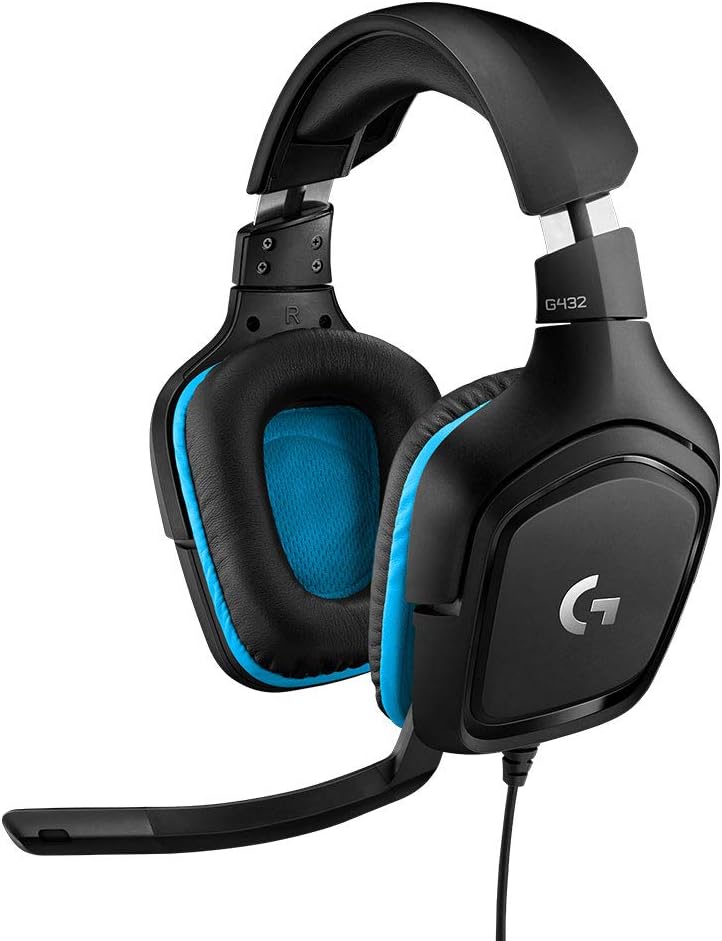
Product image from the Amazon listing.
The One Plug Is the Whole Question
Logitech’s page describes a “standard” 3.5 mm audio jack and says the headset works with most operating systems and platforms. It does not explain the socket you need, and that is where buyers can go wrong.
Related reading

One plug has to carry sound going to your ears and your voice coming back. That works in the combined headset socket found on most laptops, phones with a jack, and recent Macs. It does not work the same way on an older desktop PC with separate pink and green sockets. Plug a combined headset into the green socket and you will probably hear audio, with no microphone. For that kind of computer you need a small Y splitter, which divides one plug into two. Those are cheap, but you need to know to order one.
A German price site that sums up customer reviews lists one complaint that fits this: some users say the headset is not always recognized as a headset. I suspect socket and settings trouble is behind many of those reports, though the summary does not give details.
Phones and new laptops raise the other half of the problem. A phone with no jack needs an adapter that passes the microphone signal as well as audio. Some cheap adapters do not, and you find out on your first call.
On a Mac
Spec listings name Mac as a supported platform. The same German page lists PC, Mac and smartphone. I found no owner report that describes using the H111 on a Mac in any detail, and Apple’s page on the headphone jack talks about output levels without saying anything on headset microphones.
So here is the practical advice. Plug it in, open System Settings, go to Sound, and check that the input shows an external microphone. Record a few seconds in Voice Memos, then play it back. If the Mac uses its built-in microphone instead, the plug is not fully seated, or the socket on that model is not combined. Do that test on the day it arrives, while you can still return it. On a Mac without any jack you would need a USB-C adapter that carries the microphone too.

Product image from the Amazon listing.
What Owners Say About Calls and Sound
Sound quality and the microphone appear among the things customers often praise in the review summary, along with the low price and light weight. For a headset at this level, that is decent news. You are mostly listening to voices, and voices do not ask much of small drivers.
There are dissenting views. A UK retailer, OneDirect, shows a handful of reviews. One owner finds it fine for occasional use, but calls the sound quality poor. Other short reviews there are positive. One Desertcart buyer said the boom mic picked up a lot of background noise.
Related reading

That second point lines up with a mismatch in the marketing. Some listings call the microphone noise cancelling. OneDirect’s product text says that as well, but its own spec table says “Without noise cancelling.” Logitech’s page is more careful. It says you can position the mic for better voice capture and less background noise. I would read that as: a boom close to your mouth, with no clever processing. In a quiet room this is fine. In an open office or next to a washing machine, people will hear the room.
The boom itself is a real plus. Logitech says it swivels to either side and tucks away. A mic near your mouth usually beats the one in a laptop lid, which sits an arm’s length away and hears the keyboard. That is the main reason to buy this over using your laptop alone.
Comfort Is Where the Complaints Live
This is the clearest pattern in the owner feedback, and it is about how long you wear it.
The review summary lists thin padding for long sessions, pressure and heat around the ears, and a headband that can feel tight enough to hurt. It even mentions discomfort for bald heads, which is an oddly specific complaint and the sort of thing only real owners tell you. The OneDirect owner above reports ear discomfort after about 30 minutes. OneDirect lists foam ear cushions and a weight of 73.9 g, so the headset is very light, and I suspect that lightness comes at a cost in cushioning.
Think about how you will use it. For two or three half-hour calls a day, this should be fine, and most buyers seem content. For six hours of support calls, I would spend more. On-ear foam pads pressing on your ears all day is a known route to a headache, and the owners here are telling you so.

Product image from the Amazon listing.
The Cable and Other Small Things
Being wired has benefits. There is no battery to fail, no Bluetooth to drop, and no lag between your voice and the call. It also means a cable. The summary lists it as a trip hazard, and others praise its length, so you can guess how much your desk matters.
The published length is confusing. Logitech’s page says 7.71 feet, about 235 cm. OneDirect and the German listing both say 1.8 m. Those may be different versions of the product, since the part number on OneDirect differs from Logitech’s. Either way, there is enough cable for a desk, and probably not enough to walk around with.
I found no inline volume or mute switch mentioned in the product pages. You will mute in the call app, which is worth a thought if you are used to a button on the cable.
Related reading
One more point on age. OneDirect says the part it lists is no longer made and has been replaced by a different Logitech model. Logitech still has a page for it, and the listing here may be a later part number. With a headset this cheap I would not worry much, but do not expect spare parts or ear pad replacements.
Skip It If
You work on calls all day, or you wear glasses and hate pressure around your ears. Skip it too if you have an older desktop and do not want to buy a splitter, or if your workplace asks for a certified headset for Teams or Zoom. A USB headset with a sound card built in avoids all of the socket problems, and it will cost more.
A Spare for the Drawer
I see the H111 as a cheap, sensible backup. Keep one in a bag or a drawer, plug it into a laptop with a combined jack, and take the occasional call with a microphone that sits near your mouth. Most of the risk is about fit and the socket, and both are easy to test in five minutes.
If that matches your needs, the Logitech H111 Wired Headset is a low-risk purchase, as long as you check the socket on your computer first. This is an affiliate link. As an Amazon Associate I earn from qualifying purchases.
One email a month: new articles, reviews and the upcoming live webinar + free recording. No spam, unsubscribe anytime.