A compact keyboard is easy to like until a spreadsheet asks you to enter a long list of numbers. The same desk that feels pleasantly simple while writing can feel less convenient when you start working through prices, measurements or quantities.
The Keychron K0 Max offers a sensible answer: keep the keyboard you like and add a separate number pad when you need it. You can put the pad on either side, bring it closer for a particular job or move it away when the work changes.
That flexibility is the main reason I find it such an appealing tool. The programmable keys and rotary knob give it more uses, while the small size keeps the idea focused.
This review looks at the K0 Max through its documented features and possible uses. The desk arrangements and shortcut suggestions are examples I would try, rather than claims about measured productivity or a personal long-term test.
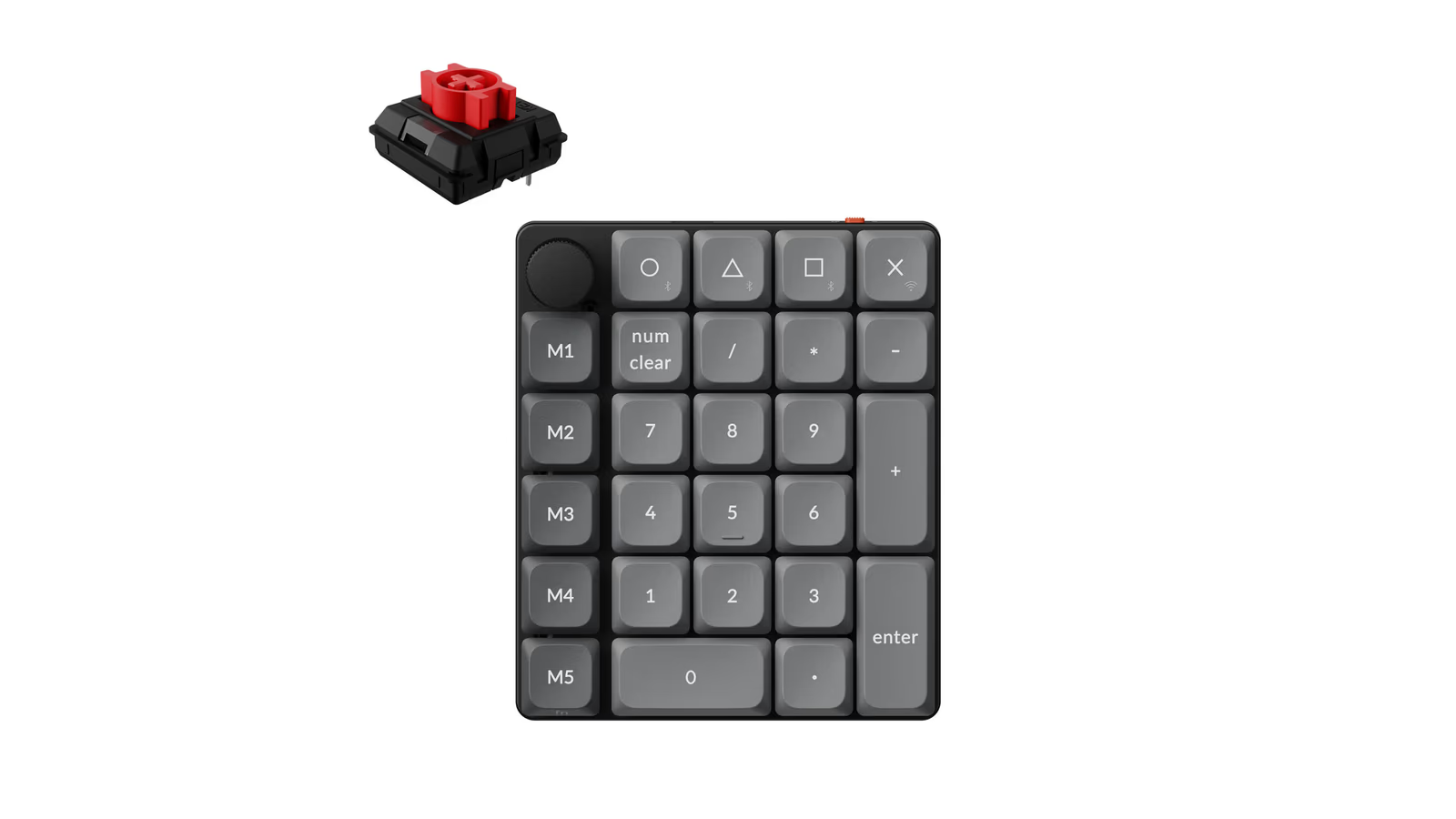
Official product image: Keychron. The separate red switch identifies an available switch option.
A separate number pad changes the layout of the desk
A number pad built into a full-size keyboard has a fixed position. A separate one gives you another choice.
For a right-handed mouse user, putting the pad on the left could be useful during work that combines clicking and entering numbers. Someone used to entering figures with the right hand can keep the familiar arrangement. The important part is being able to choose.
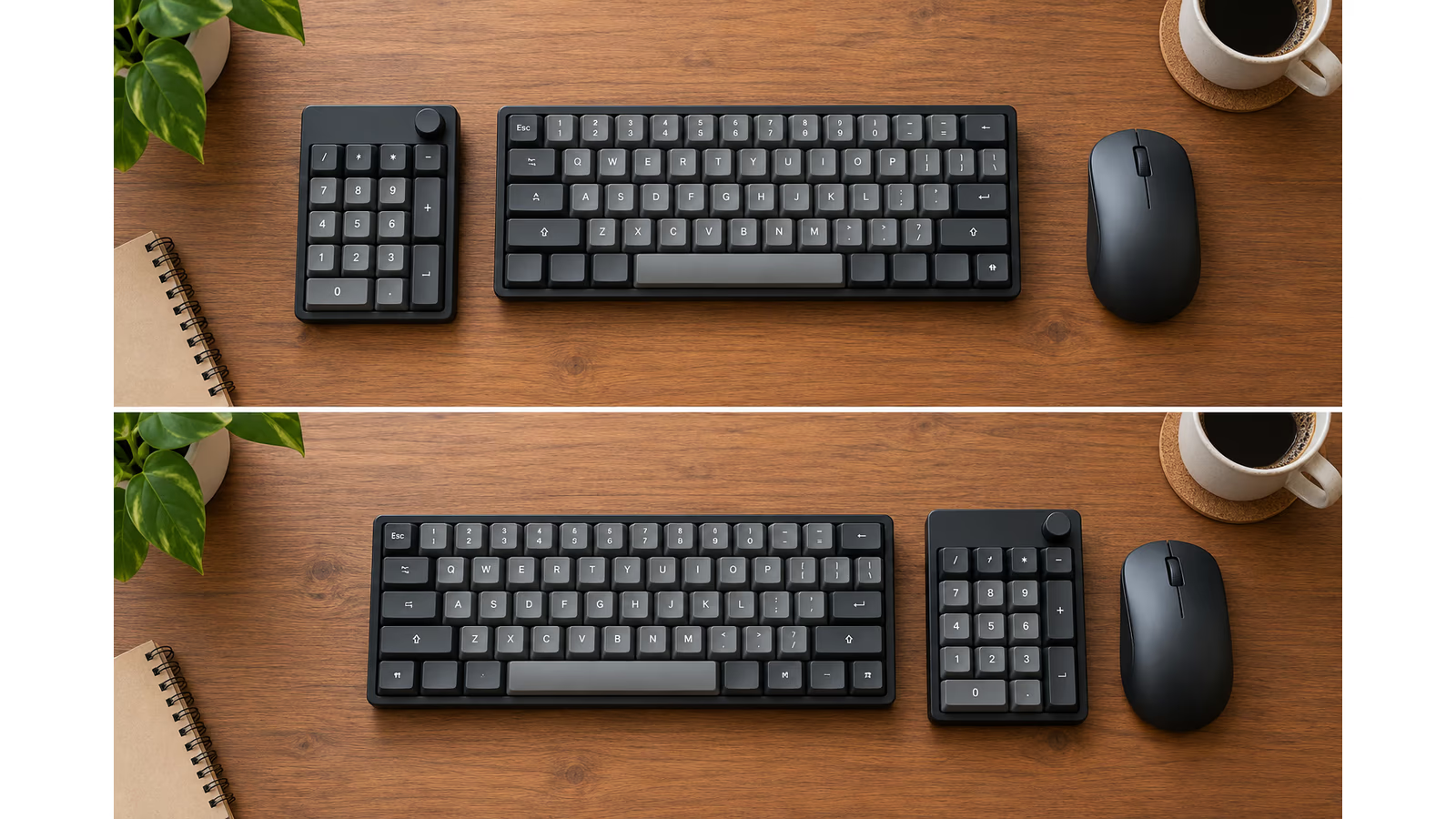
AI-generated explanation using generic devices. The arrangements illustrate positioning choices and do not reproduce an exact K0 Max layout.
I would try both sides with an ordinary task before settling on a position. Enter a few rows, edit a document and use the mouse as you normally would. It is a small experiment that can tell you more than a desk photograph.
When the task is finished, the pad can move away. That is useful for someone who likes a compact keyboard most of the time but still has occasional number-heavy work.
Related reading

It also means the number pad does not have to dictate the next main keyboard purchase. You can choose the typing layout you want and handle the numeric part separately.
Small, but with room beyond the numbers
The K0 Max has 27 keys, a macro column on the left and a rotary knob. Its footprint is 99 × 116 mm, and Keychron lists the weight at 176.3 g. Official specifications.
Those details make sense for something intended to sit beside another keyboard. There is enough room for extra controls without turning it into another large device across the desk.
I especially like the separate macro column. It offers a natural place to start customising while leaving the main number arrangement familiar. You can add useful actions without immediately having to relearn where the digits are.
The knob is another useful kind of control. Turning a dial can feel more direct than repeatedly finding a small button, depending on the action assigned to it. Launcher supports remapping knob functions as well as keys. Launcher guide.
My approach would be to keep its first job obvious. Volume is a sensible candidate. More specialised controls can follow when there is a repeated action that deserves a place on the pad.
Numbers remain a good enough reason to own one
It is tempting to jump straight to programming, but a separate number pad already has a clear everyday purpose.
Think about entering product quantities, logging measurements, checking expenses or working through an inventory. A consistent numeric layout gives those tasks a dedicated place on the desk.
For someone using a laptop, it can also bring a familiar number arrangement to a machine whose built-in keyboard has no numeric section. You can keep the laptop and add the input device that the current job needs.
I would check how the decimal key and other numeric inputs behave in the actual application and keyboard language in use. A calculator, a spreadsheet and a specialist application do not always interpret every key in the same way.
That is a normal part of choosing an input device for work. The useful result is having the expected value appear in the expected place, with as little thought about the hardware as possible.
QMK and Launcher give the extra keys a purpose
The K0 Max uses QMK firmware and supports Keychron’s Launcher web configurator. The official guide describes connecting by cable and using a current Chrome, Edge or Opera browser to make changes. K0 Max guide, programming with Launcher.
The manual also says the default layout is Windows and directs Mac users to remap the relevant keys in Launcher. Mac setup. That browser requirement is worth knowing on a Mac. A device being compatible with macOS does not mean its configuration page works in every Mac browser. I would use the documented route for setup, then return to the applications I actually use for work.
The appeal of a configurator is seeing the key you are changing and assigning a clear action to it. You do not have to begin by editing firmware source code just to decide what one extra key should do.
I would start with three or four shortcuts used often enough to remember. Copy, paste and undo are easy examples, provided the correct shortcuts are assigned for the operating system and application.
Then I would leave the arrangement alone long enough to learn it. Reprogramming the pad every day could be entertaining, but a stable layout is more likely to become useful without conscious effort.
Layers let the same space do another job
A layer gives keys a different set of actions when you switch to it. Keychron’s software documentation explains layer switching alongside ordinary key remapping. Layer concepts.
One possible arrangement is a normal number layer and a manually selected shortcut layer. That keeps the numeric purpose intact while giving the same physical space another role during a different task.
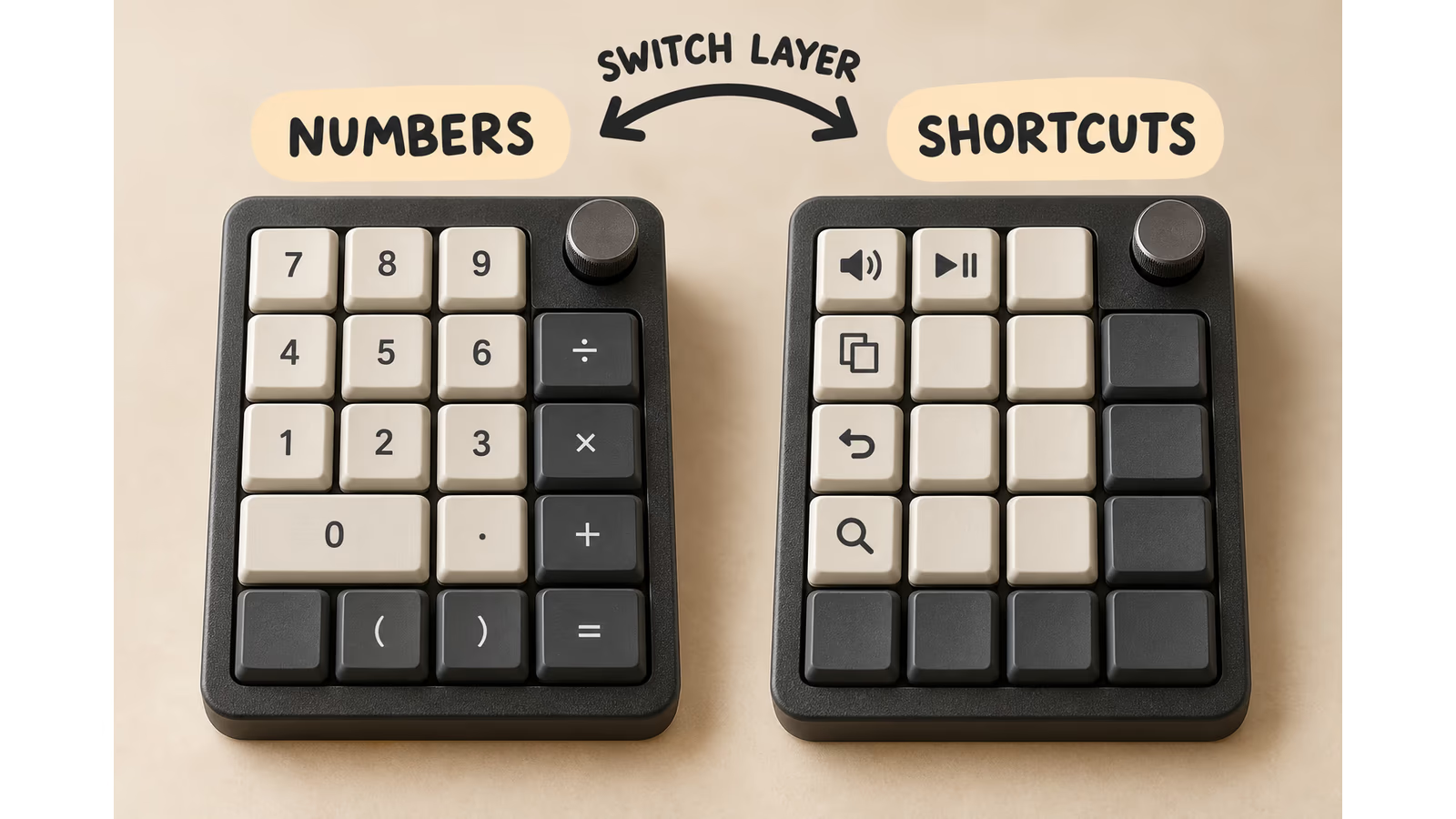
AI-generated explanation of manually switched layers, using generic keypads. It does not show the K0 Max’s exact key count, labels or an automatic application-detection feature.
For photo work, I would explore a few commands for navigation or zoom. For writing, I might keep common editing actions nearby. These are suggested mappings whose shortcuts need checking in the chosen application.
I would keep a simple note of the first layout until it becomes familiar. A clever arrangement has little value if you have to guess which layer is active every time you reach for a key.
Related reading

Start with one alternate layer and a clear way back. There is plenty of room to develop the setup once the first version earns its place.
A macro is useful when the sequence is predictable
Launcher also supports recorded macros. Keychron’s guide shows how to record key presses, assign the sequence to a key and adjust details such as timing. Macro guide.
That is useful for a repeated sequence that you understand. A small key combination can become one button, and the result is easy to check.
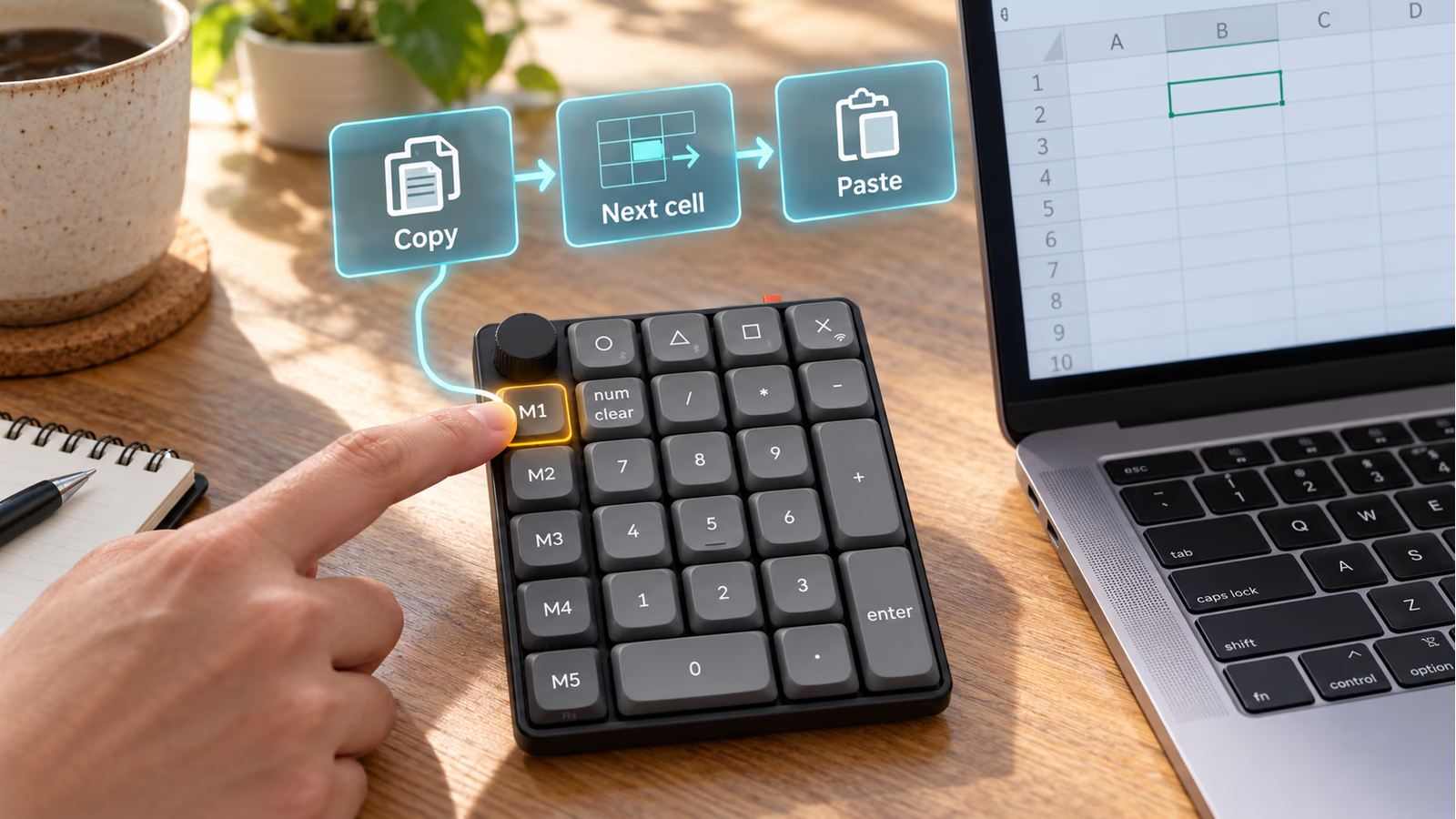
AI-generated AR-style example. This is a possible custom macro, not a factory mapping or a screenshot of Launcher.
Longer sequences deserve more care. A keyboard macro sends input to the application that currently has focus. If a window opens in an unexpected place or a dialog changes, the same input can do something different.
I would begin with short, reversible actions and test them in a harmless document. The aim is to remove a repeated step, while keeping the action clear enough to trust.
The pad can become a small physical control surface, but the best first mapping may be quite ordinary. A shortcut you use fifty times is more valuable than an impressive sequence you never need again.
Three connection choices serve different setups
The K0 Max offers receiver, Bluetooth and wired modes, with three Bluetooth channels shown in the manual. Keychron lists polling at 1000 Hz over the receiver or cable and 125 Hz over Bluetooth. Polling specifications.
I would use the connection that suits the desk. A cable is straightforward for a fixed setup and configuration. Bluetooth is attractive when avoiding another receiver matters. The 2.4 GHz option gives you another wireless route.
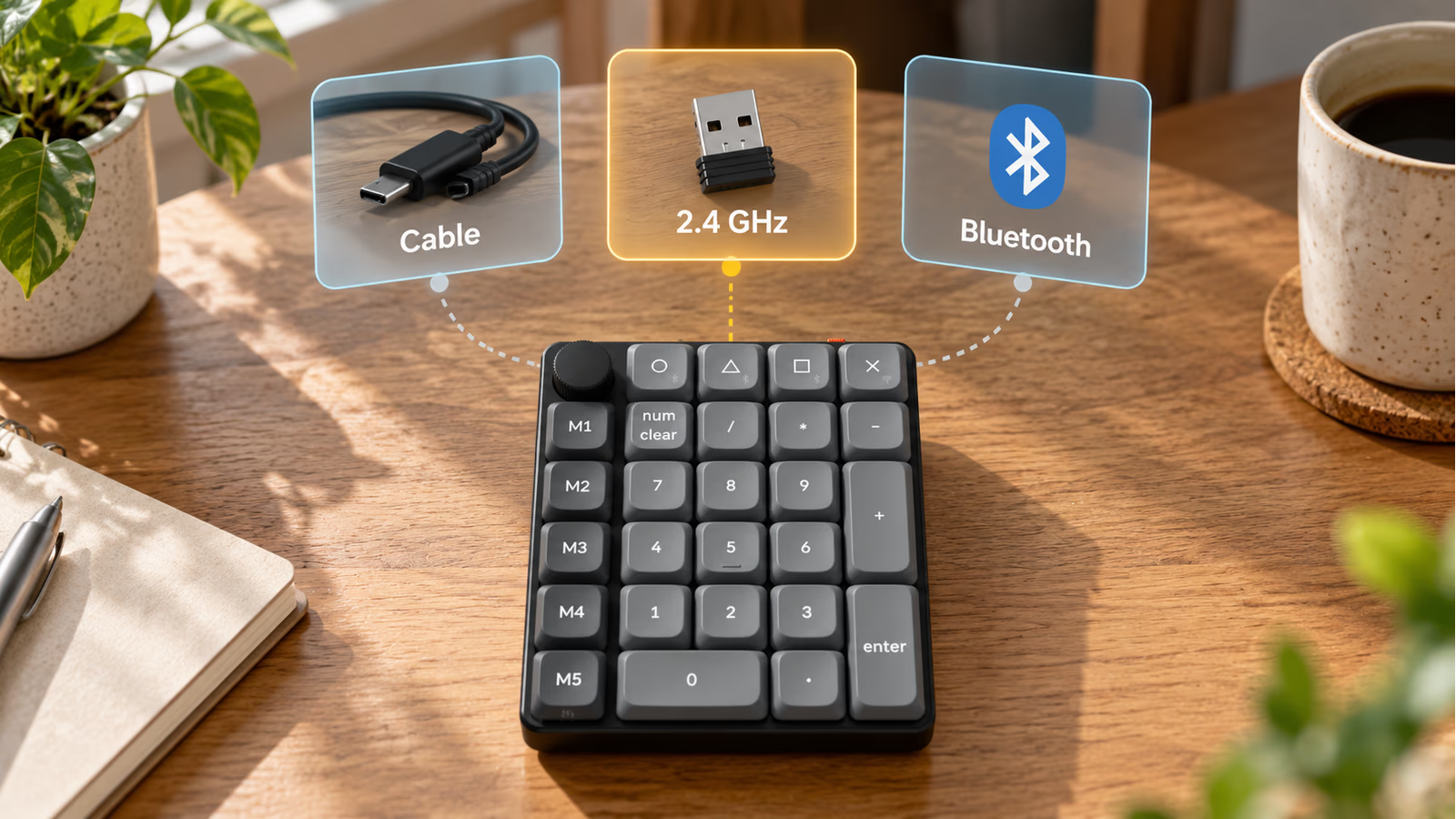
AI-generated AR-style guide to the three connection options. Choose the mode that suits the setup; the paths do not imply three active connections at once.
The included receiver is USB-A, according to the manual’s package list. On a computer with only USB-C ports, plan for a suitable adapter or hub if that is the mode you intend to use. K0 Max manual.
The polling figures are specifications, rather than a measurement of the complete input delay. For this kind of accessory, I care more about dependable entry and a convenient connection than about turning the polling rate into a promise of faster work.
A short trial with the intended computer would also reveal whether waking and switching devices fits your routine. Those behaviours depend on the setup and deserve real use before a strong claim.
Choose the switch for the way you want to press it
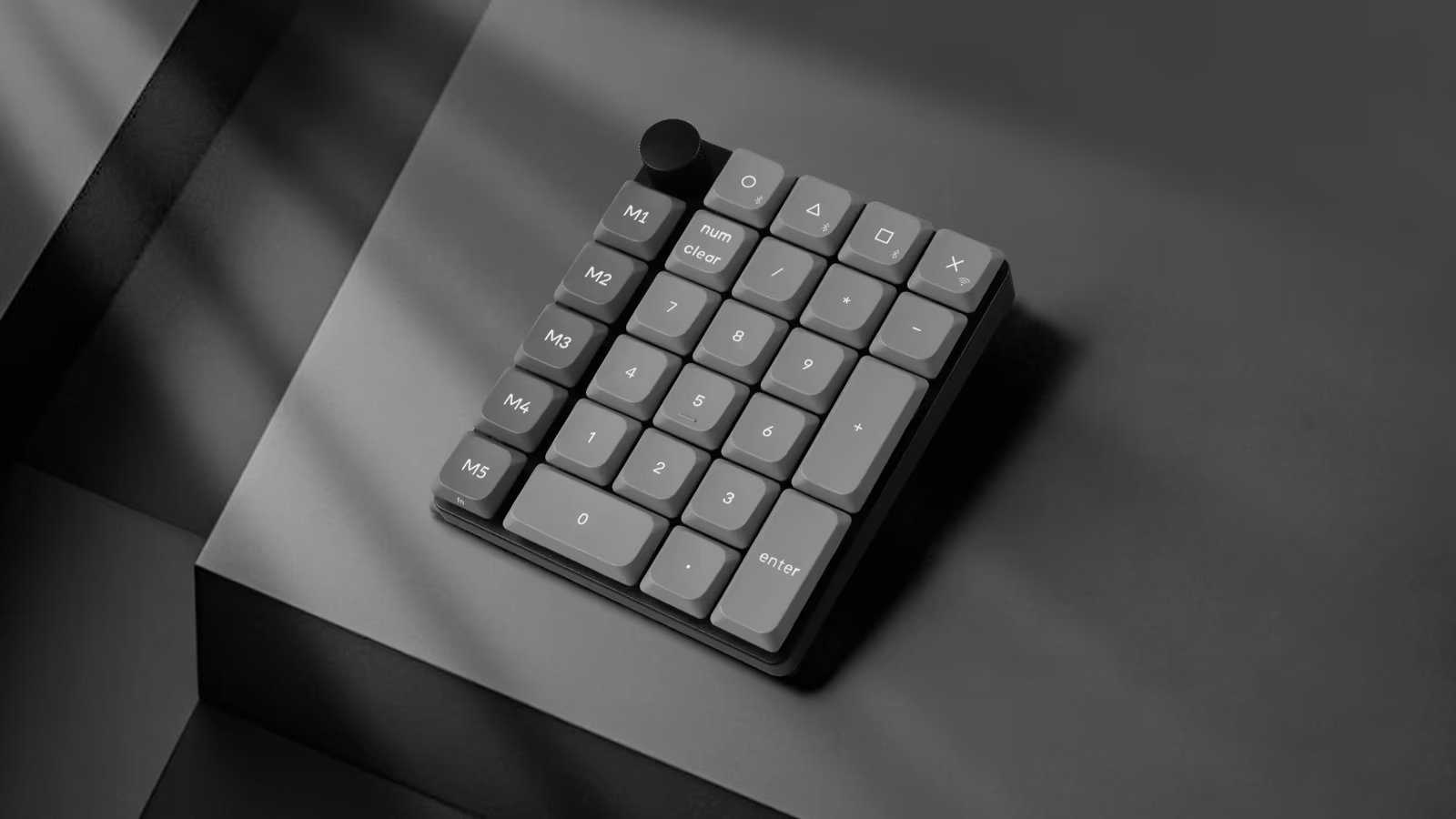
Official product image: Keychron. It shows the K0 Max; the explanation images use generic pads.
The listed Milk POM switch choices include linear Red and tactile Brown or Banana. The switches are replaceable without soldering, with compatibility limited to the specified Keychron and Gateron low-profile mechanical types. Standard full-height switches and low-profile optical switches should not be assumed to fit. Switch options and compatibility.
That choice is welcome, especially when the pad sits beside a keyboard you already like. Someone who prefers a smooth linear press has a different preference from someone who wants a tactile point to feel.
I would choose based on a familiar switch preference where possible. Sound and feel are personal, and a specification sheet cannot tell me how pleasant a particular switch will be to you in your own room.
The hot-swap design gives the owner some room to change that choice later, as long as replacement parts match the low-profile compatibility requirements. That is a useful advantage over an accessory whose switches are fixed permanently.
Battery and lighting need an exact reading
Keychron lists a 750 mAh battery and around 50 hours of wireless use with RGB at its lowest brightness. That is the manufacturer’s figure under the stated lighting condition, rather than a battery result from this review. Power specifications in the manual.
Related reading

I would set the lighting according to the room and the way I use the desk. Decorative lighting can be enjoyable, but it should not make the basic job harder to see or add a charging routine I do not want.
The supplied PBT keycaps are described as non-shine-through. The lighting therefore does not illuminate their legends in the same way as transparent characters on a backlit laptop keyboard. That distinction matters if you expect to read the keys in a dark room. Keycap description.
The wired option remains useful for a permanent desk arrangement. Wireless is a choice, so the best setup can be the one that needs the least attention during the workday.
Price it against the job you want it to do
On 19 October 2026, Keychron’s global storefront price converted to approximately €58, using that day’s Czech National Bank rates. This is a conversion of the US listing, not a European checkout quotation. Delivery, tax and local reseller pricing can change the total. The selected Red variant was marked backordered, so check the chosen option before ordering. Product listing, exchange rates.
At that level, the value depends on how much of the product you will use. For occasional figures and nothing else, a basic number pad may be enough. For frequent entry, a preferred switch type and a handful of useful custom controls, the K0 Max becomes easier to justify.
I would also compare it with keeping a full-size keyboard. If you always want the number section in the same place, an integrated layout may already suit you. The K0 Max earns its place through the freedom to move and customise that section independently.
A useful addition to a desk that already works
The Keychron K0 Max appeals to me because it lets you improve one part of a setup without replacing the whole thing. Keep the compact keyboard, add the numeric layout and place it where the current task needs it.
The macro column, knob and programmable layers give it room to do more. I would build that extra role gradually: one useful shortcut, then another, with the ordinary number layout always easy to reach.
That makes it a great tool for someone who likes a small keyboard but regularly works with numbers or repeated commands. Its strengths are practical and easy to understand, and the connection choices give it several ways to fit into an existing desk.
Choose a suitable switch, check the real applications and keep the first configuration simple. A little pad that performs a few familiar jobs well can become one of the most useful objects beside the keyboard.
Scope: a researched product and workflow assessment, dated 19 October 2026. Personal switch feel, battery life, connection reliability and time savings still require the author’s own test observations.
One email a month: new articles, reviews and the upcoming live webinar + free recording. No spam, unsubscribe anytime.