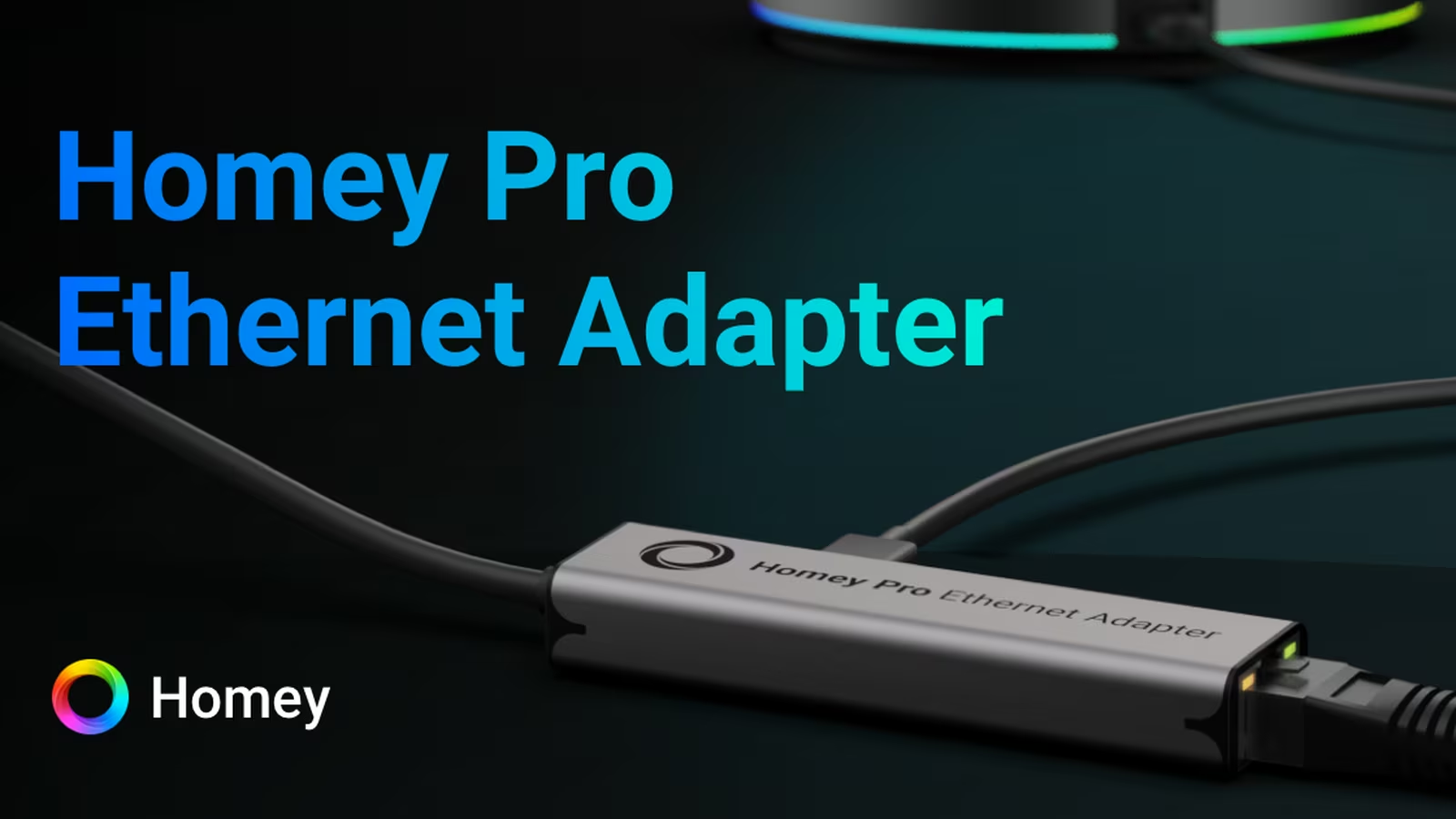
An Ethernet adapter for a smart-home hub has one job: remove Wi-Fi from the path between the controller and the local network. That is not exciting, but the network behind lights, heating and sensors should not be exciting. It should disappear.
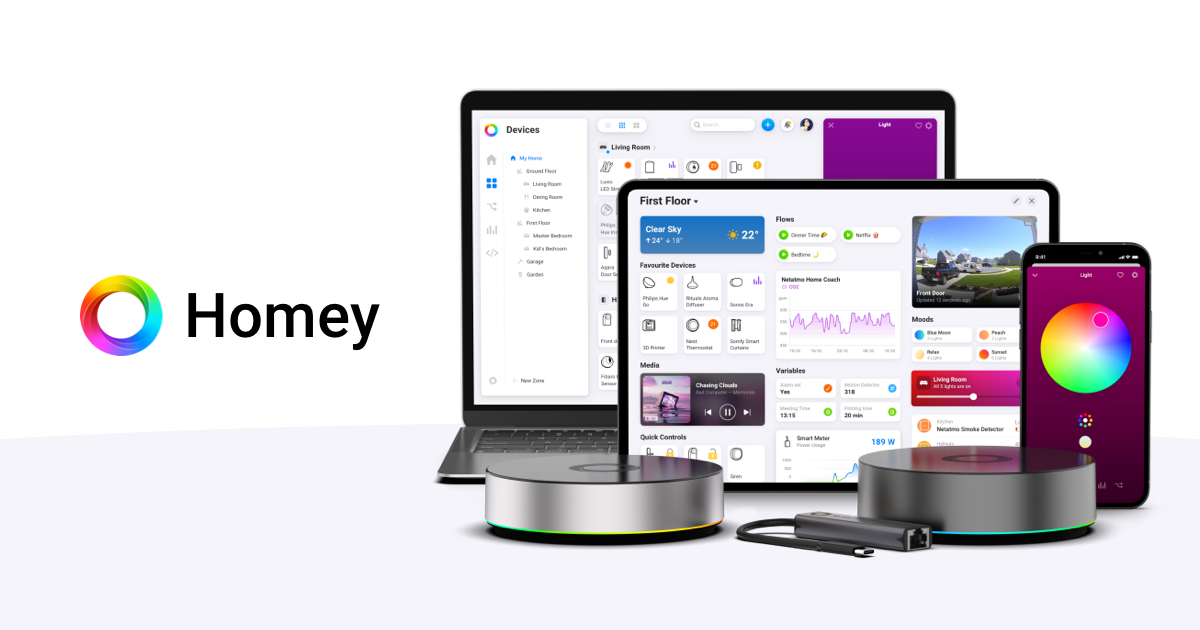
The Homey Pro Ethernet Adapter is a small power-and-data intermediary designed for Homey Pro models from early 2023 and 2026. Homey’s power supply connects to the adapter, Homey’s USB-C cable connects to its side, and an Ethernet cable reaches the router or switch. Homey automatically prefers the wired connection when it is available.
The adapter will not make Zigbee, Z-Wave or Thread radios faster. It will not add processing power. The real benefit is narrower: fewer wireless variables on the uplink used by local integrations, apps and internet services.
Installation is simple, but the cable direction matters
The official setup looks unusual because the adapter sits near the power brick rather than directly beside Homey Pro. Its short built-in cable plugs into the Homey power adapter. The normal Homey USB-C cable then runs from the adapter to the hub. Ethernet plugs into the remaining port.
Athom explicitly warns not to connect the adapter’s short lead directly to Homey Pro. The lights may blink, but the network connection will not work. This is worth reading before treating the adapter like a conventional USB dongle.
Once connected, Homey should detect Ethernet automatically. Keep Wi-Fi configured as a fallback during initial testing. Confirm the active interface in the Homey app or network equipment rather than assuming a link light proves traffic is using the cable.
The design keeps the visible hub clean, but it concentrates the power brick, adapter and two cables near an outlet. Plan strain relief and ventilation. A loose USB-C connection can remove both network and power, which is worse than a Wi-Fi dropout.
Gigabit describes the port, not application throughput
Homey’s adapter uses a Gigabit Ethernet interface, but the official setup guide states that actual speed is limited by USB 2.0 to 480 Mbit/s before protocol overhead. That is still far beyond what normal automation traffic needs.
The distinction matters because the label can invite the wrong benchmark. Homey Pro is not a file server. A Flow command, device event or app API request is tiny. Moving from 300 to 900 Mbit/s would not make a lamp visibly faster.
Latency and reliability are the useful measures. Ethernet removes contention, radio retries and roaming from the hub’s LAN connection. It does not remove processing delay inside Homey, cloud round trips or the target device’s radio path.
Related reading
Anyone buying for speed should identify the slow segment first. If an automation waits on a vendor cloud, wiring Homey may change nothing. If the hub occasionally drops from a crowded Wi-Fi network, the adapter addresses the right layer.
Median latency may barely change
Good 5 GHz Wi-Fi and switched Ethernet both carry a local packet in a small fraction of the time a person notices. In a quiet network, the median automation response may look almost identical.
The difference can appear in the tail. Wireless contention, interference, power-saving behaviour and access-point steering create occasional retries. A rare one-second response damages trust more than a consistent extra few milliseconds.
I do not have a controlled A/B data set for this adapter, so this review does not claim measured improvements. The useful test runs the same automation many times on Wi-Fi and Ethernet with nothing else changed. Record median, 95th percentile, worst case and failures.
Use a local action if the goal is to isolate the uplink. A cloud-backed device adds internet variation that can overwhelm the comparison. Then repeat one cloud action separately to see whether local improvement survives the longer path.
The network environment must be stated: band, access point, approximate distance, channel conditions and whether the Mac or device timing the result is wired. A precise number without topology is false precision.
Wiring one device can improve the whole radio environment
Homey Pro supports 2.4 and 5 GHz Wi-Fi. Its own traffic is usually modest, so removing it will not transform an overloaded network. The more meaningful benefit is freeing the hub from conditions created by other clients.
Smart homes often place many devices on 2.4 GHz alongside Zigbee and Thread. Homey may use 5 GHz for the LAN, but band steering and access-point behaviour still belong to the installation. Ethernet creates a deterministic uplink while Homey’s other radios continue their separate work.
This can also improve placement. A hub no longer needs to remain near the best Wi-Fi signal, but Ethernet introduces a cable. Radio coverage for Zigbee, Z-Wave, Thread, Bluetooth, 433 MHz and infrared still determines the best Homey position.
Do not move the hub into a metal network cabinet simply because it is wired. That can improve Ethernet and damage every device radio. The adapter should serve the correct radio location, not redefine it.
Ethernet does not make every automation local
Homey Pro can execute many Flows locally, but applications and devices choose their own architecture. A local Homey connection may still call a manufacturer’s cloud before the action returns to the house.
Block internet access temporarily and test representative devices. Lights and sensors using local radios should continue if their app logic is local. Cloud-only integrations will not. Record the boundary so household members know which controls remain during an outage.
Ethernet only changes Homey’s path to the router. It cannot convert a cloud API into a LAN API. A cable icon is not a local-control certificate.
For critical functions, choose devices and Homey apps that document local operation. Keep a manual control for heating, locks and basic lighting. A reliable smart home degrades gracefully rather than becoming dark when one service is unavailable.
Router restart behaviour is more important than a speed test
The adapter should recover after a switch, router or Homey reboot without manual intervention. That is a normal home event, not an edge case. Firmware updates and short power cuts will eventually exercise it.
Test the sequence deliberately. Restart the switch while Homey stays powered, then the router, then Homey itself. Time until the app reconnects and local automations respond. Verify whether Homey temporarily falls back to Wi-Fi and returns to Ethernet afterward.
Check the network for duplicate leases or stale client entries. Reserve an address in DHCP if other local systems depend on a stable Homey address, but avoid configuring an unmanaged static address that can collide later.
After recovery, run one device from each important protocol. A responsive Homey interface does not prove that every radio integration and app completed startup.
Power is shared with the network interface
The adapter passes power to Homey while operating its Ethernet chipset. Athom recommends the official Homey power adapter for optimal results. An underpowered or poorly negotiated USB supply can create intermittent problems that resemble network failure.
The company also lists selected alternatives in its compatibility guidance. A Ubiquiti UniFi PoE USB-C adapter is noted for installations that want power and data from a PoE network, although Athom limits support for alternative power arrangements.
Related reading
PoE can be elegant because the hub, switch and router can share an uninterruptible power supply. It can also complicate support. If reliability is the goal, use the official components first and change one part at a time.
Measure total wall power if the always-on cost matters. The additional Ethernet chipset will consume something, but a universal figure needs the exact supply and network state. The likely annual cost is small compared with the hub itself; stability remains the reason to buy.
Link lights are useful, with limits
Ethernet LEDs can confirm physical link and activity. They help distinguish an unplugged cable from an application problem. They do not prove the hub received an address, reached the gateway or selected the wired interface.
If Homey appears offline, troubleshoot from the bottom upward. Check power, cable seating and link. Inspect the switch port and DHCP lease. Confirm whether the hub remains reachable over Wi-Fi. Then move to Homey apps and external services.
Avoid changing the cable, switch, IP settings and Homey configuration simultaneously. One variable at a time produces evidence. A known-good short cable is useful for isolating in-wall wiring.
The adapter should be labelled if it lives among similar USB-C equipment. Its wiring is specialised, and using the wrong lead during maintenance can waste time.
Network segmentation needs a plan
Some homes place IoT devices on a separate VLAN. Homey may need to discover and control LAN devices across multicast and firewall boundaries. Moving from Wi-Fi to Ethernet can also move the hub into a different network profile.
Connect the switch port to the intended VLAN and preserve access required by the Homey app, local integrations, DNS, NTP and updates. Matter discovery can depend on IPv6 and multicast forwarding. A restrictive rule set may break commissioning while ordinary internet access still works.
Begin on a simple trusted LAN, record normal traffic and then introduce segmentation. Permit specific flows rather than opening every path permanently. Keep the management interface accessible only where it is needed.
The adapter does not provide firewalling or isolation. It exposes Homey to the Ethernet network assigned by the switch. Security remains a property of the wider topology.
Wi-Fi fallback can hide a failed cable
Keeping wireless configured improves availability, but it can make testing ambiguous. If the Ethernet link fails and Homey quietly returns to Wi-Fi, automations continue while the user believes the wired path is healthy.
Check the router or switch for a live Ethernet client after installation and periodically afterward. If stable wired operation is a strict requirement, monitor the switch port or Homey’s interface status rather than relying on reachability alone.
Fallback behaviour should be tested both ways. Remove Ethernet and confirm Homey returns through Wi-Fi within an acceptable time. Restore the cable and verify it prefers wired again. Run local automations during both transitions.
For a simple home, silent fallback is a benefit. For diagnosing intermittent problems, it needs visibility. Document which MAC address belongs to each interface so monitoring does not mistake one for two hubs.
The official adapter versus generic USB-C Ethernet
Homey publishes a list of compatible adapters and power arrangements, which proves the official accessory is not the only technically possible path. Generic hardware may cost less or support PoE more neatly.
The official adapter buys known wiring, documented setup and support responsibility. That matters for a hub expected to remain untouched for years. Saving a small amount on an adapter is poor value if intermittent power negotiation becomes difficult to diagnose.
An alternative makes sense when it solves a defined installation problem, particularly PoE. Confirm Homey model compatibility, Ethernet speed, power delivery direction and connector arrangement. USB-C shape alone says little about what power and data roles the device supports.
I would establish a stable baseline with the official adapter before experimenting. If the alternative fails, the comparison has a known working path.
Pricing should be compared with the network, not the hub
The adapter price varies by country. Homey’s Canadian store currently lists it at C$39, while the company kept accessory pricing unchanged during the 2026 Homey Pro price increase. Confirm the local Homey product page for final price and availability.
The accessory is inexpensive relative to Homey Pro, but that does not make it necessary. A hub with strong, stable Wi-Fi gains little. A long Ethernet cable or new switch port can cost more than the adapter itself.
Related reading

Before buying, inspect Homey’s current signal and router logs. Move the hub temporarily closer to the access point and compare failures. If Wi-Fi is the weak layer and a cable already reaches the correct radio location, the accessory is an easy decision.
If the home relies on mesh Wi-Fi with excellent coverage and no recorded disconnects, keep the simpler setup. Reliability does not require Ethernet as a ritual.
Who should buy it
The best case is a Homey Pro installed near an existing Ethernet drop, controlling many local devices and expected to remain available for years. Wiring removes a changeable radio dependency at modest cost.
It also makes sense in a crowded apartment network, a home with access-point steering problems or a monitored installation where switch-port state is easier to observe than Wi-Fi association.
It is less compelling when Homey must sit centrally for its device radios but Ethernet exists only inside a metal cabinet. It will not repair slow cloud integrations, weak Zigbee coverage or an overloaded Homey app.
The decision should follow diagnosis. Count network disconnects, compare a representative local action and identify the path of the slow automation. Buy the adapter when the uplink is the uncertain layer.
Verdict
The Homey Pro Ethernet Adapter is a sensible, focused accessory. Its Gigabit port is limited by USB 2.0, but throughput is irrelevant to normal automation. The value is removing contention, roaming and radio retries from the hub’s LAN connection.
It does not make Homey universally faster or more local. Device radios, app architecture, cloud services and hub processing remain. Installation also has a specific cable direction and depends on a suitable power supply.
I would recommend it when Ethernet can reach Homey’s correct radio position without awkward compromises. Test the same local Flow on both interfaces, restart the network and verify wired preference and Wi-Fi fallback. If the current wireless link is already stable, keep it. If the adapter removes even rare hub disconnects from a house that depends on Homey, that boring result is exactly what good infrastructure should deliver.
Product image: Homey.
One email a month: new articles, reviews and the upcoming live webinar + free recording. No spam, unsubscribe anytime.