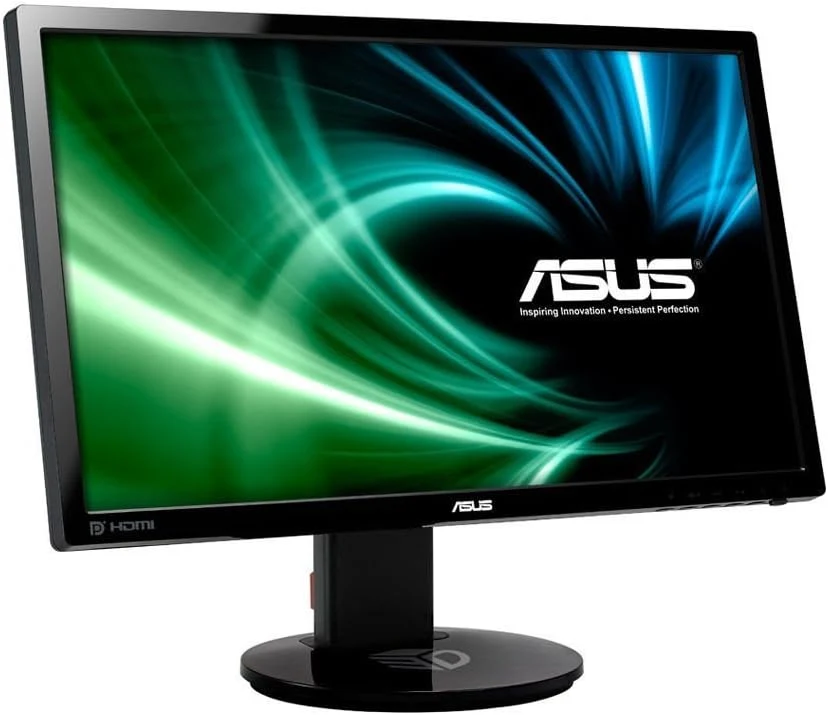
The ASUS VG248QE is most interesting to me when its job stays specific. A compact 1080p display with a high-refresh PC role can still suit a desk built around that requirement. I like products with a clear purpose, but an older monitor needs a more careful buying decision than simply reading 144Hz from the title.
Quick verdict
I would consider it for a compatible PC setup where 1080p high-refresh gaming is the clear priority.
Best for: I would consider it for a compatible PC setup where 1080p high-refresh gaming is the clear priority.
Main benefit: It combines a documented high-refresh role with an adjustable stand and several older video inputs.
Biggest drawback: Its older input capabilities and 1080p workspace can be a poor match for a modern laptop or text-heavy desk.
ASUS VG248QE Monitor
Amazon US · US
Check price and availability: ASUS VG248QE Monitor at Amazon USAffiliate link. As an Amazon Associate I earn from qualifying purchases.
Reviewed version: ASUS VG248QE 24" Full HD 1920x1080 144Hz 1ms HDMI Gaming Monitor
Compatibility: ASUS VG248QE, 24-inch 1920 × 1080. Check the supported timing table for each input; do not assume its 144Hz mode is available through every HDMI connection.
Review context: I assess PC input choice, refresh settings, desk ergonomics and the trade-off between motion and text workspace.
I would consider this model for a compatible PC and a sensible current offer. I would not choose it automatically as a general laptop display or a console upgrade. The cable, input and supported timing matter as much as the panel’s headline mode. Those details decide whether the advertised feature is available in the actual setup.
Match the input before the refresh rate
ASUS documents the VG248QE with DisplayPort, dual-link DVI and HDMI connections. I would check the supported timing table for the connection I intend to use. Different inputs on an older monitor can have different limits; the presence of HDMI does not mean every mode works through that socket.
Related reading

For a modern laptop, I would begin with its display-output capability and a suitable path to the monitor. An adapter is another component with its own limits. I would not buy a generic cable on the assumption that the connector names alone establish the result. Direction also matters with some adapters: a cable intended for one signal path may not solve the reverse one.
Once connected, I would verify the selected refresh rate in the operating system and the monitor information display. A high-refresh panel can still run at a lower default setting. That simple check makes more sense than judging motion while the computer is sending an unintended mode. The setup is successful only when the source, connection and display agree.
1080p can be a deliberate choice
At this size, 1920 by 1080 gives a straightforward gaming target. I can see the appeal for a computer whose priority is producing frames rather than pushing a larger pixel count. That is a reasonable choice when the games, graphics hardware and viewing distance support it.
For work, I would make a different comparison. Two code panes, a browser reference and a chat window compete for limited space at 1080p. A higher-resolution display may offer a more useful desktop even if the refresh number is less dramatic. I would choose according to the hours spent on each task rather than let a gaming specification define the whole desk.
I would also consider viewing position. The display should sit at a comfortable distance with text at a usable size. Making everything very small to fit more windows does not create a better workspace. I prefer a screen that accommodates ordinary reading without leaning forward, especially when the same monitor serves both work and evening games.
The stand is part of the attraction
ASUS describes height, tilt, swivel and pivot adjustment. I value that practical range because a monitor needs to fit a person and a desk, not just connect to a computer. Being able to put the image at a sensible height can matter more during a long session than a decorative feature on the back.
Related reading

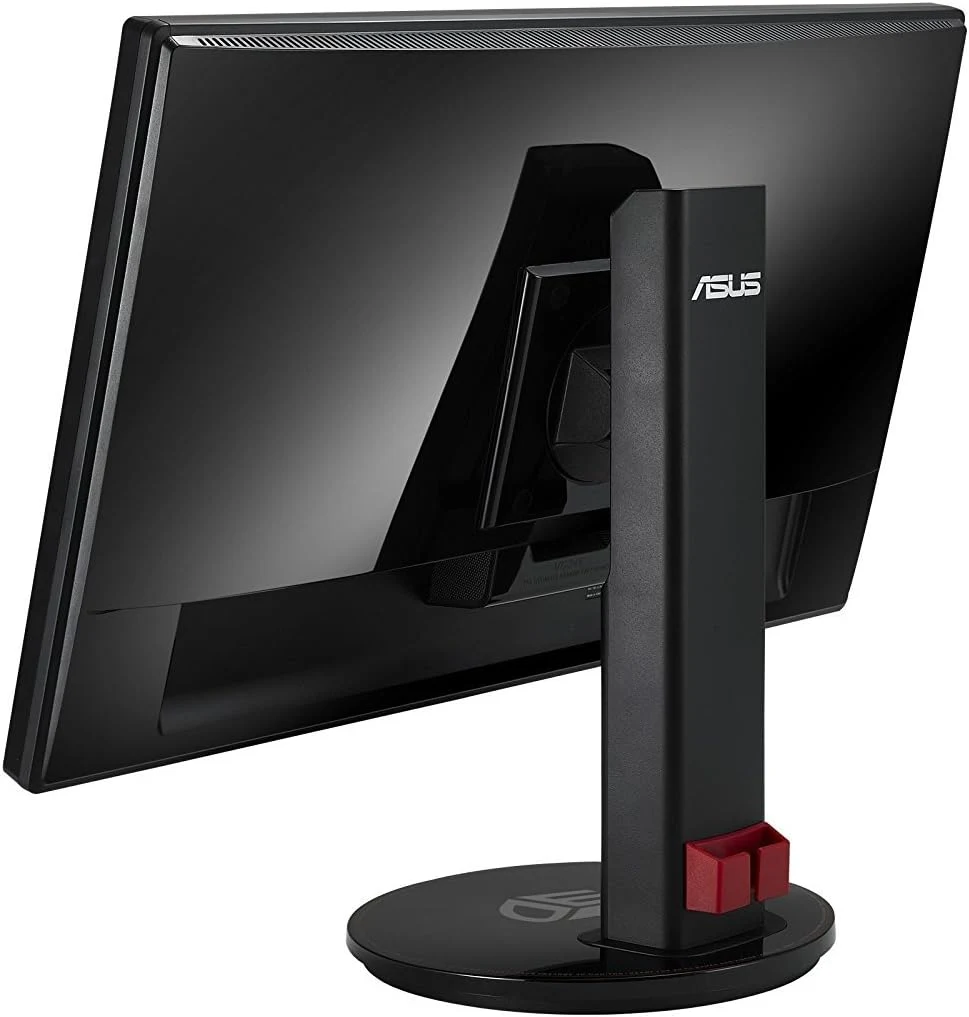
For a used unit, I would check the stand’s movement and stability. An adjustable stand is useful only if it holds the chosen position properly. I would also confirm that the mounting parts are present. A low offer becomes less attractive when it requires a separate arm or a search for a missing original base.
The built-in speakers are another convenience to put in perspective. I would see them as a basic audio option, not the reason to choose the display. A desk used for careful listening or calls may already have a better audio path. I would avoid paying for a monitor on the assumption that its small speakers replace a dedicated listening setup.
An older unit deserves an ordinary condition check
I would examine a second-hand screen with simple bright and dark backgrounds, text and familiar moving content. That can reveal obvious damage, pixel problems or a distracting uneven area. It is a condition check, not a substitute for a laboratory assessment of colour or response behaviour.
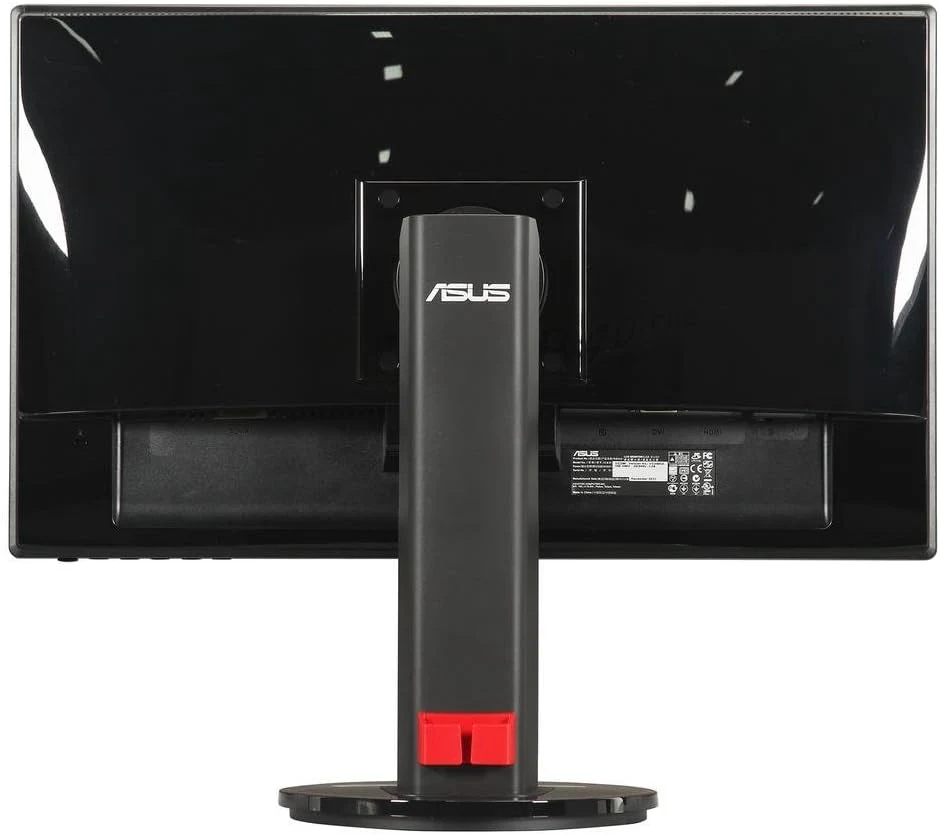
I would also inspect the ports and the supplied power equipment. A damaged connector can matter more than the panel’s original specification. With older stock, the return terms and seller description are part of the product decision. I would want a practical way to resolve a mismatch rather than rely on an attractive model name.
I would not buy around an old software feature without checking whether its required ecosystem still exists. Monitor marketing can outlive supporting drivers or accessories. The useful core here is a compatible display mode and a working panel. Any extra feature needs its own current support evidence before it influences what I am willing to pay.
Related reading

What I would choose beside it
I would compare the exact AOC 24G2 when I want a small gaming display with its different panel approach and supported inputs. For code and creative applications, I would look at the QHD ProArt PA278QV instead. Those alternatives answer different questions rather than simply competing on the highest refresh figure.
My view of the VG248QE is positive within its focused role. I would buy only when the connection, condition and current offer all make sense. If the purchase requires several adapters or compromises the main workday, I would put that money toward a better-matched monitor. A capable older product is most satisfying when its actual strengths remain the reason it is on the desk.
The product images come from the selected listing and identified manufacturer materials. My assessment uses the linked product information and the buying decisions explained here. Specifications are manufacturer or retailer claims; the conclusions are my own editorial judgement.
What worked
It combines a documented high-refresh role with an adjustable stand and several older video inputs.
What bothered me
Its older input capabilities and 1080p workspace can be a poor match for a modern laptop or text-heavy desk.
Who should not buy it
Someone buying a higher-resolution work display or expecting a console HDMI connection to unlock every advertised mode.
Alternatives I would consider
AOC 24G2. I would compare the exact IPS model and supported connections for a similar small gaming desk. Read my AOC 24G2 review.
ASUS ProArt PA278QV. I would choose the larger QHD work area when code and creative work matter more. Read my ASUS ProArt PA278QV review.
Evidence and sources
The linked product documentation and exact retailer listing support the product details. Images: Amazon product gallery. These are not personal test photographs or measurements.
Features, compatibility and rated figures from the maker are manufacturer information. My opinions are identified in the review.
Conclusion
Only attractive when the exact unit, connection and current price compare well with newer alternatives.
ASUS VG248QE Monitor
Amazon US · US
Check price and availability: ASUS VG248QE Monitor at Amazon USAffiliate link. As an Amazon Associate I earn from qualifying purchases.
One email a week with practical Mac workflows, useful comparisons and honest tech recommendations.