Say “Alexa, open Netflix” to the room with the TV off, and the Fire TV Cube turns on the set, switches the input and starts the app. That trick is why this box exists, and the hands-on reviews I read agree it works. The harder question is what you put up with to get it, because Amazon built a fast streaming box and then filled its home screen with advertising.
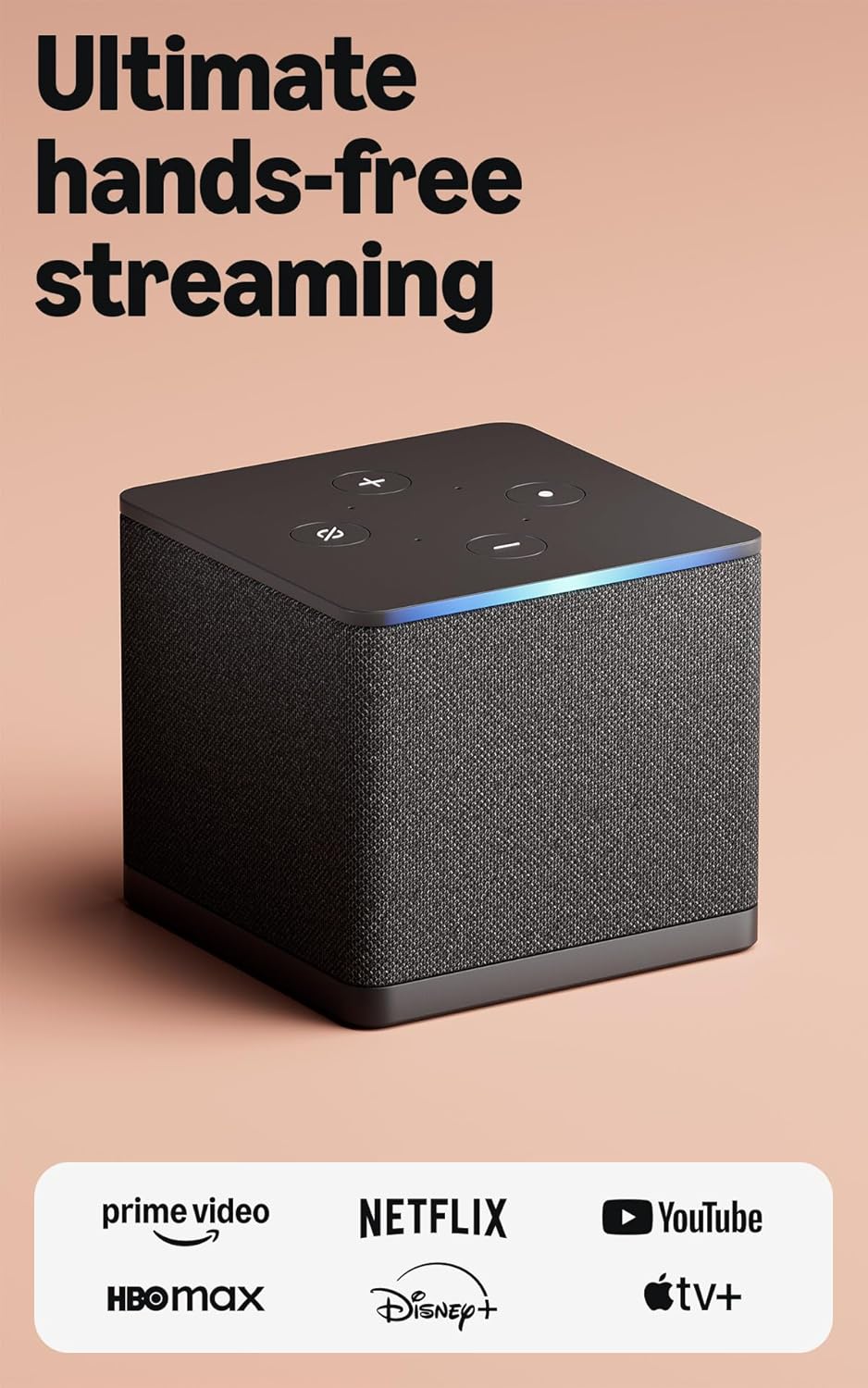
Product image from the Amazon listing.
One note on the name. The Cube is its own model, a small fabric-wrapped box with a speaker and microphones inside. It is a different thing from a Fire TV Stick, and it has ports a stick does not have. The third generation went on sale in October 2022 at $139.99 in the US, with an eight-core 2.0 GHz chip, 2 GB of RAM, 16 GB of storage, Wi-Fi 6E, Ethernet and an HDMI input. AFTVnews noted that it saw few discounts in its first six months, so plan on waiting for a sale.
Voice Is the Reason to Pay Extra
Android Authority’s reviewer got “clear, accurate responses” with a World Cup match playing loudly, and also from another room. The box has its own speaker, so it works as an Echo with the TV off. SlashGear’s reviewer expected less and came away impressed, writing that doing nearly every task by voice was “better than I thought it would be.”
Related reading

If you will not talk to your TV, most of the extra money does nothing for you. I would keep that in mind before anything else on this page. A cheaper stick plays the same apps.
The remote deserves a small warning. The Cube ships with the standard Alexa Voice Remote, and the Voice Remote Pro with its lit buttons costs about $35 more. One AFTVnews reader praised that lit remote, so you may want it, but plan on the extra cost.
The HDMI Input Is Clever, and Narrow
Most streaming boxes have one HDMI port. This one has two, so a cable box, game console or another streamer can run through the Cube and share a single TV input. Alexa can then switch inputs and, per SlashGear, change cable channels by voice. Android Authority notes that remote commands travel over HDMI, not infrared, which gives finer control than an old IR blaster.
There are catches. The passthrough is limited to 60 Hz, so a console that can do 120 Hz will not reach it through this port. Lon Seidman points out that the Cube also upconverts other sources to 4K, and that upscaling game consoles “introduces some latency.” My advice is to run a game console straight to the TV and use this input for a cable box, which is what Amazon seems to have designed it for.
The HDMI cable is sold separately, so budget for at least one.

Product image from the Amazon listing.
The Ads Are the Real Price
Speed is not the complaint here. SlashGear found the box “incredibly quick,” and Android Authority says the faster chip cut the lag when returning to live TV. Lon agrees the app performance justifies the price for people who live in Amazon’s world.
The complaint is the screen you see all that speed on. Android Authority lists “Too many ads for a premium device” and says sponsored content filled two of the first three home screen rows. SlashGear describes a banner of show adverts taking up about half the screen. In an AVForums thread, one owner who uses the Cube as his main streamer still finds the interface pushy.
You can avoid a good part of this by doing what the box is for, which is asking for apps out loud. But if you open a $140 box and expect a clean menu, you will be annoyed, and I think you would be right. Android Authority also notes there is no Google Cast or AirPlay, which matters in a home full of iPhones and Macs. You cannot simply throw a video from a Mac to this box the way you can with an Apple TV.
Related reading

Home Network Playback Is Where It Falls Short
This is the part that decides it for me. If your films live on a NAS, read carefully.
The Ethernet port runs at 10/100 Mbps, not gigabit, and the USB-A port is USB 2.0. Lon notes that the Apple TV and Nvidia Shield both offer gigabit, and that the limit matters for people streaming high-bitrate files from home servers. On AVForums, one member called the slow port “a disgrace, especially for the price,” while another argued that 100 Mbps is plenty for streaming services. Both are right. Netflix will never notice. A large 4K file from your own server is another matter.
Amazon did fix one related annoyance. At launch the USB port lost power when the Cube slept, which stopped faster USB Ethernet adapters from working. AFTVnews confirmed in November 2022 that a software update keeps the port powered during sleep.
Plex users have had a rougher time, and the reports are specific. In a Plex forum thread from early 2023, owners found that Kodi passed through TrueHD and DTS-HD on the Cube while the Plex app sent only the DTS core. A Plex staff member reported the same thing after speaking with Amazon, and also suspected an operating system bug behind stutter in DTS-HD audio. If you have a good receiver and a library of disc rips, that is worth knowing before you buy.
Another Plex thread from March 2024 is stranger. An owner with a Cube and a 4K Max saw Plex report speeds of 2 to 12 Mbps on a connection that tested at about 500 Mbps, with heavy buffering as a result. Wi-Fi 6E, the built-in port and a USB Ethernet adapter all gave the same result. The workaround was to sideload Kodi with the Plex add-on. That thread does not show the problem is limited to the Cube, and it has no confirmed fix.
To be fair, not everyone suffers. One AFTVnews reader called the third-generation Cube reliable for 4K Plex, and another reader on the same page found it slower than a second-generation model, with frozen frames and dialogue out of step. A third complained of Wi-Fi 6E errors. Mixed reports like these usually point to differences in networks and files more than to good and bad boxes, though I cannot prove that here.
Several AVForums members sum it up well: this is a box for streaming services, and local media is an afterthought.

Product image from the Amazon listing.
Sideloading Has Limits Too
Fire OS is based on Android, so tinkerers often install apps from outside Amazon’s store. Lon reports that sideloaded apps often show blank icons, that fixing them is a “fairly lengthy process,” and that the Cube runs only 32-bit apps, which blocks some newer emulators. If your plan is to treat the box as a small Android computer, those limits will bother you sooner than the ads do.
Related reading

Check Your Country First
I could not confirm which apps and Alexa features work in each country, and that varies. The box is sold in several markets, but a US-bought Cube used elsewhere can be a poor match, because Amazon ties services to the account’s region. If you live outside the US, check that your local apps exist in your own Amazon store before you buy, and ask about Alexa language support too.
For Talkers, Not for Collectors
I would buy the Cube for one kind of home: an Amazon household with a cable box, people who like talking to Alexa, and most viewing done through big streaming apps. There it replaces an Echo and a streamer, and saves an HDMI port as well.
I would skip it for a NAS or Plex library with lossless audio, and an Apple TV or Shield looks like the better fit from what owners say. Skip it too if adverts on your home screen would bother you daily, or if you mostly want a stick that plays Netflix.
If you are in the first group, the Amazon Fire TV Cube (3rd Gen) does its voice trick well, and I would wait for a sale before paying full price. This is an affiliate link. As an Amazon Associate I earn from qualifying purchases.
One email a month: new articles, reviews and the upcoming live webinar + free recording. No spam, unsubscribe anytime.