A microphone is easier to take seriously when there is a sensible place to put it. That is why the TONOR Q9 interests me as a kit rather than only as a USB microphone. The arm, clamp, shock mount and pop filter all affect how easily one person can keep a useful recording position at a desk.
Quick verdict
I would shortlist the Q9 when a complete USB microphone and arm kit fits the desk and makes consistent voice placement easier.
Best for: One person recording speech, making calls or starting a stream at a fixed computer desk.
Main benefit: The kit brings the microphone, arm, shock mount and pop filter together in one practical setup.
Biggest drawback: The clamp and moving arm need space, and a cardioid microphone still hears an untreated room.
TONOR Q9 USB cardioid condenser microphone kit with boom arm, shock mount and pop filter, ASIN B07JMYG6LF
Amazon US · US
Check price and availability: TONOR Q9 USB cardioid condenser microphone kit with boom arm, shock mount and pop filter, ASIN B07JMYG6LF at Amazon USAffiliate link. As an Amazon Associate I earn from qualifying purchases.
Reviewed version: TONOR Q9 USB cardioid condenser microphone kit with boom arm, shock mount and pop filter, ASIN B07JMYG6LF
Compatibility: A supported computer with the required USB connection, an appropriate adapter if necessary, software that can select the USB input and a desk edge suitable for the supplied clamp. This is not an XLR microphone kit; do not assume Xbox support.
Review context: I assess the published kit contents, placement and a single-person computer recording workflow, without presenting a listening or noise measurement.
I like the idea of buying those parts together when they genuinely fit the workspace. A box with more accessories is not automatically better value, though. This review concerns the Q9 USB kit at ASIN B07JMYG6LF, and I would check the actual contents and current version before assuming every photograph describes the offer being purchased.
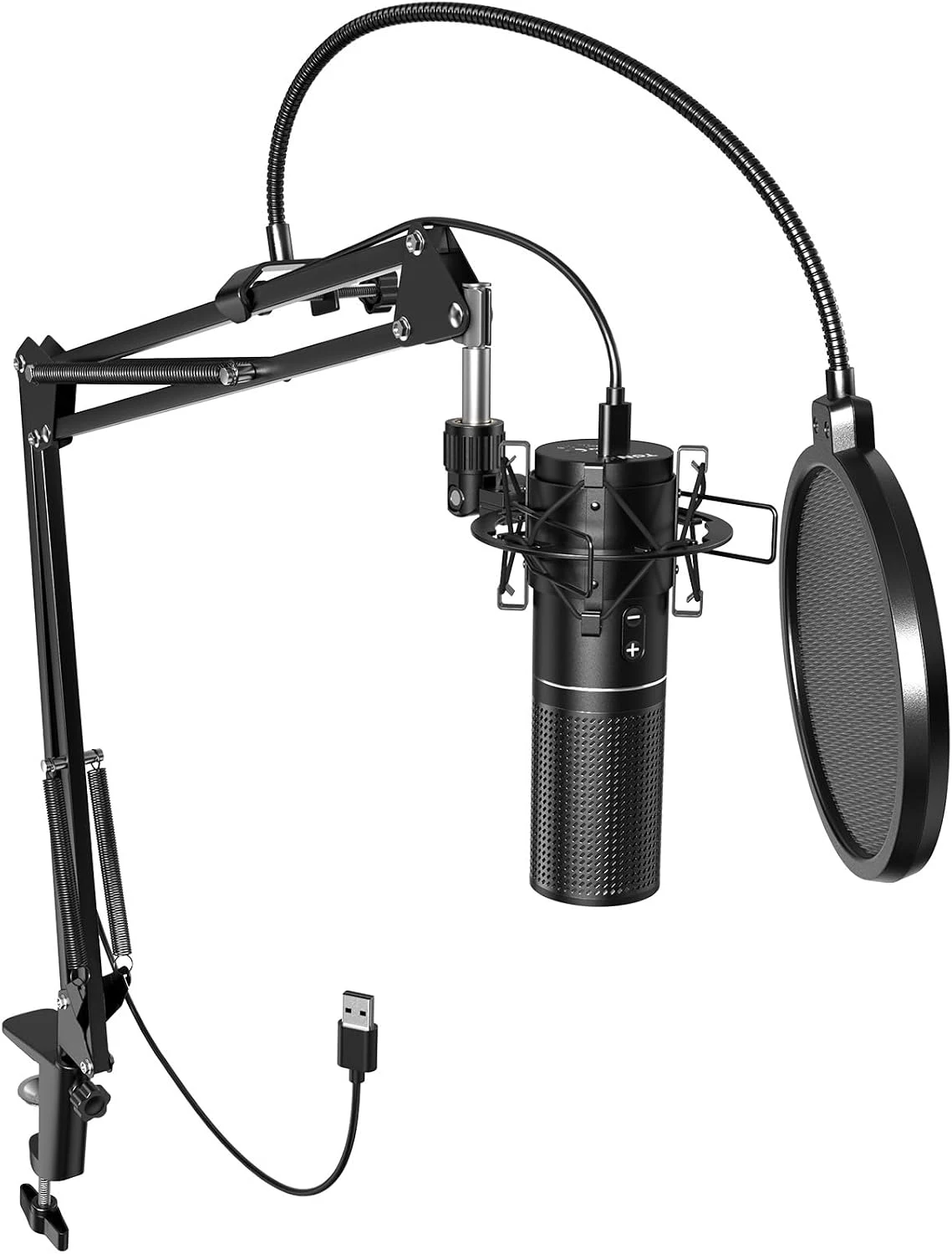
The desk edge is the first requirement
TONOR’s official Q9 information includes a clamped arm. I would inspect the desk before ordering: its edge, thickness, material and the space below it all matter. A deep decorative edge or an awkward support can make a clamp unsuitable even when there appears to be spare room on top.
Related reading
The arm also needs space to move. I would imagine it in the speaking position and in the position used when the microphone is out of the way. Neither should block the display, pull the cable tight or collide with a shelf. That is a better fit check than looking only at the microphone’s dimensions.
A glass or delicate surface deserves particular care according to its own guidance. I would not assume a clamp is suitable for every material. The useful result is a stable arrangement that belongs on the actual desk, not an installation copied from a product photograph with a different surface.
Position can be more useful than another specification
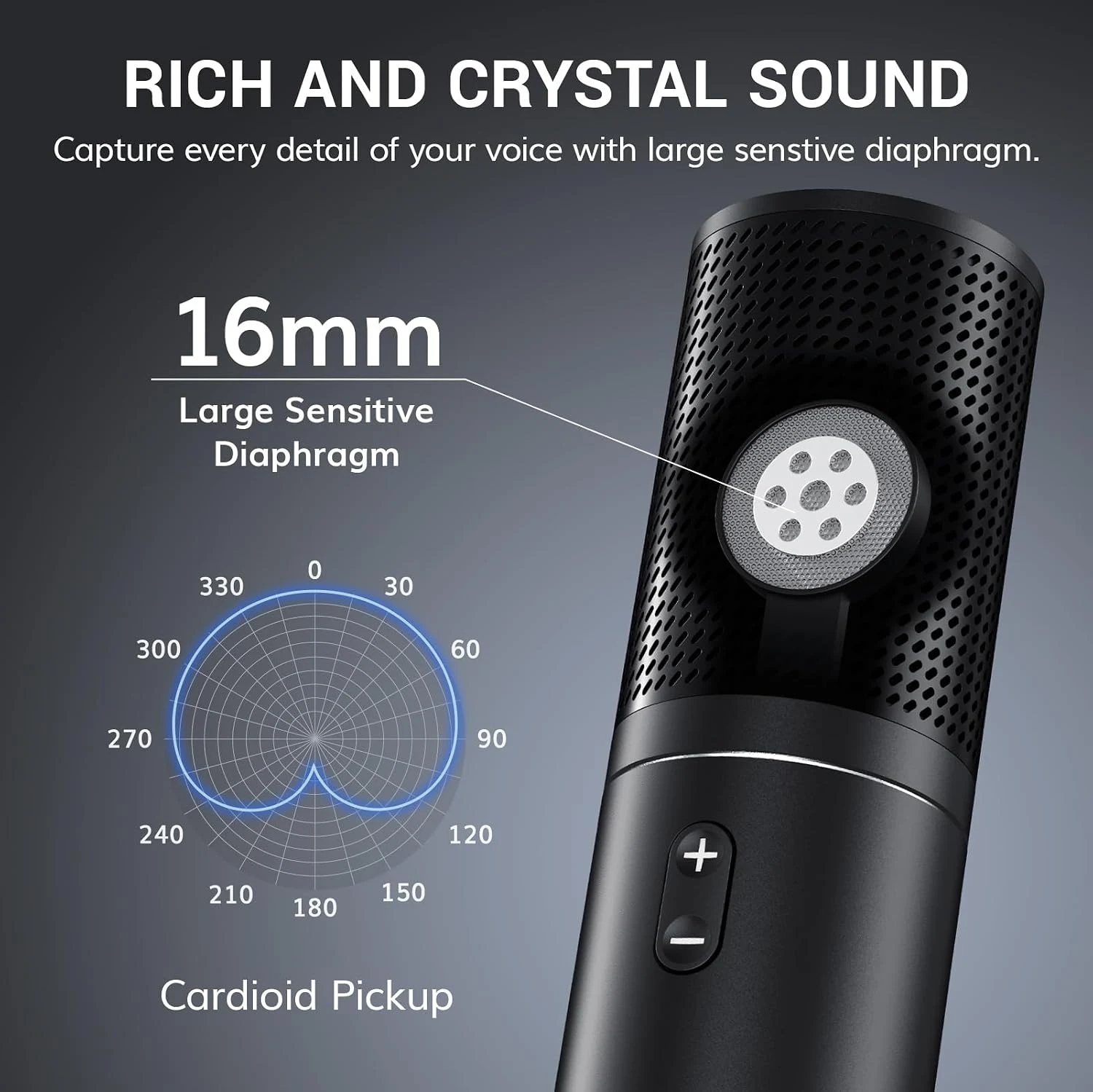
The Q9 is described as a cardioid condenser USB microphone. For a single speaker, the directional design gives a clear starting point for placement. I would follow its orientation guidance and keep the speaking position reasonably consistent, rather than move between a distant chair position and a close one during the same recording.
A microphone that is conveniently positioned is more likely to be used consistently. That is where I see the arm’s value. It can bring the microphone toward the speaker while leaving another part of the desk available, instead of forcing the person to lean toward a small stand between the keyboard and display.
The pop filter has a separate job from the shock mount. I would position it sensibly between speech and microphone, while letting the shock mount support the microphone as intended. Neither accessory replaces a good speaking position, but I like that the kit allows those parts of the arrangement to be considered together.
Related reading
A directional pattern does not remove the room
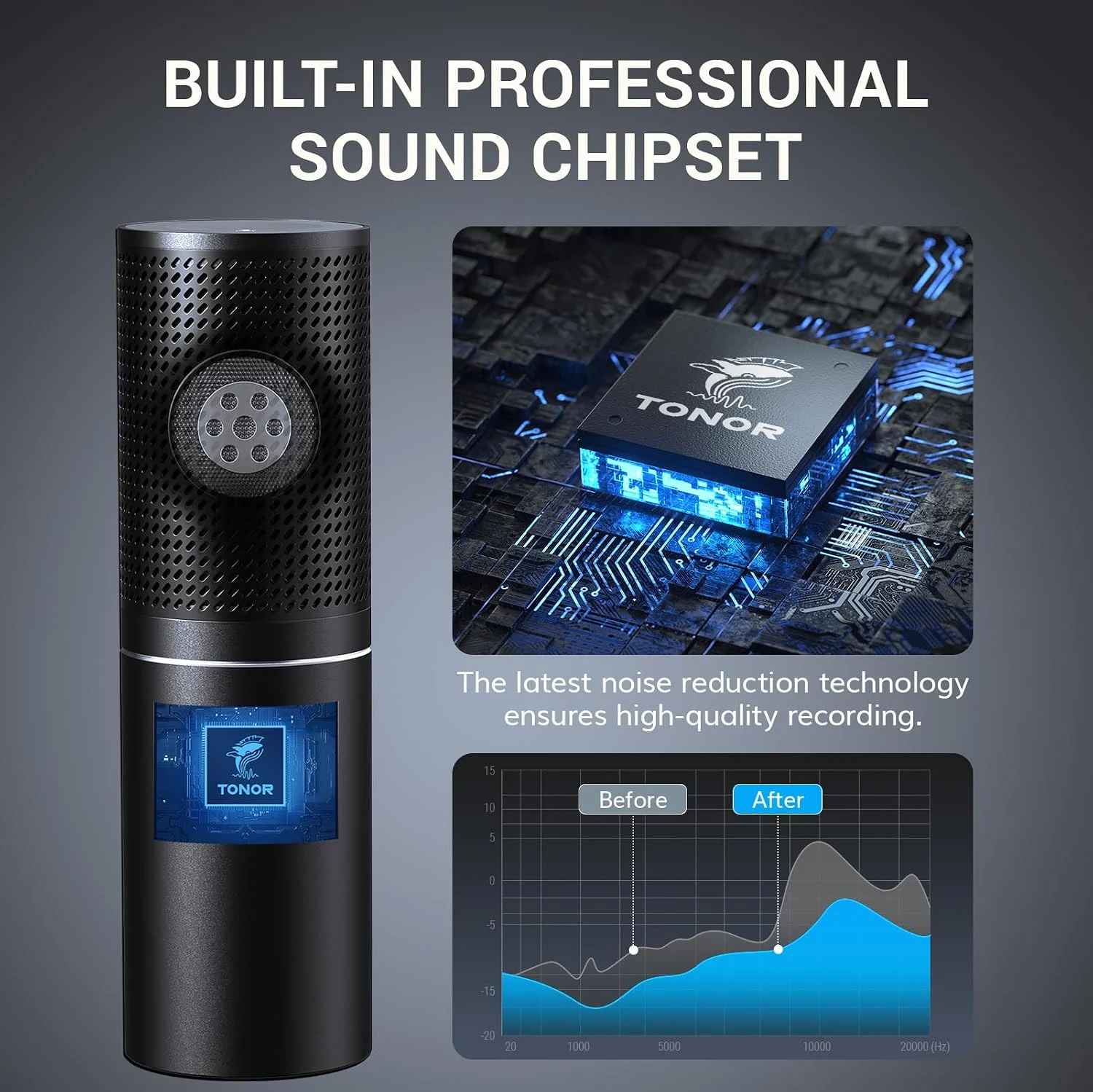
I would not read a noise-reduction phrase as a promise that the Q9 makes an ordinary room silent. A keyboard, hard reflective surfaces and other people can still affect a recording. Direction and placement help shape what reaches the microphone; they do not make the rest of the environment disappear.
For speech, I would first choose a quieter position and avoid unnecessarily distant placement. Then I would make a short recording at the level used for the real task. Listening to that file can reveal a wrong input, distortion or an inconvenient desk sound before a long recording has been made.
The moving arm and cable deserve attention too. I would leave a relaxed cable route and check that the arm can change position without pulling on the connection. A microphone setup should not become a new source of tapping or scraping simply because the cable was fastened too tightly around its moving parts.
USB keeps the path understandable
TONOR presents the Q9 as a USB microphone for a supported computer, without a separate audio interface. I like that direct route for someone beginning with one voice. It keeps the purchase and the signal path easier to understand than choosing a microphone, interface and several separate accessories at once.
The computer and the application still need the correct input selected. I would give that a quick check after connecting a dock or changing a USB adapter. A call can continue using a built-in laptop microphone even while another microphone is visibly plugged in, so connection alone is not the whole setup.
The Q9’s controls also deserve a reading of the current manual. I would learn the difference between a short adjustment and the longer action used to turn the microphone off, rather than discover it during a call. I would also confirm the muted state in the application, especially before relying on it during a meeting with other people. This kind of small preparation can be more valuable than comparing a long table of specifications.
Related reading

A good starter kit has a clear limit
A single USB microphone is not the same arrangement as a multi-input recording interface. I would choose another route when several people need separate microphones and independent tracks. That does not reduce the Q9’s appeal for one person; it defines the job where its simplicity is useful.
For a small desk used mainly for calls, the JOUNIVO JV-601 offers a different physical approach. For a compact desktop stand, I would compare the Blue Yeti Nano. I like the Q9 when the arm, clamp and accessories solve the positioning problem together. I would check the exact Amazon US affiliate offer for the Q9 kit, included parts, connection, condition and current availability before building the desk around it.
What worked
The kit brings the microphone, arm, shock mount and pop filter together in one practical setup.
What bothered me
The clamp and moving arm need space, and a cardioid microphone still hears an untreated room.
Who should not buy it
A buyer expecting complete background-noise removal, several independent microphone channels or an XLR upgrade path from this USB kit.
Alternatives I would consider
JOUNIVO JV-601. I would choose a smaller gooseneck format when the desk needs a simple call microphone with minimal hardware. Read my JOUNIVO JV-601 review.
Blue Yeti Nano. I would compare a compact desktop USB microphone when an arm and edge clamp are inconvenient. Read my Blue Yeti Nano review.
Evidence and sources
Product details come from the cited sources. Images: Amazon product gallery. These are not personal test photographs or measurements.
Features, compatibility and rated figures from the maker are manufacturer information. My opinions are identified in the review.
Conclusion
Attractive when the included accessories are useful; compare the full setup cost rather than the microphone alone.
TONOR Q9 USB cardioid condenser microphone kit with boom arm, shock mount and pop filter, ASIN B07JMYG6LF
Amazon US · US
Check price and availability: TONOR Q9 USB cardioid condenser microphone kit with boom arm, shock mount and pop filter, ASIN B07JMYG6LF at Amazon USAffiliate link. As an Amazon Associate I earn from qualifying purchases.
One email a week with practical Mac workflows, useful comparisons and honest tech recommendations.