A microphone can be useful without turning a desk into a recording studio. That is the role I find interesting in the JOUNIVO JV-601. A small base, flexible gooseneck and visible mute button give it a clear physical purpose. I would consider it when a computer needs a more deliberate voice-input position, but the owner does not want a large microphone body and a separate arm taking over the workspace.
Quick verdict
I would shortlist the JV-601 for a modest desk that needs a direct USB input and an accessible physical mute button.
Best for: Straightforward computer calls or dictation where a small gooseneck is useful.
Main benefit: The gooseneck and mute button give a simple microphone a clear physical role.
Biggest drawback: An omnidirectional desk microphone can include the room and keyboard; a noise-reduction label cannot promise a silent background.
JOUNIVO JV-601 gooseneck USB microphone
Amazon US · US
Check price and availability: JOUNIVO JV-601 gooseneck USB microphone at Amazon USAffiliate link. As an Amazon Associate I earn from qualifying purchases.
Reviewed version: JOUNIVO JV-601 gooseneck USB microphone
Compatibility: A supported computer with a suitable USB connection and an application that can select an external input. Check the exact JV-601 model; do not borrow the Pro model’s controls or assume console support.
Review context: I assess one-person desk calls and dictation, microphone placement, visible mute state and the effect of the room on a shared desk.
My interest is in the exact JV-601 listed here. The Pro version and other similarly named microphones should not lend it controls or compatibility that belong to another model. For a small purchase, identifying the right item is still important. A product title containing several uses does not mean it is equally suited to all of them.
Position is the first useful feature
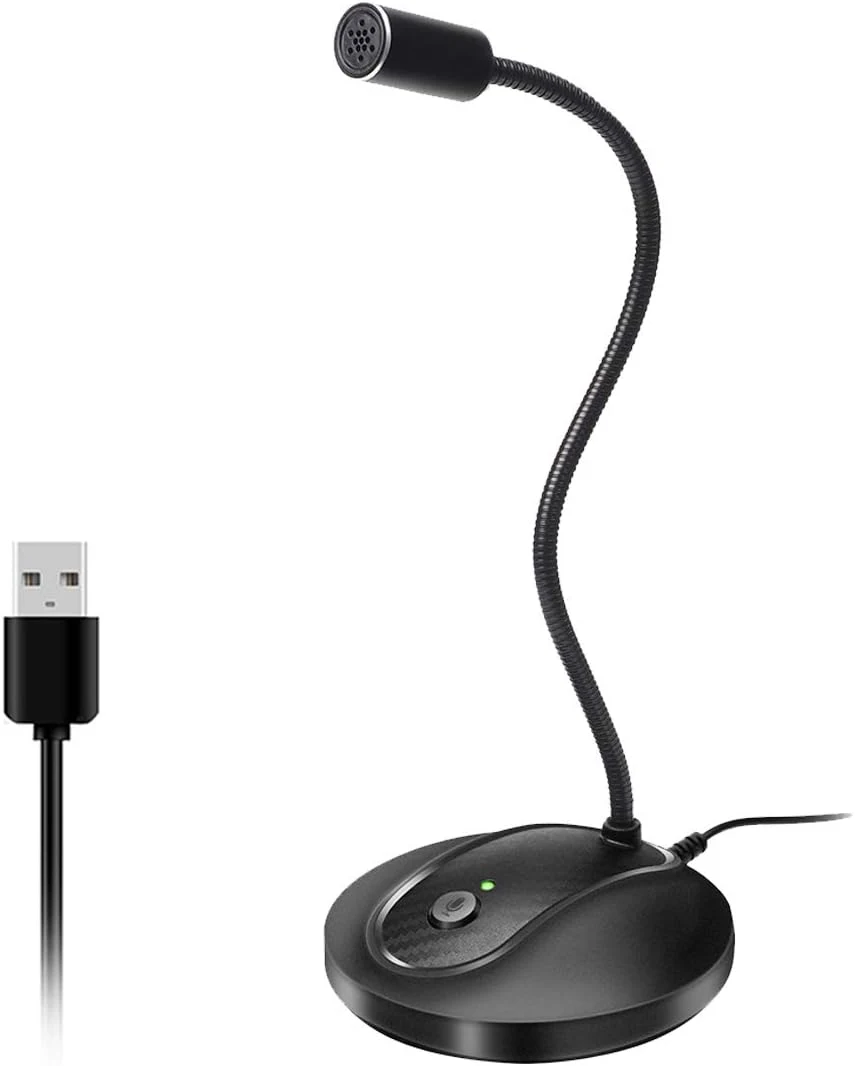
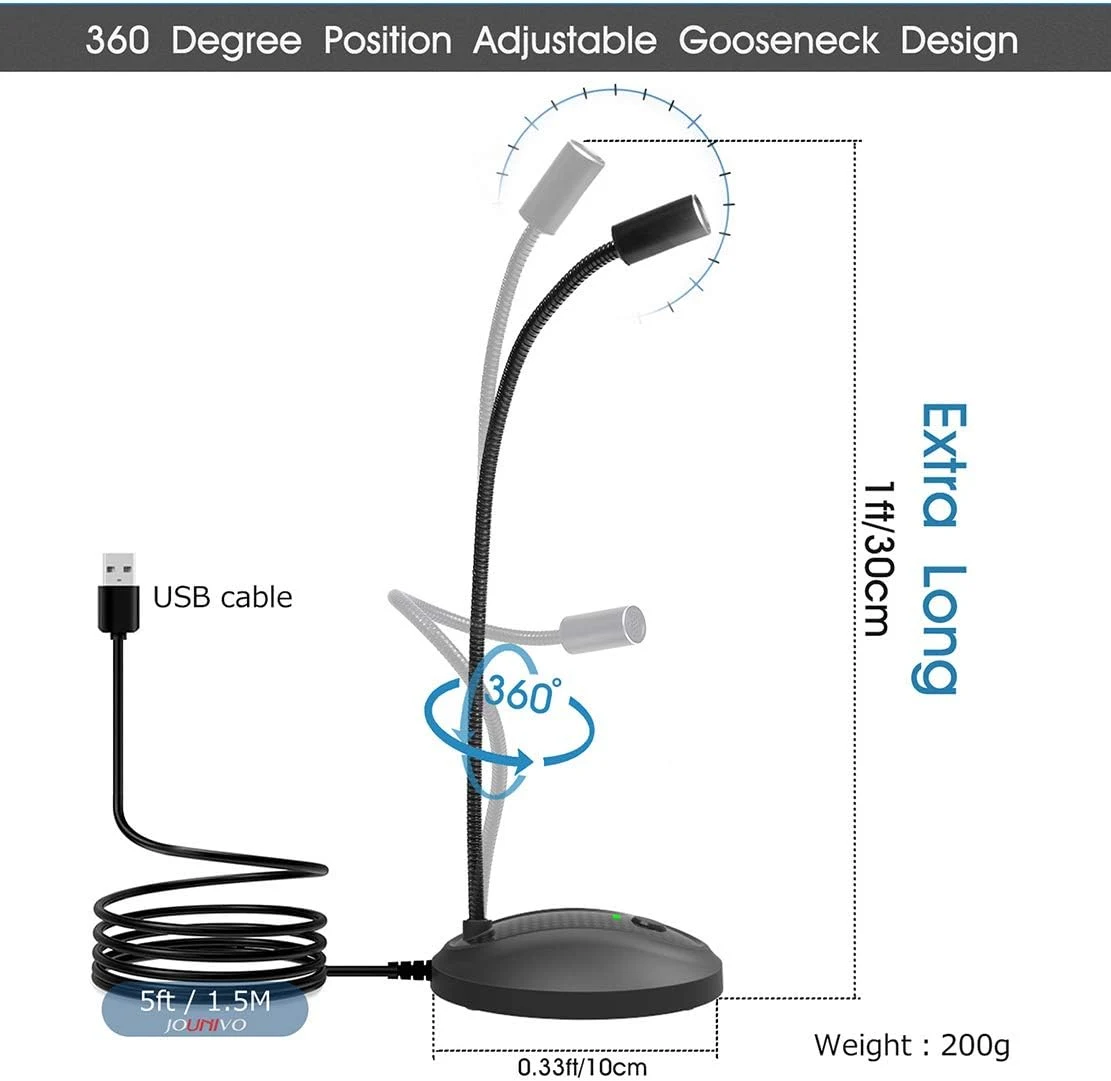
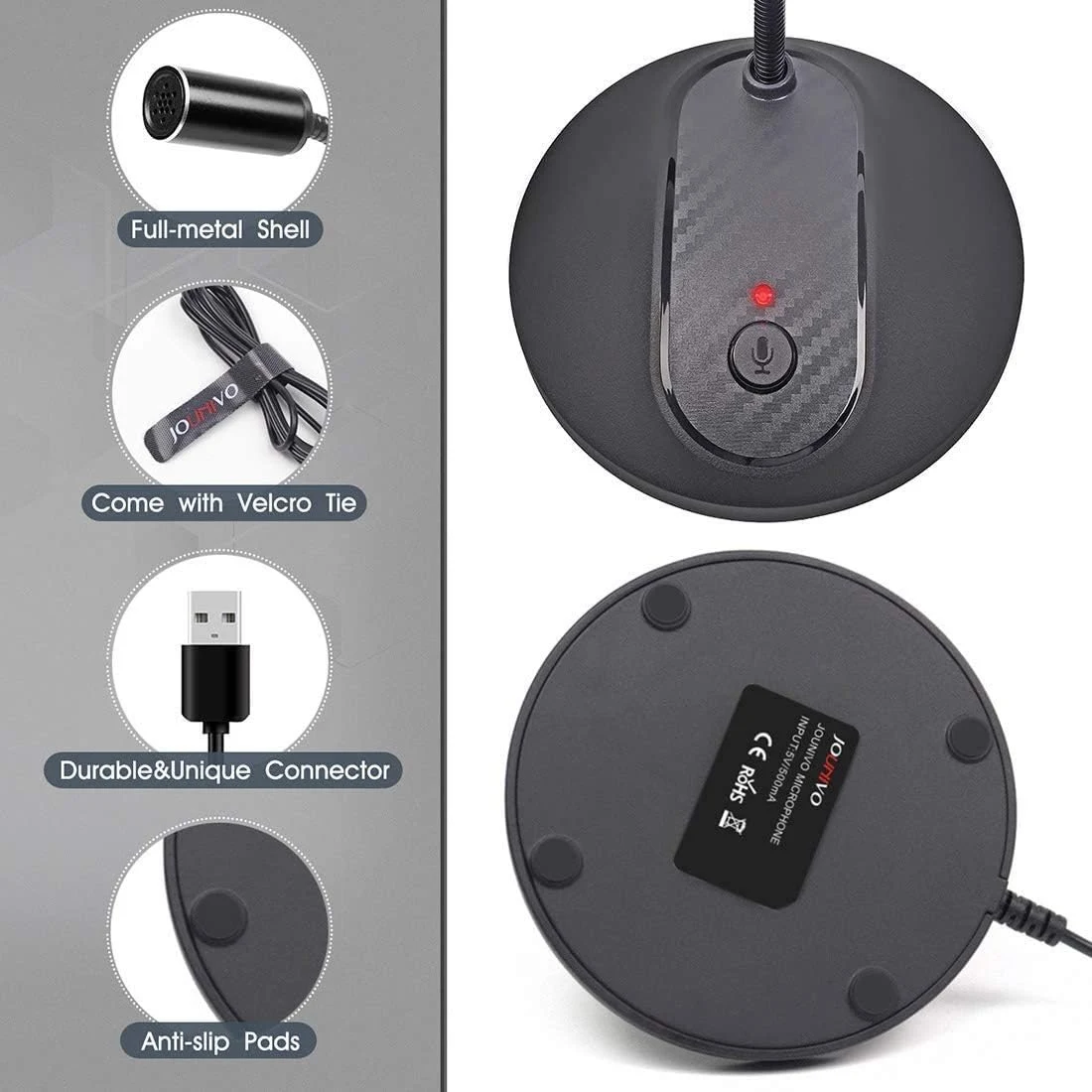
The selected product listing describes a flexible gooseneck. I like that this makes position an obvious part of the design. A microphone can be placed where speech reaches it more directly, rather than being left wherever a computer manufacturer found room for an opening.
Related reading
I would begin with the ordinary desk position. The keyboard, screen and chair should remain usable while the microphone is close enough for the intended voice level. Placing it far away and asking software to make the voice louder can bring more of the room along with it. The physical arrangement deserves attention before any optional processing.
The base also needs a sensible place. A microphone touching the same desk as a keyboard can meet taps, cable movement and other contact sounds. I would keep the cable relaxed and avoid making the stem another object to catch while reaching for a drink. Small equipment still needs room to do its job.
A mute button is an understandable control
The physical mute button and status light are the parts I find easiest to appreciate. I want a direct action when I need to stop sending sound. That is useful during a call, while another person enters the room or when a dictation session is briefly interrupted.
I would learn the device’s indicated states before relying on them. An application may also have a mute control, and the two controls are not necessarily the same state. A meeting can remain muted in software after the microphone is ready again. Knowing which layer stopped the input makes the next action much less confusing.
I would also check the application’s selected input after connecting the microphone. A computer can have a built-in microphone, a headset and another USB input available together. The fact that a device appears in sound settings does not tell me which one a particular call has chosen. This is an ordinary setup question, not a special feature of an expensive microphone.
Related reading
Keep the room in the comparison
The listing describes pickup around the microphone and advertises noise reduction. I would not read those words as a promise that the room disappears. Speech, keyboard clicks, a nearby conversation and reflected sound all reach the desk through different routes. A small microphone still works within that environment.
For one person speaking at a desk, I would try to make the intended voice the clearest nearby sound. Moving a noisy object, changing the microphone position or choosing a quieter space can be more useful than adding another processing control. The aim is an understandable voice, not a dramatic effect that changes its character.
That distinction matters for dictation too. Clear input can help a recognition system, but the microphone does not decide technical vocabulary or the meaning of a sentence. I would still read back important text. Buying a different input device should support the writing process rather than create confidence that every recognised word must be correct.
USB keeps the system small
A direct USB microphone avoids the need to choose a separate audio interface and an XLR cable for this basic role. That is a genuine reason to consider the format. I would rather buy a small, complete system for ordinary calls than assemble several components whose extra connections have no actual job.
The host connection still needs checking. A USB adapter or hub must support the relevant data connection, and the intended computer or device must accept the microphone. I would use the compatibility information for this exact model rather than assume that a familiar connector guarantees support on every phone, console or tablet.
The cable and base also keep the device tied to a desk. For someone who wants to walk around during a meeting, a suitable headset is a different and possibly better arrangement. For someone sitting in one place, I like the idea of keeping headphones and microphone choice separate without adding a large recording setup.
Related reading
Where I would spend more
I would compare the Blue Yeti Nano when direct headphone monitoring and its documented pickup choices have a role. I would compare a boom-mounted kit such as the TONOR Q9 when bringing a microphone nearer the mouth is more important than the compact base. Those are different physical systems, not simply higher places in a price ranking.
The JV-601 is appealing to me for the limited job it can explain clearly: a desk voice input with a flexible stem and an obvious mute control. I would choose it for that role, then check the exact Amazon US affiliate offer for model, included parts and current availability. A small microphone is easier to recommend when its purpose stays equally clear.
What worked
The gooseneck and mute button give a simple microphone a clear physical role.
What bothered me
An omnidirectional desk microphone can include the room and keyboard; a noise-reduction label cannot promise a silent background.
Who should not buy it
Someone who needs several microphones, a separate monitoring workflow or verified support for a specific console.
Alternatives I would consider
Blue Yeti Nano. I would compare its headphone-monitoring and pickup choices when those controls are part of the requirement. Read my Blue Yeti Nano review.
TONOR Q9 kit. I would compare a boom-mounted arrangement when position near the mouth matters more than a small desk base. Read my TONOR Q9 kit review.
Evidence and sources
Product details come from the cited sources. Images: Amazon product gallery. These are not personal test photographs or measurements.
Features, compatibility and rated figures from the maker are manufacturer information. My opinions are identified in the review.
Conclusion
Worth considering for the simple desk role, rather than as a substitute for every recording setup.
JOUNIVO JV-601 gooseneck USB microphone
Amazon US · US
Check price and availability: JOUNIVO JV-601 gooseneck USB microphone at Amazon USAffiliate link. As an Amazon Associate I earn from qualifying purchases.
One email a week with practical Mac workflows, useful comparisons and honest tech recommendations.