Most earbuds are built to shut the world out. The Timekettle LiveTalk is built to let it in and then explain it to you. It is a pair of open-ear buds that hook over your ears, connect to an app on your phone and turn the language you do not speak into the one you do, either as speech in your ear or as text on the screen. Timekettle launched it in October 2026 at $129, which is a fraction of what its flagship interpreter earbuds cost, and that price is the reason it is interesting.
Quick verdict
I like the Timekettle LiveTalk as a translation supplement for people who do not speak the language.
- Best for
- Travellers and people abroad who do not speak the local language
- Main benefit
- Light open-ear earbuds with four translation modes for conversations, listening, calls and media.
- Biggest drawback
- Translation runs seconds behind speech, and online use is metered by a monthly minute allowance.
Timekettle LiveTalk AI Translation Earbuds
Amazon.com · United States
Check price and availability: Timekettle LiveTalk AI Translation Earbuds at Amazon.comAffiliate link. As an Amazon Associate I earn from qualifying purchases.
Time with the product: A short period of everyday use after the unit arrived on 11 November 2026.
Reviewed version: Timekettle LiveTalk AI Translation Earbuds
Compatibility: Needs the Timekettle app on an iPhone (iOS 14 or later) or Android phone (Android 10 or later). Online translation uses a monthly minute allowance; offline translation covers 25 downloadable language pairs.
Review context: The review focuses on travellers and people who do not speak the local language and want translation as a supplement to their own words.
I enjoyed these more than I expected to. The idea is easy to explain to anyone, the earbuds are light enough to forget, and there is something genuinely charming about hearing a foreign sentence arrive in your own language a moment after it was spoken. I also think the honest way to describe LiveTalk is as a supplement. It does not make you fluent, and it does not make a conversation feel like a normal one. What it does is take a conversation that would otherwise not happen at all and make it possible. For people who do not speak the local language, that is a real gift.
Disclosure: Timekettle sent this LiveTalk free of charge for review and I keep it. No money changed hands, and Timekettle had no approval over the text.
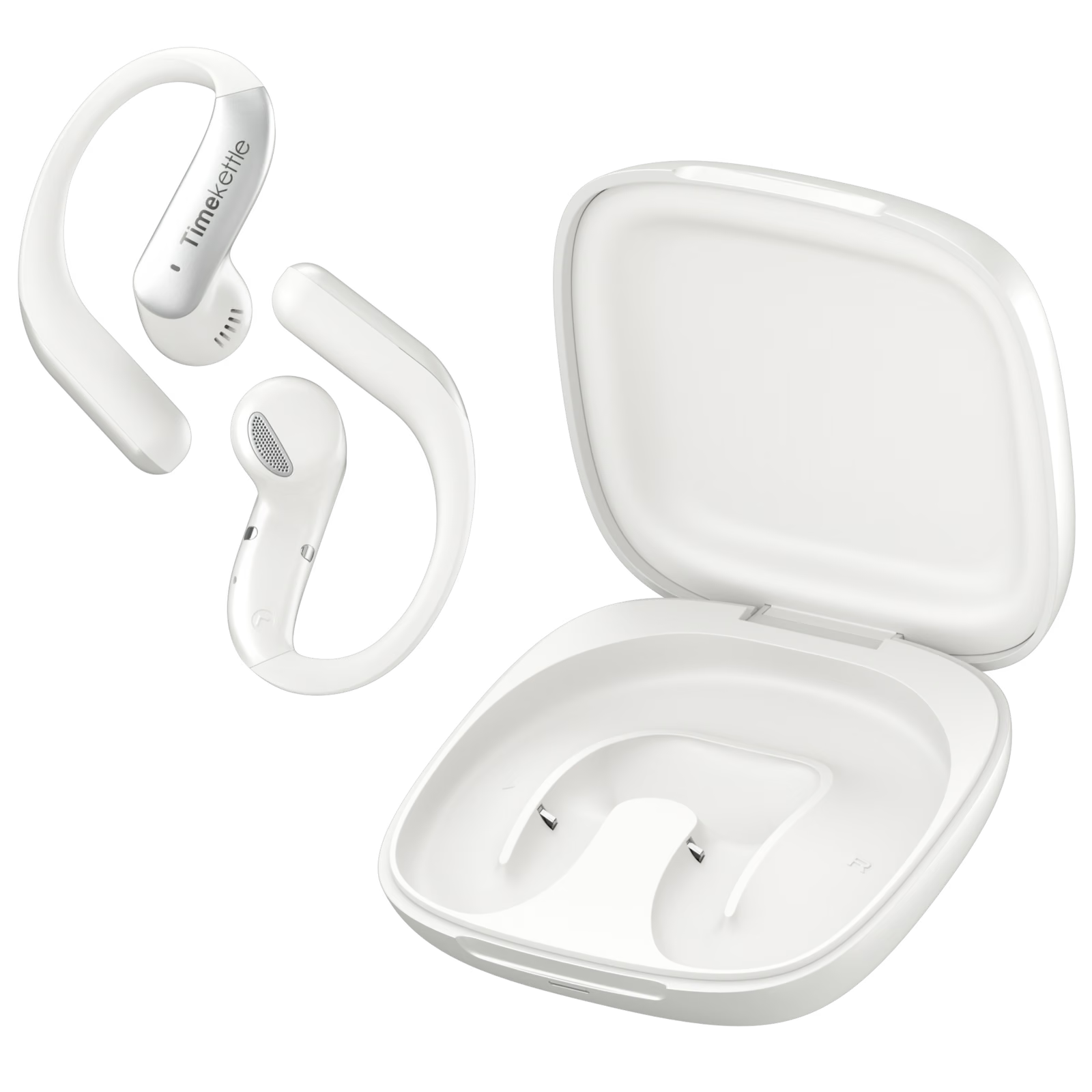
What LiveTalk is, and what it is not
The simplest description is a pair of Bluetooth earbuds with a translation service attached. The earbuds handle listening and speaking. The Timekettle app on your iPhone or Android phone does the work in between, sending speech to Timekettle’s translation system, which the company calls Babel OS 3.0, and returning the result as audio and text. Timekettle says the system covers 54 languages and 108 accents online, and offers 25 language pairs that you can download for use without a connection.
There is a large language model in the loop: an AI refinement step smooths the translation into something closer to natural speech, and an AI summary pulls key points out of a long session. You can switch the refinement off, and Timekettle itself warns that it can slow the real-time translation down.
Open-ear on purpose
The design choice I like most is that nothing goes into your ear. Each bud weighs 6.9 g, hangs from a flexible hook over the top of the ear, and places a small speaker just outside the ear canal. There are no silicone tips to size and nothing seals. Timekettle uses an 11 mm dynamic driver with a titanium diaphragm, which is a respectable driver for something this light.
Related reading


For translation, open-ear is the right call. You need to hear the other person’s tone and the moment they stop speaking, and the person across from you does not feel that they are talking to someone wearing headphones. The same openness helps on the street, where hearing traffic and announcements matters more than audio fidelity.
The cost is the usual open-ear cost. The earbuds do not block noise, so a loud café competes directly with the translated voice, and Mighty Gadget’s reviewer notes that the hooks compete for space with the arms of glasses. Two microphones per earbud with noise reduction help the earbuds hear you, but not you hear them.
The case is a small flip-top that weighs about 75 g with the earbuds inside and charges over USB-C. Timekettle sells LiveTalk in Star Silver, Polar Black and Deep Sea Blue.
Four modes, four different jobs
LiveTalk’s app is organised around four modes, and understanding them is most of understanding the product.
Face-to-Face is the headline mode, for two people at a table or a counter. In one setup, you hand one earbud to the other person, so each of you hears the other in your own language, which Timekettle recommends for longer conversations. In the other, you keep both earbuds and the other person hears the translation from your phone’s speaker. That is the practical setup for a waiter or a pharmacist, because nobody wants a stranger’s earbud in their ear to ask where the station is.

Either way, the conversation changes shape. You speak, you pause, the translation plays, the other person replies, you wait again. It is turn-taking, not chatting, and it works best when both sides accept that rhythm from the first sentence. Mighty Gadget describes Face-to-Face as feeling stilted, and that is fair. My view is that stilted is still far better than impossible, and that the people who will get the most from it are exactly the ones for whom the alternative is pointing and guessing.
Live Listening is the one-way mode. Only you wear the earbuds, and the phone listens continuously to a speaker, a guide or a lecture, delivering the translation into your ears and as text on the screen. This is the mode for a museum tour, a town hall meeting, a church service or a training session in another language. It is also where the AI summary earns its place, because a timestamped recap of a forty-minute talk is often more useful afterwards than a live stream of imperfect sentences.
Calls, meetings and media
The two remaining modes move translation off the table and into the phone and the computer.
Voice Call translates phone calls and internet calls, and Mighty Gadget lists WhatsApp, Zoom and Google Meet among the apps it worked with. The other person does not need the app or any special hardware. For anyone who has to call a landlord or a doctor’s office in another country, that mode may justify the purchase on its own. LiveTalk can also connect to a laptop and a phone at once, once you switch that on in the app.

Related reading

Multimedia mode translates audio from videos, podcasts and online courses, with the translation arriving a few seconds behind the original. It is not a substitute for proper subtitles, but for a lecture or a tutorial in a language you cannot follow it opens content that was previously closed.
Taken together, the four modes make LiveTalk a small translation toolkit rather than a single trick, and that breadth is the strongest argument for it over a free phone app.
The minutes: what is free and what is not
The part of LiveTalk you need to understand before buying is the minute allowance. Online translation is metered. Timekettle includes 200 minutes of translation, which Mighty Gadget describes as a monthly allowance that refreshes, shared across all four modes. Beyond that, Timekettle sells add-ons: 300 extra minutes for $5.99 and an unlimited plan for $9.99, which Mighty Gadget lists as monthly prices in the UK, alongside annual plans and a one-off 600 minute booster pack that does not expire.
Ten three-minute conversations a day for a week is 210 minutes, so a holiday of short exchanges sits around the edge of the free tier. Live Listening through meetings or Multimedia through a course can use most of a month in an afternoon. Mighty Gadget also found that a session keeps counting while nobody is speaking, so end it when the conversation ends.
Offline translation is included on every plan and covers 25 language pairs that you download in advance, which is the answer to the moment you most need a translator and have no signal. Check that your languages are among the pairs before you rely on it abroad.
I do not object to the subscription in principle, because cloud translation costs money every minute it runs. But the free allowance decides whether LiveTalk is a $129 purchase or a $129 purchase plus a monthly bill, so estimate your own use honestly.
Speed and accuracy: set your expectations
Every speech translator has to wait for the speaker to finish before it can translate, and then the speech has to be recognised, translated and spoken back. That chain takes time, and LiveTalk does not escape it. Timekettle publishes no latency figure. Mighty Gadget measured roughly ten seconds before Live Listening began showing text and a lag of around five seconds after that, and noted that Google Translate on the phone began translating faster.
On accuracy, the fair summary of what has been published so far is that translations were easy enough for both sides to understand each other, that casual and fast speech produced clumsier results, and that the AI summary was often clearer than the live stream. Slow, complete sentences translate well. Slang, interruptions, names and numbers are where things go wrong.
The practical lesson is to help the machine. Speak in full sentences, pause at the end, and confirm anything that matters, such as a price, a time or a dose, by repeating it back.
Battery, sound and the small things
Timekettle rates the earbuds at more than four hours of continuous translation or up to eight hours of music, up to 35 hours with the case, and up to 2.5 hours from a ten-minute charge. Because the modes run in short bursts, the phone, which does the listening and the networking, is the more likely thing to run flat.
For music, the open design means light bass and a sound that is pleasant rather than full. Vocals are clear, which makes podcasts, audiobooks and calls comfortable. The touch controls cover play, pause, tracks, calls and the voice assistant, but there is no volume control on the earbuds, and there is no charger in the box, only a short USB-C cable.
Who LiveTalk is for
The person I would recommend LiveTalk to does not speak the language and will not learn it in time: a traveller heading somewhere new, someone who has moved for work, or older relatives visiting family abroad. For them, the earbuds turn small, stressful moments into conversations that work, slowly but well enough. If you already speak the language reasonably well, or need professional interpretation, look elsewhere.
Related reading

Price and where to buy
The list price is $129. For Black Friday, Timekettle’s own promotion sheet lists LiveTalk at $99 on Amazon.com for Prime members from November 3 to November 30, 2026, and in Europe at 10 percent off until November 18, then 20 percent off until November 30, which works out to €134.10 and then €119.20. At $99 the calculation becomes easy, because the earbuds cost about the same as a mid-range pair of ordinary earbuds and add four translation modes on top.
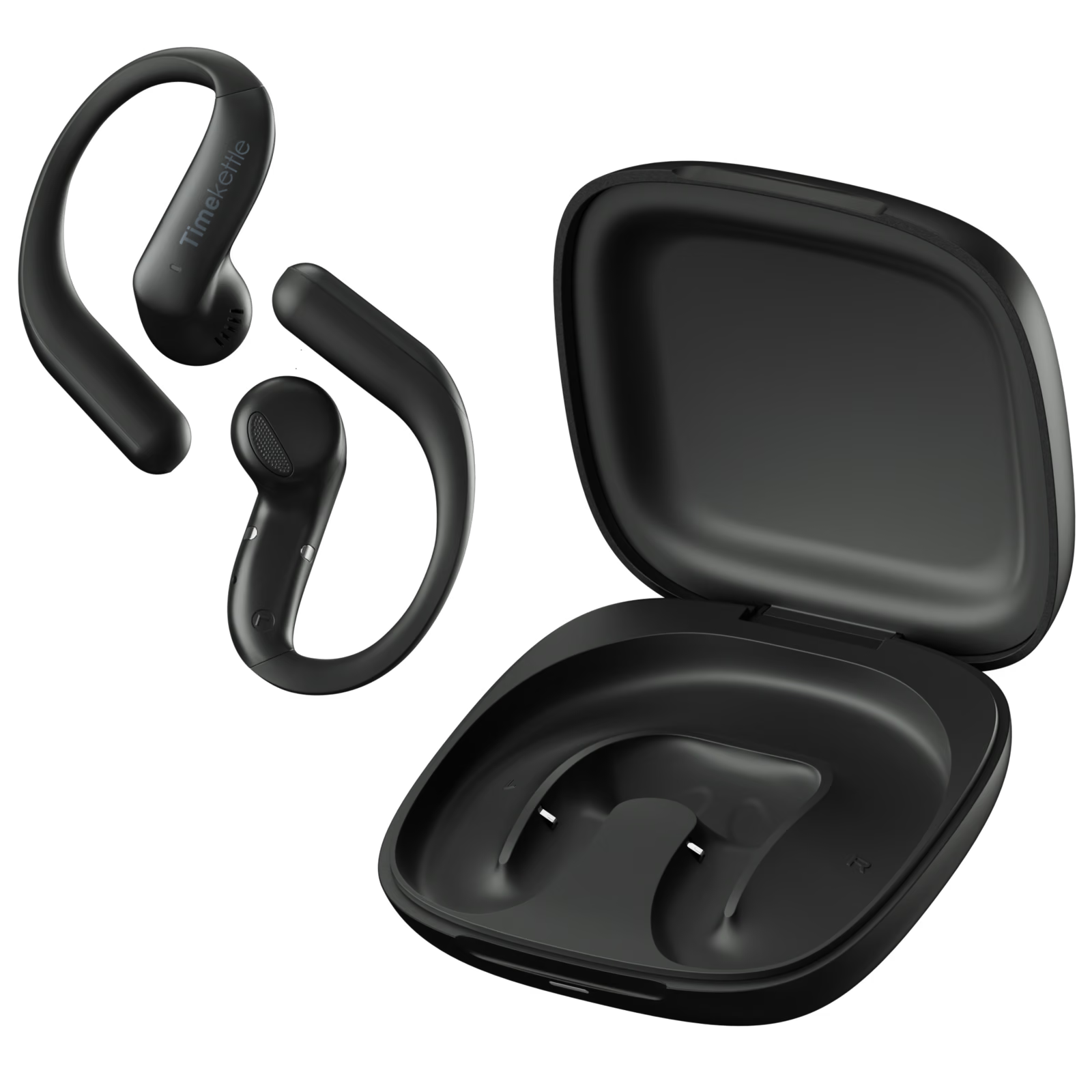
You can find LiveTalk on Amazon.com through my Amazon link. As an Amazon Associate I earn from qualifying purchases. Check the colour and the current price on the listing before ordering, because the Black Friday price applies only to Prime members and only during the promotion window. Timekettle also sells LiveTalk directly on its own store.
What this review is based on
The LiveTalk arrived on November 11, 2026, and this review reflects a short period of everyday use rather than weeks of travel. My opinion of the idea and the design is my own; I did not measure latency, battery life or accuracy. Specifications and pricing come from Timekettle’s launch announcement and the promotion details Timekettle shared with me. Measured latency and several app observations come from Mighty Gadget’s review.
Verdict
The Timekettle LiveTalk is a likeable, well-judged product. The open-ear design suits conversation, the earbuds are light enough to wear all day, and the four modes cover the situations where a language barrier actually hurts: a counter, a phone call, a talk and a video. It is not fast, it does not make conversation feel natural, and the 200 free minutes are something to plan around rather than ignore.
None of that changes the main point. For someone who does not speak the language, LiveTalk turns “I cannot talk to this person” into “this will take a little longer”. As a supplement to your own words, a phrasebook and a bit of patience, it is easy to recommend, and at the Black Friday price it is easier still. I enjoyed using it, I like what it is trying to do, and I would happily hand a pair to anyone about to travel somewhere where they cannot read the signs.
What worked
- The open-ear design keeps you present in a conversation while the translation plays.
- Four modes cover face-to-face talk, listening, phone and internet calls, and media.
What bothered me
- Translation runs seconds behind speech, so conversations become turn-taking.
- Online translation beyond the included minutes needs a paid plan.
Who should not buy it
- I would skip it if you already speak the language reasonably well, need professional interpretation, or mainly want earbuds for music.
Alternatives I would consider
- A free translation app on your phone. Enough if you only need the occasional word or sentence and do not want earbuds or a subscription.
Evidence and sources
The article separates my judgement from specifications and measurements credited to their sources. Product images come from Timekettle's media kit.
Features, compatibility and rated figures from the maker are manufacturer information. My opinions are identified in the review.
Conclusion
Worth considering at the list price and easy to recommend at the Black Friday price.
Timekettle LiveTalk AI Translation Earbuds
Amazon.com · United States
Check price and availability: Timekettle LiveTalk AI Translation Earbuds at Amazon.comAffiliate link. As an Amazon Associate I earn from qualifying purchases.
One email a week with practical Mac workflows, useful comparisons and honest tech recommendations.