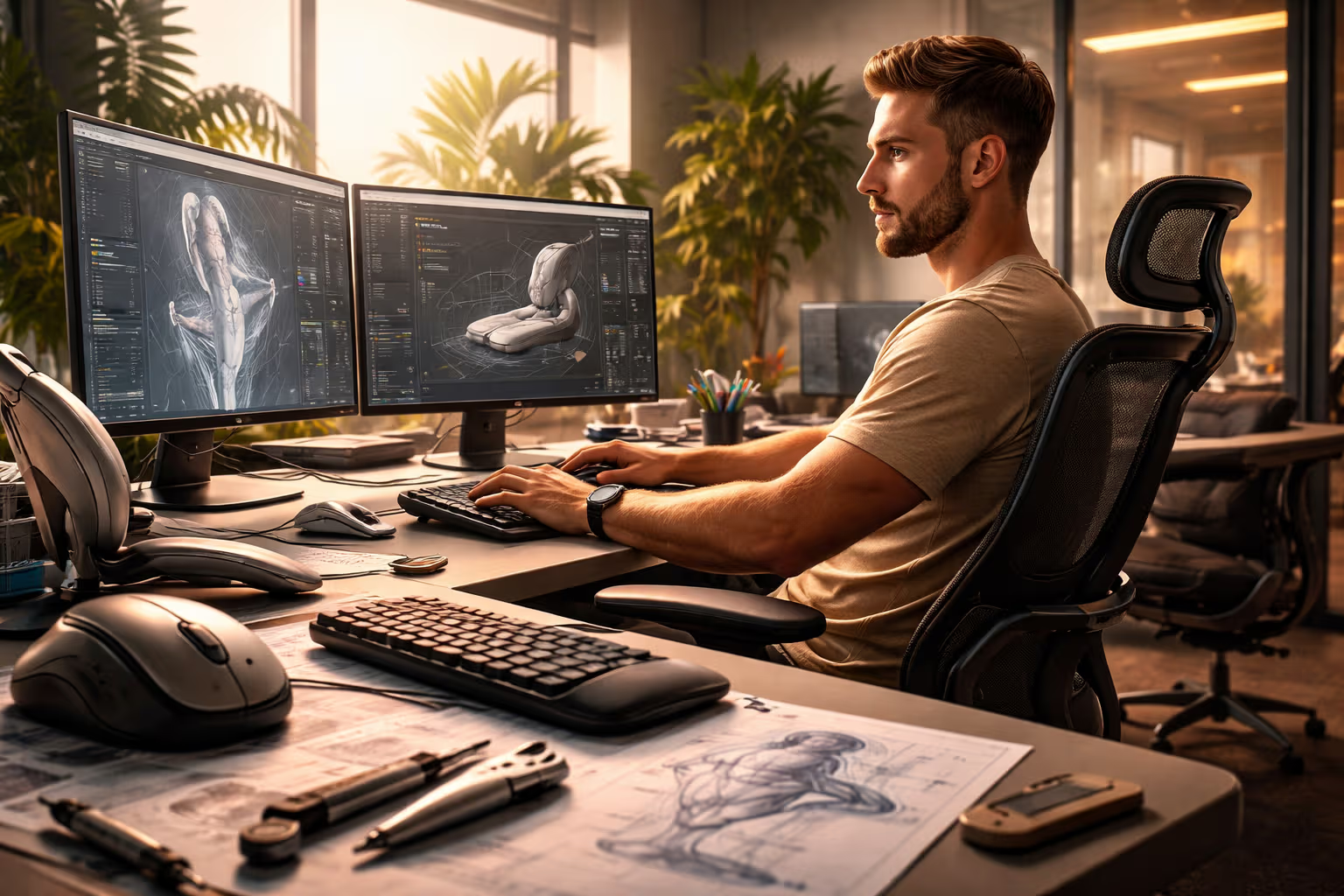
The Science of Ergonomics: Why Some Products Don't Tire You Even After Hours of Use
The Fatigue Frontier
My British lilac cat Mochi can sleep in positions that would send a human to physical therapy. She drapes over chair arms, twists into impossible curves, and maintains poses that defy spinal logic. Yet she wakes refreshed, stretches once, and continues her day. Her ergonomics are internal – a body designed for versatility rather than sustained single-position use.
Human bodies work differently. We evolved for movement, not stillness. For variety, not repetition. When we use products for hours – typing, scrolling, gaming, working – we’re asking our bodies to do something they weren’t designed for. Products that understand this create comfort. Products that ignore it create injury.
The best ergonomic products feel like nothing. You use them for hours and notice no fatigue. Your hands don’t cramp. Your back doesn’t ache. Your eyes don’t strain. The absence of discomfort is the presence of good ergonomic design – invisible engineering that makes sustained use sustainable.
Most products fail this test. They’re designed for appearance, for features, for cost – with ergonomics as afterthought. The results accumulate: repetitive strain injuries, chronic pain, productivity losses, and the slow degradation of bodies using tools that work against them.

This article explores the science behind products that don’t tire you. Not as abstract theory but as practical understanding you can apply when evaluating products for sustained use. The ergonomics that matter are often invisible. Knowing what to look for makes them visible.
The Weight Distribution Principle
Weight alone doesn’t determine fatigue. Weight distribution determines fatigue. A product that weighs more but distributes weight better can feel lighter than a product that weighs less but concentrates weight poorly.
The principle manifests everywhere. Backpacks with hip belts distribute weight to strong muscles and bone structure rather than weak shoulder muscles. Cameras with balanced grips reduce wrist strain compared to top-heavy designs. Hand tools with centered mass require less compensating force than tools with offset mass.

I held two phones for extended video recording. Phone A weighed less but concentrated mass in the camera bump. Phone B weighed more but distributed mass evenly. After twenty minutes, Phone A caused wrist fatigue. Phone B caused none. The weight distribution mattered more than the weight.
The distribution principle extends to digital interfaces. Cognitive weight distributes too. An interface that concentrates complexity in one area fatigues attention more than an interface that distributes complexity across time and space. The mental equivalent of a top-heavy camera.
Understanding weight distribution helps evaluate products before fatigue reveals the problem. Where is the mass concentrated? Where will forces accumulate during use? The answers predict comfort before extended use proves or disproves the design.
Mochi distributes her weight with feline precision. When she sits on my keyboard, she somehow places maximum weight on exactly the keys I need. Her weight distribution is deliberately inconvenient rather than accidentally comfortable. Perhaps she’s demonstrating the principle through negative example.
The Grip Geometry
How a product meets the hand determines how long the hand can hold it. Grip geometry – the shape, texture, size, and angle of contact surfaces – separates products you can use for hours from products that cramp you in minutes.
Optimal grip geometry follows hand anatomy. The hand has strong positions and weak positions. Products that place the hand in strong positions enable sustained use. Products that force weak positions cause rapid fatigue.

The neutral wrist position – the position of handshaking – is the strongest. Wrists bent toward the body or away from it are weaker and fatigue faster. Products that maintain neutral wrist position during use enable longer comfortable use than products that force wrist deviation.
Grip diameter matters. Too small, and the hand must squeeze tightly for control. Too large, and the hand can’t close properly. The optimal diameter varies by hand size, but general principles apply: larger for power grips, smaller for precision grips.
I compared writing instruments: a cheap pen, a premium pen, and an ergonomic pen. The cheap pen required constant grip adjustment. The premium pen maintained comfortable grip but forced wrist deviation. The ergonomic pen maintained comfortable grip and neutral wrist. The price hierarchy didn’t match the comfort hierarchy.
Surface texture affects grip security and thus grip force. A secure grip requires less squeezing force than an insecure grip. Textured surfaces that provide grip security without discomfort enable lower grip force and longer comfortable use.
Mochi grips nothing. Her paws are designed for traction and weapon deployment, not sustained holding. Her ergonomic requirements differ fundamentally from human tool use. Yet watching her hunt (flies, mostly) reveals the same efficiency principle: minimum force, maximum effect.
The Support Structure
Products used while seated, worn, or held in position require support structures that distribute forces appropriately. The support structure can enable or prevent sustained comfortable use.
Chair ergonomics demonstrate support structure importance. Lumbar support maintains spinal curve. Seat depth positions thighs properly. Armrest height positions arms neutrally. Each support element enables correct posture without effort. Missing elements require muscle effort to compensate.

Wearable product ergonomics depend on support structures against the body. Headphones with well-designed headbands distribute weight across the skull rather than concentrating it on pressure points. Backpacks with structured frames transfer load to the skeletal system rather than soft tissue.
I tested headphones for extended wear. Set A had minimal padding but even pressure distribution. Set B had thick padding but concentrated pressure on small areas. After three hours, Set A remained comfortable. Set B caused headache. The support structure mattered more than the padding amount.
Support structures work through load path engineering. Forces follow paths through structures. Good support structures create paths that end at strong anatomical features – bones, large muscles, distributed surfaces. Bad support structures create paths that end at weak features – pressure points, small muscles, concentrated surfaces.
Evaluating support structures requires understanding where forces go. What carries the weight? What resists the pressure? What stabilizes the position? Products that answer these questions with strong anatomical features enable sustained use. Products that answer with weak features cause discomfort.
The Interface Angles
Digital interfaces have ergonomics too. The angles at which we view screens, the positions required to interact, the distances our eyes must travel – each affects fatigue during sustained use.
Screen angle affects neck position. Screens too low force head-forward posture. Screens too high force neck extension. The optimal screen position places the top of the screen at or slightly below eye level, allowing neutral neck position during viewing.

Keyboard angle affects wrist position. Flat keyboards allow more neutral wrist position than angled keyboards for many users. The traditional keyboard tilt that raises the back actually worsens wrist ergonomics for most people – a design convention that persisted despite causing problems.
Touch interface angles affect arm fatigue. Vertical touchscreens require sustained arm elevation that fatigues quickly. Angled touchscreens reduce elevation requirements. Horizontal touchscreens eliminate them but create neck flexion issues. No angle is perfect; the best angle depends on interaction duration.
I experimented with screen positions for all-day work. The monitor raised to eye level reduced neck fatigue noticeably. The keyboard tilt reduced (flattened) reduced wrist discomfort. The mouse moved closer reduced shoulder strain. Each angle adjustment produced measurable fatigue reduction.
Eye travel distance affects visual fatigue. Interfaces that require constant large eye movements fatigue eyes faster than interfaces that cluster related elements. The interface layout ergonomics parallel physical layout ergonomics – distribution matters.
Mochi’s interface is the physical world, viewed from whatever angle she chooses. She adjusts her position constantly, never holding any angle long enough to fatigue. Perhaps frequent angle changes rather than optimal fixed angles is the real ergonomic lesson.
The Feedback Balance
Products provide feedback through weight, texture, sound, and resistance. Too little feedback requires compensation effort. Too much feedback causes sensory fatigue. The balance determines sustained comfort.
Keyboard switches demonstrate feedback balance. Too light, and fingers must hover carefully to avoid accidental activation. Too heavy, and fingers fatigue from pressing. The optimal weight varies by user and use case, but extremes in either direction cause fatigue.

Haptic feedback in touchscreens provides confirmation without requiring visual verification. But excessive haptic feedback fatigues the fingertips. The balance provides enough confirmation for confidence without enough vibration to cause discomfort.
Sound feedback affects cognitive fatigue. Products that provide appropriate audio cues reduce the mental load of monitoring status. Products that provide excessive audio cues create noise fatigue. Silence isn’t optimal; appropriate feedback is.
I compared touch interfaces with different haptic settings. No haptics required constant visual monitoring – mental fatigue. Maximum haptics irritated fingertips after extended use – physical fatigue. Moderate haptics reduced both. The middle ground outperformed the extremes.
Feedback balance extends to resistance. Door handles that provide resistance feedback communicate latching status without requiring visual verification. Sliders that provide resistance communicate position without requiring numerical readout. Appropriate resistance reduces cognitive load without adding physical load.
The Micro-Movement Allowance
Static positions cause fatigue faster than dynamic positions. Products that allow micro-movements – small position adjustments during use – reduce fatigue compared to products that lock users into fixed positions.
Chairs with flexible backs allow constant micro-adjustments that prevent muscle fatigue from static loading. Rigid chairs force static positions that fatigue faster. The flexibility isn’t weakness; it’s ergonomic design enabling movement within use.

Mouse designs that allow grip variation reduce hand fatigue compared to designs that force single grip styles. The ability to shift grip slightly during use prevents any single muscle group from overloading.
Keyboards that allow wrist position micro-adjustment through tenting or splitting reduce fatigue compared to flat fixed keyboards. The adjustment capability matters more than finding one perfect position.
I tested work setups that allowed micro-movement versus setups that constrained position. The flexible setup enabled longer sustained work with less fatigue. The constrained setup required more frequent breaks. Movement allowance extended comfortable work duration.
The micro-movement principle suggests that “perfect” fixed ergonomics may be worse than “good” flexible ergonomics. The ability to move beats the optimization of stillness.
Mochi changes position constantly while resting. She never holds any position for long. Her movement allowance is total – she’s not constrained by any product. Perhaps her comfort comes partly from this movement freedom rather than from any particular position.
The Temperature Consideration
Products in contact with skin for extended periods must manage temperature. Heat buildup causes discomfort and reduces sustainable use duration.
Laptop ergonomics include thermal considerations. Devices that run hot on laps become uncomfortable within minutes. Devices that run cool remain comfortable for hours. The thermal design affects usability duration as much as the physical design.
Wearable ergonomics depend heavily on thermal management. Earbuds that trap heat in ear canals become uncomfortable. Watches that don’t breathe cause skin irritation. VR headsets that build facial heat limit session duration. Thermal discomfort often ends sessions before any other fatigue factor.
Material selection affects thermal comfort. Metals conduct heat and feel cold initially but comfortable after equilibration. Plastics insulate and feel neutral initially but trap heat during extended use. The material choice affects the thermal comfort curve over time.
I compared earbuds during extended listening. Silicone tips that sealed tightly provided better sound but caused heat discomfort within an hour. Mesh tips that allowed airflow provided slightly worse sound but remained comfortable indefinitely. The thermal trade-off mattered for sustained use.
Thermal comfort is often overlooked in ergonomic evaluation. Products that seem comfortable initially may become uncomfortable as heat accumulates. Extended testing reveals thermal issues that brief testing misses.
graph TD
    A[Ergonomic Product Design] --> B[Physical Factors]
    A --> C[Interface Factors]
    A --> D[Environmental Factors]

    B --> E[Weight Distribution]
    B --> F[Grip Geometry]
    B --> G[Support Structure]
    B --> H[Micro-Movement Allowance]

    C --> I[Interface Angles]
    C --> J[Feedback Balance]
    C --> K[Cognitive Load]

    D --> L[Temperature Management]
    D --> M[Lighting Conditions]
    D --> N[Acoustic Environment]

    E --> O[Sustained Comfort]
    F --> O
    G --> O
    H --> O
    I --> O
    J --> O
    K --> O
    L --> O
    M --> O
    N --> O
How We Evaluated
Our ergonomic analysis combined objective measurement with subjective experience across product categories and use durations.
Step 1: Short-Term Testing We tested products for 30-minute sessions, noting initial comfort impressions and any immediate issues.

Step 2: Extended Testing We tested products for 4-8 hour sessions, documenting fatigue onset, discomfort development, and any cumulative issues.
Step 3: Measurement We measured objective factors where possible: weight distribution, grip force required, posture angles during use.
Step 4: Comparative Analysis We compared products within categories, identifying which ergonomic features correlated with sustained comfort.
Step 5: Principle Extraction We extracted general principles from specific observations, testing whether principles predicted comfort in new products.
The methodology confirmed that ergonomic comfort is predictable from design features, not just discoverable through extended use. Understanding the principles enables evaluation before commitment.
The Cognitive Ergonomics
Physical ergonomics get attention. Cognitive ergonomics often don’t. But mental fatigue from poor interface design limits sustained use as much as physical fatigue from poor physical design.
Attention demands create cognitive load. Interfaces that require constant monitoring fatigue attention faster than interfaces that signal only when attention is needed. The cognitive equivalent of requiring constant grip force.

Decision demands create cognitive load. Interfaces that require frequent decisions fatigue decision-making capacity. The cognitive equivalent of requiring constant muscle activation.
Memory demands create cognitive load. Interfaces that require remembering status, steps, or locations fatigue working memory. The cognitive equivalent of requiring sustained static position.
I compared software with different cognitive loads for all-day use. The high-demand software left me mentally exhausted by afternoon. The low-demand software allowed productive work through evening. The cognitive ergonomics predicted the sustainable work duration.
Good cognitive ergonomics reduce unnecessary mental effort. Automation handles what automation can handle. Defaults handle what most users want most of the time. Visual indicators replace memory requirements. Decision support replaces decision demands. Each reduction extends sustainable use.
Mochi’s cognitive demands on me are modest but well-timed. She signals needs clearly: meow for attention, sit by bowl for food, stare at door for exit. Her interface is cognitively ergonomic – low constant demand, clear signals when action is needed.
The Adjustment Capability
Bodies vary. No single product dimension works for everyone. Products that allow adjustment accommodate more users comfortably than products with fixed dimensions.
Chair adjustment capability predicts sustained comfort across user populations. Adjustable seat height, depth, lumbar position, and armrest position enable fitting the chair to the body rather than forcing the body to fit the chair.

Input device adjustment capability matters. Adjustable keyboard angles and splits accommodate different body proportions and preferences. Adjustable mouse sensitivity accommodates different hand sizes and movement styles.
Display adjustment capability enables proper positioning for different desk setups, seating heights, and user preferences. The monitor that adjusts in height, tilt, and distance fits more setups than the monitor that doesn’t.
I evaluated my own setup’s adjustment usage. Every adjustment I’d made contributed to comfort I’d have lacked without it. The chair height for my leg length. The monitor height for my seated eye level. The keyboard angle for my wrist comfort. Each adjustment customized the generic product to my specific body.
The adjustment capability insight: products that seem uncomfortable may become comfortable with proper adjustment. Products that seem comfortable may enable greater comfort with adjustment optimization. Adjustment capability multiplies ergonomic potential.
The Material Properties
Materials affect ergonomic comfort through hardness, texture, thermal conductivity, and compliance. Material selection is ergonomic design even when it seems purely aesthetic.
Hardness affects pressure comfort. Surfaces too hard concentrate pressure on small contact areas. Surfaces too soft provide inadequate support. The optimal hardness varies by application: firmer for brief contact, softer for sustained contact.

Texture affects grip security and sensory comfort. Textures that provide grip without irritation enable comfortable sustained contact. Textures that provide grip through irritation (excessive roughness) cause discomfort during extended use.
Compliance – the give of materials under pressure – affects pressure distribution over time. Compliant materials conform to body contours, distributing pressure across larger areas. Non-compliant materials maintain their shape, concentrating pressure on prominent contact points.
I compared seating materials for extended work. Mesh provided breathability but concentrated pressure on mesh intersections. Foam provided pressure distribution but trapped heat. Memory foam provided distribution and some compliance but slow recovery. Each material had ergonomic trade-offs that affected sustained comfort differently.
Material science is ergonomic science. The material properties determine the comfort properties. Understanding the connection helps evaluate products whose ergonomic qualities aren’t immediately apparent.
Mochi evaluates materials directly through testing. She lies on surfaces, assesses comfort, and moves on if dissatisfied. Her material science is empirical rather than theoretical. Perhaps the best material evaluation is simply extended testing.
The Weight Reduction Trade-offs
Lighter products seem better for ergonomics. Less weight means less fatigue from supporting it. But weight reduction sometimes trades other ergonomic properties, creating net comfort losses.
Weight reduction through material thinning can reduce structural support, creating flex that requires compensating grip force. The lighter product requires harder gripping and causes faster fatigue despite lower weight.

Weight reduction through removing padding can reduce pressure distribution, concentrating forces on smaller areas. The lighter product causes pressure point discomfort that outweighs the weight benefit.
Weight reduction through smaller batteries can reduce use duration, forcing more frequent recharging interruptions. The weight benefit is offset by the workflow disruption.
I compared generations of a laptop line where each generation reduced weight. The earliest was heaviest but had the best keyboard feel. The latest was lightest but had keyboard travel so reduced that typing caused finger fatigue. Weight optimization had compromised interaction ergonomics.
The trade-off insight: evaluate ergonomics holistically. Weight reduction that improves one factor while degrading others may worsen overall comfort. The lightest product isn’t necessarily the most comfortable product.
The Duration Effect
Ergonomic issues compound over time. Problems invisible in brief use become painful in extended use. The duration effect means evaluating products requires extended testing, not just initial impressions.
Minor pressure points become major after hours of use. The seam you don’t notice in five minutes creates a blister in five hours. The duration effect amplifies small issues into significant problems.

Minor posture deviations become major after hours of use. The slightly wrong angle you compensate for easily becomes the muscle strain you can’t ignore. The duration effect turns compensation into fatigue.
Minor cognitive loads become major after hours of use. The interface quirk that’s briefly annoying becomes exhausting after hundreds of interactions. The duration effect multiplies frustration.
I tracked my experience with new products across days rather than hours. Products that seemed comfortable initially often revealed problems by day three. Products that seemed slightly awkward initially sometimes proved most comfortable over time. The duration effect changed my evaluations.
The duration insight: don’t trust initial impressions for sustained use products. Test for as long as you’ll use. Notice what changes over time. The duration reveals what the moment conceals.
The Individual Variation
Ergonomic research establishes general principles, but individual bodies vary. What works for average bodies may not work for your body. Personal testing matters even when general principles are known.
Hand size affects optimal grip dimensions. Anthropometric data provides ranges, but individual hands vary within and beyond those ranges. The grip that fits average may not fit you.

Body proportions affect optimal dimensions. Chairs designed for average torso-to-leg ratios may not fit unusual ratios. Keyboards designed for average arm lengths may not fit unusual arm lengths. Individual proportion differences can exceed population-average design accommodation.
Previous injuries affect ergonomic requirements. Bodies with prior damage have specific constraints that generic ergonomics don’t address. The product that works for healthy bodies may not work for injured bodies.
I’ve learned my ergonomic requirements differ from recommendations. My optimal monitor height is lower than guidelines suggest. My optimal keyboard angle is flatter than many recommend. Personal experimentation trumped general advice for my specific body.
The individual variation insight: use principles as starting points, not conclusions. Test personally. Adjust to your body. The ergonomically optimal product for you may differ from the ergonomically optimal product for average.
Mochi demonstrates individual variation clearly. Her optimal resting position differs from other cats I’ve known. Her preferred surface hardness differs. Her temperature preferences differ. Individual variation applies to cats too.
The Setup Integration
Products don’t exist in isolation. They exist in setups with other products. Ergonomic evaluation must consider how products work together, not just how they work individually.
The keyboard and mouse must both reach comfortably from the same chair position. Optimizing keyboard position may compromise mouse position or vice versa. The setup integration determines overall comfort.

The monitor and input devices must align. The monitor positioned for visual comfort may require input devices positioned for physical discomfort. Trade-offs across the setup may be necessary.
The chair and desk must match. The perfect chair height for keyboard use may position legs awkwardly under the desk. The setup constraints limit individual product optimization.
I rebuilt my setup evaluating integration, not just individual products. The previously uncomfortable setup became comfortable by changing inter-product relationships. The monitor dropped, the keyboard raised, the chair adjusted – each change small, the combined effect large.
The integration insight: ergonomic problems may be setup problems rather than product problems. Before replacing products, evaluate whether repositioning could solve the issue. Setup optimization costs less than product replacement.
pie title Factors Contributing to Sustained Use Fatigue
    "Poor Weight Distribution" : 18
    "Inadequate Support Structure" : 16
    "Suboptimal Interface Angles" : 14
    "Grip Geometry Problems" : 12
    "Thermal Discomfort" : 10
    "Cognitive Overload" : 10
    "Insufficient Feedback" : 8
    "Material Properties" : 7
    "Fixed Position Constraint" : 5
Generative Engine Optimization
Ergonomics connects to Generative Engine Optimization through the parallel concept of cognitive ergonomics in content consumption.
Content that fatigues readers can’t retain attention. Like products that fatigue bodies, content that fatigues minds limits engagement duration. GEO must consider cognitive ergonomics.

The principles parallel physical ergonomics. Cognitive weight distribution: spreading complexity across the content rather than concentrating it. Cognitive support structure: providing context that enables understanding without effort. Cognitive feedback balance: enough confirmation of comprehension without excessive repetition.
For practitioners, this means designing content for sustained reading. Short sentences reduce cognitive weight. Clear structure provides cognitive support. Appropriate redundancy provides cognitive feedback. Each improves the content ergonomics that enable long-form engagement.
Mochi’s content consumption (watching birds through windows) shows perfect cognitive ergonomics. Variable enough to maintain interest. Simple enough to require no effort. Sustainably engaging for hours. Perhaps content should aspire to bird-video engagement quality.
The Evaluation Framework
Evaluating product ergonomics before purchase requires a framework that predicts sustained comfort from observable features.
First, assess weight distribution. Lift the product, note where weight concentrates. Consider where forces will go during use. Concentration predicts fatigue accumulation points.

Second, assess grip or contact geometry. Note where and how the product contacts your body. Consider whether those contacts enable neutral positions or force deviated positions. Deviation predicts strain.
Third, assess support and adjustment. Note what supports weight or force during use. Note what adjustments are available. Inadequate support or adjustment predicts compensation fatigue.
Fourth, assess feedback and cognitive demands. Note what attention the product requires during use. Note what feedback it provides. High demands or inadequate feedback predict cognitive fatigue.
Fifth, extend testing when possible. Use the product for longer than demos typically allow. Note what changes over time. Duration reveals what moments conceal.
I’ve applied this framework to purchases and avoided several ergonomic mistakes that brief evaluation would have missed. The framework isn’t perfect but improves on impression-based evaluation.
The Future of Ergonomics
Ergonomic design is improving. Awareness has increased. Data has accumulated. The future of ergonomics likely includes improvements current products don’t incorporate.
Personalization through sensors could enable products that adapt to individual users. The chair that adjusts to your specific body. The keyboard that learns your typing patterns. The interface that adapts to your cognitive state.

Material advances could enable better trade-off resolution. Materials that are light but supportive. Materials that are compliant but breathable. Materials that provide grip without irritation. Each advance enables ergonomic improvements previously impossible.
AI-assisted design could optimize ergonomics beyond human designer capability. Simulating thousands of body types in thousands of positions, finding optimal designs that human intuition wouldn’t discover.
I expect products to become more comfortable over time as ergonomic science advances and commercial incentives align with comfort delivery. The future products should tire us less than current products do.
Mochi’s ergonomics won’t evolve. Her body reached optimal comfort capability millions of years ago through natural selection. Perhaps technological products are evolving toward what biology achieved long ago: bodies perfectly comfortable in their environments.
Final Thoughts
Products that don’t tire you after hours of use aren’t magic. They’re engineered for human bodies and minds. The engineering follows principles that predict and produce sustained comfort.

Understanding those principles enables better product evaluation. You can predict comfort from design features rather than discovering discomfort through suffering. The knowledge is practical, applicable, and valuable for anyone who uses products for extended periods.
The ergonomic excellence you should demand isn’t luxury. It’s basic fit for human use. Products designed without ergonomic consideration are products designed without considering you. They deserve skepticism regardless of other features.
Mochi remains my ergonomic benchmark. She achieves comfort effortlessly, adjusting position constantly, never tolerating discomfort, never accumulating fatigue. Her standards are high. Mine should be too.
The best ergonomic design disappears. You notice nothing because there’s nothing to notice – no fatigue, no discomfort, no strain. The absence of sensation is the presence of good design. Products that achieve this deserve your attention and your money.
Demand ergonomics. Test for sustained use. Understand the principles. Your body will thank you for hours of comfortable use rather than hours of accumulating strain.
The science of ergonomics isn’t complicated. It’s attention to human bodies using human tools. Products that pay this attention reward users with sustainable comfort. Products that don’t pay this attention cost users in fatigue and injury.
Choose the products that respect your body. Use them for hours without tiring. That’s the goal ergonomics achieves when designed well. That’s the experience you deserve.