A second monitor is useful to me when I know what will live on it. The 22-inch Samsung T350 interests me for a compact supporting role: a reference, communication window or another modest task that benefits from its own screen. I like that focused use more than adding a display simply because an empty corner of the desk exists.
Quick verdict
I would consider it for a small secondary-screen role where Full HD and the physical position are enough.
Best for: I would consider it for a small secondary-screen role where Full HD and the physical position are enough.
Main benefit: Its compact Full HD format can give a reference or communication window a separate place on a small desk.
Biggest drawback: It does not create a large high-resolution workspace, and the stand and connections need a separate fit check.
Samsung T350 22-inch Monitor
Amazon US · US
Check price and availability: Samsung T350 22-inch Monitor at Amazon USAffiliate link. As an Amazon Associate I earn from qualifying purchases.
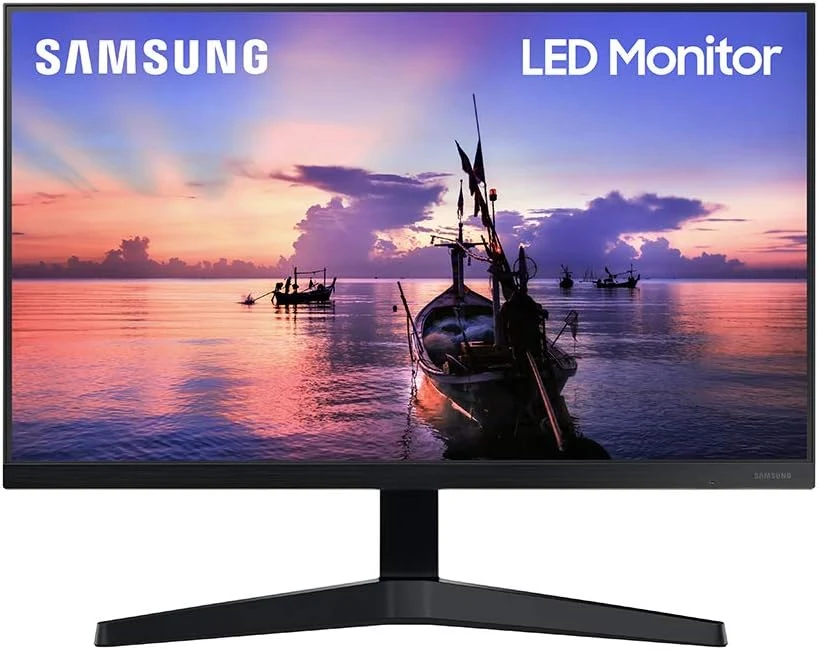
Reviewed version: SAMSUNG 22" T350 Series FHD 1080p Computer Monitor, 75Hz, IPS Panel, HDMI, VGA (D-Sub), 3-Sided Border-Less, FreeSync, LF22T350FHNXZA
Compatibility: LF22T350FHNXZA 22-inch-class Full HD IPS, 75Hz specification. Confirm the exact input timing, host output and regional power package; no USB-C docking role is implied.
Review context: I assess a compact second screen, text scaling, desk space, window placement and connection needs.
I would consider the exact LF22T350FHNXZA when Full HD is enough and the position works with the main screen. I would not expect a small secondary display to become a large creative canvas or a laptop dock. My assessment is based on the documented product and desk fit, not a claimed personal panel test or a universal productivity gain.
Give the screen a job before choosing its size
Samsung’s exact-model information identifies this T350 as a compact Full HD display. I would begin with the window I want to keep visible. A reference page, a build result and a video call have different space needs, so the useful secondary role should be specific.
Related reading

I would avoid turning the extra screen into a place for every notification. Another visible application can create more interruption rather than more useful working space. For me, the best second-display arrangement separates a task that already exists, instead of inviting more things to watch while trying to finish the main one.
I would also compare keeping one larger main display. That can be simpler when the work benefits from a single coherent canvas. A second screen is not automatically the better answer merely because it provides another physical surface. The right layout should reduce unnecessary window movement or preserve a useful reference without making attention harder to manage.
Full HD needs a comfortable text decision
The 1920 by 1080 work area is a real limit as well as a straightforward target for ordinary applications. I would choose readable text and a suitable distance, then decide whether the needed information fits. Making everything small enough to imitate a larger workspace is not a useful solution if it makes the viewing position worse.
A laptop’s built-in screen may have a different pixel density and scaling arrangement. I would assess how windows and text behave when moving between the two displays. The comparison is not only about matching diagonals. A comfortable main screen and a secondary screen at an awkward text size can make an otherwise tidy setup frustrating.
I would put dense work on the display best suited to it. A small reference screen can be valuable without carrying the most demanding editing task. That is a positive reason to choose a modest monitor: it has a clear supporting job rather than competing unsuccessfully with a larger display for the main role.
The stand and desk position matter
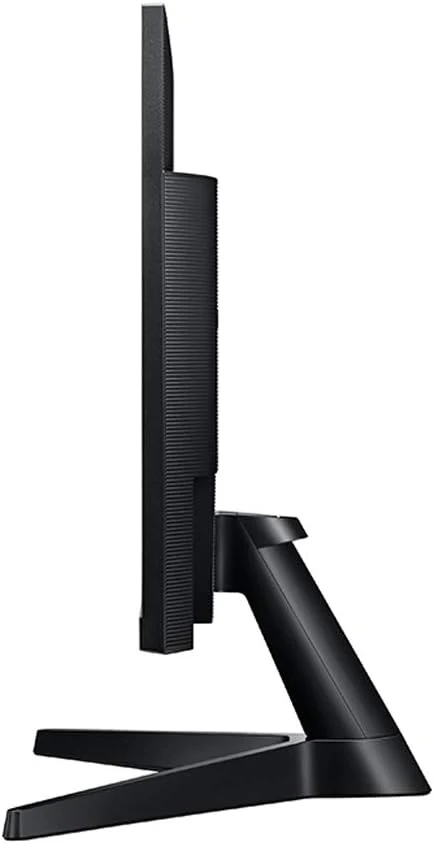
I would check the actual stand adjustment and the space used by the base. A small panel still needs a sensible height and angle relative to the chair. If the stand cannot provide the required position, a compatible mounting arrangement may add cost and complexity. I would count that before comparing the offer with another monitor.
For a screen placed beside the main display, I would avoid a position that requires constant large head turns for ordinary reading. The supporting task should be visible when needed without becoming the place where the most frequent work happens awkwardly. The layout should follow the amount of attention each screen receives.
Related reading

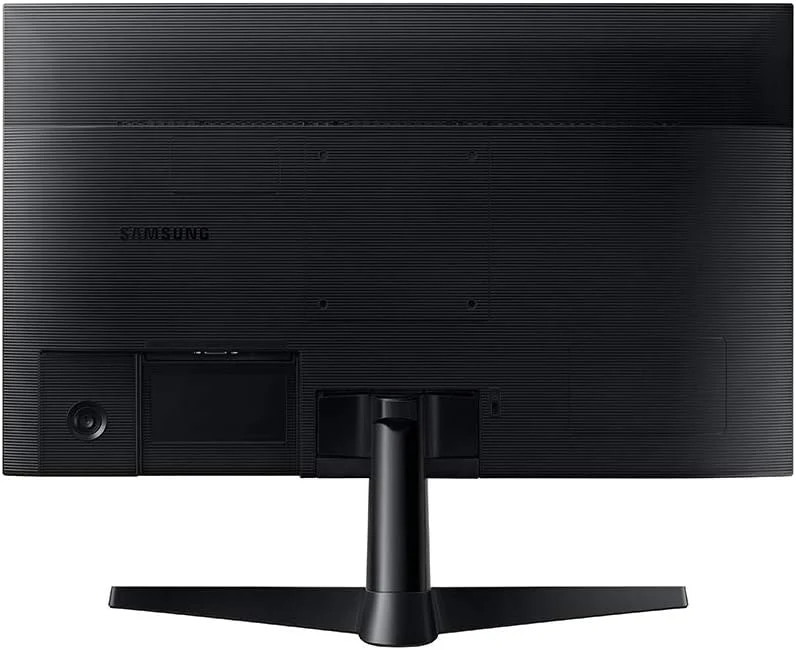
I would also leave room for the keyboard, pointing device and cables. A thin bezel can look attractive in a multi-screen photograph, but the whole desk includes bases and equipment behind the panels. Measuring the usable surface is a simple way to establish whether a second screen genuinely fits rather than merely appears to fit from the front.
Input support comes before the refresh label
The selected T350 listing identifies HDMI and VGA connections with a 75Hz specification. I would check the supported timing for the intended input and the actual computer output. A monitor’s largest advertised mode does not establish that every cable or adapter delivers it in every host arrangement.
For a modern laptop, the appropriate video cable or adapter remains part of the setup. This is not a one-cable USB-C charging and accessory dock. That may be perfectly acceptable at a fixed desk, but it should be understood before buying. A useful simple screen does not need to pretend it performs the docking job of a different product.
I would also keep gaming claims in context. Adaptive-sync and picture-mode labels do not guarantee that every game has no blur or that every console combination is supported. For this proposed secondary role, readable ordinary content and a stable connection matter more than interpreting a modest specification as a competitive gaming promise.
Check the exact unit and the alternative
With used or old stock, I would inspect the screen, stand and power equipment, and choose a seller with workable return terms. Uniform backgrounds and ordinary text can reveal obvious condition problems without becoming a full colour or motion assessment. The specification describes a model, not the history of every individual unit.
Related reading

I would choose the ProArt PA278QV when a larger QHD work area and more adjustment are central. I would keep one good main screen when the proposed second screen has no clear task. The T350 is appealing when the supporting job is real and its compact form fits the available place.
My assessment is positive for that modest role. I would check the exact 22-inch model, connection and current offer together. Its value is a useful separate place for the right window, rather than an assumption that adding another display automatically improves every desk or makes every working task easier.
The product images come from the selected listing and identified manufacturer materials. My assessment uses the linked product information and the buying decisions explained here. Specifications are manufacturer or retailer claims; the conclusions are my own editorial judgement.
What worked
Its compact Full HD format can give a reference or communication window a separate place on a small desk.
What bothered me
It does not create a large high-resolution workspace, and the stand and connections need a separate fit check.
Who should not buy it
Someone needing one-cable laptop charging, a large editing canvas or a fully adjustable professional work display.
Alternatives I would consider
ASUS ProArt PA278QV. I would choose the larger QHD work area and documented stand adjustment for a main work display. Read my ASUS ProArt PA278QV review.
Keeping one suitable main screen. I would choose that arrangement when another display adds distraction rather than useful separation.
Evidence and sources
The linked product documentation and exact retailer listing support the product details. Images: Amazon product gallery. These are not personal test photographs or measurements.
Features, compatibility and rated figures from the maker are manufacturer information. My opinions are identified in the review.
Conclusion
Worth considering when a defined second-screen job justifies the space and the current offer.
Samsung T350 22-inch Monitor
Amazon US · US
Check price and availability: Samsung T350 22-inch Monitor at Amazon USAffiliate link. As an Amazon Associate I earn from qualifying purchases.
One email a week with practical Mac workflows, useful comparisons and honest tech recommendations.