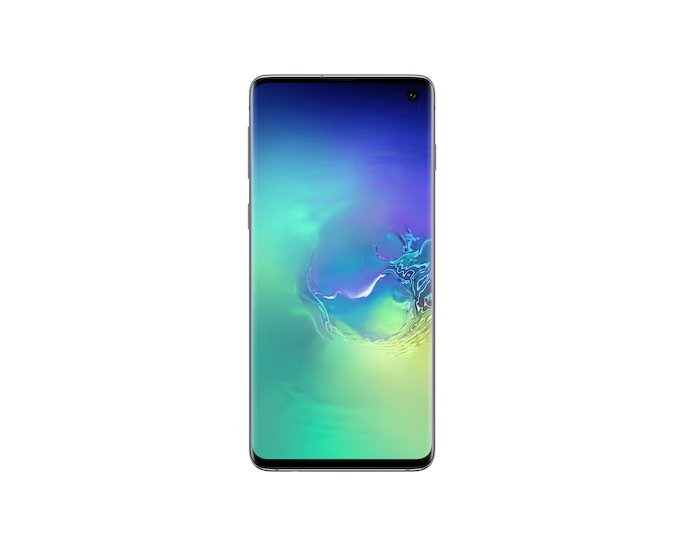
The middle Galaxy S10 made three useful cameras easy to carry
The Galaxy S10 went on sale in the United States on March 8, 2019 alongside the S10e and S10+. The regular model had a 6.1-inch Dynamic AMOLED display, a single front camera in the screen and a useful rear trio: wide, ultrawide and telephoto. Samsung had already introduced the all-screen style in the S8. A buyer here was choosing the arrangement that made the most of it. The 6.1-inch S10 offered the rear options of the bigger S10+ in a smaller body. Samsung’s US Galaxy S10 availability notice
Quick verdict
Retail release in the United States · Archive date
I would have bought the S10 for its size and camera flexibility after testing the under-display reader in my usual setup.
Best for: A buyer who wants wide, ultrawide and optical telephoto framing while carrying a smaller handset than the S10+.
Main benefit: You could choose among three distinct rear views and keep the standard wired connection.
Biggest drawback: The curved edges and biometric target could take practice. The S10e offered a flat screen and side reader for comparison.
Reviewed version: The US LTE Galaxy S10 sold from March 2019. The separately named Galaxy S10 5G had a different body and launch.
Compatibility: The regular S10 supports wired headphones and microSD. Reverse charging needs a compatible accessory and positioning.
Review context: I evaluate the documented retail hardware and the software available in its release window. Regional variants and software changes are identified where they affect the verdict.
A first check would have been my thumb reaching the highest place I touch in a normal day. A diagonal hides a lot about hand feel. A pocket test and a half minute with one hand on the rail of a bus would tell me more than comparing the figures. The screen has curved sides and far less of a traditional top border. With the front camera working through its own hole, I would have spent a few minutes with the apps I use in landscape. A pleasant still image in portrait tells you little about captions, controls or a small picture inset.
Three viewpoints worth learning
The normal rear lens is where I would leave the camera most of the time. The ultrawide is useful when the only place to step backward is the wall of the room. It also stretches objects at the sides, something worth noticing when a person’s face winds up near a corner. The telephoto changes the framing cleanly when there is enough light and some distance between you and the subject. A short series from a single spot makes those choices more obvious than comparing three unrelated photos.
Related reading
I would have looked for a change in color and exposure as I switched lenses. If the main subject is going straight to a relative in a message, natural consistency is more useful than a spectacular sample under ideal light. Keep a face in the same part of the frame and look at the background after switching. There is a place for the widest view on a hike or at a large table. Deciding when you want that stretched quality is part of using the camera well.
The new fingerprint reader changed where you start
Samsung relocated the fingerprint reader under the display on the S10 and S10+. The S10e used a reader on its side. The under-display approach lets you tap the front when the phone is sitting flat on a desk, which the S9’s rear sensor could not do in the same position. You still have to aim without a tactile key. In a shop I would have checked a few consecutive unlocks from different angles and repeated the test after fitting a compatible screen protector. One good try is enough to show how the feature works. Everyday speed depends on getting it right repeatedly.
The cutout and the fingerprint sensor make the phone’s front feel like a more complete object than the screen proportions alone suggest. I would also have turned on the navigation mode I preferred at the time, since reaching to unlock is only the start of using the phone. If a simple side reader and flat panel made those movements more comfortable, the S10e was worth a comparison even with its camera differences.
Reverse charging with a realistic purpose
Wireless PowerShare lets other compatible accessories charge on the back. A compatible earbud case could get a top-up when there was only one wall adapter on a trip. I would have made sure my case could sit stably in the charging area, then judged whether I wanted to give up my own phone’s charge. In most workdays the same phone spent its time in my hand or on its regular charger. The place for the feature was a pause with a predictable setup, where helping out an accessory would actually matter.
The regular S10 still had a headphone jack and supported microSD in its usual models. That combination made it easier to bring forward an existing set of wired accessories into a design that otherwise felt quite new. I would have checked storage needs ahead of time. People who used their phone to record video had better reasons to compare capacity than to count the number of megapixels on the box.
Related reading

How I would choose the S10 size
The S10+ offered a 6.4-inch panel and a larger battery. The S10e had a 5.8-inch flat panel and fewer rear viewpoints. The middle phone’s appeal is how much camera flexibility remained in a size you could carry without buying the top model. I would have paid the difference over the S10e if I made regular use of the telephoto and liked unlocking on the display. If the wide camera did almost everything I needed, I would have spent ten minutes with the flat screen before making that call. Samsung’s launch announcement and hardware specifications
Wireless audio was a choice you could make later
Samsung launched the Galaxy Buds alongside this phone. You could use them, keep a pair of wired headphones, or fit a combination of the two around the places you work. I would have compared how each setup handled a call with a near-empty phone. A listening option that leaves the power port free is attractive if the handset spends some hours connected to a charger. The regular S10 had a good reason to appeal to someone who still liked that relationship between accessories. The phone did not ask you to replace a pair that worked.
Beyond the audio, one small improvement comes from being able to put the S10 face up and use more of its controls without shifting it. Check the display position when it sits in a particular stand. A relatively tall front with a corner cutout and a front reader can change what is reachable from the side. The phone is much easier to judge if you can see how it works in the places you intend to leave it.
By 2019 5G also made its way into the Galaxy S10 branding. The ordinary US S10 discussed here was the LTE model. Samsung’s separately named Galaxy S10 5G had its own later availability and substantially larger display. It was worth asking for the exact model before attributing its features or price to the regular phone.
My verdict on the S10
I would have bought the S10 for a balance of the three rear views, a comfortable body and the ability to keep using wired headphones. I would have tested the screen reader first and compared the two physical sizes with a case. The Galaxy S9 review describes the less ambiguous rear sensor and the earlier single-camera model. The differences at retail mattered in handling, long after the shape of the front camera stopped feeling new.
What worked
You could choose among three distinct rear views and keep the standard wired connection.
The move to the display makes unlocking possible face up on a flat surface.
What bothered me
The curved edges and biometric target could take practice. The S10e offered a flat screen and side reader for comparison.
Wireless PowerShare is useful only with a suitable arrangement. Different cameras can render the same scene differently.
Who should not buy it
Someone who prefers a small flat screen and has little need for the extra optical viewpoint.
Alternatives I would consider
Galaxy S9. The older S9 has a tactile rear reader and a single rear camera in a familiar compact layout. Read my Galaxy S9 review.
Evidence and sources
The release date refers to general availability in the named market. The archive filing is ten days later. Feature assessments are editorial judgments based on the documented retail model.
Features, compatibility and rated figures from the maker are manufacturer information. My opinions are identified in the review.
Conclusion
Choose on grip, camera use and unlocking. Count wireless accessories only where there is a credible repeated use.
One email a week with practical Mac workflows, useful comparisons and honest tech recommendations.