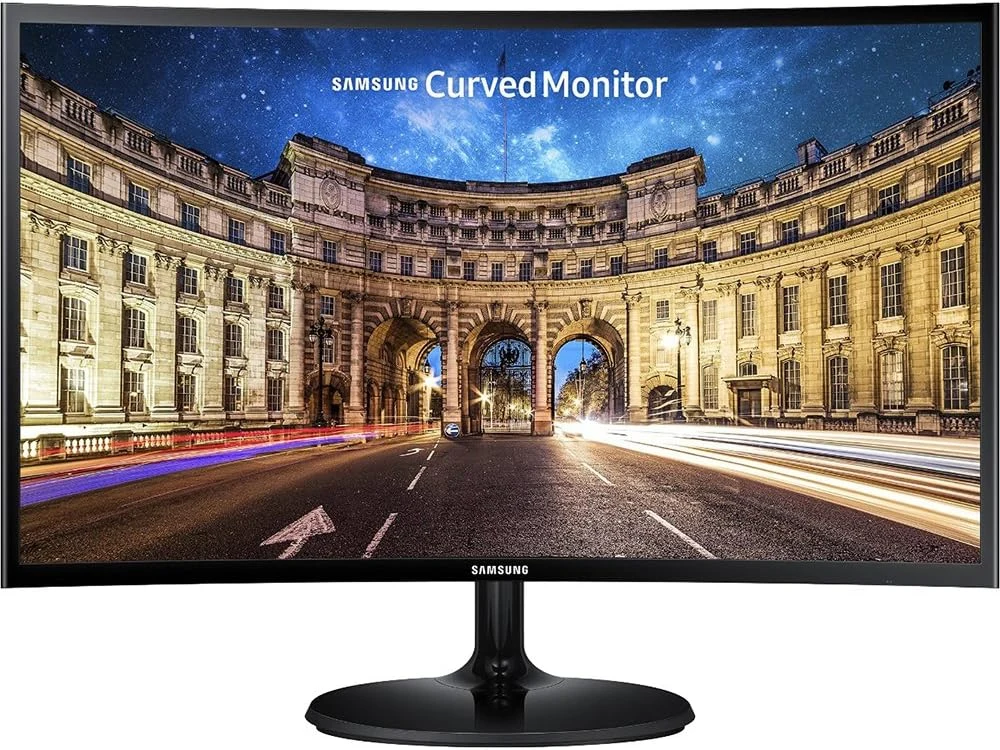
The Samsung CF390 is interesting to me as a straightforward desk display, rather than a reason to build the desk around a curve. At this size, I would put the ordinary questions first: is Full HD enough for the work, can the stand place the screen comfortably and does the computer have a suitable video path? The curved shape comes after those answers.
Quick verdict
I would consider it for a simple single-screen desk where Full HD and the fixed stand fit the task.
Best for: I would consider it for a simple single-screen desk where Full HD and the fixed stand fit the task.
Main benefit: Its modest Full HD role and curved shape provide a clear, uncomplicated display option.
Biggest drawback: The 1080p work area, basic stand and older connections limit its appeal for a demanding modern desk.
Samsung CF390 24-inch Curved Monitor
Amazon US · US
Check price and availability: Samsung CF390 24-inch Curved Monitor at Amazon USAffiliate link. As an Amazon Associate I earn from qualifying purchases.
Reviewed version: SAMSUNG LC24F390FHNXZA 24-inch Curved LED FHD 1080p Gaming Monitor (Super Slim Design), 60Hz Refresh Rate w/AMD FreeSync Game Mode
Compatibility: LC24F390FHNXZA, 24-inch-class 1920 × 1080, 60Hz. Confirm the exact regional power equipment and the source computer’s supported video output.
Review context: I assess a basic desk display, text workspace, curved layout, available inputs and stand positioning.
I would consider the exact 24-inch LC24F390FHNXZA for a simple setup and a sensible current offer. I would not confuse it with a newer Odyssey model or expect a USB-C workstation in disguise. I like a product with a modest, understandable role, provided its older connections and physical limits fit the buyer’s day.
A curve does not create more workspace
Samsung’s regional information identifies the CF390 family, while the exact linked listing specifies this 24-inch Full HD model. I would keep the model suffix in view when comparing regional information. Similar names and photographs can cover different packages or screen sizes.
Related reading

A curved surface changes the shape around the viewer, but the desktop still contains 1920 by 1080 pixels. I would not expect the curve to create room for another code pane or make small text sharper. For email, a browser and uncomplicated documents, that workspace can be enough. For several dense applications at once, I would compare a higher-resolution screen.
I would also think about how many people see the display. A single person sitting centrally has a different situation from two colleagues looking at the same screen. The curve is a personal preference worth checking in a realistic position. I would not make a strong claim about immersion or comfort from a product photograph alone.
Text and viewing distance should decide the fit
A basic display should let me read without changing posture constantly. I would begin with ordinary application scaling and a comfortable distance, then decide whether the amount of visible information is enough. Reducing text until more fits on the screen is not automatically a useful solution if it makes the working position worse.
For a laptop user, I would compare the external screen with the laptop’s own pixel density. A larger image can be easier to share or arrange, while text may look different from a dense built-in panel. I would decide what the second screen contributes rather than assume any external monitor is an upgrade in every respect.
A simple desk can still benefit from a dedicated display. Keeping a reference open beside the main computer or giving a small desktop a usable screen is a clear job. I find that more persuasive than buying a curved monitor first and inventing a reason for its shape later. The application arrangement should explain the purchase.
The stand needs a place in the decision
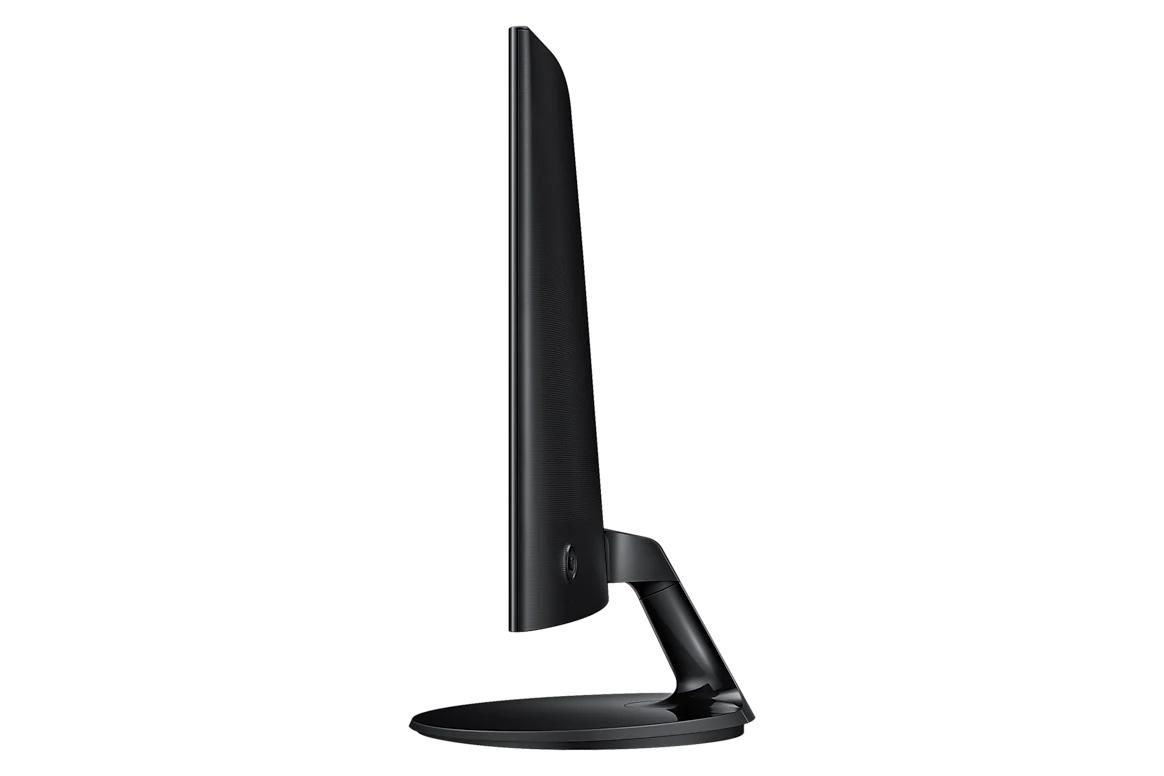
I would check the stand’s actual adjustment before ordering. A basic stand can be perfectly adequate when the desk and chair already put the screen at a good height. It becomes a limitation when the user needs substantial height adjustment and has no suitable way to raise or mount the display.
Related reading

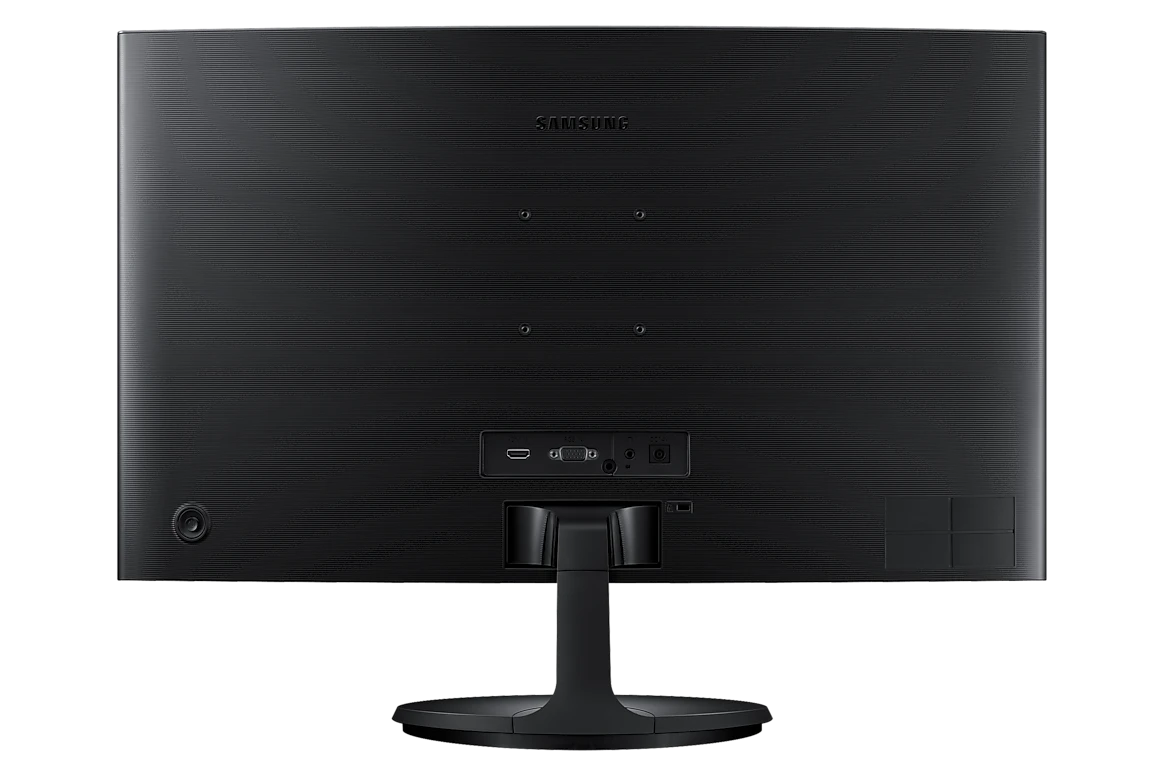
A separate arm is an option only after confirming the model’s mounting support and the complete installation. I would include the arm, plate and desk requirements in the total cost. A cheap monitor is less compelling if fixing its position costs enough to approach a better-adjustable alternative.
I would also allow space for the base and the curve’s depth. A photograph taken from the front does not show how the screen sits near a wall or how much room remains for the keyboard. Measuring the available desk area is a simple way to avoid an awkward arrangement that no picture mode can improve.
Connections are straightforward but older
I would identify the intended video input and use a compatible output from the computer. This is not a one-cable USB-C dock that also powers a laptop and connects accessories. If the computer only offers USB-C display output, the appropriate adapter or cable belongs in the purchase plan.
The listed 60Hz role should also stay separate from the naming of gaming modes. A mode label does not turn a basic Full HD display into a modern high-refresh gaming monitor. For casual use that may not matter. For someone specifically buying faster motion, I would choose a display with the documented refresh and input support that meets that requirement.
With used or old-stock equipment, I would inspect the power supply, input sockets and screen condition. A brief check with text and uniform bright and dark backgrounds can reveal obvious problems. I would want clear return terms rather than rely entirely on the original specification of a unit whose actual condition may vary.
Related reading

What would make me choose another screen
The ProArt PA278QV is the comparison I would make when code, photographs and a larger QHD workspace matter. A flat office display with a better stand could be the simpler alternative when adjustability is the real need. Neither choice needs a dramatic curve to justify its place on a desk.
My assessment of the CF390 is positive for the right modest role, with a strict eye on the current offer. I would choose it only when the resolution, position and connections already fit. If I need to add several accessories or compromise the main working task, I would move the budget toward a screen that suits that task more naturally.
The product images come from the selected listing and identified manufacturer materials. My assessment uses the linked product information and the buying decisions explained here. Specifications are manufacturer or retailer claims; the conclusions are my own editorial judgement.
What worked
Its modest Full HD role and curved shape provide a clear, uncomplicated display option.
What bothered me
The 1080p work area, basic stand and older connections limit its appeal for a demanding modern desk.
Who should not buy it
Someone needing a large code workspace, a height-adjustable stand or one-cable USB-C docking.
Alternatives I would consider
ASUS ProArt PA278QV. I would choose the QHD workspace and adjustable stand for more demanding work. Read my ASUS ProArt PA278QV review.
A flat 24-inch office monitor. I would choose one when stand adjustment and a straightforward shared viewing position matter more than curvature.
Evidence and sources
The linked product documentation and exact retailer listing support the product details. Images: Amazon product gallery and manufacturer product images. These are not personal test photographs or measurements.
Features, compatibility and rated figures from the maker are manufacturer information. My opinions are identified in the review.
Conclusion
Only worthwhile when the exact unit is priced sensibly beside newer adjustable displays.
Samsung CF390 24-inch Curved Monitor
Amazon US · US
Check price and availability: Samsung CF390 24-inch Curved Monitor at Amazon USAffiliate link. As an Amazon Associate I earn from qualifying purchases.
One email a week with practical Mac workflows, useful comparisons and honest tech recommendations.