The feature that makes the original Razer Basilisk V3 interesting to me is its wheel. A mouse can spend as much time moving through a document or long page as it spends in a game. I like the idea of a control that serves both tasks, provided the shape and software also suit the person using it.
Quick verdict
I would shortlist the original Basilisk V3 for a supported desk where its wheel and extra controls have useful jobs.
Best for: A right-handed user who wants several accessible controls and both tactile and free-spinning scrolling.
Main benefit: The configurable wheel and side controls can serve ordinary documents as well as games.
Biggest drawback: The right-handed shape and advanced software requirements narrow who can use the complete feature set comfortably.
Razer Basilisk V3 wired mouse, Black, RZ01-04000100-R3U1
Amazon US · US
Check price and availability: Razer Basilisk V3 wired mouse, Black, RZ01-04000100-R3U1 at Amazon USAffiliate link. As an Amazon Associate I earn from qualifying purchases.
Reviewed version: Razer Basilisk V3 wired mouse, Black, RZ01-04000100-R3U1
Compatibility: A suitable USB host and current supported Razer software for advanced configuration. The right-handed shape needs to suit the user; basic pointer operation does not establish full programming support on every platform. This is not a Pro, X HyperSpeed or 35K model.
Review context: I assess the documented wheel modes, right-handed design, cable arrangement and programmable-control workflow without claiming personal gaming or tracking measurements.
This is the wired RZ01-04000100-R3U1 in black. It is not a Basilisk V3 Pro, X HyperSpeed or newer 35K version. I would keep that model identity beside the buying link, because a familiar family name does not guarantee the same connection, controls or configuration requirements.
Start with the right hand
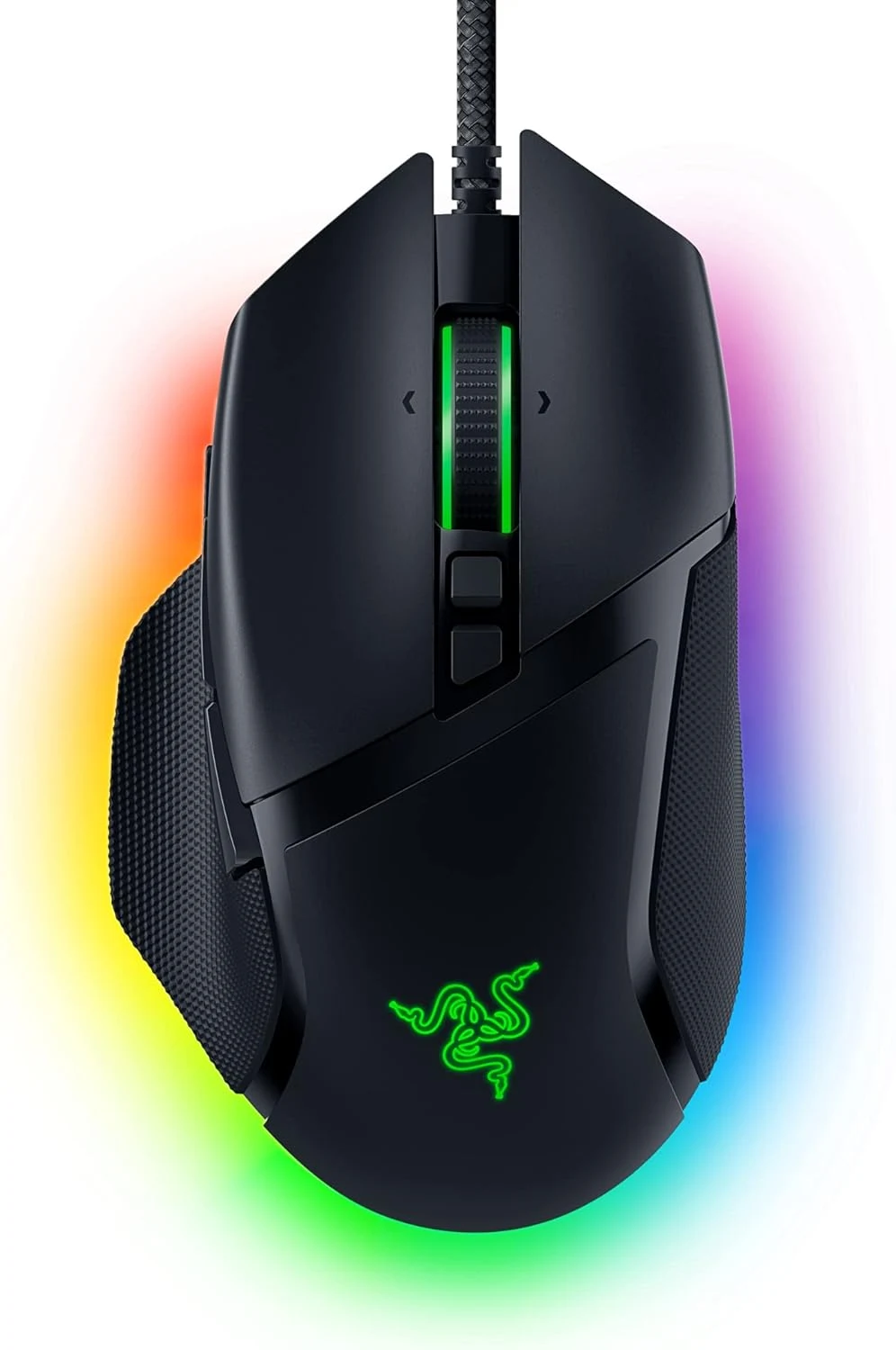
Razer’s original Basilisk V3 product page describes a right-handed shape with a thumb rest. That is a deliberate design choice rather than a universal promise of comfort. I would consider where the thumb naturally rests and whether the side controls can be reached without changing the whole grip.
Related reading

A useful button should be available when needed and easy to leave alone at other times. I would not choose a mouse simply by counting its controls. Hand size, grip and the available space around the keyboard can make a smaller set of reachable buttons more useful than a larger set in awkward positions.
The thumb rest also makes this a different proposition from a narrow symmetrical mouse. I like seeing that distinction clearly. A left-handed buyer should look for a suitable alternative rather than assume that remapping the main buttons changes the physical design.
Two kinds of scrolling have clear jobs
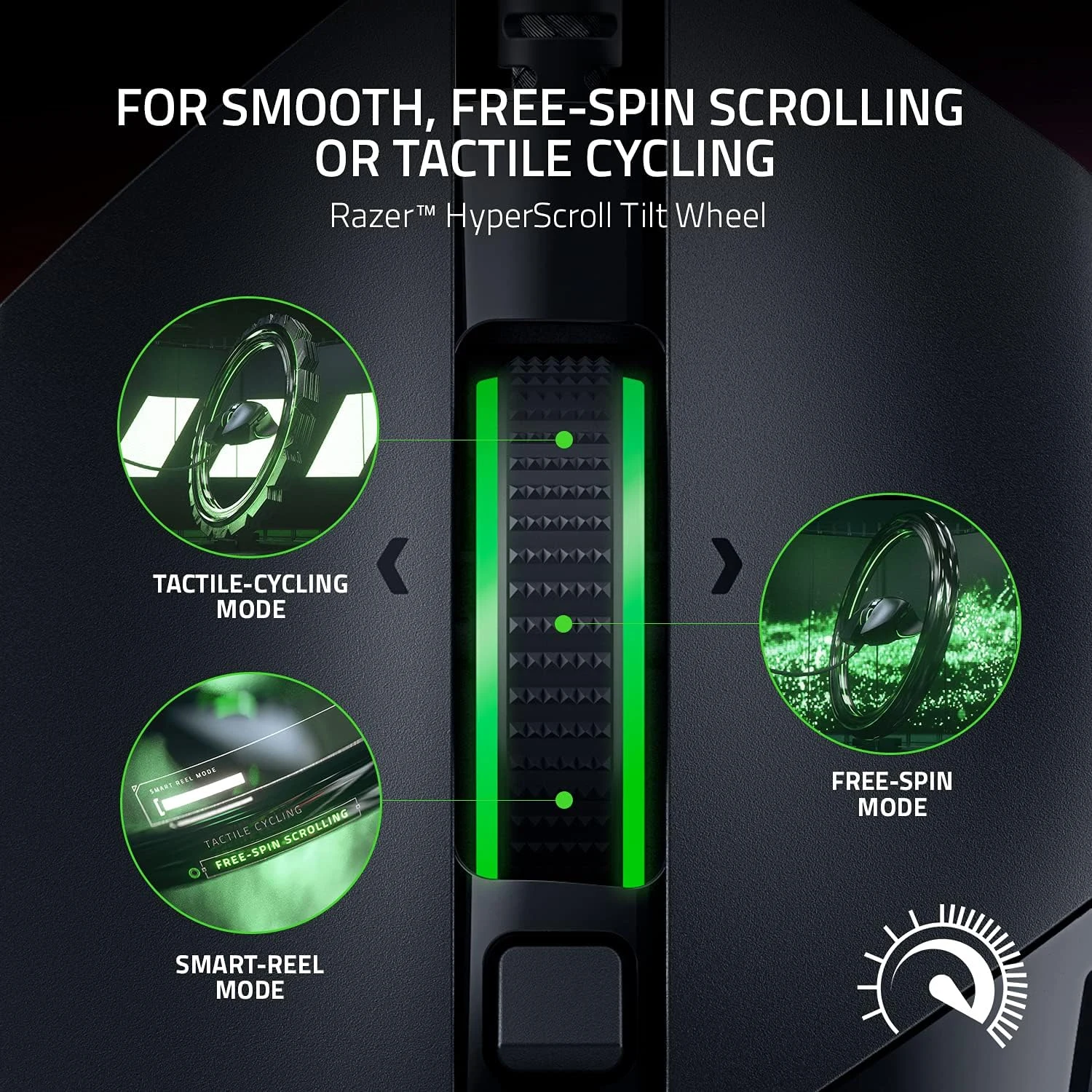
The HyperScroll wheel offers tactile and free-spinning modes. I would use distinct steps when moving through a short list or making deliberate changes, and a freer wheel when crossing a long page. The attraction is having a choice that matches the task, rather than treating one mode as automatically superior.
Razer also describes Smart-Reel behaviour through Synapse, which can change scrolling mode with faster scrolling. I would decide whether that automatic change feels predictable before making it part of the normal setup. Some people prefer a consistent manual choice, especially when the same wheel serves different applications.
The tilt function adds another possible control direction. I like that flexibility, but I would give it a simple meaning. A wheel that scrolls, tilts and changes behaviour can become confusing if every application receives a different set of assignments that nobody can remember.
Extra controls need a small plan

Razer advertises ten plus one programmable buttons. My starting point would be a few repeated actions that deserve a physical home. Push-to-talk, a navigation action or an application shortcut can have clear value. Filling every possible assignment on the first evening is not necessary to make the hardware worthwhile.
Related reading

I would avoid putting a destructive or surprising action under an easy accidental press. A predictable layout is more useful than an impressive demonstration of how many commands fit into one profile. The same care applies when switching between work software and games.
I would keep a brief note of the most important assignments. That makes the setup easier to restore or explain if the mouse moves to another computer. A customised device should save attention during normal use, rather than require its own memory exercise every time an application changes.
The cable belongs in the arrangement
A wired mouse avoids a charging routine, which I find attractive for a desk that stays put. It still needs a clear path to its USB connection. I would leave enough slack for the full useful movement area and keep the cable away from a monitor foot or another sharp change of direction.
Desk space remains important even with a capable sensor. I would consider the keyboard width, preferred pointer speed and room to move the hand. A very large sensitivity rating does not describe that complete arrangement, and it is not a measured accuracy result from my own use.
I would begin with a sensible sensitivity setting and change one thing at a time. That makes it easier to understand the result than altering pointer speed, acceleration and button profiles together. The aim is predictable control in the actual applications, not reaching the largest available setting.
The lighting can also be an enjoyable part of a gaming desk. I would choose a calm setting that suits the room, then judge the mouse by how easily its controls serve the task. Colour is a reasonable preference on its own; it does not need to be turned into a claim that the mouse improves concentration or game results.
Software support is a real requirement
Advanced mapping and effects depend on the supported Synapse route. I would check the current device and operating-system support before buying, especially for a Mac. A mouse moving a pointer through a standard USB connection does not prove that every configuration feature is available on that host.
Related reading

Razer also maintains firmware information for RZ01-04000. I would match the exact model before following an updater. Software maintenance should remain a deliberate process rather than a download chosen because its title contains the same product family.
I would compare the SteelSeries Rival 3 for a simpler gaming layout, or the MX Ergo when a stationary trackball answers the desk-space problem better. I like the Basilisk V3 for a right-handed setup that genuinely uses its wheel and controls. The exact Amazon US affiliate offer should be checked for the original wired model, condition and current availability before making that choice.
What worked
The configurable wheel and side controls can serve ordinary documents as well as games.
What bothered me
The right-handed shape and advanced software requirements narrow who can use the complete feature set comfortably.
Who should not buy it
A left-handed buyer, someone seeking an especially simple compact mouse or a user assuming full software support on any Mac.
Alternatives I would consider
SteelSeries Rival 3. I would compare a simpler gaming-mouse layout when the extra wheel functions and thumb-rest design are unnecessary. Read my SteelSeries Rival 3 review.
Logitech MX Ergo. I would choose a stationary thumb trackball when limited desk movement is the main requirement. Read my Logitech MX Ergo review.
Evidence and sources
Product details come from the cited sources. Images: Amazon product gallery. These are not personal test photographs or measurements.
Features, compatibility and rated figures from the maker are manufacturer information. My opinions are identified in the review.
Conclusion
Worth comparing for the controls and fit; the largest sensitivity number should not decide the purchase.
Razer Basilisk V3 wired mouse, Black, RZ01-04000100-R3U1
Amazon US · US
Check price and availability: Razer Basilisk V3 wired mouse, Black, RZ01-04000100-R3U1 at Amazon USAffiliate link. As an Amazon Associate I earn from qualifying purchases.
One email a week with practical Mac workflows, useful comparisons and honest tech recommendations.