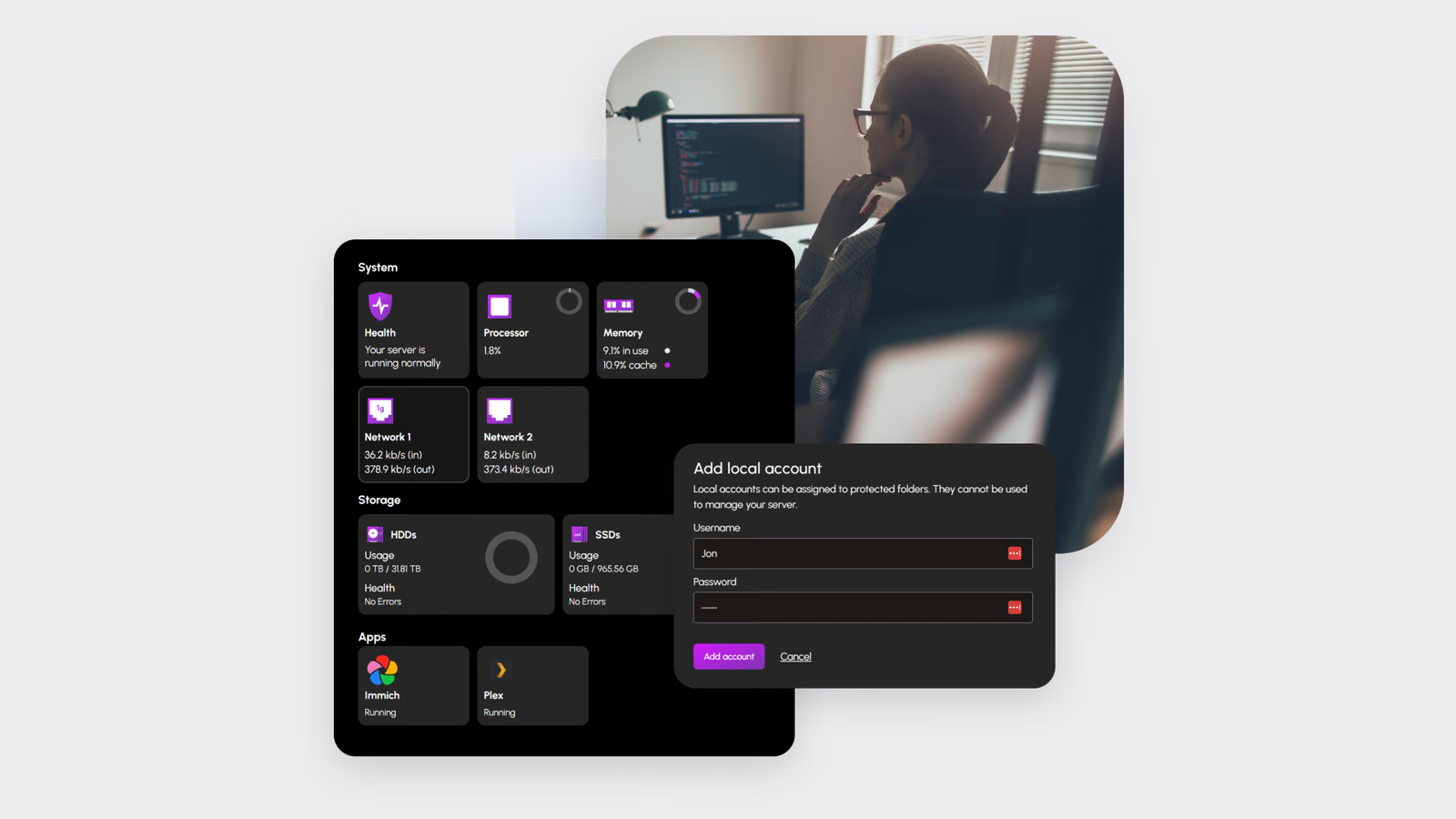
TrueNAS is one of the safest places to keep data at home. It is also intimidating. The first screen asks about pools, vdevs, datasets, ACLs and replication before most people have decided where their photos should live. HexOS exists to hide that complexity: it installs on top of TrueNAS SCALE, takes over the first decisions and presents a simpler web interface.
That promise raises a precise question. Hiding complexity means making choices on the user’s behalf. Are those the choices an experienced administrator would make, and what does the simpler layer cost in memory, flexibility and dependence on a vendor service?
HexOS provided a coupon for two licences, which makes it possible to test the feature that only exists between two machines: Buddy Backups, where two HexOS servers back up to each other. Everything else is tested on each server, with a plain TrueNAS installation on the same hardware as the reference.
What HexOS is and is not
HexOS is not a new storage system. It uses TrueNAS SCALE underneath, with ZFS doing the actual work. The HexOS layer handles installation, pool creation, shared folders, users and curated applications through its own interface, which HexOS calls the command deck.
HexOS’s FAQ lists the minimum as a two-core 64-bit x86 processor, 8 GB of memory and an SSD boot device of at least 16 GB that cannot be part of a pool. It says version 1.0 launched in April 2026. Independent coverage from mid-2026 still described parts of the product, including Buddy Backups, as developing, so the version tested is noted with every result.
Related reading

The licence is sold per server. Check the current price and what it excludes on the HexOS site before buying, because cloud backup and premium support have been listed as separate services.
Bare metal to the first working pool
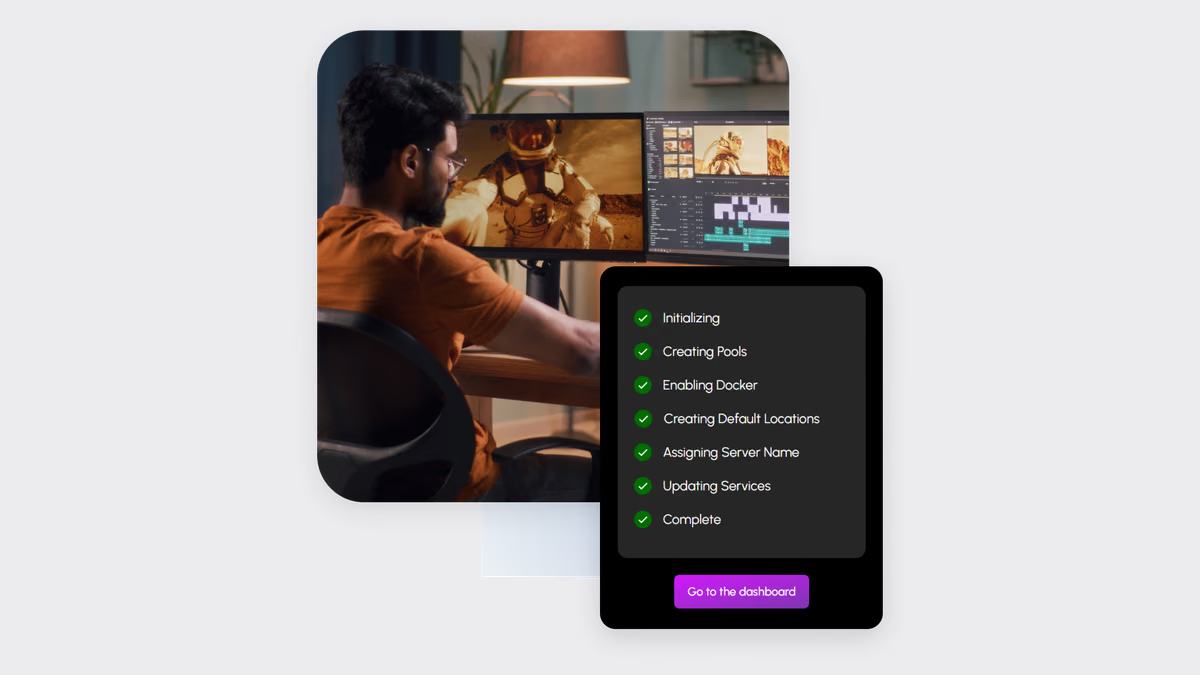
The first test is a stopwatch. Start from a powered-off machine with blank disks and a USB installer. Stop the clock when a shared folder is reachable from a Mac over SMB and a test file has been copied to it.
Record the time for each phase: writing the installer, the TrueNAS installation, the first boot, HexOS onboarding, pool creation and the first share. Then do the same with plain TrueNAS and an experienced hand, creating an equivalent pool, dataset and share.
The difference is the value HexOS adds in the first hour. It also shows where the time goes. If most of the minutes are in TrueNAS installation and reboot, HexOS cannot shorten them. If they are in pool and share configuration, HexOS’s guided flow should win clearly.
Watch the onboarding for disks that already contain data. Mid-2026 reviews noted that onboarding lacked clear wipe or format options for previously used disks. Test with one disk that holds an old partition table and record whether HexOS explains what will happen before it happens.
Defaults judged against an experienced admin
The core of this review is a checklist. After onboarding, open the underlying TrueNAS interface or shell in read-only mode and record what HexOS actually configured.
- Pool layout. Which redundancy did it choose for the disks provided: mirror, RAIDZ1 or RAIDZ2? HexOS’s FAQ says expandable pools need at least three devices and grow one at a time, which points to RAIDZ expansion. For large hard disks, an experienced admin would usually prefer RAIDZ2 over RAIDZ1 because rebuilds take long and stress the remaining disks.
- Disk grouping. HexOS says it groups devices by type, separating hard disks from SSDs. That is a sensible default.
- Compression. LZ4 or ZSTD on datasets is a safe default with little cost.
- Record size. A media dataset benefits from a larger record size; a dataset for small documents and application data does not.
- Scrub schedule. A monthly scrub is the common baseline. Record whether one exists at all.
- Snapshots. Periodic snapshots with sensible retention protect against deletion and ransomware. Earlier HexOS releases did not expose them; check what the current version creates.
- SMART tests. Short and long tests on a schedule, with alerts that reach someone.
- Alerts. Where do failure notifications go? An email that nobody reads is not an alert.
Score each item as matching, acceptable or wrong. The result is not pass or fail. It tells a buyer which settings to check after HexOS has finished, and which ones can be left alone.
RAM overhead against plain TrueNAS
HexOS adds services on top of TrueNAS. The question is how much memory they consume and whether it matters on an 8 GB machine.
Measure both systems on identical hardware, with the same pool and no applications installed. Record used memory, ZFS ARC size and free memory ten minutes after boot, and again after an hour of idle time, because ARC grows as data is read. Then repeat with one media application installed on each.
ZFS uses spare memory as cache, so “used” memory alone is misleading. The useful comparison is memory used by services excluding ARC. Report the difference in megabytes and as a share of the 8 GB minimum. On a 32 GB server it will be noise. On an 8 GB machine it reduces the cache available for reads.
Mixed capacities under scrub and resilver
Home servers rarely have matched disks. People reuse a 4 TB drive next to two 8 TB drives and expect the system to make it work. HexOS’s FAQ is clear that devices in a pool should be roughly the same size. ZFS within a RAIDZ vdev uses the smallest device’s capacity on every member.
The test makes that visible. Build a pool from mismatched disks and record the capacity HexOS reports against the raw total. Fill it to about half with a mix of large media files and small documents.
Related reading
Then run a scrub and time it. Pull one disk, replace it with a blank one of the larger size, and time the resilver. Record what HexOS shows during each operation: progress, estimated time, warnings and whether the interface explains that the pool is degraded. Mid-2026 coverage said HexOS had improved visibility of storage operations; this is the moment to verify it.
A resilver on hard disks takes hours. During that time the pool has less redundancy. The interface should make that clear and discourage adding load. If it simply shows a spinner, an inexperienced user may reboot or remove another disk.
The cloud question
HexOS’s interface is tied to its own account and authentication. Local access exists, but sign-in has involved the HexOS identity service. For a NAS that holds family photos, the question is what still works when the internet does not.
Block the server’s internet access at the router and test. Can a user sign in locally? Do SMB shares remain available? Do scheduled scrubs and snapshots still run? Do applications keep working? Then try a reboot without internet, because some services only fail when they cannot validate at startup.
The answer decides how HexOS should be used. If file access continues and only management needs the cloud, that is a reasonable trade for many households. If shares or sign-in fail, the server needs a documented recovery path to the TrueNAS interface.
Check that path in advance. HexOS has said users can return to managing the system directly through TrueNAS SCALE. Find where the TrueNAS interface is reachable, write down the credentials and test a login while everything is working.
Buddy Backups between two servers
Buddy Backups is HexOS’s idea of off-site backup without a cloud bill: two HexOS owners back up to each other’s servers. With two licences, both ends are under the same control, which makes it testable.
Place the second server on a different network, ideally at a different address. Configure a Buddy Backup of a test dataset and record what the setup requires: port forwarding, relay services, encryption options and whether the receiving side can read the data. The last point matters. A friend’s server should hold encrypted data that the friend cannot open.
Then test the parts that make backup real. Time the initial transfer. Change a small number of files and time the incremental update. Delete a file on the source and confirm whether the backup keeps it. Finally, restore a folder from the buddy server to a fresh location and verify the files with checksums.
If Buddy Backups is not yet complete in the current version, the comparison is ZFS replication through TrueNAS itself, which experienced users already rely on for exactly this job.
Who HexOS suits
HexOS is aimed at a person who can build a PC but does not want to learn ZFS administration. For that person, a guided pool, curated media applications and a clean dashboard remove the most intimidating part of TrueNAS.
It suits less well a person who already knows TrueNAS. That person will check every default anyway and may find the extra layer slower than the interface they already understand. It also suits poorly anyone who needs the server to be fully independent of a vendor account.
Related reading
Price and alternatives
The obvious alternative is plain TrueNAS Community Edition, which is free and gives full control at the cost of a steeper start. Unraid offers a friendlier interface and genuine mixed-capacity arrays with a parity model, but it is not ZFS-first and has its own licence. Synology and other turnkey NAS boxes bundle hardware, software and support, with less flexibility in components.
HexOS sits between them: ZFS underneath, a simpler interface on top, on hardware of your choice.
Verdict
HexOS makes the first hour with a TrueNAS server far less intimidating, and its curated applications are its strongest feature. The decisions it makes on your behalf deserve inspection, especially pool redundancy, snapshots and alerting, and its connection to a vendor account needs a tested fallback.
I would time the installation, check every default against the list above, keep disks in a pool matched in size and test the offline behaviour before trusting the server with the only copy of anything. I would treat Buddy Backups as an extra copy until it has passed a full restore test, not as the backup plan.
Buy HexOS for a home server built by someone who wants ZFS reliability without ZFS administration. Choose plain TrueNAS if you already know it, and Unraid if mismatched disks are the norm rather than the exception.
Screenshots: HexOS.
One email a month: new articles, reviews and the upcoming live webinar + free recording. No spam, unsubscribe anytime.