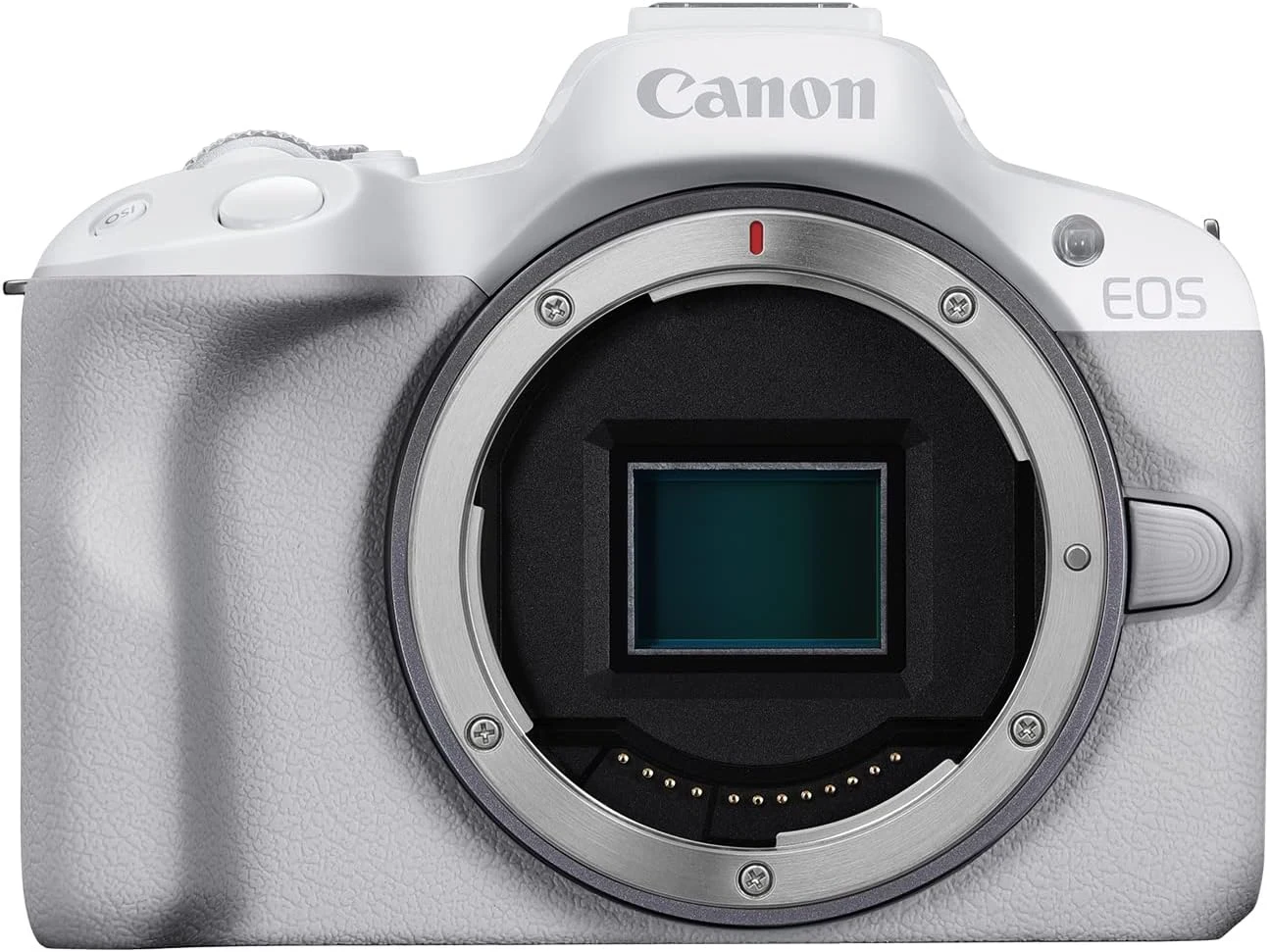
The white Canon EOS R50 body interests me as a small camera for someone who wants to choose photographs more deliberately. I like the combination of a viewfinder, a side-opening screen and an interchangeable lens system. My buying decision would still begin with the lens and the work, rather than the colour or the body alone.
Quick verdict
I would choose this white R50 body when a suitable lens is already planned and a small viewfinder camera fits the job.
Best for: A photographer who wants an electronic viewfinder and a flexible lens system in a small APS-C body.
Main benefit: The viewfinder and side-opening display support different ways of composing without giving up interchangeable lenses.
Biggest drawback: This body-only offer needs a lens, and the camera has no in-body sensor stabilization.
Canon EOS R50, white, body only
Amazon US · US
Check price and availability: Canon EOS R50, white, body only at Amazon USAffiliate link. As an Amazon Associate I earn from qualifying purchases.
Reviewed version: Canon EOS R50, white, body only
Compatibility: White Canon EOS R50 body only, APS-C RF mount. RF and RF-S lenses are supported; compatible EF/EF-S lenses need the appropriate adapter. EF-M lenses are not supported.
Review context: I assess an everyday photo/video setup with an electronic viewfinder, a separately chosen lens and the actual accessory and recording requirements.
The selected offer is the white body without a lens. That distinction matters even when a camera family is frequently shown with a small zoom. I would compare this offer with an actual lens kit before buying. The better purchase is the one that provides the angle of view and practical setup I need, with the complete cost visible.
A viewfinder gives the camera a useful role
Canon’s official R50 specifications describe an APS-C camera with an electronic viewfinder. I value that arrangement for a camera intended to cover still photographs as well as video. Bringing a camera to the eye and composing on a screen are different habits, and I would like the choice to remain available.
Related reading

The side-opening display is useful when the camera is positioned away from eye level or facing its operator. I would check how the screen, a cable and the chosen camera support fit together. An adjustable display is most helpful when the actual setup leaves room to see and move it, rather than merely allowing the panel to turn.
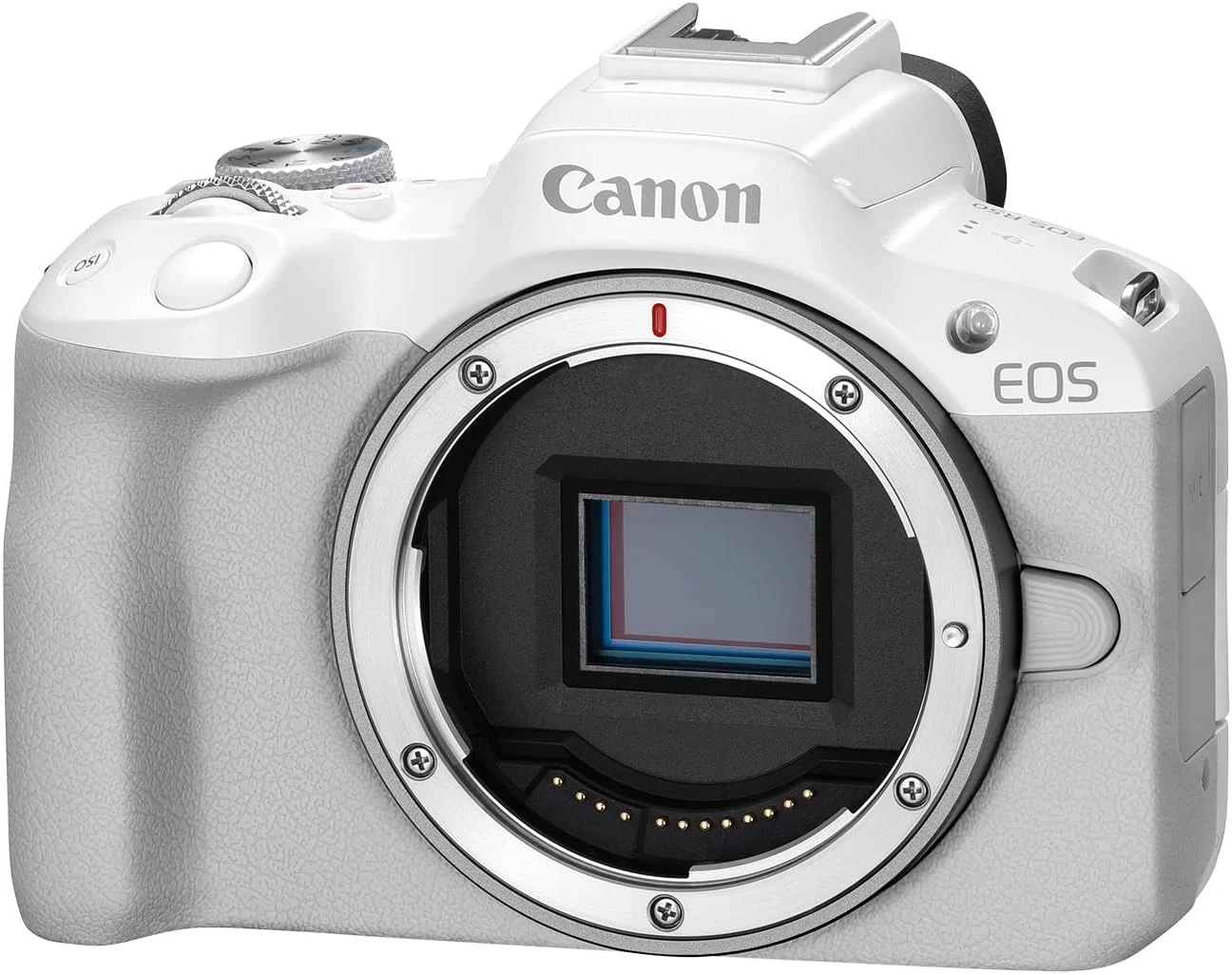
The white finish gives this particular body a different look from the usual black option. I would treat that as a personal preference. It does not establish better image quality or a different lens system. I would still check the selected body colour and the seller’s exact package description at checkout rather than rely on a mixed product-family gallery.
RF is the relevant lens family
Canon identifies RF and RF-S lens support, with compatible EF and EF-S lenses usable through the appropriate mount adapter. The manual explicitly excludes EF-M lenses. I would keep those names separate, because an older Canon mirrorless lens collection is not automatically a useful starting point for this camera.
For a first lens, I would decide whether the main task is a wide room view, everyday photographs or distant subjects. The lens should match that task before I add more equipment. A small camera body can become a much larger system with the wrong purchase, while a modest suitable zoom may explain the camera’s role more clearly.
An existing lens could make the body-only offer sensible. I would check its exact compatibility, any adapter required and the working field of view on APS-C. I would not assume that a focal length provides the same framing as it does on a full-frame camera. The intended photograph should guide that comparison.
Stabilization needs its own decision
The R50 does not include in-body sensor stabilization. I would consider a supported optically stabilized lens where appropriate, while checking the documented video options separately. Different forms of stabilization should not be collapsed into a single promise. Lens support, the selected mode and the subject’s own movement still matter.
Related reading

For photographs of a moving person, I would choose exposure settings that address the movement rather than expect camera stabilization to stop it. For a speaking-to-camera video, a sensible support may be more useful than a complicated handheld arrangement. The absence of a stabilized sensor is manageable when the intended use is planned around the camera honestly.
I would also leave room for the actual framing of the chosen video mode. A digital processing option may affect the view. Before choosing a lens for a small room, I would check the exact recording and stabilization combination, rather than judge its width from the lens number alone.
A simple camera still needs an understood workflow
Canon’s documentation sets out the supported still and movie formats. I would choose a normal starting format that my computer can open and finish comfortably. A more demanding setting is useful for a specific editing purpose, but it should not turn an ordinary family clip into an unexpected software problem.
The same approach applies to memory. The R50 uses an SD card arrangement described in its manual; I would buy suitable approved media for the actual recording mode. I would not assume that a more expensive card family makes the camera record formats or speeds outside its own specification. Compatibility matters more than a dramatic card label.
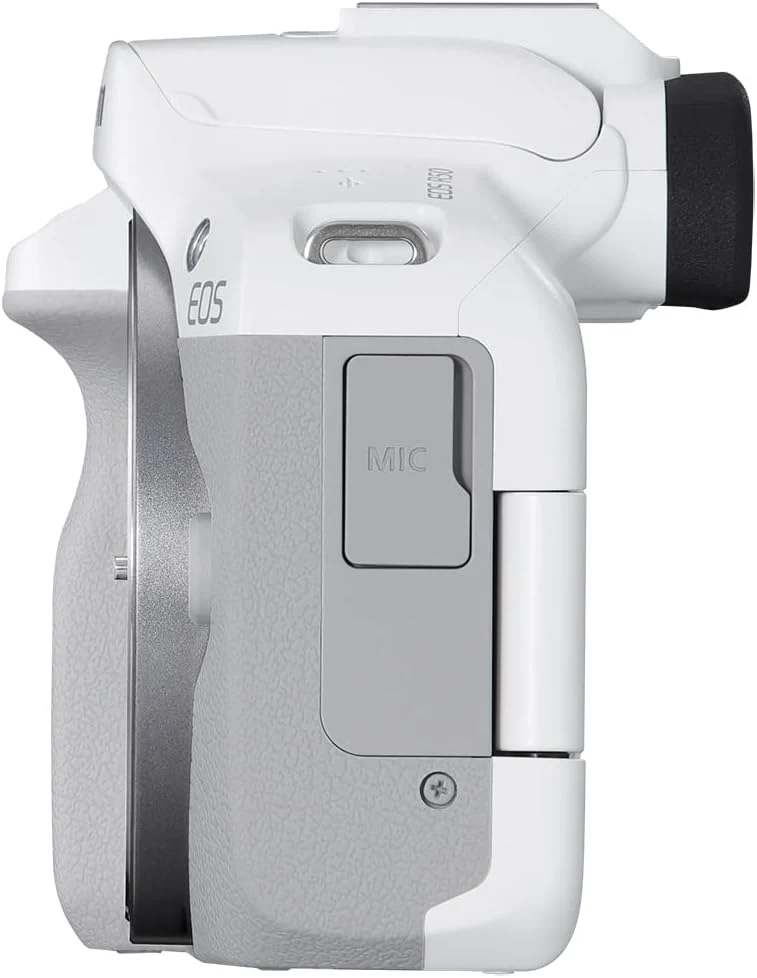
For accessories, I would check the camera’s actual shoe and supported flash or microphone arrangement. A connector that looks familiar does not establish every function. I would rather choose one documented compatible accessory than build a kit around an assumption and discover that the intended control or audio route needs another part.
Related reading

I would compare a complete first kit
A body-only offer makes particular sense when the lens is already available or deliberately chosen. Starting from nothing, I would compare the complete R50 arrangement with a suitable R10 lens kit. The important difference is the actual system ready for use, including a battery, appropriate charging route and supported memory, rather than one body price viewed alone.
For video-first work, I would also consider whether the viewfinder is important enough to influence the choice. The R50 appeals to me because it keeps both eye-level photography and a flexible screen in the conversation. My recommendation is positive when that combination serves a real job and the separately chosen lens makes the whole kit coherent.
The images show the selected product in retailer or manufacturer materials. They are not my test photographs. I base this assessment on the linked documentation and the exact selected listing; the buying choices and recommendations are my own editorial judgement.
What worked
The viewfinder and side-opening display support different ways of composing without giving up interchangeable lenses.
What bothered me
This body-only offer needs a lens, and the camera has no in-body sensor stabilization.
Who should not buy it
Someone expecting a lens in the box, EF-M compatibility or a stabilized sensor.
Alternatives I would consider
Canon EOS R10 lens kit. I would compare it when starting with an included zoom is more convenient. Read my Canon EOS R10 lens kit review.
Nikon Z30 body. I would compare it for a video-first setup that does not need an electronic viewfinder. Read my Nikon Z30 body review.
Evidence and sources
The primary documentation supports the stated features and limitations. The exact retailer listing identifies the selected model and bundle; source images illustrate the product.
Features, compatibility and rated figures from the maker are manufacturer information. My opinions are identified in the review.
Conclusion
I would compare the complete usable kit with a lens bundle, rather than let the appealing body finish decide the purchase.
Canon EOS R50, white, body only
Amazon US · US
Check price and availability: Canon EOS R50, white, body only at Amazon USAffiliate link. As an Amazon Associate I earn from qualifying purchases.
One email a week with practical Mac workflows, useful comparisons and honest tech recommendations.