My notes live in a folder of plain Markdown files. It works, but it is not pleasant on an iPhone, and finding something from last spring means a grep. Bear from Shiny Frog is a Markdown notes app for Mac, iPad and iPhone, and Bear Pro is the subscription that adds iCloud sync, encryption and richer export on top of the free app.
Quick verdict
Bear Pro is easy to recommend to Apple users who want pleasant Markdown notes on every device and can live without plain files.
- Best for
- Writers and developers on Mac, iPad and iPhone who keep daily notes, snippets and outlines in Markdown.
- Main benefit
- Syntax-highlighted code blocks, foldable outlines, nested tags and wiki links in an editor that works well on every Apple device.
- Biggest drawback
- Notes live in Bear's own SQLite database rather than as plain files, and the apps are Apple-only.
Bear Pro monthly or yearly subscription
apps.apple.com · Worldwide
Check price and availability: Bear Pro monthly or yearly subscription at apps.apple.comProduct link.
Time with the product: A first look after the licence arrived on 13 November 2026.
Reviewed version: Bear Pro yearly subscription (version 3.0.4)
Compatibility: Mac, iPad and iPhone through the App Store, plus a Bear Web public beta; no Android or Windows apps.
Review context: The review focuses on using Bear for daily notes, code snippets and article outlines across a MacBook Pro, an iPad Pro and an iPhone, compared with a folder of plain Markdown files.
I want one place for daily notes, technical snippets and article outlines that works on a 14-inch MacBook Pro, an iPad Pro and an iPhone, and I want to know what I give up compared with plain files. I like apps that do one thing with care, and Bear has that reputation. This is a first look built on Shiny Frog’s documentation and independent writing, not on months of use.
Disclosure: Shiny Frog sent a free year of Bear Pro for review and I keep it. No money changed hands, and Shiny Frog had no approval over the text.
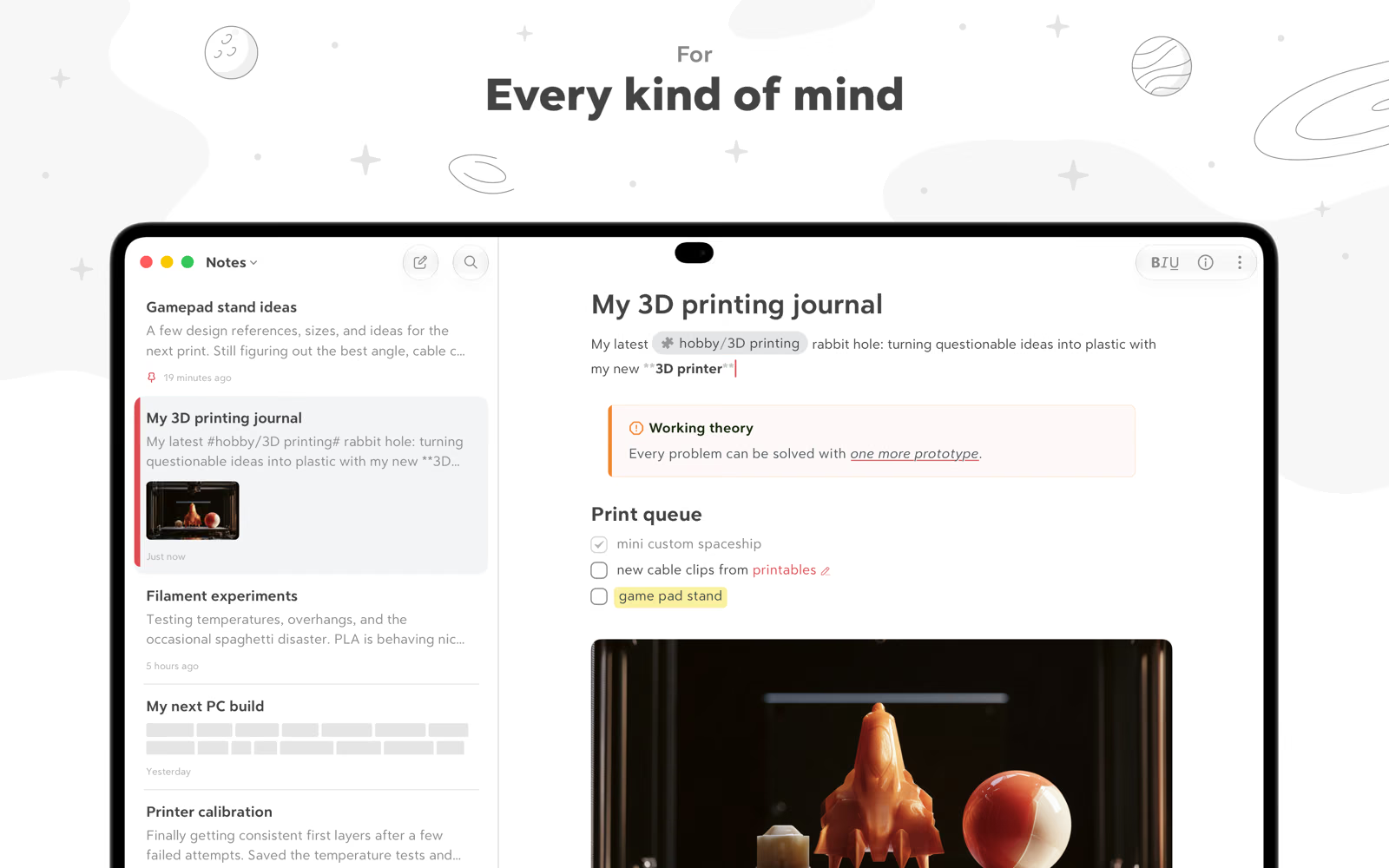
Screenshots: Bear on the App Store.
Related reading

What Bear is today
Bear 2 was the big update. Shiny Frog’s launch post from July 2023 lists tables, footnotes, folding for headings and lists, hidden Markdown markup and a new Info Panel with a table of contents and backlinks. The current version in the App Store is 3.0.4, released on 3 November 2026 for Bear’s tenth birthday, and the listing is rated 4.7 from almost 6,900 ratings in the US store.
You type Markdown and Bear styles it as you go. Shiny Frog says Bear follows CommonMark, and there is a Hide Markdown setting that removes the symbols once they have done their job. Writer and engineering manager Michael Lopp, who said he opens Bear about 300 times a day, singled out that setting as the thing that keeps him focused.
Code blocks and technical snippets
This is the part I care about most. Bear’s syntax highlighting guide says it follows the GitHub-style dialect and highlights more than 250 languages. You open a block with three backticks and write the language name after them, exactly as you would in a README. Inline code is a pair of backticks, or Option-Command-C on the Mac.
So a block of Bash or TypeScript written in Bear is the same text I would paste into a Git repository. Bear’s App Store screenshots also show Mermaid diagrams and math formulas rendered inside a note, and the Markdown guide links to separate articles on both.
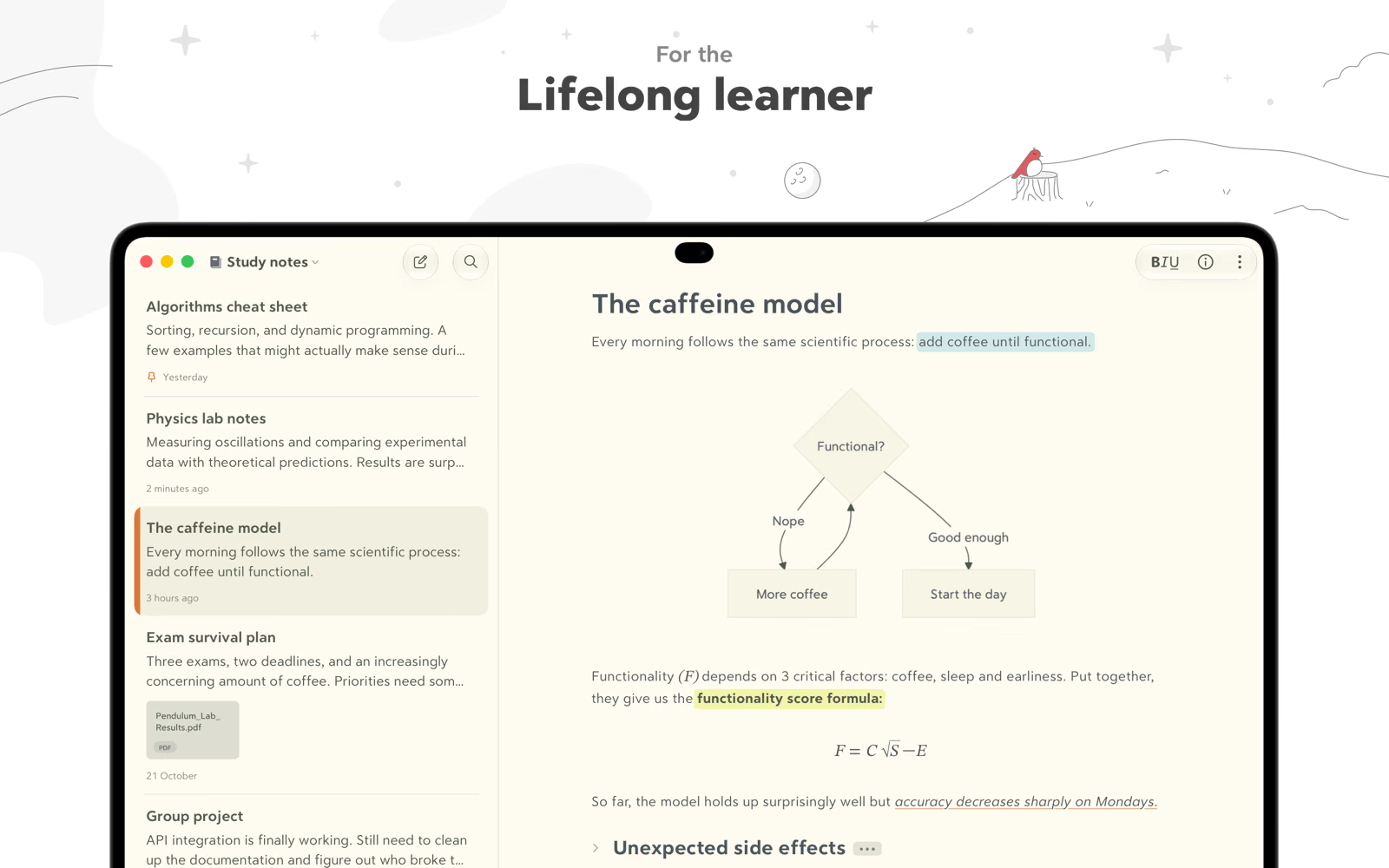
What I still need to test is how comfortable code is to type on the iPhone, and whether long snippets stay readable on a narrow screen.
Outlines, headings and folding
Article outlines are the second job. Bear lets you fold a heading so everything beneath it collapses, and the Bear homepage lists outlines with headings and folding among the features of the free app. The Info Panel builds a table of contents from headings one to six.
Compared with my Markdown folder, this is a real gain: a long outline stops being one long scroll, and I can fold everything except the section I am writing.

Related reading
Tags, nested tags and linking notes
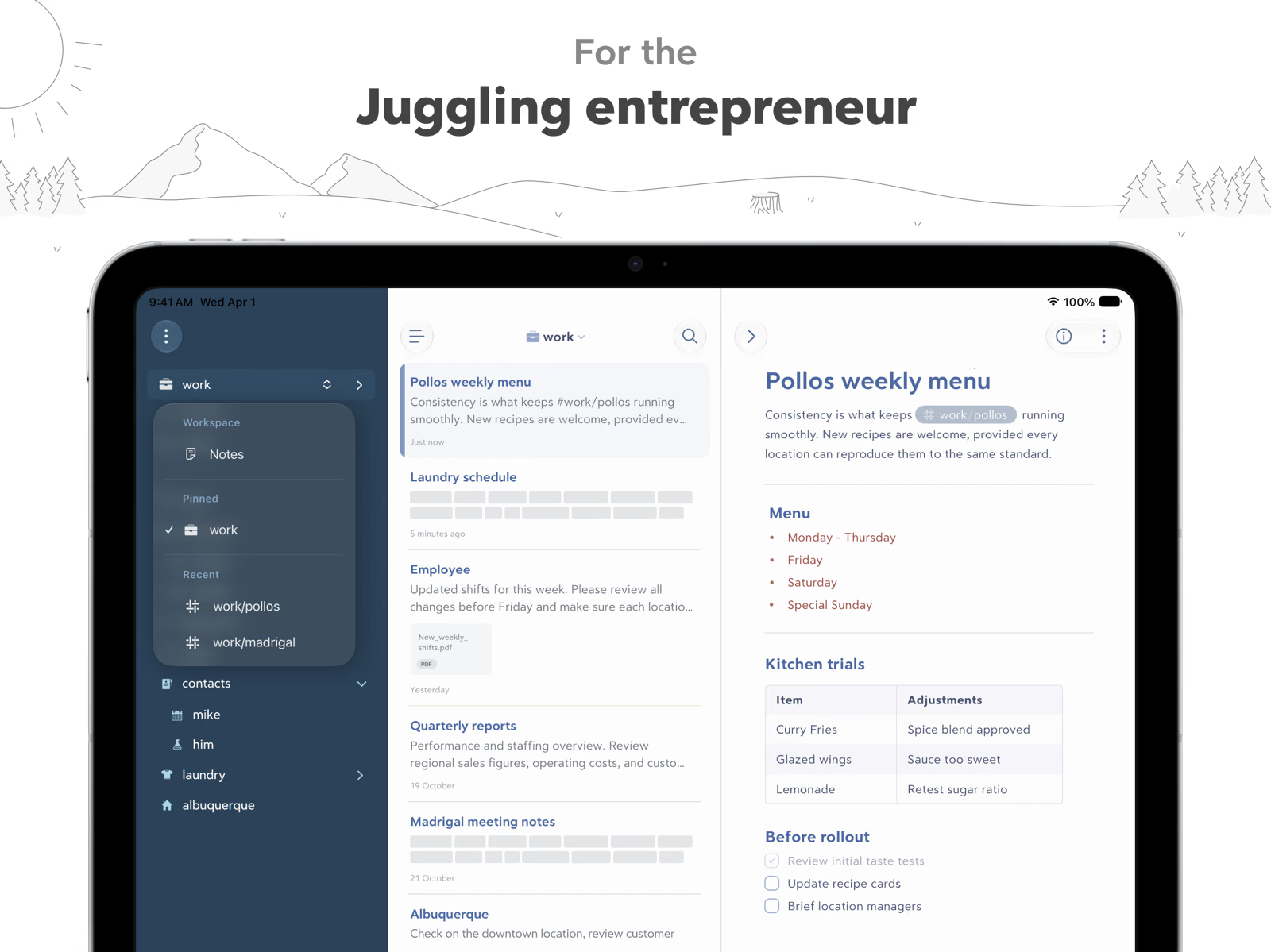
Bear does not use folders. It uses tags you type anywhere in a note, and its tag guide explains that a slash turns a tag into a hierarchy, so #work/clients sits under #work in the sidebar. Multi-word tags are closed with a second pound sign, and tags can carry small icons Shiny Frog calls TagCons.
For daily notes I like this a lot. A note can carry #daily/2026 and #blog/drafts at once, which a folder cannot do without duplicating the file. Linking works through wiki links: type two square brackets, pick a note by title, and optionally jump to one of its headings or show an alias instead of the title. The backlinks list in the Info Panel shows every note that links to the current one.
Sync across three devices
Sync is the main reason to pay. Shiny Frog’s sync and privacy page says Bear uses Apple’s CloudKit with the iCloud account already on your devices, no separate login, and that with Apple’s Advanced Data Protection turned on only you can decrypt the synced data, though note titles and tag names stay unencrypted so Pro features can work.
One subscription covers every device on the same Apple ID, according to the Bear Pro page. Michael Lopp called the sync reliable, and how quickly a snippet written on the Mac appears on the iPhone is the first thing I will be checking.
Export, and the honest part about storage
Here is the trade-off a plain-files person has to accept. Bear does not keep notes as .md files in a folder. Shiny Frog’s database page says notes live in a SQLite database on every platform. On the Mac you can open it read-only with any SQLite tool, but Shiny Frog advises against editing it and says to quit Bear and make a copy first if you must.
The escape route is export. According to the export guide, the free app exports to plain text, Markdown, TextBundle, the Bear note format and RTF, while Bear Pro adds HTML, DOCX, PDF, JPG and ePub. A Markdown or TextBundle export gets you most of the way back to a folder of files, but it is a step you run, not the default state of your notes. If you want Git history on your notes, or want other tools to edit them in place, Bear is the wrong shape.
Encryption and the Apple-only question
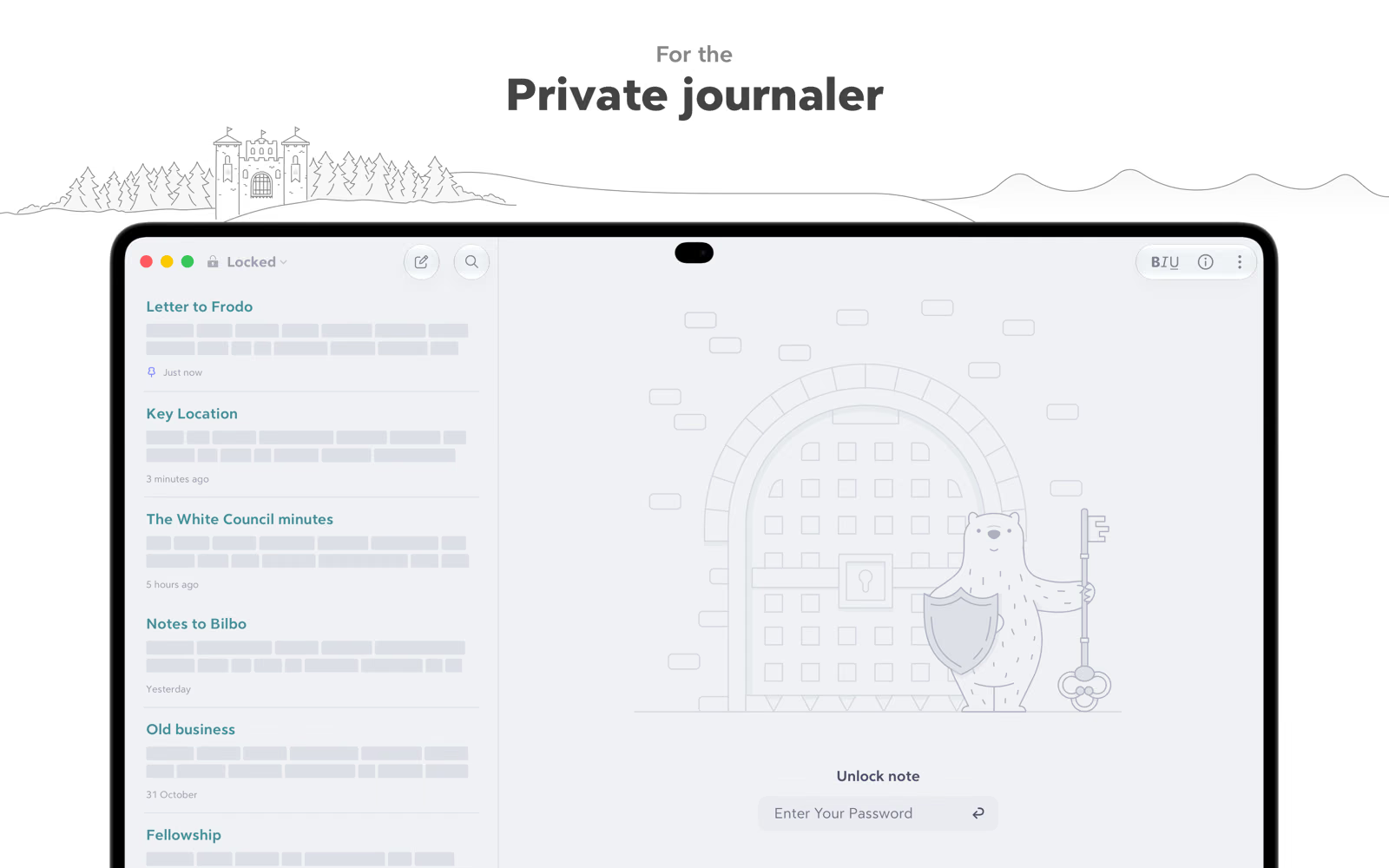
Bear Pro can encrypt individual notes with a note password, unlocked with Face ID or Touch ID where available. Shiny Frog is blunt that it cannot see, reset or recover that password, so a forgotten one means the locked notes are gone. For server credentials or private journal entries, that is the right behaviour.
The platform limit is real. Bear runs on Mac, iPad and iPhone. Shiny Frog’s platform FAQ says Bear Web is in public beta and syncs through iCloud, but it is meant to complement the native apps, lacks encryption and TagCons for now, and does not work with Advanced Data Protection. The same page says there are no plans for Android or Windows. My Windows desktop will have to make do with the web beta.
Related reading

Price and where to buy
Bear is a free download from the App Store and the Mac App Store. Bear Pro costs $2.99 a month or $29.99 a year according to the Bear Pro page, with prices varying by country. That page mentions a seven-day free trial, while the App Store listing says fourteen days.
What this review is based on
The Bear Pro redemption code arrived on 13 November 2026, so this is a first look. Features, prices and behaviour come from Shiny Frog’s website, FAQ, Bear 2 launch post and App Store listings. The independent view comes from Michael Lopp’s Rands in Repose. The screenshots are Shiny Frog’s official App Store images. I have not yet tested sync speed, writing code on the iPhone, export fidelity for images and attachments, or Bear Web.
Verdict
Bear looks like the most polished way to keep Markdown notes across a Mac, an iPad and an iPhone. Syntax-highlighted code blocks, foldable outlines, nested tags and wiki links cover almost everything my Markdown folder does, plus the mobile editing it never had. At $29.99 a year, Bear Pro is fairly priced for sync, encryption and export.
The trade is control. Your notes live in Bear’s database, not as files you own directly, and you are tied to Apple devices. If plain files and Git are a principle for you, stay with them. If you mainly want your notes to be pleasant to write and always on every device, Bear Pro is easy to recommend.
What worked
- Code blocks follow the GitHub-style dialect and highlight more than 250 languages, according to Shiny Frog.
- Nested tags, wiki links with heading links and a backlinks panel give structure without folders.
What bothered me
- Notes are stored in a SQLite database, so getting plain Markdown files back requires an export.
- There are no Android or Windows apps, and Bear Web is a public beta that lacks encryption.
Who should not buy it
- People who want their notes as plain files under Git or editable by other tools in place.
Alternatives I would consider
- A folder of plain Markdown files. Keeps full control, Git history and any editor, at the cost of comfortable mobile editing and sync.
Evidence and sources
The article separates my judgement from specifications and claims credited to their sources. All screenshots are Shiny Frog's official App Store images.
- Bear homepage
- Bear Pro features and price
- Bear 2 launch post
- Bear Markdown guide
- Bear syntax highlighting guide
- Bear tag guide
- Bear wiki links guide
- Bear sync and privacy
- Bear database location
- Bear export guide
- Bear encryption guide
- Bear for web, Android and Windows
- Rands in Repose: 300 Times a Day
- Bear on the App Store
- Bear on the Mac App Store
Features, compatibility and rated figures from the maker are manufacturer information. My opinions are identified in the review.
Conclusion
Fair for iCloud sync, note encryption and richer export at the maker's yearly price.
Bear Pro monthly or yearly subscription
apps.apple.com · Worldwide
Check price and availability: Bear Pro monthly or yearly subscription at apps.apple.comProduct link.
One email a week with practical Mac workflows, useful comparisons and honest tech recommendations.