An Ethernet patch cable is one of the least exciting things you can buy for a desk, which is part of its value. Once the right cable is connected and routed properly, it should disappear into the routine. The Amazon Basics five-foot Cat 6 cable is worth judging on that basis: correct length, suitable connectors and a working link between the actual devices.
This review covers ASIN B00N2VILDM. It is the five-foot version in the workbook, not a longer cable selected from the same product family. Ratings on a shared listing can include other lengths or options. Check the selected length before ordering, especially if the route around furniture is longer than the straight-line distance between the sockets.
A straightforward wired connection
The selected Amazon product page describes an RJ45 Cat 6 patch cable, five feet long, with a listing claim of gigabit operation. That is enough to define a common job: connecting a computer, console, television or other compatible device to a router or switch over a short indoor run.
I would not treat the Cat 6 label as a promise that every part of the network becomes faster. The ports at both ends, any wall cabling and the rest of the route determine what can be negotiated. A computer with a gigabit port remains a gigabit device even when a cable belongs to a higher-capability category.
The benefit can be consistency rather than a higher internet number. If a desk has a suitable wired route, Ethernet may remove the need to depend on the wireless conditions in that particular spot. That does not make it the right choice for every room. The cable route needs to be practical, and the devices need compatible network ports or verified adapters.
Related reading
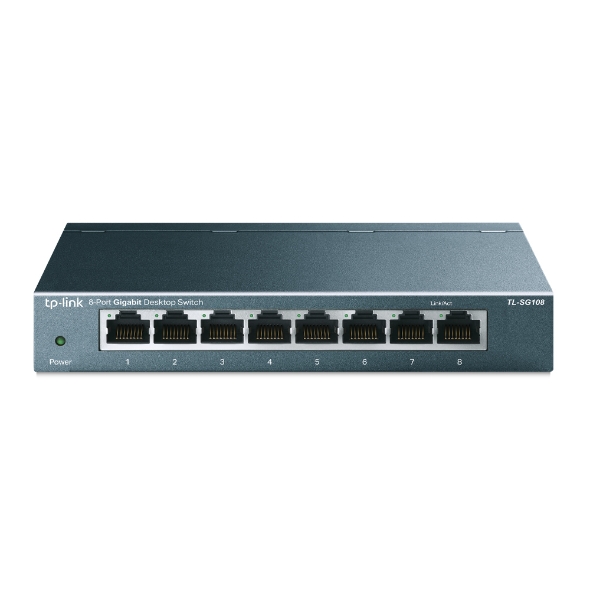

Product photograph: Amazon listing.
Measure the route you will actually use
Five feet sounds generous until the cable must go behind a monitor, down a desk leg and around a cabinet. Measure that route with a piece of string or a flexible tape. Include enough slack to move the equipment for cleaning or to reach a port without pulling the cable tight.
A cable that barely reaches can put force on a socket whenever the device moves. A much longer one can leave a coil that catches on other equipment. The useful length is the one that supports the actual arrangement calmly. Choosing it well is a more reliable improvement than buying a premium-looking jacket without measuring first.
For a laptop, consider where it sits during normal work and where it moves when you stand up or clear the table. A fixed desktop and a frequently moved computer create different demands. If the cable must be unplugged regularly, keep the connector accessible and leave a clear place for the loose end.
Do not route a short patch cable across a walkway just because it reaches the router. A cable that solves a network problem while becoming a trip or furniture-moving problem is not a finished setup. Use an appropriate route and accessories for the location. If the room needs a permanent installation, plan that as a separate job rather than improvising with one short lead.
Check the connectors and the physical fit
Look at the ports before assuming every network-looking socket is appropriate. This cable is for compatible RJ45 Ethernet connections. It does not create an Ethernet port on a phone or laptop that lacks one. If an adapter is needed, check the adapter’s supported speed and operating-system compatibility too.
Insert the connector straight and confirm that it seats normally. Do not force it against a crowded row of plugs or a recessed panel. A connection can appear complete while one end is not fully engaged. If the link drops when the cable is touched, inspect the fit and try a known working port before changing software settings.
When unplugging, release the latch and pull the connector body rather than the cable. Repeatedly tugging a cable by its jacket is not a good way to treat either the plug or the socket. Small access problems are worth solving early, especially behind a television where reaching the latch may otherwise require moving the whole screen.
Related reading

If several cables look alike, label both ends. A short note identifying the router, console or desk switch can save much more time than the cable costs. When something stops working, knowing which lead goes where lets you change one connection deliberately instead of unplugging the wrong device and creating a second problem.
The speed shown by the device matters
After connecting, check the negotiated link speed in the computer or network device’s interface. That tells you more about the local connection than the category printed on the cable. If the link reports a lower speed than expected, inspect both endpoints and the full route, not just the new lead.
A USB Ethernet adapter, wall socket or older switch can be the limiting part. So can a damaged or poorly seated cable. Try a known good cable and another port while keeping the rest of the setup unchanged. This is a way to investigate the network; it is not a throughput result measured for this review.
Use a local transfer if the question is local network performance. An internet speed test includes your broadband service and outside servers. It cannot by itself tell you whether a desk cable is working at the intended local link speed. Keeping the test close to the suspected problem makes the result easier to interpret.
For file copies, remember that a reported network link rate is not a promised transfer speed. The computer and storage at each end still have work to do. Small files and a busy server can produce a different experience from one large file. Replacing a working patch cable does not resolve every slow copy simply because the network is involved.
A useful first wired connection
If you are moving a device from Wi-Fi to Ethernet, confirm which connection it is actually using after plugging in. Some devices keep both available. Check the settings and test normal internet or local access. Seeing a cable in the socket is not enough to establish that your traffic has moved to the intended route.
For a television or console, open the services that matter and try an ordinary session. Do not judge only by the network setup screen. If streaming still stops, compare another app and note whether the whole network has the same problem. A wired connection can remove one uncertainty while leaving a service or broadband problem unchanged.
For a work computer, check the things that form your day: a call, a shared folder and any required VPN. Keep the old working arrangement available while verifying the new one. There is no need to reorganize every network setting at the same time as changing one cable. A small, reversible change is easier to understand.
If the cable serves a printer or another rarely used device, test it before the moment it is urgently needed. Open its interface or print a normal page. A device that has sat untouched for weeks may reveal an unrelated software issue, and it is better to discover that during setup than to blame the cable during a deadline.
Know where a patch lead stops being the right tool
The checked product page describes a short patch cable. It does not establish approval for every building, outdoor or specialist installation. If the plan involves wall cavities, exposed weather or a permanently installed run, choose a cable and method documented for those conditions. A convenient short lead should not be promoted into a different job without evidence.
Related reading

The same principle applies to unusual power or equipment requirements. Follow the specifications of the devices and the cable used in the actual system. This review does not include an electrical certification test, a long-run performance test or an independent verification of every possible network mode. Its recommendation is limited to the clear short-patch role described here.
My conclusion is that the five-foot Amazon Basics Cat 6 cable is a reasonable candidate for a measured, straightforward connection between compatible devices. Buy the right length, seat it properly and verify the negotiated link. If the existing cable already works at the required speed, replacing it for the label alone is unlikely to solve a different network problem. The best result is simple: a stable connection you no longer have to think about.
This is a research-based review using the linked product documentation. It does not report personal ownership, measured performance or a hands-on test. The assessment and practical advice are based on the documented design and its limits. Retailer pages can change; confirm the selected model, condition and regional compatibility before ordering.
This article contains an affiliate link. As an Amazon Associate, I earn from qualifying purchases. You can check the selected product through my Amazon link.
One email a month: new articles, reviews and the upcoming live webinar + free recording. No spam, unsubscribe anytime.