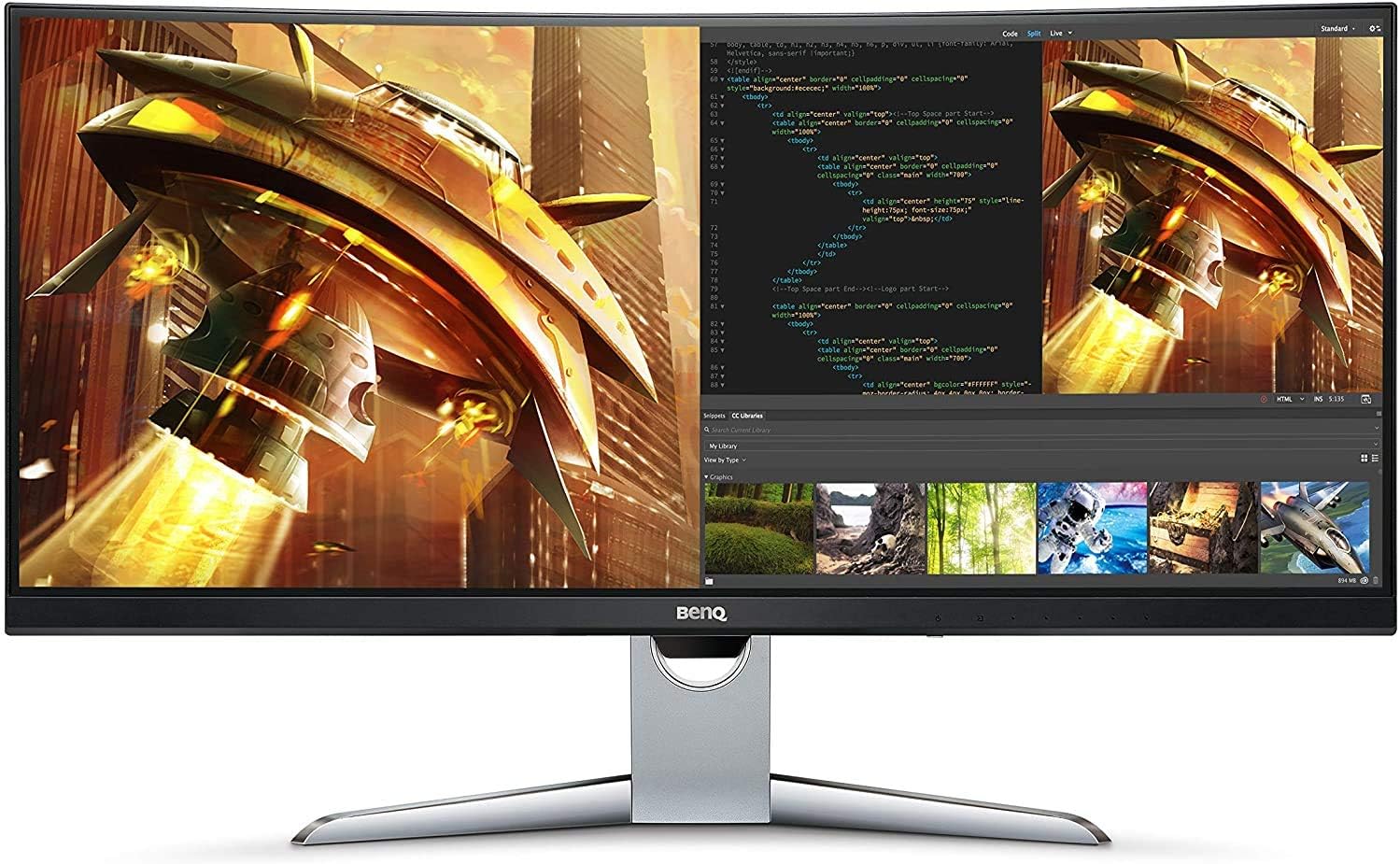
BenQ EX3501R
BenQ EX3501R — key features, specs, and buying info at a glance. Check current price on Amazon.
The BenQ EX3501R is a 35-inch curved ultrawide from an earlier generation of the format: a 3440x1440 VA panel at 100Hz, marketed in its day as a “video enjoyment” monitor and adopted in practice as a productivity workhorse. It is old by monitor standards — and that is precisely why it remains interesting, because it now occupies a price bracket where nothing newer offers this much screen.
Its vintage is worth dating precisely, because it explains everything else. This monitor comes from the late-2010s wave that made curved ultrawides mainstream — before high refresh became cheap, before USB-C power delivery matured, and before HDR meant anything on the desktop. What survives from that era is the part that never ages: an enormous, comfortable, high-contrast canvas. BenQ pitched it as the desk-and-sofa hybrid of its entertainment line, and the years have sorted its owners into exactly two camps — multitaskers who kept it for width, and film watchers who kept it for contrast.
The honest position: this is a spacious, comfortable surface for work and casual play whose age shows in refresh rate, HDR capability, and connectivity bandwidth. Bought at the discount its vintage commands, it is a rational value. Bought anywhere near its original positioning, it is not.
The case for 35 inches of width
The daily argument for this monitor is real estate. The 21:9 panel replaces a dual-monitor setup with one uninterrupted surface: two full documents side by side, an editor next to a browser and a terminal, or a video timeline stretched to a genuinely useful length. Anyone coming from two mismatched panels notices the quieter benefits within a day — no bezel down the middle of your eyeline, no color shift between halves, no window snapping awkwardly across a seam.
The 35-inch diagonal is this model’s small distinction: everything renders slightly larger and more relaxed than on the 34-inch panels that dominate the class, which readers with tired eyes tend to appreciate more than they expect to. The gentle curve keeps the far edges angled toward you rather than receding, subtle enough that straight lines in design work do not visibly bow. Window management is the habit to build early: a tiling utility or the operating system’s own snapping turns the width from novelty into a system, because a maximized browser on this much glass is mostly wasted margin.
The width also changes how you treat reference material. Research sprawls naturally: the document you are writing holds the center, sources flank it, and the copy-glance-type loop loses the window-juggling that eats attention on a 16:9 panel. People who write against sources — students, analysts, anyone assembling reports — tend to become the format’s most devoted owners.
Text density at desk distance
The trade for the relaxed size is pixel density. Stretching 1440 vertical pixels across a 35-inch diagonal produces visibly softer text than the 4K panels office buyers increasingly default to — slightly fuzzier letterforms, a little less snap in fine interface lines. At normal desk distance it is entirely workable for documents, code, and spreadsheets, and owners who spend their days in editors report no real complaint once accustomed. But anyone who has worked on a high-density panel will see the difference in the first hour, and for print-sharp typography, photo detail work, or dense PDF review, this is not the tool. The honest framing: the EX3501R gives you more text on screen at once, not sharper text.
Two adjustments soften the issue in practice. Sitting a little farther back — which the 35-inch size encourages anyway — drops the softness below notice for most eyes, and resisting the urge to shrink interface scaling keeps letterforms rendering at sizes the pixel grid handles gracefully. Owners who fight the panel by cramming maximum content at minimum size are the ones who end up complaining.
What VA gives
The VA panel’s contrast is the EX3501R’s best visual quality, and its “video enjoyment” branding was not empty. Dark movie scenes and moody games show real blacks and shadow depth that similarly priced IPS monitors of any era cannot reproduce — watch a night scene in a dim room and the letterbox bars disappear into the bezel instead of glowing gray. For an evening film after a workday, the panel still performs the trick it was sold on. Colors are pleasant and adequately accurate for general work after basic adjustment, with the saturated-but-not-garish character typical of consumer VA; nobody should build a color-critical workflow on this class of panel, and the mild shading shift toward the curved edges is one more reason why. Viewing angles hold up acceptably for a solo seat, though the contrast that impresses head-on drains a little when you slide off-center — a physics tax every VA owner pays.
What VA takes, and what 100Hz still buys
The familiar VA weakness applies with the format’s usual honesty: slower pixel response means dark-scene motion smears, with faint trails behind moving objects in shadowy game sequences — noticeable in atmospheric titles, irrelevant in strategy games and desktop work. At 100Hz the panel leaves serious headroom on the table compared with modern 144Hz-plus displays, and competitive players should not consider it.
But the number deserves its due in the other direction too. The step up from 60Hz remains genuinely noticeable in daily use — scrolling long documents, dragging windows, the general responsiveness of the cursor — a comfort feature as much as a gaming one, and one reason owners describe the monitor as feeling smoother than its age suggests. With adaptive sync doing its work in casual play, relaxed single-player gaming at moderate frame rates remains squarely within its competence. It is worth saying plainly, because monitor culture treats triple-digit refresh as a gaming statistic: the smoothest thing most owners do on this panel is scroll a long page, and the panel makes that ordinary act nicer several hundred times a day.
Gaming on it, honestly
As a games display the EX3501R is best understood as a generous casual screen rather than a gaming monitor that happens to be old. Adaptive sync smooths the experience across the frame-rate dips a mid-range machine produces at 3440x1440, and 100Hz leaves enough headroom for open-world titles, strategy, simulators, and the enormous category of games where atmosphere outranks reflexes — all of which also happen to flatter the panel’s contrast. The limits are equally clear: fast shooters expose both the refresh ceiling and VA’s dark-transition smear, and console owners should look elsewhere entirely, since consoles render 16:9 and would spend their lives pillarboxed on this panel. For the after-work player attached to a reasonable PC, it remains a genuinely pleasant place to play.
An HDR badge from a different era
The EX3501R arrived early in the desktop HDR wave, and its HDR support reflects that: it accepts an HDR10 signal and modestly lifts the presentation, but without the brightness or local dimming to deliver actual high dynamic range. At worst, HDR content looks dimmer and stranger than the same material in SDR — the universal behavior of first-wave HDR desktop monitors. Treat it as an SDR display with a compatibility checkbox, leave HDR off at the system level, and lose nothing of what the panel does well; its native contrast advantage over IPS applies to every pixel of SDR content anyway. If a film library is part of the plan, the better lever is the contrast you already have: watch in a dim room, let the VA blacks work, and skip the HDR toggle without regret.
The eye-comfort machinery
BenQ built its monitor reputation partly on eye-care features, and this model carries the full set of its era. The star is the ambient light sensor — Brightness Intelligence in BenQ’s vocabulary — which reads the room and adjusts screen brightness to match. It is the kind of quiet comfort feature owners either disable immediately or come to rely on completely: as afternoon light fades, the panel dims with it, and you stop performing the manual brightness dance entirely. The usual low-blue-light modes and flicker-free backlighting round out the package, unglamorous but relevant for anyone staring at this much glass for eight hours. These features have aged far better than the HDR badge, because eyes have not changed since 2017. The practical scenario is the late session: a report due at midnight, the room lit by one lamp, and a monitor that has quietly walked its brightness down to something the hour can tolerate. It is a small mercy, repeated daily.
Connectivity in period terms
The port selection was generous for its generation and reads as adequate today: HDMI and DisplayPort inputs for desktops and consoles, a USB hub for peripherals, and the headline of its day — a USB-C input that carries the display signal over a single cable. The modern caveat matters: that USB-C port delivers far less power than current laptops expect, so plan on keeping the laptop’s own charger on the desk rather than expecting the one-cable-everything experience of a modern hub monitor. There is no KVM switching, no Ethernet, no daisy-chaining — conveniences the format grew after this monitor was designed. For a single-computer desk, none of that absence is felt daily; for a laptop-dock lifestyle, all of it is.
The multiple inputs age well in a hybrid-work world, though: a desktop on DisplayPort and a work laptop on USB-C, with the input switch handling the morning handover. It is a manual affair without the auto-switching intelligence of modern hub monitors, but it works, and it spares the desk a second screen.
Setup and the first week
The physical setup is undemanding: the stand assembles without tools, offers height and tilt adjustment, and holds the panel steady, though the curved footprint wants a reasonably deep desk. Standard VESA mounting is there for arm setups, worth considering given how much desk the stock base claims. The classic first-week gotcha of this era applies — check the refresh-rate setting in your operating system, because displays of this generation frequently sit at 60Hz until explicitly told otherwise, and owners have gone weeks without the 100Hz they paid for. Beyond that, expect an evening of picture tuning: stepping down from the vivid out-of-box preset, deciding whether the ambient light sensor suits you, and finding the desk position where the curve wraps rather than distorts.
Cable planning is the other small chore, since the USB-C path is tidiest for laptops while desktops want DisplayPort for full refresh; check that whichever cable you use is rated for the job, because the classic symptom of a marginal one — intermittent black flickers at 100Hz — sends owners hunting through settings for a problem that lives in the wire. After that week the monitor disappears into routine, which is the highest compliment a productivity display earns.
Age, availability, and the used question
Being an older model cuts several ways. Firmware and feature development are long finished; what it does now is what it will ever do, and there is no companion software to decay — an appliance in the best sense. Stocks fluctuate, and pricing swings with them: this is a monitor to buy on a clear discount or not at all, because at full historical pricing the newer competition wins effortlessly.
It is also a strong used-market candidate. VA panels of this class age gracefully — backlights dim slowly over the years rather than failing outright, per the general experience with the technology — and the fixed feature set means a secondhand unit gives up nothing to a new one beyond warranty. A well-kept used EX3501R at a modest price is arguably the most rational way to own one in the current market. The used-buying checklist is short: run full-screen slides in white, black, and the primary colors to catch stuck pixels and backlight irregularities, confirm 100Hz actually engages at native resolution, and look along the edges for the uneven glow aging edge-lit panels can develop. Ten minutes of diligence covers essentially every failure mode that matters.
Where it stands among alternatives
The natural comparison is the ASUS TUF VG34VQL1B, which brings 165Hz and gaming-focused extras to a similar VA ultrawide formula for similar money — the better pick if games are a primary use rather than a sideline, while the BenQ counters only with its slightly larger panel and eye-comfort features. Moving to a modern 32-inch 4K panel such as the Dell UltraSharp U3223QE trades width for sharpness and vastly better connectivity — the right trade for document-heavy professionals — and its hub-monitor successors like the Dell UltraSharp U3225QE show exactly how far single-cable laptop docking has moved since this BenQ was designed. At the opposite pole, a monitor like the Samsung Odyssey Neo G8 demonstrates what modern brightness and refresh cost. The EX3501R holds its ground only on the width-per-money axis — but that happens to be the axis many multitaskers care about most. None of these comparisons flatter the BenQ on features, and that is the point: its case rests on width, contrast, and price, and collapses the moment any single modern capability becomes a requirement.
The buying logic
Buy the EX3501R if you want maximum uninterrupted workspace at minimum cost, your gaming is casual, your laptop-charging expectations are modest, and you find it genuinely discounted — as a productivity canvas with movie-friendly contrast and a thoughtful set of eye-comfort features, it still delivers a workday very comfortably.
Skip it if you want modern HDR, high refresh for competitive play, single-cable laptop charging, or crisp 4K-class text; every one of those pulls you toward newer hardware that now exists at reasonable prices, and buyers stretching toward it at a middling discount should run the arithmetic against the ASUS above, which usually wins. This is a monitor whose remaining appeal is entirely price-dependent: at the right number it is a quiet bargain, and at the wrong one it is simply an old monitor.
Our take
Verdict: A spacious 35-inch ultrawide for work and casual play — older now, but still a comfortable productivity canvas.
The problem. You want more horizontal space for multitasking without running two separate monitors. Why it matters. A single ultrawide removes bezels from your eyeline and simplifies window management. What it is. BenQ’s 35-inch curved ultrawide: 1440p VA panel, 100Hz, HDR support and a gentle curve aimed at immersion.
Pros
- Lots of usable width for side-by-side work
- VA contrast looks good for movies and dark scenes
- 100Hz feels smoother than standard 60Hz
Cons
- 1440p vertical resolution is modest on a 35-inch panel
- VA response lags IPS/OLED for fast gaming
- An older model; newer ultrawides offer more
Who should buy it
- Multitaskers who want an affordable, roomy ultrawide for work and the odd game
Who should skip it
- Competitive gamers and anyone wanting the sharpest, fastest panel
Bottom line. A practical productivity ultrawide — buy it on a discount and treat gaming as a bonus.