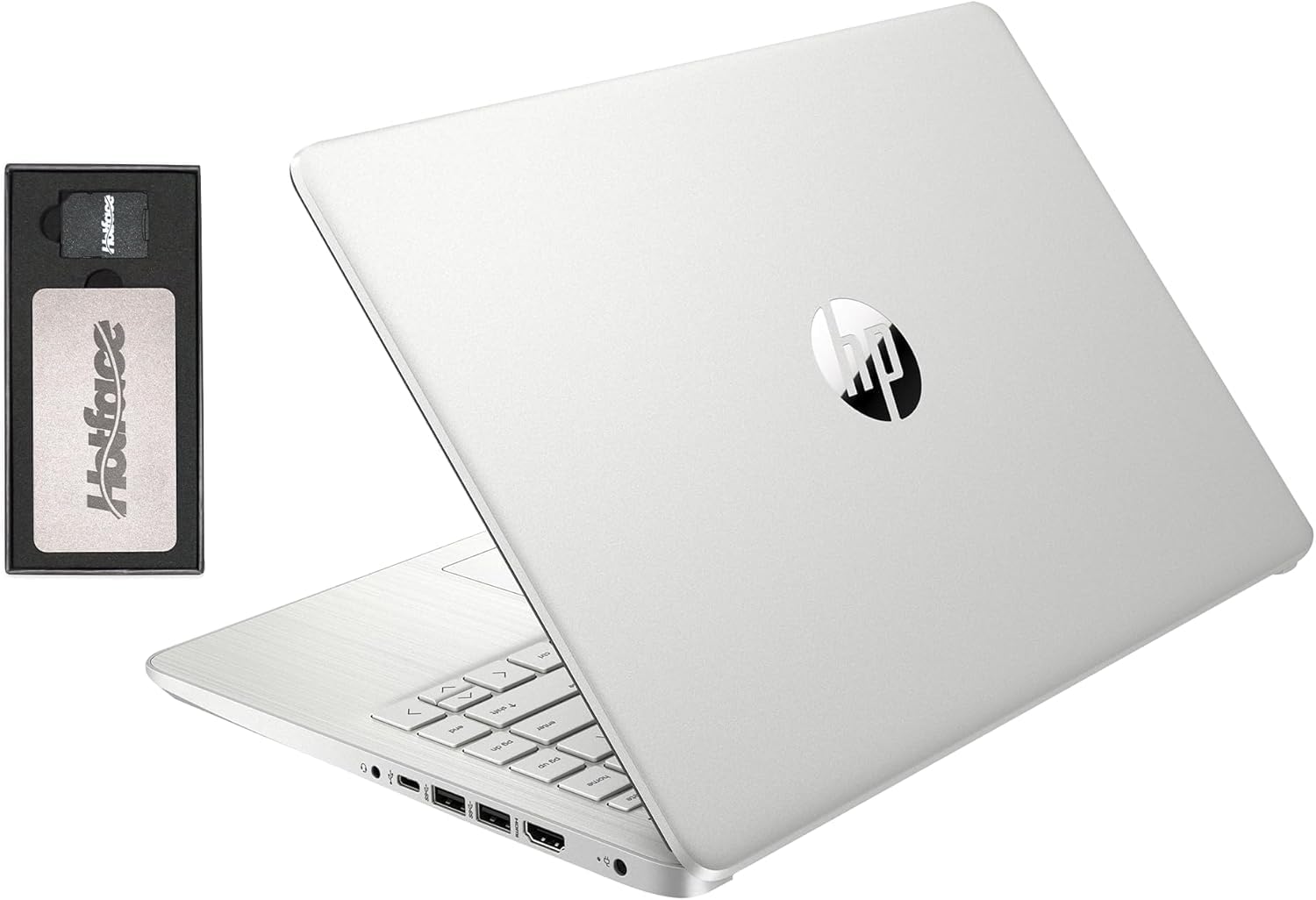
HP Stream 14″ HD BrightView Laptop – Intel Celeron N4120, 16 GB RAM, 288 GB Storage, Windows 11 S
HP Stream 14″ HD BrightView Laptop — 16 GB DDR4 RAM, 128 GB eMMC storage + 160 GB docking-station extension; Intel Celeron N4120, 720p webcam, Wi-Fi, includes Office 365 for 1 year. A light and affordable choice for everyday use and portability.
The HP Stream 14 is HP’s answer to the Chromebook: a very cheap, very light Windows laptop built for the browser, email, documents, and streaming video, and honestly not much else. This particular listing pairs the base machine with expanded memory and a storage bundle — 16 GB of RAM and 288 GB of total storage, split between the internal 128 GB eMMC drive and a 160 GB extension — plus a year of Office 365.
The honest position: treated as an appliance for light online tasks, it’s a defensible buy at rock-bottom money. Treated as “a laptop,” in the general sense, it will disappoint you within a week. The gap between those two outcomes is entirely about expectations, so this review spends most of its length on what daily life with the machine actually feels like — because at this end of the market, the spec sheet flatters and the experience decides.
One framing note before the details: the Stream 14 isn’t a worse version of a mainstream laptop so much as a different species. It’s built down to a price the way hotel appliances are — every component chosen as the cheapest thing that still performs its function. Judged against that design brief, it’s coherent. Judged against the laptop your employer issues, it’s a punishment. Buy it only through the first lens.
What you’re actually getting
The heart of the machine is the Intel Celeron N4120 — a low-power quad-core chip from Intel’s budget line that sips battery and generates so little heat the laptop needs no fan. That’s the good news, and it’s genuinely good: no fan means no fan noise, ever, and no vents clogging with dust over the years. The other side of the same coin is performance. This class of processor was modest when it launched and is slower still by today’s standards; it executes everything you ask, eventually, and the word “eventually” is the theme of the ownership experience.
Around the chip, HP builds exactly what the price implies: a plastic chassis that flexes if you pick it up by a corner but weighs pleasantly little, a 14-inch screen in a era-appropriate thick bezel, and a port selection that covers the basics — USB-A for the mouse and flash drive crowd, USB-C, HDMI for a monitor or TV, a microSD slot, and a headphone jack. Wi-Fi and Bluetooth are present and unremarkable. The whole package weighs around a kilogram and a half, light enough to forget in a tote bag, and the styling in HP’s usual bright finishes looks cheerful rather than corporate — which suits the audience it’s actually for.
The bundle math: 16 GB of RAM and 288 GB of asterisks
The configuration deserves a careful reading, because the headline numbers are doing marketing work. The 16 GB of RAM is real and unusually generous for this class — stock Stream models ship with far less, and the extra headroom does keep Windows from suffocating quite so quickly with a few tabs open. But RAM was never this machine’s main bottleneck; the processor is, and no amount of memory makes a budget Celeron think faster. Sixteen gigabytes on an N4120 is a big fuel tank on a small engine.
The storage number needs even more care. The 288 GB figure is a sum of two parts — a 128 GB eMMC drive inside the laptop and a separate 160 GB extension — not one fast internal disk. And eMMC is the operative word: it’s soldered flash closer to SD-card speed than SSD speed, and it’s the second reason everything on this machine takes a beat longer than you expect. These Amazon bundle listings are also assembled by sellers and vary between them, so the standing advice for Stream models applies double here: verify the exact RAM figure and the exact storage breakdown on the product page before ordering, and treat the internal drive as the small, slow component it is. The bundled year of Office 365 is the quiet best part of the package — Word, Excel, and OneDrive cloud storage cover exactly the workloads this laptop can handle, and the OneDrive space matters more than usual when the local drive is this small.
The everyday experience
For its intended life, the Stream 14 is fine, and it’s worth describing what fine looks like. The machine boots in a leisurely but tolerable stretch, a browser opens a few seconds after you ask, and one or two tabs of webmail, news, shopping, or online banking scroll acceptably. Word and Excel through the included Office 365 run comfortably for documents and household spreadsheets. YouTube and Netflix play smoothly at the screen’s resolution, and video playback is one thing this hardware class handles gracefully. Used this way — one task at a time, with patience at transitions — the Stream 14 does everything its buyer asked of it, silently, on a machine that cost less than many people’s headphones.
The pauses are the texture you live with. App launches are slow because of the eMMC drive; the occasional stutter mid-task is the Celeron catching up; and the machine is at its worst in the minutes after boot, when Windows Update and background services fight for the same limited resources your browser wants. Owners learn its rhythm: open the laptop, let it settle, then work. It’s the computing equivalent of an old car that starts every time but wants a moment before you pull out — dependable, as long as you don’t rev it.
Where it runs out of breath
The ceiling arrives at multitasking, and it arrives abruptly. A video call plus a shared document plus a few more tabs is the point where owners consistently report the machine bogging down — audio stays up, video gets choppy, and switching windows develops a lag you can measure in sips of coffee. This is the scenario that matters, because it’s precisely a remote-school and work-from-home scenario, and the extra RAM in this bundle doesn’t rescue it: the processor is the bottleneck, and four slow cores can only be divided so many ways.
The practical adaptation is workload discipline. One call with nothing else open works. Closing tabs actually helps on this machine in a way modern laptops have let people forget. Browser tab hygiene, one app at a time, restarts when things gum up — habits from an earlier era of computing, all mandatory again. Households considering the Stream for a student should weigh this honestly: it handles homework, typing, and research fine, but a full day of video classes with collaborative documents open is beyond its comfortable capacity, and the frustration lands on the kid.
Windows 11 in S Mode, explained
The Stream ships with Windows 11 in S Mode, which locks app installation to the Microsoft Store. For the target user that’s arguably a feature: it keeps browser-toolbar junk, dubious downloads, and a lot of malware off a machine owned by exactly the kind of user those things prey on, and everything the intended workload needs — browser, Office, streaming apps — is available within it.
Switching out of S Mode is free, takes minutes through the Store, and unlocks conventional desktop software. It’s also one-way — there’s no returning — and it’s worth resisting on this hardware for two reasons. First, conventional desktop apps are heavier than their Store and web equivalents, and this machine has no performance to spare. Second, a 128 GB eMMC drive with Windows on it doesn’t have room for a desktop-software lifestyle; filling it is a short trip, and a full system drive makes a slow machine slower. The best version of the Stream 14 stays in S Mode, lives in the browser, and keeps its documents in the bundled OneDrive. That’s not a limitation grudgingly accepted; it’s the configuration the machine was designed around.
The screen, keyboard, and the rest
The 14-inch HD BrightView panel is the most honest reminder of the price. It’s a low-resolution glossy display — HD here means 1366 by 768 — with limited brightness and narrow viewing angles: usable indoors, washed out near a window, and visibly grainier than the full-HD screens one tier up. Tilt it back a little too far and colors shift; the glossy coating turns any lamp behind you into a mirror. Text is where the resolution shows most — letters are soft at fourteen inches of this pixel count — and after an afternoon of documents you feel it. It streams video acceptably, which is the job it was specced for.
The redeeming move for desk use is the HDMI port. Plugged into any spare monitor or the living-room TV, the Stream drives a bigger, better screen for documents and streaming while its own panel folds out of the equation — and paired with a cheap mouse and keyboard, that turns the machine into a passable stationary setup for homework or a home-office corner. It doesn’t make the laptop faster, but it removes the display from the list of daily irritations, and for a machine that mostly lives in one place it’s the single best-value upgrade available.
The keyboard is serviceable for the class — shallow but evenly weighted, fine for email and homework, unbacklit. The trackpad is small and basic; it registers what you meant most of the time, and a cheap USB mouse noticeably improves life with the machine. The 720p webcam is exactly as mediocre as every other budget laptop’s — adequate lighting helps it to passable — and the speakers are thin, downward-firing, and best replaced by headphones for anything beyond a call. None of this is a scandal at the price; all of it is where the price went.
Battery, heat, and noise
Here the low-power chip pays rent. The Stream 14 lasts a sensible working day of light use on a charge — browsing, documents, video in the mix — which puts it ahead of plenty of more powerful budget laptops whose batteries drain fighting hotter silicon. Standby is frugal, so a closed lid on Tuesday still has charge on Thursday, and the machine suits the intermittent, kitchen-counter usage pattern of its natural owners.
It’s also completely silent, always — no fan exists to spin up — and at worst the underside gets mildly warm during updates. Charging happens over HP’s barrel adapter; treat the charger as part of the furniture wherever the laptop lives most. One practical note: battery life degrades with age as it does on everything, and on a machine this cheap a battery replacement will never be economical, so the battery’s lifespan is effectively the laptop’s. Light use and not living at a hundred percent charge on the shelf will stretch it.
The ceiling you’ll hit
Be clear about what this laptop cannot become, because no accessory or setting changes it. Photo editing beyond a quick crop, video editing of any kind, PC gaming beyond browser games, big local photo or music libraries, heavy multitasking, developer tools — none of it is realistic. The eMMC storage is soldered and can’t be meaningfully upgraded; the RAM situation is fixed at purchase; the processor is what it is forever. A microSD card in the slot is the one genuine expansion this machine offers, good for parking media files and taking pressure off the system drive.
The lifespan is bounded on the software side too: Windows and browsers grow heavier every year, and a machine with no performance margin today has less than none in a few years. Plan for the Stream 14 to be a light-duty device for a few years and then a hand-me-down or a shelf item — not a long-term main computer. At this price that’s an honest deal, but only if you priced it in at the start.
What else to consider
If the budget can stretch several times higher, the MacBook Air 13 M4 is in a different universe of speed, screen, and lifespan — a fairer comparison to make before settling than after, because the Air will outlive several Streams. If the machine will actually live on a desk, a Mac mini M4 plus any cheap monitor and keyboard delivers vastly more computer for the money at the cost of portability — a trade many “kitchen laptop” buyers discover they’d happily have made.
Within the Stream’s own money, the honest rivals are Chromebooks, which run this identical hardware class more gracefully because ChromeOS is lighter than Windows — if your life is truly the browser, a Chromebook is the better appliance. Refurbished business laptops are the other value play, trading newness and battery freshness for far stronger bones. The Stream’s case over both is simple and real: it’s new, it’s cheap, it runs real Windows and real Office, and some households and workplaces need exactly that — including as the disposable field unit driving a mobile printer like the HP OfficeJet 250 from a work van. And since this machine lives and dies by its connection, its Wi-Fi deserves a decent router on the other end — something in the class of the TP-Link Archer A8 — before anyone blames the laptop for a slow connection it didn’t cause.
Buy it for what it is
Buy the Stream 14 as a kid’s schoolwork machine, a kitchen or travel laptop, a form-filling field unit, or a cheap secondary device for someone who lives in a browser — with the exact configuration verified on the listing first, because bundles vary. Set it up in S Mode, lean on OneDrive and the microSD slot, teach it one task at a time, and it will quietly do its narrow job for years while being too cheap to worry about — which is a genuine feature no premium laptop offers.
Skip it if there’s any chance you’ll ask it to be your main computer for years, edit media, run a full day of video calls, or grow into heavier work. At this price the hardware isn’t the risk; mismatched expectations are, and they’re the one component you control completely.
Our take
Verdict: An ultra-budget, cloud-first Windows laptop — fine for the basics, frustrating if you ask for more. Check the exact specs before buying.
The problem. You need the cheapest possible laptop for web, email, documents and streaming. Why it matters. At this price, expectations have to match the hardware or you’ll be disappointed. What it is. HP’s entry Stream 14: an Intel Celeron N4120, a basic HD display and a design built around the cloud and light tasks. Confirm the listed RAM and storage on the product page — Stream models historically ship with modest memory and slow eMMC storage.
Pros
- Very inexpensive
- Light and portable for a 14-inch laptop
- Adequate for browsing, email and document work
Cons
- The low-power Celeron struggles with heavy multitasking
- eMMC storage is slow and fills quickly
- The HD screen is dim and low-resolution
Who should buy it
- Anyone needing a cheap secondary or kids’ laptop for light, online tasks
Who should skip it
- Anyone editing media, multitasking heavily or wanting a laptop to last many years
Bottom line. Buy it as a cheap browse-and-type machine with eyes open — and verify the RAM/storage config on the listing first.