A low-cost security camera is useful only if you can find the footage when something matters. A sharp live picture is a good start, but recording, playback and power are the harder questions. The Wyze Cam v3 deserves to be judged through that whole chain. Its small size and feature list are appealing; they do not remove the need to plan how it will actually work in your home.
This review concerns the original Cam v3 at ASIN B08R59YH7W. It is not the v3 Pro, Cam Pan v3 or Cam v4. Those names describe different products. The distinction matters when reading storage instructions, choosing accessories or comparing night-vision examples. Use the exact name in support searches rather than assuming every Wyze camera shares the same limits.
The camera and its installation needs
Wyze’s current Cam v3 specifications describe a 1080p camera with a Starlight sensor, 2.4 GHz Wi-Fi, microSD storage and IP65 weather resistance. They also identify it as a powered camera. Plan for a cable and suitable power supply; it is not a battery camera that you can place anywhere and forget.
That power requirement can be a strength in a fixed location. You do not need a routine for recharging the camera. It can also be the main installation obstacle. Before buying, trace a real route from the intended view to a suitable power point. Include doors, windows, pets and weather exposure in that plan rather than judging only the small camera body.
Wyze says the standard power adapter is for indoor use and offers a separate outdoor arrangement. Do not transfer the camera body’s weather rating to every cable connection and wall adapter. For outside placement, follow the manufacturer’s documented power setup. A sheltered lens does not make an exposed indoor plug suitable for rain.
Related reading
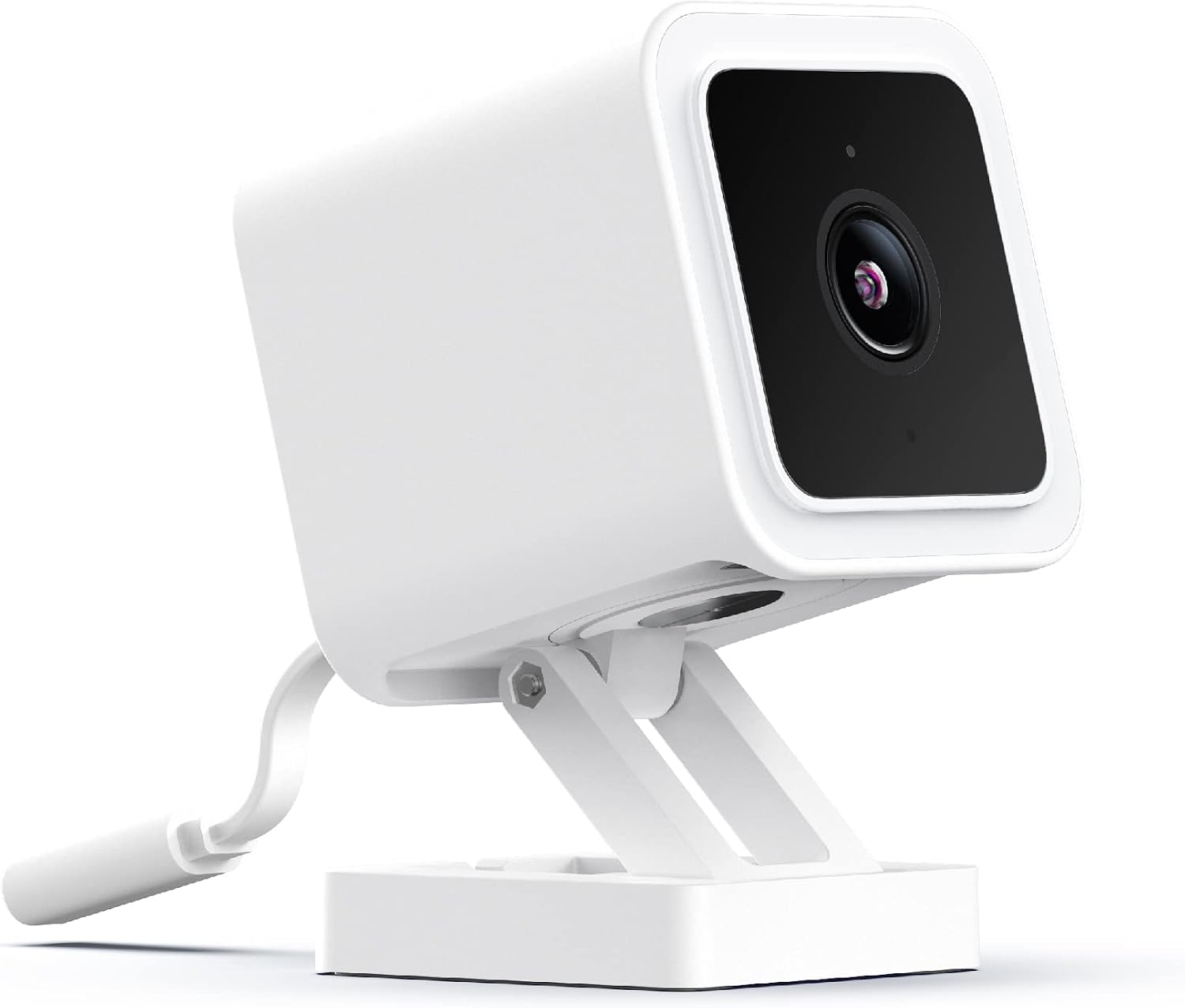
Product photograph: Amazon listing.
Local recording needs a deliberate choice
Wyze’s continuous-recording explanation distinguishes service-plan features from recording to a microSD card. The company documents continuous local recording when a suitable card is installed and the recording option is selected. Buying the camera alone does not establish that this recording path is ready.
After installing a card, format and configure it as the instructions require. Then create an ordinary event, wait a few minutes and use playback to find it. That short exercise tests more than the live feed. It confirms whether you understand the timeline and whether the camera has stored what you expected. Repeat after making significant settings changes.
Choose between continuous recording and event-only recording based on what you need to recover. An event system depends on deciding when something worth saving occurred. Continuous recording can provide context before and after an event, but storage fills and older footage is overwritten. Neither choice eliminates the need to learn how your particular configuration behaves.
If a recording matters, export a copy promptly using the supported method. A memory card inside the camera is not an archive policy. It can be overwritten, fail or leave with the camera itself. For an important location, consider where a second copy should live and who needs access to it. That is a workflow decision, not a reason to assume a more expensive subscription solves every problem.
Card capacity and old instructions
Some older shop copy mentions a 32 GB card. Wyze’s current card-installation guide documents larger capacities through 256 GB with the appropriate format and firmware. It states the firmware condition for the expanded support. Follow the current model-specific guide instead of combining a new card with an old instruction found in a search result.
I would update the camera through the documented process before deciding that a card is incompatible. Then check the capacity shown in the app and confirm playback. A card being physically inserted is not proof that recording works. The most useful result is a recoverable clip, not merely the absence of an error message.
Use a card intended for the recording duty described by its maker. Continuous video writes are a different workload from occasionally carrying photographs between devices. Check genuine capacity and buy from a seller with a clear return process. This review does not include an endurance test, so it cannot promise a particular card lifespan or a fixed number of days of footage.
Related reading

Keep the protective cover fitted as the camera instructions show after installation. If you need to remove the card, follow the shutdown procedure rather than pulling it during a write. Small habits around removable storage can prevent a simple maintenance task from turning into a lost recording at the moment you need it.
Night vision is not the same as seeing in no light
The Starlight sensor and colour-night-vision claims are central to the Cam v3’s marketing. Wyze documents colour imaging in low-light conditions, along with infrared night vision. That does not mean every dark location will produce clear colour evidence. The amount and direction of available light remain important.
Test the view after dark, not only during installation in daylight. Look at the parts of the scene you actually care about: a doorway, a path or the place a parcel is left. Check whether faces are identifiable at the relevant distance rather than judging a bright object close to the lens. A pleasant overall picture can still miss the detail you wanted.
Windows can complicate infrared viewing through reflections. If placing the camera inside behind glass, test the night mode in that position before committing to it. Do not assume that a good daytime view through a window proves the night setup. Moving the camera or changing the lighting may be more effective than changing a series of app settings.
This review contains no personal footage comparison, so I will not claim that the Cam v3 beats a more expensive camera at night. Its documented sensor features justify trying the location. They do not replace evidence from that location. If night-time identification is essential, make a successful real recording part of your acceptance check.
Alerts, subscriptions and ordinary use
An alert is useful when it arrives for something you need to know. Too many alerts can teach you to ignore the camera. Begin with the view and detection zone, then adjust sensitivity while watching what changes. A busy road or moving branch at the edge of the picture may deserve a different framing before any software adjustment.
Check which notification and detection functions require a current service plan. Wyze’s plans and offers can change, so this review does not promise a permanent free entitlement based on old packaging. Compare the cost over the period you intend to use the camera. A low hardware price is only one part of the total if the features you need carry an ongoing charge.
Do not assume that local storage makes every part of the system independent of the internet. Test what your installation does during a brief, safe network interruption and after normal power restoration. Check recording, clock information and app access separately. A system can behave differently in each of those areas, and a single reassuring live-view test does not cover them all.
The official specifications checked here also require newer phone software than some older listing copy describes. Confirm that the current Wyze app works on the phone you plan to use. This is particularly important when setting up a camera for someone with an older handset. Compatibility needs to cover their actual phone, not the one you used for the first installation.
Privacy and the buying decision
Place a camera for the job you need, with a view that avoids unnecessary private areas. Tell household members where it records and who can see the footage. Review account access and available security settings, and keep a recovery method the owner can use. These decisions are part of operating a connected camera, not an optional task after something goes wrong.
Related reading

I would consider the Cam v3 for a carefully planned, powered location where local recording and the current app meet the need. I would be more cautious where there is no suitable power route, where a subscription is unacceptable but required features depend on it, or where the camera would be treated as the sole record of an important event.
The verdict is conditional in a practical way. The Wyze Cam v3 offers a useful set of documented camera and recording features, but its value appears only after installation is tested. Confirm the power arrangement, update the firmware, make a real recording and retrieve it at night as well as by day. If that sequence works reliably in your location, you have evidence that matters more than an attractive live picture on a product page.
This is a research-based review using the linked product documentation. It does not report personal ownership, measured performance or a hands-on test. The assessment and practical advice are based on the documented design and its limits. Retailer pages can change; confirm the selected model, condition and regional compatibility before ordering.
This article contains an affiliate link. As an Amazon Associate, I earn from qualifying purchases. You can check the selected product through my Amazon link.
One email a month: new articles, reviews and the upcoming live webinar + free recording. No spam, unsubscribe anytime.