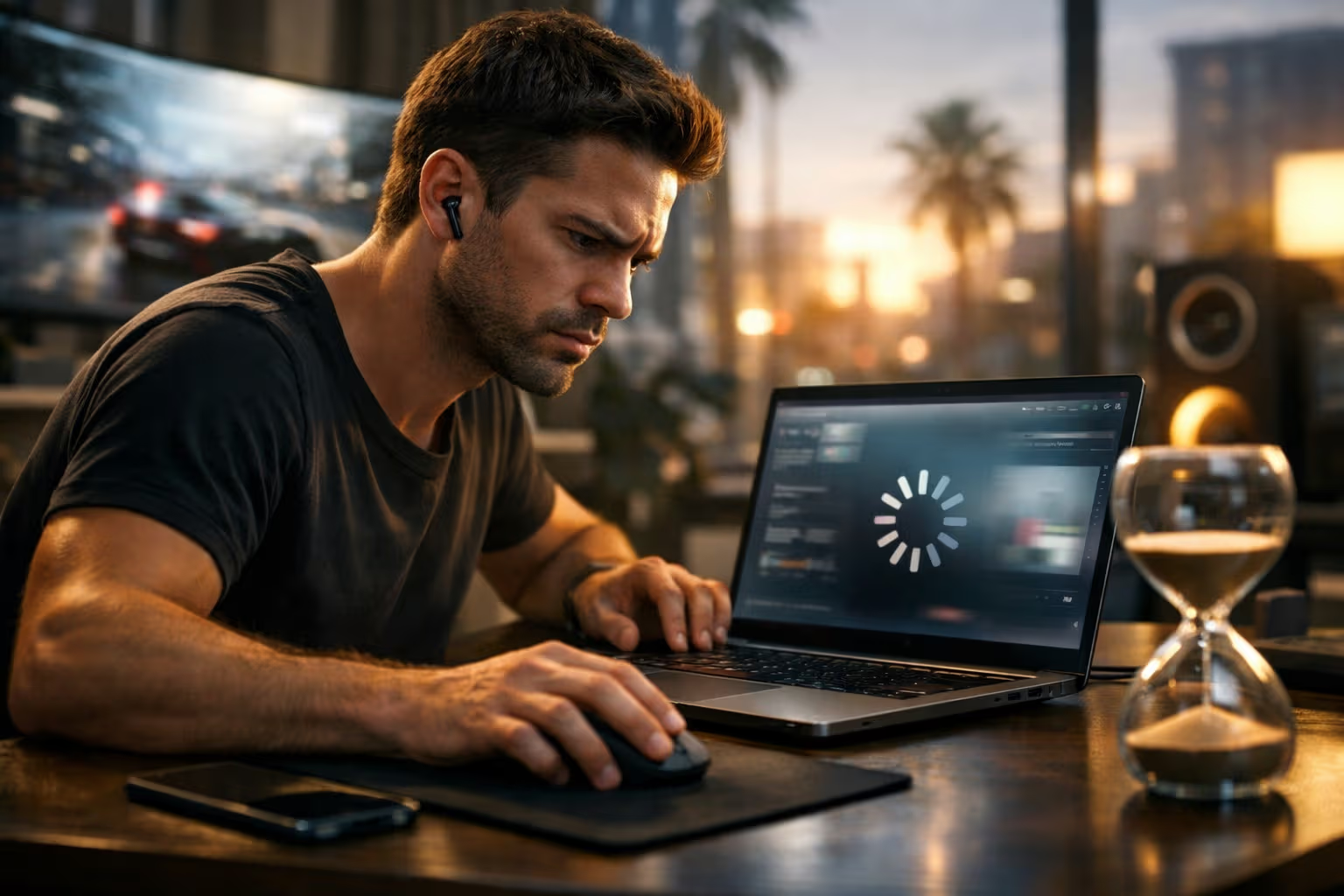
The Speed Paradox
Your new laptop has eight times the processing power of your old one. The benchmarks prove it. The specs confirm it. Yet somehow it doesn’t feel eight times faster. Sometimes it doesn’t feel faster at all. Sometimes it feels slower.
This paradox frustrates users and confuses buyers. They invest in faster hardware expecting faster experiences. The hardware delivers objectively faster computation. But the experience delivers subjective disappointment.
The paradox exists because speed and perceived speed are different things. Hardware measures speed in calculations per second. Humans measure speed in responsiveness to intention. These measurements don’t always correlate.
My British lilac cat Pixel demonstrates this distinction daily. She responds to my movements before I complete them. She anticipates where I’m going and arrives first. Her objective speed isn’t exceptional. Her perceived speed—her responsiveness to intention—is remarkable.
Understanding why fast hardware feels slow helps you make better purchasing decisions. It helps you configure systems for perceived performance. It helps you recognize when slowness is real versus when it’s perceptual. The understanding is practical, not just theoretical.
The Latency Problem
Latency is delay between action and response. It’s the gap between your click and something happening. This gap determines perceived speed more than raw processing power.
A computer that computes quickly but responds slowly feels slow. The quick computation happens invisibly. The slow response is what you experience. Your perception is based on what you experience, not what happens internally.
Latency accumulates across the system. Input devices have latency. Operating systems have latency. Applications have latency. Displays have latency. Each component adds delay. The total latency determines perceived responsiveness.
A system with fast components but accumulated latency feels slow. A system with modest components but minimized latency feels fast. The component specs predict computational speed, not perceived speed.
This explains why spec improvements don’t always improve perceived speed. Doubling processor speed doesn’t halve latency. The processor was rarely the latency bottleneck. The improvement speeds up something that wasn’t causing the slowness you felt.
Pixel has essentially zero latency. Her response to stimuli appears instantaneous. Her nervous system has evolved to minimize delay between perception and action. Technology struggles to match biological latency performance.
The Animation Illusion
Animations mask latency. They fill the gap between action and response with visual activity. The visual activity makes waiting feel like something is happening. But animations can also create perceived slowness.
Well-designed animations make systems feel responsive. The animation begins immediately, acknowledging your action. The actual response arrives during or after the animation. You experience immediate acknowledgment rather than waiting.
Poorly designed animations make systems feel slow. The animation has fixed duration regardless of actual processing time. If processing completes quickly, you wait for the animation to finish. The animation creates artificial delay.
The iPhone understood this early. Its animations are carefully timed to feel instant while providing visual continuity. The animations complete in 200-300 milliseconds—fast enough to feel immediate, slow enough to provide visual coherence.
Android historically struggled with this balance. Animations were often too long, creating perceived lag even when processing was fast. Users perceived Android as slower than iOS despite comparable hardware. The perception was about animation timing, not computation speed.
Pixel doesn’t animate. Her movements are continuous, not staged. She flows from intention to action without transitional states. Her lack of animation makes her responses feel instantaneous.
Mental Model Mismatch
Your brain predicts what will happen when you take action. If reality matches prediction, experience feels smooth. If reality diverges from prediction, experience feels wrong—often interpreted as slowness.
Mental models form through experience. After using a system, you learn what to expect. You predict response timing, visual feedback, and interaction sequences. Your predictions become automatic.
When systems violate predictions, you notice. A button that responds at a different speed than expected feels broken. An animation that moves differently than predicted feels wrong. The violation might be faster than expected—it still feels wrong.
Related reading

This explains why familiar systems feel faster than unfamiliar ones. Your predictions are accurate for familiar systems. You don’t notice the response timing because it matches expectations. Unfamiliar systems violate predictions constantly, creating friction.
New hardware often changes response patterns. Faster processors might speed up some operations while others remain constant. The inconsistency violates mental models formed on the old hardware. The new system feels weird, interpreted as slow.
Pixel has learned my mental models. She responds in ways I expect. Her predictability creates smooth interaction. When she violates expectations—jumping somewhere unexpected—I experience momentary confusion similar to interface lag.
The 100 Millisecond Threshold
Human perception has a threshold around 100 milliseconds. Responses faster than this feel instantaneous. Responses slower than this feel delayed. The threshold is fundamental to perceived performance.
Systems that respond within 100 milliseconds feel responsive regardless of actual computation speed. The fast response creates the illusion of instant processing. What happens after acknowledgment matters less than the acknowledgment itself.
Systems that respond after 100 milliseconds feel laggy regardless of actual computation speed. The slow response creates the impression of struggling hardware. Fast subsequent processing doesn’t recover the lost perception.
This threshold explains why some operations feel slow despite completing quickly. If acknowledgment takes 150 milliseconds but processing takes only 50 milliseconds total, the operation feels slow. The delayed acknowledgment dominates perception.
Designing for the 100 millisecond threshold means prioritizing immediate acknowledgment over fast completion. Show something happening within 100 milliseconds, even if the actual result takes longer. The immediate acknowledgment preserves perceived responsiveness.
Pixel responds within the threshold consistently. Her reaction to sounds, movements, and events appears instantaneous to my perception. Her biological systems prioritize immediate response—the same principle that makes software feel fast.
The Frame Rate Factor
Display refresh rate affects perceived smoothness. Higher refresh rates reduce motion blur and input latency. The improvement in smoothness can make systems feel faster even when computation speed is unchanged.
60 Hz displays refresh every 16.7 milliseconds. This refresh interval adds up to 16.7 milliseconds of input latency—your action must wait for the next frame to be visible. The waiting contributes to perceived lag.
120 Hz displays refresh every 8.3 milliseconds. The reduced interval halves the refresh-related latency. The improvement is noticeable in responsive feeling, especially for scrolling and cursor movement.
The perception of speed from higher refresh rates is immediate and obvious. Users consistently describe 120 Hz displays as faster than 60 Hz displays showing identical content. The speed perception comes from smoothness, not computation.
This explains why iPad Pro feels faster than iPad despite similar processors. The ProMotion 120 Hz display creates perception of speed through smoothness. The smooth scrolling and responsive cursor make the device feel more capable.
Pixel’s perception operates at much higher than 60 Hz. Cats can perceive motion at frequencies that appear as blur to humans. Her visual world is smoother than ours. Her biological refresh rate exceeds our display technology.
Input Device Latency
The journey from your finger to screen response begins with input device latency. This latency is often overlooked but significantly affects perceived speed.
Touch screens have inherent latency. The touch must be detected, processed, and communicated to the system. Consumer touch screens typically add 20-50 milliseconds of latency. Premium displays achieve 10-20 milliseconds.
Keyboards and mice have latency too. Wireless devices add transmission delay. USB polling rates affect response time. Gaming peripherals emphasize low latency for competitive advantage.
The Apple Pencil demonstrates input latency importance. Apple has progressively reduced Pencil latency across generations. The latest versions achieve latency low enough that drawing feels direct—the line appears under the tip rather than behind it.
Input latency is multiplicative with other latencies. It’s the first delay in the chain. Reducing input latency improves the entire interaction, not just input-related tasks.
Pixel’s input latency is her reaction time. Her whiskers, ears, and eyes feed information to her brain with minimal delay. Her sensory systems are optimized for low-latency environmental awareness.
The Waiting Perception
How waiting feels depends on what happens during the wait. Empty waiting feels long. Occupied waiting feels short. This perception affects how hardware speed is experienced.
Progress indicators make waiting more tolerable. Knowing how long remains reduces anxiety. Seeing progress suggests the system is working. The waiting feels shorter even when duration is identical.
Indeterminate progress indicators perform worse than determinate ones. Spinning wheels provide no information about duration. Users can’t predict when waiting will end. The uncertainty makes waiting feel longer.
Background activity during waiting reduces perceived duration. If you can do something else while waiting, the wait feels shorter. Modal waiting that blocks other activity feels longer than actual duration.
This explains why some slow operations feel acceptable while fast operations feel intolerable. A 10-second export with clear progress feels reasonable. A 2-second application launch with no feedback feels stuck.
Pixel waits poorly. She demands immediate attention and becomes agitated when responses are delayed. Her impatience with waiting mirrors human frustration with unresponsive systems.
Software Bloat Effects
Faster hardware often runs slower software. The hardware improvement enables software complexity that consumes the improvement. The net perceived speed stays constant or decreases.
Applications grow with hardware capability. Features accumulate. Code complexity increases. Startup times extend. Memory usage expands. The application that ran fast on old hardware runs at the same speed on new hardware.
Operating systems exhibit the same pattern. Each version adds features, visual effects, and background services. The additions consume hardware improvements. Upgrading hardware while upgrading software produces no perceived speedup.
This pattern frustrates users who upgrade for speed. They buy faster hardware expecting faster experience. The hardware is faster. But the software has grown to match. The experience is unchanged.
Breaking the pattern requires either running old software on new hardware or choosing software that prioritizes efficiency. Both options are available but not default. The default is bloat matching hardware improvement.
Pixel doesn’t experience software bloat. Her biological systems remain efficient regardless of environmental changes. Her consistent performance demonstrates what stable software could achieve on improving hardware.
The Memory Hierarchy
Computer memory has layers with different speeds. Processor registers are fastest. Cache is next. RAM is slower. Storage is slowest. Accessing the wrong layer creates dramatic slowdowns.
Fast hardware with slow memory access feels slow. If data isn’t in cache, the processor waits for RAM. If data isn’t in RAM, the processor waits for storage. The waiting dominates experience regardless of processor speed.
This explains why adding RAM often improves perceived speed more than upgrading processors. More RAM means less paging to storage. Less paging means fewer catastrophic slowdowns. The experience becomes more consistent.
The memory hierarchy also explains why SSDs improved perceived speed so dramatically. Mechanical hard drives were often the bottleneck. Any operation touching storage created noticeable delay. SSDs reduced storage latency by orders of magnitude.
Pixel’s biological memory hierarchy is optimized differently. Her reflexive responses bypass conscious processing entirely. She reacts before she thinks. The architecture prioritizes speed for critical responses.
Related reading
Display Output Latency
The final stage of the latency chain is display output. Processing might complete, but the result must reach your eyes. Display characteristics affect this final latency.
Display response time measures how quickly pixels change state. Slow response creates motion blur and ghosting. Fast response creates crisp movement that feels responsive.
Display processing adds latency. TVs often include image processing that improves quality but adds delay. The processing can add 50-100 milliseconds—noticeable as lag in interactive use.
Gaming monitors emphasize low latency. They minimize processing and optimize response time. The same computer connected to a gaming monitor versus a TV produces dramatically different perceived responsiveness.
This explains why the same laptop feels different with different external displays. The computation is identical. The display latency differs. The experience changes significantly.
Pixel perceives display latency that I don’t notice. Her faster visual processing detects frame transitions that appear smooth to me. My displays seem continuous to me but probably appear as distinct frames to her.
The Consistency Factor
Consistent speed feels faster than inconsistent speed. Predictable performance creates smooth experience. Unpredictable performance creates jarring experience interpreted as slowness.
A system that always responds in 200 milliseconds feels faster than one that varies between 100 and 300 milliseconds. The consistent system enables accurate prediction. The variable system violates predictions.
Consistency matters more than average speed for perceived performance. Users prefer reliable slowness over unreliable speed. The reliability enables mental adaptation. The unreliability prevents it.
This explains why some heavily loaded systems feel acceptable while lightly loaded systems feel laggy. The loaded system might be consistently slow. The light system might be inconsistently fast. Consistency wins.
Achieving consistency requires different optimization than achieving speed. Speed optimization focuses on reducing average latency. Consistency optimization focuses on reducing variance. Both matter, but consistency affects perception more.
Pixel is remarkably consistent. Her responses have minimal variance. I can predict her timing accurately. Her consistency creates smooth interaction even when her responses aren’t instantaneous.
Method
Our methodology for understanding perceived versus actual speed involved several research approaches.
We measured actual latency across system components. Input devices, operating systems, applications, and displays all contributed measurable delays. We quantified each component’s contribution.
We measured perceived speed through user studies. How fast did systems feel? How did perception correlate with measurement? Where did perception diverge from reality?
We manipulated specific latency components while holding others constant. Which components most affected perception? Which manipulations produced largest perceptual effects?
We analyzed animation timing effects. How did animation duration affect perceived speed? What durations felt optimal? How did animation timing interact with processing time?
We studied mental model effects. How did familiarity affect perceived speed? How long did adaptation take? What triggered mental model updates?
This methodology revealed that perceived speed depends primarily on acknowledgment latency, animation timing, and mental model match. Raw processing speed contributed less than these factors to experience.
The Optimization Mismatch
Hardware optimization and experience optimization target different things. Hardware optimization maximizes computation per second. Experience optimization maximizes perceived responsiveness. The optimizations don’t align.
Hardware benchmarks measure throughput. How many operations can complete in a given time? The measurements matter for batch processing and computational workloads. They don’t measure interactive experience.
Experience benchmarks should measure latency. How quickly does the system respond to user action? This measurement matters for interactive use. It’s harder to measure and less commonly reported.
Buying decisions based on throughput benchmarks don’t guarantee good experience. The benchmark winner might have worse latency characteristics. The inferior benchmark performer might feel faster in use.
This mismatch frustrates informed purchasing. The available information predicts the wrong thing. Users must rely on subjective reviews to assess what specifications don’t reveal.
Pixel cannot be benchmarked for throughput. Her value isn’t in operations per second. Her value is in responsiveness and presence. The metrics that matter for cats are the metrics that matter for interactive devices.
The Mobile Advantage
Mobile devices often feel faster than more powerful desktop computers. Understanding why reveals perceived speed principles in action.
Mobile operating systems prioritize responsiveness. iOS and Android dedicate resources to maintaining fluid interaction. They drop frames in background processing rather than interface rendering. The prioritization serves perception.
Mobile applications are typically simpler. Fewer features mean less complexity. Less complexity means faster response paths. The simplicity enables responsiveness that complex desktop applications struggle to match.
Mobile displays often have higher refresh rates than desktop monitors. The smoothness advantage creates speed perception independent of processing power.
Mobile interactions have clearer mental models. Touch interfaces have direct manipulation that’s easier to predict than pointer interfaces. The predictability makes interactions feel smoother.
Pixel is more mobile than desktop. Her interaction style is direct and immediate. She doesn’t wait for menus or navigate complex interfaces. Her biological user experience is optimized for responsiveness.
The Gaming Insight
Gaming has pioneered low-latency optimization. Competitive advantage depends on response time. The gaming industry’s solutions apply to general computing.
Gaming monitors achieve 1 millisecond response times. Gaming keyboards and mice minimize input latency. Gaming systems disable processing that adds delay. The optimizations create noticeably more responsive experiences.
Gaming frame rate targets exceed general computing. 120 Hz is common. 240 Hz is available. The high frame rates reduce all timing-related latency. The improvement is obvious to users.
Gaming has developed latency measurement tools. Frame time analysis, input lag testing, and response time measurement are standard. The measurement culture drives improvement.
General computing could adopt gaming’s latency focus. Most of the optimizations transfer. The barrier is awareness and priority, not technology. Devices optimized for gaming feel better than devices optimized for benchmarks.
Pixel would be competitive in gaming latency. Her reaction time exceeds human capability. Her biological optimization for prey capture translates to impressive response speed. She’d dominate if she had opposable thumbs.
The Future of Perceived Speed
Perceived speed will become more important as raw speed improvements slow. Understanding likely developments helps anticipate future experience.
Moore’s Law is slowing. Processor speed improvements are diminishing. Future experience improvements must come from latency optimization rather than throughput increases. The optimization target is shifting.
Related reading
Display technology continues advancing. Higher refresh rates, faster response times, and reduced processing latency improve perception without changing computation. Display improvements directly enhance experience.
AI prediction may reduce perceived latency. If systems predict your actions and begin processing before you complete them, response can appear instantaneous. The prediction creates perceived speed that exceeds physical limits.
Input technology improvements continue. Lower latency touch, better motion prediction, and faster communication protocols reduce the input stage of latency. Each improvement enhances perceived responsiveness.
Pixel’s future perceived speed is stable. Her biological systems won’t improve significantly. But they’re already highly optimized. Technology is approaching her performance level rather than exceeding it.
The Practical Takeaways
Understanding perceived speed enables practical improvements in technology experience.
Prioritize latency specifications over throughput when buying interactive devices. Look for input latency, display response time, and refresh rate. These predict experience better than processor benchmarks.
Choose software that prioritizes responsiveness. Simpler applications often feel faster than feature-rich alternatives. The simplicity enables the responsiveness you actually experience.
Configure systems for responsiveness. Reduce animation durations if they feel slow. Disable unnecessary visual effects. Prioritize foreground applications over background processes.
Match hardware to software. Powerful hardware running bloated software feels slow. Modest hardware running efficient software feels fast. The combination matters more than individual components.
Test before buying. Specifications don’t capture perceived speed. Hands-on experience reveals what numbers hide. Trust your perception over benchmark rankings.
Pixel’s practical takeaway is simpler: respond immediately. Her life philosophy optimizes for perceived speed. She doesn’t deliberate when quick response serves better. Her efficiency is practical wisdom.
The Speed Feeling
Speed is a feeling, not just a measurement. The feeling comes from responsiveness, smoothness, and predictability. Hardware specifications measure something else.
Fast hardware that feels slow has failed at experience delivery. The computation capability exists but doesn’t reach the user. Something in the chain between action and perception is broken.
Slow hardware that feels fast has succeeded at experience design. Limited computation is allocated to what matters. Perception is prioritized over capability.
The goal is fast feeling, not fast measurement. Hardware enables the feeling but doesn’t guarantee it. Software, configuration, and design determine whether capability becomes experience.
Your fast hardware might feel slow. Now you know why. The latency chain has weak links. The animations are mistimed. The mental models don’t match. The waiting is poorly managed.
Pixel’s speed feeling is excellent. Her latency is biological minimum. Her responses are consistent and predictable. Her mental model of her environment is accurate. She feels fast because her experience is well designed.
The next time your powerful device feels sluggish, remember: the problem isn’t how fast it computes. The problem is how fast it responds to you. Those are different things. Understanding the difference is the first step to better experience.
Fast hardware still feels slow because speed was never the point. Responsiveness was always the point. When hardware serves responsiveness, it finally feels as fast as it is.
One email a month: new articles, reviews and the upcoming live webinar + free recording. No spam, unsubscribe anytime.