I enjoyed WebStorm, and I like having a clear home for JavaScript and TypeScript work. These projects often look simple from outside: a folder, a package file, and a development server. Inside, a small change can cross components, types, routes, styles, and tests. Treating that collection as one working environment makes sense to me.
Quick verdict
I recommend WebStorm for JavaScript and TypeScript work where navigation and project context matter.
- Best for
- Developers maintaining front-end code across packages, imports and tests.
- Main benefit
- I like following a question through the relevant code with less guesswork.
- Biggest drawback
- Aliases, generated files and package setup still need to match the project.
WebStorm
JetBrains · Choose the local store or delivery region
Check price and availability: WebStorm at JetBrainsProduct link.
Reviewed version: WebStorm
Compatibility: Choose the exact personal, business or bundle licence for the intended work. Check the current host, project-toolchain and account requirements.
Review context: The review focuses on developers maintaining front-end code across packages, imports and tests.
We paid for our JetBrains software. The images in this article are official JetBrains product screenshots.
The WebStorm product page currently offers free noncommercial use alongside its professional role. That makes the first decision about the kind of work being done. For paid work, compare the right commercial terms. After that, the question is whether the integrated workflow is worth choosing over the editor setup already on your machine.
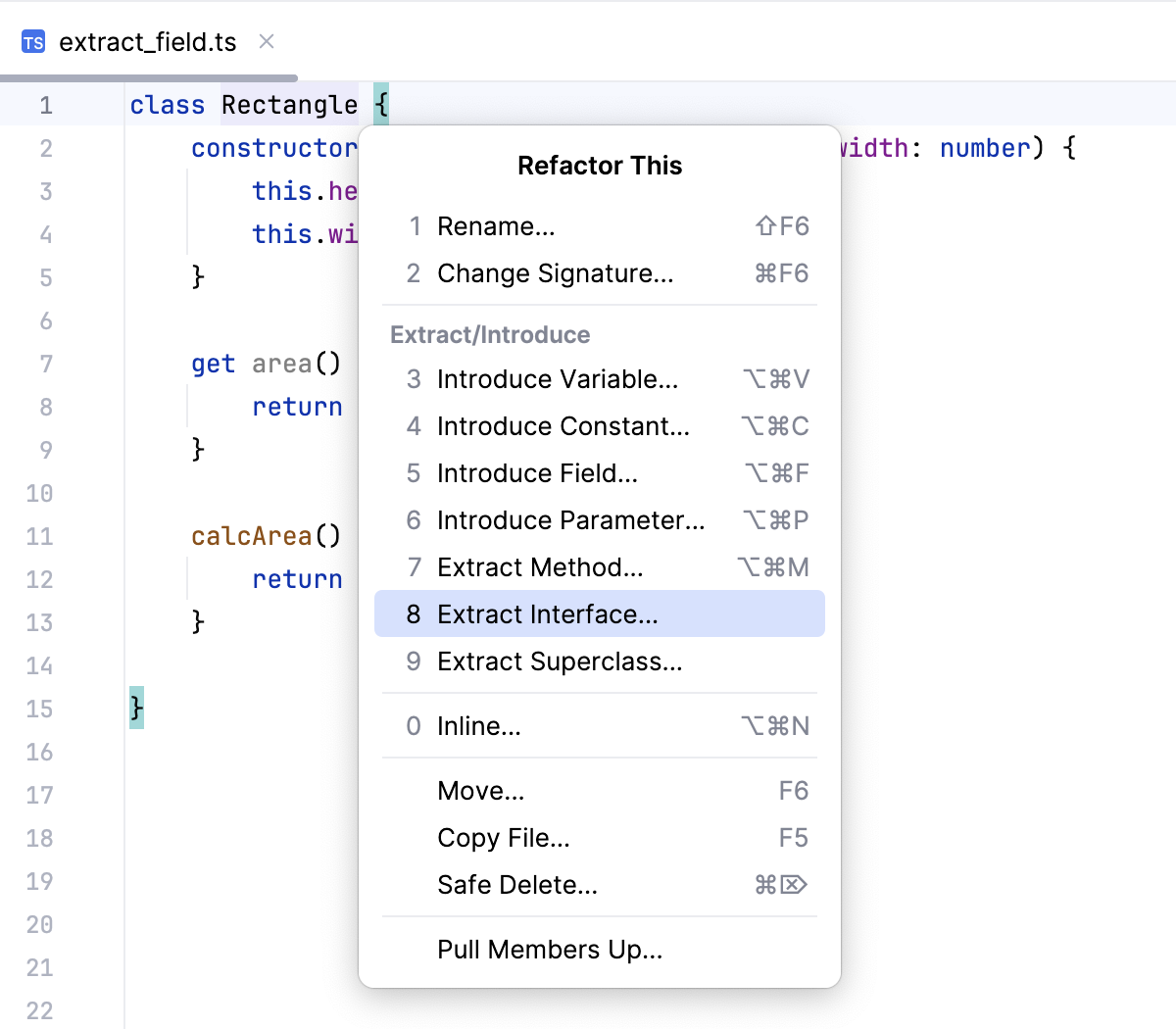
The project matters more than the file
A component file is rarely the whole feature. Its props may be declared elsewhere. A utility can be shared by several screens. A type can describe a response that also needs validation at runtime. When an editor understands those relationships, navigation becomes more useful than a list of text matches.
This is WebStorm’s clearest buying argument for me. The developer can stay close to the current question while following the code behind it. The aim is not to open fewer files at any cost. It is to reach the relevant files with less guesswork.
Related reading

TypeScript helps make this possible, but the project still needs a correct setup. An alias missing from the editor’s view can make a valid import look broken. Generated files and separate packages can add another layer. A careful project import is therefore part of the product experience, rather than a detail to ignore.
For a small site, those relationships may be easy to hold in your head. For an application with several packages and a changing team, they are harder to track. WebStorm becomes more convincing as the cost of understanding the project grows. It is much less compelling if the only requirement is colour highlighting for occasional edits.
Refactoring should show the size of a change
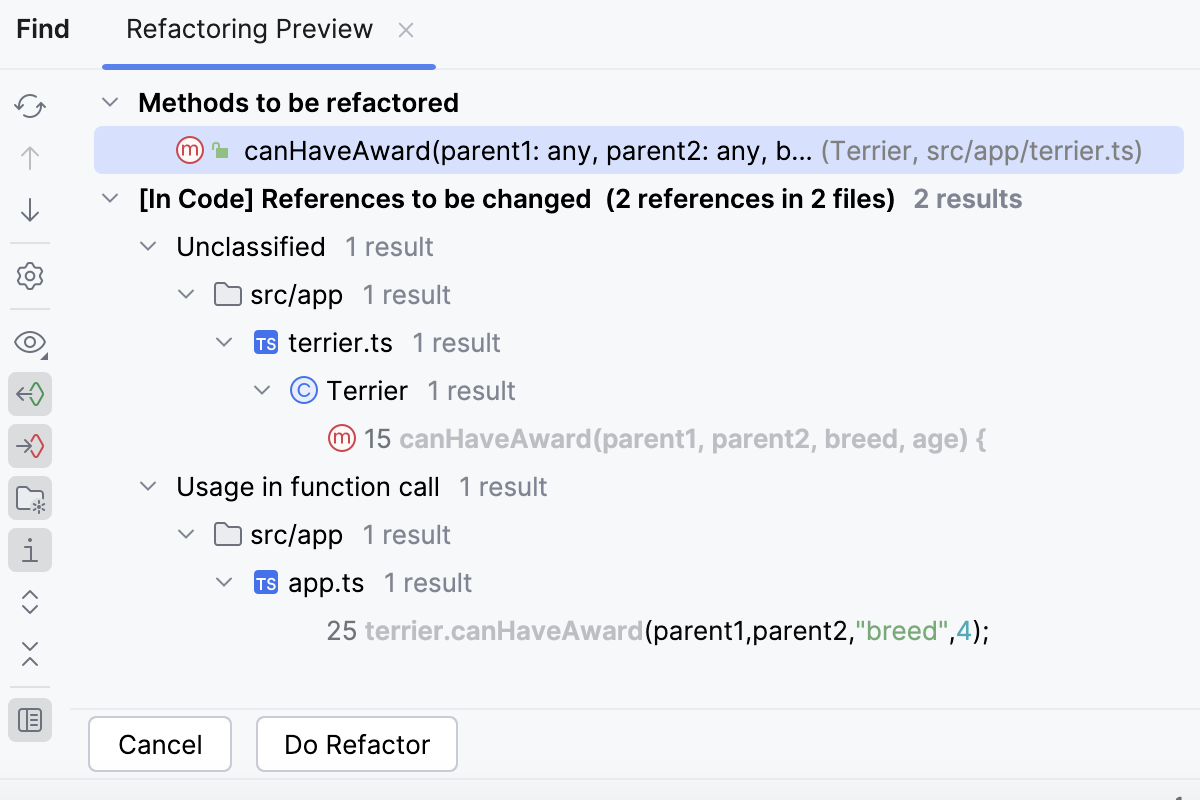
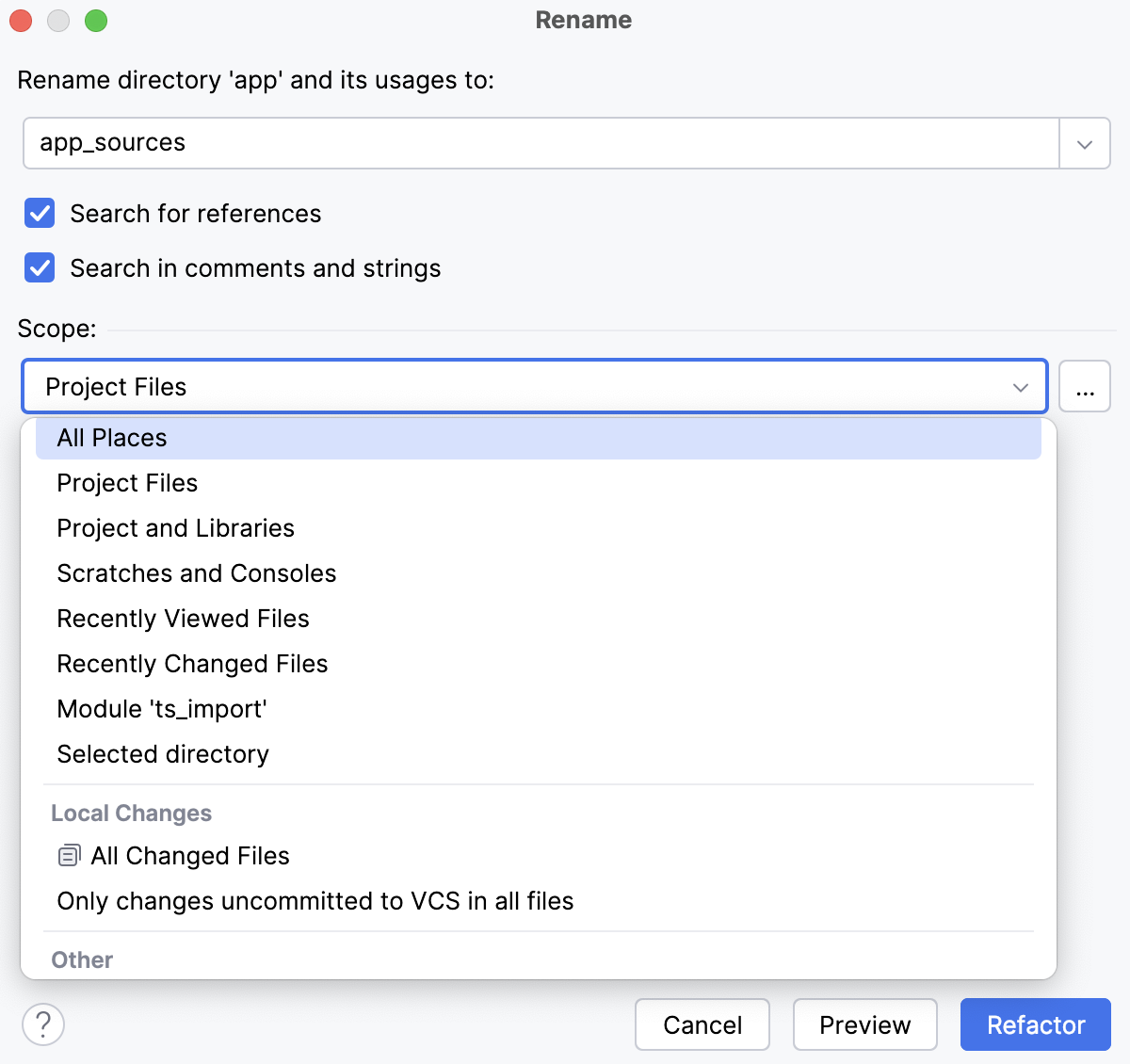
Moving a file can affect imports. Renaming a property can affect several callers. Changing a function’s arguments can reveal an assumption that was invisible in the original file. These are the changes where an IDE should earn its place.
JetBrains’ refactoring guide explains previews, affected references, and conflict handling. I like the emphasis on preview because it gives the developer a chance to inspect the planned scope. A broad operation should become more understandable before it becomes permanent.
The practical benefit is especially clear during cleanup. A team may want to give an awkward concept a better name without changing behaviour at the same time. A focused refactoring can keep that distinction visible. Mixing the rename with a rewritten implementation makes the review harder than either change alone.
There are limits to what source relationships can prove. A property name may be stored in remote data. A route can be linked from outside the application. A string might be a contract with another system. The editor can help with the project it sees; the developer still needs to recognise boundaries that extend beyond it.
That is a reason to value precision, rather than expect magic. A preview that clearly separates code references from text occurrences is useful. A large automatic change that looks confident without making its assumptions visible is much less attractive.
Browser debugging is a real reason to integrate
Frontend failures can hide behind several layers: the event handler, work that runs later, a request, a state update, and the browser’s rendering. A stack of console messages can show part of the path while leaving the crucial state unclear.
WebStorm’s Chrome debugging documentation describes its client side debugger and the use of Chromium based browsers. The appeal is keeping the running application connected to its source, so a breakpoint becomes part of the same investigation as reading the component.
I would still keep the browser’s own developer tools in reach. Layout, network behaviour, accessibility, and actual rendering belong to the browser. An IDE connection is useful when it shortens the route to the relevant code. It does not make the browser an optional part of web development.
Source maps are another important piece. The code a developer reads may differ from the code the browser executes. If that mapping is wrong, a neat breakpoint view can become confusing. A reliable build setup matters as much as the presence of a debug button.
Related reading
This is a good example of where integration has value without removing complexity. The tools can reduce the effort of moving between layers. The application still contains those layers, and I still need to know where the evidence came from.
A larger toolbox needs a quiet setup
WebStorm presents more controls than a minimal text editor. That can be useful when the project needs them, but a crowded workspace can make simple work feel heavier. I would begin with the editor, project view, and the few run settings needed every day, then open additional tools when a task calls for them.
The same restraint applies to inspections. A warning deserves attention when it identifies a real problem or an agreed project rule. A screen full of low value warnings teaches people to ignore the whole system. Shared settings should reflect the project’s choices, especially where a formatter or linter already owns a decision.
An IDE works best when it cooperates with command line tools rather than competing with them. The package scripts should remain the project’s common entry points. A colleague using a different editor should still be able to build and test the application. WebStorm can provide a convenient interface to that workflow without becoming the only place its rules exist.
That is a especially important distinction for teams. A local shortcut can be personal. A required environment variable, generated file, or build step belongs in shared project knowledge. Moving those facts into the project makes the IDE easier to adopt and easier to leave.
Agents do not remove the need for TypeScript tools
The current WebStorm page gives agents a prominent place. There is an obvious fit: generated changes can cross several files, while the IDE can help inspect references, types, and the resulting patch. The useful combination is assistance with writing and a strong place to review.
A TypeScript check can catch some mistakes, but it cannot establish that a screen behaves correctly. An agent may produce valid types and still wire the wrong state to a control. The browser flow, relevant tests, and human understanding remain part of the result.
I would ask an agent for a clear piece of work and keep direct refactoring commands for changes they already express well. There is little point in turning an obvious rename into a lengthy chat. The tool should help the developer choose the clearest path, rather than make every task an agent session.
This also affects cost. IDE access, provider subscriptions, and model usage can be separate items. A project should have a reason to use the agent path beyond its presence in the interface. Clear, reviewable changes are a better reason than a promise of effortless output.
What makes the product enjoyable for me
I like treating frontend work as application engineering. A visual change can affect state, keyboard behaviour, network handling, and the data passed between components. A tool that keeps those connections reachable respects the real size of the job. That is why WebStorm’s integrated direction appeals to me.
The pleasant part is having a place for both the code question and the application question. I can care about a clean type boundary and still recognise that the browser is where a user experiences the result. Neither view has to replace the other. The environment is useful when it shortens the path between them.
Related reading

My positive view is also about consistency. I would rather learn a clear set of navigation and refactoring ideas than keep adding small tools whose settings overlap. That is my preference. Another developer may prefer separate tools. For me, WebStorm is enjoyable because its parts have a shared purpose: understand the project, make a careful change, and connect that change to the running screen.
Is it worth paying for
WebStorm is easiest to justify when JavaScript or TypeScript is the main working language and project understanding matters throughout the week. Its value comes from having a clear set of tools around that work. A familiar editor with a carefully maintained extension setup can also be effective, so the comparison should be against that real setup.
For someone who already pays for several JetBrains products, the familiar controls can help. Navigation, settings, run settings, and refactoring ideas transfer between tools. That familiarity is useful, but it should not be confused with a reason to install every product in the bundle.
Before choosing a licence, I would compare the current WebStorm plans with the work involved. Noncommercial eligibility and commercial use are different questions. The price needs to match the actual project, not a vague idea that professional development always requires a paid editor.
My verdict is that WebStorm makes a strong case for people who want one careful JavaScript and TypeScript environment. Its best qualities are practical: clearer navigation, inspectable refactoring, and a useful bridge to the running application. The purchase makes sense when those connections reduce daily friction enough to justify the larger tool.
Where to buy
See WebStorm at the official product page. This is the product page for the model covered in this review. Check the model number, colour, included parts and delivery options before ordering. Prices and stock can change, so I use this page for the current offer. Matching the product to the review matters more to me than finding a similar name.
What worked
- I like following a question through the relevant code with less guesswork.
- Refactoring, run settings and tests support understanding a change rather than only typing it.
What bothered me
- Aliases, generated files and package setup still need to match the project.
- Familiar JetBrains controls are useful, but not a reason to install another IDE without a job for it.
Who should not buy it
- Someone expecting the IDE to understand a project whose own configuration is incomplete.
Alternatives I would consider
- PhpStorm. I would choose PhpStorm when the same application centres on PHP as well as web code, and WebStorm when JavaScript and TypeScript are the main work. Read my PhpStorm review.
Evidence and sources
The article separates my judgement from specifications and claims credited to their sources. Product images are identified by the credits in the article.
Features, compatibility and rated figures from the maker are manufacturer information. My opinions are identified in the review.
Conclusion
Worth it when the connected workflow solves repeated work; check the licence against the actual commercial or noncommercial use.
WebStorm
JetBrains · Choose the local store or delivery region
Check price and availability: WebStorm at JetBrainsProduct link.
One email a week with practical Mac workflows, useful comparisons and honest tech recommendations.